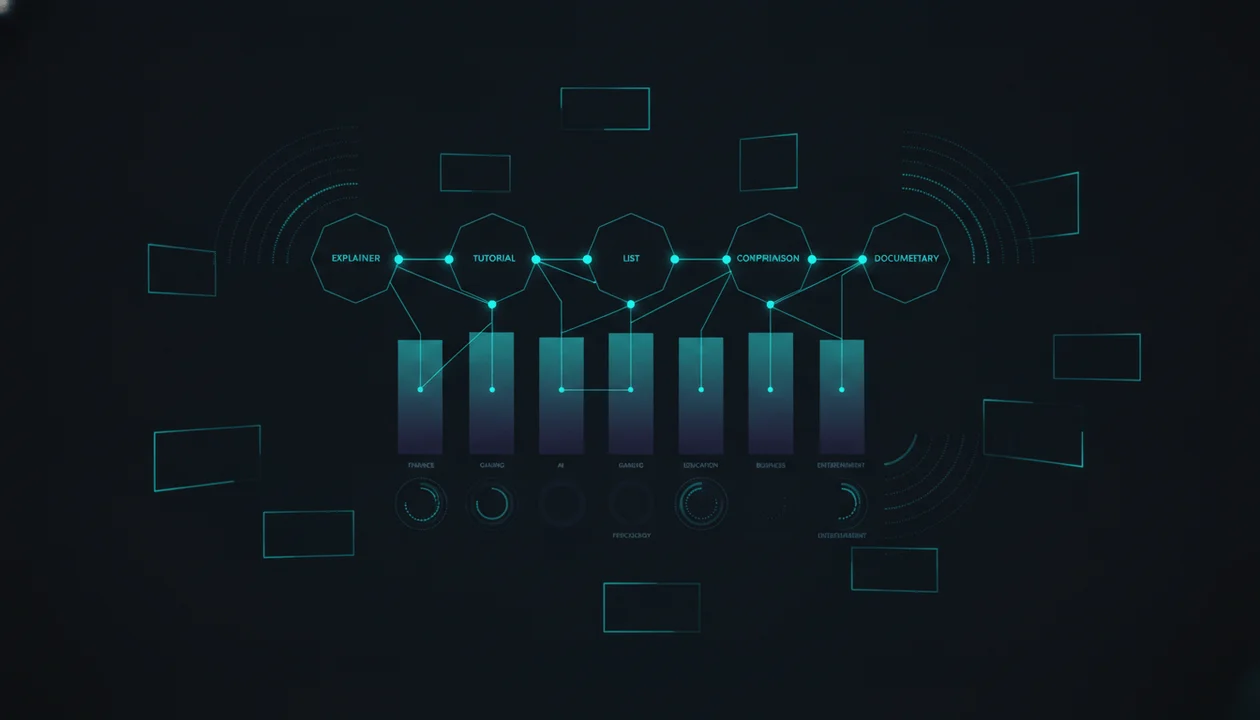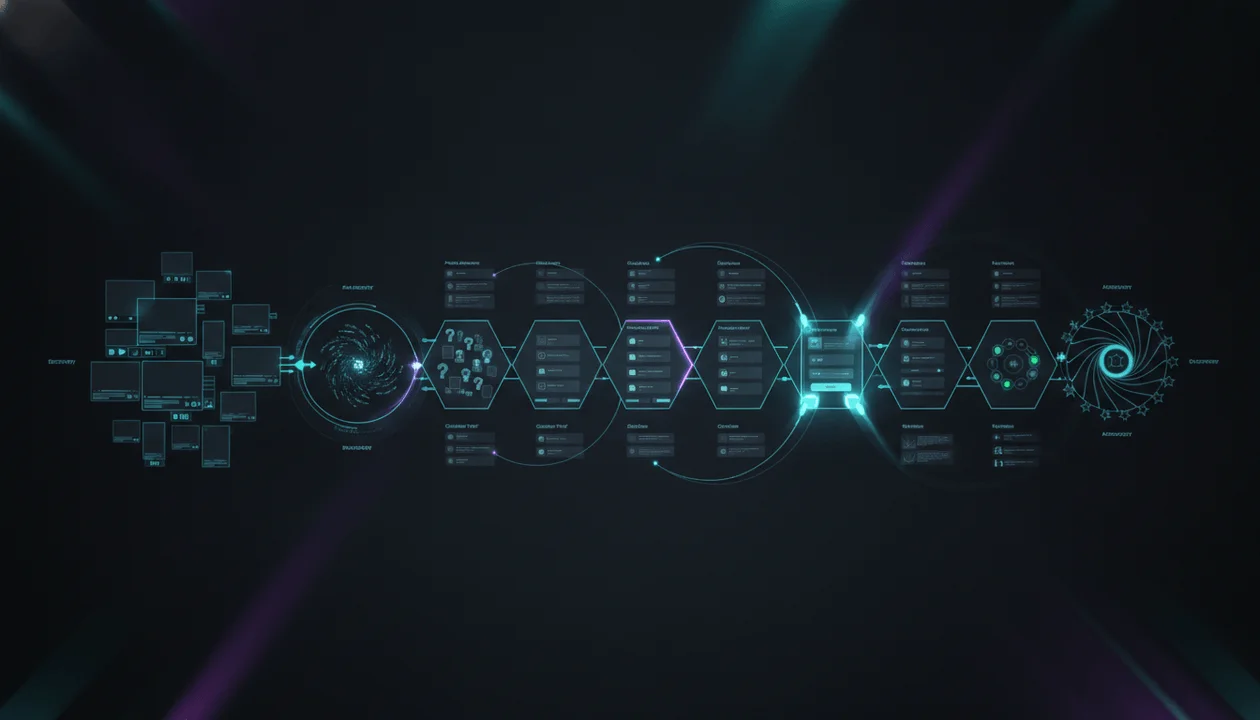
A YouTube marketing funnel is not a line that moves every viewer neatly from one video to one landing page and then into a purchase.
Real viewers move differently.
One person discovers your channel through a Short, watches a long-form video two weeks later, searches your product name, compares you with an alternative, leaves, returns through a customer case study, visits your pricing page, and finally converts after watching a tutorial shared by a colleague.
Another viewer watches one high-intent comparison video and starts a trial immediately.
A third viewer becomes a loyal subscriber for six months before buying anything.
That is why a strong YouTube marketing funnel is not built around one viral video or one aggressive call to action.
It is built around a connected system of videos that helps the right viewer:
- Discover the problem.
- Understand why it matters.
- Learn the available approaches.
- Evaluate your product, service, or offer.
- Trust the evidence.
- Take the next action.
- Reach value after converting.
- Return, expand, and advocate.
The strongest funnel does not force every viewer toward the same destination.
It gives each viewer the next piece of information they need.
This guide gives you a complete YouTube marketing funnel strategy for SaaS companies, agencies, ecommerce brands, creators, consultants, memberships, courses, marketplaces, and service businesses.
It includes:
- The eight-stage YouTube funnel
- The difference between a funnel, buyer journey, and content graph
- Search, browse, suggested, Shorts, and subscriber roles
- Video formats for every stage
- CTA architecture
- In-platform and off-platform conversion paths
- Funnel content ratios
- A Funnel Leak Diagnostic
- A 100-point Funnel Coverage Score
- SaaS, agency, ecommerce, creator-business, and service examples
- YouTube playlists, chapters, cards, end screens, posts, and testing
- Attribution and UTM guidance
- A complete 90-day implementation plan
- A copy-and-paste funnel template
- An AI planning prompt
- An OverseerOS workflow for researching, planning, producing, distributing, and measuring the complete system
Key Takeaways
- A YouTube marketing funnel is a connected video system that helps viewers move from discovery to understanding, evaluation, conversion, adoption, and advocacy.
- The journey is not perfectly linear. Viewers may enter at any stage, skip steps, revisit videos, compare alternatives, or convert after several indirect touchpoints.
- Every video should have one primary funnel job.
- Awareness videos should create relevance, not attempt to explain the complete product.
- Consideration videos should teach the method, category, workflow, and decision criteria.
- Decision videos should provide demonstrations, comparisons, proof, objections, implementation guidance, and clear next steps.
- Post-purchase tutorials, onboarding, and advanced workflows belong inside the funnel because conversion without activation creates weak customers.
- Shorts are strong for discovery and idea testing, but many complex buying decisions require long-form explanation.
- Search content captures expressed demand. Browse content expands demand. Suggested videos connect related viewer interests. Subscriber content strengthens repeat attention and trust.
- A CTA should match the viewer’s readiness. Asking a problem-aware viewer to buy immediately often creates unnecessary friction.
- The best funnel uses YouTube-native progression through playlists, cards, end screens, pinned comments, descriptions, posts, and related videos before sending every viewer off-platform.
- Funnel measurement should separate reach, attention, progression, intent, conversion, adoption, retention, and revenue.
- Do not credit one video with causing a sale when the evidence only shows that it assisted or influenced the journey.
- OverseerOS helps teams study public YouTube patterns, identify breakout opportunities, build content maps, develop scripts and packaging, produce videos, distribute assets, and review connected-channel performance.
What Is a YouTube Marketing Funnel?
A YouTube marketing funnel is a planned system of videos, viewer journeys, calls to action, and conversion paths designed to move people toward a business or customer outcome.
That outcome may be:
- A subscription
- Trial
- Demo
- Purchase
- Consultation
- Email signup
- Membership
- Course enrollment
- Application
- Sponsorship inquiry
- Affiliate sale
- Product activation
- Feature adoption
- Renewal
- Expansion
- Referral
The funnel connects each video to a specific viewer question.
Examples:
| Viewer Question | Funnel Video |
|---|---|
| Why is this problem happening? | Problem diagnosis |
| What approaches can solve it? | Educational framework |
| Which product or service fits? | Comparison or buyer guide |
| How does this solution work? | Demonstration |
| Can I trust it? | Customer case study |
| What will implementation require? | Implementation guide |
| What should I do first? | Getting-started tutorial |
| How do I get more value? | Advanced workflow |
A weak funnel says:
Every video should send viewers to the pricing page.
A stronger funnel says:
Every video should send viewers toward the next decision that makes sense for their current level of awareness and intent.
YouTube Marketing Funnel vs Sales Funnel
A sales funnel usually focuses on the commercial stages between lead generation and purchase.
A YouTube marketing funnel is broader.
It can begin before the viewer recognizes the problem and continue long after the purchase.
| YouTube Marketing Funnel | Traditional Sales Funnel |
|---|---|
| Begins with audience discovery | Often begins with a lead |
| Includes education and entertainment | Focuses more directly on selling |
| Can create new demand | Often captures existing demand |
| Includes public content | Often uses email, calls, and CRM |
| Supports customer education | Usually ends near purchase |
| Can build community and loyalty | Usually measures pipeline progression |
| Includes repeat viewing | Often assumes stage-based movement |
The two systems should connect.
YouTube may create or educate the buyer.
Sales may qualify, demonstrate, negotiate, and close.
Customer success may activate and retain the customer.
YouTube Funnel vs Buyer Journey
The buyer journey describes what the buyer experiences.
The funnel describes how the business organizes content and conversion opportunities around that experience.
Buyer Journey
- Questions
- Emotions
- Risks
- Research behavior
- Stakeholders
- Decisions
- Actions
Funnel
- Videos
- Playlists
- CTAs
- Landing pages
- Emails
- Offers
- Sales handoffs
- Measurement
The buyer journey is customer-centered.
The funnel is the operating system built to support it.
YouTube Funnel vs Content Graph
A funnel implies progression toward an outcome.
A content graph describes the wider network of connected topics, videos, playlists, formats, audiences, and next-video paths.
A viewer may not move only downward.
They may move sideways between:
- Related problems
- Use cases
- series
- comparisons
- tutorials
- customer stories
- advanced lessons
Use the YouTube content graph framework to design the larger connected system.
Use the marketing funnel to define which business and customer decisions that system supports.
Why the YouTube Funnel Is Not Linear
YouTube’s recommendation system is personalized around what each viewer is likely to watch and enjoy. Viewers may discover videos through search, the homepage, suggested videos, subscriptions, Shorts, posts, external websites, or direct links.
YouTube describes its recommendation goal as helping viewers find relevant videos they want to watch while supporting long-term viewer satisfaction. Source: YouTube Help
That means your funnel cannot depend on this sequence:
- Viewer watches Video A.
- Viewer watches Video B.
- Viewer clicks landing page.
- Viewer buys.
Some viewers will enter through Video B.
Some will begin with a comparison.
Some will begin with a product tutorial.
Some will watch a customer story after receiving it from a salesperson.
Some will subscribe without leaving YouTube for months.
Build every important stage as a valid entry point.
The Eight-Stage YouTube Marketing Funnel
Use this expanded model:
- Discovery
- Problem awareness
- Solution education
- Product or offer evaluation
- Proof and risk reduction
- Conversion
- Activation and adoption
- Retention, expansion, and advocacy
Each stage has a different customer question.
Stage 1: Discovery
Viewer Question
Why should I pay attention to this topic, channel, or problem?
Objective
Earn the first qualified view.
Useful Video Formats
- Broad problem stories
- Contrarian videos
- Trend analysis
- Cultural commentary
- Mistake videos
- Surprising experiments
- Shorts
- Industry changes
- Emotional stories
- High-interest list videos
- Breakdowns of visible successes or failures
Example Titles
- Why AI Tools Are Making Some Content Teams Slower
- The Hidden Cost of Producing the Wrong YouTube Video
- Why Most Faceless Channels Look Identical
- The Content Strategy Mistake Nobody Notices Until Month Six
- I Audited 100 YouTube Channels. Most Had the Same Problem.
Primary CTA
- Watch the next video
- Subscribe to the series
- Answer a question
- Read the related guide
- Save the playlist
Do not require a cold viewer to understand your complete offer immediately.
Stage 2: Problem Awareness
Viewer Question
Is this the problem I am experiencing?
Objective
Help the viewer diagnose the situation accurately.
Useful Video Formats
- Problem diagnosis
- Root-cause analysis
- Cost-of-inaction video
- Workflow audit
- Mistake breakdown
- Before-state case study
- Audience research
- Benchmark explanation
- Myth correction
Example Titles
- Why More Video Ideas Are Making You Less Decisive
- Why Your Scripts Sound Generic Even After You Train the AI
- Why Your YouTube Team Keeps Repeating the Same Research
- The Real Reason Your Product Tutorials Do Not Create Trials
- Why Hiring an Editor Does Not Fix a Weak Content Strategy
Primary CTA
- Watch the solution framework
- Complete an assessment
- Download a diagnostic checklist
- Join a relevant email sequence
- Explore a problem-specific playlist
The viewer should leave thinking:
I understand the real problem more clearly now.
Stage 3: Solution Education
Viewer Question
What type of approach can solve this?
Objective
Teach the better method or category.
Useful Video Formats
- Framework
- Step-by-step strategy
- Category explainer
- Process comparison
- Operating model
- System design
- Educational tutorial
- Buyer criteria
- Build-versus-buy explanation
Example Titles
- The Evidence-Backed YouTube Content Workflow
- What a YouTube Intelligence Platform Actually Does
- How to Validate a Video Topic Before Production
- The Seven-Part Content System for Small YouTube Teams
- How Customer Research Should Move Into Your Content Calendar
Primary CTA
- Watch the product workflow
- Download the template
- Compare approaches
- Join a webinar
- Start a guided assessment
This stage should remain useful even when the viewer does not buy.
Stage 4: Product or Offer Evaluation
Viewer Question
Is this specific product, service, or offer the right fit?
Objective
Make the offer understandable and comparable.
Useful Video Formats
- Product overview
- Complete demonstration
- Role-based use case
- Service walkthrough
- Alternatives video
- Product comparison
- Pricing explanation
- Feature-to-outcome tutorial
- Agency process video
- Course curriculum walkthrough
Example Titles
- How OverseerOS Turns a Channel URL Into an Original Content Strategy
- OverseerOS for YouTube Agencies: Complete Client Workflow
- Generic AI Chatbot vs YouTube Intelligence Platform
- What Your First 30 Days With a YouTube Agency Look Like
- Which OverseerOS Plan Fits Your Channel?
Primary CTA
- Start a trial
- Request a demo
- Compare plans
- Apply
- Book a consultation
- Watch the implementation guide
Do not show every feature.
Show the workflow connected to the buyer’s goal.
Stage 5: Proof and Risk Reduction
Viewer Question
Can I trust this, and what could go wrong?
Objective
Provide evidence and reduce uncertainty.
Useful Video Formats
- Customer testimonial
- Customer case study
- Transparent experiment
- Before-and-after
- Implementation story
- Objection video
- Limitations video
- Security overview
- Results analysis
- Founder credibility story
- Independent comparison
Example Titles
- “We Already Had AI”: Why This Agency Added OverseerOS
- How a Faceless Channel Team Rebuilt Its Research Workflow
- What YouTube Research Can Predict and What It Cannot
- Is OverseerOS Only for Large Channels?
- Manual Research vs OverseerOS: A Complete Workflow Test
Use the customer testimonial video framework to build credible proof without scripting artificial praise.
Primary CTA
- Watch the complete demo
- Review implementation
- Start the trial
- Book the next conversation
- Share with a stakeholder
- Read the case study
Stage 6: Conversion
Viewer Question
What should I do now?
Objective
Make the next action clear and low-friction.
Useful Video Formats
- Offer explanation
- Pricing and package walkthrough
- FAQ
- Decision summary
- Trial invitation
- Enrollment explanation
- Application video
- Launch video
- Limited campaign video
- Live Q&A replay
Example Titles
- Which OverseerOS Plan Should You Choose?
- Who Should Not Use OverseerOS?
- Your First 30 Days With OverseerOS
- Everything Included in the Program
- Before You Hire a YouTube Agency, Watch This
Primary CTA
Choose one:
- Start trial
- Buy
- Enroll
- Apply
- Request demo
- Book consultation
- Join waitlist
- Activate feature
Conversion videos should not create new confusion.
They should resolve the final decision.
Stage 7: Activation and Adoption
Customer Question
How do I get the promised value?
Objective
Help the customer reach the first useful result and repeat it.
Useful Video Formats
- Getting started
- First workflow
- Setup tutorial
- Role-based onboarding
- Mistake prevention
- Implementation checklist
- First 30 Days
- Team training
- Product education playlist
Example Titles
- Analyze Your First YouTube Channel With OverseerOS
- Build Your First Channel Blueprint
- Save Your First Topic to OverseerOS Channel Content Planner
- Write Your First Script With OverseerOS Script Studio
- Turn Your Script and Voiceover Into a Structured Faceless Video
Use the complete YouTube customer education strategy for the post-purchase learning system.
Primary CTA
- Complete the workflow
- Watch the next tutorial
- Invite a teammate
- Use the connected feature
- Join onboarding
- Submit the first result
A conversion that never reaches activation is a weak funnel outcome.
Stage 8: Retention, Expansion, and Advocacy
Customer Question
How do I get more value, solve a broader problem, or help others?
Objective
Deepen the relationship.
Useful Video Formats
- Advanced workflows
- Team use cases
- New feature education
- Customer masterclasses
- Product updates
- Community showcases
- Customer stories
- Expansion use cases
- Certification
- Behind-the-scenes roadmaps
- Advocacy campaigns
Example Titles
- How to Run Five YouTube Channels Inside One Research System
- Advanced OverseerOS Workflow for YouTube Agencies
- How to Turn One Breakout Video Into a Complete Series
- Build a Multi-Platform Distribution System With OverseerOS
- What We Changed After Listening to Customers
Primary CTA
- Adopt another workflow
- Upgrade
- Invite the team
- Share a result
- Join the community
- Refer someone
- Participate in a customer story
The YouTube Funnel Content Matrix
Use this matrix to identify gaps.
| Funnel Stage | Viewer Intent | Best Formats | Main Proof | Primary CTA |
|---|---|---|---|---|
| Discovery | Explore | Shorts, stories, trends, contrarian | Relevance | Watch next |
| Problem awareness | Diagnose | Mistakes, audits, root causes | Specificity | Learn method |
| Solution education | Understand | Frameworks, tutorials, category guides | Method | See workflow |
| Evaluation | Compare | Demos, use cases, comparisons | Product fit | Trial or demo |
| Proof | Trust | Case studies, experiments, objections | Evidence | Continue evaluation |
| Conversion | Act | FAQ, packages, launch, decision guide | Clarity | Buy or sign up |
| Activation | Succeed | Getting started, onboarding | Completed action | Continue workflow |
| Retention | Expand | Advanced, updates, customer stories | Ongoing value | Adopt or advocate |
Search, Browse, Suggested, Shorts, and Subscriber Roles
A complete funnel uses several discovery systems.
YouTube Search
Search captures explicit demand.
The viewer already knows enough to ask a question.
Typical search-led topics:
- How to
- Best
- Versus
- Alternatives
- Review
- Tutorial
- Pricing
- Setup
- Worth it
- Fix
- Examples
- Template
Search often performs strongly for:
- Problem awareness
- Solution education
- Evaluation
- Troubleshooting
- Activation
Example
Best YouTube Competitor Analysis Tools
The viewer is already evaluating a solution category.
Browse and Homepage
Browse can introduce a problem or angle the viewer was not actively searching for.
Useful formats:
- Strong story
- Contrarian idea
- Surprising result
- Experiment
- Visible transformation
- Timely market shift
- Emotional problem
- High-stakes mistake
Browse often supports:
- Discovery
- Problem awareness
- Category creation
- Trust
- Loyalty
Example
I Audited 100 YouTube Channels. Most Were Solving the Wrong Problem.
The viewer may not have searched for an audit framework.
The packaging creates interest.
Suggested Videos
Suggested traffic can connect your content to topics the viewer is already watching.
Build adjacency through:
- Related topics
- natural follow-ups
- similar audience problems
- sequenced formats
- consistent title language
- playlists
- series
- verbal next-video bridges
Suggested often supports:
- Education
- progression
- deeper evaluation
- customer learning
YouTube Shorts
Shorts can support:
- Discovery
- Hook testing
- Problem recognition
- Micro-education
- Launch reminders
- Objection clips
- Customer proof clips
- Distribution
Shorts are weaker when the decision requires:
- Complex explanation
- Detailed implementation
- Nuanced comparison
- Several stakeholders
- Significant trust
- Long product demonstration
Use Shorts to open a loop.
Use long-form content to resolve complex loops.
Subscribers and Returning Viewers
Subscribers and returning viewers already possess some relationship with the channel.
Use this audience for:
- Deeper frameworks
- Series
- Product launches
- Live events
- Advanced education
- Community participation
- Customer stories
- Behind-the-scenes decisions
Do not assume every subscriber has purchase intent.
A loyal viewer may still need the correct use case, proof, and timing.
The Funnel Content Ratio
There is no universal ratio that fits every business.
Use this starting model.
| Funnel Layer | Suggested Share |
|---|---|
| Discovery and problem awareness | 35% |
| Solution education | 25% |
| Evaluation and proof | 20% |
| Conversion | 5% |
| Activation and retention | 15% |
Adjust by business model.
Early-Stage SaaS
May need more:
- Problem awareness
- category education
- product demonstration
- onboarding
Established SaaS
May need more:
- Comparisons
- proof
- advanced use cases
- customer education
- expansion
Ecommerce
May need more:
- Product discovery
- demonstrations
- reviews
- comparisons
- use cases
- maintenance
Agency
May need more:
- Problem diagnosis
- authority
- case studies
- process
- fit
- pricing
- implementation
Creator Business
May need more:
- Broad discovery
- trust
- transformation
- free education
- product bridge
- membership or course activation
Do not follow percentages mechanically.
Use them to reveal imbalance.
Build the Funnel From Customer Questions
Each stage should be built from evidence.
Use:
- YouTube comments
- Search terms
- Customer interviews
- Sales calls
- Support tickets
- Reviews
- Product analytics
- Lost-deal reasons
- Cancellation feedback
- Community discussions
- Competitor content
The YouTube voice of customer research guide provides the complete collection and scoring system.
The Funnel Question Inventory
Create a table.
| Question | Audience | Stage | Frequency | Existing Video | Gap |
|---|---|---|---|---|---|
| Why do my scripts sound generic? | Creator | Problem | High | Partial | Strong diagnosis needed |
| What is Creator DNA? | Creator | Education | Medium | Missing | Category explanation |
| How is OverseerOS different from ChatGPT? | Buyer | Evaluation | High | Comparison exists | Update quarterly |
| Does this work for agencies? | Agency owner | Evaluation | High | Missing | Role-based demo |
| How long does setup take? | Buyer | Proof | Medium | Weak | Implementation video |
| Which plan fits me? | Buyer | Conversion | High | Missing | Plan guide |
| What should I do first? | New user | Activation | High | Partial | Start Here path |
| How do I manage several channels? | Customer | Expansion | Medium | Missing | Advanced workflow |
Prioritize questions that are:
- Frequent
- High-impact
- Connected to a valuable audience
- Poorly answered
- Suitable for video
The 100-Point Funnel Video Opportunity Score
Score each potential video.
| Dimension | Maximum Score |
|---|---|
| Audience relevance | 15 |
| Funnel importance | 15 |
| Demand | 15 |
| Business impact | 15 |
| Content gap | 10 |
| Proof potential | 10 |
| YouTube fit | 10 |
| Progression value | 5 |
| Maintenance feasibility | 5 |
| Total | 100 |
1. Audience Relevance: 0 to 15
Does the topic attract the correct:
- Role
- problem
- sophistication
- company type
- customer segment
2. Funnel Importance: 0 to 15
Does the video support a critical stage?
High importance may include:
- First problem recognition
- Category understanding
- Product comparison
- Main objection
- Conversion decision
- First useful result
3. Demand: 0 to 15
Use:
- Search queries
- Comments
- Sales questions
- Competitor performance
- Support volume
- Community demand
4. Business Impact: 0 to 15
Potential impacts:
- Qualified awareness
- Trial
- Demo
- Purchase
- Activation
- Retention
- Expansion
- Support reduction
5. Content Gap: 0 to 10
Ask:
- Is the current answer missing?
- Is it outdated?
- Is it too broad?
- Does it target the wrong viewer?
- Is it buried inside a long video?
6. Proof Potential: 0 to 10
Can the video include:
- Demonstration
- Customer story
- Experiment
- Public data
- Before-and-after
- Workflow artifact
7. YouTube Fit: 0 to 10
Is video the right format?
Strong video-fit topics include:
- Visual workflows
- demonstrations
- stories
- comparisons
- complex explanations
- before-and-after
- emotional problems
8. Progression Value: 0 to 5
Does the video connect naturally to:
- Another video
- Playlist
- Trial
- Demo
- Product action
- Customer lesson
9. Maintenance Feasibility: 0 to 5
Can the video remain accurate or be updated efficiently?
Score Interpretation
| Score | Action |
|---|---|
| 80 to 100 | Produce immediately |
| 65 to 79 | Add to the next sprint |
| 50 to 64 | Strengthen the angle or evidence |
| 35 to 49 | Use a lighter format |
| Below 35 | Archive for now |
This is an internal prioritization framework, not an official YouTube metric.
Build an In-Platform Funnel Before an Off-Platform Funnel
Many channels send viewers off YouTube too early.
A cold viewer watches two minutes and immediately hears:
Click the link below to buy.
The viewer has not received enough value or trust.
An in-platform funnel keeps the viewer learning inside YouTube.
Example:
- Problem video
- Framework video
- Product-led workflow
- Customer story
- Comparison
- Trial or demo
This creates:
- More watch time
- More viewer context
- More trust
- More opportunities for the correct next video
- A stronger relationship with the channel
Use off-platform CTAs when the viewer is ready.
The In-Platform Progression Tools
Playlists
Use playlists to organize:
- Funnel stages
- Buyer roles
- Problems
- Use cases
- Customer education
- Product comparisons
- Learning paths
YouTube provides playlist-level analytics that can help creators review aggregated performance across videos within a playlist. Source: YouTube Help
Possible playlists:
- Start Here
- Understand the Problem
- Build Your YouTube Strategy
- OverseerOS Product Workflows
- OverseerOS Customer Stories
- OverseerOS for Agencies
- Compare YouTube Tools
- Advanced OverseerOS Tutorials
Chapters
Chapters help viewers navigate long videos.
Manual chapters currently require:
- The first timestamp to begin at
00:00 - At least three timestamps
- Timestamps in ascending order
- Each chapter to meet YouTube’s minimum duration requirements
Use buyer-question chapter names.
00:00 Is This Workflow for You?
00:42 The Current Problem
02:10 The Better Method
04:25 The Product Workflow
08:40 Proof and Limitations
11:15 Plans and Next Steps
Cards
YouTube cards can connect viewers to relevant videos, playlists, channels, and supported links.
Use cards for:
- Prerequisite lesson
- Deeper example
- Customer story
- Comparison
- Connected workflow
Place the card when the viewer needs the information.
End Screens
End screens can appear during the final portion of eligible videos and can promote:
- Videos
- Playlists
- Channels
- Subscriptions
- Supported links
Map one primary progression.
Examples:
- Problem video to framework
- Framework to product demo
- Demo to customer story
- Customer story to implementation
- Tutorial to advanced workflow
Pinned Comments
Use the pinned comment for:
- Updated link
- Next video
- Relevant timestamp
- Correction
- Template
- Product action
- FAQ
Do not repeat the description without adding value.
Descriptions
A useful description may include:
- Video promise
- Primary next step
- Related video
- Relevant resource
- Chapters
- Disclosure
- Product or offer information
- Update note
YouTube Posts
YouTube posts can support:
- Polls
- Questions
- Images
- Video promotion
- Launch reminders
- Follow-up discussions
- Audience research
Use posts across the funnel.
Discovery Post
Which part of YouTube feels hardest right now?
Problem Post
What have you tried that did not solve it?
Evaluation Post
Which workflow should we demonstrate next?
Conversion Post
The complete product walkthrough is now available.
Customer Post
Which advanced workflow should we teach next?
Match the CTA to the Funnel Stage
A CTA is not merely the final sentence.
It is the bridge to the next decision.
Discovery CTAs
- Watch the related video
- Subscribe
- Answer the poll
- Share the experience
- Save the playlist
Problem-Awareness CTAs
- Complete the diagnostic
- Watch the solution framework
- Download the checklist
- Join the email course
Solution-Education CTAs
- See the workflow
- Compare approaches
- Use the template
- Watch the product-led tutorial
Evaluation CTAs
- Start trial
- Request demo
- Watch customer story
- Compare plans
- Review implementation
Proof CTAs
- Continue to complete demo
- Share with stakeholder
- Start evaluation
- Book technical review
Conversion CTAs
- Buy
- Enroll
- Apply
- Start trial
- Request demo
Activation CTAs
- Complete first workflow
- Import first project
- Invite teammate
- Watch next tutorial
Retention CTAs
- Try advanced feature
- Join community
- Upgrade
- Share result
- Refer customer
The CTA Readiness Test
Before choosing the CTA, ask:
- What does the viewer already understand?
- What remains uncertain?
- Which action is reasonable now?
- Does the destination match the video promise?
- Is the next step smaller than the viewer’s remaining uncertainty?
- Is there one primary action?
CTA Mistake: Asking for Too Much
Problem-aware viewer:
Buy the annual enterprise plan.
Better:
Watch the complete workflow.
CTA Mistake: Asking for Too Little
High-intent comparison viewer:
Subscribe for more tips.
Better:
Start the trial and test the workflow on one real channel.
Build the Offer Bridge
The product should enter naturally through the problem being taught.
Weak Bridge
Speaking of growth, buy our software.
Stronger Bridge
The difficulty is not generating more ideas. It is carrying public evidence, title direction, thumbnail logic, and audience context into production without losing the strategy. OverseerOS is designed to connect those steps inside one workflow.
The bridge should explain relevance.
It should not interrupt the video with an unrelated pitch.
The Funnel Link Architecture
Use one primary link per video where possible.
Example:
| Video Type | Primary Link |
|---|---|
| Problem diagnosis | Framework video or checklist |
| Framework | Product workflow |
| Product workflow | Trial |
| Comparison | Comparison page or trial |
| Customer story | Demo or case-study page |
| FAQ | Pricing or signup |
| Getting started | Product action |
| Advanced tutorial | Connected feature |
Secondary links may support:
- Sources
- disclosures
- templates
- related videos
- documentation
Avoid a description with 20 equal links.
Track Off-Platform Traffic With Consistent Links
Google Analytics supports campaign parameters such as:
utm_sourceutm_mediumutm_campaignutm_content
Example:
https://www.overseeros.com/features/viral-channel-finder
?utm_source=youtube
&utm_medium=organic_video
&utm_campaign=youtube_marketing_funnel
&utm_content=competitor_research_workflow
Use consistent lowercase naming.
Document the convention.
Recommended UTM Framework
utm_source=youtube

utm_medium=organic_video

utm_campaign=[campaign_or_funnel]

utm_content=[video_slug]

utm_term=[optional_topic_or_segment]
Avoid UTM Fragmentation
Do not alternate between:
- YouTube
- YouTube
- YouTube.com
- YT
- YouTube-organic
Choose one convention.
The YouTube Funnel Measurement Framework
Measure the system in layers.
Layer 1: Reach
Track:
- Impressions
- Unique viewers
- Views
- New viewers
- Traffic sources
- Shorts reach
- Search queries
Question:
Are the correct people discovering the content?
Layer 2: Attention
Track:
- Watch time
- Average view duration
- Average percentage viewed
- Audience retention
- Returning viewers
- Playlist progression
- End-screen clicks
Question:
Did the content earn enough attention to deliver the message?
YouTube’s audience-retention report can show intros, top moments, spikes, and dips for eligible videos. Source: YouTube Help
Layer 3: Progression
Track:
- Next-video views
- Playlist movement
- Card clicks
- End-screen clicks
- Related-video consumption
- Repeat sessions
Question:
Did the viewer move toward deeper understanding?
Layer 4: Intent
Track:
- Product-page visits
- Pricing-page visits
- Trial-page visits
- Demo requests
- Email signups
- Template downloads
- Qualified comments
- Branded searches
Question:
Did the viewer show commercial or product interest?
Layer 5: Conversion
Track:
- Trial starts
- Purchases
- Enrollments
- Consultations
- Applications
- Demo bookings
- Affiliate purchases
Question:
Did a meaningful action occur?
Layer 6: Activation
Track:
- First login
- First project
- First completed workflow
- Time to first value
- Feature activation
- Onboarding completion
Question:
Did the new customer receive useful value?
Layer 7: Retention and Expansion
Track:
- Repeat product usage
- Active days
- Advanced feature adoption
- Team invitations
- Renewals
- Upgrades
- Referrals
- Customer stories
Question:
Did the relationship deepen?
Layer 8: Revenue and Business Impact
Track carefully:
- Revenue
- Pipeline influenced
- Assisted sales
- Expansion revenue
- Affiliate commissions
- Sponsorship value
- Support-ticket reduction
- Sales-cycle changes
Do not attribute every result to the final clicked video.
Use the YouTube-to-SaaS attribution framework for a more complete measurement system.
Use YouTube Analytics Advanced Mode
YouTube Studio’s Advanced Mode can support:
- Content comparisons
- Date comparisons
- Filters
- Groups
- Traffic-source analysis
- Geography analysis
- Search-term analysis
- Exports
Create groups such as:
- Discovery
- Problem Awareness
- Education
- Evaluation
- Proof
- Conversion
- Onboarding
- Retention
Then compare them according to their intended job.
Do not judge every group by views.
Funnel Group Scorecard
| Group | Primary Metric | Secondary Metric |
|---|---|---|
| Discovery | Qualified reach | New viewers |
| Problem awareness | Watch time | Next-video progression |
| Education | Retention | Returning viewers |
| Evaluation | Product traffic | Trial or demo intent |
| Proof | Buyer engagement | Sales usage |
| Conversion | Completed action | Qualified conversion rate |
| Onboarding | Tutorial completion | Product activation |
| Retention | Returning customer views | Advanced adoption |
Test Titles and Thumbnails by Funnel Stage
Eligible creators can currently test up to three titles, thumbnails, or title-thumbnail combinations for supported long-form videos in YouTube Studio.
YouTube evaluates the result using watch-time performance rather than click-through rate alone. Source: YouTube Help
Test strategic differences.
Discovery Test
- Curiosity-led title
- Problem-led title
- Experiment-led title
Evaluation Test
- Product-led title
- Outcome-led title
- Comparison-led title
Proof Test
- Customer-first title
- Result-first title
- Objection-first title
Tutorial Test
- Feature-led title
- Outcome-led title
- Problem-led title
The test should answer a meaningful question.
The Funnel Leak Diagnostic
A funnel leak is a point where viewers fail to progress because the next information, proof, or action is missing.
Leak 1: High Reach, Low Relevance
Symptoms
- Many views
- Few qualified comments
- Little website traffic
- Wrong audience
- Weak returning behavior
Cause
Discovery content is too broad.
Fix
- Narrow the viewer
- Connect the broad topic to a specific problem
- Build a stronger next-video bridge
- Produce segment-specific follow-ups
Leak 2: Strong Watch Time, No Progression
Symptoms
- Viewers watch
- Few next-video clicks
- Weak playlist progression
- No deeper content consumption
Cause
The video resolves the problem but provides no next decision.
Fix
- Add one next video
- Use a verbal transition
- Improve end screen
- Pin the next resource
- Create a series
Leak 3: Education Without Product Relevance
Symptoms
- Strong educational channel
- Low branded interest
- Few trials
- Viewers love advice but do not understand the offer
Cause
The product bridge is missing or unnatural.
Fix
- Demonstrate the product inside the workflow
- Build role-based use cases
- Explain where the product adds value
- Create comparison content
Leak 4: Product Content Without Demand
Symptoms
- Many product videos
- Low views
- Weak search traffic
- Audience ignores releases
Cause
The channel begins with the company instead of the customer.
Fix
- Publish problem videos
- Build category education
- connect features to outcomes
- package releases around customer change
Leak 5: Trials Without Activation
Symptoms
- Signups
- Low first-action completion
- High early churn
- Repeated onboarding questions
Cause
Conversion content exists, but customer education is weak.
Fix
- Create Start Here playlist
- Send role-based onboarding
- Teach first useful result
- Reduce setup friction
- connect trial pages to tutorials
Leak 6: Product Usage Without Expansion
Symptoms
- Customers use one feature
- Low team adoption
- Low upgrades
- Hidden capabilities
Cause
No advanced learning path.
Fix
- Build connected workflows
- Teach next-best feature
- show customer use cases
- create advanced masterclasses
Leak 7: Views Without Attribution
Symptoms
- Marketing says YouTube works
- Finance cannot verify impact
- Sales uses videos informally
- Links are inconsistent
Cause
Measurement architecture is missing.
Fix
- Standardize UTMs
- Track sales usage
- Add self-reported attribution
- connect product behavior
- separate assisted from direct outcomes
Leak 8: Too Many CTAs
Symptoms
- Description contains many offers
- Video asks viewers to subscribe, buy, download, book, and follow
- Weak click behavior
Cause
No primary next decision.
Fix
Choose one primary CTA.
Leak 9: Funnel Cannibalization
Several videos target the same stage and question while other stages remain empty.
Example:
- Product tour
- Product overview
- Why our product is better
- Product features
- Product launch
All five target product-aware viewers.
Missing:
- Problem diagnosis
- Category education
- Comparison
- Customer proof
- Onboarding
Use the YouTube content cannibalization framework to separate overlapping jobs.
The 100-Point YouTube Funnel Coverage Score
Audit the complete channel.
| Category | Maximum Score |
|---|---|
| Audience clarity | 10 |
| Discovery coverage | 10 |
| Problem coverage | 10 |
| Education coverage | 10 |
| Evaluation coverage | 10 |
| Proof coverage | 10 |
| Conversion coverage | 10 |
| Activation coverage | 10 |
| Progression architecture | 10 |
| Measurement and governance | 10 |
| Total | 100 |
1. Audience Clarity: 0 to 10
- Primary audience defined
- Buyer separated from viewer
- Segments documented
- Customer language collected
- High-value use cases identified
2. Discovery Coverage: 0 to 10
- Broad but relevant topics
- Browse-led concepts
- Shorts support
- Trend or cultural angles
- Strong entry videos
3. Problem Coverage: 0 to 10
- Main problems diagnosed
- Root causes explained
- Costs made clear
- Mistakes addressed
- Different audience stages separated
4. Education Coverage: 0 to 10
- Better method taught
- Category explained
- Frameworks available
- Templates included
- Buyer criteria explained
5. Evaluation Coverage: 0 to 10
- Product overview
- Complete demonstration
- Role-based use cases
- Comparisons
- Plans or packages explained
6. Proof Coverage: 0 to 10
- Customer stories
- Experiments
- Before-and-after
- Objections
- Limitations
7. Conversion Coverage: 0 to 10
- Clear offers
- One CTA per video
- Relevant landing pages
- FAQ
- Decision summary
8. Activation Coverage: 0 to 10
- Start Here path
- First result
- Setup
- Mistake prevention
- Advanced next step
9. Progression Architecture: 0 to 10
- Playlists
- Cards
- End screens
- Pinned comments
- Verbal bridges
- Related videos
10. Measurement and Governance: 0 to 10
- Funnel groups
- UTMs
- Baselines
- Business metrics
- Owners
- Review dates
- Outdated-content process
Score Interpretation
| Score | Verdict |
|---|---|
| 85 to 100 | Complete and connected funnel |
| 70 to 84 | Strong system with visible gaps |
| 55 to 69 | Content exists but progression is weak |
| 40 to 54 | Channel is mostly an archive |
| Below 40 | Rebuild around audience decisions |
Example: B2B SaaS YouTube Funnel
Product
YouTube strategy intelligence platform.
Primary Buyer
Creator, agency owner, strategist, or content lead.
Discovery Videos
- Why More YouTube Ideas Create More Production Risk
- The Hidden Cost of Producing the Wrong Video
- Why AI Content Teams Are Still Slow
Problem Videos
- Why Keyword Research Is Not Enough
- Why Generic AI Scripts Sound the Same
- Why Competitor Research Becomes Misleading
Education Videos
- The Evidence-Backed YouTube Workflow
- How to Validate a Topic Before Production
- What a YouTube Intelligence Platform Does
Evaluation Videos
- Complete OverseerOS Workflow
- OverseerOS for Agencies
- OverseerOS vs ChatGPT for YouTube
- OverseerOS vs Traditional SEO Tools
Proof Videos
- Customer case study
- Real channel research experiment
- Workflow before-and-after
- Limitations video
Conversion Videos
- Which OverseerOS Plan Fits You?
- Your First 30 Days With OverseerOS
- Product FAQ
Activation Videos
- Analyze Your First Channel
- Build Your First Blueprint
- Save Your First Topic
- Write Your First Script
- Build Your First Video
Expansion Videos
- Multi-Channel Agency Workflow
- Advanced Competitor Tracking
- Distribution Workflow
- Channel Performance Review
Use the B2B SaaS YouTube strategy for a deeper business-specific system.
Example: YouTube Agency Funnel
Discovery
- Why Most Companies Waste Their YouTube Budget
- Why Hiring an Editor Does Not Create a Strategy
- The Real Cost of Inconsistent Publishing
Problem Awareness
- Why Your Channel Became a Webinar Archive
- Why YouTube Videos Are Not Creating Qualified Leads
- Seven Signs Your Content System Is Broken
Education
- The Four Jobs of a B2B YouTube Channel
- How a 90-Day Content Plan Should Work
- What a YouTube Strategy Agency Actually Does
Evaluation
- Agency vs In-House Team
- Our Complete Client Workflow
- How YouTube Agency Pricing Works
- Who Should Not Hire Us
Proof
- Client case study
- channel audit example
- customer testimonial
- before-and-after content system
Conversion
- Book strategy call
- proposal walkthrough
- first 30 days
- client FAQ
Activation
- How to Prepare for Kickoff
- What We Need From the Client
- How to Approve Scripts and Thumbnails
- How to Read the Monthly Report
Use the YouTube agency lead generation guide and YouTube strategy proposal template to connect the funnel to client acquisition.
Example: Ecommerce Funnel
Discovery
- Surprising product use
- lifestyle problem
- challenge
- trend
- customer story
Problem Awareness
- Why the current product fails
- common buying mistake
- maintenance problem
- sizing confusion
Education
- Buying guide
- category explanation
- material comparison
- use-case tutorial
Evaluation
- Product comparison
- complete demonstration
- size guide
- durability test
- alternatives
Proof
- Customer testimonial
- before-and-after
- long-term test
- expert review
- real customer setup
Conversion
- Which product fits you?
- bundle explanation
- shipping FAQ
- warranty
- purchase guide
Activation
- Setup
- first use
- maintenance
- mistakes
- troubleshooting
Retention
- Advanced uses
- accessories
- replacement cycle
- customer community
- referral
Example: Creator Course Funnel
Discovery
- Broad problem story
- myths
- creator mistakes
- transformation stories
- Shorts
Problem Awareness
- Why free tutorials are not creating mastery
- why motivation disappears
- why the process feels inconsistent
Education
- Core framework
- one useful lesson
- assessment
- webinar
- challenge
Evaluation
- Curriculum walkthrough
- instructor story
- student fit
- course comparison
- cohort experience
Proof
- Student transformation
- sample lesson
- project review
- objection video
- honest limitations
Conversion
- Enrollment
- pricing
- deadline
- FAQ
- who the course is for
Activation
- Orientation
- first assignment
- learning path
- community access
Retention and Advocacy
- Alumni stories
- advanced workshops
- student showcase
- referral
- next-level program
Example: Consultant or Professional Service Funnel
Discovery
- Industry problem
- strategic mistake
- market shift
- executive insight
Problem Awareness
- Diagnostic
- risk breakdown
- cost-of-inaction
- process audit
Education
- Framework
- methodology
- decision criteria
- implementation model
Evaluation
- Consultant vs internal team
- engagement overview
- case-study workflow
- pricing logic
Proof
- Customer story
- methodology demonstration
- project example
- objection handling
Conversion
- Consultation
- application
- proposal
- scope explanation
Activation
- Kickoff
- required inputs
- project timeline
- responsibilities
Retention
- Quarterly strategy
- ongoing reporting
- advanced service
- referral
The 90-Day YouTube Funnel Plan
Days 1 to 15: Map the Journey
Actions
- Define the business objective
- define primary audience
- separate viewer and buyer
- map funnel stages
- collect customer questions
- review search queries
- interview sales and support
- audit existing videos
- map every video to one job
Deliverables
- Audience map
- funnel map
- question inventory
- content audit
- conversion-path audit
- baseline metrics
Days 16 to 30: Find the Gaps
Score each stage.
Ask:
- Where do viewers enter?
- Which problem is poorly explained?
- Is the category understandable?
- Can the product be seen working?
- Is proof credible?
- Is conversion clear?
- Can customers activate?
- Can users expand?
Deliverables
- Funnel Coverage Score
- Funnel Leak Diagnostic
- first 20 video priorities
- playlist plan
- CTA framework
- UTM structure
Days 31 to 60: Produce the Core Funnel
Prioritize:
- One discovery video
- Two problem videos
- Two education videos
- One complete product or offer workflow
- One comparison
- One customer story
- One objection video
- One conversion FAQ
- One getting-started video
- One advanced workflow
Do not produce every stage equally before testing.
Build the minimum connected journey.
Days 61 to 75: Connect the Funnel
For every video:
- Add primary CTA
- Add next-video bridge
- Add chapters
- Add cards
- Build end screen
- Add pinned comment
- Improve description
- Add playlist
- Standardize link tracking
- Update landing page
Days 76 to 90: Measure and Improve
Review:
- Discovery sources
- audience fit
- retention
- progression
- product traffic
- conversions
- activation
- returning behavior
- sales usage
- customer questions
Then:
- Repair the largest leak
- update weak packaging
- produce the missing proof
- simplify weak CTAs
- add role-based content
- plan the next sprint
The Lean 12-Video YouTube Funnel
A small business can begin with 12 videos.
- Broad Discovery Video
- Main Problem Diagnosis
- Main Mistake Video
- Better Method
- Category Explainer
- Product or Service Overview
- Role-Based Use Case
- Comparison
- Customer Story
- Main Objection
- Conversion FAQ
- Getting Started
Connect them into three playlists:
Playlist 1: Understand the Problem
Videos 1 to 4.
Playlist 2: Evaluate the Solution
Videos 5 to 10.
Playlist 3: Start and Succeed
Videos 11 to 12 plus future tutorials.
The YouTube Funnel Video Brief
VIDEO

Working title:
[Title]

Funnel stage:
[Discovery, problem, education, evaluation, proof, conversion, activation, retention]

Primary audience:
[Viewer]

Buyer role:
[Role]

Awareness level:
[Level]


VIEWER QUESTION

[Exact question.]


CURRENT SITUATION

[What is happening now?]


DESIRED OUTCOME

[What does the viewer want?]


CONTENT JOB

[What must this video accomplish?]


CORE PROMISE

[What will the viewer understand or complete?]


PROOF

[Example, demonstration, public evidence, customer story, experiment.]


PRODUCT OR OFFER BRIDGE

[Why is the offer relevant?]


PRIMARY CTA

[One next action.]


NEXT VIDEO

[Next lesson or decision.]


LANDING PAGE

[Destination.]


TRACKING

UTM source:
youtube

UTM medium:
organic_video

UTM campaign:
[Campaign]

UTM content:
[Video slug]


YOUTUBE STRUCTURE

Playlist:
[Playlist]

Card:
[Video or playlist]

End screen:
[Video or playlist]

Pinned comment:
[Purpose]

Chapters:
[List]


PRIMARY METRIC

[Metric.]


SECONDARY METRICS

[List.]


OWNER

[Owner.]


REVIEW DATE

[Date.]
Complete YouTube Marketing Funnel Template
BUSINESS

Company:
[Company]

Offer:
[Product or service]

Primary business objective:
[Objective]

Secondary objective:
[Objective]

Funnel owner:
[Owner]

Review period:
[Dates]


AUDIENCE

Primary viewer:
[Viewer]

Primary buyer:
[Buyer]

Customer:
[Customer]

Role:
[Role]

Problem:
[Problem]

Trigger:
[Trigger]

Desired outcome:
[Outcome]

Failed solutions:
[List]

Objections:
[List]

Proof requirements:
[List]


STAGE 1: DISCOVERY

Viewer question:
[Question]

Topics:
1.
2.
3.
4.

Formats:
[List]

Primary CTA:
[CTA]

Next stage:
[Stage]

Metrics:
[List]


STAGE 2: PROBLEM AWARENESS

Viewer question:
[Question]

Topics:
1.
2.
3.
4.

Formats:
[List]

Primary CTA:
[CTA]

Next stage:
[Stage]

Metrics:
[List]


STAGE 3: SOLUTION EDUCATION

Viewer question:
[Question]

Topics:
1.
2.
3.
4.

Formats:
[List]

Primary CTA:
[CTA]

Next stage:
[Stage]

Metrics:
[List]


STAGE 4: EVALUATION

Viewer question:
[Question]

Topics:
1.
2.
3.
4.

Formats:
[List]

Primary CTA:
[CTA]

Next stage:
[Stage]

Metrics:
[List]


STAGE 5: PROOF

Viewer question:
[Question]

Topics:
1.
2.
3.
4.

Formats:
[List]

Primary CTA:
[CTA]

Next stage:
[Stage]

Metrics:
[List]


STAGE 6: CONVERSION

Viewer question:
[Question]

Topics:
1.
2.
3.

Formats:
[List]

Primary CTA:
[CTA]

Conversion destination:
[Destination]

Metrics:
[List]


STAGE 7: ACTIVATION

Customer question:
[Question]

Topics:
1.
2.
3.
4.

Formats:
[List]

Primary CTA:
[CTA]

Product action:
[Action]

Metrics:
[List]


STAGE 8: RETENTION AND EXPANSION

Customer question:
[Question]

Topics:
1.
2.
3.
4.

Formats:
[List]

Primary CTA:
[CTA]

Expansion action:
[Action]

Metrics:
[List]


PLAYLISTS

Playlist:
[Name]

Audience:
[Audience]

Funnel stage:
[Stage]

Entry video:
[Video]

Videos:
1.
2.
3.
4.

Completion action:
[Action]


CTA ARCHITECTURE

Discovery CTA:
[CTA]

Problem CTA:
[CTA]

Education CTA:
[CTA]

Evaluation CTA:
[CTA]

Proof CTA:
[CTA]

Conversion CTA:
[CTA]

Activation CTA:
[CTA]

Retention CTA:
[CTA]


LINK ARCHITECTURE

Primary destination:
[Destination]

Secondary destination:
[Destination]

UTM naming convention:
[Convention]

Landing-page owner:
[Owner]


MEASUREMENT

REACH

- Impressions
- Views
- Unique viewers
- New viewers
- Traffic sources


ATTENTION

- Watch time
- Average view duration
- Retention
- Returning viewers


PROGRESSION

- Next-video views
- Playlist progression
- Card clicks
- End-screen clicks


INTENT

- Product visits
- Pricing visits
- Email signups
- Trial-page visits
- Demo requests


CONVERSION

- Trials
- Purchases
- Applications
- Bookings
- Enrollments


ACTIVATION

- First action
- First workflow
- Time to value
- Feature adoption


RETENTION

- Repeat usage
- Advanced adoption
- Upgrade
- Renewal
- Referral


GOVERNANCE

Research owner:
[Owner]

Content owner:
[Owner]

Product reviewer:
[Owner]

Sales reviewer:
[Owner]

Customer-success reviewer:
[Owner]

Publishing owner:
[Owner]

Analytics owner:
[Owner]

Review cadence:
[Cadence]

Outdated-content process:
[Process]
AI Prompt for Building a YouTube Marketing Funnel
Build a complete YouTube marketing funnel from the evidence I provide.

Do not invent:

- Customer quotes
- Product capabilities
- Private analytics
- Search volume
- Conversion rates
- Customer results
- Revenue
- Competitor capabilities
- Funnel performance
- Buyer motivations

Separate every conclusion into:

1. Direct evidence
2. Strong inference
3. Weak hypothesis
4. Unknown

For each customer question, identify:

- Audience segment
- Buyer role
- Funnel stage
- Trigger
- Problem
- Desired outcome
- Failed solution
- Objection
- Proof requirement
- Search intent
- Recommended video type
- CTA
- Next video
- Business outcome
- Primary metric

Map every existing video to one stage:

1. Discovery
2. Problem awareness
3. Solution education
4. Product or offer evaluation
5. Proof and risk reduction
6. Conversion
7. Activation and adoption
8. Retention, expansion, and advocacy

Identify:

- Missing stages
- Overcrowded stages
- Duplicate videos
- Weak progression
- Missing proof
- Wrong CTAs
- Activation gaps
- Measurement gaps

Score each proposed video:

- Audience relevance: 0 to 15
- Funnel importance: 0 to 15
- Demand: 0 to 15
- Business impact: 0 to 15
- Content gap: 0 to 10
- Proof potential: 0 to 10
- YouTube fit: 0 to 10
- Progression value: 0 to 5
- Maintenance feasibility: 0 to 5

Then produce:

1. A complete funnel map
2. A Funnel Leak Diagnostic
3. A 100-point Funnel Coverage Score
4. The first 20 videos to produce
5. Three title directions per video
6. One thumbnail direction per video
7. One CTA per video
8. One next-video path per video
9. A playlist architecture
10. A Shorts strategy
11. A long-form strategy
12. A search strategy
13. A browse strategy
14. A 90-day calendar
15. A UTM naming system
16. A measurement scorecard
17. A governance plan
18. Assumptions requiring validation

Important rules:

- Give every video one primary funnel job.
- Do not force every viewer directly to purchase.
- Keep viewer intent and buyer intent separate.
- Include activation and retention after conversion.
- Do not treat views as proof of business impact.
- Do not claim causality without evidence.
- Preserve exact customer language when supplied.
- Explain which evidence supports every recommendation.

EVIDENCE:

[Paste customer research, search queries, comments, sales notes, support tickets, product analytics, current videos, offers, landing pages, and business goals.]
How OverseerOS Supports a YouTube Marketing Funnel
A funnel becomes weak when each stage is built from internal guessing.
The company produces:
- One founder idea
- One product update
- One random trend
- One sales request
- One tutorial
- One comparison
The channel grows into an archive rather than a system.
OverseerOS helps teams study public YouTube evidence and move the strongest opportunities into original content planning, scripting, production, distribution, and performance review.
Step 1: Find Funnel Entry Points With OverseerOS Viral Channel Finder
OverseerOS Viral Channel Finder helps creators and teams discover breakout and fast-growing channels using public YouTube signals.
Use OverseerOS Viral Channel Finder to research:
- Discovery topics
- Growing audience problems
- New categories
- Breakout formats
- Smaller channels earning attention
- High-interest comparisons
- Emerging use cases
Filter for channels closer to the audience you want.
Do not study only the largest channels.
Step 2: Analyze Funnel Balance With OverseerOS Channel Analyzer
OverseerOS Channel Analyzer helps examine public channel patterns such as:
- Growth
- Upload behavior
- Content strategy
- Top-performing videos
- Recent uploads
- Engagement signals
Use OverseerOS Channel Analyzer to ask:
- Does the channel publish mostly discovery videos?
- Does it lack product education?
- Which problems repeatedly perform?
- Which formats generate series?
- Which use cases create follow-up demand?
- Which stage appears underserved?
Public analysis cannot reveal another company’s private revenue, conversion, retention, or pipeline.
Use it to study visible content strategy.
Step 3: Study Individual Funnel Videos With OverseerOS Viral X-Ray
OverseerOS Viral X-Ray helps analyze public video elements such as:
- Titles
- Thumbnails
- Hooks
- Structure
- Tone
- Apparent audience
- Calls to action
Compare videos from several funnel stages.
Discovery Video
Study:
- Curiosity
- tension
- broad relevance
- emotional stakes
Education Video
Study:
- Explanation
- examples
- progression
- proof
Evaluation Video
Study:
- Product entry
- workflow
- limitations
- CTA
Customer Story
Study:
- Customer relevance
- problem
- implementation
- result
- credibility
Use the strategic patterns to create original content.
Step 4: Build the Strategic Foundation With OverseerOS Channel Blueprint Cloner
OverseerOS Channel Blueprint Cloner helps turn public channel research into a structured strategy blueprint.
The blueprint can include transferable patterns related to:
- Audience
- Tone
- Hooks
- Pacing
- Topic formulas
- Titles
- Content structure
- Untapped opportunities
Apply those patterns to original videos built for your audience and offer.
OverseerOS studies strategy, not protected creative work.
Step 5: Organize the Funnel With OverseerOS Channel Content Planner
OverseerOS Channel Content Planner helps organize a publishing workflow around:
- Topics
- Titles
- Briefs
- Content ideas
- Scripts
- Thumbnails
- Channel strategy
Create funnel lanes:
- Discovery
- Problem
- Education
- Evaluation
- Proof
- Conversion
- Activation
- Retention
For every topic, record:
- Audience
- Funnel stage
- Viewer question
- Content job
- Proof
- CTA
- Next video
- Script status
- Thumbnail
- Publish date
- Primary metric
This prevents the calendar from filling with videos that perform the same job.
Step 6: Develop Scripts With OverseerOS Script Studio
OverseerOS Script Studio provides an AI-assisted YouTube writing environment with:
- Autocomplete
- Command palette
- Real-time writing support
Use OverseerOS Script Studio to develop:
- Discovery stories
- Problem breakdowns
- Frameworks
- Product demonstrations
- Comparisons
- Customer stories
- Objection videos
- Tutorials
The company must still verify:
- Product behavior
- Pricing
- Availability
- Customer results
- Technical claims
- Limitations
- Legal claims
AI can support the draft.
It cannot approve product truth.
Step 7: Improve Funnel Progression With OverseerOS Script ReSpark
OverseerOS Script ReSpark helps strengthen:
- Hooks
- Pacing
- Clarity
- Emotional delivery
- Retention structure
Use OverseerOS Script ReSpark to repair:
- Slow openings
- Weak product bridges
- Repetitive education
- Missing objections
- Abrupt CTAs
- Weak next-video transitions
The goal is not to make every funnel video dramatic.
The goal is to make every section necessary.
Step 8: Maintain a Consistent Voice With OverseerOS Creator DNA
OverseerOS Creator DNA helps analyze:
- Voice
- Tone
- Pacing
- Phrasing
- Emotional delivery
Use OverseerOS Creator DNA to keep the channel recognizable across:
- Discovery content
- Product videos
- Customer education
- Sales enablement
- Tutorials
- Launches
The tone may adapt by stage.
The identity should remain consistent.
Step 9: Build Packaging With OverseerOS Viral Title Generator and OverseerOS Thumbnail Tools
Use OverseerOS Viral Title Generator to develop title directions based on proven high-performing patterns matched to the topic and channel tone.
Use OverseerOS Thumbnail Analyzer and OverseerOS Thumbnail Cloner to study:
- Composition
- Visual hierarchy
- Text placement
- Emotional triggers
- Click clarity
- Proven public thumbnail patterns
Create original packaging for each funnel stage.
Discovery Packaging
Emphasize:
- Tension
- curiosity
- visible problem
- transformation
Evaluation Packaging
Emphasize:
- Product
- workflow
- comparison
- outcome
Proof Packaging
Emphasize:
- Customer
- evidence
- before-and-after
- objection
Step 10: Produce Videos With OverseerOS Auto Edit Studio
OverseerOS Auto Edit Studio turns finished scripts and voiceovers into structured faceless YouTube video workflows with:
- Scene-by-scene structure
- AI visuals
- Style direction
- Saved styles
- Video and image style analysis
- Captions
- Background music
- Motion
- Effects
- Export controls
Use OverseerOS Auto Edit Studio for:
- Discovery stories
- Educational explainers
- Market analysis
- Process diagrams
- Comparisons
- Narrated case studies
- Product context
Real product demonstrations, customer footage, and factual evidence still require accurate source material and human review.
Step 11: Build Distribution With OverseerOS Distribution Studio
OverseerOS Distribution Studio turns one source video, article, or page into platform-native drafts for supported channels such as:
- X
- Short-form video
One funnel video can become:
- Discovery Short
- LinkedIn insight
- X thread
- Reddit discussion
- Facebook explanation
- Sales follow-up
- Email summary
Adapt each asset to the platform.
Do not repeat the same promotional caption everywhere.
Step 12: Review Performance With OverseerOS Channel Pulse
For connected channels, OverseerOS Channel Pulse helps review:
- Traffic sources
- Retention
- Per-video statistics
Compare:
- Discovery videos
- Problem videos
- Education videos
- Product workflows
- Comparisons
- Customer stories
- Tutorials
Then connect those observations with:
- Website analytics
- Trial data
- Sales feedback
- Product usage
- Customer success
- Revenue attribution
YouTube performance is one evidence layer.
The Complete OverseerOS Funnel Workflow
- Use OverseerOS Viral Channel Finder to discover breakout channels and funnel entry points.
- Use OverseerOS Channel Analyzer to understand public channel strategy.
- Use OverseerOS Viral X-Ray to study individual video execution.
- Use OverseerOS Channel Blueprint Cloner to extract transferable strategic patterns.
- Use OverseerOS Channel Content Planner to map topics to funnel stages.
- Use OverseerOS Viral Title Generator and OverseerOS thumbnail tools to create packaging.
- Use OverseerOS Script Studio to write the video.
- Use OverseerOS Script ReSpark to improve pacing, clarity, and progression.
- Use OverseerOS Creator DNA to preserve a recognizable voice.
- Use OverseerOS Auto Edit Studio to produce structured faceless videos.
- Use OverseerOS Distribution Studio to create platform-native supporting assets.
- Use OverseerOS Channel Pulse to review connected-channel performance.
- Feed the learning into the next funnel sprint.
Explore the complete OverseerOS YouTube intelligence workflow.
YouTube Marketing Funnel Checklist
Audience
- The primary viewer is defined.
- The primary buyer is defined.
- Viewer intent and buyer intent are separate.
- Customer language is documented.
- Problems, triggers, objections, and desired outcomes are clear.
Discovery
- The channel has relevant broad entry videos.
- Browse-friendly ideas exist.
- Search opportunities exist.
- Shorts support discovery.
- Discovery videos connect to deeper content.
Problem Awareness
- Main problems are diagnosed.
- Root causes are explained.
- Costs are visible.
- Common mistakes are addressed.
- Problem videos lead to solution education.
Solution Education
- The better method is clear.
- The category is understandable.
- Frameworks are useful without requiring purchase.
- Decision criteria are taught.
- Education connects naturally to the offer.
Evaluation
- Product overview exists.
- Complete demo exists.
- Role-based use cases exist.
- Comparisons exist.
- Plans or packages are clear.
- Limitations are stated.
Proof
- Customer stories exist.
- Real workflows exist.
- Objections are answered.
- Before-and-after proof exists.
- Claims are verified.
- Results are contextualized.
Conversion
- One primary CTA exists.
- The destination matches the video.
- Pricing or package questions are answered.
- The next action is simple.
- Links are tracked consistently.
Activation
- Start Here path exists.
- First useful result is taught.
- Setup is clear.
- Common mistakes are prevented.
- Tutorials connect to the next workflow.
Retention
- Advanced content exists.
- Product updates are educational.
- Expansion use cases exist.
- Customer stories support adoption.
- Community and advocacy paths exist.
YouTube Architecture
- Playlists match funnel stages.
- Chapters help navigation.
- Cards appear at relevant moments.
- End screens advance the journey.
- Pinned comments add value.
- Descriptions contain the correct next step.
- Posts support research and launches.
Measurement
- Baselines are recorded.
- Advanced Mode groups exist.
- UTM naming is standardized.
- Reach is measured.
- Progression is measured.
- Conversion is measured.
- Activation is measured.
- Revenue influence is interpreted carefully.
Governance
- Every stage has an owner.
- Every video has one primary job.
- Every video has a review date.
- Product truth is reviewed.
- Outdated content has a process.
- Funnel gaps are reviewed quarterly.
Common YouTube Marketing Funnel Mistakes
Treating the Funnel as a Straight Line
Real viewers enter at different stages.
Build every important stage as an entry point.
Making Every Video a Sales Video
Promotion without education creates resistance.
Give each video one job.
Chasing Reach Without Audience Fit
Large irrelevant reach does not create a healthy funnel.
Track qualified attention.
Publishing Only Bottom-of-Funnel Videos
A channel made only of:
- Product tours
- Feature updates
- Pricing
- Company news
will struggle to create new demand.
Publish problem and education content.
Publishing Only Top-of-Funnel Videos
A broad educational channel may earn views while producing little product understanding.
Build product-led workflows, comparisons, proof, and conversion paths.
Sending Every Viewer to the Homepage
The homepage rarely answers the specific next question.
Use a relevant destination.
Using the Same CTA Everywhere
CTA readiness changes by stage.
Ignoring Customer Education
Conversion is not the final stage.
Help the customer activate.
Ignoring Existing Customers
Advanced users need:
- New workflows
- Product updates
- Team systems
- Expansion education
Measuring Every Video by Views
A customer tutorial may produce low views and high retention value.
A comparison may produce fewer views and stronger buyer intent.
Claiming Direct Revenue Causality
Use assisted and influenced language unless the evidence supports stronger attribution.
Leaving Videos Disconnected
Use:
- Playlists
- Cards
- End screens
- Pinned comments
- Verbal transitions
- Descriptions
Building the Funnel Around Internal Features
Build around:
- Customer questions
- Decisions
- Outcomes
- Risks
Hiding Limitations
Clear limitations improve trust and qualification.
Producing Too Much Before Testing
Begin with the minimum connected funnel.
Measure.
Then expand.
Final Verdict
A YouTube marketing funnel is not a collection of videos with links in the description.
It is a connected decision system.
The strongest funnels help the viewer move through eight stages:
- Discover the topic.
- Recognize the problem.
- Learn the better method.
- Evaluate the offer.
- Verify the proof.
- Take the next action.
- Reach the first useful result.
- Expand, return, and advocate.
Build every stage from real customer questions.
Give every video one primary job.
Use search to capture demand.
Use browse to expand demand.
Use suggested videos, playlists, cards, end screens, and verbal bridges to create progression.
Use Shorts to open new loops.
Use long-form videos to resolve complex decisions.
Match the CTA to the viewer’s readiness.
Send the viewer to the most relevant next step, not automatically to the homepage.
Measure reach, attention, progression, intent, conversion, activation, retention, and revenue separately.
Do not treat the final clicked video as the entire journey.
Do not stop at purchase.
A customer who converts but never reaches value is not a successful funnel outcome.
The best YouTube funnels become permanent business assets.
They create:
- Qualified discovery
- Market education
- Product understanding
- Customer proof
- Sales enablement
- Conversion
- Onboarding
- Retention
- Expansion
- Advocacy
That is how YouTube stops being a channel where a business occasionally uploads videos.
It becomes a connected system that turns audience attention into customer progress and measurable business value.
FAQ
What is a YouTube marketing funnel?
A YouTube marketing funnel is a connected system of videos, playlists, calls to action, landing pages, and customer journeys designed to move viewers from discovery through education, evaluation, conversion, activation, retention, and advocacy.
What are the stages of a YouTube marketing funnel?
A complete funnel can include discovery, problem awareness, solution education, product evaluation, proof and risk reduction, conversion, activation and adoption, and retention, expansion, and advocacy.
Is a YouTube funnel linear?
No. Viewers may enter through search, browse, suggested videos, Shorts, external links, sales follow-up, or customer tutorials. They may skip stages, return later, or watch several videos in a different order.
What is the difference between a YouTube funnel and a buyer journey?
The buyer journey describes the customer’s questions, behavior, risks, and decisions. The funnel is the business system of videos, CTAs, pages, and follow-up paths built around that journey.
What videos belong at the top of a YouTube funnel?
Top-of-funnel videos include broad problem stories, trends, contrarian ideas, mistakes, experiments, Shorts, cultural commentary, and high-interest educational videos.
What videos belong in the middle of a YouTube funnel?
Middle-of-funnel videos include problem diagnosis, educational frameworks, category explainers, workflows, use cases, buyer criteria, and product-led tutorials.
What videos belong at the bottom of a YouTube funnel?
Bottom-of-funnel videos include product demonstrations, comparisons, customer stories, objections, implementation, pricing, packages, FAQs, and decision guides.
What happens after conversion?
After conversion, publish onboarding, getting-started tutorials, mistake prevention, core workflows, advanced education, product updates, expansion use cases, and customer advocacy content.
Should every YouTube video promote a product?
No. Every video should perform one clear job. Some videos create discovery or trust. Others educate, demonstrate, convert, or support customers. The product should enter when it is relevant to the viewer’s question.
How many funnel videos do I need?
A lean funnel can begin with approximately 12 connected videos covering discovery, problem awareness, education, evaluation, proof, conversion, and activation. Expand after identifying the biggest gap.
Should YouTube Shorts be part of the funnel?
Yes. Shorts can support discovery, problem recognition, idea testing, reminders, customer-proof clips, and distribution. Complex evaluation and implementation usually require long-form content.
How do I move viewers from one YouTube video to another?
Use playlists, cards, end screens, pinned comments, descriptions, verbal transitions, related topics, series, and clear next-video recommendations.
Should I send viewers off YouTube immediately?
Not always. Cold viewers may benefit from another relevant video before visiting a landing page. Use an in-platform progression when more education or trust is needed.
What CTA should an awareness video use?
Awareness videos often work best with a next-video, playlist, subscription, comment, or educational-resource CTA rather than an immediate purchase request.
What CTA should a comparison video use?
A high-intent comparison can use a trial, demo, plan comparison, product page, consultation, or complete workflow CTA.
How do I measure a YouTube marketing funnel?
Measure reach, attention, progression, intent, conversion, activation, retention, expansion, and revenue influence. Use YouTube Analytics, website analytics, CRM data, product analytics, customer feedback, and consistent links.
Can YouTube directly attribute a sale to one video?
Sometimes a direct click can be tracked, but many journeys involve several videos and other touchpoints. Use assisted or influenced attribution unless the evidence supports a direct causal claim.
What is a Funnel Leak Diagnostic?
A Funnel Leak Diagnostic identifies where viewers stop progressing because the channel lacks relevant content, proof, CTA clarity, conversion paths, onboarding, or measurement.
What is the YouTube Funnel Coverage Score?
The YouTube Funnel Coverage Score is an internal 100-point audit covering audience clarity, discovery, problem education, solution education, evaluation, proof, conversion, activation, progression, and measurement.
How often should I audit the funnel?
Review video performance monthly and conduct a deeper funnel audit quarterly. Reassess after product launches, pricing changes, major traffic shifts, conversion changes, or customer-feedback patterns.
How do I avoid funnel content cannibalization?
Give every video one specific audience, question, stage, and job. Combine or reposition videos that target the same intent while other stages remain empty.
Can a YouTube funnel work for services?
Yes. Service businesses can use problem videos, frameworks, process explanations, comparisons, case studies, pricing education, consultations, onboarding, and client education.
Can a YouTube funnel work for ecommerce?
Yes. Ecommerce funnels can use discovery, buying guides, comparisons, demonstrations, reviews, customer stories, product selection, setup, maintenance, and repeat-use content.
Can a YouTube funnel work for courses and memberships?
Yes. Use free education for discovery and trust, curriculum and student stories for evaluation, enrollment content for conversion, and onboarding and advanced lessons for retention.
How does OverseerOS help build a YouTube marketing funnel?
OverseerOS Viral Channel Finder helps identify breakout channels and funnel entry points. OverseerOS Channel Analyzer adds public channel context. OverseerOS Viral X-Ray supports video-level analysis. OverseerOS Channel Blueprint Cloner extracts transferable public strategy patterns. OverseerOS Channel Content Planner organizes videos by funnel stage. OverseerOS Script Studio, OverseerOS Script ReSpark, and OverseerOS Creator DNA support writing and tone. OverseerOS title and thumbnail tools support packaging. OverseerOS Auto Edit Studio supports structured faceless-video production. OverseerOS Distribution Studio creates platform-native supporting assets, while OverseerOS Channel Pulse helps connected channels review performance.