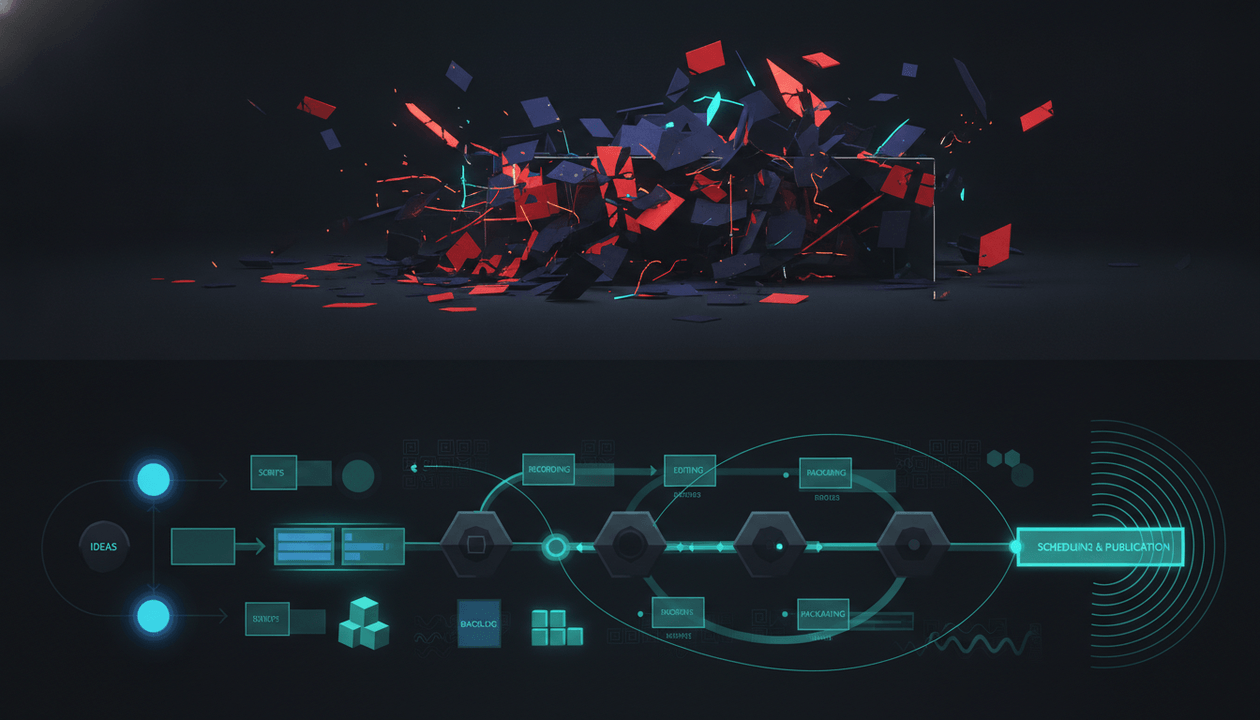
A YouTube content pipeline is not the same thing as a content calendar.
A calendar tells you when something should be published.
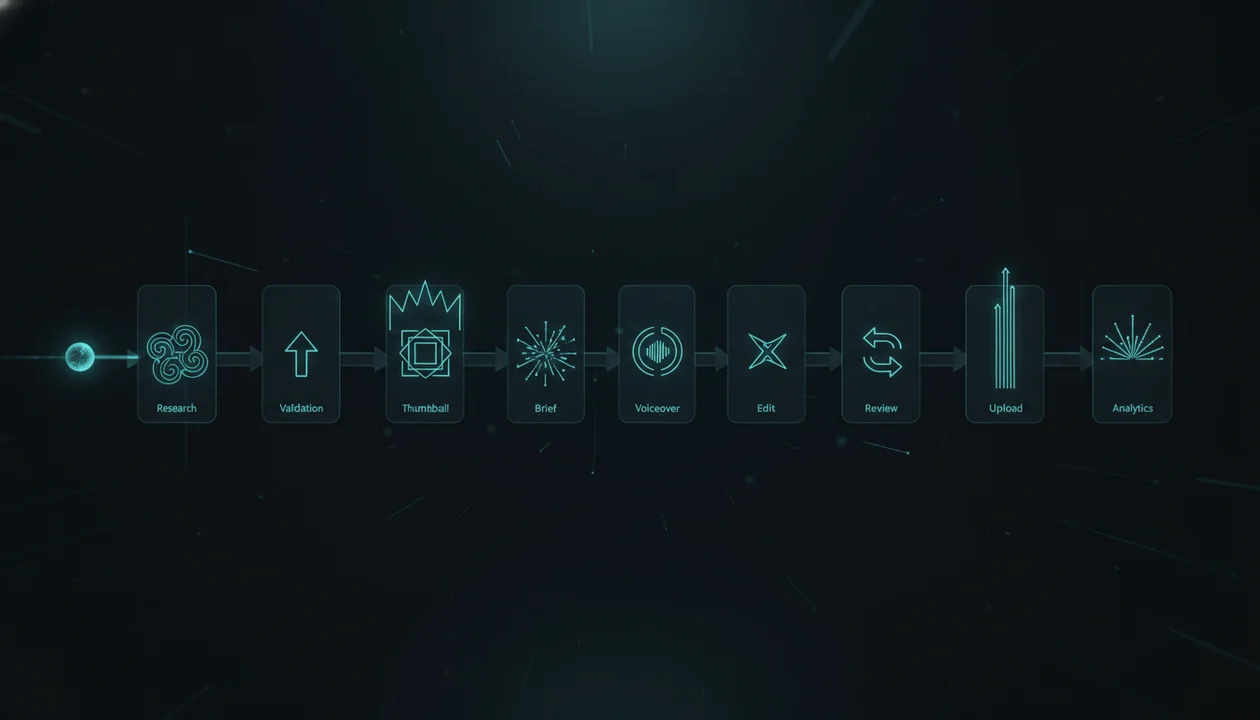
A pipeline tells you how a video moves from rough idea to researched concept, approved angle, title, thumbnail, script, voiceover, edit, review, upload, and performance learning without falling apart in the middle.
That difference matters.
Most creators do not run out of ideas because they are not creative. They run out of useful ideas because their pipeline is weak. Ideas sit in random docs. Scripts start before research. Thumbnails are created too late. Editors get vague instructions. Uploads happen under pressure. Analytics are reviewed once and then forgotten.
That is not a YouTube strategy.
That is a content treadmill.
The right YouTube content pipeline software helps you build a repeatable system from idea to upload, so every video moves through the same strategic checkpoints before production money is spent.
This guide breaks down what YouTube content pipeline software should do, which tools fit each stage, and how to build a pipeline that actually improves your videos instead of just organizing chaos.
Key Takeaways
- YouTube content pipeline software should manage the full movement of a video from idea to upload, not just store a publishing date.
- A strong pipeline includes research, competitor analysis, topic validation, title direction, thumbnail planning, script structure, voiceover, editing, review, upload, and analytics feedback.
- OverseerOS is the strongest fit for the front of the pipeline because it helps creators reverse-engineer successful channels, find winning topics, generate titles, plan thumbnails, write scripts, generate voiceovers, and organize ideas inside Smart Content Planners.
- Project management tools like ClickUp, Airtable, Notion, Trello, Asana, and Monday can help manage production stages, but they need a YouTube-native strategy layer.
- YouTube Studio is still required for uploads, channel permissions, analytics, comments, and native title/thumbnail testing. Source: YouTube Help and Source: YouTube Help
- A pipeline should prevent weak videos from entering production, not just help your team produce them faster.
- The best pipeline turns performance learning from past videos into better decisions for the next videos.
What Is YouTube Content Pipeline Software?
YouTube content pipeline software helps creators, agencies, and teams track every stage of video production from idea to publish.
A proper pipeline should answer:
- Where did this idea come from?
- Has the idea been researched?
- Which competitor pattern supports it?
- What is the title direction?
- What is the thumbnail direction?
- Is the hook clear?
- Is the script approved?
- Is the voiceover ready?
- Does the editor have the right assets?
- Has the video been reviewed?
- Is the upload package ready?
- What did the video teach us after publishing?
A simple content calendar usually tracks:
- Topic
- Publish date
- Status
- Owner
A YouTube content pipeline tracks the actual production logic behind the video.
That is the difference between:
“We need a video on Friday.”
And:
“This video is approved because the topic has demand, the format is proven, the title and thumbnail promise are clear, the hook supports the click, the script is structured, and the editor has a real brief.”
One is scheduling.
The other is a system.
YouTube Content Pipeline vs Content Calendar vs Project Management
These are not the same thing.
| System | Main Job | What It Helps With | What It Often Misses |
|---|---|---|---|
| Content calendar | Schedule content | Publish dates, deadlines, assignments | Research quality, title/thumbnail strategy, production readiness |
| Project management tool | Manage tasks | Owners, statuses, comments, deadlines, files | YouTube-specific strategy and video pattern analysis |
| Production workflow software | Move work through creation stages | Script, voiceover, editing, review, approvals | Often generic unless built for YouTube |
| YouTube content pipeline software | Connect strategy to production | Research, topic validation, packaging, scripting, production, upload, learning | Nothing if built properly |
A calendar tells you what is coming.
A project management tool tells you who is doing what.
A content pipeline tells you whether the video deserves to move forward.
That is the missing layer.
Why Most YouTube Pipelines Break
Most YouTube teams build their pipeline around production status.
They track:
- Idea
- Script
- Edit
- Review
- Uploaded
That looks clean, but it skips the stages that actually decide whether the video has a chance.
A weak pipeline lets this happen:
- Someone adds an idea because it sounds interesting.
- The writer starts without competitor research.
- The title is created after the script.
- The thumbnail designer guesses the promise.
- The editor receives a script with no visual direction.
- The upload happens with a rushed title and description.
- The video underperforms.
- The team moves on without learning why.
That is not a pipeline.
That is a conveyor belt for weak decisions.
A strong YouTube pipeline adds gates.
Before an idea becomes a script, it must pass research.
Before the script is written, the title and thumbnail direction must be clear.
Before editing starts, the voiceover, visual direction, and production brief must be ready.
Before upload, the title, thumbnail, CTA, description, and end screen must align.
After publishing, performance data must feed the next batch of ideas.
That is how a channel gets smarter over time.
Quick Verdict: Best YouTube Content Pipeline Software
| Tool | Best For | Main Strength | Main Weakness |
|---|---|---|---|
| OverseerOS | YouTube strategy and pre-production pipeline | Turns channel research, competitor patterns, topics, titles, thumbnails, scripts, voiceovers, and planners into a connected workflow | Not a generic task manager or native uploader |
| YouTube Studio | Native upload and analytics layer | Uploads, scheduling, permissions, comments, analytics, testing | Not built for team production pipelines |
| ClickUp | Team task pipeline | Strong task management, statuses, docs, proofing, ownership | Needs YouTube strategy added manually |
| Airtable | Custom content pipeline database | Flexible structured tracking for videos, assets, teams, and stages | Requires setup and does not understand YouTube by default |
| Notion | Briefs, docs, SOPs, and lightweight planning | Flexible for templates, scripts, research libraries, and team docs | Can get messy without strict workflow rules |
| Trello | Simple Kanban pipeline | Easy visual workflow for small creator teams | Too light for complex multi-channel operations |
| Asana | Cross-functional production tracking | Strong task/project coordination for teams | Not YouTube-native |
| Monday.com | Operations and pipeline dashboards | Visual workflow management and automations | Needs custom YouTube strategy system |
| Frame.io | Review and approval pipeline | Precise video feedback and approval workflows | Starts after the video asset exists |
| Descript | Editing and transcript-based production | Text-based editing, audio, captions, screen recording | Not a research or content strategy pipeline |
| Canva | Thumbnail and visual asset production | Fast design, templates, brand kits | Does not decide which thumbnail pattern should work |
| TubeBuddy / vidIQ | Optimization and research support | SEO, competitor signals, keywords, channel insights | Not a full production pipeline by themselves |
The 10 Stages of a Real YouTube Content Pipeline
A serious YouTube pipeline should have these 10 stages.
1. Idea Capture
This is where rough ideas enter the system.
Sources can include:
- Competitor videos
- Comments
- Trends
- Search keywords
- Client requests
- Sponsor requirements
- Internal brainstorms
- News events
- Past video analytics
- Team observations
The mistake is treating every idea equally.
Your pipeline should separate rough ideas from validated ideas.
Use fields like:
| Field | Example |
|---|---|
| Raw idea | AI tools for YouTube |
| Source | Competitor breakout video |
| Channel | AI education channel |
| Initial angle | Workflow, not tool list |
| Priority | Medium |
| Notes | Comments ask for exact process |
At this stage, ideas are not approved.
They are only captured.
2. Research Queue
Every promising idea should move into research before scripting.
Research should answer:
- Is there proven demand?
- Have similar videos performed well?
- Is there a search or browse opportunity?
- What title patterns are working?
- What thumbnail styles are repeating?
- What comments reveal pain?
- Is the topic fresh or outdated?
- Can we create a stronger original angle?
This is where a normal content calendar fails.
It tells you what to make next, but not why it should work.
For a stronger workflow, use the YouTube video research template before approving expensive production.
3. Pattern Validation
The best YouTube videos usually come from patterns, not random ideas.
Look for:
- Repeated formats
- Breakout videos
- Unusually high views compared to channel average
- Title formulas that keep appearing
- Thumbnail compositions that keep working
- Hook structures that show up across winners
- Audience questions that competitors did not answer
Examples of patterns:
| Pattern | Example |
|---|---|
| Study-based proof | I Studied 100 X. Here’s What I Found |
| Challenge | I Tried X for 30 Days |
| Mistake teardown | Why X Is Failing |
| Workflow reveal | The Exact System Behind X |
| Before/after | I Fixed X Using Y |
| Tool comparison | Best X Tools for Y |
| Hidden mechanism | The Real Reason X Works |
This stage prevents the team from approving ideas based only on mood.
4. Packaging Direction
Before the full script, define the title and thumbnail direction.
This is one of the most important pipeline rules.
A YouTube video should not move into scripting until the team knows:
- What the title promises
- What the thumbnail shows
- What curiosity gap exists
- What emotional trigger the video uses
- What the viewer expects after clicking
Use this table:
| Packaging Field | Example |
|---|---|
| Main title idea | Your YouTube Pipeline Is Broken. Here’s the Fix |
| Alternate title | The YouTube Content Pipeline That Stops Random Uploads |
| Thumbnail concept | Messy content board vs clean connected pipeline |
| Thumbnail text | BROKEN PIPELINE |
| Curiosity gap | Which stage is breaking the channel? |
| Emotion | Relief, urgency, control |
| Avoid | Generic calendar screenshot, too much text, random play buttons |
YouTube’s native title and thumbnail testing makes this even more important because eligible creators can test variations inside Studio. Source: YouTube Help
But testing weak options does not fix weak strategy.
The pipeline should generate stronger options before upload.
5. Production Brief
Once the idea and packaging are validated, create the production brief.
The brief should include:
- Viewer problem
- Main promise
- Discovery mode
- Competitor pattern
- Title options
- Thumbnail concept
- Hook plan
- Script structure
- Voiceover tone
- Visual direction
- Editor notes
- CTA
This is the handoff between strategy and production.
Without it, every team member imagines a different video.
If you need the full structure, use the YouTube production brief template.
6. Script Pipeline
The script stage should not begin from a blank page.
It should begin from the brief.
A strong script pipeline includes:
| Script Field | Purpose |
|---|---|
| Hook | Proves the title and thumbnail promise |
| Setup | Explains why the viewer should care |
| Core sections | Delivers the main value |
| Examples | Builds proof and clarity |
| Pattern breaks | Prevents the video from feeling flat |
| CTA | Moves the viewer to the next action |
| Visual notes | Helps the editor understand what to show |
For faceless channels, the script is not just text.
It is the blueprint for the voiceover and edit.
7. Voiceover Pipeline
Voiceover should not be treated as a random file attached later.
It should have its own status.
Track:
- Voiceover method
- Voiceover artist or AI voice
- Tone
- Speed
- Pronunciation notes
- Script version
- Duration
- File URL
- Approval status
OverseerOS includes an ElevenLabs-powered voiceover workflow inside the app, which helps keep voiceover generation closer to the script and planning process instead of forcing creators to jump between tools.
That matters for faceless teams because voiceover is often the bridge between script and edit.
8. Thumbnail Pipeline
A thumbnail pipeline should include more than “thumbnail done.”
Track:
| Thumbnail Field | Why It Matters |
|---|---|
| Concept | The visual promise |
| Focal point | What the viewer sees first |
| Text | Short supporting phrase |
| Emotion | Fear, curiosity, ambition, shock, relief |
| Drafts | Variations for comparison |
| Final version | Approved upload asset |
| Test note | What hypothesis this thumbnail is testing |
If you create thumbnails from proven patterns, use the AI YouTube thumbnail generator built around 1M+ view thumbnail styles to move faster from direction to execution.
The goal is not to make a pretty image.
The goal is to make the title and thumbnail ask the same question.
9. Editing and Review Pipeline
The editor should receive:
- Script
- Voiceover
- Production brief
- Thumbnail direction
- Visual references
- B-roll notes
- Source links
- Screenshot notes
- Caption style
- Music direction
- CTA placement
- Export requirements
The review stage should use timestamped feedback where possible.
Frame.io is built around creative review and approval workflows, including feedback directly on media assets. Source: Frame.io
ClickUp also supports proofing for videos, images, and PDFs. Source: ClickUp Help
Good feedback:
At 01:42, the example repeats the hook. Cut faster into the visual proof.
Bad feedback:
Make this more engaging.
A review pipeline should reduce confusion, not create more opinion wars.
10. Upload and Performance Learning
The pipeline does not end when the video is uploaded.
It ends when the team learns from the result.
Track:
- Final title
- Final thumbnail
- Publish date
- CTR
- Average view duration
- Retention drops
- Traffic sources
- Comments
- Subscriber gain
- End screen clicks
- Title/thumbnail test notes
- What worked
- What failed
- Next idea generated from this video
YouTube Studio remains the native place for uploads, analytics, comments, permissions, and testing. YouTube explains that channel permissions can be managed through Studio, and title/thumbnail testing is available for eligible videos. Source: YouTube Help and Source: YouTube Help
The best pipeline feeds performance learning back into research.
That is how every upload makes the next one smarter.
Best Software for Each Pipeline Stage
| Pipeline Stage | Best Tools |
|---|---|
| Idea capture | OverseerOS, Notion, Airtable, Trello |
| Research | OverseerOS, vidIQ, TubeBuddy |
| Competitor tracking | OverseerOS, vidIQ |
| Topic validation | OverseerOS |
| Title direction | OverseerOS, TubeBuddy, vidIQ |
| Thumbnail direction | OverseerOS, Canva |
| Production brief | OverseerOS, Notion, Google Docs |
| Script | OverseerOS, Google Docs, Notion |
| Voiceover | OverseerOS, ElevenLabs, Descript |
| Thumbnail production | OverseerOS Thumbnail Designer, Canva, designer |
| Editing | Descript, Premiere Pro, DaVinci Resolve, CapCut |
| Review | Frame.io, ClickUp proofing, Google Drive |
| Upload | YouTube Studio |
| Performance review | YouTube Studio, OverseerOS, TubeBuddy, vidIQ |
OverseerOS: Best for the Front of the YouTube Content Pipeline
The front of the pipeline is where the most expensive decisions happen.
That is where you decide:
- Which ideas enter production
- Which competitor patterns matter
- Which title angle to use
- Which thumbnail direction to test
- Which hook opens the video
- Which structure the script follows
- Which voiceover tone supports the emotion
- Which video deserves the team’s time
If this stage is weak, everything after it gets more expensive.
A project management tool can move a weak idea from “script” to “editing.”
But it cannot make the weak idea worth producing.
That is why OverseerOS belongs at the front of the pipeline.
OverseerOS helps creators and teams:
- Analyze successful YouTube channels
- Track competitors
- Find breakout videos
- Discover winning topics
- Build Smart Content Planners
- Create channel blueprints
- Generate titles
- Plan thumbnails
- Write scripts
- Generate voiceovers with an ElevenLabs-powered workflow
- Turn trends into script ideas
- Move from research to production with less guessing
The real advantage is that OverseerOS does not treat a YouTube idea like a blank card on a board.
It treats the idea as something that should be proven, shaped, packaged, and turned into a production-ready plan.
If you want your pipeline to start with evidence instead of random brainstorming, use OverseerOS to turn proven YouTube patterns into better content plans.
Pipeline Templates by Team Type
Solo Creator Pipeline
| Stage | Tool |
|---|---|
| Idea capture | OverseerOS, Notion |
| Research | OverseerOS |
| Title and thumbnail planning | OverseerOS |
| Script | OverseerOS, Google Docs |
| Voiceover | OverseerOS or Descript |
| Thumbnail | OverseerOS Thumbnail Designer, Canva |
| Editing | CapCut, Descript, Premiere Pro, DaVinci Resolve |
| Upload | YouTube Studio |
| Review | YouTube Studio analytics |
Solo creators should keep the pipeline simple.
The goal is not to build an enterprise system.
The goal is to stop starting from scratch every time.
Faceless YouTube Team Pipeline
| Stage | Tool |
|---|---|
| Channel research | OverseerOS |
| Competitor tracking | OverseerOS |
| Topic planner | OverseerOS Smart Content Planner |
| Production brief | OverseerOS, Notion |
| Script | OverseerOS |
| Voiceover | OverseerOS ElevenLabs-powered workflow |
| Thumbnail | OverseerOS Thumbnail Designer, Canva, designer |
| Task management | Trello, ClickUp, Airtable |
| Editing | Editor team |
| Review | Frame.io or ClickUp |
| Upload | YouTube Studio |
Faceless teams need tight handoffs because the work is split between multiple people.
The brief is the center of the pipeline.
YouTube Agency Pipeline
| Stage | Tool |
|---|---|
| Client/channel research | OverseerOS |
| Competitor analysis | OverseerOS, vidIQ |
| Topic approval | OverseerOS, Airtable, ClickUp |
| Brief | OverseerOS, Notion |
| Script | OverseerOS, Google Docs |
| Thumbnail | OverseerOS, Canva, designer |
| Client review | Frame.io, ClickUp |
| Upload | YouTube Studio |
| Reporting | YouTube Studio, Looker Studio, agency dashboard |
Agencies need a strategy layer and an operations layer.
Do not expect ClickUp or Airtable to tell you which YouTube idea has breakout potential.
Use them to manage the work after the strategy is clear.
Multi-Channel Operator Pipeline
| Stage | Tool |
|---|---|
| Niche discovery | OverseerOS Viral Channel Finder |
| Channel analysis | OverseerOS |
| Competitor tracking | OverseerOS |
| Smart planning | OverseerOS Smart Content Planner |
| Content database | Airtable or ClickUp |
| Scripts and voiceovers | OverseerOS |
| Thumbnails | OverseerOS Thumbnail Designer |
| Editing | Editor team |
| Review | Frame.io |
| Upload and analytics | YouTube Studio |
Multi-channel operators need consistency more than creativity.
The pipeline should make every channel easier to run without making every channel feel the same.
YouTube Content Pipeline Template
Copy this into your workflow.
PIPELINE STAGE 1: IDEA CAPTURE

Raw idea:
Source:
Channel:
Niche:
Suggested format:
Why it might work:
Priority:
Owner:

PIPELINE STAGE 2: RESEARCH

Competitor videos:
Breakout examples:
Repeated title patterns:
Repeated thumbnail patterns:
Comment insights:
Search/browse intent:
Content gap:
Research status:

PIPELINE STAGE 3: VALIDATION

Viewer problem:
Main promise:
Proven pattern:
Why this deserves production:
Risk:
Approval status:

PIPELINE STAGE 4: PACKAGING

Main title:
Alternate title 1:
Alternate title 2:
Thumbnail concept:
Thumbnail text:
Main visual:
Curiosity gap:
What to avoid:

PIPELINE STAGE 5: PRODUCTION BRIEF

Hook plan:
Script structure:
Voiceover direction:
Visual direction:
Editor notes:
Source links:
CTA:
Brief approval:

PIPELINE STAGE 6: SCRIPT

Writer:
Script draft:
Script status:
Revision notes:
Approved script:

PIPELINE STAGE 7: VOICEOVER

Voiceover method:
Voice:
Tone:
File URL:
Duration:
Approval status:

PIPELINE STAGE 8: THUMBNAIL

Designer:
Concept:
Drafts:
Final thumbnail:
Approval status:

PIPELINE STAGE 9: EDIT

Editor:
Assets received:
Rough cut:
Revision 1:
Revision 2:
Final export:
Approval status:

PIPELINE STAGE 10: UPLOAD

Uploader:
Final title:
Description:
Thumbnail:
Tags/keywords:
End screen:
Pinned comment:
Schedule date:
Publish status:

PIPELINE STAGE 11: PERFORMANCE LEARNING

CTR:
Average view duration:
Retention notes:
Traffic sources:
Comment insights:
What worked:
What failed:
Next action:
What to Look for in YouTube Content Pipeline Software
Use this checklist before choosing a tool.
Strategy Fit
- Does it help you find proven ideas?
- Does it support competitor research?
- Does it help identify breakout videos?
- Does it connect topics to title and thumbnail direction?
- Does it reduce blank-page guessing?
Pipeline Fit
- Can you track every stage from idea to upload?
- Can you separate raw ideas from approved ideas?
- Can you add briefs, scripts, thumbnails, voiceovers, and editor notes?
- Can you track ownership and deadlines?
- Can you see bottlenecks clearly?
Production Fit
- Does it improve handoffs between writers, designers, voiceover artists, and editors?
- Does it reduce revision confusion?
- Does it support clear review steps?
- Does it help the editor understand the video strategy?
YouTube Fit
- Does it understand title and thumbnail alignment?
- Does it support hook planning?
- Does it help with retention structure?
- Does it use YouTube-specific signals?
- Does it feed performance learning back into future ideas?
Business Fit
- Does it save production time?
- Does it reduce wasted videos?
- Does it protect creative quality?
- Does it help your team publish consistently?
- Does it support your current team size?
The best pipeline software is not the one with the most features.
It is the one that stops the right work from getting lost.
Common Mistakes With YouTube Content Pipelines
Mistake 1: Treating Ideas as Ready Too Early
A rough idea is not a production-ready idea.
Before it moves forward, it needs:
- Viewer problem
- Search or browse intent
- Competitor pattern
- Title direction
- Thumbnail direction
- Hook plan
If those are missing, it should stay in research.
Mistake 2: Building the Pipeline Around Upload Dates Only
Dates matter, but they are not the strategy.
A calendar-first pipeline usually creates pressure without clarity.
Better pipeline order:
- Research
- Validation
- Packaging
- Brief
- Script
- Voiceover
- Thumbnail
- Edit
- Review
- Upload
- Learn
The upload date is only one part of the system.
Mistake 3: Letting Every Channel Use a Different Workflow
For multi-channel operators, this creates chaos.
Each channel can have its own tone, niche, format, and upload schedule.
But the pipeline should be consistent.
That is how you scale without losing control.
Mistake 4: Creating Thumbnails Too Late
The thumbnail should not be a decoration added after the video is done.
It should shape the video’s promise early.
If the thumbnail and title are decided late, the script may not deliver what the viewer clicked for.
Mistake 5: Never Feeding Analytics Back Into Research
Most teams publish, glance at views, then move on.
That wastes learning.
A good pipeline asks:
- Did the topic work?
- Did the title create enough curiosity?
- Did the thumbnail earn clicks?
- Did the hook hold viewers?
- Where did retention drop?
- What comments revealed new demand?
- What should we repeat?
- What should we avoid?
The next idea should be smarter because of the last video.
Recommended YouTube Content Pipeline Stack
For most serious teams, the best setup looks like this:
| Pipeline Need | Recommended Tool |
|---|---|
| Strategy, research, topics, titles, thumbnails, scripts, voiceovers | OverseerOS |
| Task and pipeline management | ClickUp, Airtable, Notion, Trello, Asana, or Monday |
| Video review | Frame.io or ClickUp proofing |
| Editing | Descript, Premiere Pro, DaVinci Resolve, CapCut, or editor team |
| Design execution | OverseerOS Thumbnail Designer, Canva, or designer |
| Native upload and analytics | YouTube Studio |
| SEO and optimization | TubeBuddy or vidIQ |
The cleanest system is not one tool doing everything.
It is a pipeline where every stage has a clear job.
OverseerOS handles the strategic front of the pipeline.
Your task tool manages ownership and deadlines.
Your editing tools produce the final asset.
Your review tool handles feedback.
YouTube Studio publishes and measures.
Analytics feed the next research cycle.
That is the machine.
Final Verdict: A Content Pipeline Should Improve the Video Before Production Starts
A YouTube content pipeline should not just move cards across a board.
It should protect your channel from weak ideas, unclear packaging, messy handoffs, and repeated mistakes.
A strong pipeline makes sure every video has:
- A proven reason to exist
- A clear viewer problem
- A strong title and thumbnail promise
- A hook that supports the click
- A script built from the brief
- A voiceover direction
- A thumbnail direction
- A clear editor handoff
- A proper upload package
- A performance review loop
That is how serious creators, agencies, and faceless teams stop guessing.
If your current system is just a content calendar, you do not have a pipeline yet.
You have dates.
The next level is a YouTube-native system that turns proven patterns into production-ready videos.
If you want to build that system, start with OverseerOS and turn YouTube research into a repeatable content pipeline.
FAQ
What is YouTube content pipeline software?
YouTube content pipeline software helps creators and teams manage the full process of creating videos from idea to upload. It tracks research, validation, title and thumbnail planning, scripts, voiceovers, editing, review, publishing, and performance learning.
What is the best YouTube content pipeline software?
For YouTube strategy and pre-production, OverseerOS is the strongest fit because it helps creators analyze channels, track competitors, find winning topics, generate titles, plan thumbnails, write scripts, generate voiceovers, and organize ideas inside Smart Content Planners. For task management, tools like ClickUp, Airtable, Notion, Trello, Asana, and Monday can support the operations layer.
Is a YouTube content pipeline the same as a content calendar?
No. A content calendar tracks what gets published and when. A content pipeline tracks how a video moves from raw idea to researched concept, approved angle, script, thumbnail, voiceover, edit, review, upload, and performance learning.
What should a YouTube content pipeline include?
A strong YouTube content pipeline should include idea capture, research, competitor analysis, topic validation, title direction, thumbnail planning, production briefs, scripts, voiceovers, thumbnail production, editing, review, upload, analytics, and performance learning.
What software do YouTube agencies use for content pipelines?
YouTube agencies often use OverseerOS for strategy and pre-production, ClickUp or Airtable for task tracking, Frame.io for review, Canva or designers for thumbnails, professional editing tools for production, and YouTube Studio for upload and analytics.
Can Notion be used as a YouTube content pipeline?
Yes. Notion can be used for YouTube content pipelines, especially for solo creators and small teams. It works well for briefs, scripts, SOPs, calendars, and research libraries. For larger teams, a more structured tool like Airtable or ClickUp may be easier to scale.
Can Trello be used for YouTube production?
Yes. Trello is good for simple Kanban workflows like Ideas, Research, Script, Editing, Review, Ready to Upload, and Published. It is best for small teams and simpler channels.
Why do YouTube content pipelines fail?
Most pipelines fail because they only track production status. They do not validate ideas, plan packaging early, create proper briefs, align scripts with thumbnails, or feed analytics back into future research.
How does OverseerOS help with a YouTube content pipeline?
OverseerOS helps creators and teams turn proven YouTube patterns into a repeatable pipeline. It supports channel analysis, competitor tracking, winning topic discovery, Smart Content Planners, title generation, thumbnail planning, script writing, and ElevenLabs-powered voiceover generation.
Do I still need YouTube Studio if I use content pipeline software?
Yes. YouTube Studio is still needed for native uploads, analytics, comments, channel permissions, and title/thumbnail testing where available.