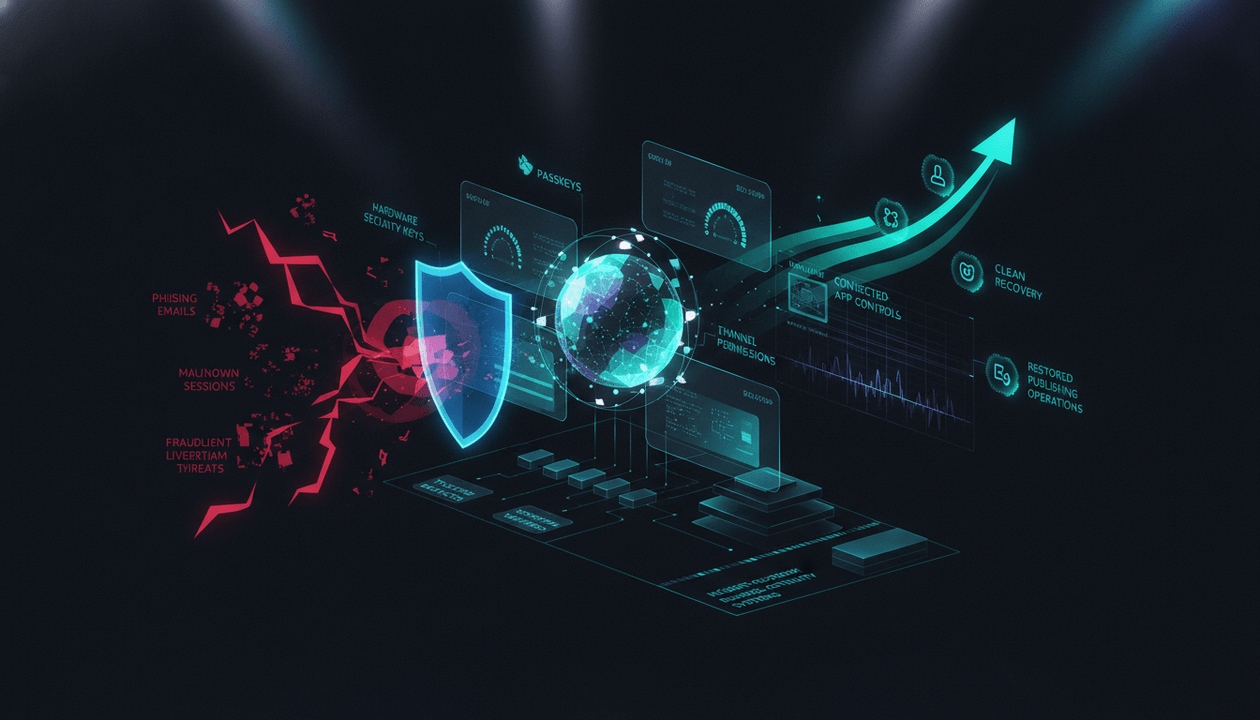
A YouTube channel can take years to build and minutes to compromise.
The attacker does not need to understand your audience.
They do not need to outperform your videos.
They only need one weak point:
- A fake sponsorship email
- A malicious download
- A reused password
- An unsecured contractor account
- An unnecessary connected app
- An old team member who still has access
- A recovery email nobody controls
- A lost device with an active session
- One channel owner who never documented the recovery process
Then the channel can be renamed, livestream scams can appear, videos can be hidden or deleted, permissions can be changed, payment settings can be reviewed, and policy violations can begin accumulating under your identity.
This is why YouTube channel security cannot be reduced to:
Turn on two-factor authentication.
That matters, but serious creators need more.
They need a complete system covering:
- Account protection
- Device security
- Team permissions
- Sponsor verification
- Connected applications
- Recovery ownership
- Asset backups
- Incident response
- Business continuity
- Post-incident cleanup
- Quarterly access reviews
A creator thinks about preventing a hack.
A media operator also asks:
Can the business continue if the owner loses access, a device is infected, a team member leaves, a production platform fails, or the channel is temporarily unavailable?
This guide provides a complete YouTube channel security checklist for creators, agencies, faceless channels, SaaS teams, and multi-channel media companies in 2026.
Key Takeaways
- Every YouTube channel is connected to at least one Google Account. A compromised YouTube channel normally means an associated Google Account has also been compromised.
- YouTube currently recommends three foundational protections: scan for malware, use a passkey for two-step verification, and create an account-recovery plan.
- Google says passkeys and security keys provide its strongest protection against phishing.
- High-value creators should evaluate Google’s Advanced Protection Program, which adds stronger sign-in, download, third-party access, and recovery protections.
- Advanced Protection can restrict some applications and integrations, so test the creator workflow before enrolling critical accounts.
- Never share the channel owner’s password with employees, editors, agencies, or freelancers.
- YouTube channel permissions let teams work through their own Google Accounts with controlled access levels.
- The safest permission is the lowest permission that allows the person to complete the job.
- A contractor’s access should have an owner, purpose, review date, and removal date.
- Sponsorship messages are a major trust boundary. Verify unexpected brand offers through a separate official communication channel before opening files or installing software.
- The channel email should not be the same address used casually across unrelated websites and services.
- Review connected applications, browser extensions, devices, sessions, forwarding rules, recovery options, and channel permissions regularly.
- Security is only one part of resilience. Preserve scripts, thumbnails, masters, source files, licenses, project files, analytics, and publication records outside YouTube.
- Create an incident-response card before an incident happens.
- If a hacked channel contains unauthorized uploads with strikes or claims, YouTube advises contacting support rather than deleting those videos blindly.
- YouTube Studio currently includes a hacked-channel cleanup tool for eligible channel owners and managers when unusual activity has been detected.
- A secure channel still needs business-continuity planning for owner absence, vendor outages, asset loss, payment disruption, policy actions, and production failure.
- OverseerOS can preserve channel strategy and production context, but it does not replace Google Account security, YouTube recovery tools, professional backups, or incident-response expertise.
Quick Answer: How Do You Secure a YouTube Channel?
Use this minimum security baseline:
- Protect the associated Google Account with a passkey or hardware security key.
- Enable two-step verification.
- Add current recovery options.
- Consider Google Advanced Protection for high-value accounts.
- Use YouTube channel permissions instead of sharing passwords.
- Remove unnecessary managers, editors, connected apps, devices, and browser extensions.
- Verify sponsorships independently before downloading files.
- Separate the channel’s security identity from casual online accounts.
- Back up original videos, scripts, thumbnails, project files, licenses, and metadata.
- Document the hacked-channel recovery and cleanup process.
- Review access every quarter and whenever someone joins, changes role, or leaves.
- Test whether the team can recover accounts and restore production assets.
Security prevents unauthorized access.
Continuity allows the business to survive when prevention fails.
You need both.
What Is YouTube Channel Security?
YouTube channel security is the system used to prevent unauthorized people, malicious software, compromised applications, or careless team processes from gaining control of a channel or its associated business assets.
It covers:
- Google Account sign-in
- Passkeys and security keys
- Two-step verification
- Recovery options
- Email security
- Devices
- Browsers
- Applications
- Channel permissions
- Brand and sponsor communication
- Team onboarding
- Team offboarding
- Publishing approvals
- Asset storage
- Incident response
- Channel recovery
Security is not only a technical setting.
It is an operating discipline.
What Is YouTube Business Continuity?
YouTube business continuity is the plan for keeping the channel and its surrounding business functional during and after a disruption.
Possible disruptions include:
- Channel hijacking
- Google Account lockout
- Device theft
- Malware infection
- Owner illness or absence
- Team departure
- Deleted files
- Storage outage
- Editing-software outage
- AI-provider outage
- Payment interruption
- Policy strike
- Copyright dispute
- Sponsor conflict
- Production bottleneck
- Accidental publication
- Loss of a critical freelancer
A continuity plan answers:
- Who takes control?
- Which systems are critical?
- Where are the backups?
- Which credentials are company controlled?
- Which videos are scheduled?
- Which team members must be notified?
- What can continue without channel access?
- What should stop immediately?
- How will viewers, sponsors, and clients be informed?
- What evidence must be preserved?
- How quickly can production resume?
Security vs Recovery vs Continuity
| Discipline | Main Question | Example |
|---|---|---|
| Security | How do we prevent unauthorized access? | Passkeys and permissions |
| Detection | How do we know something changed? | Login alerts and activity reviews |
| Incident response | What do we do immediately? | Revoke access and recover the Google Account |
| Recovery | How do we restore the channel? | Revert unauthorized changes |
| Business continuity | How does the operation keep functioning? | Use backed-up assets and alternate workflows |
| Resilience | How do we reduce future impact? | Remove single points of failure |
A channel can be secure but operationally fragile.
It can also have good backups while leaving the owner account exposed to phishing.
The strongest system connects all six disciplines.
The YouTube Channel Threat Model
Before building controls, identify what can go wrong.
1. Phishing
An attacker impersonates:
- Sponsor
- Talent agency
- Software company
- Copyright representative
- YouTube support
- Brand manager
- Potential client
- Media buyer
- Affiliate platform
- Creator tool
The message may ask the creator to:
- Open a file
- Download a media kit
- Install an application
- Review a contract
- Sign in through a fake page
- Connect a Google Account
- Enter a verification code
- Send a backup code
- Approve a login prompt
The email may look professional.
The domain may differ from the real company by one character.
The sender may know the channel’s niche, recent videos, and public contact information.
Professional design is not proof of legitimacy.
2. Malware
Malicious software may arrive through:
- Compressed sponsorship files
- Fake contracts
- Pirated editing software
- Plugins
- Fonts
- Thumbnail templates
- Video codecs
- Browser extensions
- Cracked AI tools
- Fake update installers
- Untrusted freelancer files
YouTube’s channel-security guidance specifically warns that malware may arrive through untrusted, password-protected archives and executable files.
A file does not become safe because it is described as:
- A sponsor brief
- A media kit
- A contract
- A product demo
- A collaboration package
3. Credential Theft
Credentials may be exposed through:
- Password reuse
- Fake sign-in pages
- Shared documents
- Unencrypted messages
- Public screenshots
- Insecure password storage
- Browser malware
- Stolen cookies or active sessions
- Shared computers
- Former employees
A complex password does not protect an account when the attacker steals the active session or persuades the user to enter the password on a fake site.
4. Compromised Team Member
The owner may be secure while an editor, manager, agency employee, or contractor is compromised.
That person may have permission to:
- Upload
- Publish
- Delete content
- Create posts
- Manage livestreams
- Comment as the channel
- View channel data
- Change channel details
The channel’s real security level is often equal to its weakest authorized account.
5. Excessive Permissions
A person may need to upload captions but receive managerial access.
Another may need performance data but receive publishing access.
Excess permissions increase the impact of:
- Mistakes
- Stolen accounts
- Disputes
- Insider misuse
- Poor offboarding
6. Connected-App Risk
Third-party applications may request access to:
- Google Drive
- Gmail
- YouTube data
- Channel analytics
- Upload workflows
- Account identity
The original reason for connecting an application may disappear while the permission remains.
Every active integration expands the trust boundary.
7. Device and Browser Risk
A secure account accessed from an infected device is not secure.
Common weaknesses include:
- Unsupported operating systems
- Missing security updates
- No screen lock
- Shared user accounts
- Unmanaged browser extensions
- Pirated applications
- Public computers
- Unencrypted storage
- Devices owned by former contractors
8. Recovery Failure
The channel may be lost because:
- Recovery email is outdated
- Recovery phone belongs to a former employee
- Nobody knows where backup security keys are stored
- The only passkey is on a lost device
- The legal owner is unclear
- Important account history is undocumented
- The company cannot prove control
- Recovery depends on one person’s memory
Recovery controls are part of security.
9. Publishing Error
Not every incident is a hack.
A trusted team member may:
- Upload to the wrong channel
- Publish a private client video
- Use an unapproved title
- Upload the wrong edit
- Include private information
- Forget sponsorship disclosure
- Use an unauthorized music track
- Publish before review
- Delete the wrong video
- Start a livestream accidentally
Operational mistakes can create damage similar to unauthorized access.
10. Business-System Failure
The channel may remain accessible while production stops because:
- Scripts were stored in one person’s account
- The editor disappears
- The asset drive is deleted
- The AI voice provider is unavailable
- The company card fails
- A software subscription expires
- The thumbnail source files are missing
- A sponsor approval cannot be found
- The domain or email service fails
Channel security protects access.
Business continuity protects output.
The 12-Layer YouTube Security Architecture
Layer 1: Ownership
Document:
- Legal channel owner
- Google Account associated with ownership
- Brand Account structure where relevant
- Company responsible for the channel
- Recovery owner
- Security owner
- Backup decision maker
- Emergency contact
Do not allow ownership to remain informal.
A channel operated by a company should not depend on an employee’s personal email, phone number, or memory without a documented arrangement.
Ownership Record
CHANNEL:
[Channel name]

HANDLE:
[@handle]

CHANNEL URL:
[URL]

LEGAL OWNER:
[Person or company]

PRIMARY GOOGLE ACCOUNT:
[Company-controlled identity]

RECOVERY EMAIL:
[Controlled recovery identity]

RECOVERY PHONE:
[Controlled number]

SECURITY OWNER:
[Named person]

INCIDENT LEAD:
[Named person]

YOUTUBE SUPPORT ELIGIBILITY:
[Known status]

LAST OWNERSHIP REVIEW:
[Date]
Store this record securely.
Do not place sensitive recovery details in a widely shared content planner.
Layer 2: Strong Authentication
YouTube currently recommends using a passkey for two-step verification.
Google explains that passkeys use a device unlock such as:
- Fingerprint
- Face scan
- Screen lock
- Device PIN
Passkeys and hardware security keys are more resistant to phishing than passwords and text-message codes because they are tied to the legitimate service and the user’s device.
Recommended Authentication Hierarchy
| Method | Relative Direction |
|---|---|
| Passkey | Strong phishing-resistant option |
| Hardware security key | Strong phishing-resistant option |
| Google Prompt | Better than basic text-message codes |
| Authenticator app | Useful offline code option |
| SMS or phone code | Weaker because phone-based codes can be intercepted or socially engineered |
| Backup code | Emergency recovery method, not everyday sign-in |
Do not interpret this table as a guarantee.
Any method can be weakened by poor device security, account recovery, team behavior, or stolen active sessions.
Layer 3: Advanced Protection
Google’s Advanced Protection Program is designed for people at elevated risk of targeted attacks.
That can include creators whose accounts contain:
- Valuable channels
- Sponsor relationships
- Private business data
- Unpublished content
- Financial information
- Large audiences
- Politically sensitive work
- Investigative material
Advanced Protection currently adds measures including:
- Passkey or security-key requirements
- Stronger checks on suspicious downloads
- Tighter account recovery
- Restrictions on third-party applications accessing sensitive data
Google says the program is available without a program fee, although creators choosing hardware security keys may need to purchase them.
Before Enrolling
Review:
- Which third-party applications use Google sign-in
- Which tools access Drive or Gmail
- Which upload automations depend on OAuth
- Which scripts or integrations request sensitive scopes
- Whether the team can support stricter recovery
- Whether backup passkeys or security keys are ready
Advanced Protection can block some applications and workflows.
Security should be strengthened deliberately, not by disabling the production stack without a plan.
Layer 4: Recovery Options
Add current recovery options to the Google Account.
Review:
- Recovery email
- Recovery phone
- Backup passkey
- Backup security key
- Account contact information
- Trusted company ownership
- Physical storage of recovery hardware
Recovery Rules
- Recovery options must not belong only to a former employee.
- The recovery email should itself be strongly secured.
- A backup security key should not be stored beside the primary key.
- Recovery details should be reviewed after staff, phone, or company changes.
- The team should know who can initiate recovery.
- Recovery instructions should be accessible without signing in to the compromised account.
A recovery plan stored only in Google Drive may be inaccessible when the Google Account is locked.
Preserve an offline or separately controlled copy.
Layer 5: Email Separation
YouTube’s hacked-channel guidance recommends using a different email for the YouTube channel from the email used across unrelated platforms.
This reduces the blast radius when another service is compromised.
A mature operation may separate:
- Channel ownership identity
- Public sponsorship inbox
- General company email
- Finance email
- Recovery email
- Tool-administration email
The public business email receives the highest volume of untrusted messages.
It should not automatically be the account that owns the channel.
Layer 6: Channel Permissions
Use YouTube channel permissions so collaborators work through their own Google Accounts.
This is safer than sharing:
- Owner password
- Backup codes
- Browser profile
- Recovery email
- Authentication device
Permission levels can include owner, manager, editor, limited roles, subtitle access, and viewer roles, depending on the current YouTube setup.
Review YouTube’s current role table before granting access because capabilities can change.
Least-Privilege Examples
| Team Member | Likely Need | Avoid Giving Automatically |
|---|---|---|
| Channel owner | Full control | Shared owner credentials |
| Trusted operations lead | Broad management | Ownership without a business reason |
| Publisher | Upload and edit | Permission management |
| Editor | Project files | Channel access when not required |
| Subtitle specialist | Subtitle access | Publishing or revenue access |
| Analyst | Performance data | Editing or deletion rights |
| Freelancer | Assigned task | Permanent portfolio-wide access |
| Client reviewer | Review files | Native channel access |
Permission Request Template
PERSON:
[Name]

ROLE:
[Job function]

CHANNEL:
[Channel]

ACCESS REQUIRED:
[Exact actions]

REASON:
[Business reason]

APPROVER:
[Name]

START DATE:
[Date]

REVIEW DATE:
[Date]

REMOVAL DATE:
[Date or condition]
Layer 7: Device Security
Every device with channel access should have:
- Supported operating system
- Current security updates
- Screen lock
- Disk encryption where available
- Antivirus or endpoint protection where appropriate
- Restricted local administrator access
- Approved applications
- Approved browser extensions
- Remote-lock or wipe capability where practical
- Separate user accounts for shared machines
High-Risk Device Practices
- Pirated editing software
- Cracked plugins
- Unknown codecs
- Random browser extensions
- Public-computer sign-ins
- Saving passwords in plain text
- Leaving active sessions on freelancer devices
- Allowing family members to use the same unlocked profile
- Downloading sponsor files onto the publishing machine
A high-value channel should consider separating the everyday browsing environment from the channel-administration environment.
Layer 8: Browser and Session Security
The browser often holds active sessions that can bypass repeated password prompts.
Review:
- Signed-in devices
- Recent security activity
- Browser sync
- Saved passwords
- Extensions
- Download history
- Notification permissions
- Active sessions
- Shared browser profiles
Safer Publishing Profile
Create a dedicated browser profile for:
- YouTube Studio
- Google Account management
- Sponsor platforms
- Analytics
- Publishing tools
Keep entertainment browsing, random downloads, and software testing outside that profile.
This does not eliminate risk.
It reduces unnecessary exposure.
Layer 9: Connected Applications
Review applications connected to the Google Account.
Remove applications that are:
- No longer used
- No longer trusted
- Duplicated
- Created for an abandoned experiment
- Connected by a former employee
- Requesting more access than necessary
- Difficult to identify
- Unsupported
Before connecting a new application, document:
APPLICATION:
[Name]

BUSINESS PURPOSE:
[Why it is needed]

ACCOUNT:
[Which Google Account]

DATA REQUESTED:
[Scopes or access]

OWNER:
[Person responsible]

APPROVED BY:
[Approver]

CONNECTED:
[Date]

REVIEW:
[Date]

REMOVAL CONDITION:
[When access should end]
OAuth access is still access.
Treat it like a team permission.
Layer 10: Sponsorship and File Verification
YouTube’s channel-security tips advise creators to verify suspicious sponsorships through a trusted contact method, such as contacting the company through publicly listed information or an established relationship.
Sponsorship Verification Protocol
Before opening an unexpected file:
- Inspect the complete sender address.
- Compare the domain with the company’s official domain.
- Visit the company website independently.
- Contact the company through a publicly listed method.
- Verify the employee and campaign.
- Ask for a browser-based document instead of an executable package.
- Scan files before opening.
- Open high-risk files in an isolated environment managed by a competent security professional.
- Never enter Google credentials through a link in the email.
- Never send passwords, passkeys, authentication codes, backup codes, or session files.
Red Flags
- Urgent payment far above market rate
- Password-protected archive with an executable
- Request to disable antivirus
- Request to install a private video player
- Unusual file extension
- Domain registered recently or spelled differently
- Brand representative refusing independent verification
- Request for a Google verification code
- Claim that YouTube needs your password
- Pressure to act before a short deadline
- Link destination different from visible text
- Contract requiring software installation before review
One red flag does not prove fraud.
It is enough to pause and verify.
Layer 11: Asset Protection
Security incidents often affect more than the channel account.
Preserve outside YouTube:
- Original masters
- Raw footage
- Scripts
- Thumbnails
- Editing projects
- Voiceovers
- Captions
- Descriptions
- Source logs
- Licenses
- Sponsor approvals
- Analytics exports
- Publication URLs
- Channel branding
- Standard operating procedures
The YouTube Asset Management guide provides a full folder, versioning, rights, and backup system.
YouTube is the publishing destination.
It should not be the only surviving copy.
Layer 12: Monitoring and Review
Review the channel’s security posture on a schedule.
Monthly
- Recent Google Account security activity
- Unknown devices
- Connected applications
- Suspicious emails
- Publishing anomalies
- Unexpected channel changes
- Critical backup jobs
Quarterly
- Channel permissions
- Recovery options
- Security keys and passkeys
- Former team members
- Browser extensions
- Device inventory
- Asset-restore test
- Sponsor verification SOP
- Incident-response contacts
- Insurance or professional support where relevant
Immediately
Run a review when:
- A person joins
- A person leaves
- A role changes
- A device is lost
- A suspicious file is opened
- An unexpected login appears
- A new agency receives access
- Ownership changes
- A channel is acquired
- A business email is compromised
The YouTube Team Onboarding Checklist
Before giving access:
Identity
- Confirm the person’s identity.
- Use their named company or professional account.
- Do not create a shared generic login when named access is possible.
Scope
- Define the exact channel.
- Define required actions.
- Choose the lowest suitable permission.
- Set a review or removal date.
Security
- Require secure authentication.
- Require current devices.
- Explain phishing and sponsorship risks.
- Prohibit password sharing.
- Prohibit unapproved application connections.
- Explain how to report suspicious activity.
Operations
- Provide the publishing checklist.
- Provide the asset-management SOP.
- Explain approval boundaries.
- Explain which actions require a second reviewer.
- Document who owns incident escalation.
Confirmation
[ ] Identity verified
[ ] Role approved
[ ] Lowest suitable permission selected
[ ] Authentication baseline confirmed
[ ] Security policy acknowledged
[ ] Device approved
[ ] Access added
[ ] Review date scheduled
[ ] Offboarding trigger documented
The YouTube Team Offboarding Checklist
Remove access immediately when someone:
- Leaves the company
- Completes the contract
- Changes role
- No longer supports the channel
- Violates security requirements
- Uses a compromised device or account
Offboarding Actions
- Remove YouTube channel permissions.
- Remove Brand Account access where applicable.
- Remove storage access.
- Remove project-management access.
- Remove review-platform access.
- Remove AI-tool access.
- Remove password-manager access.
- Revoke connected applications they installed.
- Review recent channel activity.
- Transfer owned files.
- Transfer sponsor conversations.
- Recover company devices.
- Rotate shared secrets that could not be individually revoked.
- Confirm scheduled videos and drafts.
- Record completion.
Do not postpone access removal until the next team meeting.
The Two-Person Rule for High-Risk Actions
Require a second reviewer for actions such as:
- Changing ownership
- Granting manager-level access
- Deleting a channel
- Deleting high-value videos
- Changing payment relationships
- Connecting sensitive applications
- Publishing sponsor claims
- Launching livestreams from administrative accounts
- Changing recovery options
- Removing the final trusted administrator
- Responding to a suspected security incident
YouTube may not enforce every approval inside the interface.
The business can enforce the process outside it.
The YouTube Publishing Security Checklist
Before publishing:
Identity
- Correct channel name
- Correct handle
- Correct avatar
- Correct Google Account
- Correct project ID
Asset
- Correct master file
- Correct thumbnail
- Correct title
- Correct description
- Correct captions
- Correct sponsor segment
- Correct links
Settings
- Correct visibility
- Correct publish time
- Correct playlist
- Correct audience setting
- Correct monetization setting
- Correct disclosures
- Correct end screen
- Correct cards
Approval
- Video approved
- Thumbnail approved
- Sponsor approved
- Rights approved
- Publisher identified
- Second reviewer completed when required
Security
- No unexpected login prompts
- No last-minute unknown files
- No unapproved application connection
- No credentials shared in chat
- Publishing device passes security baseline
The YouTube Channel Security Risk Register
Create one row for every meaningful risk.
| Risk | Probability | Impact | Current Controls | Owner | Next Action |
|---|---|---|---|---|---|
| Sponsor phishing | High | Critical | Staff training and verification | Security owner | Run simulation |
| Owner account lockout | Medium | Critical | Recovery email and backup key | Owner | Test recovery record |
| Former freelancer access | Medium | High | Quarterly review | Operations | Remove stale accounts |
| Storage deletion | Medium | High | Independent backup | Asset owner | Test restore |
| Wrong-channel upload | Medium | Medium | Pre-publish identity check | Publisher | Add second reviewer |
| Connected-app compromise | Low to medium | High | OAuth review | Tool admin | Remove unused apps |
| Editor device malware | Medium | High | Device policy | Production lead | Verify compliance |
| Owner unavailable | Low | Critical | Continuity plan | Executive | Name alternate lead |
| Policy strike | Medium | High | Editorial and rights review | Channel lead | Document escalation |
| Sponsor exclusivity conflict | Low | High | Contract register | Commercial lead | Centralize approval |
Risk management does not mean eliminating every risk.
It means knowing:
- Which risk exists
- Who owns it
- Which control reduces it
- What happens if it occurs
The 100-Point YouTube Security Scorecard
| Category | Maximum | Core Question |
|---|---|---|
| Ownership clarity | 10 | Is legal and operational control documented? |
| Authentication | 15 | Are phishing-resistant sign-in methods used? |
| Recovery readiness | 10 | Can access be recovered without one person or device? |
| Channel permissions | 10 | Is least privilege enforced? |
| Device security | 10 | Are publishing devices controlled and current? |
| Application security | 10 | Are connected apps reviewed and minimized? |
| Sponsor verification | 10 | Are external messages and files verified independently? |
| Asset protection | 10 | Are critical production assets backed up? |
| Incident response | 10 | Does the team know exactly what to do? |
| Review cadence | 5 | Are access and controls reviewed regularly? |
| Total | 100 |
Interpretation
| Score | Meaning |
|---|---|
| 90–100 | Strong creator-business security posture |
| 80–89 | Well protected with several manageable gaps |
| 70–79 | Reasonable controls but meaningful exposure remains |
| 55–69 | Security depends heavily on individual behavior |
| Below 55 | High-value channel operating with avoidable risk |
A score is not a certification.
One critical weakness can outweigh a high total.
The YouTube Business Continuity Map
List the systems required to keep publishing.
| Business Function | Primary System | Backup | Owner | Maximum Tolerable Downtime |
|---|---|---|---|---|
| Channel administration | YouTube Studio | Recovery procedure | Security owner | Hours |
| Content planning | OverseerOS or planner | Exported plan | Channel lead | Days |
| Scripts | Script workflow | Independent storage | Writer lead | Days |
| Voiceovers | Primary provider | Alternate provider or human voice | Producer | Days |
| Editing | Main editor and software | Backup editor and archive | Production lead | Days |
| Thumbnails | Designer workflow | Editable source archive | Creative lead | Days |
| Publishing | Named publisher | Trained alternate | Channel lead | Hours |
| Assets | Cloud storage | Independent backup | Asset manager | Hours to days |
| Sponsor operations | Email and CRM | Contract archive | Commercial lead | Hours |
| Finance | Accounting and payment systems | Reconciliation records | Finance owner | Days |
| Analytics | YouTube Studio | Exports | Analyst | Days |
The correct recovery target depends on the business.
A daily news channel may tolerate only hours.
A monthly documentary channel may tolerate several days.
The Single-Point-of-Failure Audit
Ask:
- Is one person the only channel owner?
- Is one phone the only recovery method?
- Is one device the only place with passkeys?
- Is one editor the only person who can open the project?
- Is one tool the only place scripts exist?
- Is one freelancer the only person with thumbnail source files?
- Is one email account the only record of sponsor approval?
- Is one payment card supporting every critical tool?
- Is one AI provider required for every voiceover?
- Is one person the only one who knows the publishing process?
For every “yes,” create:
- Backup
- Alternate person
- Export
- Documentation
- Recovery procedure
- Replacement vendor
The YouTube Incident Severity System
Severity 1: Suspicious Activity
Examples:
- Unexpected login notification
- Suspicious sponsor email
- Unrecognized connected app
- Unknown device
- Unusual authentication prompt
Action:
- Do not approve the prompt.
- Pause risky activity.
- Inspect account security.
- Verify the event.
- Preserve evidence.
- Escalate internally.
Severity 2: Limited Compromise
Examples:
- One contractor account compromised
- One device infected
- Unauthorized draft
- Unapproved connected application
- Suspicious comment or post made as the channel
Action:
- Remove or restrict the account.
- Revoke sessions and application access where appropriate.
- Secure the affected Google Account.
- Review channel activity.
- Inspect devices and files.
- Determine whether the owner account was exposed.
Severity 3: Active Channel Compromise
Examples:
- Channel name changed
- Unauthorized upload
- Unknown livestream
- Video privacy changed
- Permissions changed
- Unknown users added
- AdSense relationship changed
Action:
- Begin the hacked-channel recovery process immediately.
- Secure or recover the associated Google Account.
- Remove unauthorized access.
- Stop unauthorized activity.
- Contact appropriate YouTube support.
- Begin cleanup and evidence preservation.
Severity 4: Critical Business Incident
Examples:
- Channel termination
- Multiple channels compromised
- Financial systems affected
- Major sponsor or customer data exposed
- Complete loss of owner access
- Destructive malware across production systems
Action:
- Activate executive incident management.
- Involve qualified cybersecurity, legal, insurance, and communications professionals.
- Preserve evidence.
- Isolate affected systems.
- Notify required parties.
- Activate business-continuity operations.
What to Do If Your YouTube Channel Is Hacked
YouTube’s current hacked-channel recovery guidance describes three major stages:
- Recover and secure the associated Google Account.
- Revert unauthorized channel changes quickly.
- Reduce future unauthorized-access risk across every associated user.
Step 1: Stop Using the Suspected Device
When malware or session theft is possible:
- Disconnect the affected device from sensitive workflows.
- Do not continue changing passwords from a device you do not trust.
- Use a known-clean device.
- Preserve evidence before wiping systems.
- Involve professional help for material business incidents.
Step 2: Recover the Google Account
When you can still sign in:
- Change the password.
- Review recent security activity.
- Review signed-in devices.
- Review passkeys and security keys.
- Review recovery options.
- Review connected applications.
- Secure the account.
When you cannot sign in:
- Use Google’s official account-recovery process.
- Answer recovery questions accurately.
- Use familiar devices and locations when instructed.
- Avoid unofficial recovery services.
A hacked YouTube channel normally cannot be fully recovered until the associated Google Account is recovered.
Step 3: Secure Every Authorized Manager
Do not assume the owner account was the only entry point.
Require every authorized person to:
- Secure their Google Account
- Review devices
- Review applications
- Change compromised credentials
- Remove malware
- Confirm channel access
- Report suspicious activity
Step 4: Review Channel Permissions
Remove:
- Unknown users
- Former users
- Duplicate accounts
- Unnecessary high-level roles
- Accounts that cannot be verified as secure
Step 5: Use YouTube’s Cleanup Tools
YouTube currently provides a hacked-channel cleanup process for reviewing unusual activity.
When YouTube has detected unusual activity, eligible owners and managers may receive access to a cleanup tool in YouTube Studio.
The tool can help review:
- Unauthorized changes
- Channel permissions
- Cleanup actions
Availability depends on the incident and account state.
Step 6: Review Unauthorized Uploads Carefully
YouTube’s official cleanup guidance distinguishes between unauthorized uploads:
- When an unauthorized upload has no associated Community Guidelines strike, copyright strike, or Content ID claim, YouTube advises deleting it.
- When the upload has associated strikes or claims, YouTube advises contacting support so the incident can be investigated.
Do not destroy important incident evidence blindly.
Step 7: Restore Channel Identity
Review:
- Channel name
- Handle
- Profile picture
- Banner
- Description
- Links
- Translations
- Playlists
- Subscriptions
- Comments made by the channel
- Custom thumbnails
- Video visibility
Unauthorized identity changes may create trademark, policy, or audience-trust problems.
Restore them quickly.
Step 8: Review Financial and Commercial Settings
Inspect:
- AdSense association
- Content Manager settings where relevant
- Google Ads links
- Sponsor links
- Affiliate links
- Product links
- Email forwarding
- Payment communications
- Tax or payout alerts
Do not assume the attack ended with the public channel page.
Step 9: Review Policy Damage
Check for:
- Community Guidelines strikes
- Copyright strikes
- Content ID claims
- Removed videos
- Termination messages
- Livestream restrictions
- Monetization changes
If the channel was terminated after a hack, recover the Google Account before submitting the relevant appeal.
YouTube currently says support for potential hacking incidents may be limited by its data-retention window, so report and address suspected compromise immediately.
Step 10: Communicate Carefully
Do not publish speculative details during an active incident.
When communication is necessary:
- Confirm what is known.
- Avoid exposing recovery methods.
- Warn viewers about fraudulent links or livestreams.
- Inform sponsors whose campaigns are affected.
- Preserve legal and investigative options.
- State when normal control has been restored.
- Correct misinformation posted by the attacker.
The First 24 Hours Incident Card
0–15 MINUTES

[ ] Stop using suspected devices
[ ] Move to a trusted device
[ ] Notify incident lead
[ ] Preserve suspicious messages and files
[ ] Confirm which accounts and channels are affected
[ ] Do not approve unexpected login prompts

15–60 MINUTES

[ ] Recover or secure the Google Account
[ ] Review devices and sessions
[ ] Review recovery options
[ ] Review passkeys and security keys
[ ] Remove unknown channel access
[ ] Revoke suspicious connected applications
[ ] Secure all manager accounts

1–4 HOURS

[ ] Open YouTube hacked-channel support
[ ] Review unusual activity
[ ] Stop unauthorized livestreams
[ ] Review unauthorized uploads
[ ] Review strikes and claims before deletion
[ ] Restore channel name, handle, branding, and links
[ ] Review video visibility and playlists
[ ] Review AdSense and commercial settings

4–24 HOURS

[ ] Complete channel cleanup
[ ] Validate every permission
[ ] Scan and rebuild affected devices
[ ] Notify sponsors or clients if necessary
[ ] Prepare viewer communication
[ ] Restore production from clean assets
[ ] Document the timeline
[ ] Schedule a post-incident review
The Post-Incident Review
After control is restored, answer:
Entry
- How did the attacker gain access?
- Which account, device, file, or application was involved?
- Which control failed?
- Which warning was missed?
Detection
- Who noticed first?
- How long did detection take?
- Which alert worked?
- Which alert was absent?
Response
- Who led the response?
- Which step caused delay?
- Was the recovery record accessible?
- Did anyone take an action that worsened the incident?
Impact
- Which videos changed?
- Were uploads deleted or hidden?
- Were strikes created?
- Was revenue affected?
- Were sponsors or viewers harmed?
- Were production assets exposed?
- Were other accounts affected?
Improvement
- Which permissions should change?
- Which devices should be rebuilt?
- Which applications should be removed?
- Which training is required?
- Which backup or recovery gap must be closed?
- Which process should be tested again?
End with named actions and deadlines.
“Be more careful” is not an incident fix.
The 30-Day YouTube Security Hardening Plan
Days 1–3: Map Ownership
Document:
- Every channel
- Associated Google Accounts
- Owners
- Managers
- Recovery options
- Security owner
- Incident owner
- Support eligibility
Days 4–6: Upgrade Authentication
- Turn on two-step verification.
- Create passkeys.
- Evaluate hardware security keys.
- Add a protected backup method.
- Review Advanced Protection.
- Remove weak or unnecessary sign-in methods where appropriate.
Days 7–9: Review Permissions
- Export or record every authorized user.
- Confirm identity and business need.
- Reduce excessive roles.
- Remove former contractors.
- Add review dates.
- Stop password sharing.
Days 10–12: Secure Devices
- Inventory publishing devices.
- Update operating systems.
- Remove pirated tools.
- Review extensions.
- Enable screen locks.
- Check malware protection.
- Separate administration from risky browsing.
Days 13–15: Review Connected Applications
- List every connected app.
- Confirm owner and purpose.
- Remove unused apps.
- Review sensitive scopes.
- Test critical integrations.
- Document approval rules.
Days 16–18: Harden Sponsor Communications
- Create verification SOP.
- Train the team.
- Separate public sponsorship inbox from ownership identity.
- Define prohibited file types and actions.
- Create an escalation channel.
Days 19–21: Build Recovery Records
- Document recovery process.
- Store emergency contacts.
- Prepare offline access to the incident card.
- Verify backup keys and recovery options.
- Test who can initiate the process.
Days 22–24: Protect Assets
- Back up masters.
- Back up scripts.
- Back up thumbnails.
- Back up editing projects.
- Preserve licenses and contracts.
- Test restoration.
Days 25–27: Build Continuity Alternatives
- Name backup publisher.
- Name backup editor.
- Document alternate voiceover process.
- Document alternate storage and review process.
- Export the production calendar.
- Document critical vendor dependencies.
Days 28–30: Run a Simulation
Simulate:
The channel owner cannot sign in, one editor account is compromised, and a fraudulent livestream appears.
Measure:
- Time to identify incident lead
- Time to find recovery instructions
- Time to remove access
- Time to contact support
- Time to restore production files
- Missing information
- Conflicting responsibilities
Update the plan immediately.
How OverseerOS Fits Into a Secure YouTube Operation
Disclosure: OverseerOS is our platform.
OverseerOS is not an account-security product.
It does not replace:
- Google Account security
- Passkeys
- Hardware security keys
- Advanced Protection
- YouTube channel permissions
- Malware protection
- Password management
- Professional backups
- Incident-response specialists
- YouTube’s hacked-channel recovery process
Its role is operational continuity and production context.
1. Preserve Channel Strategy
OverseerOS Channel Analyzer, Channel Blueprint Cloner, Viral X-Ray, Creator DNA, and planning workflows can preserve important strategic context such as:
- Audience
- Content pillars
- Formats
- Tone
- Title patterns
- Thumbnail patterns
- Script directions
- Competitor research
If a team member leaves or a production system fails, the channel should not lose its strategic memory.
2. Preserve the Content Pipeline
OverseerOS Channel Content Planner can help maintain:
- Topics
- Titles
- Briefs
- Scripts
- Thumbnail assets
- Production status
- Content mix
- Planned publication
Export or back up business-critical records according to the company’s continuity policy.
No single SaaS platform should be the only surviving copy of irreplaceable business information.
3. Preserve Script and Production Context
OverseerOS Script Studio can connect:
- Research
- Creative intent
- Outline
- Hook
- Script
- Creator DNA
- Voiceover
- Thumbnail workflow
OverseerOS Auto Edit Studio can connect finished scripts and voiceovers with:
- Scenes
- Visual direction
- Captions
- Music
- Motion
- Effects
- Export controls
Preserve approved scripts, voiceovers, final exports, and critical source assets in the independent asset-management system.
4. Separate Security From Production Access
A writer may need OverseerOS access without needing access to YouTube Studio.
An editor may need project assets without needing the Google Account.
A strategist may need public channel research without seeing revenue.
Design the stack so every person receives only the systems needed for their role.
5. Rebuild Faster After Disruption
When production context is documented, the team can recover:
- Planned topics
- Approved scripts
- Thumbnail directions
- Channel voice
- Production status
- Distribution drafts
This reduces dependence on one person’s memory.
For the complete operational model, combine this article with:
- YouTube Asset Management
- How to Manage Multiple YouTube Channels
- YouTube Rights Stack
- YouTube Content Operating System
Common YouTube Security Mistakes
Mistake 1: Sharing the Owner Password
Use channel permissions.
A shared password eliminates accountability and expands the attack surface.
Mistake 2: Using SMS as the Only Protection
Text-message verification is better than having no second step, but creators with valuable accounts should evaluate phishing-resistant methods such as passkeys and security keys.
Mistake 3: Securing the Owner but Ignoring the Team
Every authorized account can become an entry point.
Mistake 4: Giving Every Operator Manager Access
Match permission to responsibility.
Mistake 5: Trusting a Sponsorship Because the Offer Is Detailed
Attackers can study public channels and personalize their messages.
Verify independently.
Mistake 6: Opening Files on the Publishing Device
Separate high-risk file review from sensitive channel administration.
Mistake 7: Using Pirated Production Software
A cheap plugin is not cheap when it compromises the business.
Mistake 8: Forgetting Connected Applications
An old integration can remain authorized long after the team stops using it.
Mistake 9: Failing to Remove Former Contractors
Access should end when the work ends.
Mistake 10: Storing Recovery Information Inside the Account
Keep a separately controlled emergency copy.
Mistake 11: Keeping the Only Security Key With the Laptop
Store the backup separately.
Mistake 12: Treating Google Drive Sync as a Complete Backup
Synchronization can replicate deletion or corruption.
Maintain an independent recovery copy.
Mistake 13: Backing Up Only the Published Video
Preserve scripts, source files, thumbnails, licenses, project files, and metadata.
Mistake 14: Allowing One Person to Control Every Critical System
Separate ownership, security, operations, finance, and publishing where practical.
Mistake 15: Deleting Unauthorized Videos Without Reviewing Strikes
Follow YouTube’s current hacked-channel cleanup guidance.
Mistake 16: Appealing a Termination Before Recovering the Google Account
YouTube advises completing account recovery first.
Mistake 17: Announcing Unverified Details
Communicate facts, not assumptions.
Mistake 18: Returning to Production Before Cleaning Devices
A compromised device can recreate the incident.
Mistake 19: Never Testing Recovery
A recovery plan that has never been tested is a document, not a capability.
Mistake 20: Assuming Small Channels Are Not Targets
Attackers care about access, monetization, credibility, and distribution, not only subscriber count.
Mistake 21: Treating Security as an IT Department Problem
Writers, editors, publishers, assistants, founders, and freelancers all make security decisions.
Mistake 22: Confusing Security With Secrecy
A team can document the process without exposing passwords or recovery secrets.
Mistake 23: Keeping Too Many Tools Connected
Every tool should have a current purpose and owner.
Mistake 24: Ignoring the Public Sponsorship Inbox
That inbox is an exposed attack surface.
Mistake 25: Rebuilding the Channel but Not the System
After an incident, fix the root cause, not only the visible damage.
Final Verdict
A YouTube channel is not merely a social account.
It can be:
- A revenue stream
- A customer-acquisition engine
- A sponsor asset
- A content library
- A company brand
- A team’s livelihood
- Years of accumulated trust
That deserves more protection than one password and a vague belief that recovery will work.
A serious YouTube security system begins with:
Phishing-resistant authentication → controlled permissions → secure devices → verified communications → minimized applications → protected recovery → independent backups → rehearsed incident response.
A serious continuity system adds:
Documented ownership → backup operators → alternate vendors → exported production context → recoverable assets → predefined decisions.
The question is not only:
Can someone hack this channel?
The better questions are:
Which route would they use?
How quickly would we notice?
How much damage could they cause?
Can we recover the Google Account?
Can we restore the channel?
Can the business continue while recovery is underway?
Build those answers before the incident.
Frequently Asked Questions
How do I secure my YouTube channel?
Protect the associated Google Account with strong authentication, use channel permissions instead of password sharing, secure every team member, remove unnecessary connected apps, verify sponsorship messages, keep recovery options current, and back up all production assets.
What authentication method is best for YouTube?
YouTube and Google currently recommend passkeys or security keys for strong protection against phishing.
The best configuration also includes secure devices, current recovery options, controlled permissions, and safe team practices.
Should YouTubers use a passkey?
Yes, especially for valuable channels.
A passkey uses a trusted device and its unlock method, helping protect against fake sign-in pages and password theft.
Should YouTubers use hardware security keys?
Hardware security keys can provide strong phishing-resistant account protection.
Google recommends keeping a primary key and at least one backup key when security keys are used.
What is Google Advanced Protection?
Advanced Protection is Google’s strongest account-security program for people at elevated risk of targeted attacks.
It requires passkeys or security keys and adds stronger download, third-party application, and recovery protections.
Is Google Advanced Protection free?
Google currently says the program has no enrollment fee.
Creators choosing physical security keys may need to purchase them.
Can Advanced Protection break creator tools?
It can restrict some third-party applications from accessing sensitive Google Account data.
Review and test critical integrations before enabling it on a production account.
Can someone hack my YouTube channel without knowing my password?
Yes.
Possible routes include stolen sessions, malware, phishing, compromised recovery methods, connected applications, and compromised team accounts.
Should I use a separate email for my YouTube channel?
YouTube recommends using a different email for the channel from the email used across other platforms.
A public sponsorship inbox should not automatically be the channel-owner identity.
Should I share my YouTube password with an editor?
No.
Use YouTube channel permissions and let the editor work through their own Google Account.
Which permission should a YouTube editor have?
Choose the lowest role that supports the editor’s required actions.
An editor who only delivers video files may not need native channel access at all.
A publisher may need Editor or Editor (Limited), depending on responsibilities and current YouTube role capabilities.
What is the difference between Editor and Editor (Limited)?
Limited roles generally restrict access to revenue information while preserving relevant operational capabilities.
Review YouTube’s current permission table before assigning a role.
How often should I review YouTube channel permissions?
Review permissions at least quarterly and immediately whenever someone joins, leaves, changes role, or reports an account-security problem.
What should I do with freelancer access?
Give access only to the required channel and systems, set a removal condition, review activity, and remove access immediately when the project ends.
How do fake YouTube sponsorship scams work?
Attackers may impersonate brands and send contracts, media kits, applications, or product files containing malware or links to fake sign-in pages.
Verify the campaign through an independent official contact method before opening unexpected files.
Will YouTube ever ask for my password?
YouTube says it will not ask for your password, email credentials, or other account information through an email, message, or phone call.
What should I do after opening a suspicious sponsor file?
Stop using the affected device for sensitive accounts, disconnect it when appropriate, preserve evidence, notify the security owner, and use a trusted device to inspect account activity.
For a material business incident, involve qualified cybersecurity professionals.
How do I know whether my YouTube channel was hacked?
Possible signs include:
- Channel changes you did not make
- Unknown uploads
- Unexpected livestreams
- Changed branding
- Changed AdSense association
- Unknown users
- Videos changed to private
- Comments you did not post
- Security alerts
- Unknown connected applications
What should I do first if my channel is hacked?
Recover and secure the associated Google Account first.
Then remove unauthorized access, stop malicious activity, contact official YouTube support, and restore the channel.
Does YouTube have a hacked-channel recovery tool?
YouTube provides official hacked-channel recovery guidance and a hacked-channel assistant in supported languages.
Eligible owners and managers may also receive access to a Studio cleanup tool when unusual activity is detected.
Should I delete videos uploaded by a hacker?
Follow YouTube’s current cleanup guidance.
YouTube advises deleting unauthorized uploads without associated strikes or claims. When an unauthorized upload has strikes or claims, contact support for investigation.
What if my channel was terminated after being hacked?
Recover the associated Google Account first, then use the applicable appeal and support process.
How long does YouTube retain hacking-incident information?
YouTube currently states that support for potential hacking incidents may be limited to incidents from the previous nine months because of data-retention rules.
Report incidents immediately and verify the current official guidance.
Can a hacked manager account compromise the entire channel?
Yes.
The impact depends on the role and permissions assigned to that manager.
Secure every authorized Google Account, not only the owner.
How do I remove an old manager from YouTube?
Use YouTube Studio channel permissions or the relevant Brand Account management controls, depending on the channel’s setup.
Should I back up my YouTube videos?
Yes.
Keep original masters and production assets outside YouTube.
The uploaded version is not a complete production archive.
What YouTube assets should I back up?
Preserve:
- Masters
- Raw footage
- Scripts
- Voiceovers
- Thumbnails
- Editing projects
- Captions
- Descriptions
- Licenses
- Sponsor approvals
- Analytics exports
- Channel branding
- Publication records
What is a YouTube incident-response plan?
It is the documented sequence of actions the team follows after suspicious activity or confirmed compromise.
It should identify owners, contacts, containment steps, recovery steps, cleanup actions, communications, and post-incident review.
What is a YouTube business-continuity plan?
It is the plan for keeping production, publishing, sponsor obligations, assets, and decision making functional during account loss, team absence, vendor outage, or another disruption.
How often should I test channel recovery?
Review the recovery plan quarterly and after meaningful account, ownership, device, or team changes.
Test asset restoration and incident-response communication without exposing or resetting sensitive credentials unnecessarily.
Can OverseerOS secure my YouTube account?
No.
OverseerOS supports YouTube research, planning, scripting, thumbnails, voiceovers, production context, and distribution workflows.
Google Account security, permissions, hacked-channel recovery, device protection, and professional backups require their respective security systems.
What is the biggest YouTube channel security mistake?
The biggest mistake is treating security as one login setting instead of a complete system involving people, devices, permissions, applications, recovery, assets, and incident response.