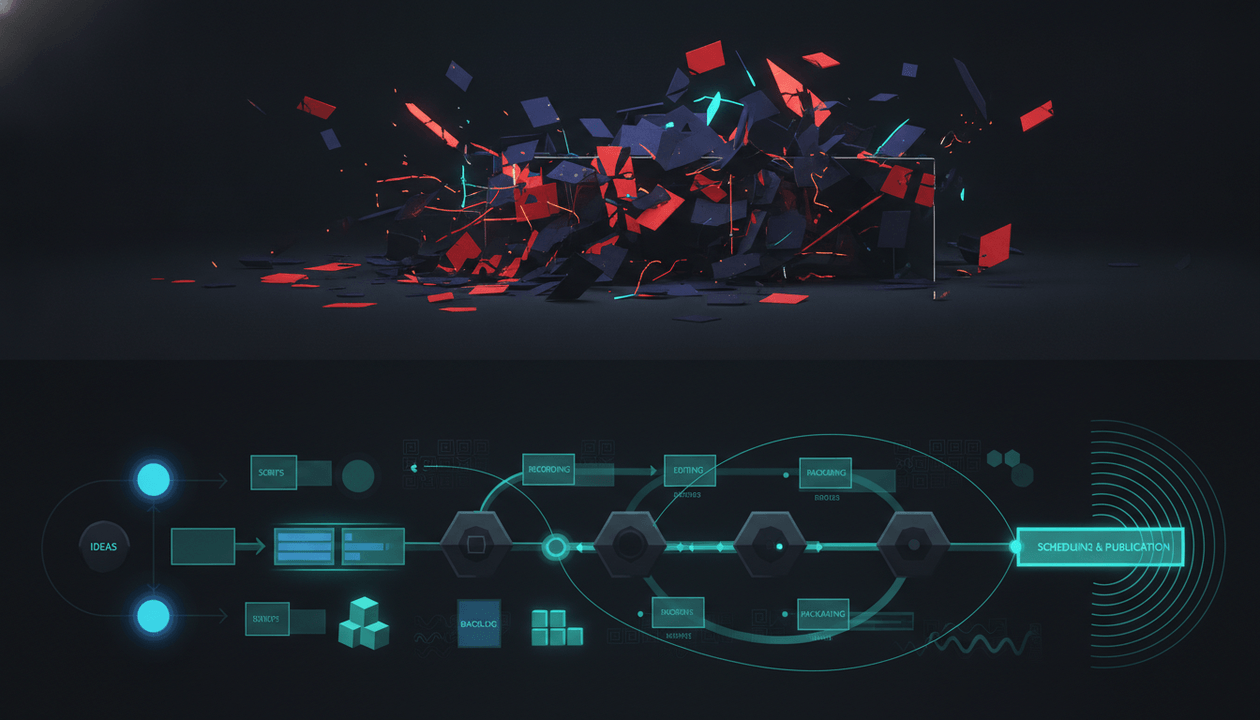
Most YouTube teams do not lose time because they lack ideas.
They lose time because nobody knows where the approved script is.
The thumbnail designer uses an outdated title.
The editor downloads the wrong voiceover.
The music license is buried in someone’s inbox.
The client approves version four while the editor exports version six.
A valuable B-roll clip exists somewhere, but nobody remembers which project contains it.
The channel owner leaves, and the team discovers that the source files, fonts, accounts, prompts, and project files were stored on that person’s laptop.
Then the final video is uploaded to YouTube and treated as the backup.
It is not.
YouTube is a publishing platform, not a complete archive for your original footage, project files, scripts, thumbnails, licenses, research, or production history.
A serious channel needs a YouTube asset management system that preserves every important creative, operational, and rights-related asset from the first research note to the final published video.
That system should tell the team:
- What exists
- Where it lives
- Which version is current
- Who owns it
- Who can access it
- Whether it is approved
- Which video it belongs to
- Whether it can be reused
- Which rights or restrictions apply
- What should be archived
- What must never be deleted
- How the asset can be recovered
This guide shows how to build that system for solo creators, faceless channels, agencies, SaaS teams, documentary channels, and multi-channel media operations.
Key Takeaways
- YouTube asset management is the system for organizing, naming, storing, reviewing, protecting, retrieving, and reusing every file connected to a channel.
- It is different from YouTube Studio Content Manager’s rights-management “assets,” which are available only to eligible partners using YouTube’s rights-management systems.
- YouTube should not be treated as the master archive. YouTube says creators can download their own uploads as MP4 files in 720p or 360p depending on the video, while Google Takeout can export uploaded videos. Neither replaces the original source and production files.
- Every video should receive one permanent project ID that connects its research, title, thumbnail, script, voiceover, footage, edit, export, rights, analytics, and refresh history.
- Folder organization alone is not enough. A complete system also needs metadata, permissions, version rules, approval states, rights records, backups, and retention policies.
- File names should explain the channel, project, asset type, version, status, and date without requiring someone to open the file.
- Never use labels such as
final-final,latest-new, oruse-this-one. - Approved files should be immutable. New changes should create a new version rather than silently replacing the approved file.
- Every third-party music track, stock clip, image, font, template, voice, and generated asset should have a rights or provenance record.
- AI-generated assets need their own provenance layer covering the tool, prompt or source context, reference images, model, generation date, human modifications, and usage restrictions.
- Use YouTube channel permissions instead of sharing the channel owner’s Google password with employees or freelancers.
- A backup is not complete until restoration has been tested.
- The strongest system separates active production, approved masters, reusable assets, published packages, and long-term archives.
- OverseerOS can preserve strategy, planner, script, thumbnail, voiceover, and Auto Edit context, but it should be paired with a dedicated storage and review layer for complete file management.
- Asset management becomes more valuable as the channel grows because every published video creates reusable intellectual property, not merely one upload.
Quick Answer: What Is YouTube Asset Management?
YouTube asset management is the operational system used to manage every creative and business asset connected to a YouTube channel.
It covers:
- Research
- Sources
- Video briefs
- Titles
- Thumbnail concepts
- Scripts
- Voiceovers
- Raw footage
- Screen recordings
- B-roll
- Images
- Music
- Sound effects
- Fonts
- Graphics
- Editing projects
- Review files
- Captions
- Final exports
- Shorts and social versions
- Upload metadata
- Licenses
- Releases
- Sponsor approvals
- Analytics exports
- Refresh history
A proper system makes each asset:
- Findable
- Identifiable
- Versioned
- Permissioned
- Recoverable
- Reusable
- Rights-safe
- Connected to its video
The goal is not to create more folders.
The goal is to create a reliable chain from idea to archive.
YouTube Asset Management vs YouTube Studio Content Manager
The phrase “YouTube asset” can mean two different things.
Creator Asset Management
This guide focuses on the system a creator or team uses to organize production files and channel intellectual property.
Examples:
- Script document
- Thumbnail PSD
- Voiceover WAV
- Premiere Pro project
- AI visual
- Source log
- Music license
- Final upload file
YouTube Rights-Management Assets
Inside YouTube Studio Content Manager, eligible rights-management partners can create “assets” representing intellectual property.
YouTube explains that a rights-management asset can include:
- A reference file
- Metadata
- Ownership information
- Rights policies
Those tools are intended for qualified partners managing copyrighted material and Content ID workflows.
They are not the normal file-management system used by most creators.
Your internal creator asset system should exist whether or not you have access to YouTube Studio Content Manager.
Why a Folder Is Not an Asset Management System
A clean folder structure is useful.
It does not solve the complete problem.
A folder cannot reliably answer:
- Which thumbnail did the client approve?
- Is this music track licensed for commercial YouTube use?
- Can this stock clip be reused on another channel?
- Which script produced the published video?
- Who changed the voiceover?
- Which title was live during the A/B test?
- Does this AI image depict a real person?
- Which source supports the statistic in scene 12?
- Has the sponsor approved the final claim?
- Which edit contains the corrected pronunciation?
- Is the final export backed up in another location?
- Who still has access after leaving the team?
A complete system needs seven layers.
| Layer | Function |
|---|---|
| Identity | Gives every project and asset a unique name |
| Storage | Defines where each file lives |
| Metadata | Explains what the asset is |
| Versioning | Controls changes and approvals |
| Permissions | Controls who can view or change it |
| Rights | Records ownership, licenses, and restrictions |
| Recovery | Protects against deletion, failure, or account loss |
Folders support storage.
The other six layers make the storage trustworthy.
The Real Cost of Poor YouTube Asset Management
Poor asset management creates four types of loss.
1. Time Loss
The team wastes time:
- Searching
- Downloading files repeatedly
- Asking for links
- Rebuilding lost assets
- Comparing unnamed versions
- Waiting for access
- Recreating old thumbnails
- Finding source material again
- Exporting duplicate files
Ten minutes of confusion across five people can cost more than the software used to prevent it.
2. Quality Loss
The wrong version enters production.
Examples:
- An old script reaches the voiceover artist
- A draft thumbnail reaches upload
- The editor uses a compressed image
- An outdated logo appears
- The wrong music mix is exported
- A correction disappears
- The sponsor CTA uses old wording
These failures are not creative failures.
They are system failures.
3. Rights Loss
The channel cannot prove:
- Music licensing
- Stock-footage permission
- Image source
- Talent consent
- Voice authorization
- Font license
- Sponsor approval
- Client ownership
- AI asset provenance
A useful asset without rights evidence may be impossible to reuse safely.
4. Business Loss
The channel becomes dependent on individual people.
When someone leaves, the company may lose:
- Files
- Account access
- Production knowledge
- Sponsor communication
- Design templates
- AI prompts
- Editing presets
- Source logs
- Project history
A channel is more valuable when another competent operator can understand and continue the system.
The YouTube Asset Lifecycle
Every important asset should move through a defined lifecycle.
CAPTURE
   ↓
IDENTIFY
   ↓
INGEST
   ↓
ENRICH
   ↓
CREATE
   ↓
REVIEW
   ↓
APPROVE
   ↓
PUBLISH
   ↓
ARCHIVE
   ↓
REUSE OR RETIRE
Stage 1: Capture
The asset enters the system.
Examples:
- Competitor link
- Research paper
- Interview recording
- Raw footage
- Screenshot
- Voice note
- Music track
- Client brief
- Generated image
- Sponsor document
Stage 2: Identify
Assign:
- Project ID
- Asset type
- Owner
- Channel
- Date
- Source
- Initial status
Do this before the file spreads across chats and devices.
Stage 3: Ingest
Move the asset into approved storage.
Do not allow the permanent location to remain:
- Email attachment
- Slack upload
- WhatsApp file
- Freelancer desktop
- Temporary transfer link
- Personal Downloads folder
Communication tools can deliver files.
They should not become the archive.
Stage 4: Enrich
Add metadata explaining:
- What the asset contains
- Where it came from
- Which project uses it
- Which rights apply
- Whether it can be reused
- Which version is current
- Who owns approval
Stage 5: Create
The asset is edited, transformed, combined, or incorporated into production.
Stage 6: Review
Reviewers provide:
- Comments
- Corrections
- Time-coded feedback
- Approval conditions
- Rights questions
- Brand notes
Stage 7: Approve
A named person approves the asset for a defined purpose.
Approval should include:
- Approver
- Date
- Version
- Scope
A thumbnail approved for concept direction is not necessarily approved for publication.
Stage 8: Publish
The asset is used in:
- Long-form video
- Short
- Community post
- Blog article
- Social post
- Newsletter
- Sponsor campaign
- Course
- Product documentation
Stage 9: Archive
The final package is preserved with:
- Master export
- Published title
- Published thumbnail
- Description
- Captions
- Project files
- Source log
- Rights records
- Publication URL
- Publish date
Stage 10: Reuse or Retire
The asset may become:
- B-roll
- Short
- Social post
- Updated video
- Sequel
- Thumbnail reference
- Training material
- Sponsor proof
- Historical archive
Retire assets that are:
- Outdated
- Rights-restricted
- Misleading
- Duplicated
- No longer safe
- No longer strategically useful
The 12 YouTube Asset Classes
Your system should distinguish asset classes because they have different storage, approval, and retention requirements.
| Asset Class | Examples | Primary Risk |
|---|---|---|
| Strategy | Channel blueprint, positioning, content pillars | Losing decision context |
| Research | Sources, notes, transcripts, interviews | Accuracy and attribution |
| Packaging | Titles, thumbnails, hook directions | Wrong published version |
| Writing | Briefs, outlines, scripts, captions | Version confusion |
| Audio | Voiceovers, interviews, music, SFX | Rights and quality |
| Visual | Footage, screenshots, images, graphics | Rights and discoverability |
| Production | Editing projects, proxies, timelines | Broken dependencies |
| Review | Watermarked exports, comments, approvals | Ambiguous approval |
| Publishing | Master file, metadata, chapters, subtitles | Upload mistakes |
| Distribution | Shorts, clips, social drafts, blog assets | Reuse inconsistency |
| Commercial | Sponsor briefs, affiliate links, claims | Contract and disclosure risk |
| Analytics | Exports, test history, post-mortems | Lost learning |
Every asset does not need the same retention period.
A temporary proxy may be deleted.
A signed talent release should not be.
The Five-Layer YouTube Asset Architecture
A scalable system separates five operational layers.
Layer 1: Strategy and Planning
Contains:
- Channel strategy
- Content pillars
- Topic pipeline
- Video briefs
- Competitor references
- Titles
- Thumbnail directions
- Scripts
- Production status
Possible tools:
- OverseerOS
- Airtable
- Notion
- ClickUp
- Dedicated production database
The strategy layer answers:
What are we making, why does it exist, and what stage is it in?
Layer 2: Working Storage
Contains:
- Active project files
- Raw assets
- Scripts
- Voiceovers
- Thumbnails
- Editing timelines
- Review exports
Possible tools:
- Google Drive
- Dropbox
- OneDrive
- NAS
- Cloud object storage
- Production collaboration platform
The working layer answers:
Where is the file the team needs today?
Layer 3: Review and Approval
Contains:
- Time-coded comments
- Approval status
- Revision rounds
- Client notes
- Sponsor notes
- Final sign-off
The review layer answers:
Which version was reviewed, what must change, and who approved it?
Layer 4: Publishing Package
Contains exactly what was published.
Examples:
- Upload master
- Final thumbnail
- Final title
- Description
- Chapters
- Captions
- Tags where used
- Sponsor disclosure
- Pinned comment
- End-screen plan
- Publication URL
The publishing layer answers:
What did the viewer actually receive?
Layer 5: Archive and Rights
Contains:
- High-quality master
- Source files
- Project files
- Licenses
- Releases
- Contracts
- AI provenance
- Analytics snapshots
- Refresh history
The archive layer answers:
Can we prove, restore, reuse, sell, transfer, or update this asset later?
The One-Project-ID Rule
Every video should receive one permanent project ID before significant production begins.
Example:
AIU-2026-047
Meaning:
AIU= channel code2026= project year047= sequential project number
That ID should appear in:
- Planner record
- Folder name
- Script
- Thumbnail
- Voiceover
- Edit project
- Review export
- Rights ledger
- Master export
- Analytics report
- Refresh record
The title may change five times.
The project ID should not.
Why Titles Should Not Be the Primary Identifier
A video may begin as:
Best AI Agents for Small Business
Then become:
I Tested 7 AI Agents on Real Business Work
Then publish as:
Only 2 of These AI Agents Were Ready for Real Work
A title-based folder becomes confusing.
The project ID remains stable.
Use the current working title as a human-readable secondary label.
Example:
AIU-2026-047_ai-agent-real-work-test
Recommended YouTube Folder Structure
Use one folder per channel, then one folder per project.
YOUTUBE/
├── 00_SHARED/
│   ├── BRAND/
│   ├── FONTS/
│   ├── LOGOS/
│   ├── MUSIC_LIBRARY/
│   ├── SFX_LIBRARY/
│   ├── BROLL_LIBRARY/
│   ├── TEMPLATES/
│   ├── LUTS_PRESETS/
│   └── SOPs/
│
├── AI_UNCOVERED/
│   ├── 00_CHANNEL_STRATEGY/
│   ├── 01_ACTIVE_PROJECTS/
│   │   └── AIU-2026-047_ai-agent-real-work-test/
│   │       ├── 00_ADMIN/
│   │       ├── 01_RESEARCH/
│   │       ├── 02_BRIEF/
│   │       ├── 03_SCRIPT/
│   │       ├── 04_VOICEOVER/
│   │       ├── 05_VISUALS/
│   │       │   ├── RAW/
│   │       │   ├── STOCK/
│   │       │   ├── GENERATED/
│   │       │   ├── SCREENSHOTS/
│   │       │   └── GRAPHICS/
│   │       ├── 06_THUMBNAILS/
│   │       │   ├── CONCEPTS/
│   │       │   ├── WORKING/
│   │       │   └── APPROVED/
│   │       ├── 07_EDIT/
│   │       │   ├── PROJECT/
│   │       │   ├── PROXIES/
│   │       │   ├── CACHE/
│   │       │   └── EXPORTS/
│   │       ├── 08_REVIEW/
│   │       ├── 09_PUBLISH/
│   │       ├── 10_DISTRIBUTION/
│   │       ├── 11_RIGHTS/
│   │       └── 12_ANALYTICS/
│   │
│   ├── 02_PUBLISHED/
│   ├── 03_ARCHIVE/
│   └── 04_RETIRED/
Folder Rules
Use Numbered Prefixes
Numbered prefixes keep the workflow order stable.
Separate Raw, Working, Approved, and Published Files
Do not mix:
- Concepts
- Drafts
- Approved assets
- Published assets
Do Not Duplicate Large Files Without Reason
Use references, shortcuts, or linked records when your storage system supports them.
Keep Cache and Proxies Disposable
Separate temporary files from irreplaceable source assets.
Preserve the Publishing Package
The 09_PUBLISH folder should contain only the exact assets used at publication.
The Best File Naming Convention for YouTube
A useful file name should identify:
- Project
- Asset type
- Description
- Version
- Status
- Date when useful
Recommended format:
[PROJECT-ID]_[ASSET-TYPE]_[DESCRIPTION]_v[VERSION]_[STATUS].[EXT]
Examples:
AIU-2026-047_SCRIPT_full_v03_REVIEW.docx
AIU-2026-047_SCRIPT_full_v04_APPROVED.docx
AIU-2026-047_VO_master_v02_APPROVED.wav
AIU-2026-047_THUMB_agent-failed-test_v05_REVIEW.png
AIU-2026-047_THUMB_agent-failed-test_v06_APPROVED.png
AIU-2026-047_EDIT_full_v08_CLIENT-REVIEW.mp4
AIU-2026-047_MASTER_youtube-4k_v09_PUBLISHED.mp4
AIU-2026-047_CAPTIONS_en-US_v02_PUBLISHED.srt
Approved Status Vocabulary
Use a controlled set.
| Status | Meaning |
|---|---|
| DRAFT | Incomplete working file |
| INTERNAL-REVIEW | Ready for internal feedback |
| CLIENT-REVIEW | Sent to client or external approver |
| REVISION | Changes requested |
| APPROVED | Approved for defined use |
| PUBLISHED | Exact version published |
| SUPERSEDED | Replaced by a later version |
| ARCHIVED | Preserved but inactive |
| RESTRICTED | Limited by rights or policy |
| RETIRED | No longer approved for use |
Do not invent new status words for every project.
File Names to Ban
Avoid:
final.mp4
final2.mp4
final-final.mp4
final-use-this.mp4
latest.mp4
new-latest.mp4
thumbnail-good.png
approved-new.png
script-fixed.docx
These names describe someone’s mood, not the asset’s state.
The Version-Control Rules
Rule 1: Versions Move Forward
Use:
v01
v02
v03
Do not overwrite history casually.
Rule 2: Approval Belongs to a Version
Write:
Thumbnail v06 approved by [name] on [date].
Do not write:
Thumbnail approved.
Rule 3: Approved Files Become Immutable
When a change is required after approval, create a new version.
Rule 4: One File Is the Current Working Version
The project record should link to the current file.
Do not make teammates compare five folders.
Rule 5: Preserve Published Versions
A title or thumbnail may change after publishing.
Keep a history.
Example:
| Date | Title Version | Thumbnail Version | Reason |
|---|---|---|---|
| July 18 | T03 | TH06 | Initial publication |
| July 24 | T04 | TH07 | Native A/B test winner |
| August 3 | T04 | TH08 | Visual refresh |
| October 12 | T05 | TH08 | Product terminology update |
This connects packaging changes with analytics.
Rule 6: Separate Document Versioning From Video Export Versioning
A script version and edit version do not need matching numbers.
Use:
SCRIPT v04
VO v02
EDIT v09
THUMB v06
Each asset evolves independently.
Google Drive Version Warning
Google Drive can preserve versions of non-Google files, but its official documentation explains that an older file version may be deleted after 30 days or after 100 newer versions unless it is marked Keep forever.
Do not assume every historical video, image, or project version will remain indefinitely.
For business-critical versions:
- Mark important versions for permanent retention where supported
- Save approved files as separate immutable assets
- Maintain an independent backup
The YouTube Project Metadata Schema
Folders help humans browse.
Metadata helps humans and systems search.
Every project record should include:
| Field | Example |
|---|---|
| Project ID | AIU-2026-047 |
| Channel | AI Uncovered |
| Working title | I Tested 7 AI Agents |
| Published title | Only 2 AI Agents Were Ready |
| Content pillar | AI agents |
| Format | Real-world test |
| Target viewer | Small-business operator |
| Status | Published |
| Owner | Producer name |
| Writer | Writer name |
| Editor | Editor name |
| Thumbnail owner | Designer name |
| Publish date | 2026-07-18 |
| YouTube URL | Published URL |
| Playlist | AI Agent Experiments |
| Script link | Current approved script |
| Thumbnail link | Published thumbnail |
| Master link | Upload master |
| Project-file link | Editing project |
| Rights status | Cleared |
| Sponsor | Brand or none |
| Refresh date | 2026-10-18 |
| Archive tier | Permanent |
Asset-Level Metadata
Each important asset can also include:
- Asset ID
- Project ID
- Asset type
- Description
- Creator
- Source
- Creation date
- Modification date
- Rights owner
- License
- Territory
- Expiration
- Reuse permission
- Approval status
- Approver
- Checksum
- Storage location
- Backup location
- Retention class
You do not need enterprise software to begin.
A structured spreadsheet or database can manage this until scale justifies a dedicated system.
The Video Asset Manifest
Create one manifest for every important video.
PROJECT ID:
AIU-2026-047

CHANNEL:
AI Uncovered

WORKING TITLE:
I Tested 7 AI Agents on Real Business Work

PUBLISHED TITLE:
Only 2 of These AI Agents Were Ready for Real Work

STATUS:
Published

PUBLISHED URL:
[URL]

PUBLISHED DATE:
[DATE]

PROJECT OWNER:
[NAME]

ASSET LOCATIONS

Research:
[LINK]

Source log:
[LINK]

Approved brief:
[LINK]

Approved script:
[LINK]

Approved voiceover:
[LINK]

Thumbnail concepts:
[LINK]

Published thumbnail:
[LINK]

Editing project:
[LINK]

High-resolution master:
[LINK]

YouTube upload file:
[LINK]

Captions:
[LINK]

Distribution assets:
[LINK]

Analytics report:
[LINK]

RIGHTS

Music:
[TRACK, SOURCE, LICENSE, PROOF]

Stock footage:
[SOURCE, LICENSE, PROOF]

Images:
[SOURCE, LICENSE, PROOF]

Voice:
[OWNER OR LICENSE]

AI assets:
[PROVENANCE LOG]

Talent releases:
[LINK]

Sponsor approval:
[LINK]

APPROVALS

Script approved by:
[NAME, DATE, VERSION]

Thumbnail approved by:
[NAME, DATE, VERSION]

Edit approved by:
[NAME, DATE, VERSION]

Sponsor approved by:
[NAME, DATE, VERSION]

PUBLISHING PACKAGE

Title version:
[VERSION]

Thumbnail version:
[VERSION]

Description version:
[VERSION]

Captions version:
[VERSION]

End-screen destination:
[VIDEO OR PLAYLIST]

Pinned comment:
[TEXT OR LINK]

ARCHIVE

Primary archive:
[LOCATION]

Secondary backup:
[LOCATION]

Restore tested:
[DATE]

Retention:
[PERMANENT, 3 YEARS, 1 YEAR, TEMPORARY]
This manifest becomes the map when files are distributed across several systems.
Managing Research and Source Assets
Research should not live only inside the final script.
Preserve:
- Source URL
- Source title
- Publisher
- Author
- Publication date
- Access date
- Relevant claim
- Direct quotation used
- Screenshot where legally appropriate
- Confidence level
- Fact-check status
- Notes about limitations
Claim-to-Source Table
| Script Claim | Source | Status | Notes |
|---|---|---|---|
| Platform introduced feature X | Official documentation | Verified | Recheck before publishing |
| Company revenue fell 20% | Annual report | Verified | Use exact period |
| Users dislike feature | Forum comments | Anecdotal | Present as sentiment |
| Tool is most accurate | No controlled evidence | Remove | Unsupported superlative |
A source log protects:
- Accuracy
- Corrections
- Script updates
- Legal review
- Sponsor trust
- Future remakes
Research Retention Rules
Keep permanently when the research supports:
- Investigative claim
- Financial claim
- Legal claim
- Health claim
- Public-figure claim
- Sponsor comparison
- Product recommendation
- Original dataset
- High-value documentary
Short-lived trend notes can use shorter retention.
Managing Scripts
Each script project should preserve:
- Creative intent
- Outline
- Draft history
- Source-backed claims
- Approved script
- Voiceover script
- Published transcript
- Corrections
- Rewrite notes
- Creator-tone guidance
The approved voiceover script may differ from the editor’s annotated script.
Store both.
Example:
AIU-2026-047_SCRIPT_narration_v04_APPROVED.docx
AIU-2026-047_SCRIPT_editor-annotated_v05_APPROVED.docx
Managing Voiceovers
Keep:
- Clean master WAV
- Processed version
- Compressed review MP3
- Pronunciation notes
- Voice identity
- Licensing or consent
- Generation settings when synthetic
- Revision history
Do not keep only the compressed audio used in an editing timeline.
Voiceover Naming
[PROJECT-ID]_VO_[LANGUAGE]_[VOICE]_[TYPE]_v[VERSION]_[STATUS].[EXT]
Example:
AIU-2026-047_VO_en-US_nova_clean_v02_APPROVED.wav
Managing Raw Footage and B-Roll
Raw video libraries become useless when files can be found only by date or camera filename.
Camera name:
C0012.MP4
Useful operational name:
BROLL_office-founder-laptop-night_wide_01.mp4
For large libraries, preserve the original filename in metadata or a mapping table.
B-Roll Metadata
Record:
- Subject
- Location
- Shot type
- Camera movement
- People
- Emotion
- Time of day
- Orientation
- Resolution
- Frame rate
- Rights
- Release status
- Reuse permission
- Keywords
Example:
Subject: founder working on laptop
Location: modern office
Shot: medium close-up
Movement: slow push-in
Emotion: frustrated
Orientation: landscape
Rights: owned
Talent release: yes
Reusable: yes
Keywords: startup, founder, late night, laptop, stress
The purpose is not metadata perfection.
It is retrieval.
Building a Reusable B-Roll Library
Organize reusable footage by function.
BROLL_LIBRARY/
├── PEOPLE/
├── OFFICES/
├── TECHNOLOGY/
├── MONEY/
├── CITIES/
├── NATURE/
├── ABSTRACT/
├── TRANSITIONS/
├── SCREENS/
└── CHANNEL-SPECIFIC/
Tag clips by what they communicate, not only what they contain.
A clip of a person staring at a laptop may represent:
- Frustration
- Research
- Failure
- Late work
- Cybersecurity
- Isolation
- Startup pressure
Semantic tags make reuse faster.
Managing Thumbnails
A thumbnail folder should preserve three different things.
Concepts
Rough directions testing:
- Visual question
- Subject
- Composition
- Emotional mechanism
- Text concept
Working Files
Editable source files such as:
- PSD
- AI
- Figma export
- Canva project reference
- Generated source image
Published Versions
The exact image uploaded to YouTube.
Thumbnail Record
Track:
- Concept ID
- Title version paired with it
- Designer
- Source assets
- Rights
- Approval
- A/B-test status
- Test dates
- Watch-time-share result
- Published date
- Replacement date
A thumbnail cannot be interpreted separately from the title it supported.
Pair them in the record.
Managing Editing Projects
A final MP4 is not the project.
A recoverable editing archive may require:
- Timeline file
- Linked media
- Fonts
- Graphics
- Plugins
- LUTs
- Music
- Voiceover
- Captions
- Proxies where needed
- Project notes
- Software version
- Export settings
Archive With Dependencies
Before archiving, use the editing software’s collection or consolidation workflow where available.
Then test:
- Move or disconnect the original working folders.
- Open the archived project.
- Confirm media relinks correctly.
- Export a short test section.
- Record the successful restore date.
An archive that has never been opened is an assumption.
Managing Music, Images, Fonts, and Stock Licenses
Every licensed asset should have a rights record.
Rights Ledger Fields
| Field | Example |
|---|---|
| Asset | Background track |
| Provider | Music marketplace |
| License type | Commercial synchronization |
| Purchased by | Company |
| Purchase date | 2026-07-10 |
| Order ID | Reference |
| Allowed channels | Named channels |
| Territory | Worldwide |
| Duration | Perpetual or defined term |
| Monetization | Allowed |
| Sponsor use | Allowed or restricted |
| Paid ads | Allowed or restricted |
| Reuse | One project or multiple projects |
| Expiration | Date or none |
| Proof | Receipt and license file |
| Notes | Attribution requirement |
Do not rely on:
- “Royalty-free” in the filename
- A freelancer saying it is safe
- A deleted marketplace page
- A screenshot without terms
- An assumed fair-use claim
- The existence of the asset in an editing template
YouTube’s copyright guidance notes that different rights and licensing situations can still lead to claims or disputes. Preserve the actual permission that applied at the time of production.
Creator Music Records
When using YouTube Creator Music, retain:
- Track
- Usage option
- License or revenue-sharing terms
- Date acquired
- Video connected to the track
- Territory restrictions
- Expiration
- Receipt or record
YouTube explains that usage terms vary by track and rights holder.
The rights record should remain connected to the published video.
Managing AI-Generated Assets
AI makes asset management more complicated because the file may not have a traditional photographer, illustrator, actor, or source.
Every important generated asset should have provenance.
AI Provenance Fields
- Project ID
- Asset ID
- Tool
- Model
- Generation date
- Account or license
- Prompt
- Negative prompt
- Seed where available
- Reference image
- Reference rights
- Input source
- Real-person involvement
- Character ownership
- Human modifications
- Disclosure decision
- Approved use
- Restrictions
- Final published scenes
Example AI Asset Record
ASSET ID:
AIU-2026-047-AIIMG-023

TOOL:
[TOOL]

MODEL:
[MODEL]

GENERATED:
2026-07-14

PROMPT:
Cinematic server room with one autonomous agent represented as a
glowing decision network, no logos, no real people.

REFERENCE IMAGE:
Internal original style reference

REFERENCE RIGHTS:
Owned by company

REAL PERSON:
No

HUMAN MODIFICATIONS:
Color grade, face removal, background compositing

DISCLOSURE REVIEW:
Not realistic depiction of a real event or person

APPROVED USE:
AIU-2026-047, scene 18 only

REUSE:
Allowed in same channel style library

REVIEWER:
[NAME]
AI Asset Questions
Before approval, ask:
- Does it depict a real person?
- Does it imitate a protected character?
- Does it copy another creator’s identifiable asset?
- Was the reference image licensed?
- Could viewers mistake the visual for real evidence?
- Does it require disclosure?
- Does the generation platform permit the intended commercial use?
- Can the asset be reused in client work?
- Does the sponsor permit generated visuals?
- Has a human reviewed visual defects?
The prompt is not the complete rights record.
The source and intended use matter too.
Character and Voice Assets
For recurring AI characters or synthetic voices, preserve:
- Character bible
- Approved reference images
- Visual traits
- Wardrobe rules
- Forbidden changes
- Voice identity
- Voice consent
- Commercial-use permission
- Pronunciation dictionary
- Approved emotional range
- Model settings
- Usage boundaries
Do not clone real voices or identities without permission.
Access Control for YouTube Teams
Do not solve collaboration by sharing one Google password.
YouTube’s official channel-permissions system allows teams to grant different access levels without giving collaborators access to the owner’s Google Account.
That is safer than password sharing and gives the channel owner more control over what each person can view or change.
Access Principles
Least Privilege
Give each person the minimum access required.
Named Accounts
Every collaborator should use their own account.
No Shared Root Login
The owner account should not be used for routine production.
Time-Limited Freelance Access
Remove access after the project or contract ends.
Separate Storage Permissions
A thumbnail designer may need:
- Brief
- Title options
- Brand assets
- Thumbnail folder
They may not need:
- Revenue data
- Sponsor contracts
- Complete raw-footage archive
- Channel ownership access
Quarterly Access Review
Review:
- Channel permissions
- Storage access
- Project-management access
- Review-tool access
- Password manager
- Social accounts
- Affiliate platforms
- Sponsor folders
- AI tools
Suggested Role Matrix
| Role | Strategy | Working Files | Revenue | Publishing | Archive |
|---|---|---|---|---|---|
| Channel owner | Full | Full | Full | Full | Full |
| Producer | Full | Full | Limited | Full | Full |
| Writer | Relevant projects | Script/research | None | None | Limited |
| Thumbnail designer | Packaging assets | Thumbnail folder | None | None | Limited |
| Editor | Brief, script, media | Edit assets | None | None | Limited |
| Client reviewer | Review only | Review exports | None | None | None |
| Analyst | Planner and analytics | Published package | Relevant | None | Analytics |
| Freelancer | Assigned project | Assigned assets | None | None | None |
Adapt the matrix to the actual risk.
Backup Strategy for YouTube Assets
A sync service is not automatically a backup.
If a user deletes a synced file, the deletion may spread.
If ransomware encrypts a synchronized folder, the encrypted version may synchronize.
A strong backup strategy uses separate copies and recovery controls.
The 3-2-1 Starting Principle
Maintain:
- Three copies
- On at least two types of storage
- With one copy isolated or stored elsewhere
Example:
- Active cloud storage
- Local or network storage
- Independent off-site backup
The exact architecture depends on:
- File size
- Security
- Budget
- Team
- Recovery-time needs
- Client obligations
What Must Be Backed Up Permanently?
At minimum:
- Approved scripts
- Clean voiceovers
- Published thumbnails
- High-quality masters
- Editing projects
- Rights records
- Source logs
- Contracts
- Releases
- Brand assets
- Channel strategy
- Sponsor approvals
- Important analytics exports
What May Be Temporary?
Potentially disposable:
- Cache
- Render previews
- Replaceable proxies
- Failed exports
- Duplicate downloads
- Temporary transfer files
- Unused generated concepts
Do not delete them until the project is safely published and recoverable.
YouTube Is Not the Master Backup
YouTube currently says creators can download their own uploaded videos through YouTube Studio as MP4 files in 720p or 360p depending on the video.
Google Takeout can be used to export uploaded videos more broadly.
That still does not preserve the full production package:
- Raw footage
- Original high-resolution master
- Multitrack audio
- Thumbnail source
- Editing timeline
- Fonts
- Captions history
- Rights records
- Source log
- Project notes
Preserve your own master.
Recovery Objectives
Define:
Recovery Point Objective
How much recent work can you afford to lose?
Example:
No more than 24 hours of active project changes.
Recovery Time Objective
How quickly must production resume?
Example:
Critical files restored within four hours.
A weekly backup may be inadequate for a daily channel.
Test Restoration Quarterly
Choose a project and restore:
- Script
- Thumbnail
- Voiceover
- Editing project
- Master
- Rights record
Confirm the project opens and exports.
Record the result.
Storage and Retention Tiers
Not every file needs expensive instant storage forever.
| Tier | Use | Example Retention |
|---|---|---|
| Active | Current production | Until publication plus review period |
| Warm | Recently published and likely to change | 3–12 months |
| Archive | Valuable masters and projects | Several years or permanent |
| Rights | Licenses, contracts, releases | Permanent or legal requirement |
| Temporary | Cache, proxies, transfers | Days or weeks |
| Retired | Restricted or obsolete assets | Controlled retention |
Recommended Retention by Asset
| Asset | Recommended Direction |
|---|---|
| Published master | Permanent |
| Published thumbnail | Permanent |
| Approved script | Permanent |
| License and release records | Permanent or professionally defined |
| Editing project | Long-term |
| Raw footage | Based on uniqueness and cost |
| Reusable B-roll | Long-term |
| Replaceable stock download | Keep with license where practical |
| Proxy | Temporary |
| Cache | Temporary |
| Failed concepts | Short or selective retention |
| Sponsor approval | Long-term |
| Analytics snapshot | Long-term |
| Temporary review export | Short-term |
Legal, contractual, tax, privacy, and client requirements may change the correct retention period.
The YouTube Asset Handoff Checklist
Use this when passing a video from one person to another.
Strategy to Writer
Provide:
- Project ID
- Viewer
- Topic
- Evidence
- Creative intent
- Working title
- Thumbnail direction
- Sources
- Required claims
- What to avoid
Writer to Voiceover
Provide:
- Approved narration script
- Pronunciation notes
- Tone
- Pace
- Character direction
- Required pauses
- Sponsor wording
- Version number
Voiceover to Editor
Provide:
- Clean WAV
- Script
- Time-coded notes
- Visual brief
- Music direction
- Source assets
- Rights status
- Version number
Editor to Reviewer
Provide:
- Watermarked review file
- Version
- Change summary
- Outstanding questions
- Rights exceptions
- Review deadline
- Single feedback location
Reviewer to Publisher
Provide:
- Approved master
- Approved thumbnail
- Final title
- Description
- Captions
- Sponsor disclosure
- Pinned comment
- End screen
- Playlist
- Approval record
Publisher to Archive
Preserve:
- Exact published package
- URL
- Publish date
- YouTube video ID
- Packaging versions
- Rights manifest
- Analytics baseline
- Refresh date
For the wider production chain, use the YouTube Pre-Production Workflow and YouTube Content Operating System.
Asset Management for Solo Creators
A solo creator does not need enterprise software.
Start with:
- One project database
- One folder template
- One naming convention
- One backup
- One rights ledger
- One published package
Minimum system:
PROJECT RECORD
      ↓
PROJECT FOLDER
      ↓
APPROVED MASTER
      ↓
PUBLISHED PACKAGE
      ↓
BACKUP
The creator should be able to answer:
- Where is the final script?
- Where is the editable thumbnail?
- Where is the project file?
- Where is the music license?
- Which file was uploaded?
- Can the project be restored?
Asset Management for Faceless Channels
Faceless channels create additional complexity because production may involve:
- Researcher
- Writer
- Synthetic voice
- AI images
- Stock footage
- Editor
- Thumbnail designer
- Channel manager
The system should preserve:
- Script originality
- Source evidence
- AI provenance
- Voice authorization
- Visual rights
- Style references
- Character references
- Production handoffs
- Human approvals
The Faceless YouTube Team Roles guide explains how to assign accountability across these roles.
Asset Management for YouTube Agencies
Agencies need two boundaries.
Internal Master System
The agency’s operational source of truth.
Client Delivery System
The assets the client may view, approve, or own.
Do not expose unrelated clients through shared folders.
Every project should specify:
- Who owns raw footage
- Who owns final exports
- Whether source files are included
- Whether working files are included
- Whether fonts and templates transfer
- Whether AI-generated assets transfer
- Whether reusable agency templates remain agency property
- How long the agency stores files
- Whether archive restoration has a fee
Client Delivery Package
CLIENT_DELIVERY/
├── FINAL_VIDEO/
├── THUMBNAILS/
├── CAPTIONS/
├── APPROVED_SCRIPT/
├── METADATA/
├── RIGHTS_SUMMARY/
└── README/
The README should explain:
- Files included
- Software required
- Fonts
- Links
- Rights limitations
- Missing dependencies
- Archive date
- Support contact
Asset Management for Multi-Channel Operators
Multi-channel systems need strict separation.
Use:
- Unique channel code
- Unique project sequence
- Channel-specific brand library
- Channel-specific rights
- Channel-specific voice
- Channel-specific character DNA
- Central reusable-asset library
- Clear cross-channel reuse rules
Do not assume an asset licensed for one channel can be used across the network.
Asset Management for SaaS YouTube Teams
SaaS channels need additional asset types:
- Product screenshots
- Demo accounts
- Interface versions
- Feature claims
- Customer permission
- Case-study data
- Product pricing
- Release dates
- Brand claims
- Security review
- Legal approval
Every product screenshot should be connected to:
- Product version
- Capture date
- Demo-data status
- Customer-data status
- Approval
- Expiration or refresh date
A product tutorial can become misleading when the interface changes.
The 100-Point YouTube Asset Management Scorecard
| Category | Maximum Score | Core Question |
|---|---|---|
| Project identification | 10 | Does every video have one permanent project ID? |
| Folder architecture | 10 | Can the team find files without asking? |
| Naming convention | 10 | Do filenames explain type, version, and status? |
| Version control | 10 | Is the current and approved version unambiguous? |
| Metadata | 10 | Can assets be searched and understood? |
| Rights management | 15 | Can the team prove ownership or permission? |
| Access control | 10 | Does each person have appropriate access? |
| Backup and recovery | 15 | Can critical assets be restored? |
| Published package | 5 | Is the exact uploaded package preserved? |
| Reuse and archive | 5 | Can valuable assets be reused safely? |
| Total | 100 |
Interpretation
| Score | Meaning |
|---|---|
| 90–100 | Media-business-grade asset system |
| 80–89 | Strong and scalable with minor gaps |
| 70–79 | Organized but exposed to version or recovery risk |
| 55–69 | Folder system without complete governance |
| Below 55 | Production depends on memory and individuals |
Metrics for Asset-Management Performance
Track operational outcomes.
| Metric | What It Reveals |
|---|---|
| Average asset retrieval time | How searchable the system is |
| Files missing per project | Ingest and handoff quality |
| Wrong-version incidents | Version-control quality |
| Revision rounds caused by wrong assets | Operational waste |
| Rights records completed | Licensing discipline |
| Restore success rate | Backup reliability |
| Projects with published packages | Archive completeness |
| Freelancer access removed on time | Security discipline |
| Reusable assets found and reused | Library value |
| Storage cost per published video | Storage efficiency |
| Time from approval to publish | Handoff efficiency |
| Projects with complete manifests | Governance quality |
The objective is not perfect filing.
It is faster, safer production.
The 30-Day YouTube Asset Management Implementation Plan
Days 1–3: Inventory the Current System
List:
- Storage accounts
- Local drives
- Shared folders
- Editing systems
- Review tools
- AI tools
- Channel access
- Existing backups
- Rights records
- Team members
Identify where files currently disappear.
Days 4–6: Define the Project ID
Choose:
[CHANNEL]-[YEAR]-[SEQUENCE]
Assign IDs to active projects first.
Do not rename the complete historical archive immediately.
Days 7–9: Build the Folder Template
Create:
- Shared assets
- Active projects
- Published
- Archive
- Retired
Test with one real project.
Days 10–12: Define Naming and Status Rules
Publish a one-page standard covering:
- Asset types
- Version format
- Status vocabulary
- Date format
- Approval format
- Forbidden filenames
Days 13–15: Create the Project Database
Add:
- Project ID
- Title
- Status
- Owner
- Links
- Publish date
- Rights status
- Archive status
Days 16–18: Build the Rights Ledger
Start with:
- Music
- Stock footage
- Fonts
- AI voices
- AI visuals
- Talent releases
- Sponsor claims
Prioritize currently published and active videos.
Days 19–21: Fix Access
Review:
- YouTube channel permissions
- Shared drives
- Personal accounts
- Freelancer access
- Password sharing
- Former employees
- Public links
Days 22–24: Install Backups
Create an independent backup for critical assets.
Define:
- Backup frequency
- Retention
- Recovery owner
- Alert process
- Restore procedure
Days 25–26: Archive Published Projects
Select the ten most valuable videos.
Create complete published packages and manifests.
Days 27–28: Test Recovery
Restore one archived project and export a section.
Document missing dependencies.
Days 29–30: Install the SOP
Require every future project to pass:
- ID created
- Folder created
- Rights recorded
- Current versions linked
- Approvals stored
- Published package created
- Backup confirmed
The YouTube Asset Management SOP
1. CREATE PROJECT
Assign permanent project ID.

2. CREATE RECORD
Add channel, owner, status, and working title.

3. CREATE FOLDER
Use the approved folder template.

4. INGEST ASSETS
Move files from chats, email, and temporary links.

5. RECORD RIGHTS
Attach licenses, sources, permissions, and AI provenance.

6. LINK CURRENT VERSIONS
Script, thumbnail, voiceover, and edit.

7. REVIEW
Use one review location and one version.

8. APPROVE
Record approver, date, version, and scope.

9. PUBLISH
Use only the approved publishing package.

10. ARCHIVE
Preserve master, project, packaging, metadata, rights, and URL.

11. BACK UP
Verify independent backup.

12. REVIEW
Audit access and refresh dates.
How OverseerOS Fits the Asset Management Workflow
Disclosure: OverseerOS is our platform.
OverseerOS can serve as the YouTube strategy and production-context layer inside a broader asset system.
It is not positioned as a complete enterprise digital asset management replacement.
A serious team may still use dedicated cloud storage, review software, backups, and rights-management records.
1. Strategy Context
OverseerOS Channel Content Planner can preserve:
- Topic
- Title
- Content brief
- Script status
- Thumbnail assets
- Production status
- Planned publishing date
- Channel context
This helps prevent the creative files from losing their strategic purpose.
2. Script Assets
OverseerOS Script Studio connects:
- Title
- Creative intent
- Outline
- Creator DNA
- Hook
- Script
- Voiceover
- Thumbnail workflow
- Planner saving
The approved script should still be exported or preserved according to the team’s archive policy.
3. Production Assets
OverseerOS Auto Edit Studio can connect:
- Script
- Voiceover
- Scene structure
- AI visual prompts
- Generated visuals
- Style direction
- Captions
- Music
- Motion
- Export controls
For important projects, preserve the final export and critical source context outside any single production platform.
4. Research Provenance
OverseerOS workflows can begin from:
- Public channel research
- Viral X-Ray analysis
- Trend research
- Reference videos
- Channel blueprints
- Planner topics
Record which source or research workflow initiated the project.
5. Distribution Assets
OverseerOS Distribution Studio can turn approved source content into platform-native social drafts.
Store those outputs under the same project ID so the team can identify which source video produced each post.
Recommended Combined Stack
OVERSEEROS
Strategy, research, planner, script, thumbnail, voiceover,
Auto Edit, and distribution context

          ↓

PROJECT DATABASE
Project ID, status, owners, links, approvals, rights status

          ↓

CLOUD OR LOCAL STORAGE
Raw files, project files, masters, licenses, archives

          ↓

REVIEW SYSTEM
Time-coded feedback and approval history

          ↓

YOUTUBE STUDIO
Publishing, channel permissions, analytics, and audience data

          ↓

BACKUP
Independent recovery copy
No single tool needs to perform every job.
The system needs one clear source of truth for each job.
Common YouTube Asset Management Mistakes
Mistake 1: Treating YouTube as the Archive
The uploaded video does not preserve the complete production package.
Mistake 2: Using the Video Title as the Only Identifier
Titles change.
Use a permanent project ID.
Mistake 3: Keeping Source Files on Freelancer Devices
Require file delivery and archive verification.
Mistake 4: Saving Licenses in Email
Attach proof to the asset or rights ledger.
Mistake 5: Using “Final” as Version Control
Final is not a version.
Use a number and approval status.
Mistake 6: Overwriting Approved Files
Create a new version.
Preserve what was approved and published.
Mistake 7: Mixing Review Files With Masters
Watermarked review exports and clean masters belong in different locations.
Mistake 8: Sharing the Channel Password
Use YouTube channel permissions and named accounts.
Mistake 9: Assuming Cloud Sync Is a Complete Backup
Maintain independent recovery copies and test restoration.
Mistake 10: Saving Only the Editing Project
The project may be useless without:
- Media
- Fonts
- Plugins
- Graphics
- Audio
- Templates
Archive dependencies.
Mistake 11: Deleting Raw Assets Immediately
Evaluate:
- Uniqueness
- Replacement cost
- Rights
- Future reuse
- Remake potential
- Client requirements
Mistake 12: Keeping Everything Forever at Full Cost
Use storage tiers.
Not every proxy or failed export deserves permanent premium storage.
Mistake 13: Failing to Record AI Provenance
A generated image may later become impossible to evaluate without the tool, source, reference, and intended use.
Mistake 14: Using Personal Accounts for Company Assets
Business-critical files should remain under company-controlled accounts and permissions.
Mistake 15: Giving Everyone Full Access
Use role-based access.
A freelancer does not need the entire business archive.
Mistake 16: Collecting Feedback in Several Places
Do not split revisions across:
- Slack
- YouTube comments
- Review tool
- Voice messages
Choose one review source.
Mistake 17: Approving Without Naming the Version
Approval should identify the exact asset.
Mistake 18: Forgetting the Published Metadata
Preserve the title, description, captions, thumbnail, and CTA that were actually published.
Mistake 19: Ignoring Old Assets During a Rebrand
Review:
- Logos
- Fonts
- templates
- Intros
- Outros
- Descriptions
- Thumbnails
- Sponsor pages
Mark superseded assets clearly.
Mistake 20: Building a System Nobody Uses
The rules must be:
- Simple
- Documented
- Enforced
- Included in handoffs
- Reviewed regularly
A complicated system abandoned after two weeks is worse than a simple system used consistently.
Final Verdict
A YouTube channel does not own only videos.
It owns a growing library of:
- Research
- Ideas
- Scripts
- Performances
- Voices
- Footage
- Visuals
- Thumbnails
- Formats
- Characters
- Licenses
- Source files
- Audience learning
- Commercial relationships
Those assets become more valuable when they can be found, verified, restored, reused, and transferred.
The minimum viable system is:
One project ID → one project record → one folder structure → one version standard → one rights ledger → one published package → one independent backup.
That system prevents expensive confusion.
A stronger system adds:
- Searchable metadata
- Role-based permissions
- AI provenance
- Review history
- Reusable libraries
- Storage tiers
- Recovery testing
- Retention policies
- Analytics history
Do not wait until the channel has hundreds of videos.
Do not wait until an editor leaves.
Do not wait until a client requests source files.
Do not wait until a music claim appears.
Do not wait until the only master is the compressed upload on YouTube.
Build the asset system while the library is still understandable.
The channel that can produce videos is useful.
The channel that can preserve, retrieve, reuse, and transfer its creative intelligence is a media asset.
Frequently Asked Questions
What is a YouTube asset management system?
A YouTube asset management system organizes every file and record connected to a channel, including research, scripts, thumbnails, footage, audio, editing projects, licenses, exports, publishing metadata, and analytics.
Is YouTube a digital asset management system?
No.
YouTube is primarily a publishing, distribution, analytics, and rights-management platform.
It does not replace the creator’s internal storage for raw footage, editing projects, scripts, thumbnail sources, licenses, or production history.
What is the best folder structure for YouTube videos?
Use one folder per channel and one folder per project.
Inside each project, separate:
- Research
- Brief
- Script
- Voiceover
- Visuals
- Thumbnails
- Edit
- Review
- Publish
- Distribution
- Rights
- Analytics
How should YouTubers name files?
Use:
[PROJECT-ID]_[ASSET-TYPE]_[DESCRIPTION]_v[VERSION]_[STATUS].[EXT]
Example:
AIU-2026-047_THUMB_agent-test_v06_APPROVED.png
What project ID should I use?
A practical format is:
[CHANNEL-CODE]-[YEAR]-[SEQUENTIAL-NUMBER]
Example:
AIU-2026-047
Should I organize YouTube files by date or video?
Organize primary production files by project.
Use dates as metadata or secondary information.
Project-based organization keeps every related asset together.
Should YouTubers keep raw footage?
Keep raw footage when it is:
- Expensive
- Unique
- Reusable
- Difficult to recreate
- Contractually required
- Connected to a valuable documentary, interview, or brand asset
Replaceable footage may use a shorter retention period.
How long should YouTube source files be stored?
The correct period depends on:
- Asset value
- Rights
- Client contract
- Storage cost
- Legal requirements
- Remake potential
- Business continuity
Published masters, approved scripts, thumbnails, rights records, and important project files generally deserve long-term retention.
Should I keep the editing project after publishing?
Yes, for valuable videos.
The project allows future:
- Corrections
- Remakes
- Shorts
- Localization
- Sponsor changes
- Platform versions
- Re-exports
Archive the required dependencies with it.
Is Google Drive enough for YouTube asset management?
Google Drive can be a useful storage and collaboration layer.
A complete system still needs:
- Project records
- Naming rules
- Version controls
- Permissions
- Rights records
- Independent backups
- Retention policies
Does Google Drive keep every file version forever?
Not automatically.
Google says older versions of non-Google files may be deleted after 30 days or after 100 newer versions unless they are marked Keep forever.
Preserve important approved versions separately.
Can I download my original video from YouTube?
YouTube allows creators to download their uploaded videos, but its current help documentation says downloads through Studio may be 720p or 360p depending on the video.
Keep your own original master.
Can Google Takeout back up my YouTube channel?
Google Takeout can export uploaded YouTube videos and account data.
It should be part of a recovery strategy, not the only production archive.
What is the difference between a master file and an upload file?
The master is the highest-quality approved final export.
The upload file may be optimized for YouTube delivery.
Some teams use the same file for both, while others preserve a higher-quality archival master.
Should thumbnails be versioned?
Yes.
Track:
- Concept
- Version
- Title pairing
- Approval
- Publication date
- A/B-test result
- Replacement history
How should I manage YouTube scripts?
Preserve:
- Creative intent
- Outline
- Source log
- Draft history
- Approved narration
- Editor-annotated script
- Published transcript
- Corrections
How should I manage AI-generated YouTube assets?
Record:
- Tool
- Model
- Prompt
- Generation date
- Reference image
- Reference rights
- Real-person involvement
- Human modifications
- Usage permission
- Disclosure decision
- Published scene
Do AI-generated images need a source record?
Yes.
The source record helps the team review rights, originality, disclosure, reuse, and the context in which the asset was created.
How should I store music licenses?
Keep the license and receipt beside the rights record for the project.
Record:
- Track
- Provider
- License
- Purchase date
- Allowed use
- Territory
- Expiration
- Monetization terms
- Reuse restrictions
Is royalty-free music free of copyright?
Not necessarily.
“Royalty-free” usually describes a licensing structure, not the absence of copyright.
Review and preserve the applicable terms.
Should freelancers receive full storage access?
No.
Give freelancers only the assets and permissions required for their assigned work.
Remove access when the project or contract ends.
Should I share my YouTube password with an editor?
No.
Use YouTube channel permissions and give the editor an appropriate role through their own Google Account.
What should be included in a client handoff?
Include:
- Final video
- Thumbnail
- Captions
- Approved script
- Metadata
- Rights summary
- Source files when contracted
- README
- Software or font requirements
- Known restrictions
What is a video asset manifest?
A video asset manifest is the master record linking one project to its research, script, thumbnail, voiceover, footage, edit, export, rights, approvals, publishing package, and backup locations.
What is the biggest YouTube asset-management mistake?
The biggest mistake is assuming that the files will remain understandable because the current team remembers how the project was made.
Memory does not scale.
Document the system.