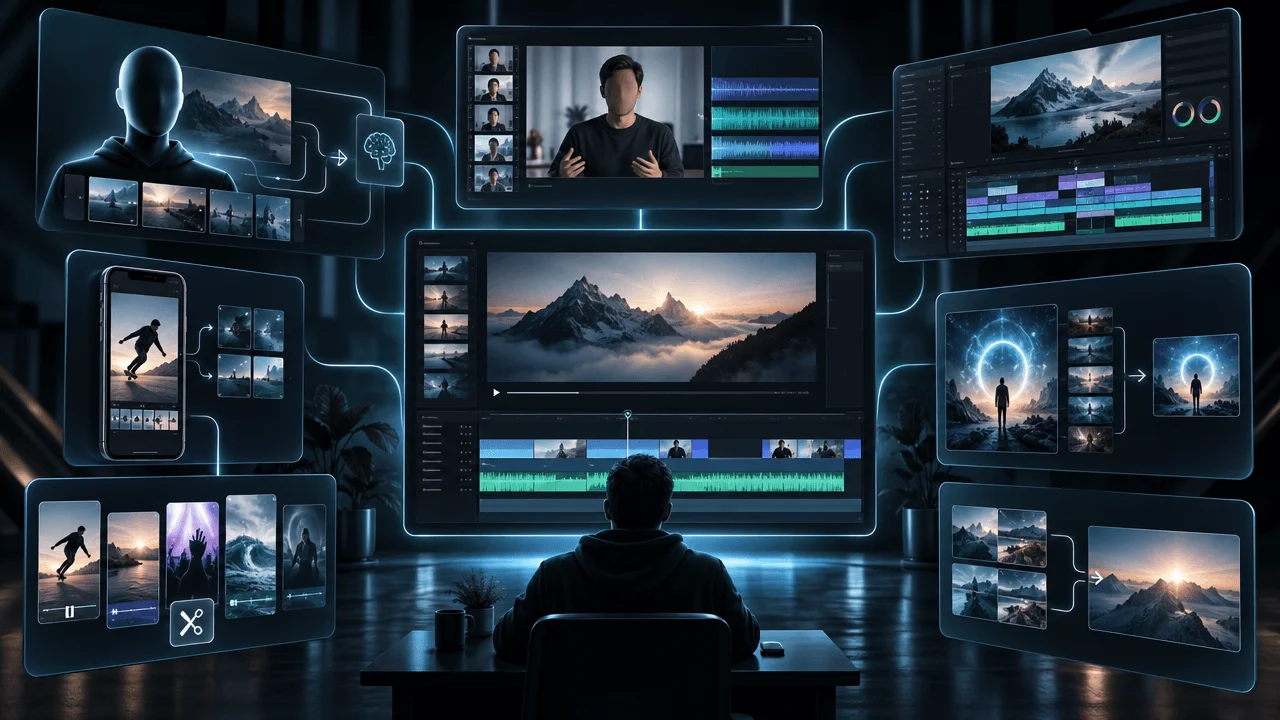

Best YouTube Production Software for Agencies in 2026: 9 Tools to Manage, Create, and Scale Client Videos
Running YouTube production for one channel is relatively straightforward. Running it for ten, twenty, or fifty clients is a different business.
Every client has different content strategies, publishing schedules, visual identities, approval requirements, and production expectations. Editors need assets. Writers need briefs. Account managers need status updates. Clients need visibility. And someone needs to make sure every video actually gets delivered on time.
The wrong software setup creates fragmented workflows where information gets lost between project boards, editing applications, shared drives, spreadsheets, and client conversations.
The best YouTube production software for agencies should do more than help someone edit a video. It should help an agency coordinate production, maintain quality, manage multiple clients, reduce repetitive work, and increase the amount of content it can deliver without increasing operational complexity at the same rate.
We compared nine platforms across the main stages of agency video production, including YouTube research, production management, editing, collaboration, asset management, and automation.
The Best YouTube Production Software for Agencies: Quick Comparison
| Software | Best for | Primary strength |
|---|---|---|
| OverseerOS | YouTube-focused agencies | Channel intelligence, planning, scripting, and automated video production |
| Teamwork.com | Client-facing agency operations | Project budgets, time tracking, resource management, and client work |
| Frame.io | Video review and approvals | Frame-accurate feedback and version management |
| Adobe Premiere Pro | Professional video editing | Advanced editing and creative control |
| ClickUp | Flexible production management | Custom workflows, tasks, dependencies, and automation |
| Descript | Talking-head and podcast production | Transcript-based editing and AI-assisted production |
| Iconik | Large media libraries | Searchable media management and collaborative workflows |
| StudioBinder | Structured video productions | Scripts, shot lists, schedules, and call sheets |
| LucidLink | Distributed editing teams | Shared cloud file access for demanding media workflows |
The important distinction: These tools solve different problems. An agency that needs professional editing will not necessarily benefit from buying another project management platform. An agency struggling with client profitability needs different software from one struggling with footage storage.
The right choice depends on where production is breaking down.
1. OverseerOS: Best for YouTube Agencies That Want to Automate Production
Best for: Agencies producing recurring YouTube content across multiple channels.
Primary use: YouTube intelligence, content planning, scripting, and automated video editing.
Most production platforms help agencies manage the work after someone has decided what to produce.
OverseerOS approaches the workflow from the YouTube channel itself.
It combines channel intelligence and content planning with tools for creating and editing videos, helping agencies connect decisions about what to publish with the actual production process.
Its capabilities include:
- Channel intelligence: Analyze YouTube channels and understand their content performance.
- Video opportunity discovery: Identify promising content opportunities using channel and competitor intelligence.
- Content planning: Organize ideas and plan upcoming videos using channel-specific insights.
- Script production: Generate scripts and move them into the video creation workflow.
- Automated video editing: Turn scripts and narration into edited videos without manually assembling every scene.
- Visual consistency: Use visual styles and character consistency tools to create more recognizable content.
- Short-form production: Create vertical videos and produce content designed for shorter formats.
Why it stands out for agencies
The biggest advantage is connecting content strategy with production.
A traditional agency workflow might involve one tool for channel research, another for planning, a separate AI writing application, a voiceover service, an editing application, and several manual handoffs.
OverseerOS brings several of these YouTube-specific stages into one connected environment.
This is particularly relevant to agencies that operate faceless channels, educational channels, explainer channels, and other formats with recurring production requirements.
It is not a replacement for every agency management system. Agencies still need appropriate client communication, financial management, and approval processes.
But for an agency whose core service is producing YouTube content, it addresses a more specialized problem than a general project management platform.
Limitations: Agencies requiring extensive traditional editing control, complex live-action production coordination, or sophisticated financial reporting will likely need additional software.
Verdict: A strong option for YouTube-focused agencies looking to connect channel research, content planning, and video creation rather than simply manage editing tasks.
2. Teamwork.com: Best for Managing Client Work and Agency Profitability
Best for: Agencies managing multiple clients, retainers, budgets, and production teams.
Primary use: Project management, time tracking, resource allocation, and client operations.
Producing good videos is only part of running a profitable agency.
You also need to know how much time each client consumes, whether projects are exceeding their budgets, which employees have available capacity, and whether recurring client work is generating acceptable margins.
This is where Teamwork.com becomes particularly useful.
Unlike a basic task management application, Teamwork is designed around service businesses and client-facing projects.
Its capabilities include:
- Client and project organization.
- Billable and non-billable time tracking.
- Project budgets and retainers.
- Workload and resource planning.
- Project templates and automation.
- Client-facing collaboration.
- Project and profitability reporting.
Why agencies should consider it
Imagine managing fifteen YouTube clients, each requiring four videos per month.
You need to understand not just which videos are being edited, but also how much time the team spends on each account.
Teamwork helps connect production activity to the business itself.
An agency can identify clients that consistently consume more resources than expected and recognize capacity problems before they affect delivery.
The platform also offers different levels of functionality depending on the subscription tier.
Its published annual pricing includes a Basics plan at $9.99 per user per month and an Accelerate plan at $24.99 per user per month. More advanced financial and resource management capabilities are available on higher tiers.
Limitations: Teamwork does not replace a professional video editor or a specialized YouTube research and production platform. You will still need dedicated tools for creating and reviewing videos.
Verdict: One of the strongest choices for agencies that need operational and financial control over client production.
3. Frame.io: Best for Video Review and Client Approvals
Best for: Agencies with multiple editors, creative directors, and clients reviewing video deliverables.
Primary use: Video collaboration, review, annotations, and version management.
Client feedback is one of the most underestimated sources of friction in video production.
A client sends an email saying that the introduction needs to change. Another sends screenshots. Someone else leaves feedback in a messaging application.
The editor then has to work out which version the feedback refers to and exactly where the requested changes should happen.
Frame.io is designed to eliminate much of that confusion.
Its main capabilities include:
- Frame-accurate video comments.
- On-screen annotations.
- Version management and comparisons.
- Secure review links.
- Permission controls.
- Organized creative projects.
- Integration with Adobe Premiere Pro.
Clients can review a video and leave feedback at the relevant point in the timeline instead of describing changes through disconnected messages.
This makes revisions easier to understand and reduces ambiguity between clients, editors, and creative directors.
Pricing
Frame.io offers:
- Free: $0.
- Pro: $15 per member per month.
- Team: $25 per member per month.
- Enterprise: Custom pricing.
The paid plans offer different storage, collaboration, and administrative capabilities.
Why it matters for agencies
Consider an agency delivering 30 videos every month.
If every client revision requires multiple conversations to clarify the requested changes, the agency loses time that could have been spent producing the next video.
Frame.io creates a more structured review process.
Limitations: Frame.io is primarily a collaboration and creative workflow platform. It does not independently solve YouTube strategy, scripting, channel management, or agency profitability.
Verdict: An excellent addition to an agency's production stack when client feedback and revision management are major bottlenecks.
4. Adobe Premiere Pro: Best for Professional Video Editing
Best for: Agencies requiring detailed creative control over finished videos.
Primary use: Professional video editing and post-production.
https://www.adobe.com/products/premiere.html
For agencies producing premium commercial content, documentaries, interviews, and complex YouTube videos, professional editing control remains important.
Adobe Premiere Pro provides a mature editing environment with extensive creative capabilities.
Its strengths include:
- Multitrack video and audio editing.
- Advanced color correction.
- Professional effects and transitions.
- Audio editing and mixing.
- Captions and transcription.
- Integration with After Effects and Photoshop.
- Collaborative workflows through Adobe's creative ecosystem.
One particularly useful feature for agency teams is its integration with Frame.io.
Premiere supports collaboration through shared review workflows, and Adobe includes Frame.io for Creative Cloud with eligible subscriptions.
This allows editors to receive feedback and collaborate without relying entirely on external communication.
Why agencies choose it
Premiere Pro gives professional editors the control required for complex projects.
When a client expects detailed motion graphics, sophisticated transitions, advanced compositing, or a distinctive visual identity, a dedicated editing environment provides flexibility that automated production tools may not offer.
It also makes sense when an agency already has experienced editors familiar with Adobe's ecosystem.
Limitations: Premiere Pro is not an agency operating system. It does not independently manage client budgets, production assignments, or the entire content pipeline.
It also requires editing expertise and human production time.
Verdict: A leading choice for agencies where creative control and professional post-production quality are more important than minimizing manual editing.
5. ClickUp: Best for Customizing YouTube Production Workflows
Best for: Agencies that want to build their own production management system.
Primary use: Task management, workflow automation, dependencies, and team collaboration.
YouTube production involves multiple connected stages.
A typical video might move through:
- Topic research.
- Client approval.
- Scriptwriting.
- Voiceover.
- Editing.
- Internal review.
- Client revisions.
- Final approval.
- Publishing.
ClickUp allows agencies to represent these stages through customizable task statuses, boards, lists, timelines, and dependencies.
Its features include:
- Custom task workflows.
- Multiple project views.
- Task dependencies.
- Workload management.
- Collaborative documents.
- Forms.
- Automations.
- Time tracking on eligible plans.
Why it works for agencies
An agency can create a dedicated production template and reuse it for every client.
Each video becomes a task with an owner, deadline, status, supporting documents, and related subtasks.
Managers can see which videos are delayed, who is responsible for each stage, and which production tasks are approaching their deadlines.
ClickUp's published annual pricing starts with a free plan, followed by Unlimited at $7 per user per month and Business at $12 per user per month.
The trade-off
Flexibility is both its biggest advantage and its biggest weakness.
ClickUp can be configured to manage almost any production workflow, but someone needs to design, maintain, and improve that system.
It also does not replace the creative applications required to produce videos.
Verdict: A strong option for agencies that need flexible internal production management and are willing to configure their own workflows.
6. Descript: Best for Talking-Head Videos, Podcasts, and Interviews
Best for: Agencies producing interviews, educational content, podcasts, and dialogue-heavy videos.
Primary use: Transcript-based video and audio editing.
Descript takes a different approach to video editing.
Instead of relying exclusively on a traditional editing timeline, it allows users to edit recordings through their transcripts.
Delete a sentence from the transcript, and the corresponding section of the recording can be removed.
This can make certain editing tasks considerably more accessible to content teams.
Its capabilities include:
- Automatic transcription.
- Text-based editing.
- Filler-word removal.
- Speaker detection.
- Studio Sound.
- Dynamic captions.
- Screen recording.
- AI-assisted video creation.
- Shared projects and collaboration.
Why agencies should consider it
Descript works particularly well when the primary material is someone speaking.
For example, an agency managing a founder's YouTube channel could use it to edit interviews, remove mistakes, improve audio, and create short clips from longer recordings.
It can also simplify the workflow for teams that do not require extensive manual editing.
Pricing
Descript offers a free plan and paid subscriptions.
Its published annual pricing includes Hobbyist at $16 per person per month, Creator at $24, and Business at $50.
The plans differ in media hours, AI credits, collaboration capabilities, and export options.
Limitations: Transcript-based editing is not a substitute for every professional editing workflow. Complex animation, cinematic sequences, and detailed visual compositing may require other applications.
Verdict: Particularly useful for agencies producing large amounts of interview-based and spoken-word content.
7. Iconik: Best for Agencies Managing Large Media Libraries
Best for: Agencies with extensive footage libraries and multiple production teams.
Primary use: Media asset management, search, collaboration, and publishing.
As an agency grows, its media library can become difficult to manage.
Projects accumulate footage, graphics, audio files, logos, exports, and different versions of the same assets.
Without a structured media management system, finding the right file can become a production problem of its own.
Iconik addresses this through media asset management.
Its capabilities include:
- Centralized media organization.
- Searchable metadata.
- AI-assisted metadata enrichment.
- Media review and approval.
- Version management.
- Cloud and on-premises storage connections.
- Custom workflows.
- Access permissions.
Why it matters for agencies
An agency managing several recurring YouTube clients might reuse brand assets, footage, graphics, and other approved creative materials across multiple projects.
Iconik helps make those assets easier to locate and manage.
It is particularly relevant when the volume of media becomes too large for a simple shared-drive structure.
Iconik offers usage-based pricing through its Starter offering, with collaborator, browse-user, standard-user, and power-user pricing categories. Its published rates include $9 per month for a browse user, $65 for a standard user, and $120 for a power user.
Professional and enterprise options offer additional capabilities and custom pricing.
Limitations: Iconik is a media management layer, not a complete YouTube production solution. It does not replace the editing software or content strategy applications used by an agency.
Verdict: A strong consideration for agencies whose media libraries and asset organization have become increasingly difficult to manage.
8. StudioBinder: Best for Structured Video Production
Best for: Agencies producing commercials, scripted videos, interviews, and complex shoots.
Primary use: Pre-production, scheduling, shot lists, and production coordination.
Not every YouTube production workflow is fully digital or automated.
Some agencies coordinate camera operators, locations, presenters, production crews, equipment, and scheduled filming days.
StudioBinder is built around these traditional production requirements.
Its capabilities include:
- Scriptwriting.
- Script breakdowns.
- Shot lists.
- Storyboards.
- Production schedules.
- Call sheets.
- Production contacts.
- Task boards.
- Production calendars.
Why agencies choose it
StudioBinder helps organize the preparation required before cameras start rolling.
A production manager can break down a script, organize the required shots, coordinate a schedule, and distribute call sheets to the people involved.
This is especially useful when an agency handles commercial shoots or recurring on-location productions.
Limitations: StudioBinder is not primarily designed for automated faceless YouTube production or channel intelligence. Agencies focused on high-volume digital content may find its traditional production structure unnecessary for their daily workflow.
Verdict: A good choice for agencies that coordinate physical productions and need structured pre-production documentation.
9. LucidLink: Best for Distributed Teams Working With Large Video Files
Best for: Agencies with remote editors and large video projects.
Primary use: Cloud-based file access and collaborative media workflows.
Large video files can create serious collaboration problems.
Editors working remotely may need to download enormous amounts of footage before they can start working.
Sending project files between computers can also create delays and duplicate copies.
LucidLink approaches this problem by providing a shared cloud filespace that mounts like a drive on a computer.
Its capabilities include:
- Shared cloud filespaces.
- Remote access to large media libraries.
- Folder-level permissions.
- Distributed editing workflows.
- Snapshot recovery.
- Secure file collaboration.
Why agencies should consider it
A distributed agency can give editors access to shared production assets without requiring everyone to maintain separate local copies of the entire media library.
This is particularly relevant for agencies handling high-resolution footage and large post-production projects.
Pricing
LucidLink's published pricing includes:
- Starter: $7 per member per month.
- Business: $27 per member per month when billed annually.
- Enterprise: Custom pricing.
Storage allowances and other capabilities differ between plans.
Limitations: LucidLink is not an editing application, project management system, or YouTube publishing platform. It solves the file access and storage collaboration problem.
Verdict: Worth considering when large media files and remote editing are slowing down production.
How to Choose the Right YouTube Production Software for Your Agency
Choosing software based on the number of features is a mistake.
A platform can have hundreds of features and still fail to solve the problem that is costing your agency the most time.
Start by identifying which stage of production needs improvement.
| Your agency's biggest problem | Software to evaluate |
|---|---|
| Finding YouTube topics and producing videos | OverseerOS |
| Managing client budgets and team capacity | Teamwork.com |
| Getting videos approved faster | Frame.io |
| Professional editing and creative control | Adobe Premiere Pro |
| Organizing production tasks | ClickUp |
| Editing interviews and podcasts | Descript |
| Finding and organizing media assets | Iconik |
| Coordinating filming and production crews | StudioBinder |
| Sharing large files with remote editors | LucidLink |
1. If you manage multiple YouTube clients
Prioritize software that helps you separate client workflows, standardize production stages, and maintain visibility across all ongoing projects.
You should be able to identify which videos are waiting for scripts, which are being edited, and which require approval.
2. If your agency produces a high volume of videos
Focus on reducing repetitive production work.
Look for opportunities to automate topic discovery, scripting, voiceovers, editing, file handling, and publishing.
The objective is not simply to make editors work faster. It is to reduce how many manual steps are necessary to deliver each finished video.
3. If client revisions consume too much time
Prioritize structured review and approval software.
Clients should be able to leave feedback on the actual video, identify specific timestamps, and distinguish between versions.
A clear approval process prevents repeated misunderstandings and unnecessary revisions.
4. If you struggle to maintain profitability
Choose software that connects time tracking, project budgets, resource planning, and client profitability.
Knowing how many videos an agency produces is useful.
Knowing how much it costs to produce each video is considerably more valuable.
5. If your team is growing
Look for repeatable workflows.
Every additional client should not require inventing a completely new production process.
Templates, automation, permissions, and clear ownership become increasingly important as the agency expands.
What Should a Complete YouTube Agency Software Stack Look Like?
Most agencies do not need one application that does absolutely everything.
They need a connected system in which each application handles a specific responsibility without creating unnecessary handoffs.
A practical YouTube agency stack can look like this:
| Production stage | Recommended software category |
|---|---|
| Channel research and content opportunities | YouTube intelligence platform |
| Content planning | YouTube planner or project management platform |
| Scriptwriting | Script production platform |
| Voiceovers | Voice generation software |
| Video editing | Professional or automated editing software |
| Internal and client reviews | Video review and approval platform |
| Media storage | Cloud storage or media asset management |
| Production coordination | Agency project management |
| Distribution | YouTube and social publishing tools |
The important part is how these stages connect.
Consider what happens when a client approves a new video idea.
The agency needs to turn that idea into a script, produce the narration, assemble the visuals, review the result, make revisions, and publish the finished video.
If every stage requires manually transferring information between disconnected applications, the agency introduces more opportunities for mistakes and delays.
A connected production workflow reduces those handoffs.
It also makes it easier to standardize how videos are produced across multiple clients.
How to Reduce YouTube Production Costs Without Sacrificing Quality
Hiring more editors is not always the best way to increase production capacity.
Before expanding the team, examine how much of the existing workflow actually requires human creative judgment.
Some activities genuinely benefit from experienced professionals:
- Creative direction.
- Storytelling decisions.
- Complex editing.
- Brand development.
- Quality control.
- Final client approval.
Other activities are often repetitive:
- Moving scripts between applications.
- Preparing recurring production templates.
- Generating standard voiceovers.
- Organizing files.
- Creating repetitive visual sequences.
- Updating production statuses.
- Preparing content for multiple platforms.
These repetitive activities are opportunities for automation.
Standardize the production process
Define the stages every video must pass through.
For example:
Idea → Script → Voiceover → Editing → Internal Review → Client Approval → Publishing
Every video should have a clear owner and status.
Automate repetitive tasks
Use automation where the process is predictable and the output can be checked.
Avoid introducing automation simply because a feature is available.
An automation that produces poor-quality scripts or creates additional revision work can increase costs rather than reduce them.
Measure cost per finished video
A useful agency metric is:
Cost per finished video = Total production costs ÷ Number of approved videos delivered
Include the relevant labor, software, production, and revision costs.
Track this separately for different clients and video formats.
A 20-minute documentary and a 45-second Short should not be treated as equivalent production units.
Measure revision rates
Track how often a video requires additional revisions after internal review.
A high revision rate may indicate problems with the brief, scripting, visual direction, or quality assurance.
Reducing unnecessary revisions can improve production capacity without lowering creative standards.
Protect quality control
Automation should eliminate repetitive work, not eliminate accountability.
Every agency needs a defined quality standard covering storytelling, audio, visuals, branding, technical output, and client requirements.
The objective is to produce more approved videos with the same or better quality, not simply to produce more files.
Frequently Asked Questions
What is the best YouTube production software for agencies?
The best option depends on the agency's workflow. OverseerOS is worth evaluating for YouTube-focused agencies that want channel intelligence, content planning, scripting, and automated video production. Teamwork.com is better suited to client operations and profitability, while Frame.io specializes in video reviews and approvals.
What software do YouTube agencies use to manage multiple clients?
Agencies commonly evaluate platforms such as Teamwork.com, ClickUp, and Wrike for managing client projects, production assignments, deadlines, and team workloads. Dedicated video review tools can complement these systems.
What is the best video editing software for YouTube agencies?
Adobe Premiere Pro is a strong choice for professional editing and detailed creative control. Descript is particularly useful for interview-based and podcast content. Agencies looking to automate recurring video production should also evaluate specialized AI video production platforms.
Is project management software enough to run a YouTube agency?
No. Project management software can coordinate tasks, deadlines, and responsibilities, but it does not necessarily provide channel research, scriptwriting, professional editing, media management, or video automation.
Most agencies need a combination of operational and creative software.
What is the difference between video production software and video editing software?
Video editing software focuses on assembling and modifying video and audio.
Video production software is a broader category that can include planning, scripting, scheduling, asset management, collaboration, editing, approvals, and delivery.
An agency managing multiple clients generally needs to consider both.
Can AI video production software replace a YouTube agency's editors?
AI can automate parts of video production, including scripting assistance, narration, scene generation, and editing.
However, creative direction, quality control, storytelling, and client-specific decisions still require appropriate human oversight.
The strongest approach is to automate repetitive production work while keeping people responsible for creative quality.
How much does YouTube production software cost?
Costs vary considerably by category.
Some project management and collaboration tools offer free plans. Professional collaboration and editing tools typically charge per user or subscription, while media management and enterprise platforms may use usage-based or custom pricing.
Agencies should calculate the total cost of their software stack rather than evaluating each subscription independently.
What features should agencies prioritize when choosing production software?
The most important features are:
- Multi-client organization and permissions.
- Repeatable production workflows.
- Clear task ownership and deadlines.
- Video review and approval.
- Media and asset management.
- Automation and integrations.
- Time and budget tracking.
- Reporting and production visibility.
The priority should reflect the agency's actual bottleneck.
Final Verdict: Build a Production System, Not Just a Collection of Tools
The best YouTube production software for an agency is not necessarily the application with the longest feature list.
It is the combination of tools that allows the agency to consistently deliver high-quality videos, maintain client satisfaction, control production costs, and increase capacity without creating more operational complexity.
For most agencies, the starting point should be a reliable production management system, a professional editing or automated production solution, and a structured client approval process.
From there, add specialized tools only when a specific bottleneck justifies the additional cost.
For YouTube-focused agencies, the biggest opportunity is connecting channel intelligence, content planning, and video production.
Instead of treating research, scripting, and editing as disconnected services, agencies can build a more integrated production workflow.
If you want to connect YouTube research, content planning, scripting, and automated video editing in one platform, explore OverseerOS.
Turn your YouTube production process into a system that can scale with your agency.