Making faceless YouTube videos with AI is easier than ever.
Making faceless YouTube videos people actually watch is still hard.
That is the part most beginners miss.
They think the workflow is simple:
Pick a niche. Ask AI for a script. Generate a voiceover. Add stock footage. Upload.
That may create a video.
But it does not create a channel.
A real faceless YouTube channel needs strategy, topics, scripts, voiceovers, visuals, captions, thumbnails, pacing, consistency, and performance review. AI can help with almost every step, but it cannot fix a weak idea, a boring script, a misleading thumbnail, or a video that gives the viewer nothing new.
In 2026, the winners will not be the creators who simply use AI.
Everyone uses AI now.
The winners will be the creators who use AI inside a better workflow.
This guide will show you how to make faceless YouTube videos with AI the right way: from niche and topic research to scripts, voiceovers, scene generation, AI visuals, captions, music, thumbnails, upload, and improvement.
If you already have a script and voiceover ready, you can make faceless YouTube videos with AI using OverseerOS Auto Edit Studio.
Key Takeaways
- Faceless YouTube videos can be made with AI, but the workflow must start with strategy, not random generation.
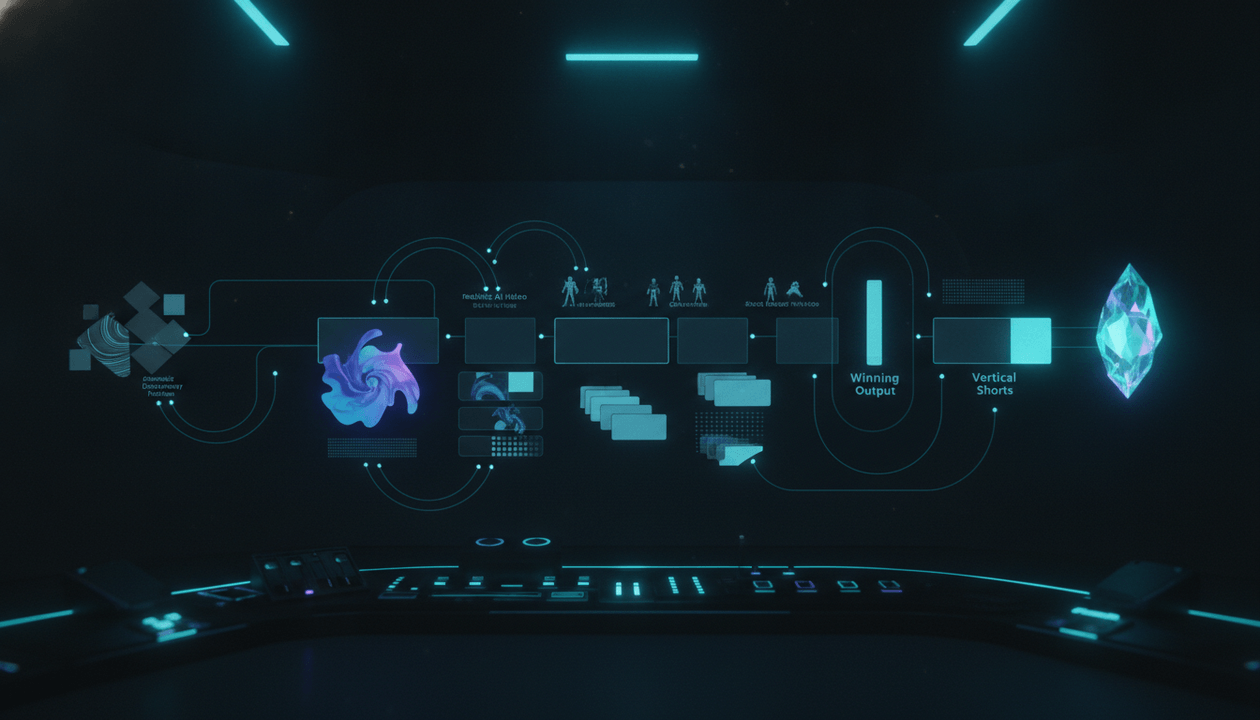
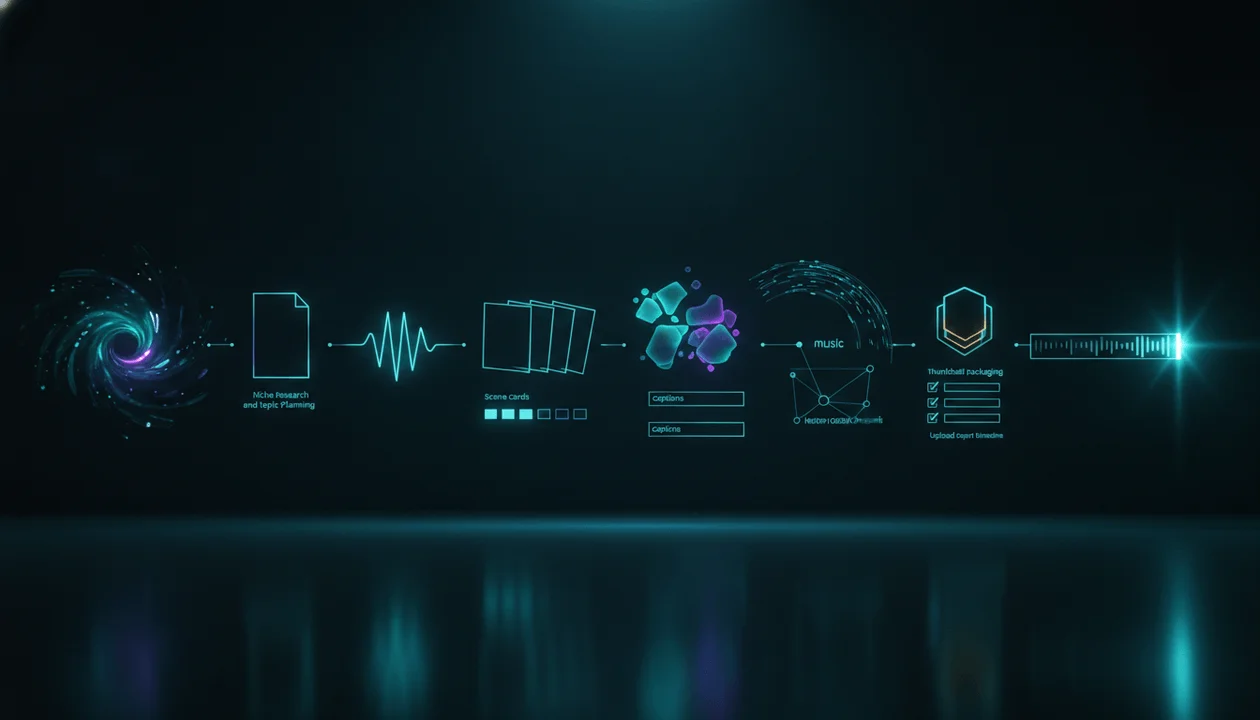
- The full workflow is: niche → topic → title → script → voiceover → scenes → AI visuals → captions → music → motion → thumbnail → upload → review.
- The biggest mistake is using AI to mass-produce generic videos with weak scripts and no original angle.
- AI helps most when it speeds up research, scripting, voiceover, visual production, captions, thumbnails, and production handoffs.
- Auto Edit Studio inside OverseerOS is built for the production step: turning finished scripts and voiceovers into scene-based faceless videos.
- A strong faceless video still needs a good title, thumbnail, hook, retention structure, and viewer payoff.
- The goal is not to create more videos faster. The goal is to create better videos with a repeatable system.
What Is a Faceless YouTube Video?
A faceless YouTube video is a video where the creator does not appear on camera.
Instead of filming yourself, the video may use:
- AI visuals
- Stock footage
- Screen recordings
- Animated graphics
- Captions
- Voiceover
- Documentary visuals
- Data visuals
- Product footage
- AI-generated scenes
- B-roll
- Motion graphics
- Text overlays
Faceless videos can work in many niches:
- AI news
- Business
- Finance
- History
- Psychology
- Self-improvement
- Education
- True crime
- Mystery
- Tech explainers
- Documentaries
- Motivation
- Health education
- YouTube education
- Product reviews
- Tutorials
- Shorts channels
The creator is still responsible for the thinking.
“Faceless” does not mean “low effort.”
The best faceless channels feel intentional, researched, and well-produced, even without a face on screen.
Can You Make Faceless YouTube Videos With AI?
Yes, you can make faceless YouTube videos with AI.
AI can help with:
- Finding topic ideas
- Studying competitor videos
- Writing scripts
- Improving hooks
- Generating voiceovers
- Creating AI visuals
- Turning scripts into scenes
- Adding captions
- Creating thumbnail concepts
- Summarizing research
- Repurposing content
- Improving titles
- Speeding up production
But AI should not replace strategy.
A faceless YouTube video still needs:
- A real audience
- A topic people care about
- A clear title promise
- A strong script
- Good pacing
- Visual relevance
- A good thumbnail
- Retention structure
- Original value
- Quality control
The tool can help you produce.
It cannot guarantee that viewers will care.
The Correct AI Faceless YouTube Workflow
Here is the full workflow.
| Step | Goal |
|---|---|
| 1. Choose the niche | Pick a market with real viewer demand |
| 2. Study competitors | Find patterns already working on YouTube |
| 3. Validate the topic | Avoid random video ideas |
| 4. Build the title and angle | Create a clear click promise |
| 5. Write the script | Turn the idea into a watchable story |
| 6. Create the voiceover | Give the video timing and emotion |
| 7. Turn narration into scenes | Build the video structure |
| 8. Generate AI visuals | Match visuals to the script |
| 9. Add captions and music | Improve clarity and pacing |
| 10. Add motion and polish | Make the video feel alive |
| 11. Create the thumbnail | Package the video for clicks |
| 12. Upload and review | Learn from performance |
This is how you make faceless YouTube videos with AI without turning the channel into generic AI slop.
Step 1: Choose the Right Niche
Do not start with the AI tool.
Start with the viewer.
A niche is not just a topic category. It is a group of people with repeated interests, problems, desires, fears, or curiosities.
A weak niche idea:
AI videos.
A stronger niche idea:
Practical AI tools for solo creators who want to save time and grow online businesses.
A weak niche idea:
Finance.
A stronger niche idea:
Simple investing and money lessons for beginners who feel behind financially.
A weak niche idea:
History.
A stronger niche idea:
Dramatic historical turning points explained through cinematic storytelling.
The niche should answer:
- Who is watching?
- What do they care about?
- What do they repeatedly search for?
- What videos do they already watch?
- What problem or curiosity keeps coming back?
- Can you make many videos for this audience?
- Can the niche monetize through ads, affiliate offers, products, sponsorships, or services?
Do not choose a niche only because AI can create videos about it.
Choose a niche because real viewers care.
Step 2: Study What Already Works
The fastest way to stop guessing is to study public YouTube signals.
You are not copying.
You are researching.
Look for:
- Channels growing quickly
- Videos outperforming channel averages
- Repeated title patterns
- Thumbnail styles
- Strong hooks
- Common formats
- Video lengths
- Upload frequency
- Comment themes
- Viewer questions
- Topics that keep returning
- Series formats
- Underserved angles
This is where tools like Viral Channel Finder and Channel Blueprint Cloner are useful.
They help you look at public YouTube patterns more systematically before you waste time producing random videos.
A faceless creator should always ask:
What public evidence shows this kind of video can work?
If you cannot answer that, you are guessing.
Step 3: Validate the Topic Before Writing
Most beginner faceless creators pick topics too casually.
They think:
This sounds interesting.
That is not enough.
A good topic should have at least one proof signal:
- Similar videos have strong views
- Competitor channels repeat the topic
- Comments ask for it
- Search demand exists
- The topic is trending
- The pain point is urgent
- The topic connects to a proven format
- The audience already spends money in the niche
- The topic supports a series
Before writing, ask:
Topic:
Who wants this?
Why now?
What problem does it solve?
What public signal proves demand?
What makes our angle different?
Can this become part of a series?
Can the title be strong?
Can the thumbnail be visual?
Can the script deliver a real payoff?
If the topic fails these questions, do not produce it yet.
AI makes production faster, so bad topics can waste time faster too.
Step 4: Build the Title and Angle First
Many creators write the script first and think about the title later.
That is a mistake.
The title is the promise.
The script must deliver that promise.
If the title is unclear, the script becomes unfocused.
Start with a working title and angle.
Weak title:
How to Start a Faceless YouTube Channel
Stronger title:
How to Start a Faceless YouTube Channel Without Making Generic AI Videos
Weak title:
Best AI Tools for YouTube
Stronger title:
The AI YouTube Workflow That Turns Scripts Into Faceless Videos
Weak title:
YouTube Automation Guide
Stronger title:
YouTube Automation Is Not One Tool. It Is This 12-Step Workflow.
The angle should answer:
What makes this video different from the obvious version?
That is what keeps your content from becoming a commodity.
Step 5: Write the Script
The script is the foundation of the video.
Do not treat it like filler.
A faceless video without a strong script becomes a slideshow.
A good faceless YouTube script should include:
- A strong first line
- A clear reason to keep watching
- Simple language
- Visual sections
- Examples
- Tension
- Transitions
- Pattern interrupts
- A real payoff
- A natural ending
The Basic Script Structure
Use this structure:
1. Hook:
Open with the problem, tension, or promise.

2. Context:
Explain why the topic matters now.

3. Main framework:
Give the viewer a clear structure.

4. Examples:
Show real situations, comparisons, or use cases.

5. Step-by-step value:
Teach the actual process.

6. Mistakes:
Show what to avoid.

7. Payoff:
Give the viewer a final useful insight.

8. CTA:
Tell them what to do next.
Weak Hook Example
In today’s digital world, faceless YouTube channels are becoming very popular.
Stronger Hook Example
Most faceless YouTube channels do not fail because the creator used AI. They fail because the creator used AI before they had a real strategy.
The second hook creates tension.
It gives the viewer a reason to continue.
Step 6: Create the Voiceover
The voiceover turns the script into timing.
You can use:
- Your own voice
- A hired voiceover artist
- AI voiceover
- ElevenLabs-powered workflows
- A narrator from your team
The voiceover matters because it affects:
- Trust
- Pacing
- Scene length
- Caption timing
- Viewer emotion
- Production quality
A good voiceover should be:
- Clear
- Natural
- Well-paced
- Easy to understand
- Matched to the niche
- Emotionally appropriate
- Free from obvious pronunciation mistakes
For example:
A mystery channel may need a slower, darker tone. An AI news channel may need a clear, energetic tone. A finance channel may need a calm, trustworthy tone. A self-improvement channel may need warmth and emotional weight.
Inside OverseerOS, creators can use voiceover workflows as part of the broader creator system before moving into video production.
Step 7: Turn the Script and Voiceover Into Scenes
This is where faceless video production usually becomes painful.
You have a script. You have a voiceover. Now you need visuals.
The correct next step is not to generate random clips.
The correct next step is to divide the narration into scenes.
Each scene should match one section of the voiceover.
A scene should answer:
- What is being said?
- What should the viewer see?
- What emotion should the visual create?
- Does the visual explain, prove, support, or transition?
- How long should this scene last?
- Does it fit the channel style?
This is exactly the production bottleneck Auto Edit Studio is designed to reduce.
With Auto Edit Studio for faceless video production, creators can start from a finished script and voiceover, choose Shorts or long-form, turn narration into scenes, generate visuals, add captions and music, use style direction, and move toward export.
That means the workflow is not:
Prompt to random video.
It is:
Script and voiceover to scene-based faceless video production.
That is a huge difference.
Step 8: Generate AI Visuals
Once the scenes are planned, generate visuals.
Good visuals are not just pretty.
They should support the narration.
A weak visual prompt:
A futuristic AI scene.
A stronger visual prompt:
A dark premium creator dashboard where a script document, voiceover waveform, scene cards, AI visuals, captions, music, and export timeline connect into one faceless YouTube production workflow.
The stronger prompt is better because it matches the actual idea.
The 4 Jobs of a Visual
Every visual should do at least one of these jobs:
| Visual Job | Meaning |
|---|---|
| Explain | Help the viewer understand the point |
| Prove | Show evidence, example, or process |
| Support | Reinforce mood and pacing |
| Transition | Move the story forward |
If a visual does none of these, it is probably filler.
Filler visuals make AI videos feel cheap.
Step 9: Keep Visual Style Consistent
Visual consistency is one of the easiest ways to make faceless videos look more professional.
A common AI video problem is style drift.
One scene looks cinematic. The next looks cartoonish. The next looks like stock footage. The next looks like a random AI poster.
That breaks trust.
Set a clear visual style before generating.
Examples:
AI News Style
Dark futuristic tech style, premium SaaS dashboard visuals, blue and cyan lighting, clean interface elements, subtle cinematic motion, no cartoon robots.
History Documentary Style
Cinematic historical documentary style, realistic lighting, dramatic atmosphere, period-accurate clothing and environments, muted colors, no modern objects.
Psychology Channel Style
Soft cinematic emotional visuals, realistic human silhouettes, warm lighting, subtle shadows, calm atmosphere, symbolic but not cartoonish.
Finance Explainer Style
Clean editorial finance visuals, modern charts, premium office environments, simple visual metaphors, trustworthy tone, minimal clutter.
A consistent style makes your channel feel like a brand, not a random content machine.
Step 10: Add Captions
Captions are important for many faceless videos.
They are especially important for:
- Shorts
- Mobile viewers
- Educational videos
- Fast-paced explainers
- AI news
- Tutorials
- Social repurposing
- Viewers watching without sound
Captions should be:
- Easy to read
- Timed to the voiceover
- Not too crowded
- High contrast
- Consistent with the channel style
- Placed where they do not block important visuals
For Shorts, captions are often part of the main viewing experience.
For long-form, captions should support clarity without overwhelming the viewer.
Step 11: Add Music
Music gives the video mood.
But music should never compete with the voiceover.
Use music to support the emotional tone:
| Niche | Music Direction |
|---|---|
| AI news | Futuristic, focused, light tension |
| History | Cinematic, dramatic, slow build |
| Psychology | Emotional, reflective, soft |
| Finance | Clean, minimal, confident |
| Mystery | Dark, restrained, suspenseful |
| Self-improvement | Warm, inspiring, steady |
| Business | Premium, modern, energetic |
| Tutorials | Light, clean, low distraction |
Bad music can make a good video feel amateur.
Always check the volume against the voiceover.
Step 12: Add Motion, FX, and Transitions
Faceless videos often use static visuals.
Motion makes them feel alive.
This can include:
- Slow zooms
- Subtle pans
- Scene transitions
- Motion clips
- FX
- Logo controls
- Visual pacing changes
But do not overdo it.
The goal is not to make every scene explode.
The goal is to keep the viewer engaged while supporting the narration.
Good motion feels invisible.
Bad motion distracts from the message.
Step 13: Create the Thumbnail
The thumbnail is not decoration.
It is the visual promise of the video.
A good thumbnail should answer:
- What is the tension?
- What is the result?
- What is the contrast?
- What is the curiosity?
- What should the viewer feel instantly?
- Does it match the title?
- Does it look clear on mobile?
Weak thumbnail idea:
A robot next to a YouTube logo.
Stronger thumbnail idea:
A faceless creator staring at a glowing production dashboard where a script turns into video scenes, with one clear visual tension: “AI video workflow vs manual editing chaos.”
Do not make thumbnails after the video as an afterthought.
Think about the thumbnail before production.
A strong title and thumbnail can shape the entire script.
Inside OverseerOS, creators can use the AI YouTube Thumbnail Generator to create thumbnail concepts using proven packaging patterns and creator-ready prompts.
Step 14: Upload the Video Properly
When the video is ready, prepare the upload.
Checklist:
Title:
Does it create a clear promise?

Thumbnail:
Does it make the promise visual?

Description:
Does it explain the video naturally?

Chapters:
Would chapters help the viewer?

Tags:
Are they relevant without stuffing?

Pinned comment:
Can it guide discussion?

End screen:
Does it lead to the next best video?

Playlist:
Does this video belong in a series?

CTA:
Is the next action clear?
Upload optimization will not save a weak video, but it can help a good video get presented clearly.
Step 15: Review Performance and Improve
The best creators do not just upload.
They learn.
After publishing, review:
- Views
- Impressions
- Click-through rate
- Average view duration
- Audience retention
- Traffic sources
- Comments
- Subscribers gained
- Returning viewers
- Thumbnail performance
- Topic performance
- Production time
Do not only ask:
Did the video get views?
Ask:
- Did the title and thumbnail earn clicks?
- Did the hook keep viewers?
- Where did retention drop?
- Did comments ask for a follow-up?
- Did the topic fit the channel?
- Did the format deserve repeating?
- Was the production workflow efficient?
- What should the next video do differently?
This is how faceless YouTube channels improve.
Every upload should make the next upload smarter.
The Full AI Faceless YouTube Workflow
Here is the complete workflow in one view.
1. Choose a niche with real viewer demand.
2. Study competitor channels and breakout videos.
3. Validate the topic.
4. Build the title and angle.
5. Write the script.
6. Generate or upload the voiceover.
7. Choose Shorts or long-form.
8. Turn narration into scenes.
9. Set visual style direction.
10. Generate AI visuals.
11. Review and regenerate weak scenes.
12. Add captions.
13. Add background music.
14. Add motion, FX, and transitions.
15. Export the video.
16. Create the thumbnail.
17. Upload the video.
18. Review performance.
19. Save lessons.
20. Plan the next video.
That is how you make faceless YouTube videos with AI in 2026.
Not by pressing one button.
By building a system.
Beginner Setup: Minimum Tools You Need
If you are starting from scratch, you need five basic layers.
| Layer | Tool Type |
|---|---|
| Research | YouTube research, competitor analysis, trend tools |
| Writing | AI script assistant or script studio |
| Voiceover | Human voice, hired narrator, or AI voiceover |
| Video production | AI faceless video generator |
| Packaging | Thumbnail and title workflow |
The most important thing is that these tools should work together.
If every part of your workflow is disconnected, you will waste time moving assets between tools.
That is why an integrated creator system is powerful.
OverseerOS combines research, planning, scripts, voiceover workflows, thumbnails, and Auto Edit production into one broader creator workflow.
The main production step is here: make faceless YouTube videos with AI.
Advanced Setup: The Creator Operating System
Once you move beyond beginner level, you need a more serious system.
A strong faceless YouTube operation includes:
- Competitor database
- Channel blueprint
- Topic planner
- Title library
- Thumbnail library
- Script templates
- Voiceover process
- Auto Edit production workflow
- Caption style
- Visual style guide
- Music rules
- Export checklist
- Publishing checklist
- Performance review loop
This is where faceless YouTube becomes a business.
The creator is no longer asking:
What video should I make today?
They are asking:
What does our system say we should produce next based on market evidence, channel strategy, and recent performance?
That is the level serious creators should aim for.
How Auto Edit Studio Fits Into the Workflow
Auto Edit Studio is not the first step.
It is the production step.
Before Auto Edit, you should have:
- Topic
- Angle
- Script
- Voiceover
- Format direction
- Visual style idea
Then Auto Edit helps you move from narration to video production.
It can help with:
- Manual script and voiceover intake
- Planner handoff from ready OverseerOS topics
- Shorts and long-form setup
- Scene-based structure from narration
- AI visual generation
- Style direction
- Saved styles
- Scene regeneration and visual replacement controls where available
- Styled captions
- Background music upload and volume controls
- FX, transitions, motion, and logo preview controls where supported
- Studio preview and scene timeline workflow
- Export controls for supported final video outputs
That is why Auto Edit is not just a generic AI clip generator.
It is built for script-first faceless video production.
If your video already has a script and voiceover, Auto Edit helps create the visual production workflow around them.
What AI Should Do vs What You Should Do
Here is the healthiest way to think about AI.
| AI Should Help With | You Should Control |
|---|---|
| Research organization | Channel strategy |
| Topic expansion | Final topic choice |
| Script drafts | Original angle |
| Hook options | Taste and judgment |
| Voiceover generation | Voice and brand fit |
| Scene prompts | Visual standards |
| AI visuals | Quality control |
| Captions | Readability standards |
| Thumbnail ideas | Final packaging decision |
| Production speed | Viewer trust |
AI should make you faster.
It should not make you careless.
Common Mistakes When Making Faceless YouTube Videos With AI
Mistake 1: Starting With the Tool
Do not open an AI video generator before you know the topic, audience, and angle.
The tool should execute the strategy.
It should not invent the entire channel.
Mistake 2: Making Generic AI Scripts
Many AI scripts sound polished but empty.
Avoid phrases like:
- “In today’s fast-paced world”
- “This is a game-changer”
- “Let’s dive in”
- “You won’t believe what happens next”
- “The future is here”
Use specific language.
Write like a creator with a point of view.
Mistake 3: Using Random Visuals
Random visuals kill trust.
Every scene should match the narration.
If the voiceover talks about a creator workflow, do not show a random robot city.
Show the workflow.
Mistake 4: Ignoring the Thumbnail Until the End
The thumbnail is part of the idea.
A video that cannot become a clear thumbnail may have a weak concept.
Think about packaging early.
Mistake 5: Producing Too Much Too Fast
AI makes it tempting to create more videos than your strategy can support.
Do not scale confusion.
First prove the niche, format, and workflow.
Then scale.
Mistake 6: Copying Competitors Too Closely
Study competitors, but do not copy their videos exactly.
Extract patterns.
Build original versions.
Your goal is not to clone another creator’s output.
Your goal is to learn what works and create something useful in your own direction.
Mistake 7: Ignoring YouTube Quality Standards
YouTube rewards original, useful, authentic content.
Mass-produced, repetitive videos with little added value are risky.
Faceless creators should take this seriously.
AI should help create better original videos, not flood the platform with generic filler.
Best Faceless YouTube Video Formats to Make With AI
Some formats work especially well with AI-assisted production.
1. Explainer Videos
Example:
How AI Video Generators Actually Work
Best for:
- Tech
- Finance
- Education
- Business
- Health
- Software
2. Documentary-Style Videos
Example:
The Rise and Fall of a Billion-Dollar Startup
Best for:
- History
- Business
- Mystery
- Biographies
- Tech stories
3. List Videos With Real Depth
Example:
7 AI Tools Creators Actually Use to Save Time
Best for:
- Tools
- Productivity
- Education
- Business
- Creator economy
4. Case Study Videos
Example:
How One Faceless Channel Grew Using the Same Video Format for 6 Months
Best for:
- YouTube education
- Business
- Marketing
- Startups
- Creator strategy
5. Comparison Videos
Example:
InVideo vs Pictory vs Runway vs Auto Edit: Which Tool Fits Faceless YouTube?
Best for:
- Software
- Buying decisions
- Affiliate content
- Buyer-intent search
6. Tutorial Videos
Example:
How to Turn a Script and Voiceover Into a Faceless Video
Best for:
- Software
- AI tools
- Creator education
- YouTube automation
7. Trend Breakdown Videos
Example:
Why AI Video Tools Are Changing Faceless YouTube Production
Best for:
- News
- AI
- Business
- Tech
- Finance
8. Shorts From One Strong Idea
Example:
The Biggest Mistake New Faceless Creators Make
Best for:
- Education
- Motivation
- Creator tips
- Psychology
- Business
How Much of the Workflow Can AI Handle?
AI can help with most of the workflow, but not all of the judgment.
| Workflow Step | AI Can Help? | Human Judgment Needed? |
|---|---|---|
| Niche ideas | Yes | Yes |
| Competitor research | Yes | Yes |
| Topic selection | Yes | Yes |
| Scriptwriting | Yes | Yes |
| Voiceover | Yes | Yes |
| Scene generation | Yes | Yes |
| Visual generation | Yes | Yes |
| Captions | Yes | Yes |
| Music | Yes | Yes |
| Motion | Yes | Yes |
| Thumbnail concepts | Yes | Yes |
| Upload metadata | Yes | Yes |
| Performance review | Yes | Yes |
The pattern is clear.
AI can assist almost everything.
But humans still decide what is good.
How to Avoid AI Slop
AI slop is generic, low-value content that feels mass-produced.
To avoid it, use this checklist.
Does the video have a real audience?
Does the topic have demand?
Does the title create a clear promise?
Does the script say something useful?
Does the video include examples?
Do the visuals match the narration?
Is the voiceover natural enough?
Are captions readable?
Does the thumbnail match the video?
Does the video add value beyond recycled information?
Would a viewer trust this channel more after watching?
If the answer is no, fix the video before publishing.
How to Make Faceless YouTube Videos Faster Without Losing Quality
Speed matters, but only after the workflow is clear.
To move faster:
- Use templates for scripts
- Use saved visual styles
- Use repeatable caption styles
- Build a thumbnail prompt library
- Keep a topic planner
- Save strong title patterns
- Use voiceover presets
- Review scenes instead of rebuilding everything manually
- Use Auto Edit for script-and-voiceover production
- Build checklists for export and upload
- Track what works
The goal is repeatability.
Not randomness.
Example Workflow: From Idea to Final Video
Let’s say the video idea is:
How AI Is Changing Faceless YouTube Production
Here is how the workflow should look.
Topic Validation
Competitor videos about AI video tools, faceless automation, and script-to-video workflows are performing well. The audience wants faster production but fears low-quality AI output.
Angle
AI is not replacing strategy. It is replacing disconnected production workflows.
Working Title
How AI Turns Scripts Into Faceless YouTube Videos
Script Structure
- Hook: AI did not remove the need for strategy.
- Problem: Most creators use too many disconnected tools.
- Framework: script → voiceover → scenes → visuals → captions → export.
- Example: weak prompt-to-video vs strong script-to-video workflow.
- Solution: use a connected workflow.
- CTA: try Auto Edit.
Voiceover
Generate or record a clear narration with confident pacing.
Auto Edit Production
Bring the script and voiceover into Auto Edit Studio, choose long-form or Shorts, set visual direction, generate scenes, create visuals, add captions, add music, apply motion, review, and export.
Thumbnail Direction
Show a script and voiceover waveform transforming into a video timeline with scene cards and captions.
Upload Review
Track click-through rate, retention, comments, and whether viewers ask for follow-up tutorials.
That is a complete workflow.
The Best Way to Start as a Beginner
If you are new, do not try to build a huge automation machine immediately.
Start with one channel and one repeatable format.
For example:
- AI tool breakdowns
- Startup case studies
- History documentaries
- Psychology explainers
- Finance lessons
- Self-improvement stories
- YouTube creator tutorials
- Business breakdowns
Then create 5 videos using the same general workflow.
After 5 videos, review:
- Which topics got clicks?
- Which hooks held attention?
- Which thumbnails worked?
- Which videos got comments?
- Which formats were easiest to produce?
- Which scripts felt strongest?
- Which visuals looked best?
- Which workflow step slowed you down?
Then improve.
Do not scale before you learn.
The Best Way to Scale
Once a format works, turn it into a system.
Build:
- Topic research process
- Script template
- Voiceover standard
- Auto Edit visual style
- Caption style
- Thumbnail style
- Upload checklist
- Review process
- Team roles
Scaling means repeating what works while improving quality.
It does not mean producing random videos faster.
A strong faceless YouTube operation should feel like a production studio, not a content spam machine.
Where OverseerOS Fits
OverseerOS is built for creators who want to stop guessing.
The platform helps creators move through the full content workflow:
- Find public YouTube signals
- Study winning channels
- Build channel blueprints
- Plan original topics
- Write scripts
- Generate or upload voiceovers
- Create thumbnails
- Move scripts and voiceovers into Auto Edit
- Turn narration into scenes
- Generate AI visuals
- Add captions, music, motion, and export controls
That is why Auto Edit Studio matters.
It is not a random AI video toy.
It is the production layer inside a broader creator system.
Use the research tools to find what works. Use the planner to organize topics. Use the script tools to build strong videos. Use voiceover workflows to create narration. Use Auto Edit Studio to turn that narration into a faceless video workflow. Use thumbnail tools to package the video. Use performance review to improve the next upload.
That is how you create a real AI-powered faceless YouTube system.
Start here if you want to make faceless YouTube videos with AI.
For the feature breakdown, read Auto Edit Studio for faceless video production.
Final Verdict
You can make faceless YouTube videos with AI in 2026.
But the creators who win will not be the ones who press one button and publish whatever comes out.
The winners will use AI inside a real workflow.
They will research the niche. Study competitors. Validate topics. Write better scripts. Generate strong voiceovers. Turn narration into scenes. Create relevant AI visuals. Add captions and music. Use motion carefully. Build better thumbnails. Publish with a clear promise. Review performance. Improve the next video.
That is the difference between AI content and a faceless YouTube channel.
Auto Edit Studio helps with one of the hardest parts: turning a finished script and voiceover into a structured faceless video production workflow.
It helps creators move from narration to scenes, visuals, captions, music, motion, and export controls without stitching everything together manually across disconnected tools.
If you already have the script and voiceover, the next step is simple:
Make faceless YouTube videos with AI
And if you want to understand the full production feature, read the Auto Edit Studio for faceless video production page.
FAQ
How do you make faceless YouTube videos with AI?
To make faceless YouTube videos with AI, choose a niche, validate a topic, write a script, create a voiceover, turn the narration into scenes, generate AI visuals, add captions and music, apply motion, create a thumbnail, upload the video, and review performance.
Can AI create faceless YouTube videos?
Yes. AI can help create faceless YouTube videos by assisting with scripts, voiceovers, AI visuals, captions, thumbnails, music, and production workflows. The creator still needs strategy, quality control, originality, and a clear viewer promise.
What tools do I need to make faceless YouTube videos with AI?
You need tools for research, scripting, voiceover, video production, captions, thumbnails, and publishing. OverseerOS combines many of these workflows, including channel research, content planning, scripts, voiceover workflows, thumbnails, and Auto Edit Studio for faceless video production.
What is the easiest way to turn a script into a faceless video?
The easiest workflow is to start with a finished script and voiceover, then use an AI faceless video generator like Auto Edit Studio to turn the narration into scenes, generate visuals, add captions and music, apply supported motion, and move toward export.
Can I make faceless YouTube Shorts with AI?
Yes. You can make faceless YouTube Shorts with AI by writing a short script, creating a voiceover, generating vertical scenes, adding readable captions, using fast pacing, and exporting in a Shorts-friendly format.
Can I make long-form faceless YouTube videos with AI?
Yes. AI can help create long-form faceless YouTube videos by supporting scriptwriting, voiceover, scene generation, AI visuals, captions, music, and export workflows. Long-form videos need stronger structure, pacing, and viewer retention planning.
Is faceless YouTube automation allowed?
Faceless YouTube automation is a workflow, not a policy category by itself. The important thing is to create original, authentic, useful videos and avoid low-effort, repetitive, mass-produced content with little added value.
Do faceless YouTube videos need a voiceover?
Most faceless YouTube videos work better with a voiceover because narration gives the video structure, timing, and personality. Some videos can use only text and music, but voiceover usually improves clarity and storytelling.
Does AI guarantee views on YouTube?
No. AI does not guarantee views, subscribers, revenue, or viral performance. YouTube performance still depends on topic demand, title, thumbnail, hook, script quality, retention, audience fit, trust, and consistency.
What is Auto Edit Studio?
Auto Edit Studio is the faceless video production workflow inside OverseerOS. It helps creators turn finished scripts and voiceovers into structured video projects with scenes, AI visuals, style direction, captions, music, motion, FX, and export controls.