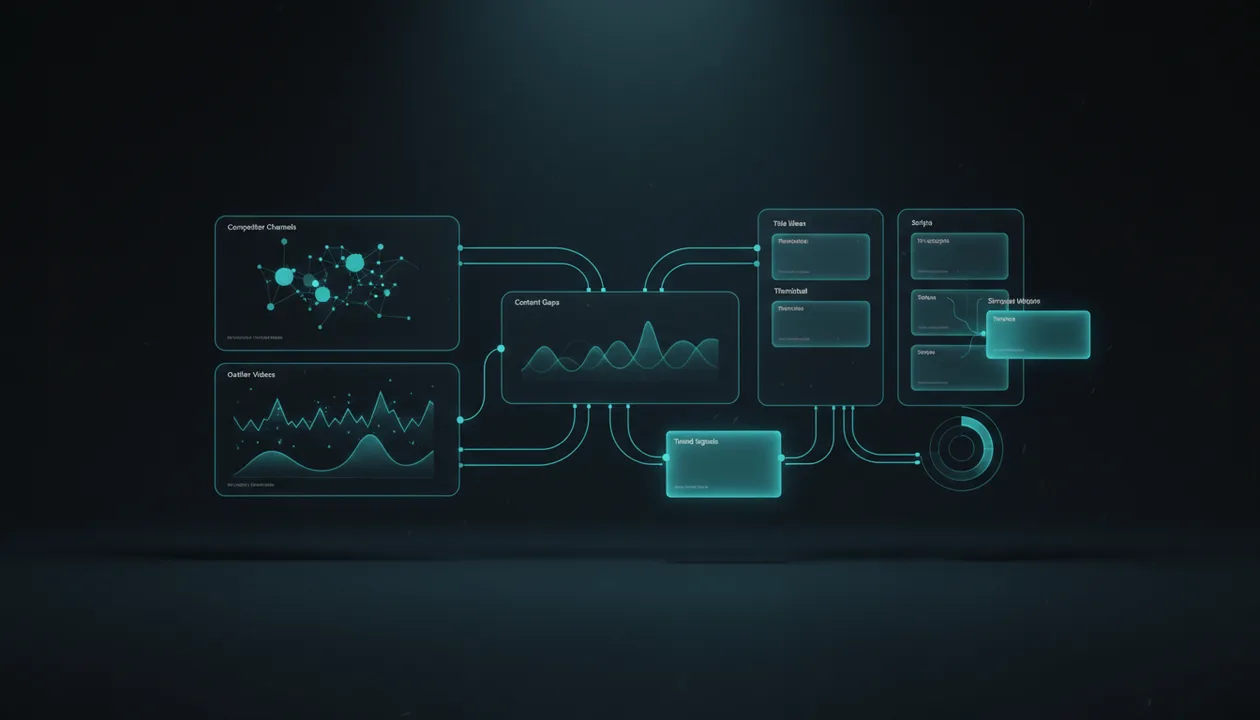
Most YouTube video idea generators create more ideas.
That sounds useful until you realize most creators are not losing because they have no ideas.
They are losing because they pick the wrong ideas.
A random AI tool can give you 50 topics in ten seconds. That does not mean any of them are worth scripting, editing, packaging, publishing, or building a channel around.
The best YouTube video idea generator tool in 2026 should do more than brainstorm. It should help you find ideas with evidence behind them: competitor outliers, proven formats, content gaps, title patterns, thumbnail angles, audience demand, and channel fit.
That is the difference between a list of ideas and a content strategy.
This guide compares the best YouTube video idea generator tools in 2026, what each one is good for, where each one is weak, and which tool you should use if you want ideas that are actually worth producing.
Quick Verdict: Best YouTube Video Idea Generator Tools in 2026
| Tool | Best For | Main Strength | Main Weakness |
|---|---|---|---|
| OverseerOS | Creators who want proven YouTube ideas from competitor patterns, outliers, titles, thumbnails, scripts, and channel tone | Turns research into ideas, scripts, and thumbnails instead of random AI suggestions | Best for creators who want a workflow, not a simple free prompt box |
| Spotter Studio | Established creators who want AI ideation, research, and planning | Built as an ideation system for pro YouTubers | May be overkill for smaller creators who need a leaner research workflow |
| 1of10 | Creators who want outlier-based idea discovery | Finds overperforming videos, thumbnails, titles, and viral patterns | Strong on discovery, but less complete as a full script and production workflow |
| vidIQ | Creators who want fast AI ideas, daily ideas, and YouTube SEO support | Free AI idea generator, Daily Ideas, keyword and trend tooling | Can still produce broad ideas if you do not validate them deeply |
| TubeBuddy | Creators who want opportunity discovery and YouTube SEO tools | Opportunity Finder, Keyword Explorer, SEO tools, thumbnail and title tools | Better for opportunity and optimization than full creative ideation |
| OutlierKit | Creators focused on competitor outliers and content gaps | Competitor analysis, outlier detection, content strategy direction | Still needs a strong production workflow after discovery |
| TubeLab | Niche research and outlier discovery | Outlier finder, niche finder, title and thumbnail pattern research | More research-focused than full script and thumbnail production |
| TubeAnalytics | Analytics-minded creators who want idea generation connected to channel data | Competitor tracking, analytics, and AI-powered idea generation signals | More analytics-focused than idea-to-script workflow |
| ChatGPT / Claude | Flexible custom brainstorming | Can generate, expand, and refine ideas in any format | Quality depends heavily on your prompt and research inputs |
| YouTube Studio / Google Trends | Free first-party and trend research | YouTube trends, content gaps, search interest, audience signals | Not a complete idea generator or production workflow |
Key Takeaways
- A good YouTube video idea generator should help you choose better ideas, not just produce more of them.
- Random AI ideas are useful for brainstorming, but weak for strategy unless they are validated against real YouTube behavior.
- OverseerOS is the strongest fit if you want ideas based on channel analysis, outlier videos, title patterns, thumbnail patterns, Creator DNA, scripts, and content gaps.
- Tools like 1of10, OutlierKit, and TubeLab are strong for outlier discovery because they help creators find videos that performed better than expected.
- vidIQ and TubeBuddy are useful if you want AI ideation combined with SEO, keywords, and optimization workflows.
- YouTube Studio’s Trends tab can show top searches, watched videos, and content gaps where viewers may want more relevant or higher-quality content. Source: YouTube Help
- The best workflow is not “generate idea, make video.” It is: analyze channels, find outliers, identify gaps, choose an angle, package the idea, then write the script.
What Makes a Good YouTube Video Idea Generator?
A good YouTube video idea generator should help answer one question:
Is this idea worth making?
That is the real test.
A weak tool gives you:
10 video ideas about fitness.
A better tool gives you:
Here are video ideas based on competitor outliers, audience demand, proven formats, title patterns, and content gaps in your niche.
The difference is massive.
A good YouTube idea tool should help with:
- Niche research
- Competitor analysis
- Outlier video discovery
- Content gap discovery
- Title direction
- Thumbnail direction
- Search demand
- Trend signals
- Audience fit
- Format selection
- Script direction
- Repeatability
- Monetization fit
Because a YouTube idea is not just a topic.
A real video idea includes:
Target viewer
+ audience pain or desire
+ proven demand
+ angle
+ title promise
+ thumbnail promise
+ format
+ retention structure
+ original execution
That is what most idea generators miss.
They create topics.
You need video concepts.
Why Generic AI Video Ideas Fail
Generic AI tools usually give ideas that sound good but are too broad to win.
Example:
10 Tips to Grow Your YouTube Channel
That is technically an idea.
But it is weak because:
- It has no proof
- It has no fresh angle
- It has no specific viewer
- It has no curiosity gap
- It has no strong thumbnail direction
- It has no reason to beat existing videos
A stronger idea would be:
I Studied 50 Small YouTube Channels That Suddenly Exploded. Here’s What Changed.
That version has:
- Proof
- Specificity
- Curiosity
- A built-in structure
- A stronger title
- A clearer thumbnail concept
- A reason to watch
That is the gap between AI brainstorming and YouTube strategy.
Most AI idea generators are fine for expansion.
They are not enough for validation.
1. OverseerOS: Best Overall YouTube Video Idea Generator for Serious Creators
OverseerOS is the best fit if you want a video idea generator that starts from proven YouTube patterns, not random AI output.
Most idea tools ask:
What topic do you want ideas for?
OverseerOS is built around a better question:
What is already working on YouTube, and how can you turn that pattern into your own original video?
That matters because the strongest YouTube ideas usually come from evidence:
- Competitor outliers
- High-performing videos
- Repeatable title formats
- Thumbnail patterns
- Audience comments
- Content gaps
- Channel tone
- Saved blueprints
- Proven formats
- Script structures
OverseerOS helps creators reverse-engineer successful channels, analyze videos, study titles and thumbnails, find patterns, and turn those insights into ideas, scripts, and thumbnails.
That makes it more than an idea generator.
It is a YouTube idea research system.
Best For
- YouTube creators who want better ideas before production
- Faceless channel operators
- Creator teams
- YouTube automation workflows
- AI and tech channels
- Business case study channels
- Psychology and self-improvement channels
- Education channels
- Channels that care about titles, thumbnails, scripts, and repeatable formats
Main Strength
OverseerOS connects idea generation to the full creator workflow.
A generic tool might give you:
Make a video about AI tools.
OverseerOS is designed to help you think more like this:
- Which AI tool videos are already breaking out?
- Which channels are winning in this niche?
- Which titles are creating clicks?
- Which thumbnails are getting attention?
- Which content gaps are still open?
- Which angle fits my channel?
- Which idea should become a script?
- Which thumbnail direction should support it?
That is the money layer.
The value is not “more ideas.”
The value is better idea selection.
Where OverseerOS Fits in the Idea Workflow
| Workflow Stage | How OverseerOS Helps |
|---|---|
| Channel research | Analyze successful channels and understand what works |
| Competitor analysis | Study competing channels and patterns |
| Outlier discovery | Find high-performing videos worth modeling |
| Content gap research | Identify missed opportunities competitors did not fully satisfy |
| Title direction | Build ideas around stronger title promises |
| Thumbnail direction | Connect the idea to visual packaging |
| Script creation | Turn the idea into a structured YouTube script |
| Creator DNA | Match the idea and script to a saved channel tone |
| Planner workflow | Save ideas and scripts into a channel planning system |
This is why OverseerOS should be the first tool in the stack.
Not after you already picked a random idea.
Before.
Main Weakness
OverseerOS is not a tiny free idea box.
It is best for creators who want a serious workflow around research, strategy, scripting, thumbnails, and production planning.
If you only want five random ideas in ten seconds, a free generator may be enough.
Verdict
Use OverseerOS if your real goal is not to generate ideas, but to find ideas worth producing.
If you want to stop guessing, use OverseerOS to reverse-engineer high-performing YouTube channels and turn proven patterns into video ideas, scripts, and thumbnails.
2. Spotter Studio: Best for Pro Creator Ideation and Planning
Spotter Studio positions itself as an ideation system for pro YouTubers. Its site says it helps creators brainstorm, research, and plan winning videos, and it is used by top creators.
Spotter Studio is relevant because it treats ideation as a serious creator workflow, not just a random prompt.
That is the right direction.
Best For
- Established creators
- Creator teams
- YouTubers with existing catalogs
- High-volume creators
- Channels that need structured brainstorming
- Creators who want planning and research support
Main Strength
Spotter Studio is built specifically around YouTube ideation.
Its positioning is strong because professional creators do not need random ideas. They need a system that helps them refine concepts, research angles, and plan videos more efficiently.
Spotter’s own blog also talks about using outliers to identify unexpected but relevant content trends and combining those signals with tools like Google Trends and social platforms. Source: Spotter Studio
Main Weakness
Spotter Studio may be more suited to established creators and teams than beginners.
If you are still choosing your niche, building your first content system, or trying to reverse-engineer competitor patterns before you have a large catalog, you may prefer a more direct channel-analysis and pattern-based workflow.
Verdict
Use Spotter Studio if you are an established creator who wants a pro-level ideation and planning system.
If Spotter Studio feels heavier than your workflow needs, compare the best Spotter Studio alternatives before you commit.
Use OverseerOS if you want to start from competitor research, outlier patterns, titles, thumbnails, scripts, and channel blueprints.
3. 1of10: Best for Outlier-Based Video Idea Discovery
1of10 is built around finding outliers and viral ideas. Its homepage highlights searching millions of outliers, bookmarking videos, tracking channels, thumbnail search, niche explorer, virality monitoring, and advanced filters.
That makes it highly relevant for video idea research.
Outliers are one of the strongest signals on YouTube because they show videos that performed unusually well compared to their channel’s normal baseline.
Best For
- Finding overperforming videos
- Outlier discovery
- Thumbnail research
- Title pattern research
- Niche exploration
- Creators who want proven concepts
- YouTubers who like browsing YouTube with extra data
Main Strength
1of10 is strong because it focuses on what actually worked.
That is better than generic idea generation.
Instead of asking AI for ideas from scratch, you can study videos that already outperformed expectations.
That is how better YouTube ideas are usually found.
Main Weakness
Outlier discovery is only one part of the workflow.
After finding an outlier, you still need to:
- Decode why it worked
- Adapt it responsibly
- Build your own title
- Create a new thumbnail angle
- Write the script
- Match your channel tone
- Plan production
If your tool stops at “here are viral videos,” you still need a full strategy and execution layer.
Verdict
Use 1of10 if outlier discovery is your main bottleneck.
Use OverseerOS if you want outlier-style research connected to ideas, scripts, thumbnails, and channel strategy.
For a deeper workflow, read the guide on YouTube outlier videos.
4. vidIQ: Best for Fast AI YouTube Ideas and SEO Support
vidIQ’s AI Video Ideas Generator is designed to generate YouTube ideas from a topic or prompt. vidIQ also offers Daily Ideas, which it says can generate 50 video ideas daily and tailor recommendations based on a creator’s channel, past content, and industry trends. Source: vidIQ Daily Ideas
This makes vidIQ useful for creators who want fast idea generation inside a broader YouTube SEO toolset.
Best For
- Beginners
- SEO-focused creators
- YouTubers who want daily inspiration
- Creators who already use vidIQ
- Fast brainstorming
- Keyword-driven channels
- Channels that need topic suggestions
Main Strength
vidIQ is easy to use and creator-friendly.
It is especially useful if you want idea generation connected to YouTube SEO, keywords, trends, titles, descriptions, and tags.
vidIQ’s AI Content Generator also creates building blocks for YouTube videos, including scripts, outlines, titles, descriptions, tags, and thumbnail ideas. Source: vidIQ
Main Weakness
Fast idea generation can still create broad ideas.
The tool can help you brainstorm, but you still need to validate ideas against competitor outliers, packaging, audience fit, and content gaps.
Verdict
Use vidIQ if you want fast YouTube-focused AI ideas with SEO support.
Use OverseerOS if you want to go deeper into competitor patterns and turn those ideas into scripts and thumbnails.
5. TubeBuddy Opportunity Finder: Best for SEO-Driven Opportunity Discovery
TubeBuddy’s Opportunity Finder is positioned around helping creators discover growth ideas and find opportunities.
TubeBuddy also has a broad YouTube growth suite, including Keyword Explorer, SEO Studio, Click Magnet, Channel Insights, A/B Testing, title tools, thumbnail tools, and more. Source: TubeBuddy
That makes TubeBuddy useful when your idea workflow is tied to search, optimization, and YouTube SEO.
Best For
- SEO-focused creators
- Search-driven channels
- Creators who want opportunity discovery
- YouTubers already using TubeBuddy
- Channels that need title and thumbnail optimization
- Creators who want keyword and topic support
Main Strength
TubeBuddy is useful when you need to find what viewers are searching for before you hit record.
Its broader toolset also helps creators optimize ideas after they are chosen.
Main Weakness
Opportunity discovery is not the same as full idea strategy.
You still need to decide:
- Is this idea worth making?
- Is there proven competitor demand?
- Can I package it?
- Does it fit my channel?
- Can it become a strong script?
- Is there a unique angle?
Verdict
Use TubeBuddy if your idea workflow is search and optimization-heavy.
Use OverseerOS if you want ideas based on competitor analysis, outliers, and proven content patterns.
6. OutlierKit: Best for Competitor Outliers and Content Strategy Signals
OutlierKit positions itself around YouTube competitor analysis, outlier video detection, content gaps, and smarter content decisions before recording.
That is a strong fit for creators who want ideas backed by evidence.
Best For
- Competitor research
- Outlier video discovery
- Content gap analysis
- Trend and topic discovery
- Creators who want pre-production research
- YouTube strategists
Main Strength
OutlierKit’s strongest positioning is that it helps creators make smarter content decisions before they hit record.
That is exactly how serious idea generation should work.
A good idea is not just something that sounds interesting.
It should have proof behind it.
Main Weakness
OutlierKit is research-heavy. After discovering opportunities, creators still need a system for turning them into scripts, thumbnails, channel tone, planner topics, and production workflows.
Verdict
Use OutlierKit if you want outlier and competitor discovery.
Use OverseerOS if you want that discovery connected to the rest of the content creation process.
7. TubeLab: Best for Niche Research and Trending Topic Discovery
TubeLab has tools and content around YouTube niche research, outlier discovery, title formats, thumbnails, and trending YouTube topics.
It is useful for creators still trying to find the right niche or spot early opportunities.
Best For
- Niche research
- Trend discovery
- Outlier research
- New channel planning
- Title and thumbnail pattern research
- Creators looking for underserved topics
Main Strength
TubeLab is useful for early-stage research.
If you are trying to decide which niche, topic cluster, or format to enter, tools like niche finders and outlier finders can help.
Main Weakness
Research does not automatically become execution.
After you find a niche or topic, you still need to create titles, thumbnails, scripts, and a repeatable content workflow.
Verdict
Use TubeLab if niche and trend discovery are your main goals.
Use OverseerOS when you need a stronger idea-to-script-to-thumbnail workflow.
8. TubeAnalytics: Best for Analytics-Led Idea Generation
TubeAnalytics positions itself as a YouTube analytics platform for creators with competitor tracking, real CPM/RPM revenue data, thumbnail testing, and analytics features.
Some software directories also describe TubeAnalytics as having AI-powered video idea generation based on channel profiles, concepts, titles, and outlines. Source: GetApp
That makes TubeAnalytics relevant if you want idea generation connected to analytics and performance data.
Best For
- Monetized creators
- Analytics-minded creators
- Revenue-aware channels
- Competitor tracking
- Performance-based planning
- Creators who care about CPM, RPM, retention, and revenue signals
Main Strength
TubeAnalytics is useful because not all ideas are equal financially.
A topic with lower views but stronger RPM, sponsor fit, or buyer intent may be more valuable than a broad viral topic.
That is an important idea for serious creators.
Main Weakness
TubeAnalytics is more analytics-focused than creative workflow-focused.
If your main bottleneck is turning ideas into titles, thumbnails, scripts, and channel-style production, you may need a more YouTube-native creation layer.
Verdict
Use TubeAnalytics if you want performance and monetization signals to inform your idea planning.
Use OverseerOS if your goal is turning YouTube patterns into content production.
9. ChatGPT and Claude: Best for Flexible Idea Expansion
ChatGPT and Claude are not YouTube-specific idea generator tools, but they are extremely useful for expanding ideas, creating variations, brainstorming angles, and building content frameworks.
The key is that you need to give them strong inputs.
Weak prompt:
Give me YouTube video ideas about AI.
Better prompt:
Give me 20 YouTube video ideas for a faceless AI tools channel targeting solo creators. Each idea should be based on one of these formats: experiment, teardown, comparison, mistake, case study, or tool ranking. Include title, thumbnail concept, viewer pain, and why it could retain attention.
The second prompt will produce much better output.
Best For
- Custom brainstorming
- Idea expansion
- Title variations
- Thumbnail concepts
- Hook ideas
- Niche-specific idea lists
- Repurposing existing ideas
- Building templates
Main Strength
General AI tools are flexible.
You can use them for any niche, any tone, any format, and any depth.
Main Weakness
They do not automatically know what is working on YouTube right now unless you provide research.
They are great for expanding ideas.
They are weak as the source of truth.
Verdict
Use ChatGPT or Claude after you have research.
Do not use them as your only idea validation system.
10. RyRob YouTube Video Idea Generator: Best Free Simple Brainstorming Tool
RyRob’s YouTube Video Idea Generator is a free AI-powered tool that generates video ideas from a topic or starting idea.
It is simple, fast, and useful if you want quick inspiration.
Best For
- Beginners
- Free brainstorming
- Simple topic expansion
- Creators who want fast ideas
- Early ideation
Main Strength
It is easy.
You type a topic and get ideas quickly.
For creators who are stuck, that can be helpful.
Main Weakness
It is not a deep YouTube research tool.
It does not replace competitor analysis, outlier research, channel strategy, title-thumbnail alignment, or script planning.
Verdict
Use RyRob for quick brainstorming.
Use deeper tools when the idea needs to become a real video.
11. Noiz YouTube Video Idea Generator: Best Free Multi-Platform Idea Generator
Noiz’s YouTube Video Idea Generator lets users enter a main topic, select a content goal, and generate custom content suggestions for YouTube, TikTok, and Instagram.
Its page also says hot topics and trending subjects are considered in the suggestions.
Best For
- Free idea generation
- Multi-platform creators
- Simple content goals
- Beginners
- Social media idea expansion
Main Strength
Noiz is useful if you want quick ideas across YouTube and other platforms.
The content goal setting is helpful because not every idea should serve the same purpose.
Some videos should educate.
Some should entertain.
Some should convert.
Main Weakness
Free AI idea tools are usually better for brainstorming than validation.
You still need to check whether the idea has proof on YouTube.
Verdict
Use Noiz for fast idea expansion.
Validate the strongest ideas with competitor and outlier research before production.
12. Renderforest YouTube Video Ideas Generator: Best for Simple AI Idea Inspiration
Renderforest’s YouTube Video Ideas Generator generates free YouTube video ideas using AI and machine learning based on information you provide.
Renderforest is also a broader creative platform for videos, designs, and websites. Source: Renderforest
Best For
- Beginners
- Simple idea generation
- Creators who want quick inspiration
- Early brainstorming
- Users already working inside Renderforest
Main Strength
Renderforest is easy to use and connected to a broader creative ecosystem.
That can help if you want idea generation plus basic creative production tools.
Main Weakness
Like most basic idea generators, it does not deeply solve YouTube strategy.
It gives ideas.
It does not prove they are worth making.
Verdict
Use Renderforest for simple inspiration.
Use a research workflow before committing serious production time.
13. YouTube Studio Trends: Best Free First-Party Idea Research
YouTube Studio is not a traditional idea generator, but it is one of the most important idea research tools creators have.
The Trends tab can show:
- Top searches
- Videos watched by viewers
- Content gaps
- Saved topics
- Trends related to your audience
YouTube’s help docs explain that the Trends tab can show top searches based on your audience and saved topics over the last 28 days, and content gaps where viewers may want more relevant or higher-quality Shorts. Source: YouTube Help
That is valuable because it comes from YouTube itself.
Best For
- Existing creators
- Audience-aware idea research
- Search-based content
- Trend validation
- Content gap discovery
- YouTube-native demand signals
Main Strength
YouTube Studio gives first-party creator signals.
If your audience is already showing interest in certain topics, that can help guide your idea pipeline.
Main Weakness
YouTube Studio is mostly focused on your own channel and audience signals.
It is not a full competitor research tool, and it does not automatically turn ideas into scripts, thumbnails, or production plans.
Verdict
Use YouTube Studio Trends as a free validation layer.
Pair it with OverseerOS for deeper competitor and pattern research.
14. Google Trends: Best for External Search Interest
Google Trends lets users explore search interest over time, location, and popularity.
It is not YouTube-specific by default, but it is useful for spotting broader search interest and seasonal patterns.
Best For
- Trend validation
- Seasonal topics
- News and culture signals
- Search interest over time
- Comparing topics
- Checking whether a topic is rising or fading
Main Strength
Google Trends helps you avoid making videos about topics that are already declining or too small.
It is especially useful for niches like:
- AI
- finance
- tech
- business
- health
- education
- news-adjacent topics
- product launches
Main Weakness
Google Trends does not tell you whether an idea will work on YouTube.
A topic can trend on Google and still be hard to package as a video.
Verdict
Use Google Trends as a signal, not a decision-maker.
The best idea research still needs YouTube-specific validation.
Feature Comparison: Which Tool Wins?
| Use Case | Best Tool |
|---|---|
| Full idea-to-script-to-thumbnail workflow | OverseerOS |
| Competitor pattern-based ideas | OverseerOS |
| Outlier-based idea discovery | 1of10, OutlierKit, TubeLab, OverseerOS |
| Pro creator ideation | Spotter Studio |
| Fast AI idea generation | vidIQ, RyRob, Noiz, Renderforest |
| SEO-driven opportunities | TubeBuddy, vidIQ |
| Analytics-led idea generation | TubeAnalytics |
| Niche research | TubeLab, OverseerOS |
| Content gap discovery | YouTube Studio, TubeBuddy, OverseerOS |
| Flexible custom brainstorming | ChatGPT, Claude |
| Trend validation | YouTube Studio, Google Trends |
| Faceless channel ideas | OverseerOS, ChatGPT, vidIQ |
| Script-connected ideas | OverseerOS |
| Thumbnail-connected ideas | OverseerOS, 1of10, Canva-style workflows |
How to Choose the Right YouTube Video Idea Generator
Choose based on your bottleneck.
Choose OverseerOS if:
- You want ideas based on proven YouTube patterns
- You want to analyze competitors
- You want to find outlier videos
- You want to study titles and thumbnails
- You want to connect ideas to scripts
- You want to use Creator DNA or channel tone
- You want faceless channel ideas based on evidence
- You want a real content workflow, not random brainstorming
Choose Spotter Studio if:
- You are an established creator
- You want a pro ideation system
- You need brainstorming, research, and planning support
- You already have a large enough content history to learn from
Choose 1of10 if:
- You mainly want to find outlier videos
- You want to browse viral patterns
- You want thumbnail and title research
- You like discovering ideas from what already overperformed
Choose vidIQ if:
- You want fast AI ideas
- You want SEO tools
- You want daily idea suggestions
- You already use vidIQ for YouTube growth
Choose TubeBuddy if:
- You want SEO-driven opportunities
- You want keyword and topic support
- You care about optimization after choosing the idea
Choose OutlierKit or TubeLab if:
- You want competitor and outlier discovery
- You are researching niches
- You want to find working topics before production
Choose ChatGPT or Claude if:
- You already have research
- You want idea variations
- You want custom angles
- You can write strong prompts
Choose YouTube Studio and Google Trends if:
- You want free validation signals
- You want first-party YouTube audience insights
- You want trend interest before committing
The Better YouTube Idea Workflow
Do not use this workflow:
Ask AI for ideas
Pick the one that sounds cool
Write script
Make thumbnail
Publish
Hope
Use this instead:
1. Pick a niche or topic cluster
2. Analyze successful channels
3. Find outlier videos
4. Study title and thumbnail patterns
5. Look for content gaps
6. Check audience and trend signals
7. Generate original idea variations
8. Score each idea
9. Build title and thumbnail direction
10. Write the script
11. Publish
12. Study performance
This is the difference between guessing and strategy.
The YouTube Video Idea Scorecard
Before making a video, score the idea.
| Score Category | Question | Score 1 to 5 |
|---|---|---|
| Audience fit | Does my target viewer clearly care? | |
| Proven demand | Have similar videos already performed? | |
| Outlier signal | Did related videos beat channel baseline? | |
| Packaging potential | Can I create a strong title and thumbnail? | |
| Retention potential | Can the idea hold attention? | |
| Originality | Can I add my own proof, angle, or examples? | |
| Monetization fit | Does this attract a valuable viewer? |
Decision rule:
| Total Score | Decision |
|---|---|
| 30 to 35 | Produce it |
| 24 to 29 | Improve the angle first |
| 18 to 23 | Save for later |
| Under 18 | Kill it |
This is what most idea generators are missing.
A filter.
More ideas do not grow a channel.
Better decisions do.
The Best YouTube Video Idea Generator for Faceless Channels
Faceless creators need stronger idea validation because the creator’s personality is not carrying the video.
The idea, script, voiceover, visuals, title, and thumbnail have to do more work.
That means faceless creators should prioritize tools that help with:
- Niche research
- Competitor analysis
- Outlier videos
- Repeatable formats
- High-income audience fit
- Script direction
- Thumbnail concepts
- Title formulas
- Content gaps
For faceless channels, OverseerOS is the strongest choice because it helps connect research to production.
It can help you move from:
I want to start a faceless channel.
To:
This niche has proven channels, these videos broke out, this title structure works, this thumbnail style fits, this content gap is open, and this idea is worth scripting.
For more on the full workflow, read the guide to faceless YouTube automation tools.
Common Mistakes With YouTube Idea Generators
Mistake 1: Thinking More Ideas Means Better Strategy
More ideas can create more confusion.
A good tool should help you filter.
The question is not:
How many ideas can I generate?
The question is:
Which idea has the strongest evidence?
Mistake 2: Ignoring Competitor Outliers
Outliers show videos that performed better than expected.
These are some of the best idea sources because they reveal unusual audience demand.
If you are not studying outliers, you are missing the clearest signals.
Mistake 3: Choosing Ideas With No Thumbnail Potential
A good idea needs visual packaging.
Before making the video, ask:
- What is the thumbnail?
- What is the focal point?
- What is the visual conflict?
- What does the viewer wonder?
- Does the title complete the thumbnail?
If the idea cannot be visualized, it may not be ready.
Mistake 4: Letting AI Decide the Strategy
AI can help you brainstorm.
It should not blindly decide your channel direction.
You need human judgment around:
- Audience
- positioning
- monetization
- originality
- trust
- niche fit
- production ability
- long-term strategy
AI is a tool.
Not the strategist.
Mistake 5: Copying Instead of Modeling
Do not copy exact titles, thumbnails, scripts, or channel formats.
Model the pattern.
Copying:
I Tested 10 AI Tools. Only 3 Were Useful.
Modeling:
I tested a crowded category and filtered the few worth using.
Original variations:
- I Tested 12 AI Tools for Faceless YouTube. Only 4 Made Sense.
- I Used 5 YouTube Research Tools. Most Missed the Real Pattern.
- I Tried 10 Thumbnail Styles. Only 2 Got Clicks.
- I Studied 50 Viral Hooks. These 7 Kept Repeating.
That is responsible strategy.
Mistake 6: Producing Before Scoring
Do not produce every idea that sounds exciting.
Score it first.
A weak idea becomes expensive once you write the script, make the thumbnail, record the voiceover, edit the video, and publish.
Kill weak ideas early.
Best Overall YouTube Video Idea Generator Tool
If you want quick free ideas, use vidIQ, RyRob, Noiz, or Renderforest.
If you want SEO-driven opportunity discovery, use TubeBuddy.
If you want outlier discovery, use 1of10, OutlierKit, or TubeLab.
If you want pro-level ideation and planning, use Spotter Studio.
If you want free trend validation, use YouTube Studio and Google Trends.
But if you want a full YouTube-native idea workflow, use OverseerOS.
The reason is simple:
OverseerOS is not just trying to generate ideas.
It helps creators turn real YouTube patterns into ideas, titles, scripts, and thumbnails.
That is the difference between brainstorming and building a channel.
Final Verdict
The best YouTube video idea generator tool in 2026 is the one that helps you stop guessing.
Not the one that gives the longest list.
Not the one that sounds the most creative.
Not the one that gives you 100 generic topics.
The best tool helps you find ideas with proof behind them.
For serious creators, that means studying channels, finding outlier videos, analyzing titles and thumbnails, identifying content gaps, matching channel tone, and turning the strongest ideas into scripts and production plans.
That is why OverseerOS is the best overall choice for creators who want more than random AI brainstorming.
If you want to build from evidence, use OverseerOS to reverse-engineer high-performing YouTube channels and turn proven patterns into video ideas worth producing.
FAQ
What is the best YouTube video idea generator tool in 2026?
The best tool depends on your workflow. OverseerOS is best for creators who want ideas based on proven YouTube patterns, competitor analysis, outlier videos, titles, thumbnails, scripts, and channel tone. vidIQ is good for fast AI ideas. TubeBuddy is useful for SEO-driven opportunities. 1of10, OutlierKit, and TubeLab are strong for outlier discovery.
What is a YouTube video idea generator?
A YouTube video idea generator is a tool that helps creators find topics, angles, titles, formats, or content opportunities for YouTube videos. Basic tools generate ideas from prompts. Better tools use channel data, competitor research, trends, outliers, keywords, and content gaps.
Are AI YouTube idea generators worth using?
Yes, but only if you use them correctly. AI idea generators are useful for brainstorming and expanding angles. They are not enough for validation. Before producing a video, check competitor performance, outlier videos, title and thumbnail potential, audience fit, and content gaps.
What is the best free YouTube video idea generator?
vidIQ, RyRob, Noiz, Renderforest, YouTube Studio, Google Trends, and ChatGPT-style tools can all help generate or validate ideas for free. The best free option depends on whether you need brainstorming, search interest, YouTube trends, or simple idea expansion.
How do I find viral YouTube video ideas?
Start by analyzing successful channels in your niche. Find outlier videos that performed better than the channel’s normal baseline. Study titles, thumbnails, formats, hooks, and comments. Then create your own original version based on the pattern.
What is better: AI ideas or competitor research?
Competitor research is usually better for validation. AI ideas are useful for expansion. The best workflow uses competitor research first, then AI to generate variations, titles, hooks, and scripts.
Can ChatGPT generate YouTube video ideas?
Yes. ChatGPT can generate YouTube video ideas if you give it a strong prompt. It works best when you include the niche, target viewer, channel style, video format, examples, and constraints. But you still need to validate the ideas with real YouTube research.
What is the best YouTube idea generator for faceless channels?
OverseerOS is the strongest fit for faceless channels because it helps creators study successful channels, find outliers, analyze titles and thumbnails, identify content gaps, and turn proven patterns into scripts and thumbnails. Faceless creators need this because the idea and packaging carry more weight when the creator is not on camera.
How do I know if a YouTube video idea is worth making?
Score it based on audience fit, proven demand, outlier signals, packaging potential, retention potential, originality, and monetization fit. If the idea cannot become a strong title and thumbnail, it is not ready.
Should I use a YouTube video idea generator or do manual research?
Use both. Manual research helps you understand the market. Idea generators help you expand and organize possibilities. The strongest workflow is: research first, generate second, validate third, produce fourth.