Most faceless YouTube automation fails before the video is even made.
Not because the tools are bad.
Because creators automate the wrong thing.
They pick a random niche, ask AI for a generic script, generate a robotic voiceover, throw stock footage on top, publish 30 videos, and wonder why nobody cares.
That is not automation.
That is mass production without strategy.
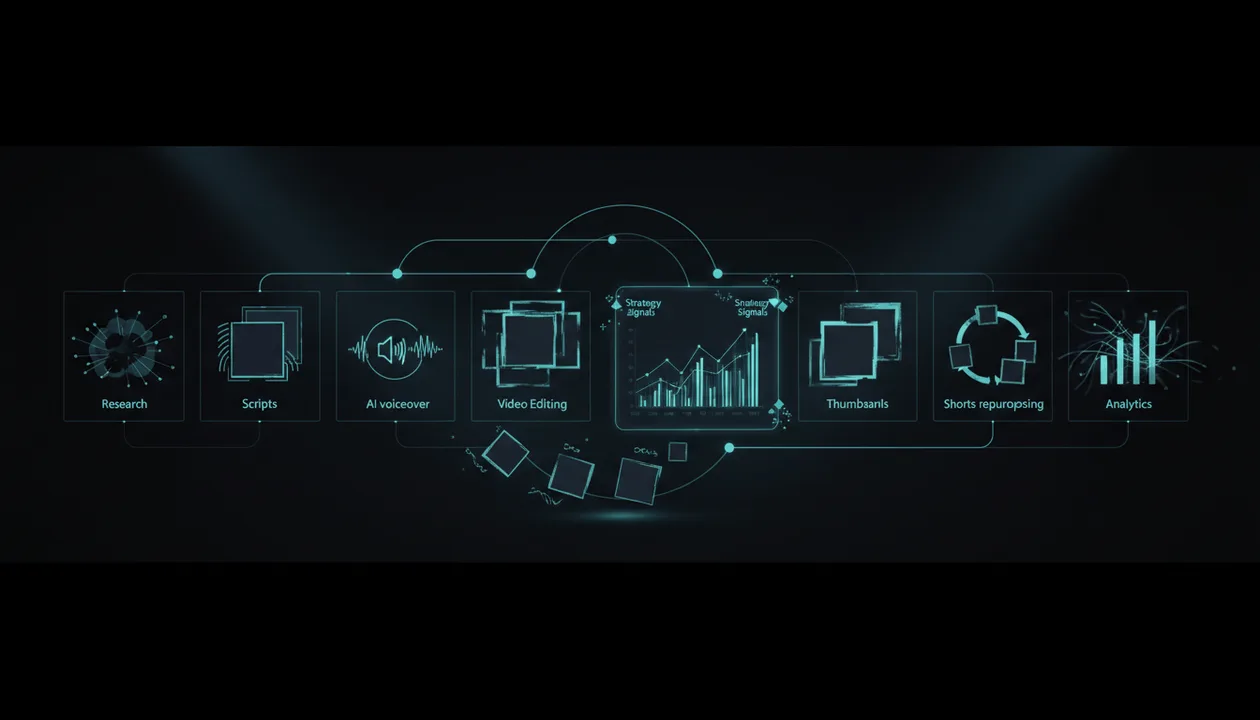
The best faceless YouTube automation tools in 2026 do not replace thinking. They help you move faster through the workflow:
- Find a proven topic
- Study winning channels
- Validate the angle
- Write a stronger script
- Generate or record voiceover
- Create visuals
- Edit the video
- Make thumbnails
- Repurpose clips
- Track performance
The money is not in automating more videos.
The money is in automating the right workflow around ideas that already have proof.
This guide breaks down the best faceless YouTube automation tools in 2026, what each tool is best for, where each one is weak, and how to build a workflow that does not create low-effort AI slop.
Quick Verdict: Best Faceless YouTube Automation Tools in 2026
| Tool | Best For | Main Strength | Main Weakness |
|---|---|---|---|
| OverseerOS | Research, competitor analysis, ideas, titles, scripts, thumbnails | Helps you reverse-engineer what already works before production | Not a generic one-click video generator |
| Pictory | Turning scripts, URLs, and text into videos | Fast text-to-video and URL-to-video workflows | Output still needs strong strategy and editing judgment |
| InVideo | Prompt-to-video and template-based video creation | Easy AI video generation for creators and marketers | Can feel generic if the idea and script are weak |
| VEED | AI video editing, subtitles, avatars, dubbing, and text-to-video | Strong all-in-one editing workflow | Better for production than deep niche research |
| Synthesia | AI avatar videos for business and education | Professional avatar-led videos without cameras or actors | Less ideal for cinematic YouTube documentaries |
| ElevenLabs | AI voiceovers and narration | High-quality text-to-speech and voice tools | Does not solve research, scripting, or editing alone |
| Descript | Text-based audio and video editing | Edit video and audio like a document | Best after you already have a strong recording or script |
| OpusClip | Turning long videos into Shorts | AI clipping and repurposing | Needs strong source content first |
| Canva | Thumbnails, visuals, and simple video assets | Easy design system for creators | Not a full YouTube strategy or automation platform |
| YouTube Studio | First-party analytics, trends, testing, and performance | Official YouTube data | Not built for competitor research or full production workflow |
Key Takeaways
- The best faceless YouTube automation stack starts with research, not video generation.
- OverseerOS is the strongest fit for deciding what to make because it helps creators reverse-engineer channels, outliers, titles, thumbnails, scripts, and proven content patterns.
- Tools like Pictory, InVideo, VEED, and Synthesia are useful for production, but they cannot rescue a weak idea.
- ElevenLabs is one of the strongest tools for faceless narration, but voice quality alone does not create retention.
- OpusClip is useful for repurposing long-form videos into Shorts, but it works best when the original video is already strong.
- YouTube monetization still requires original, valuable content. YouTube says reused or repetitious content can be ineligible for monetization if it lacks meaningful differences or original value. Source: YouTube Help
- The smartest workflow is: research first, script second, voice third, edit fourth, thumbnail fifth, publish sixth, analyze seventh.
What Is Faceless YouTube Automation?
Faceless YouTube automation means building a repeatable video production workflow without relying on the creator’s face on camera.
That workflow can include:
- Niche research
- Competitor analysis
- Video idea research
- Scriptwriting
- Voiceover generation
- Visual sourcing
- AI image or video generation
- Video editing
- Captioning
- Thumbnail design
- Shorts repurposing
- Publishing support
- Performance analysis
But there is a dangerous misunderstanding.
Faceless automation does not mean:
Press one button and print money.
That mindset creates garbage channels.
Real faceless automation means:
Build a system that helps you produce better videos faster while keeping the strategy, originality, and quality high.
The difference matters because YouTube does not reward low-effort repetition forever.
If your videos are generic, repetitive, copied, or stitched together with no original value, automation becomes a liability.
The Faceless YouTube Automation Workflow
A profitable faceless channel needs more than a video generator.
It needs a full workflow.
| Stage | Goal | Tool Type |
|---|---|---|
| Research | Find proven ideas and channels | OverseerOS, YouTube Studio, competitor tools |
| Planning | Choose angle, format, title, thumbnail direction | OverseerOS |
| Scripting | Write the video structure and narration | OverseerOS, ChatGPT, Claude |
| Voiceover | Generate or record narration | ElevenLabs, Descript |
| Visuals | Create or source video assets | Pictory, InVideo, VEED, Canva |
| Editing | Assemble the final video | VEED, Descript, Pictory, InVideo |
| Thumbnail | Create clickable packaging | Canva, OverseerOS thumbnail tools |
| Repurposing | Turn long videos into Shorts | OpusClip |
| Analytics | Learn what worked | YouTube Studio |
Most creators start at the wrong stage.
They start with:
Generate a video.
They should start with:
What idea already has proof?
That is why research automation is more valuable than production automation.
Weighing research-first tools specifically? Compare the leading options in our NexLev alternatives roundup.
The Best Faceless YouTube Automation Tools in 2026
1. OverseerOS: Best for Strategy, Research, and Pattern-Based Content Creation
OverseerOS is the most important tool in the stack if your main problem is deciding what to make.
Most faceless automation tools help you produce videos.
OverseerOS helps you avoid producing the wrong videos.
That is the real bottleneck.
OverseerOS is built for creators who want to reverse-engineer successful YouTube channels, study high-performing videos, find outlier patterns, analyze titles and thumbnails, and turn proven structures into ideas, scripts, and thumbnails.
For faceless YouTube automation, that matters because most channels fail at the idea stage.
They make videos that are:
- Too generic
- Too broad
- Too late
- Too copied
- Too poorly packaged
- Too disconnected from real demand
OverseerOS helps solve the front-end strategy problem.
Instead of asking AI:
Give me 20 faceless YouTube video ideas.
You can ask better questions:
- Which channels are already working?
- Which videos broke out?
- Which titles created curiosity?
- Which thumbnails pulled attention?
- Which formats are repeatable?
- Which content gaps are competitors missing?
- Which ideas are worth turning into scripts?
- Which patterns can become my own original angle?
That is the difference between random automation and strategic automation.
Best For
- Faceless YouTube creators
- Creator teams
- Channel operators
- YouTube automation businesses
- AI-assisted content workflows
- Business case study channels
- AI tool channels
- Finance and education channels
- Creators who want better ideas before production
Main Strength
OverseerOS connects research to execution.
It is not just a dashboard.
It helps creators move from:
This channel is working.
To:
This is the pattern, this is the angle, this is the title direction, this is the script direction, and this is the thumbnail direction.
That is the money layer.
Main Weakness
OverseerOS is not trying to be a one-click AI video generator.
If you want a tool that instantly turns a prompt into a finished video, you will still need production tools like Pictory, InVideo, VEED, Synthesia, or Descript.
Verdict
Use OverseerOS as the strategy brain of your faceless YouTube automation workflow.
If you want to stop creating from random AI prompts, use OverseerOS to reverse-engineer high-performing YouTube channels before you automate production.
2. Pictory: Best for Turning Scripts and Text Into Videos
Pictory is built around fast AI video creation. Its site says it can transform text, prompts, images, audio, URLs, blog posts, homepages, and product pages into videos, with AI voices, templates, branding tools, and script-to-video workflows.
That makes Pictory useful for faceless creators who already have a script or source material and want to turn it into a video faster.
Best For
- Script-to-video workflows
- Blog-to-video repurposing
- Educational videos
- List videos
- Simple faceless explainers
- Creators who want speed over manual editing
Main Strength
Pictory is useful when you already know what the video should say.
It helps with assembly.
That can save time if your workflow includes articles, scripts, explainers, or structured narration.
Main Weakness
Pictory does not solve the strategy problem.
If your topic is weak, your script is generic, or your title and thumbnail are boring, faster video creation will not fix the channel.
Verdict
Use Pictory after you have a validated idea and script.
Do not use it as a substitute for research.
3. InVideo: Best for Prompt-to-Video and Template-Based Creation
InVideo positions itself as an AI video platform that turns ideas into videos for ads, explainers, stories, and other formats.
For faceless YouTube creators, InVideo can be useful for producing simple videos quickly, especially when you need templates, stock-style visuals, captions, and fast editing support.
Best For
- Prompt-to-video creation
- Social videos
- Simple explainer videos
- Marketing content
- Template-based video production
- Creators who want a fast production interface
Main Strength
InVideo is approachable.
It helps creators move from idea to draft video without needing advanced editing skills.
That makes it useful for beginners who want to produce faceless videos without starting from a blank timeline.
Main Weakness
Template-based content can feel generic if the script and visual direction are weak.
A lot of faceless creators fail because their videos look and sound like every other AI-generated video.
Verdict
Use InVideo for fast production, but bring your own strategy, script, and packaging direction.
The tool can help you make the video.
It cannot decide whether the video deserves to exist.
4. VEED: Best All-in-One AI Video Editing Workflow
VEED offers AI video tools for text-to-video, image-to-video, avatars, dubbing, text-to-speech, subtitles, screen recording, background noise removal, captions, and video editing.
Its text-to-video tool says creators can describe a concept or paste a script, and VEED can build videos with footage, narration, and automatic subtitles. Source: VEED
That makes VEED one of the more complete production tools for faceless channels.
Best For
- AI video editing
- Subtitles and captions
- Text-to-video
- AI voiceovers
- Avatars
- Dubbing
- Screen recording
- Social content
- Creator and marketer workflows
Main Strength
VEED is strong because it brings multiple production steps into one place.
For a faceless workflow, that can reduce tool switching.
You can generate, edit, subtitle, brand, and export videos without building a complex editing stack.
Main Weakness
Like most production tools, VEED is strongest after the idea is already good.
It helps execute.
It does not replace niche research, competitor analysis, or content strategy.
Verdict
Use VEED if you want an all-in-one production workspace for faceless videos.
Pair it with OverseerOS if you want your videos to start from proven YouTube patterns instead of generic prompts.
5. Synthesia: Best for AI Avatar Videos
Synthesia positions itself as an AI video platform for business that helps users create professional videos without microphones, cameras, actors, or studios.
This makes Synthesia especially useful for avatar-led faceless content, training videos, business explainers, product walkthroughs, onboarding videos, and educational content.
Best For
- AI avatar videos
- Business explainers
- Training videos
- Educational content
- Corporate-style faceless videos
- SaaS demos
- Internal videos
- Professional presentations
Main Strength
Synthesia is strong when you need a polished presenter-style video without filming a person.
That can work well for certain faceless channels, especially in business, education, software, and training.
Main Weakness
Avatar-led videos are not always the best fit for YouTube entertainment, documentaries, business case studies, or high-retention storytelling.
A realistic avatar does not automatically make a video engaging.
Verdict
Use Synthesia if your channel format fits presenter-style explainers.
Avoid it if your niche needs cinematic storytelling, documentary pacing, or dynamic visual structure.
6. ElevenLabs: Best for AI Voiceover and Narration
ElevenLabs is one of the strongest AI voice platforms for creators. Its site highlights text-to-speech, speech-to-text, voice changer, voice cloning, voice design, studio, and AI voice generation with thousands of voices across many languages.
For faceless YouTube, voice quality matters.
A weak voiceover can make a good script feel cheap.
A strong voiceover can make the same script feel more professional, emotional, and watchable.
Best For
- AI narration
- Faceless documentary voiceovers
- Educational videos
- Multilingual content
- Script narration
- Character-style narration
- Voice consistency across a channel
Main Strength
ElevenLabs helps solve one of the biggest faceless channel problems:
How do I create consistent narration without recording myself?
This is especially useful for creators who want to scale content without hiring voice actors for every video.
Main Weakness
Voice quality is not enough.
A beautiful voice reading a boring script is still a boring video.
You still need research, structure, pacing, and retention.
Verdict
Use ElevenLabs for narration quality.
Do not expect it to fix weak writing.
7. Descript: Best for Text-Based Editing and Voiceover Workflows
Descript is an audio and video editor where creators can edit media like text. Its site says users can record, transcribe, edit, and publish in one tool, with video editing, podcast editing, multitrack audio, and screen recording.
For faceless creators, Descript is useful when you want cleaner editing without traditional timeline complexity.
Best For
- Text-based video editing
- Audio cleanup
- Podcast-style faceless content
- Voiceover editing
- Screen recording
- Tutorial videos
- Interview repurposing
- Script-driven editing
Main Strength
Descript makes editing easier for creators who think in words.
If your faceless channel is narration-heavy, text-based editing can speed up the workflow.
Main Weakness
Descript is not a full faceless channel strategy tool.
It helps you edit what you already have.
It does not find winning video ideas or competitor patterns by itself.
Verdict
Use Descript when your workflow involves narration, screen recordings, or long-form spoken content that needs editing fast.
8. OpusClip: Best for Turning Long Videos Into Shorts
OpusClip turns long videos into short clips and says it can publish to social platforms. Its YouTube Shorts Maker page says it can identify highlights, trim unnecessary parts, generate Shorts, and support direct sharing across YouTube, Instagram Reels, TikTok, and more. Source: OpusClip
For faceless YouTube creators, this is useful if you already make long-form videos and want to turn them into Shorts.
Best For
- Repurposing long videos
- YouTube Shorts
- TikTok and Reels
- Podcast clips
- Webinar clips
- Educational snippets
- Multi-platform distribution
Main Strength
OpusClip saves time in repurposing.
A strong long-form video can become several Shorts, giving you more surface area without starting from scratch.
Main Weakness
OpusClip needs strong source material.
If the original video is weak, the clips will also be weak.
Repurposing is a multiplier, not a strategy.
Verdict
Use OpusClip after you have strong long-form content.
Do not use Shorts repurposing as a replacement for good ideas.
9. Canva: Best for Thumbnails, Visuals, and Simple Video Assets
Canva offers AI video generation and design tools, including text-to-video, image-to-video, templates, design assets, and video editing features.
For faceless YouTube, Canva is especially useful for thumbnails, simple visuals, title cards, graphics, and branded assets.
Best For
- Thumbnail design
- Visual assets
- Simple video graphics
- Channel branding
- Presentation-style videos
- AI-generated video clips
- Creator templates
- Social posts
Main Strength
Canva is fast and accessible.
Even non-designers can create decent visual assets, thumbnails, graphics, and simple video elements.
Main Weakness
Canva does not solve creative strategy.
A clean thumbnail is not automatically a clickable thumbnail.
You still need a strong idea, emotional hook, visual focal point, and title-thumbnail match.
Verdict
Use Canva for visuals and thumbnails.
Use pattern research before designing, so you are not just making pretty images that do not get clicked.
10. YouTube Studio: Best for Analytics, Trends, and Testing
YouTube Studio is the official analytics layer every creator should use.
It helps you understand performance through metrics like impressions, impressions click-through rate, views, traffic sources, watch time, audience retention, returning viewers, and revenue if monetized. Source: YouTube Help
YouTube also has native testing for eligible creators. Its Test & Compare feature can test up to three title and thumbnail combinations, with results based on watch time. Source: YouTube Help
This is important because good automation does not end at publishing.
You need to learn from results.
Best For
- First-party analytics
- CTR analysis
- Retention analysis
- Traffic source analysis
- Revenue analytics
- Title and thumbnail testing
- Understanding your own audience
- Improving future videos
Main Strength
YouTube Studio is the source of truth.
Third-party tools can help, but YouTube Studio tells you what actually happened on your channel.
Main Weakness
YouTube Studio is mostly about your own channel.
It is not built to deeply reverse-engineer competitors, find outliers across other channels, or build content workflows from proven external patterns.
Verdict
Use YouTube Studio no matter what.
Pair it with OverseerOS for competitor and pattern research before production.
The Best Faceless YouTube Automation Stack
The best stack depends on what kind of channel you are building.
Best Stack for Business Case Study Channels
| Workflow Stage | Tool |
|---|---|
| Research | OverseerOS |
| Script | OverseerOS, ChatGPT, Claude |
| Voiceover | ElevenLabs |
| Editing | Descript, VEED, Pictory |
| Visuals | Canva, stock libraries, AI image/video tools |
| Thumbnail | OverseerOS thumbnail tools, Canva |
| Repurposing | OpusClip |
| Analytics | YouTube Studio |
Best Stack for AI Tool Channels
| Workflow Stage | Tool |
|---|---|
| Research | OverseerOS, YouTube search |
| Script | OverseerOS, ChatGPT |
| Screen recording | Descript, VEED |
| Editing | VEED, Descript |
| Voiceover | ElevenLabs or your own voice |
| Thumbnail | Canva, OverseerOS thumbnail tools |
| Shorts | OpusClip |
| Analytics | YouTube Studio |
Best Stack for Software Tutorial Channels
| Workflow Stage | Tool |
|---|---|
| Research | OverseerOS, YouTube Studio |
| Recording | Descript, VEED |
| Editing | Descript, VEED |
| Voiceover | Your own voice, ElevenLabs |
| Graphics | Canva |
| Thumbnail | Canva |
| Repurposing | OpusClip |
| Analytics | YouTube Studio |
Best Stack for Simple Faceless Explainer Channels
| Workflow Stage | Tool |
|---|---|
| Research | OverseerOS |
| Script | OverseerOS, ChatGPT |
| Voiceover | ElevenLabs |
| Video creation | Pictory, InVideo, VEED |
| Visual design | Canva |
| Thumbnail | Canva, OverseerOS thumbnail tools |
| Analytics | YouTube Studio |
How to Choose the Right Tool
Choose based on your bottleneck.
| If Your Problem Is... | Use This |
|---|---|
| I do not know what videos to make | OverseerOS |
| I need to analyze competitors | OverseerOS |
| I need to turn a script into a video | Pictory, InVideo, VEED |
| I need better AI voiceover | ElevenLabs |
| I need avatar videos | Synthesia |
| I need text-based editing | Descript |
| I need thumbnails and visual assets | Canva |
| I need to turn long videos into Shorts | OpusClip |
| I need to understand performance | YouTube Studio |
| I need title and thumbnail testing | YouTube Studio |
The mistake is buying a production tool when your real problem is strategy.
If your channel has weak ideas, no tool can automate your way out of it.
The Biggest Mistake in Faceless YouTube Automation
The biggest mistake is thinking automation starts with production.
It does not.
It starts with research.
A weak workflow looks like this:
Prompt AI for random idea
Generate script
Generate voiceover
Add stock footage
Publish
Repeat
A strong workflow looks like this:
Analyze winning channels
Find outlier videos
Decode title and thumbnail patterns
Identify content gaps
Choose a proven angle
Write the script
Create the voiceover
Build the edit
Design the thumbnail
Publish
Analyze performance
Improve the next video
The second workflow is slower at the beginning, but it has a much better chance of creating content people actually want.
That is the difference between automation and strategy.
Faceless YouTube Automation Workflow Template
Use this before producing any video.
| Stage | Question | Tool |
|---|---|---|
| Niche research | Is this niche worth entering? | OverseerOS |
| Competitor research | Which channels are already working? | OverseerOS |
| Outlier research | Which videos broke baseline? | OverseerOS |
| Content gap | What is missing from existing videos? | OverseerOS |
| Title direction | Can this idea become clickable? | OverseerOS |
| Thumbnail direction | Can the concept be visualized clearly? | OverseerOS, Canva |
| Script | Does the video have a strong hook and structure? | OverseerOS, ChatGPT |
| Voice | Does the narration sound human and trustworthy? | ElevenLabs |
| Edit | Does the video move fast enough? | VEED, Descript, Pictory |
| Shorts | Can this become clips? | OpusClip |
| Analytics | What did viewers click and watch? | YouTube Studio |
Common Mistakes to Avoid
Mistake 1: Automating Generic Ideas
Generic ideas produce generic videos.
Weak:
10 Facts About AI
Stronger:
I Tested 10 AI Tools for Faceless YouTube. Only 3 Were Useful.
The stronger idea has proof, curiosity, and a reason to watch.
Mistake 2: Using AI Scripts Without Research
AI can write fast.
That does not mean it knows your market.
Before scripting, study:
- Competitor outliers
- Title patterns
- Thumbnail patterns
- Audience comments
- Search intent
- Content gaps
AI should help you execute strategy, not replace it.
Mistake 3: Publishing Repetitive AI Videos
Do not mass-produce videos that all feel the same.
That is risky for viewers, branding, and monetization.
YouTube’s monetization guidance says reused or repetitious content can be a problem when videos are too similar or lack meaningful original value. Source: YouTube Help
Automation should make quality easier.
It should not make sameness faster.
Mistake 4: Ignoring Thumbnails
The thumbnail is not a final decoration.
It is part of the idea.
YouTube says viewers usually see the title and thumbnail first, so those elements help them decide whether to watch. Source: YouTube Help
Build your title and thumbnail direction before the script.
If the idea cannot be packaged, the video is not ready.
Mistake 5: Using a Beautiful Voice on a Boring Script
AI voice quality matters.
But it cannot save a weak script.
A strong voiceover needs:
- A clear hook
- Open loops
- Specific examples
- Progression
- Shorter sentences
- Emotional variation
- Payoffs
- No filler
A good voice reads the script.
A good script makes the viewer stay.
Mistake 6: Thinking More Uploads Fix Weak Strategy
More videos only help if the videos are worth watching.
If the idea selection is bad, uploading more just gives YouTube more weak signals.
Fix the idea pipeline first.
Then scale.
Best Overall Recommendation
If you want a real faceless YouTube automation system, do not buy one tool and expect it to do everything.
Use a stack.
But start with the right layer.
My recommended stack:
| Purpose | Tool |
|---|---|
| Research and strategy | OverseerOS |
| Script expansion | ChatGPT or Claude |
| Voiceover | ElevenLabs |
| Editing | VEED or Descript |
| Text-to-video | Pictory or InVideo |
| Thumbnails and visuals | Canva plus OverseerOS thumbnail tools |
| Shorts repurposing | OpusClip |
| Analytics | YouTube Studio |
That is a serious workflow.
Not a gimmick.
Why OverseerOS Belongs at the Start of the Stack
Most automation tools help after you already know what to make.
That is useful.
But the biggest money is made before production.
A bad video idea with great automation is still a bad video idea.
OverseerOS helps you start from evidence:
- Analyze channels
- Find high-performing videos
- Study outliers
- Decode titles
- Decode thumbnails
- Spot content gaps
- Build ideas from proven patterns
- Turn strategy into scripts and thumbnails
That makes it the strategy layer for faceless YouTube automation.
If you are serious about building a faceless channel, do not start by automating random output.
Start by reverse-engineering high-performing YouTube channels with OverseerOS, then use production tools to execute the ideas worth making.
Final Verdict
The best faceless YouTube automation tools in 2026 are not magic buttons.
They are workflow accelerators.
Pictory, InVideo, VEED, Synthesia, ElevenLabs, Descript, OpusClip, Canva, and YouTube Studio are all useful depending on the stage of your workflow.
But the most important part of the system is the decision layer.
What niche?
What channel model?
What topic?
What angle?
What title?
What thumbnail?
What format?
What evidence?
That is where most creators fail.
If you want a faceless YouTube channel that has a real chance, automate production only after you validate the strategy.
Use OverseerOS to find what already works.
Then use the rest of the stack to make it faster, cleaner, and more repeatable.
FAQ
What are the best faceless YouTube automation tools in 2026?
The best faceless YouTube automation tools include OverseerOS for research and strategy, Pictory and InVideo for text-to-video, VEED and Descript for editing, ElevenLabs for voiceovers, Synthesia for AI avatars, Canva for visuals and thumbnails, OpusClip for Shorts repurposing, and YouTube Studio for analytics.
What is the best tool for starting a faceless YouTube channel?
The best starting tool depends on your bottleneck. If you need to decide what niche or videos to make, start with OverseerOS. If you already have scripts and need production, use tools like Pictory, InVideo, VEED, or Descript. If you need narration, use ElevenLabs.
Can faceless YouTube automation make money?
Yes, faceless YouTube channels can make money if the content is original, valuable, and follows YouTube’s monetization policies. Income can come from ads, sponsorships, affiliates, YouTube Shopping, digital products, courses, newsletters, and services. Automation helps with workflow, but it does not guarantee revenue.
Is AI-generated faceless content monetizable on YouTube?
AI-assisted faceless content can be monetizable if it is original, valuable, and follows YouTube policies. Low-effort, repetitive, reused, or mass-produced content can create monetization problems. YouTube says reused content must have meaningful differences from the original, and repetitive content can be ineligible. Source: YouTube Help
What is the best AI voice tool for faceless YouTube?
ElevenLabs is one of the strongest AI voice tools for faceless YouTube narration. It is useful for documentaries, explainers, educational videos, and channels that need consistent voiceovers without recording manually.
What is the best AI video generator for faceless YouTube?
Pictory, InVideo, VEED, and Synthesia are strong options depending on the format. Pictory is useful for script-to-video. InVideo is useful for prompt-to-video and templates. VEED is strong for editing and AI video workflows. Synthesia is strong for AI avatar videos.
What is the best faceless YouTube automation workflow?
The best workflow is research first, production second. Start by analyzing successful channels, finding outlier videos, decoding title and thumbnail patterns, identifying content gaps, writing a strong script, generating voiceover, editing the video, designing the thumbnail, publishing, and then studying performance in YouTube Studio.
Should I use one tool or a full stack?
Use a stack. One tool rarely solves the entire faceless YouTube workflow. A strong stack includes research, scripting, voiceover, editing, thumbnail design, repurposing, and analytics tools.
What is the biggest mistake with faceless YouTube automation?
The biggest mistake is automating production before validating the idea. If the topic, title, thumbnail, and format are weak, faster production only creates more weak videos. Research and strategy should come before automation.
How can OverseerOS help with faceless YouTube automation?
OverseerOS helps creators reverse-engineer successful YouTube channels, study high-performing videos, identify outlier patterns, analyze titles and thumbnails, and turn those insights into ideas, scripts, and thumbnails. It helps creators decide what to make before using production tools to automate the rest.