Most “best YouTube tools” lists are written for solo creators.
That is the problem.
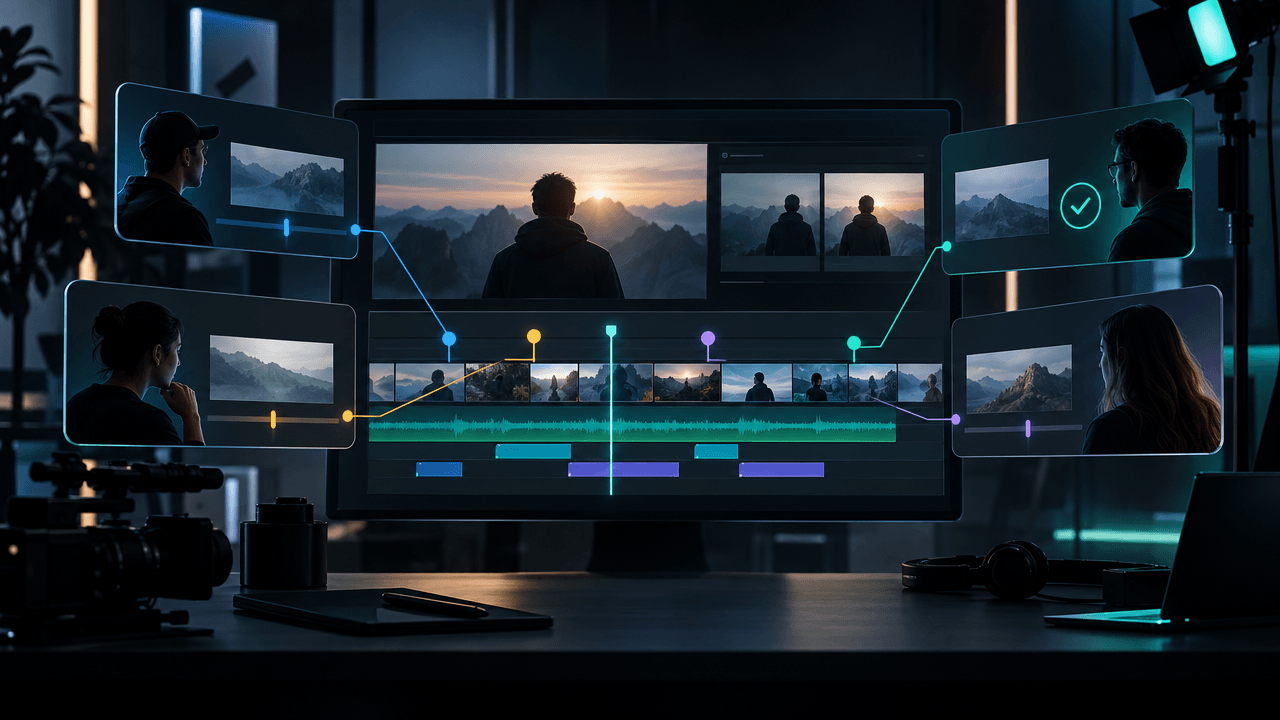
A YouTube agency or multi-channel operator does not just need a keyword tool, a thumbnail maker, or another AI script generator. You need a system that can handle research, strategy, client positioning, packaging, production briefs, scripts, thumbnails, voiceovers, approvals, editing, publishing, analytics, and reporting across more than one channel.
The real question is not:
What is the best YouTube tool?
The real question is:
What tool stack helps us produce better videos across multiple channels without turning the whole operation into chaos?
This guide breaks down the best YouTube tools for agencies and multi-channel operators in 2026 by workflow layer, not hype.
Key Takeaways
- YouTube agencies need a different tool stack than solo creators because they manage multiple niches, clients, channels, editors, designers, writers, and approval flows.
- The best agency stack separates strategy, production, editing, publishing, reporting, and approvals.
- OverseerOS is the strongest fit for YouTube strategy and pre-production because it helps teams reverse-engineer successful channels, find winning topics, plan content, create titles, generate scripts, design thumbnail directions, and keep ideas inside a YouTube-native workflow.
- YouTube Studio is still required for native uploads, permissions, analytics, and title/thumbnail testing.
- vidIQ and TubeBuddy are useful for SEO and optimization, but they are not full agency operating systems.
- Frame.io, ClickUp, Notion, Airtable, Trello, Descript, Canva, and OpusClip can all fit into the stack depending on how your agency produces videos.
- The biggest mistake is buying more tools before fixing the workflow.
Quick Verdict: Best YouTube Tools for Agencies in 2026
| Tool | Best For | Main Strength | Main Weakness |
|---|---|---|---|
| OverseerOS | YouTube strategy and pre-production | Reverse-engineering channels, finding patterns, planning topics, titles, scripts, thumbnails, and voiceovers | Not a generic project management or publishing tool |
| YouTube Studio | Native channel management | Uploads, analytics, permissions, comments, title/thumbnail testing | Not built for cross-client strategy workflows |
| vidIQ | YouTube SEO and competitor signals | Competitor tracking, keyword research, video optimization | Less focused on full production planning |
| TubeBuddy | YouTube optimization and channel tools | SEO, thumbnails, bulk tools, testing, optimization | More optimization-focused than agency workflow-focused |
| 1of10 | Outlier discovery | Finding viral video ideas, titles, and thumbnails | Narrower than a full agency production system |
| ViewStats | YouTube trend and competitor research | Trends, competitors, outliers, thumbnail search, A/B test discovery | Best as research support, not the whole workflow |
| Descript | Editing and transcript-based production | Text-based video/audio editing, transcription, captions | Not a YouTube strategy tool |
| OpusClip | Repurposing long videos into Shorts | Turns long videos into short clips for social distribution | Not built for original long-form strategy |
| Canva | Thumbnail and asset design | Brand kits, templates, design collaboration | Not deeply YouTube-pattern aware by itself |
| Frame.io | Review and approval | Time-coded feedback, client review, creative approvals | Does not solve ideation or YouTube strategy |
| ClickUp, Notion, Airtable, Trello | Team operations | Tasks, databases, calendars, assignments, handoffs | Requires a YouTube strategy layer on top |
| Hootsuite, Sprout Social, Metricool | Social scheduling and reporting | Multi-platform publishing, analytics, social management | Better for distribution than YouTube video strategy |
What Makes a YouTube Agency Tool Different?
A solo creator can survive with a messy setup.
A YouTube agency cannot.
When you manage one channel, you can keep ideas in your head. When you manage five, ten, or twenty channels, that breaks fast.
You need tools that help with:
- Multi-channel research
- Competitor tracking
- Topic validation
- Title and thumbnail planning
- Script direction
- Voiceover direction
- Editor handoff
- Client approvals
- Asset storage
- Version control
- Publishing notes
- Analytics and reporting
- Repeatable workflows
A solo creator asks:
What should I upload next?
An agency asks:
How do we repeatedly find, package, produce, approve, and report on videos across multiple channels without losing quality?
That is a much harder problem.
The 7 Layers of a Strong YouTube Agency Tool Stack
Do not think of your tools as one giant list.
Think in layers.
| Layer | Job | Example Tools |
|---|---|---|
| Strategy layer | Decide what to make and why | OverseerOS, 1of10, ViewStats, vidIQ |
| Packaging layer | Titles, thumbnails, hooks, angles | OverseerOS, Canva, TubeBuddy, YouTube Studio |
| Production planning layer | Scripts, briefs, voiceover plans, editor notes | OverseerOS, Notion, Google Docs, ClickUp |
| Editing layer | Video editing, captions, audio cleanup | Descript, Premiere Pro, CapCut, DaVinci Resolve |
| Review layer | Client comments, revisions, approvals | Frame.io, ClickUp proofing, Google Drive comments |
| Publishing layer | Uploads, metadata, scheduling | YouTube Studio, Hootsuite, Metricool, Sprout Social |
| Reporting layer | Performance analysis and client reports | YouTube Studio, Looker Studio, Hootsuite, Sprout, Metricool |
If your agency feels chaotic, it is usually because one tool is being forced to do three jobs it was never built for.
A project management tool can organize tasks, but it does not know which YouTube idea has breakout potential.
A keyword tool can help with SEO, but it does not create a full production brief.
A design tool can make thumbnails look clean, but it does not automatically understand which visual patterns are working in your niche.
A real YouTube agency stack needs each layer to do its job.
1. OverseerOS: Best for YouTube Strategy and Pre-Production
OverseerOS is the strongest fit for agencies and multi-channel operators who need to make better decisions before production starts.
Most YouTube tools help after you already know what video you want to make.
OverseerOS is built for the earlier and more valuable question:
What should we make, and what proven pattern should it follow?
Inside a multi-channel operation, this matters more than people realize.
If you pick weak topics, the scriptwriter cannot save the video.
If the title angle is boring, the thumbnail designer cannot save the click.
If the hook does not match the promise, the editor cannot save retention.
If every channel uses random ideas, the agency never builds a repeatable machine.
OverseerOS helps teams build from evidence instead of random brainstorming.
Use it for:
- Channel analysis
- Competitor research
- Breakout video discovery
- Smart Content Planners
- Finding winning topics
- Studying successful channels
- Creating channel blueprints
- Generating titles
- Writing scripts
- Planning thumbnails
- Generating voiceovers through the ElevenLabs-powered workflow
- Turning trends into script ideas
- Building repeatable pre-production workflows
The key advantage is that OverseerOS connects the research layer to the production layer.
That is what most agencies are missing.
They may already have editors.
They may already have designers.
They may already have writers.
But they do not have a reliable system for deciding what those people should make.
That is where OverseerOS helps agencies reverse-engineer successful YouTube channels and turn proven patterns into content plans.
Best for
- YouTube agencies
- Faceless channel teams
- Multi-channel operators
- Creator businesses with multiple editors or writers
- Channel managers
- Teams producing content for multiple niches
- Operators who want repeatable strategy instead of random content calendars
Main weakness
OverseerOS is not trying to replace every agency tool.
You will still likely use YouTube Studio for publishing, a project tool for task management, and an editing or review tool for post-production.
The best use is as the YouTube-native strategy and pre-production layer.
2. YouTube Studio: Best Native Tool Every Agency Still Needs
YouTube Studio is not optional.
Even if your agency uses a full external tool stack, YouTube Studio remains the native control center for uploads, channel analytics, content settings, comments, monetization, and performance review.
For teams, YouTube’s channel permissions matter because they allow owners to grant access through roles instead of sharing passwords. YouTube’s help docs explain how channel owners can add or remove access through Studio permissions. Source: YouTube Help
YouTube Studio is also important because YouTube now supports title and thumbnail A/B testing for eligible creators. YouTube’s official docs explain that creators can test up to three title or thumbnail variations inside Studio. Source: YouTube Help
For agencies, that means packaging is no longer just a creative debate.
It can become a testing workflow.
Use YouTube Studio for:
- Uploading videos
- Scheduling videos
- Managing titles, descriptions, thumbnails, end screens, and cards
- Reading native analytics
- Managing comments
- Setting channel permissions
- Testing titles and thumbnails where available
- Reviewing reach, engagement, audience, and revenue data
Best for
- Native YouTube publishing
- Channel access control
- Analytics
- Upload workflow
- Testing final packaging
Main weakness
YouTube Studio tells you what happened.
It does not fully solve what to make next, how to brief your team, how to organize multi-channel strategy, or how to turn competitor patterns into a production plan.
That is why agencies usually need YouTube Studio plus a strategy layer.
3. vidIQ: Best for YouTube SEO and Competitor Signals
vidIQ is useful for agencies that care about YouTube SEO, competitor tracking, keywords, and optimization signals.
Its competitor tool lets users add competitors and monitor top-performing content, including metrics like views and views per hour. Source: vidIQ
That makes it helpful when you want quick visibility into:
- Competitor channels
- Top videos
- Keyword ideas
- Tags
- SEO opportunities
- Upload trends
- Optimization suggestions
For agencies, vidIQ works well as a research and optimization layer.
It is especially useful when your client cares about search-driven content or wants more traditional YouTube SEO support.
Best for
- SEO-focused YouTube channels
- Keyword research
- Competitor tracking
- Optimization checks
- Agencies managing education, tutorial, review, or search-led channels
Main weakness
vidIQ is not a full agency workflow.
It can help you find signals, but you still need a system to turn those signals into a production brief, script direction, thumbnail concept, voiceover plan, and editor handoff.
4. TubeBuddy: Best for YouTube Optimization and Channel Tools
TubeBuddy is one of the best-known YouTube growth tools, especially for creators who want SEO, optimization, thumbnail, title, and channel management features.
TubeBuddy lists tools across SEO, content strategy, video and thumbnail tools, AI features, analytics, A/B testing, and bulk workflows. Source: TubeBuddy
For agencies, TubeBuddy can be useful when you need:
- Keyword research
- SEO Studio-style optimization
- Thumbnail tools
- Title tools
- Bulk actions
- Testing and optimization support
- YouTube workflow enhancements inside or near YouTube
TubeBuddy is practical for channels where search, metadata, and publishing optimization matter.
Best for
- YouTube SEO
- Metadata optimization
- Thumbnail and title testing workflows
- Bulk channel tasks
- Teams that want optimization support around uploads
Main weakness
TubeBuddy is strongest around optimization.
It is not the same as a full pre-production strategy system for deciding what to make across multiple channels and building a creative production workflow around proven patterns.
5. 1of10: Best for Finding Outlier Video Ideas
1of10 is useful for creators and teams who want to find viral ideas, titles, and thumbnails. Its own site positions it around finding viral ideas, titles, and thumbnails, with features like thumbnail search, Shorts outliers, similar thumbnails, and similar titles. Source: 1of10
For agencies, outlier discovery is valuable because it helps answer:
Which videos overperformed compared to the channel’s normal baseline?
That is more useful than just sorting by raw views.
A video with 300,000 views on a channel that normally gets 20,000 views may reveal a stronger pattern than a 2 million view video from a giant channel that gets 2 million views every week.
Use 1of10 when you want:
- Fast viral idea discovery
- Outlier research
- Title inspiration
- Thumbnail inspiration
- Format inspiration
- Shorts trend discovery
Best for
- Ideation
- Outlier detection
- Fast research sessions
- Agencies that need topic inspiration across niches
Main weakness
1of10 is best as a research tool, not a complete production workflow.
You still need to turn the idea into a title, thumbnail concept, hook, script, production brief, voiceover direction, and publishing plan.
6. ViewStats: Best for YouTube Trend and Competitor Research
ViewStats is another strong research tool for teams that want to study trends, competitors, outliers, thumbnails, and channel performance.
Its Pro page lists features such as outlier video search, A/B tests, thumbnail search, alerts, collections, creator dashboard, and competitors. Source: ViewStats
For a YouTube agency, this can help with:
- Trend spotting
- Competitor research
- Thumbnail research
- Outlier discovery
- Watching title and thumbnail changes
- Building inspiration libraries
- Monitoring what is gaining traction
ViewStats is especially useful when packaging is a major part of the agency’s workflow.
Best for
- YouTube research
- Competitor monitoring
- Thumbnail and title inspiration
- Trend discovery
- Packaging analysis
Main weakness
The more you use tools built around competitor inspiration, the more careful your process needs to be.
The goal is to model patterns, not copy creators.
Use these tools to understand why something works, then create an original version for your client or channel.
7. Descript: Best for Transcript-Based Editing and Creator-Friendly Production
Descript is strong for teams that want faster video and audio editing without living inside a traditional timeline.
Descript describes its editor as a tool where editing video and audio works more like editing text, with features for recording, transcription, captions, screen recording, and AI-assisted editing. Source: Descript
For YouTube agencies, Descript works well for:
- Talking-head videos
- Podcasts
- Tutorials
- Founder-led content
- Course-style content
- Simple edits
- Caption workflows
- Transcript cleanup
- Removing filler words
- Repurposing spoken content
It is especially useful for agencies working with clients who record raw footage, Looms, podcasts, interviews, or educational videos.
Best for
- Fast editing
- Audio cleanup
- Transcript-based workflows
- Captions
- Talking-head and podcast-style YouTube content
Main weakness
Descript does not decide the YouTube strategy for you.
It helps production move faster, but the video still needs a strong topic, angle, title, thumbnail, hook, and structure before editing begins.
8. OpusClip: Best for Turning Long Videos Into Shorts
OpusClip is useful for agencies that repurpose long-form videos into short clips.
Its site positions the tool around turning one long video into multiple short clips and publishing across social platforms. Source: OpusClip
For YouTube agencies, this is useful when a client already has:
- Podcasts
- Interviews
- Webinars
- Long-form YouTube videos
- Livestreams
- Courses
- Speaking clips
The agency can turn one long asset into multiple Shorts, TikToks, Reels, or social clips.
Best for
- Repurposing long-form content
- Shorts workflows
- Podcast clipping
- Social distribution
- Increasing output from existing videos
Main weakness
OpusClip is not a replacement for original YouTube strategy.
It helps extract clips from existing content. It does not replace the need to decide what long-form videos should be made in the first place.
9. Canva: Best for Fast Thumbnail Design and Brand Consistency
Canva is useful for teams that need fast design workflows, especially when managing multiple brands or clients.
Canva’s Brand Kit lets teams organize logos, colors, fonts, and brand assets in one place. Source: Canva Help
For agencies, Canva works well for:
- Thumbnail drafts
- Client social graphics
- Brand templates
- Channel banners
- Community posts
- Presentation assets
- Simple design collaboration
Canva is especially strong when a client needs consistent branding across multiple social platforms.
Best for
- Fast design
- Brand kits
- Thumbnail templates
- Client asset systems
- Non-designer collaboration
Main weakness
Canva can help you make a clean thumbnail.
But a clean thumbnail is not always a clickable YouTube thumbnail.
For YouTube packaging, agencies still need to understand focal points, curiosity, contrast, emotion, title-thumbnail tension, and patterns that already worked.
That is why a workflow like OverseerOS Thumbnail Designer is useful when the goal is not just “make it look good,” but “build from proven YouTube thumbnail patterns.”
10. Frame.io: Best for Video Review and Client Approvals
Frame.io is one of the most useful tools for agencies that deal with video feedback and client approvals.
Frame.io focuses on creative file management, review, and approval, with feedback features for videos, images, and documents. Source: Frame.io
Its review and approval features include anchored comments, so feedback can be placed directly where it matters on the asset. Source: Frame.io
For YouTube agencies, this can reduce the classic revision nightmare:
“Can you change the part around the middle where the music feels weird?”
Instead, the client can comment on the exact timestamp or visual moment.
Use Frame.io for:
- Client review
- Editor feedback
- Approval workflows
- Version comparison
- Creative asset review
- Timestamped comments
- Video collaboration
Best for
- Agencies with client approvals
- Video editing teams
- Revision-heavy workflows
- Multi-stakeholder feedback
Main weakness
Frame.io helps after the asset exists.
It does not solve ideation, research, scripts, thumbnails, or YouTube strategy.
11. ClickUp, Notion, Airtable, and Trello: Best for Operations
Every YouTube agency needs an operations layer.
This is where project management tools fit.
You can use:
- Trello for simple Kanban boards
- Notion for flexible documentation and databases
- Airtable for structured content pipelines
- ClickUp for tasks, docs, approvals, and more advanced project management
ClickUp, for example, has discussed agency workflows and proofing features that let reviewers add comments and annotations to uploaded creative assets. Source: ClickUp
These tools are useful for:
- Assigning writers
- Assigning editors
- Tracking deadlines
- Managing clients
- Storing briefs
- Tracking production status
- Managing approvals
- Building calendars
- Organizing assets
Best for
- Task management
- Team coordination
- Production tracking
- Content calendars
- Client workflow visibility
Main weakness
Project management tools organize the work.
They do not tell you which YouTube ideas are worth producing.
That is why agencies often need a YouTube strategy tool plus a project management tool.
Example stack:
OverseerOS for strategy and pre-production
ClickUp or Trello for task management
Frame.io for review
YouTube Studio for publishing and analytics
12. Hootsuite, Sprout Social, and Metricool: Best for Social Publishing and Reporting
If your agency manages YouTube plus other platforms, social media management tools can help.
Hootsuite supports YouTube analytics and lets teams monitor metrics like subscriber growth, engagement, views, and average view duration. Source: Hootsuite
Sprout Social positions itself around publishing, engagement, analytics, monitoring, and listening. Source: Sprout Social
Metricool focuses on planning, measuring, and managing social media and ad content from one tool. Source: Metricool
These tools are useful when your agency manages:
- YouTube
- TikTok
- X
- Client social reports
- Cross-platform campaigns
Best for
- Social scheduling
- Multi-platform reporting
- Client dashboards
- Social media teams
- Agencies managing more than YouTube
Main weakness
These platforms are usually better for distribution and reporting than YouTube-native content strategy.
They help you manage posts.
They do not fully solve what YouTube video should exist next.
Best YouTube Agency Stack by Team Size
Small Agency: 1 to 3 Clients
If you are just starting, do not overcomplicate the stack.
Use:
| Need | Recommended Tool |
|---|---|
| Strategy and planning | OverseerOS |
| Native publishing and analytics | YouTube Studio |
| Project tracking | Trello or Notion |
| Thumbnails | OverseerOS + Canva |
| Editing | CapCut, Descript, Premiere Pro, or editor |
| Review | Google Drive comments or Frame.io if needed |
The goal at this stage is speed and clarity.
Do not buy enterprise tools before your workflow is stable.
Growing Agency: 4 to 10 Clients
At this level, you need more structure.
Use:
| Need | Recommended Tool |
|---|---|
| YouTube research and pre-production | OverseerOS |
| SEO and optimization | vidIQ or TubeBuddy |
| Task management | ClickUp, Airtable, or Notion |
| Client review | Frame.io |
| Editing | Descript, Premiere Pro, DaVinci Resolve, or editor team |
| Thumbnail production | OverseerOS + Canva or dedicated designer |
| Publishing and reporting | YouTube Studio + Metricool or Hootsuite |
The biggest shift here is handoff quality.
You need better briefs, cleaner approval steps, and fewer random Slack messages.
This is where the YouTube production brief template becomes useful.
Multi-Channel Operator: 10+ Channels or High Output
At this level, the bottleneck is not effort.
The bottleneck is decision quality.
Use:
| Need | Recommended Tool |
|---|---|
| Channel strategy and research | OverseerOS |
| Competitor monitoring | OverseerOS + ViewStats or 1of10 |
| SEO optimization | vidIQ or TubeBuddy |
| Production system | ClickUp or Airtable |
| Asset review | Frame.io |
| Design workflow | OverseerOS Thumbnail Designer + Canva or dedicated thumbnail team |
| Voiceover workflow | OverseerOS ElevenLabs-powered voiceover workflow or dedicated VO stack |
| Social repurposing | OpusClip |
| Reporting | YouTube Studio, Looker Studio, Hootsuite, Sprout, or Metricool |
At this stage, you should not let every channel run differently.
You need repeatable operating systems:
- Research system
- Brief system
- Packaging system
- Script system
- Thumbnail system
- Editing system
- Publishing system
- Review system
- Reporting system
That is how a multi-channel operation becomes scalable.
The Best YouTube Agency Workflow
Here is the workflow I would build if I were running a serious YouTube agency in 2026.
Step 1: Analyze the Channel and Competitors
Before creating anything, study the niche.
Look for:
- Which competitor videos are breaking out?
- Which formats repeat?
- Which titles create curiosity?
- Which thumbnails are getting reused?
- Which topics are dying?
- Which viewer problems keep coming back?
- Which videos got unusually high views compared to the channel average?
Use OverseerOS, ViewStats, 1of10, vidIQ, or TubeBuddy for this layer.
Step 2: Choose the Video Pattern
Do not just choose a topic.
Choose a format.
Weak:
AI tools
Better:
I tested 7 AI tools for building a faceless channel
Weak:
Productivity tips
Better:
I followed the daily routine of 5 high-output founders
Weak:
YouTube thumbnails
Better:
I redesigned 10 dead thumbnails using the same 3 rules
A topic gives you direction.
A format gives you a video.
Step 3: Build the Production Brief
Every video should have a brief before the writer, designer, editor, or voiceover artist starts.
Include:
- Target viewer
- Main promise
- Title options
- Thumbnail direction
- Hook plan
- Script structure
- Visual direction
- Voiceover direction
- Source links
- Editor notes
- CTA
This protects the team from making five different versions of the same video.
Step 4: Create Title and Thumbnail Direction Before the Full Script
For YouTube, packaging comes early.
The title and thumbnail define the promise.
The script and edit should deliver that promise.
If the thumbnail promises “I exposed the hidden mistake,” the video cannot open like a generic tutorial.
If the title promises “I studied 100 channels,” the video needs proof early.
If the thumbnail creates fear, the intro cannot sound casual and slow.
Step 5: Produce the Script, Voiceover, and Visual Notes Together
Do not treat the script as isolated text.
A good production system connects:
- Script sections
- Voiceover tone
- Visual references
- On-screen text
- Examples
- B-roll
- Thumbnail promise
- Editor notes
This is why disconnected AI writing tools often fail.
They create words, not videos.
Step 6: Edit With a Clear Retention Goal
The editor needs more than “make it engaging.”
Give direction like:
- Where should pacing speed up?
- Where should the viewer see proof?
- Which moments need captions?
- Which sections need diagrams?
- Which examples need zooms or highlights?
- Which parts should feel dramatic?
- Which parts should feel clean and educational?
- What should be removed if the video feels slow?
The best agencies do not rely on editors to guess strategy.
They brief strategy before the edit starts.
Step 7: Review, Approve, Publish, and Learn
After publishing, track:
- Click-through rate
- Average view duration
- Retention dips
- Traffic sources
- Returning vs new viewers
- Comments
- Title/thumbnail test results if available
- Topic performance compared to previous uploads
- Format performance compared to other videos
Then turn the learning into the next brief.
That is the loop:
Research → Pattern → Brief → Package → Script → Edit → Publish → Learn → Repeat
Tool Stack Examples by Agency Type
Faceless YouTube Automation Agency
| Workflow Need | Tool |
|---|---|
| Channel research | OverseerOS |
| Competitor tracking | OverseerOS, ViewStats, 1of10 |
| Scripts | OverseerOS |
| Voiceovers | OverseerOS ElevenLabs-powered workflow or ElevenLabs directly |
| Thumbnails | OverseerOS Thumbnail Designer + Canva or designer |
| Editing | Premiere Pro, CapCut, DaVinci Resolve, or editor team |
| Review | Frame.io |
| Operations | Trello, ClickUp, Notion, or Airtable |
Creator Personal Brand Agency
| Workflow Need | Tool |
|---|---|
| Strategy | OverseerOS |
| YouTube SEO | vidIQ or TubeBuddy |
| Recording and rough editing | Descript |
| Design | Canva |
| Client review | Frame.io |
| Publishing | YouTube Studio |
| Repurposing | OpusClip |
| Operations | ClickUp or Notion |
YouTube SEO Agency
| Workflow Need | Tool |
|---|---|
| Keyword research | vidIQ or TubeBuddy |
| Channel audit | YouTube Studio, vidIQ, TubeBuddy |
| Competitor research | OverseerOS, vidIQ, ViewStats |
| Content planning | OverseerOS |
| Metadata workflow | TubeBuddy or vidIQ |
| Reporting | YouTube Studio, Looker Studio, Hootsuite, Metricool |
Multi-Channel Media Operator
| Workflow Need | Tool |
|---|---|
| Strategy OS | OverseerOS |
| Trend discovery | OverseerOS Trend to Script, ViewStats |
| Competitor tracking | OverseerOS |
| Topic pipeline | OverseerOS Smart Content Planner |
| Production management | Airtable or ClickUp |
| Review and approvals | Frame.io |
| Design workflow | OverseerOS + Canva |
| Shorts repurposing | OpusClip |
| Publishing | YouTube Studio |
| Reporting | YouTube Studio + custom dashboard |
What to Look for in YouTube Agency Tools
Before buying another tool, judge it against this checklist.
Strategy Fit
- Does it help us decide what videos to make?
- Does it show competitor patterns?
- Does it identify breakout videos?
- Does it help us understand titles, thumbnails, hooks, and formats?
- Does it reduce guessing?
Production Fit
- Does it help us turn ideas into briefs?
- Does it support scripts, thumbnails, and voiceover planning?
- Does it help writers and editors understand the same creative direction?
- Does it reduce revisions?
Team Fit
- Can multiple people use it cleanly?
- Does it fit our current workflow?
- Does it reduce Slack chaos?
- Does it make client approvals easier?
- Does it create accountability?
Channel Fit
- Is it actually built for YouTube?
- Does it understand YouTube packaging?
- Does it help with retention, not just SEO?
- Does it support multiple niches or channels?
- Does it help us learn from performance?
Business Fit
- Does it save time?
- Does it improve output quality?
- Does it reduce production waste?
- Does it help us serve more clients?
- Does it make reporting easier?
- Does it protect margins?
The best tools are not the flashiest.
They are the ones that remove bottlenecks.
Common Mistakes Agencies Make With YouTube Tools
Mistake 1: Buying Tools Before Defining the Workflow
A tool cannot fix a broken process.
Before adding software, define the workflow:
- How do we research ideas?
- Who approves topics?
- Who creates titles?
- Who creates thumbnails?
- Who writes scripts?
- Who checks the brief?
- Who edits?
- Who reviews?
- Who publishes?
- Who reports performance?
If that workflow is unclear, every tool will feel messy.
Mistake 2: Treating YouTube Like Generic Social Media
YouTube is not just another platform in a social calendar.
A YouTube video needs:
- Click strategy
- Retention strategy
- Search or browse intent
- Thumbnail psychology
- Title tension
- Hook design
- Viewer payoff
- Session thinking
- Topic-market fit
A generic social scheduler helps you publish.
It does not help you create a video people want to watch.
Mistake 3: Separating Strategy From Production
This is the killer mistake.
A strategist finds a good idea.
A writer writes something slightly different.
A thumbnail designer makes another angle.
An editor cuts a fourth version.
The client approves based on taste.
The final video has no clear promise.
The fix is a shared production brief.
The brief should connect strategy, title, thumbnail, hook, script, voiceover, and edit direction before production starts.
Mistake 4: Only Tracking Views
Views matter, but agencies should also track:
- Topic performance
- Format performance
- Title angle performance
- Thumbnail pattern performance
- Hook performance
- Retention drop-off points
- Returning viewer response
- Search vs browse traffic
- Client approval time
- Revisions per video
- Production cost per video
- Time from idea to publish
The best agency knows not just what performed, but why it performed.
Mistake 5: Copying Competitors Too Closely
Competitor research is powerful, but lazy copying is dangerous and weak.
Model:
- Formats
- Topic clusters
- Packaging principles
- Hook structures
- Pacing patterns
- Proof types
- Viewer problems
Do not copy:
- Exact titles
- Exact thumbnail layouts
- Scripts
- Personal stories
- Brand identity
- Unique visuals
- Creator voice
The goal is to understand the pattern and create an original version.
The Best Stack for Most YouTube Agencies
If you want the cleanest practical stack, I would start here:
| Layer | Recommended Tool |
|---|---|
| Strategy and pre-production | OverseerOS |
| Native publishing and analytics | YouTube Studio |
| SEO and optimization | vidIQ or TubeBuddy |
| Team workflow | ClickUp, Notion, Airtable, or Trello |
| Thumbnail design support | OverseerOS Thumbnail Designer + Canva |
| Editing | Descript, Premiere Pro, DaVinci Resolve, CapCut, or editor team |
| Review and approval | Frame.io |
| Shorts repurposing | OpusClip |
| Social reporting | Hootsuite, Sprout Social, Metricool, or custom dashboard |
This stack works because each tool has a clear job.
OverseerOS decides and plans.
YouTube Studio publishes and measures.
vidIQ or TubeBuddy supports optimization.
Canva supports design.
Descript or your editor handles production.
Frame.io handles feedback.
ClickUp, Notion, Airtable, or Trello handles operations.
OpusClip extracts short-form value.
Hootsuite, Sprout, or Metricool handles broader social reporting.
Do not force one tool to do everything.
Build the stack around the workflow.
Why OverseerOS Belongs at the Center of a YouTube Agency Stack
The most expensive mistake in a YouTube agency is producing the wrong video.
Not a bad edit.
Not a weak description.
Not a missing tag.
The wrong video.
A video with no real demand.
A video based on a random idea.
A video with a weak angle.
A video copied from a competitor without understanding the pattern.
A video where the title, thumbnail, hook, and script all point in different directions.
That is why the strategy layer matters so much.
OverseerOS is built for the part of the workflow where the highest-leverage decisions happen:
- Which channels should we study?
- Which videos are breaking out?
- Which topics keep working?
- Which title patterns repeat?
- Which thumbnail styles create curiosity?
- Which video formats can we adapt?
- Which ideas should move into production?
- How do we turn research into scripts, thumbnails, and voiceovers?
For a solo creator, that saves time.
For an agency, it protects margins.
Because every bad idea that enters production costs money.
If you want to build your YouTube agency around proven patterns instead of random brainstorming, start with OverseerOS as your YouTube strategy and pre-production layer.
Final Verdict: The Best YouTube Tool Depends on the Layer
There is no single tool that replaces an entire YouTube agency.
The best stack depends on what part of the operation you are trying to fix.
If your problem is native publishing, use YouTube Studio.
If your problem is SEO, use vidIQ or TubeBuddy.
If your problem is outlier discovery, use 1of10 or ViewStats.
If your problem is editing, use Descript or a professional editing tool.
If your problem is client feedback, use Frame.io.
If your problem is team coordination, use ClickUp, Notion, Airtable, or Trello.
If your problem is social scheduling, use Hootsuite, Sprout Social, or Metricool.
But if your problem is the most important one:
We need a better system for finding, planning, packaging, and producing videos across multiple channels.
Then OverseerOS should be the center of the stack.
Because agencies do not win by uploading more random videos.
They win by building a repeatable system around what already works.
FAQ
What are the best YouTube tools for agencies?
The best YouTube tools for agencies include OverseerOS for strategy and pre-production, YouTube Studio for native publishing and analytics, vidIQ or TubeBuddy for SEO and optimization, Frame.io for review and approvals, Canva for design, Descript for editing, OpusClip for repurposing, and ClickUp, Notion, Airtable, or Trello for operations.
What is the best YouTube tool for multi-channel operators?
OverseerOS is one of the strongest fits for multi-channel operators because it helps teams analyze channels, track competitors, find winning topics, create content planners, generate titles, write scripts, plan thumbnails, and build repeatable pre-production workflows.
Do YouTube agencies still need YouTube Studio?
Yes. YouTube Studio is still required for native uploads, permissions, analytics, comments, title and thumbnail testing, and channel management. External tools can support the workflow, but YouTube Studio remains the native control center.
Is vidIQ or TubeBuddy better for YouTube agencies?
vidIQ is strong for competitor insights, keyword research, and optimization signals. TubeBuddy is strong for SEO, channel optimization, thumbnails, title tools, testing, and bulk workflows. Agencies focused on YouTube SEO may use either depending on their workflow.
What tools should a faceless YouTube agency use?
A faceless YouTube agency should use OverseerOS for research, planning, scripts, thumbnails, and voiceover workflow, YouTube Studio for publishing, a project tool like Trello or ClickUp for operations, an editing tool or editor team for production, and Frame.io or Google Drive for feedback.
What is the best tool for YouTube client approvals?
Frame.io is one of the strongest tools for YouTube client approvals because it supports video review, comments, and creative feedback workflows. ClickUp and Google Drive can work for simpler teams.
What is the best YouTube tool for content planning?
OverseerOS is the strongest fit if you want YouTube-native content planning based on channel analysis, competitor tracking, winning topic discovery, Smart Content Planners, scripts, thumbnails, and voiceovers. Notion, Airtable, Trello, and ClickUp are useful for organizing the calendar, but they need a strategy layer on top.
What is the best YouTube tool for thumbnails?
Canva is strong for fast design and brand templates. OverseerOS is stronger when you want YouTube-specific thumbnail direction based on proven patterns, thumbnail style inspiration, and creator packaging strategy.
Can agencies use AI for YouTube production?
Yes. Agencies can use AI for research, ideation, titles, scripts, voiceovers, thumbnails, editing support, captions, and repurposing. The mistake is using AI without strategy. AI works better when it starts from proven YouTube patterns and clear production briefs.
What is the biggest mistake YouTube agencies make with tools?
The biggest mistake is buying disconnected tools without a clear workflow. A strong agency stack needs a strategy layer, production planning layer, editing layer, review layer, publishing layer, and reporting layer. Otherwise, every new tool just creates another tab.