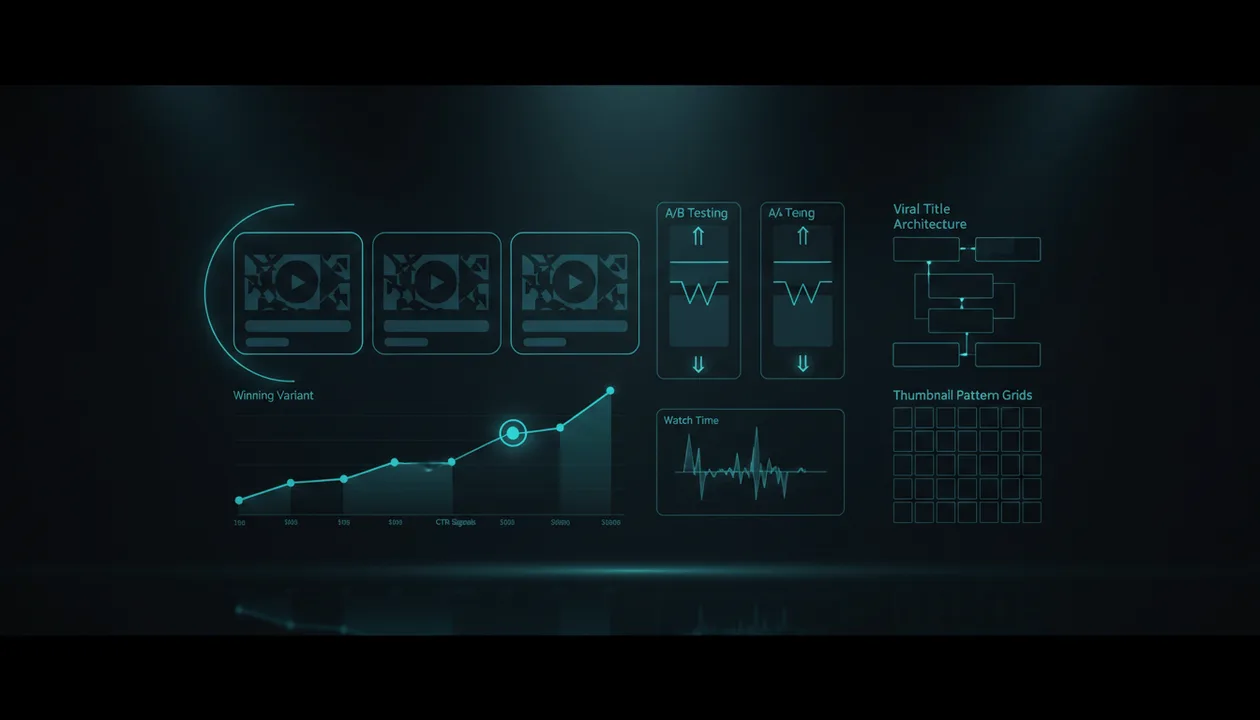
Most creators do not have a testing problem.
They have a variant problem.
They run a YouTube title or thumbnail test with three weak options, wait for the result, and then act surprised when nothing changes.
Testing only works when the things you test are meaningfully different, strategically built, and strong enough to compete in the first place.
A better workflow is not:
Make three random thumbnails and let YouTube decide.
A better workflow is:
Reverse-engineer proven title and thumbnail patterns, create strong variants, test them properly, then use the results to improve the next video.
That is why the best YouTube title and thumbnail testing tools in 2026 are not only the tools that run the test. They are also the tools that help you create better things to test.
This guide compares the best YouTube title and thumbnail testing tools, what each one is best for, where each one falls short, and how to build a testing workflow that actually improves your videos.
Quick Verdict: Best YouTube Title and Thumbnail Testing Tools in 2026
| Tool | Best For | Main Strength | Main Weakness |
|---|---|---|---|
| YouTube Studio Test & Compare | Official title, thumbnail, and title-thumbnail A/B testing | Native testing inside YouTube with winners based on watch time | Does not help you create strong variants before the test |
| OverseerOS | Creating stronger title and thumbnail variants before testing | Viral Title Architect, 1M+ View Titles, thumbnail generation, URL/style cloning, channel pattern analysis | Not the final native A/B test layer |
| TubeBuddy | Third-party A/B testing, metadata tests, and YouTube optimization | Tests thumbnails, metadata, titles, descriptions, tags, and more | Better as an optimization/testing suite than a full pattern-generation engine |
| ThumbnailTest | Dedicated YouTube thumbnail and title testing | Tests thumbnails, titles, or both with simple metrics | More focused on running tests than generating strategy-backed variants |
| TubeAnalytics | Analytics-led thumbnail and title testing | Positions around live impressions, CTR, and statistical confidence | Better for analytics-heavy creators than early-stage creators |
| Thumblytics | AI thumbnail/title analysis and scoring before publishing | Generates, analyzes, and scores title-thumbnail combinations | AI scores are not the same as real audience testing |
| Canva | Designing thumbnail variants | Fast thumbnail creation, templates, AI media, and brand assets | Does not validate whether the idea or title-thumbnail pair is strong |
| vidIQ | Title ideas, thumbnails, SEO, and creator optimization | Useful for generating and optimizing titles and ideas | Not mainly a title-thumbnail A/B testing platform |
| ChatGPT / Claude | Variant brainstorming and title-thumbnail strategy | Flexible ideation and angle expansion | Needs real YouTube research inputs to avoid generic variants |
Key Takeaways
- YouTube title and thumbnail testing only works if your variants are strong enough to deserve testing.
- YouTube Studio’s A/B testing can test title only, thumbnail only, or title and thumbnail combinations for eligible creators, with up to three variations. YouTube determines the winner based on watch time, not just clicks. Source: YouTube Help
- OverseerOS is the strongest pre-test tool because it helps creators generate better title and thumbnail variants from proven patterns before running the test.
- OverseerOS can reverse-engineer titles using Viral Title Architect, generate titles inspired by 1M+ view videos, clone thumbnail styles from URLs, create thumbnails from analyzed channel patterns, and use a 1M+ view thumbnail style library.
- TubeBuddy and ThumbnailTest are useful if you want third-party testing workflows.
- Canva and Thumblytics can help create or score thumbnail concepts, but they do not replace real viewer behavior.
- The best workflow is: competitor research → title variants → thumbnail variants → testing → performance review → better future packaging.
What Is YouTube Title and Thumbnail Testing?
YouTube title and thumbnail testing is the process of comparing different title and/or thumbnail options to see which one performs better with real viewers.
The point is not just to get more clicks.
The point is to find the combination that attracts the right viewers and keeps them watching.
That is why YouTube’s native testing uses watch time to determine the winner. A thumbnail that gets more clicks but brings the wrong audience may lose to a thumbnail that gets fewer clicks but produces better viewing sessions.
That distinction matters.
A bad creator asks:
Which thumbnail gets the highest CTR?
A better creator asks:
Which title-thumbnail combination gets the right viewer to click and keep watching?
That is the real game.
Why Testing Alone Does Not Fix Weak Packaging
Testing is not magic.
If you test three weak thumbnails, you only learn which weak thumbnail is least bad.
If you test three generic titles, you only learn which generic title performed slightly better.
That is why creators often get disappointed by A/B testing.
The tool is not the problem.
The inputs are.
Weak test:
| Variant | Problem |
|---|---|
| Thumbnail A | Same layout, different background color |
| Thumbnail B | Same layout, slightly different text |
| Thumbnail C | Same layout, different arrow |
That is not a serious test.
Strong test:
| Variant | What It Tests |
|---|---|
| Thumbnail A | Fear angle |
| Thumbnail B | Curiosity angle |
| Thumbnail C | Transformation angle |
That teaches you something.
The same applies to titles.
Weak title test:
Best AI Tools for YouTube
Top AI Tools for YouTube
AI Tools Every YouTuber Needs
Strong title test:
I Tested 12 AI Tools for YouTube. Only 4 Were Useful.
Most AI YouTube Tools Waste Your Time. These Actually Help.
I Replaced My YouTube Workflow With AI for 7 Days.
The second test compares different psychological hooks:
- Experiment
- Warning
- Transformation
That is useful.
The Best YouTube Title and Thumbnail Testing Tools in 2026
1. YouTube Studio Test & Compare: Best Official A/B Testing Tool
YouTube Studio is now the most important testing tool because it is native.
YouTube’s official A/B testing feature lets eligible creators test:
- Title only
- Thumbnail only
- Title and thumbnail combinations
Creators can test up to three variations, and YouTube uses watch time to choose the winner. Source: YouTube Help
This makes YouTube Studio the cleanest testing layer for creators who want first-party results.
Best For
- Official YouTube A/B testing
- Testing titles
- Testing thumbnails
- Testing title-thumbnail combinations
- Long-form videos
- Existing videos
- Creators with advanced features enabled
- Performance validation
Main Strength
YouTube Studio gives you native testing.
That matters because you are not guessing from a mockup, survey, or AI score.
You are testing against real YouTube viewer behavior.
Also, because YouTube looks at watch time, the test is not purely about clickbait.
It is about the title and thumbnail combination that gets viewers to click and then continue watching.
Main Weakness
YouTube Studio does not create strong variants for you.
It lets you test, but it does not answer:
- What title patterns should I test?
- What thumbnail angles should I create?
- Which competitor titles are working?
- Which thumbnail styles already crossed 1M+ views?
- What does this channel’s title architecture look like?
- Which visual pattern should I adapt?
That is why YouTube Studio works best after you already have strong variants.
Verdict
Use YouTube Studio Test & Compare as the final testing layer.
Use a tool like OverseerOS before the test to create stronger title and thumbnail options.
2. OverseerOS: Best for Creating Stronger Variants Before Testing
OverseerOS is not just a title or thumbnail generator.
It is the strategy layer before the test.
That matters because most creators do not fail because they cannot test. They fail because they test weak options.
OverseerOS helps creators reverse-engineer what already works, then turn those patterns into title and thumbnail variants worth testing.
It can help with:
- Viral Title Architect
- 1M+ View Titles
- Thumbnail generation from scratch
- Thumbnail cloning from any YouTube URL
- Thumbnail style generation from analyzed channels
- 1M+ view thumbnail style library
- Channel analysis
- Outlier video research
- Content gap discovery
- Script and title alignment
This is the missing layer in most testing workflows.
How OverseerOS Helps With Title Variants
OverseerOS can generate titles in two powerful ways.
First, Viral Title Architect can reverse-engineer the title format of an analyzed channel and create new title ideas in that same structural format.
That means if a channel’s winning title pattern is:
I Studied [X] and Found [Unexpected Pattern]
Your topic can become:
I Studied 100 Viral Thumbnails and Found the Pattern Small Creators Miss
If the pattern is:
Why [Popular Thing] Is Actually [Contrarian Truth]
Your topic can become:
Why Most AI YouTube Tools Are Actually Slowing Creators Down
Second, the 1M+ View Titles feature helps creators enter a topic and get title ideas inspired by videos that already crossed 1M+ views on YouTube.
That is not random title generation.
It is title generation from proven patterns.
For a deeper breakdown, see the guide to best YouTube title generator tools.
How OverseerOS Helps With Thumbnail Variants
OverseerOS also helps create thumbnail variants before testing.
It can help creators:
- Generate thumbnails from scratch
- Clone a thumbnail style from any YouTube URL
- Generate thumbnails from analyzed channel styles
- Use a 1M+ view thumbnail style library
- Create concepts based on proven composition, contrast, emotional hook, text hierarchy, and visual structure
That means your variants can test real angles, not tiny design tweaks.
Instead of testing:
Blue background vs red background
You can test:
Before/after transformation
vs
single shocked focal point
vs
visual proof with result shown
That is much more useful.
For thumbnail workflows, see the AI YouTube thumbnail generator built from proven thumbnail styles.
Best For
- Creators who want better variants before running a test
- Faceless YouTube channels
- Creator teams
- YouTube automation workflows
- Channels that care about titles and thumbnails
- Creators using YouTube Studio testing
- Creators who want titles based on analyzed channel formats
- Creators who want thumbnails inspired by proven 1M+ view patterns
Main Strength
OverseerOS helps you create better test inputs.
That is the biggest advantage.
A/B testing tools tell you which option won.
OverseerOS helps you create options that deserve to compete.
That makes it the perfect tool to use before YouTube Studio, TubeBuddy, ThumbnailTest, or any other testing platform.
Main Weakness
OverseerOS is not the final native A/B testing platform.
You still need YouTube Studio or another testing tool to run live tests against real viewer behavior.
Verdict
Use OverseerOS before testing.
Create stronger title and thumbnail variants from proven patterns, then validate them with YouTube Studio or your preferred A/B testing tool.
If you want to stop testing random guesses, use OverseerOS to reverse-engineer high-performing YouTube titles and thumbnails before you run the test.
3. TubeBuddy: Best Third-Party YouTube A/B Testing Suite
TubeBuddy is one of the most established YouTube optimization platforms.
Its A/B testing tools allow creators to test thumbnails and metadata. TubeBuddy’s A/B testing page says creators can test more than thumbnails, including titles, descriptions, tags, and more. Source: TubeBuddy
TubeBuddy also has a dedicated thumbnail testing workflow where creators can create A/B tests, choose a video, select a thumbnail or metadata test, define the test length, and run the test. Source: TubeBuddy
Best For
- YouTube creators who want third-party testing
- Thumbnail tests
- Metadata tests
- Title tests
- Description and tag tests
- YouTube SEO workflows
- Creators already using TubeBuddy
- Channels with many published videos
Main Strength
TubeBuddy is useful because it combines testing with broader YouTube optimization.
You can test packaging, review SEO, use title tools, analyze thumbnails, and manage optimization from one toolkit.
That makes it especially helpful for creators who already rely on TubeBuddy for channel workflows.
Main Weakness
TubeBuddy is stronger as an optimization and testing suite than as a viral title and thumbnail pattern-generation system.
It can help run tests, but you still need strong strategic variants to test.
Verdict
Use TubeBuddy if you want third-party testing plus YouTube optimization.
Use OverseerOS before TubeBuddy to create better title and thumbnail variants based on proven patterns.
4. ThumbnailTest: Best Dedicated Title and Thumbnail Testing Tool
ThumbnailTest is a dedicated YouTube A/B testing platform.
Its homepage says creators can A/B test thumbnails, titles, or both, test as many thumbnails as they want hourly or daily, view simple metrics, collaborate with teammates, and revive underperforming videos. Source: ThumbnailTest
This makes ThumbnailTest a strong option for creators who want a focused testing tool instead of a broader YouTube optimization suite.
Best For
- Dedicated thumbnail testing
- Title testing
- Title-thumbnail tests
- Creator teams
- Channels testing many videos
- Reviving older videos
- Clear testing workflows
Main Strength
ThumbnailTest is built specifically for testing packaging.
That focus is useful.
If your main bottleneck is:
Which title or thumbnail should I use?
ThumbnailTest gives you a testing workflow built around that question.
Main Weakness
ThumbnailTest helps run the test, but it does not replace strategic variant creation.
You still need to decide which title angles and thumbnail concepts are worth testing.
Verdict
Use ThumbnailTest if you want a dedicated testing platform.
Use OverseerOS before ThumbnailTest to generate better title and thumbnail options from real YouTube patterns.
5. TubeAnalytics: Best for Analytics-Led Testing
TubeAnalytics positions itself around YouTube analytics, competitor tracking, thumbnail and title testing, CPM/RPM data, and performance analysis.
Its A/B testing content says TubeAnalytics can run thumbnail and title tests across live video impressions, monitor CTR, and surface winners when results reach statistical confidence. Source: TubeAnalytics
This makes TubeAnalytics especially relevant for analytics-minded creators.
Best For
- Data-focused creators
- Monetized channels
- Analytics-led decision-making
- Title and thumbnail testing
- Channels that care about CTR and revenue signals
- Creators comparing video performance deeply
Main Strength
TubeAnalytics is useful if you care about connecting packaging tests to deeper performance metrics.
That matters because the best title-thumbnail combination is not always the one that gets the most curiosity clicks.
It is the one that supports the best viewing session and channel outcome.
Main Weakness
TubeAnalytics is better suited for creators who already have enough data to make analytics-led decisions.
If you are still early-stage, you may need more help creating strong variants before testing.
Verdict
Use TubeAnalytics if you want data-heavy testing and analytics.
Use OverseerOS first if your biggest problem is creating better title and thumbnail options.
6. Thumblytics: Best for AI Scoring and Pre-Publish Thumbnail/Title Analysis
Thumblytics is useful for creators who want AI-assisted thumbnail and title evaluation before publishing.
Its site says creators can create from prompt, transcript, upload, or URL, then analyze thumbnail, title, or both with score breakdowns and track high-performing ideas. Source: Thumblytics
It also offers a YouTube thumbnail and title mockup tool to preview how videos may appear in the YouTube feed. Source: Thumblytics Mockup
Best For
- Pre-publish title-thumbnail checks
- AI scoring
- Thumbnail feedback
- Title-thumbnail mockups
- Creators who want quick packaging feedback
- Early variant review
Main Strength
Thumblytics can help creators inspect title-thumbnail combinations before publishing.
That is useful because some bad thumbnails are obvious before they ever get tested.
If your thumbnail is cluttered, unreadable, or visually weak, a pre-test review can help.
Main Weakness
AI scoring is not the same as real audience behavior.
A thumbnail can score well and still underperform.
A real viewer test is still stronger than a predictive score.
Verdict
Use Thumblytics to review variants before publishing.
Use YouTube Studio or another testing tool to validate with real viewers.
7. Canva: Best for Designing Thumbnail Variants
Canva is not a testing tool, but it belongs in this workflow because many creators use it to create thumbnail variants.
Canva has a YouTube thumbnail maker with templates, drag-and-drop editing, AI media tools, and design assets. Source: Canva
It also offers AI thumbnail maker tools through Magic Media and other Canva features. Source: Canva AI Thumbnail Maker
Best For
- Designing thumbnail variants
- Simple thumbnail creation
- Brand kits
- Templates
- Creator teams
- Fast visual iteration
- Non-designers
Main Strength
Canva is fast.
You can create multiple thumbnail variants without needing advanced design software.
That makes it useful when you need to build test options quickly.
Main Weakness
Canva helps you design thumbnails.
It does not tell you which thumbnail idea is strategically strongest.
A clean design can still be a weak YouTube thumbnail if the concept is not clickable.
Verdict
Use Canva to build variants.
Use OverseerOS to decide what kind of variants to build.
Then use YouTube Studio or another testing tool to validate them.
8. vidIQ: Best for Title, Thumbnail, SEO, and Growth Suggestions
vidIQ is not mainly a title-thumbnail testing platform, but it is still useful in the packaging workflow.
vidIQ positions itself around AI keyword research, video SEO, thumbnails, daily content ideas, and YouTube growth tools. Source: vidIQ
It also has AI title generation, idea generation, and broader optimization features that can help creators create title options before testing.
Best For
- YouTube SEO
- Title generation
- Thumbnail support
- Keyword research
- Growth suggestions
- Creators already using vidIQ
- Packaging support before publishing
Main Strength
vidIQ is useful for creators who want title and topic ideas connected to YouTube SEO and growth signals.
It can help generate and optimize packaging assets.
Main Weakness
vidIQ is not the same as a dedicated title-thumbnail testing platform.
It is better for ideation and optimization support than running full packaging tests.
Verdict
Use vidIQ for title and SEO support.
Use YouTube Studio, TubeBuddy, or ThumbnailTest for testing.
Use OverseerOS if you want deeper viral title and thumbnail pattern generation before choosing variants.
9. ChatGPT and Claude: Best for Brainstorming Test Variants
ChatGPT and Claude are useful when you need to create different title or thumbnail angles.
They are not testing tools.
They are brainstorming tools.
Used well, they can help you create:
- Search-focused titles
- Browse-focused titles
- Curiosity titles
- Contrarian titles
- Experiment titles
- Warning titles
- Thumbnail concepts
- Title-thumbnail pairings
- Test hypotheses
Weak prompt:
Give me three titles for my YouTube video.
Better prompt:
Create three meaningfully different YouTube title and thumbnail test variants for a video about AI tools for faceless YouTube creators.

Variant 1 should use an experiment angle.
Variant 2 should use a warning angle.
Variant 3 should use a transformation angle.

For each, give me:
- Title
- Thumbnail concept
- Viewer psychology
- What this variant is testing
That creates usable variants.
Best For
- Variant ideation
- Title angle expansion
- Thumbnail concept brainstorming
- Testing hypotheses
- Rewriting titles
- Comparing packaging strategies
Main Strength
ChatGPT and Claude are flexible.
You can make them produce structured test variants if you give them the right framework.
Main Weakness
They do not know your live audience behavior or current competitor patterns unless you provide the research.
They are better after research, not before.
Verdict
Use ChatGPT or Claude to expand variants.
Use OverseerOS to ground variants in real YouTube patterns.
Use YouTube Studio or another testing tool to validate results.
Feature Comparison: Which Tool Wins?
| Use Case | Best Tool |
|---|---|
| Official title and thumbnail A/B testing | YouTube Studio |
| Native YouTube winner selection based on watch time | YouTube Studio |
| Creating stronger test variants before testing | OverseerOS |
| Viral title architecture | OverseerOS |
| 1M+ view title pattern generation | OverseerOS |
| Thumbnail style cloning from URL | OverseerOS |
| 1M+ view thumbnail style library | OverseerOS |
| Third-party A/B testing suite | TubeBuddy |
| Dedicated title-thumbnail testing | ThumbnailTest |
| Analytics-led testing | TubeAnalytics |
| AI thumbnail/title scoring | Thumblytics |
| Designing thumbnail variants | Canva |
| SEO title and packaging support | vidIQ |
| Variant brainstorming | ChatGPT, Claude |
The Better Title and Thumbnail Testing Workflow
Do not start by making three random versions.
Use this workflow.
Step 1: Start With a Proven Idea
Before testing packaging, make sure the video idea is worth producing.
Use:
- Competitor analysis
- Outlier videos
- Content gaps
- Search demand
- Audience comments
- Trend signals
A weak idea with a strong thumbnail can still fail.
For idea validation, see the guide to best YouTube video idea generator tools.
Step 2: Create a Title Promise
The title should define what the viewer expects.
Examples:
| Weak Title | Stronger Title |
|---|---|
| AI Tools for YouTube | I Tested 12 AI Tools for YouTube. Only 4 Were Useful. |
| YouTube Thumbnail Tips | I Rebuilt 20 Bad Thumbnails Using Viral Patterns. |
| YouTube Growth Advice | I Studied 50 Small Channels That Suddenly Exploded. |
| Faceless Channel Ideas | 15 High-Income Faceless Niches I’d Actually Consider in 2026 |
The title is not just text.
It is the promise.
Step 3: Create a Thumbnail Promise
The thumbnail should make the title visual.
Example:
Title:
I Tested 12 AI Tools for YouTube. Only 4 Were Useful.
Thumbnail concept:
A messy pile of AI tool cards, four highlighted, the rest faded or crossed out.
That works because the visual promise matches the title promise.
Step 4: Build Meaningfully Different Variants
Do not test tiny differences first.
Test different angles.
| Variant Type | Example |
|---|---|
| Experiment | I Tested 12 AI Tools for YouTube. Only 4 Were Useful. |
| Warning | Most AI YouTube Tools Waste Your Time. These Actually Help. |
| Transformation | I Replaced My YouTube Workflow With AI for 7 Days. |
Each variant tests a different reason to click.
Step 5: Run the Test
Use YouTube Studio, TubeBuddy, ThumbnailTest, or another testing tool depending on your workflow.
If using YouTube Studio, remember that YouTube chooses based on watch time, not just clicks. Source: YouTube Help
That is a good thing.
It protects you from choosing a clickbait title that attracts the wrong audience.
Step 6: Learn the Pattern
Do not only ask:
Which one won?
Ask:
- Why did it win?
- Was the winning angle clearer?
- Was it more emotional?
- Was it more specific?
- Did it match the video better?
- Did it attract better viewers?
- Did it create a stronger open loop?
- Did the thumbnail simplify the idea?
The result should improve your next video, not only the current one.
What Makes a Good Title and Thumbnail Test?
A good test compares different hypotheses.
Bad test:
Thumbnail A: blue background
Thumbnail B: red background
Thumbnail C: green background
Better test:
Thumbnail A: shows the result
Thumbnail B: shows the mistake
Thumbnail C: shows the comparison
Bad title test:
Best YouTube Tools
Top YouTube Tools
YouTube Tools You Need
Better title test:
I Tested 12 YouTube Tools. Only 4 Were Worth Paying For.
Most YouTube Tools Waste Your Time. These Actually Help.
The YouTube Tool Stack I’d Use If I Started Today.
A good test teaches you something about your audience.
A bad test only tells you which small design tweak won.
Common Title and Thumbnail Testing Mistakes
Mistake 1: Testing Variants That Are Too Similar
If the options are almost identical, the result will not teach you much.
Test different hooks:
- Fear
- Curiosity
- proof
- transformation
- comparison
- mistake
- controversy
- outcome
That gives you useful data.
Mistake 2: Testing Bad Ideas
Packaging can improve a video.
It cannot save every weak idea.
If the topic has no demand, no audience pain, no curiosity, and no retention structure, title-thumbnail testing will not fix it.
Mistake 3: Testing Clickbait
A high-click variant can lose if viewers do not keep watching.
This is why YouTube’s watch-time-based testing matters.
The winning packaging should attract the right viewer, not just the most viewers.
Mistake 4: Changing Too Many Things Without a Hypothesis
If every variant changes title, thumbnail, angle, color, focal point, text, and promise at once, you may not know what actually caused the result.
Sometimes full combination tests are useful.
But you still need a hypothesis.
Example:
Variant A tests the experiment angle.
Variant B tests the fear angle.
Variant C tests the transformation angle.
Now the result means something.
Mistake 5: Ignoring the Script
The packaging and script must match.
If the title promises a test, the video needs a real test structure.
If the thumbnail shows a shocking mistake, the script needs to reveal that mistake early enough to satisfy curiosity.
If the packaging overpromises, retention will punish it.
Mistake 6: Testing Without Enough Traffic
A small channel may not get enough impressions for every test to be conclusive.
That does not mean testing is useless.
It means you should use tests carefully and focus heavily on pre-test strategy:
- Strong idea
- strong title
- strong thumbnail
- clear audience
- clear promise
Small channels need sharper packaging because they have fewer chances.
Mistake 7: Treating Testing as a One-Time Event
Testing should improve your packaging library.
Every result should teach you:
- Which angles work
- Which visuals get ignored
- Which title structures attract watch time
- Which thumbnail styles match your audience
- Which promises create better viewers
Over time, testing should make your future variants stronger.
How OverseerOS Fits Into the Testing Stack
OverseerOS belongs before the A/B testing tool.
The workflow looks like this:
OverseerOS:
Research competitors
Find outliers
Reverse-engineer title patterns
Generate 1M+ view pattern-inspired titles
Create thumbnail variants from proven styles
Match title and thumbnail to the idea

YouTube Studio / TubeBuddy / ThumbnailTest:
Run the test
Measure real viewer behavior
Choose the winner

YouTube Studio analytics:
Study CTR, watch time, retention, and traffic behavior
Improve the next video
That is the complete system.
Testing tools tell you what won.
OverseerOS helps you create stronger things to test.
That is why the combination is powerful.
Best Overall YouTube Title and Thumbnail Testing Tool
If you want official testing, use YouTube Studio.
If you want third-party testing, use TubeBuddy or ThumbnailTest.
If you want analytics-led testing, use TubeAnalytics.
If you want AI scoring before publishing, use Thumblytics.
If you want to design thumbnails, use Canva.
If you want to brainstorm variants, use ChatGPT or Claude.
But if you want to create better title and thumbnail variants before the test, use OverseerOS.
The strongest workflow is not one tool.
It is:
OverseerOS for pattern-based variants
+ YouTube Studio for native testing
+ YouTube Studio analytics for learning
That gives you strategy, testing, and feedback.
Final Verdict
The best YouTube title and thumbnail testing workflow in 2026 is not about guessing less after the video is done.
It is about creating better options before the test begins.
YouTube Studio is the best official testing tool.
TubeBuddy and ThumbnailTest are strong third-party options.
TubeAnalytics, Thumblytics, Canva, vidIQ, ChatGPT, and Claude all help in different parts of the workflow.
But OverseerOS is the most important pre-test layer because it helps creators build variants from proven YouTube patterns.
That matters because testing weak titles and thumbnails will not make your packaging strong.
You need better inputs.
Reverse-engineer winning titles. Study thumbnail styles that already worked. Generate variants from proven patterns. Then test them against real viewers.
That is how creators stop guessing what gets clicked.
If you want to create stronger variants before you test, use OverseerOS to reverse-engineer high-performing YouTube titles and thumbnails and turn proven patterns into title-thumbnail options worth testing.
FAQ
What are the best YouTube title and thumbnail testing tools in 2026?
The best tools are YouTube Studio Test & Compare for official A/B testing, OverseerOS for creating stronger title and thumbnail variants before testing, TubeBuddy for third-party testing and optimization, ThumbnailTest for dedicated title-thumbnail tests, TubeAnalytics for analytics-led testing, Thumblytics for AI scoring, Canva for designing variants, and ChatGPT or Claude for brainstorming.
Can you A/B test YouTube titles?
Yes. YouTube allows eligible creators to test title only, thumbnail only, or title-and-thumbnail combinations in YouTube Studio. Creators can test up to three variations, and YouTube uses watch time to determine the winning option. Source: YouTube Help
Can you A/B test YouTube thumbnails?
Yes. YouTube Studio supports thumbnail testing for eligible creators. TubeBuddy, ThumbnailTest, and other third-party tools also offer thumbnail testing workflows.
What is YouTube Test & Compare?
YouTube Test & Compare is YouTube’s native A/B testing feature inside YouTube Studio. It lets eligible creators test titles, thumbnails, or title-and-thumbnail combinations and choose a winner based on watch time.
Is YouTube title and thumbnail testing based on CTR?
YouTube’s native test winner is based on watch time, not just CTR. That matters because a title or thumbnail that gets clicks but attracts the wrong viewers may not win if those viewers do not keep watching.
What should I test first: title or thumbnail?
If the idea is strong but the visual click is weak, test thumbnails first. If the thumbnail is clear but the promise feels unclear, test titles. For bigger changes, test title-thumbnail combinations because the two work together.
How many YouTube title or thumbnail variations should I test?
YouTube Studio allows up to three variations for eligible tests. The best approach is to make each variation meaningfully different. Do not waste tests on tiny color or wording changes unless you already have a strong base concept.
What makes a good YouTube thumbnail test?
A good thumbnail test compares different viewer psychology. For example, test a result-focused thumbnail against a mistake-focused thumbnail against a comparison-focused thumbnail. This teaches you more than testing three nearly identical designs.
What makes a good YouTube title test?
A good title test compares different promises. For example, test an experiment title, a warning title, and a transformation title. The goal is to learn which angle attracts the right viewer and produces better watch time.
How does OverseerOS help with title and thumbnail testing?
OverseerOS helps creators create better test variants before running the test. It can reverse-engineer title formats with Viral Title Architect, generate titles inspired by 1M+ view videos, create thumbnails from URLs or analyzed channel styles, and use a 1M+ view thumbnail style library. Then creators can test those stronger variants in YouTube Studio or another testing tool.