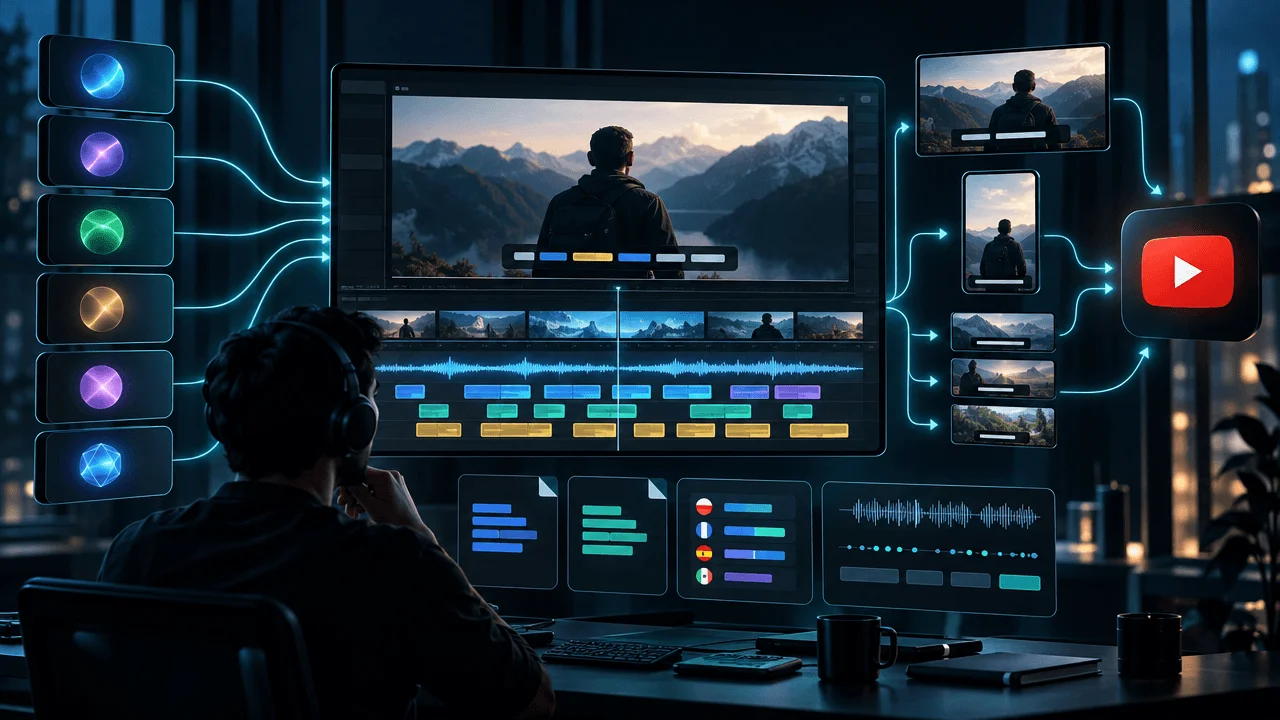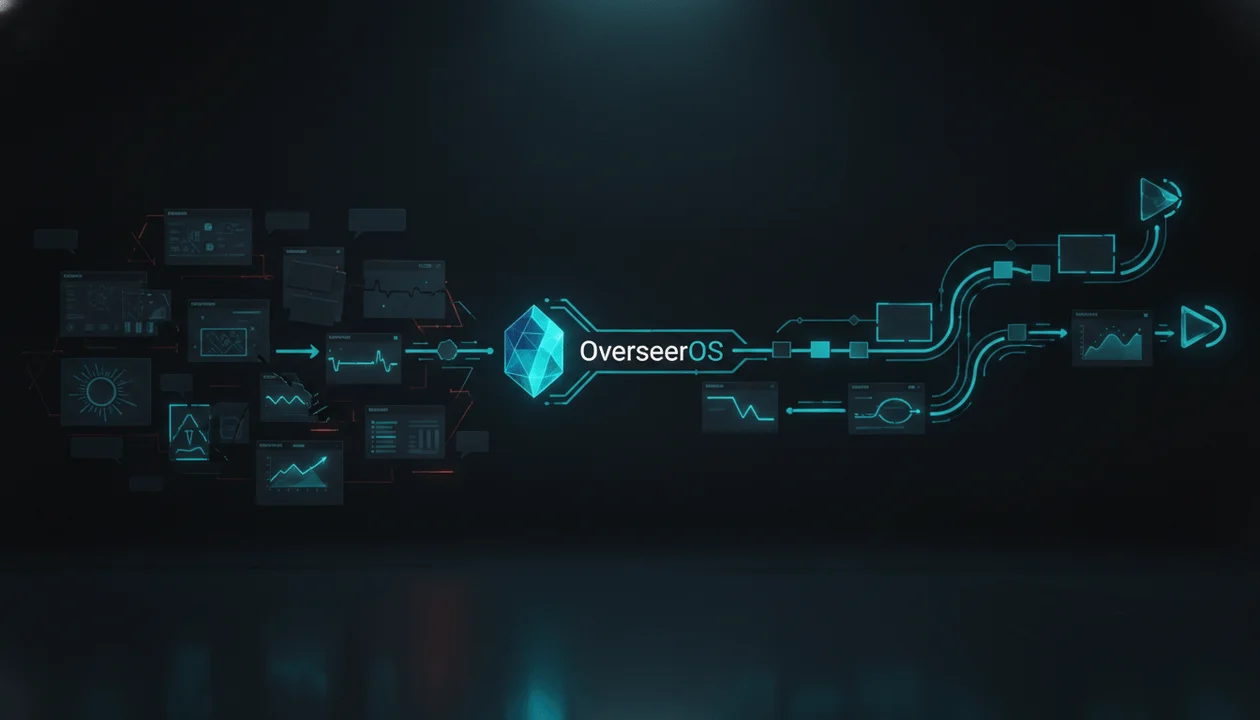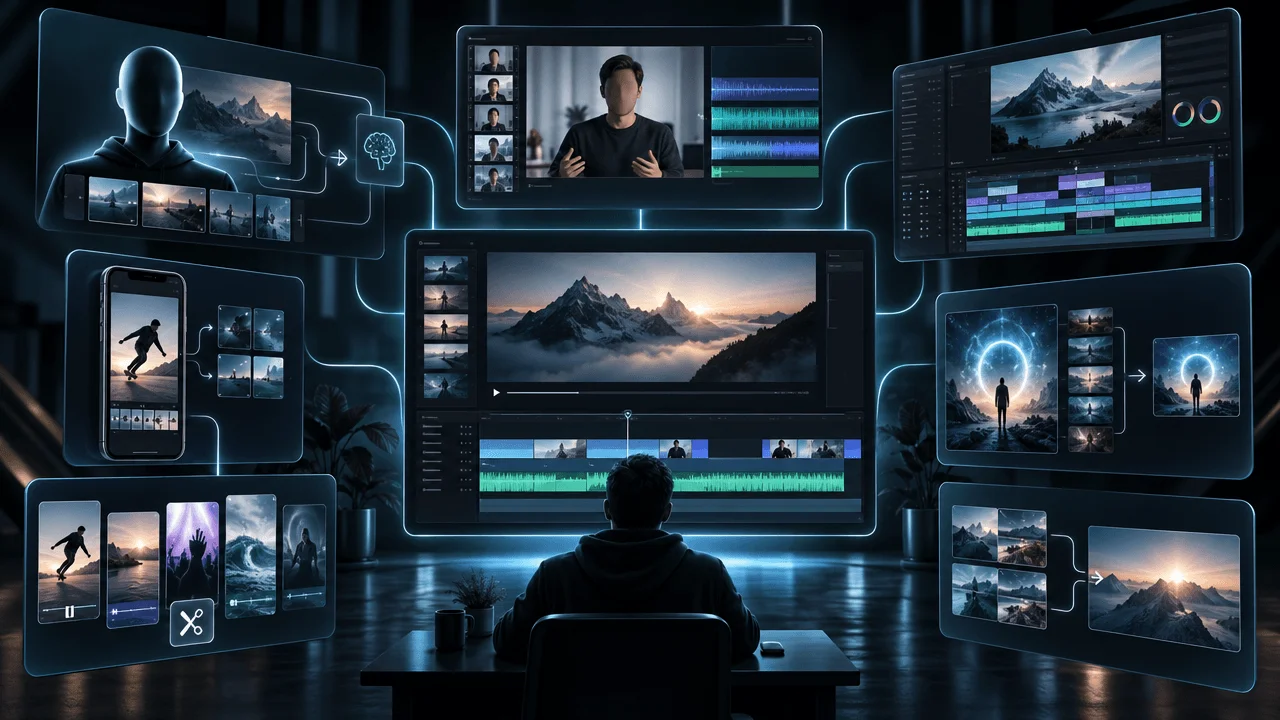
ThumbnailCreator is one of the most complete AI thumbnail platforms available. It combines thumbnail generation, face training, style cloning, natural-language editing, performance analysis, team collaboration, and API access.
That breadth also makes choosing an alternative more complicated.
Some ThumbnailCreator alternatives generate attractive images but provide no YouTube research. Others analyze channels but offer limited design control. A few are excellent for faces, templates, or professional editing, yet replace only one part of the workflow.
The best choice depends on the problem you actually need to solve.
OverseerOS is the best overall ThumbnailCreator alternative for creators who want to connect competitor research, proven thumbnail patterns, video ideas, titles, scripts, and thumbnail production inside one evidence-led YouTube workflow. Pikzels is stronger for persistent AI faces and styles. Thumbmagic is faster when the finished video should become the thumbnail brief. Canva and Photoshop provide more manual design control.
This guide compares the eight strongest options, explains what each one genuinely replaces, and helps you avoid paying for features that do not address your real bottleneck.
Last reviewed: August 2026. Features and prices can change. Confirm current terms with each provider before subscribing.
Key Takeaways
- Best overall ThumbnailCreator alternative: OverseerOS
- Best for persistent AI faces and channel styles: Pikzels
- Best for generating thumbnails from finished videos: Thumbmagic
- Best for templates and collaborative brand design: Canva
- Best for reference-guided generative design: Adobe Express
- Best free YouTube growth alternative: vidIQ
- Best for professional manual control: Adobe Photoshop
- Best flexible free AI image alternative: Fotor
- Best reason to keep ThumbnailCreator: You need advanced face training, layer editing, person swaps, API access, and team collaboration in one thumbnail-specific product
Best ThumbnailCreator Alternatives at a Glance
| Rank | Alternative | Best for | Starting access | Main advantage | Important limitation |
|---|---|---|---|---|---|
| 1 | OverseerOS | Research-led YouTube packaging | See current plans | Connects channel intelligence, ideas, titles, scripts, and thumbnails | Not a replacement for advanced multi-face training or a professional layer editor |
| 2 | Pikzels | Persistent Personas and repeatable styles | Premium from $40 monthly | Trained Personas, Styles, scoring, recreation, and one-click fixes | Credit usage varies by action |
| 3 | Thumbmagic | Turning completed videos into thumbnails | From $17 monthly with annual billing | Accepts a video upload or URL and extracts usable visual context | Less comprehensive for niche and competitor research |
| 4 | Canva | Templates, brand systems, and team design | Free plan available | Large template ecosystem and accessible manual editor | YouTube performance research is limited |
| 5 | Adobe Express | Reference-guided AI generation | Free plan available | Uses references for style and composition before editing | Less specialized in YouTube competitor intelligence |
| 6 | vidIQ | Free generation inside a YouTube growth suite | Free thumbnail maker | Combines thumbnail creation with wider creator tools | Less precise than a professional design editor |
| 7 | Adobe Photoshop | Pixel-level thumbnail production | $22.99 monthly on the US annual billed-monthly plan | Layers, masks, selections, typography, and generative editing | Higher learning curve and little native YouTube strategy |
| 8 | Fotor | Fast AI generation and flexible image editing | Free access available | Text-to-thumbnail, photo transformation, expression editing, and batch variants | Limited channel-specific research and validation |
What Is the Best ThumbnailCreator Alternative?
OverseerOS is the best overall alternative to ThumbnailCreator for YouTube creators who want more than image generation.
Its advantage is not simply producing another thumbnail. The OverseerOS workflow can help a creator:
- Research channels and competitors.
- identify outlier videos and repeatable patterns.
- Develop evidence-backed video ideas.
- Build titles and scripts around the same strategic angle.
- Study successful thumbnail structures.
- Generate original thumbnail concepts.
- Analyze and improve the selected design.
- Save the result into the wider content-planning workflow.
That makes OverseerOS especially valuable when poor thumbnails are a symptom of a larger problem: weak ideas, unclear packaging, disconnected titles, or inadequate competitor research.
However, ThumbnailCreator can remain the better product for agencies that specifically need trained faces, individual layer editing, multiple person swaps, unlimited team members, or thumbnail-generation API access.
There is no universal winner. There is a best tool for each workflow.
What Does ThumbnailCreator Actually Replace?
Before choosing an alternative, it helps to understand how much functionality ThumbnailCreator includes.
According to the current ThumbnailCreator features page, the platform covers four major areas.
AI generation
- AI thumbnail generation
- Face swapping
- Style cloning
- Thumbnail variations
- Templates
Editing and enhancement
- Natural-language AI editing
- Layer editing
- Vertical thumbnail creation
- Automatic optimization
- Background removal
- Text overlays
- Color enhancement
- Image upscaling
Analysis and ideation
- Thumbnail analysis
- AI assistance
- Title generation
- Trending thumbnail discovery
- Video ideation and scripts
- YouTube previews
Workflow and organization
- YouTube integration
- Content repurposing
- Channel makeover tools
- API access
- Collections
- Brand Kits
- Team collaboration
This is why a generic AI image generator is rarely a complete replacement. It may replace the generation layer while leaving research, identity consistency, editing, testing, and team operations unresolved.
ThumbnailCreator Pricing in 2026
The current ThumbnailCreator pricing page states that one credit produces one AI thumbnail. Each plan begins with a seven-day trial containing 10 credits, followed by paid billing if the trial is not canceled.
| Plan | Current listed price | Listed annual credits | Best suited to |
|---|---|---|---|
| Lite | $8 per month | 240 | Hobbyists testing basic generation |
| Starter | $17 per month | 600 | Creators publishing one or two videos per week |
| Creator | $33 per month | 1,200 | Frequent creators needing trained faces, expressions, and advanced variations |
| Teams | $62 per month | 3,000 | Agencies, teams, and multi-channel operations |
The Creator plan adds advanced face training, person swapping, expression morphing, trending thumbnail access, advanced variations, and AI-powered optimization.
The Teams plan adds multiple face training, unlimited person swaps, batch variations, API access, unlimited team members, and enterprise-level optimization.
These are meaningful differences. A cheaper alternative is not a better deal if you must add three other products to rebuild the same workflow.
Why Creators Look for ThumbnailCreator Alternatives
Most creators search for an alternative for one of six reasons.
1. They need better research before generation
A polished thumbnail cannot rescue a video concept nobody wants.
Creators increasingly need evidence before designing:
- Which topics are outperforming a channel's normal baseline?
- Which thumbnail structures repeatedly appear in the niche?
- What promise is the title making?
- Which visual elements communicate that promise fastest?
- Is the concept differentiated or merely copied?
ThumbnailCreator contains discovery and analysis features, but research-first platforms can go deeper into the strategic steps that happen before a thumbnail prompt is written.
2. They need stronger identity consistency
Face-driven channels need the creator to remain recognizable across many generated designs. The important question is not whether a tool accepts a face photo. It is whether it can reproduce that identity consistently across expressions, lighting, poses, and compositions.
ThumbnailCreator and Pikzels are particularly strong in this category.
3. They want to generate from a finished video
Sometimes the creator does not want to describe the video manually. The ideal product should inspect the footage, identify the people or scenes, and convert that visual context into thumbnail options.
This is where Thumbmagic and vidIQ become especially relevant.
4. They need more manual control
AI tools are fast, but text, hands, facial details, product geometry, and small compositional choices can still require precise correction.
Canva is easier for most creators. Photoshop provides the deepest control.
5. They need a broader YouTube operating system
For many channels, thumbnails are not an isolated task. They are one part of a larger process:
Discovery → Research → Idea → Title → Thumbnail → Script → Production → Publishing → Testing
A thumbnail-only subscription can introduce operational friction if the creator must move between separate research, ideation, writing, design, and planning tools.
6. They need a cheaper or free starting point
Early-stage creators may not need advanced face training, API access, or agency collaboration. A free thumbnail maker can be sufficient while the channel validates its format and publishing cadence.
The mistake is choosing solely by subscription price. The more useful metric is the cost of an accepted, publishable thumbnail.
The Six Jobs a Real ThumbnailCreator Alternative Must Handle
A complete comparison should evaluate six separate jobs.
| Job | The question to ask |
|---|---|
| Strategy | Does the tool help determine what the thumbnail should communicate? |
| Generation | Can it produce usable YouTube-specific concepts quickly? |
| Identity | Can it preserve faces, products, logos, and channel style? |
| Editing | Can weak text, composition, colors, and visual details be corrected? |
| Validation | Can the concept be analyzed or tested before and after publishing? |
| Operations | Can the thumbnail remain connected to titles, scripts, planning, teams, and production? |
No product dominates every category. The best alternative is the one that improves the most expensive constraint in your workflow.
How We Evaluated the Alternatives
This ranking evaluates current first-party product documentation, published pricing, YouTube workflow coverage, and buyer fit.
The 100-point replacement model uses the following weights:
| Evaluation category | Weight |
|---|---|
| YouTube strategy and evidence | 20 points |
| YouTube-specific generation | 20 points |
| Reference and identity control | 15 points |
| Editing and production control | 15 points |
| Packaging analysis | 10 points |
| Workflow and collaboration | 10 points |
| Iteration and testing support | 5 points |
| Accessibility and value | 5 points |
| Total | 100 points |
The scores evaluate workflow coverage, not a guaranteed prediction of image quality or channel performance. Output quality still depends on the input, niche, creative direction, and the creator's judgment.
1. OverseerOS: Best Overall ThumbnailCreator Alternative
OverseerOS is the strongest choice when thumbnail creation needs to begin with evidence rather than a blank prompt.
ThumbnailCreator is broad within thumbnail production. OverseerOS is broader across the YouTube decision-making process.
Where OverseerOS is stronger
The central advantage is context.
The OverseerOS Channel Analyzer and related research tools help creators examine channels, identify outlier videos, study winning content patterns, and develop ideas before creating the visual package.
The OverseerOS 1M+ View Thumbnail Library can be used to study thumbnails attached to videos that crossed meaningful view thresholds. Creators can search, filter, save references, and identify recurring visual structures without starting from random inspiration.
The OverseerOS Thumbnail Designer can then create concepts from:
- A video title or topic
- An editable thumbnail prompt
- A YouTube video URL
- A thumbnail from an analyzed channel
- A creator's face
- A product image
- A logo or other media asset
Its similar-thumbnail workflow models the visual DNA of a reference while adapting the result to the creator's own subject. The objective should be to learn from the structure, not reproduce another creator's design literally.
The system produces three concepts with proposed thumbnail text and editable image prompts. Creators can make follow-up changes and export a 1280 × 720 image.
The OverseerOS Thumbnail Analyzer can then review the chosen design, while the OverseerOS Channel Content Planner keeps the thumbnail connected to the broader video workflow.
You can explore the complete OverseerOS AI Thumbnail Generator.
Where ThumbnailCreator is stronger
ThumbnailCreator remains ahead for several specialized production requirements:
- Advanced trained-face workflows
- Multiple saved faces
- Person swapping
- Expression morphing
- Individual layer editing
- Unlimited team members on the Teams plan
- Public API access positioned specifically around thumbnail generation
OverseerOS should not be presented as an identical feature-for-feature replacement for those capabilities.
Best for
- Creators whose ideas, titles, scripts, and thumbnails currently live in disconnected tools
- YouTube strategists and consultants
- Faceless channel operators
- Educational and business channels
- Creators who want to research before generating
- Teams building repeatable content systems around evidence
Not ideal for
- Agencies that require a thumbnail-generation API
- Teams that need unlimited collaborator seats
- Face-led channels whose priority is persistent trained identities
- Professional designers who need individual layer manipulation
Verdict
Choose OverseerOS when the expensive problem is not drawing the thumbnail. It is deciding what video to make, what promise to package, and which proven visual pattern can express that promise.
Editorial replacement-fit score: 92/100
2. Pikzels: Best for Persistent Personas and Styles
Pikzels is one of the closest ThumbnailCreator alternatives for creators who care about face consistency and repeatable visual identity.
Its official feature set includes Prompt, Recreate, Pikzels Score, One-Click Fix, Personas, Styles, Edit, and title generation.
Why Pikzels stands out
Pikzels Personas lets a creator upload three photos and train a reusable identity. This removes the need to upload a new face reference for every thumbnail.
Pikzels Styles takes a similar approach to channel design. Uploading three thumbnails can create a reusable style that influences future generations.
That makes Pikzels particularly attractive to personality-led channels that need recognizable packaging across a large publishing schedule.
Its Recreate tool can rebuild the composition of an existing thumbnail around a new subject. Pikzels Score evaluates the thumbnail and title as a package, while One-Click Fix attempts to repair identified weaknesses.
Natural-language editing allows creators to request changes such as:
- Make the text larger
- Move the subject to the left
- Increase contrast
- Simplify the background
- Change the facial expression
- Try a different visual hierarchy
Pricing consideration
The current Pikzels pricing page lists Premium and Ultimate plans, with discounts for annual billing. Different actions consume different credit amounts, so buyers should estimate total monthly usage across generation, recreation, editing, analysis, and title creation.
The headline subscription price is less important than how many accepted thumbnails those credits produce.
Where it beats ThumbnailCreator
- Persistent Personas trained from three images
- Reusable Styles trained from channel examples
- Tight thumbnail-and-title scoring workflow
- One-click improvement loop
- Strong packaging focus
Where ThumbnailCreator remains stronger
- Individual layer editing
- Broader agency and multi-user operations
- Person swapping and advanced morphing options
- Public thumbnail-generation API
- More explicit channel makeover and collection features
For a deeper evaluation of Personas, Styles, Score, credits, and competing workflows, read our guide to the best Pikzels alternatives.
Best for
- Personality-led channels
- Creators who appear in most thumbnails
- Channels with a defined visual system
- Creators who want AI scoring and rapid corrections
- High-output channels that want reusable identity assets
Not ideal for
- Creators who need extensive niche research
- Designers requiring Photoshop-level control
- Agencies whose workflow depends on API automation
Verdict
Choose Pikzels when your face and visual style must remain consistent across every upload.
Editorial replacement-fit score: 87/100
3. Thumbmagic: Best for Turning Videos Into Thumbnails
Thumbmagic approaches the problem from a different direction. Instead of beginning with a written prompt, it can begin with the finished video.
According to its YouTube thumbnail maker page, a creator can upload footage or provide a YouTube URL. The system then analyzes the video, identifies useful visual material, and generates thumbnail directions from the content.
Why this matters
A finished video contains valuable information that can be lost in a short prompt:
- The real presenter
- Products shown on screen
- Important scenes
- Emotional moments
- Actual visual environments
- Key frames that represent the payoff
Using the video as the source reduces the gap between what the content contains and what the thumbnail promises.
Thumbmagic can generate two initial variations, identify faces and frames, change expressions, and accept conversational editing instructions.
Where it beats ThumbnailCreator
- Fast video-to-thumbnail workflow
- Less manual briefing for completed videos
- Direct use of footage and existing visual context
- Simple production handoff for busy creators
- Strong fit for upload-first workflows
Where ThumbnailCreator remains stronger
- Advanced face training
- Style cloning across a channel
- Layer editing
- Broader thumbnail organization
- Team and API capabilities
- More extensive pre-production ideation features
The difference is timing.
ThumbnailCreator can participate before and during production. Thumbmagic is most compelling when the video already exists and the creator needs packaging quickly.
You can compare the full field in our guide to the best Thumbmagic alternatives.
Best for
- Podcasters
- Interview channels
- Talking-head creators
- Reaction channels
- Creators who finish editing before designing the thumbnail
- Teams publishing several completed videos each week
Not ideal for
- Channels that design the package before production
- Creators needing deep competitor research
- Agencies requiring advanced team or API operations
- Designers needing precise layer control
Verdict
Choose Thumbmagic when your video should write most of the thumbnail brief for you.
Editorial replacement-fit score: 81/100
4. Canva: Best for Templates, Brand Systems, and Team Design
Canva remains one of the most practical ThumbnailCreator alternatives because it combines a low learning curve with extensive manual control.
Its YouTube thumbnail tools include templates, drag-and-drop design, text tools, background removal, stock media, generative features, resizing, and collaborative brand workflows.
Why Canva remains relevant
AI generation is valuable for ideation, but many thumbnails require small, deliberate edits:
- Moving text away from YouTube's timestamp area
- Increasing the size of one word
- Replacing an inaccurate logo
- Correcting a product image
- Aligning several subjects
- Applying exact brand colors
- Reusing a proven series template
- Exporting multiple controlled variations
Canva handles these tasks without requiring professional design experience.
Its template ecosystem also makes it useful for creators who want a structured starting point rather than a completely generated image.
Where it beats ThumbnailCreator
- Larger general-purpose template ecosystem
- Accessible drag-and-drop editing
- Strong brand asset management
- Familiar team-review workflow
- Flexible design beyond YouTube thumbnails
- Greater control over individual visual elements than prompt-only tools
Where ThumbnailCreator remains stronger
- Trained faces and person swapping
- YouTube-specific style cloning
- Thumbnail-specific analysis
- Trending thumbnail discovery
- Automated YouTube packaging
- API access designed around thumbnail generation
Canva can execute a thumbnail brief extremely well. It is less capable of deciding whether the brief is strategically sound.
Best for
- Small teams
- Brand-led channels
- Creators using repeatable series templates
- Social media teams repurposing visuals across platforms
- Beginners who want manual control without Photoshop
Not ideal for
- Creators expecting deep niche research
- Face-led channels needing a trained AI identity
- Users who want the entire design produced from one instruction
- Teams automating thumbnail generation through an API
Verdict
Choose Canva when you want AI assistance without surrendering direct control over the final composition.
Editorial replacement-fit score: 80/100
5. Adobe Express: Best for Reference-Guided AI Design
Adobe Express is a strong middle ground between generative creation and structured editing.
Its AI thumbnail generator can generate multiple design options from a written description. Creators can also add reference images to guide the style and composition before refining the result in the Adobe Express editor.
Why the reference system matters
A useful reference does more than communicate an aesthetic. It can communicate:
- Subject position
- Text placement
- Visual hierarchy
- Background complexity
- Lighting direction
- Color relationships
- Perceived energy
- The amount of negative space
Adobe Express can use one reference to influence style and another to influence composition. It then generates four options for further editing.
The final image can be refined using templates, typography, Brand Kits, background tools, and other Adobe Express assets.
Where it beats ThumbnailCreator
- Flexible reference-guided generation
- Strong connection between AI output and manual editing
- Brand Kit integration
- Adobe's wider creative ecosystem
- Useful templates for multiple platforms
Where ThumbnailCreator remains stronger
- Persistent face training
- Person swapping
- YouTube-specific trend research
- Thumbnail scoring and optimization
- Team features designed specifically for thumbnail operations
- Thumbnail-generation API access
Best for
- Existing Adobe users
- Marketing teams
- Creators who already have strong visual references
- Channels that need brand-controlled variations
- Users who want an editor after generation
Not ideal for
- Creators seeking deep channel intelligence
- Users who need persistent AI Personas
- Operators who want titles, scripts, and niche research integrated with thumbnail creation
Verdict
Choose Adobe Express when you know the visual direction and want AI to convert references into editable starting points.
Editorial replacement-fit score: 78/100
6. vidIQ: Best Free Alternative for YouTube Growth
vidIQ offers one of the most accessible ways to generate YouTube thumbnails without buying a dedicated thumbnail subscription.
The vidIQ AI Thumbnail Maker currently allows creators to generate their first thumbnails without an account and continue through a free signup. It can work from an uploaded video, a YouTube URL, or a written description.
Generated images can be edited through instructions involving text, colors, mood, layout, and backgrounds. Finished thumbnails can be downloaded as 1280 × 720 PNG files.
Why vidIQ is different
vidIQ is not only a design product. Its wider platform includes YouTube ideas, titles, keywords, optimization, competitive intelligence, and growth guidance.
That creates a more connected workflow than using a generic image generator.
The free thumbnail maker is particularly useful for creators who are:
- Validating a new channel
- Publishing infrequently
- Testing AI thumbnail generation for the first time
- Already using vidIQ for research
- Not ready for a dedicated design subscription
Where it beats ThumbnailCreator
- Lower barrier to entry
- Free initial generation
- Video, URL, or text inputs
- Integration with a wider YouTube growth platform
- Fast browser-based generation and editing
Where ThumbnailCreator remains stronger
- Advanced face training
- Layer editing
- Person swapping
- Style cloning
- Agency collaboration
- API-based generation
- More specialized thumbnail production controls
Best for
- New YouTubers
- Budget-conscious creators
- Existing vidIQ users
- Solo creators wanting a broader growth toolkit
- Channels that need fast drafts rather than professional production control
Not ideal for
- Agencies
- Channels requiring persistent identity training
- Designers who want exact layout control
- High-volume operations with complex approval systems
Verdict
Choose vidIQ when you need a free starting point and want thumbnail generation connected to a wider YouTube growth toolkit.
Editorial replacement-fit score: 76/100
7. Adobe Photoshop: Best for Professional Thumbnail Control
Photoshop is not a direct AI thumbnail platform. It is the strongest option when precise execution matters more than automation.
Adobe's current Photoshop feature set includes layers, masks, selections, typography, object removal, background isolation, Generative Fill, Generative Expand, image adjustments, and advanced compositing tools.
Why professionals still use Photoshop
Thumbnail design often fails in the final 10 percent.
AI may create the general concept correctly while introducing small problems:
- Distorted fingers
- Incorrect product details
- Inconsistent shadows
- Weak edge separation
- Artificial facial features
- Unreadable text
- Poor subject masking
- Unbalanced contrast
- Inaccurate logos
- Awkward perspective
Photoshop gives a designer direct control over each of these details.
Layer masks allow nondestructive editing. Smart Objects preserve flexibility. Adjustment layers can change contrast and color without damaging the source. Selection tools allow precise subject isolation. Generative tools can expand or repair parts of the composition.
Where it beats ThumbnailCreator
- Professional layer control
- Precise selections and masking
- Advanced typography
- Detailed retouching
- High-quality compositing
- Flexible color management
- Production files that can be handed to other designers
Where ThumbnailCreator remains stronger
- Faster idea-to-thumbnail generation
- Built-in YouTube research
- Trained face automation
- Trend discovery
- Title and thumbnail assistance
- Easier learning curve
- Automated variations and optimization
Photoshop users will often need a separate research platform and a structured brief. It is an execution environment, not a YouTube strategist.
Best for
- Professional thumbnail designers
- Agencies with dedicated creative staff
- Channels with strict brand requirements
- Product and software channels requiring visual accuracy
- Creators producing complex composite thumbnails
Not ideal for
- Beginners seeking one-click generation
- Solo creators without design time
- Users who need niche research and ideas
- Teams trying to automate the entire workflow
Verdict
Choose Photoshop when a thumbnail is valuable enough to justify professional, pixel-level finishing.
Editorial replacement-fit score: 73/100
8. Fotor: Best Flexible Free AI Image Alternative
Fotor offers an accessible combination of AI generation, photo transformation, templates, and image editing.
Its AI Thumbnail Maker accepts written prompts or uploaded images. Creators can specify the channel type, subject, style, colors, text, and visual direction before generating multiple options.
Fotor also supports background removal, expression changes, text editing, subject enlargement, contrast adjustments, brand colors, and batch generation.
Why Fotor is useful
Fotor is less specialized than ThumbnailCreator, but it offers substantial creative flexibility for users who do not need a complete YouTube operating system.
It is particularly useful for testing different visual directions:
- Cinematic
- Minimalist
- Cartoon
- Three-dimensional
- Realistic photography
- Neon
- Bright and colorful
- Poster-style compositions
Creators can upload their own photo, transform the background, change the expression, and create multiple variants without starting in a complex professional editor.
Where it beats ThumbnailCreator
- Accessible free generation
- Flexible image styles
- Batch creation
- Broad image-editing toolkit
- Support for multiple social platforms
- Commercial downloads without a watermark, according to Fotor's current product page
Where ThumbnailCreator remains stronger
- YouTube competitor research
- Persistent trained faces
- Style cloning
- Packaging analysis
- Titles and scripts
- Team operations
- Thumbnail-generation API
Best for
- Budget-conscious creators
- Experimental channels
- Creators producing for several social platforms
- Users who need both image generation and general photo editing
- Channels testing multiple visual styles
Not ideal for
- Teams needing a research-to-publishing system
- Creators requiring persistent identity training
- Agencies with advanced collaboration requirements
- Users who want YouTube-specific strategic validation
Verdict
Choose Fotor when you need an inexpensive, flexible creative tool and can supply the strategy yourself.
Editorial replacement-fit score: 70/100
ThumbnailCreator Alternatives Feature Comparison
| Tool | Competitor research | AI generation | Reference recreation | Persistent face system | Manual editing | Thumbnail analysis | Titles or ideas | Team workflow | API |
|---|---|---|---|---|---|---|---|---|---|
| ThumbnailCreator | Partial | Yes | Yes | Yes | Strong | Yes | Yes | Strong | Yes |
| OverseerOS | Strong | Yes | Yes | Reference assets | Moderate | Yes | Strong | Connected planning | No public thumbnail API |
| Pikzels | Limited | Yes | Yes | Yes | Prompt-based | Yes | Titles | Moderate | Limited |
| Thumbmagic | Limited | Yes | Video-led | Face extraction and editing | Prompt-based | Limited | Limited | Moderate | Not a core advantage |
| Canva | No | Yes | Visual references and templates | Brand assets | Strong | No | Limited | Strong | General platform integrations |
| Adobe Express | No | Yes | Style and composition references | Brand assets | Strong | No | Limited | Strong | Adobe ecosystem |
| vidIQ | Strong | Yes | URL, video, and image inputs | Reference images | Moderate | Partial | Strong | Moderate | Not a core thumbnail feature |
| Photoshop | No | Partial | Manual and generative | Manual assets | Professional | No | No | Strong creative handoff | Creative automation options |
| Fotor | No | Yes | Image reference | Reference images | Moderate | No | No | Basic | Not a core advantage |
“Reference assets” means the tool can use an uploaded face, product, logo, or object. It should not be interpreted as a persistent trained identity unless explicitly stated.
Replacement-Fit Scorecard
| Tool | Strategy | Generation | Identity | Editing | Analysis | Workflow | Iteration | Value | Total |
|---|---|---|---|---|---|---|---|---|---|
| OverseerOS | 20/20 | 19/20 | 11/15 | 13/15 | 10/10 | 9/10 | 5/5 | 5/5 | 92/100 |
| ThumbnailCreator | 12/20 | 20/20 | 15/15 | 15/15 | 9/10 | 10/10 | 5/5 | 4/5 | 90/100 |
| Pikzels | 13/20 | 19/20 | 15/15 | 14/15 | 10/10 | 6/10 | 5/5 | 5/5 | 87/100 |
| Thumbmagic | 9/20 | 18/20 | 13/15 | 12/15 | 6/10 | 8/10 | 5/5 | 5/5 | 76/100 |
| Canva | 5/20 | 13/20 | 9/15 | 15/15 | 3/10 | 10/10 | 5/5 | 5/5 | 65/100 |
| Adobe Express | 5/20 | 15/20 | 9/15 | 14/15 | 3/10 | 9/10 | 4/5 | 5/5 | 64/100 |
| vidIQ | 15/20 | 15/20 | 8/15 | 10/15 | 8/10 | 8/10 | 4/5 | 5/5 | 73/100 |
| Photoshop | 2/20 | 8/20 | 10/15 | 15/15 | 1/10 | 8/10 | 5/5 | 3/5 | 52/100 |
| Fotor | 3/20 | 15/20 | 8/15 | 13/15 | 2/10 | 6/10 | 4/5 | 5/5 | 56/100 |
These totals intentionally reward complete YouTube workflows. Photoshop would score substantially higher in a comparison focused only on professional editing.
Which Alternative Should You Choose?
| If this describes you | Best choice | Why |
|---|---|---|
| I need to find winning ideas before making thumbnails | OverseerOS | Research, outliers, ideas, titles, scripts, and thumbnails remain connected |
| My face appears in almost every thumbnail | Pikzels | Persistent Personas and Styles support consistency |
| My videos are already edited before I make thumbnails | Thumbmagic | The video itself becomes the creative input |
| I need reusable templates and brand approvals | Canva | Strong manual editor, Brand Kits, and collaboration |
| I already use Adobe and want reference-driven AI | Adobe Express | AI generation flows into an accessible Adobe editor |
| I need a free YouTube growth toolkit | vidIQ | Free generation plus wider YouTube research features |
| I employ a professional thumbnail designer | Photoshop | Maximum production and compositing control |
| I want free AI experimentation across visual styles | Fotor | Flexible generation, editing, and batch variants |
| I need trained faces, layers, API access, and unlimited collaborators together | Keep ThumbnailCreator | It already combines those specialized capabilities |
Should You Switch From ThumbnailCreator?
Keep ThumbnailCreator if:
- You regularly use its advanced face training.
- Your team depends on person swaps or expression morphing.
- Designers use its layer-editing workflow.
- Your operation needs API access.
- Multiple channels are managed by a large team.
- Its generation-to-analysis workflow already produces accepted thumbnails efficiently.
Consider OverseerOS if:
- You regularly struggle to decide what the thumbnail should communicate.
- Your research, ideas, titles, scripts, and thumbnails are disconnected.
- You want to study outlier videos and successful channel patterns.
- Your team spends too much time browsing YouTube manually.
- You want thumbnail references grounded in proven videos.
- You are building a repeatable content strategy rather than isolated graphics.
Consider Pikzels if:
- Identity consistency is the primary buying criterion.
- You want persistent Personas and Styles.
- You want the title and thumbnail scored together.
- One-click corrections are more valuable than manual layer control.
Consider Thumbmagic if:
- Your team begins thumbnail creation after editing the video.
- Uploading a video is easier than writing a creative brief.
- You want the tool to identify faces and usable frames automatically.
Consider Canva, Adobe Express, or Photoshop if:
- Your visual system is already defined.
- Designers need greater control over exact placement and typography.
- Brand accuracy matters more than automatic strategy.
- You already use the selected creative ecosystem.
Calculate the Real Cost of a Thumbnail Tool
Subscription price alone creates a misleading comparison.
Use this formula:
Accepted thumbnail cost = (subscription cost + labor cost + correction cost) ÷ number of publishable thumbnails
Imagine Tool A costs $20 per month and produces 20 drafts, but only four are accepted. Its software cost is already $5 per accepted thumbnail before labor.
Tool B costs $50 and produces 12 accepted thumbnails. Its software cost is $4.17 per accepted thumbnail, even though the subscription is more expensive.
Now include time.
If Tool A requires 45 minutes of correction and Tool B requires 10 minutes, the cheaper subscription may be the more expensive operation.
Track these six metrics during a trial:
| Metric | What to record |
|---|---|
| Time to first concept | Minutes from brief to first viable direction |
| Generations used | Number of outputs required |
| Acceptance rate | Percentage judged publishable |
| Correction time | Minutes spent fixing the selected output |
| Testing readiness | Whether three meaningfully different variants were produced |
| Total accepted cost | Software and labor divided by accepted thumbnails |
The best tool is not the one that generates the most images. It is the one that produces the most useful decisions and publishable outcomes.
The Seven-Day Thumbnail Tool Pilot
Do not compare tools by creating one random thumbnail in each. Run the same controlled pilot.
Day 1: Define three real video packages
Choose:
- One talking-head video
- One concept-led or faceless video
- One difficult video involving a product, interface, or specific object
Write the final title and intended viewer promise for each.
Day 2: Collect evidence
Find five to ten successful videos serving the same audience.
Record:
- Video topic
- View performance relative to the channel
- Thumbnail structure
- Subject count
- Text length
- Dominant emotion
- Background complexity
- Contrast pattern
- Relationship between title and thumbnail
Do not collect references only because they look attractive. Collect them because they are attached to relevant, successful videos.
Day 3: Generate the first concepts
Give every tool the same brief and the same approved assets.
Record:
- Generation time
- Number of usable concepts
- Identity accuracy
- Text accuracy
- Composition quality
- Relevance to the actual video
Day 4: Request identical corrections
Use the same change requests:
- Reduce the number of elements.
- Make the focal subject clearer.
- Improve mobile readability.
- Remove unnecessary text.
- Increase separation between subject and background.
- Create a structurally different alternative.
This reveals how well each platform handles iteration rather than first-draft novelty.
Day 5: Produce three test variants
The variants should differ in hypothesis, not merely color.
Create:
- Variant A, outcome-led: Show the desired result.
- Variant B, tension-led: Show the problem or risk.
- Variant C, curiosity-led: Show an incomplete visual story.
Day 6: Conduct a blind review
Remove the product names and ask team members to score each design.
Use five criteria:
- Can the subject be understood at mobile size?
- Does the image create a specific question?
- Does it complement the title?
- Does it accurately represent the video?
- Would the intended viewer recognize that the video is for them?
Day 7: Calculate accepted-output economics
Compare:
- Total subscription cost
- Credits consumed
- Generation time
- Correction time
- Accepted variants
- Additional tools required
- Team handoff time
Then choose the product that improves the whole workflow, not the product that generated the prettiest isolated sample.
Copyable Thumbnail Operations Brief
Use this brief with any ThumbnailCreator alternative.
Video topic:
State the subject in one sentence.Target viewer:
Describe the person this video is designed for.Viewer situation:
What is happening in their life when the video becomes relevant?Core promise:
What outcome, answer, or transformation will the viewer receive?Primary emotion:
Choose one: curiosity, urgency, surprise, confidence, fear, desire, relief, or disbelief.Thumbnail job:
Explain what the thumbnail must communicate that the title does not.Main subject:
Identify the face, product, object, result, or conflict.Proof element:
Name the visual detail that makes the promise credible.Reference pattern:
Describe the structural pattern being adapted and why it fits the audience.Thumbnail text:
Use zero to four words unless more text is essential.Required assets:
List approved faces, products, logos, screenshots, or objects.Elements to avoid:
List misleading claims, inaccurate products, copied branding, clutter, or prohibited imagery.Variant A hypothesis:
Describe the outcome-led version.Variant B hypothesis:
Describe the problem-led version.Variant C hypothesis:
Describe the curiosity-led version.Success metric:
Define the metric and comparison period before publishing.
How to Create Better Thumbnail Variants
Changing a background from blue to red is not a meaningful creative test.
A useful variant changes the reason someone might click.
| Variant type | What changes | Example |
|---|---|---|
| Outcome | Shows the desired result | A completed transformation or final dashboard |
| Problem | Emphasizes pain or risk | A visible mistake, warning, or loss |
| Curiosity | Withholds one critical detail | A blurred result or unexplained object |
| Identity | Changes the human focal point | Presenter face versus product close-up |
| Proof | Adds evidence | Graph, result, before-and-after, or measurable outcome |
| Simplicity | Removes secondary elements | One subject instead of four competing objects |
| Contrast | Changes visual hierarchy | Bright foreground against a quiet background |
| Audience | Signals a specific viewer | Beginner, expert, business owner, or creator |
YouTube's native testing system can compare up to three title and thumbnail combinations. According to YouTube's official A/B testing documentation, the winner is selected using watch time rather than click-through rate alone.
That distinction matters.
A misleading thumbnail may earn a click and still attract the wrong viewer. A strong package attracts the right viewer and sets an expectation the video can fulfill.
For a complete testing workflow, see our guide to YouTube thumbnail A/B testing tools.
Common Mistakes When Choosing an Alternative
Comparing only the first generated image
The first output measures luck as much as capability. Compare iteration quality, correction speed, and accepted-output cost.
Treating every feature as equally valuable
An API has no value to a solo creator who never automates. Persistent face training has little value to a faceless channel. Professional layers may be unnecessary for a creator who publishes simple educational thumbnails.
Buy for the workflow you have.
Choosing a generic image generator without a research process
Image generation answers, “What can this picture look like?”
It does not automatically answer:
- Is the topic worth packaging?
- What does the viewer care about?
- Which promise is strongest?
- Which visual structure fits this niche?
- Does the title create the same expectation?
Strategy must precede decoration.
Copying references too literally
A reference should contribute a pattern, not a duplicate.
Extract principles such as:
- One dominant subject
- Three-word contrast phrase
- Before-and-after structure
- Scale exaggeration
- Clean negative space
- Strong foreground separation
Then rebuild the idea with original assets, language, and composition.
Designing only at full size
Most viewers encounter thumbnails at a fraction of the working size.
Zoom out and verify:
- Can the main subject still be recognized?
- Is the text readable?
- Does one visual idea dominate?
- Are small details disappearing?
- Does the image still work without explanation?
Using thumbnail text to repeat the title
The title and thumbnail should work together.
Weak package:
- Title: “How I Grew My YouTube Channel”
- Thumbnail: “HOW I GREW MY YouTube CHANNEL”
Stronger package:
- Title: “How I Grew a YouTube Channel From 0 to 100K”
- Thumbnail: “THE 3 CHANGES”
The title establishes the result. The thumbnail opens a specific curiosity gap.
Confusing predicted scores with real audience behavior
AI analysis can identify visual weaknesses and compare a design with known patterns. It cannot guarantee how a specific audience will respond.
Use analysis before publishing. Use audience testing and watch-time data after publishing.
Responsible AI Thumbnail Creation
AI makes it easier to produce persuasive images. It also makes misleading packaging easier.
YouTube's thumbnail policy prohibits thumbnails that mislead viewers about what they are about to watch. The policy also covers harmful impersonation and certain deceptive uses of a person's identity or likeness.
Before publishing, confirm that:
- The thumbnail represents something genuinely discussed or shown.
- Any result can be supported by the video.
- Products and interfaces are not materially misrepresented.
- A real person's likeness is used with permission.
- Competitor branding is not copied deceptively.
- AI-generated scenes do not fabricate evidence.
- Sensitive, violent, sexual, or shocking imagery complies with YouTube policy.
- The image does not promise an outcome the video cannot deliver.
The goal is not to maximize clicks at any cost. It is to earn qualified attention and satisfy the expectation created by the package.
Frequently Asked Questions
What is the best ThumbnailCreator alternative?
OverseerOS is the best overall ThumbnailCreator alternative for creators who want competitor research, content ideas, titles, scripts, thumbnail references, generation, analysis, and planning in one connected YouTube workflow. Pikzels is the stronger choice when persistent AI faces and reusable styles are the main priority.
Is there a free alternative to ThumbnailCreator?
Yes. vidIQ and Fotor provide free thumbnail-generation access. Canva and Adobe Express also offer free plans with useful design capabilities. Free plans may impose limits on generation, storage, premium assets, editing, or exports.
Which alternative is best for AI faces?
Pikzels is the strongest alternative for persistent AI identities because its Personas feature trains a reusable face from three uploaded photos. ThumbnailCreator itself remains a strong option for advanced face training, person swaps, expression morphing, and multi-face workflows.
Which alternative can generate a thumbnail from a YouTube video?
Thumbmagic and vidIQ can use a video or YouTube URL as input. OverseerOS can use a YouTube URL as a visual reference for creating a similar but original thumbnail direction.
Which alternative is best for faceless YouTube channels?
OverseerOS is the strongest option for faceless channels because it connects niche research, outlier analysis, content gaps, video ideas, titles, scripts, and thumbnail creation. Fotor and Adobe Express are useful when the creator already has a clear brief and only needs visual execution.
Which alternative is best for thumbnail designers?
Photoshop is the best choice for professional designers who need layers, masks, typography, selections, retouching, and precise compositing. Canva is better for non-designers who still want direct control over individual elements.
Is Pikzels better than ThumbnailCreator?
Pikzels is better for creators who prioritize reusable Personas, consistent Styles, thumbnail-and-title scoring, and One-Click Fix. ThumbnailCreator is better for teams needing advanced face operations, individual layer editing, API access, collections, and broader agency functionality.
Is Thumbmagic better than ThumbnailCreator?
Thumbmagic is better when a completed video should become the source material for the thumbnail. ThumbnailCreator is stronger for persistent faces, style cloning, editing depth, team collaboration, and API-driven operations.
Is Canva a complete ThumbnailCreator replacement?
Not by itself. Canva can replace much of the design, template, brand, and collaboration workflow. It does not replace ThumbnailCreator's trained faces, YouTube-specific trend discovery, thumbnail analysis, or specialized generation API.
Can ChatGPT replace ThumbnailCreator?
ChatGPT can help create thumbnail briefs, hooks, text options, prompts, and creative hypotheses. A complete replacement still requires an image-generation or design workflow, approved assets, accurate editing, and performance testing.
Do AI thumbnail scores predict click-through rate?
No score can guarantee real click-through rate. AI analysis can identify likely weaknesses, but audience response depends on topic demand, traffic source, viewer familiarity, title alignment, competition, and the accuracy of the promise. Treat scores as diagnostic guidance, not a forecast.
How many thumbnail variants should I create?
Create at least three meaningfully different variants for important videos. Each should test a separate hypothesis, such as outcome, problem, or curiosity. Do not count minor color changes as distinct strategic variants.
Should the thumbnail be created before the video?
For strategically planned channels, the title and thumbnail should be developed before production. This forces the creator to clarify the promise and ensures the video contains the evidence or payoff implied by the package. Video-led tools remain useful when the footage already exists.
What is the cheapest ThumbnailCreator alternative?
The cheapest starting options are free tools such as vidIQ, Fotor, Canva, and Adobe Express. However, the lowest subscription price does not always produce the lowest cost per accepted thumbnail. Include generation limits, correction time, and any additional tools required.
Is ThumbnailCreator still worth using?
Yes. ThumbnailCreator remains a compelling product for creators and agencies that use its advanced face training, person swaps, layer editing, optimization, collaboration, and API capabilities. Switching only makes sense when another platform better matches the workflow that consumes the most time or money.
Final Verdict
ThumbnailCreator is difficult to replace with a single generic image tool because it covers generation, identity, editing, analysis, organization, and team operations.
The strongest alternative depends on where your process breaks.
- Choose OverseerOS for an evidence-led workflow connecting research, ideas, titles, scripts, thumbnails, analysis, and planning.
- Choose Pikzels for trained Personas, reusable Styles, scoring, and one-click improvement.
- Choose Thumbmagic when completed footage should drive thumbnail creation.
- Choose Canva for accessible manual editing, templates, Brand Kits, and collaboration.
- Choose Adobe Express for reference-guided generation connected to an editor.
- Choose vidIQ for a free thumbnail maker inside a wider YouTube growth suite.
- Choose Photoshop for professional execution and pixel-level control.
- Choose Fotor for flexible, inexpensive AI generation and image editing.
- Keep ThumbnailCreator if advanced face training, layer editing, unlimited team collaboration, and API access are already central to your operation.
For most growth-focused creators, the highest-leverage improvement happens before the image is generated.
A better thumbnail begins with a better topic, a sharper promise, stronger competitive evidence, and a title that creates the right expectation. Once those decisions are correct, generation becomes faster, editing becomes easier, and every variant tests a meaningful strategic hypothesis.
That is why OverseerOS is our best overall ThumbnailCreator alternative for 2026. It treats the thumbnail as part of the entire YouTube growth system, not as an isolated graphic.