

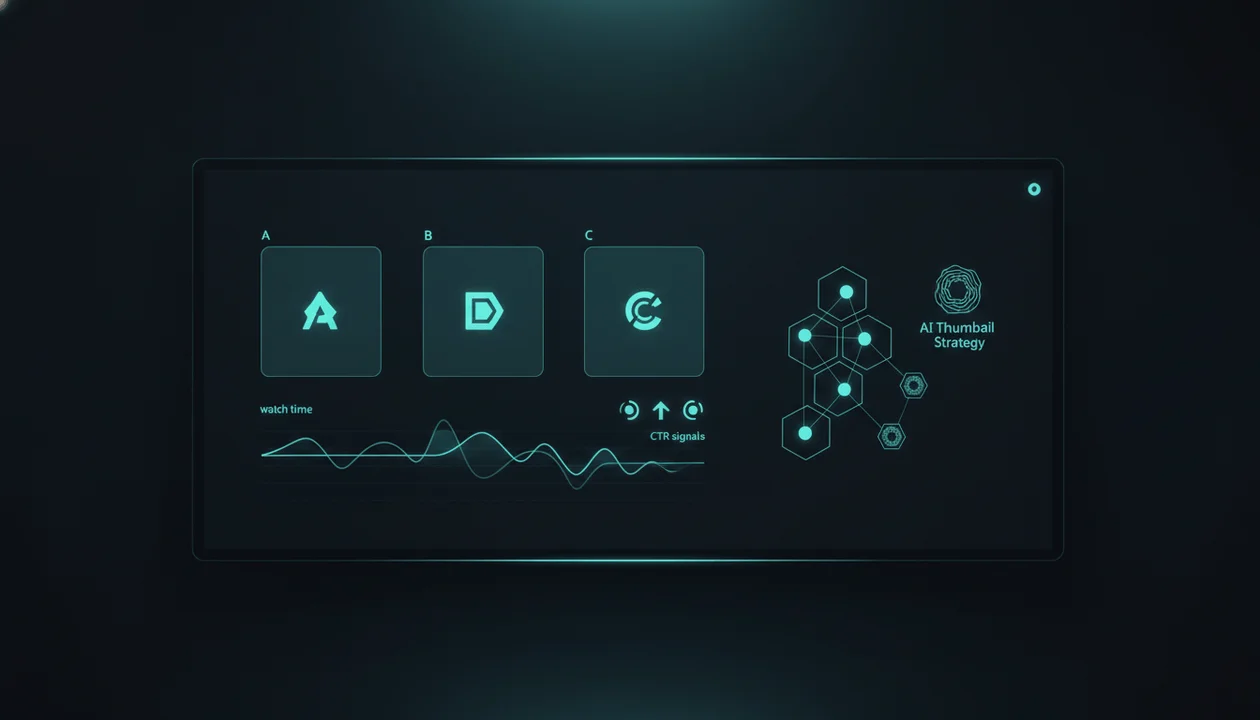
Thumbnail A/B testing is no longer a luxury for big YouTube teams.
It is becoming part of the normal packaging workflow.
But most creators still misunderstand what thumbnail testing actually solves.
A/B testing does not magically create better thumbnails. It only tells you which option performed better after real viewers saw it. If the three thumbnails you test are weak, too similar, or disconnected from the title, the test will not save the video.
The real win is not just testing thumbnails.
The real win is building a workflow where every thumbnail variation tests a different viewer promise, emotion, visual pattern, or curiosity angle.
That is where most creators fail.
They test:
Blue background vs red background.
They should be testing:
Fear vs curiosity.
Result vs problem.
Face vs object.
Proof vs mystery.
Contrarian claim vs direct benefit.
This guide breaks down the best YouTube thumbnail A/B testing tools in 2026, how to use them properly, what each tool is best for, and how to build a smarter testing workflow before you publish.
Key Takeaways
- YouTube Studio is the best native A/B testing option because it tests real viewers on YouTube and chooses winners based on watch time, not just click-through rate.
- YouTube’s native A/B testing can test up to three title and thumbnail options on eligible videos, but it is not available for Shorts, private videos, made-for-kids videos, or mature-audience videos.
- Third-party thumbnail testing tools can be useful before publishing, but their results can conflict with YouTube because many tools optimize for CTR or run tests outside the real YouTube environment.
- The biggest mistake is testing thumbnails that are too similar. YouTube itself recommends testing meaningfully different versions.
- OverseerOS is best used before the A/B test: to generate stronger thumbnail concepts, clone proven visual patterns responsibly, analyze thumbnail psychology, and prepare variations worth testing.
- The strongest workflow is: research proven patterns → create 3 different thumbnail concepts → align each with the title → run the test → save the winning pattern into your packaging system.
- A winning thumbnail is not always the one with the highest CTR. The better winner is the one that earns the strongest click and keeps the viewer watching.
Quick Verdict: Best YouTube Thumbnail A/B Testing Tools
| Tool | Best For | Main Strength | Main Weakness |
|---|---|---|---|
| YouTube Studio A/B Testing | Testing real thumbnails on real YouTube viewers | Native concurrent testing and watch-time-based winner selection | Only works after upload or on existing eligible videos |
| OverseerOS | Creating better thumbnail variations before testing | Builds thumbnails from proven YouTube patterns, title alignment, and visual DNA | Not a replacement for YouTube’s native A/B test engine |
| Thumblytics | Pre-publish thumbnail feedback and CTR checks | Helps compare packaging ideas before upload | External testing is not the same as YouTube viewer behavior |
| TubeBuddy | YouTube workflow support and testing for creators already using the extension | Useful for creators who want browser-based channel tools | Always compare against YouTube’s current native testing options |
| ViewStats | Thumbnail and channel research inspiration | Good for studying public thumbnail patterns and creator analytics | Feature availability changes, so check current plans before relying on it |
| Canva, Photoshop, or Figma | Designing the actual thumbnail variations | Fast creative production and collaboration | They do not tell you which version will perform |
| Manual YouTube Analytics Review | Small channels with limited tools | Free and useful after enough impressions | Slow, noisy, and easy to misread |
The best stack for most serious creators is simple:
OverseerOS for thumbnail strategy and variation creation.
YouTube Studio for real A/B testing.
YouTube Analytics for post-test learning.
That stack keeps the workflow practical.
You create smarter options before the test, then let real YouTube data decide.
What Is YouTube Thumbnail A/B Testing?
YouTube thumbnail A/B testing means showing different thumbnail variations to viewers and measuring which version performs better.
In 2026, this usually means one of three things:
| Testing Type | What It Does | Best Use |
|---|---|---|
| Native YouTube testing | Tests variations inside YouTube Studio with real YouTube viewers | Choosing the final winner after upload |
| External feedback testing | Shows thumbnail options to outside testers or simulated audiences | Getting directional feedback before upload |
| Manual testing | Swapping thumbnails over time and comparing analytics | Older videos or creators without access to better tools |
The key difference is where the test happens.
A test inside YouTube is stronger because the thumbnail is being judged in the real environment: actual viewers, actual recommendations, actual competing videos, actual watch behavior.
External testing can still be useful, but it answers a different question.
External test:
Which thumbnail looks more clickable to a test audience?
YouTube native test:
Which thumbnail and title combination creates better watch time from real viewers on YouTube?
Those are not the same thing.
That difference matters.
How YouTube Studio A/B Testing Works
YouTube’s own A/B testing feature is the most important tool in this category.
According to YouTube Help, creators can test and compare up to three different titles and thumbnails on eligible videos. At the end of the test, YouTube shows the title or title-and-thumbnail combination with the highest watch time to all viewers.
That last part is important.
YouTube is not just choosing the version with the highest click-through rate.
It is optimizing for watch time.
YouTube also says tests can take up to two weeks, recommends testing meaningfully different options, and notes that third-party tests may produce different winners because many third-party tools run sequential tests or optimize for CTR instead of watch time.
Here is the practical breakdown:
| YouTube Studio A/B Testing Detail | What It Means for Creators |
|---|---|
| Up to 3 variations | You need to choose your best 3 concepts, not 10 random designs |
| Title only, thumbnail only, or title and thumbnail | You can test packaging combinations, not just images |
| Winner based on watch time | Clickbait thumbnails can lose if viewers bounce |
| Tests can take up to 2 weeks | Use it on videos where you can wait for a proper result |
| Desktop only | You need to run it from YouTube Studio on a computer |
| Not available for Shorts | This is mainly for long-form videos, live archives, and podcast episodes |
| Not available for private, made-for-kids, or mature-audience videos | Not every upload is eligible |
| Similar variations can be inconclusive | Testing tiny design changes is usually weak |
This changes the thumbnail game.
Before, creators mostly guessed.
Now, more creators can run real packaging tests.
But the tool still has one major limitation:
It does not tell you what to create.
It only tests what you give it.
The Real Problem: Most Creators Test the Wrong Thumbnails
Bad thumbnail testing looks like this:
| Version | Difference |
|---|---|
| A | Red background |
| B | Blue background |
| C | Slightly larger text |
That is not a real strategy test.
That is decoration testing.
A stronger test looks like this:
| Version | Viewer Promise |
|---|---|
| A | Shows the painful problem |
| B | Shows the desired result |
| C | Shows the proof or evidence |
Example for a video titled:
I Tested 7 AI YouTube Tools
Weak test:
| Version | Thumbnail Text |
|---|---|
| A | AI Tools |
| B | Best AI Tools |
| C | YouTube AI |
Strong test:
| Version | Thumbnail Concept |
|---|---|
| A | A messy dashboard with the text “TOO MANY TOOLS” |
| B | One tool highlighted with the text “THIS WON” |
| C | A before/after workflow with the text “7 HOURS SAVED” |
The strong test gives YouTube three different viewer promises to test.
That is how you learn something useful.
If all three thumbnails say the same thing, the test teaches you almost nothing.
Best YouTube Thumbnail A/B Testing Tools in 2026
1. YouTube Studio A/B Testing
Best for:
Choosing the final winner using real YouTube viewer data.
YouTube Studio is the most important thumbnail A/B testing tool because it is native to the platform.
It tests the thumbnail where the decision actually happens: inside YouTube.
That means your thumbnail is being judged against real competing videos, real viewer intent, and real audience behavior.
Why It Is Strong
YouTube Studio tests are powerful because they measure watch time, not just clicks.
That protects creators from a dangerous trap:
The thumbnail that gets the most clicks is not always the thumbnail that grows the video.
A misleading thumbnail can spike CTR and destroy retention.
A clearer thumbnail may get slightly fewer clicks but bring in better viewers who actually watch.
YouTube’s native test is built around that reality.
Where It Falls Short
YouTube Studio is not a creative strategy tool.
It does not help you:
- Find proven thumbnail patterns
- Generate stronger variations
- Analyze competitor thumbnails
- Build a thumbnail swipe file
- Understand visual psychology
- Create title-thumbnail alignment
- Decide which three concepts deserve to be tested
It tests the options you upload.
If your options are weak, the result will be weak.
Best Use Case
Use YouTube Studio after you already have three meaningfully different thumbnail or title-thumbnail combinations.
Good test:
| Variation | Purpose |
|---|---|
| A | Emotional face and fear angle |
| B | Specific result and proof angle |
| C | Curiosity gap and object-focused angle |
Bad test:
| Variation | Purpose |
|---|---|
| A | Same thumbnail with red text |
| B | Same thumbnail with yellow text |
| C | Same thumbnail with a slightly different crop |
YouTube Studio should be the final testing layer, not the brainstorming layer.
2. OverseerOS
Best for:
Creating stronger thumbnail variations before you run the A/B test.
OverseerOS is not trying to replace YouTube Studio’s native A/B test.
That would be the wrong promise.
YouTube Studio is where you test real viewer behavior.
OverseerOS is where you create better options worth testing.
That distinction is the entire advantage.
A native A/B test can only choose between the thumbnails you upload. OverseerOS helps creators build those thumbnails from stronger starting points: proven patterns, visual DNA, thumbnail psychology, title alignment, and competitor research.
Inside OverseerOS, creators can generate thumbnail concepts from scratch, clone style principles from YouTube URLs, analyze thumbnails, and use a 1M+ view thumbnail style library as a creative starting point. The public thumbnail landing page positions the feature around creating unique thumbnails from scratch, cloning styles from YouTube URLs, and choosing from a library of thumbnails from videos with 1M+ views: AI YouTube thumbnail generator built from proven styles.
Why It Is Strong
Most thumbnail tools start from a blank prompt.
That is why the results often look pretty but not clickable.
OverseerOS starts from a better question:
What thumbnail patterns are already working in this niche?
That matters because YouTube thumbnails are not normal graphics.
They are visual promises.
A strong thumbnail needs:
- One clear focal point
- A specific emotional trigger
- A visual contrast
- A reason to care now
- A title relationship
- A niche-native pattern
- Mobile readability
- A click promise the video can satisfy
OverseerOS is useful because it helps creators create variations around those strategic differences before the test starts.
Where It Fits in the A/B Testing Workflow
Use OverseerOS before YouTube Studio:
- Pick the video idea.
- Analyze proven thumbnails in the niche.
- Generate three different thumbnail concepts.
- Make sure each concept tests a different viewer promise.
- Pair each thumbnail with the title or title variation.
- Upload the strongest three combinations into YouTube Studio’s A/B testing feature.
- Save the winning pattern back into your future packaging workflow.
That is the workflow serious creators need.
Not:
Make one thumbnail and hope.
Not:
Ask AI for “viral thumbnail.”
Not:
Test three tiny color changes.
A better workflow is:
Study proof → create different promises → test with real viewers → reuse what wins.
Best Use Case
Use OverseerOS when you need to create test-worthy thumbnail variations.
Example:
Video topic:
The AI Agents Problem Nobody Is Talking About
Weak thumbnail concepts:
| Version | Problem |
|---|---|
| Robot face | Too generic |
| AI text on blue background | Too vague |
| Futuristic circuit board | No emotional reason to click |
Stronger OverseerOS-style test concepts:
| Variation | Visual Promise |
|---|---|
| Poisoned web trapping tiny AI agents | Visualizes the danger |
| One agent breaking out of a glowing cage | Shows conflict and stakes |
| A clean network map with one corrupted red node | Shows proof and pattern |
Now you are not testing decorations.
You are testing which idea makes the viewer care.
3. Thumblytics
Best for:
Pre-publish thumbnail feedback and CTR-oriented checks.
Thumblytics positions itself around generating thumbnails, running CTR checks, and helping creators choose the strongest version before publishing.
That makes it useful for creators who want outside feedback before committing to a thumbnail.
Why It Is Strong
Thumblytics can help answer questions like:
- Which thumbnail is most immediately understandable?
- Which option looks more clickable?
- Which title-thumbnail pair creates more curiosity?
- Which version feels confusing?
- Which design looks too generic?
This is useful before upload, especially if you do not have a large enough channel to run meaningful native tests quickly.
Where It Falls Short
External feedback is not the same as YouTube behavior.
A test audience is not always your audience.
A click prediction is not the same as real watch time.
And a thumbnail that wins in a clean testing environment may not win inside YouTube’s chaotic homepage, where it competes against news, drama, podcasts, gaming, shorts, and creators the viewer already trusts.
Best Use Case
Use Thumblytics before publishing when you want quick directional feedback.
Then use YouTube Studio when the video is live and eligible for a real platform test.
4. TubeBuddy
Best for:
Creators who already use TubeBuddy and want extra YouTube workflow tools.
TubeBuddy has long been one of the best-known browser-based YouTube creator tools.
For creators who already use it for channel management, optimization, keyword research, or workflow support, its testing-related tools can be part of a broader YouTube toolkit.
Why It Can Be Useful
TubeBuddy can be helpful for creators who want their optimization workflow close to YouTube.
It is especially useful if your team already works inside the TubeBuddy ecosystem and wants one tool for multiple parts of channel management.
Where It Falls Short
The main thing to remember is that YouTube’s native A/B testing feature changed the value of third-party thumbnail testing.
If YouTube Studio gives you a native concurrent test based on watch time, that is hard to beat for final decision-making.
Third-party tools can still be useful, but they should not blindly override YouTube’s native test results.
Best Use Case
Use TubeBuddy as a supporting workflow tool.
For final thumbnail decisions, compare it against YouTube Studio’s current native testing feature and your own analytics.
5. ViewStats
Best for:
Studying thumbnail patterns and inspiration from successful channels.
ViewStats is best known as a YouTube analytics and research platform associated with MrBeast’s creator ecosystem.
For thumbnail work, its most useful role is research: studying what high-performing channels are doing, finding outliers, collecting inspiration, and understanding how packaging changes across videos.
Why It Can Be Useful
Thumbnail testing is stronger when it starts from pattern research.
If you study enough winners, you start noticing:
- Which emotions repeat
- Which colors dominate a niche
- Which text structures get reused
- Which formats show up on breakout videos
- Which creators use faces, objects, proof, or contrast
- Which topics need clarity vs mystery
That kind of research helps you create better tests.
Where It Falls Short
Research does not equal proof for your channel.
Just because a thumbnail style worked for one creator does not mean it will work for your audience, niche, title, or video promise.
Also, feature availability changes often across creator tools, so check the current product page before relying on any specific ViewStats feature.
Best Use Case
Use ViewStats for inspiration and thumbnail pattern research.
Then build your own original variations and test them through YouTube Studio.
6. Canva, Photoshop, or Figma
Best for:
Designing thumbnail variations fast.
These are not A/B testing tools.
But they matter because every testing workflow needs production.
You need a fast way to make three clean, high-quality variations.
Canva is useful for speed.
Photoshop is useful for advanced editing.
Figma is useful for teams, systems, and reusable thumbnail layouts.
Why They Are Useful
A/B testing only works if you can produce variations quickly.
If creating three thumbnails takes three days, your testing workflow dies.
Your design tool should help you create:
- Different concepts
- Different focal points
- Different emotional angles
- Different text overlays
- Different crops
- Different proof elements
- Different title-thumbnail combinations
Where They Fall Short
Design tools do not know your viewer.
They do not know which promise is strongest.
They do not know which competitor pattern is working.
They do not know if the thumbnail matches the title.
They help you make the image.
They do not choose the strategy.
Best Use Case
Use design tools after strategy is clear.
Do not open Canva and start guessing.
Start with the viewer promise first.
Then design.
7. Manual YouTube Analytics Testing
Best for:
Small channels, older videos, and creators who want a free testing workflow.
Manual testing means changing a thumbnail, waiting for enough impressions, checking performance, and comparing the result against the previous version.
This is not as clean as a real A/B test.
But it can still help if you do it carefully.
Why It Can Work
Manual testing is useful when:
- You do not have access to native A/B testing
- You want to revive older videos
- You have a video with weak CTR
- You want to test a stronger promise
- You are tracking changes over longer periods
Where It Falls Short
Manual testing is noisy.
The audience changes.
Traffic sources change.
Seasonality changes.
Suggested video placements change.
Returning viewers and new viewers behave differently.
That makes it easy to draw the wrong conclusion.
For example, you may think the new thumbnail improved CTR, but the real reason was that the video started getting search traffic instead of browse traffic.
Best Use Case
Use manual testing as a rescue workflow, not your main testing system.
Track:
- Date changed
- Old thumbnail
- New thumbnail
- Traffic source
- Impressions
- CTR
- Average view duration
- Watch time
- View velocity
- Comments or audience reaction
Do not judge too early.
What Makes a Good Thumbnail A/B Test?
A good thumbnail test is not random.
It has a hypothesis.
Bad hypothesis:
Maybe red text will work better.
Good hypothesis:
Viewers in this niche respond better to proof than mystery.
Better hypothesis:
For this finance topic, a specific number on a dashboard will outperform a generic money image because the audience wants proof, not motivation.
That is the level you want.
The 5 Best Thumbnail Hypotheses to Test
| Hypothesis | Variation A | Variation B |
|---|---|---|
| Problem vs result | Shows the painful problem | Shows the desired outcome |
| Face vs object | Human emotion close-up | Specific object or proof |
| Mystery vs clarity | Creates a curiosity gap | Clearly shows the value |
| Proof vs drama | Shows data, screenshot, result | Shows emotional consequence |
| Simple vs intense | One clean focal point | More dramatic visual tension |
The winner teaches you something reusable.
That is the point.
A/B testing is not just for one video.
It should improve your whole packaging system.
The Best Thumbnail A/B Testing Workflow
Use this workflow for serious long-form videos.
Step 1: Define the Click Promise
Before designing anything, write the promise in one sentence.
Template:
This video promises to show [audience] how/why [specific outcome or problem] by revealing [specific mechanism].
Example:
This video promises to show faceless YouTube creators why their thumbnails get ignored by revealing the difference between pretty images and clickable promises.
Now your thumbnail has a job.
Step 2: Choose Three Different Viewer Triggers
Pick three different emotional or logical triggers.
| Trigger | Example Thumbnail Direction |
|---|---|
| Fear | “This Is Killing Your CTR” |
| Curiosity | “Why This Works” |
| Proof | “2.8x More Clicks” |
| Result | Before and after transformation |
| Authority | Expert breakdown or pattern map |
| Shock | One extreme visual contradiction |
Do not test three versions of the same idea.
Test three different reasons to click.
Step 3: Create Three Thumbnail Concepts
Each concept should have:
- One focal point
- One emotional trigger
- One text idea, if text is needed
- One clear relationship to the title
- One mobile-readable composition
- One reason the viewer should care now
Example for a video titled:
Why Most AI Channels Will Die in 2026
| Variation | Thumbnail Text | Visual |
|---|---|---|
| A | AI SLOP | A pile of identical robot videos flooding a screen |
| B | DEAD CHANNELS | A YouTube analytics chart collapsing into red |
| C | TRUST WINS | One clean premium channel breaking through clones |
Each version tests a different promise.
A tests disgust.
B tests fear.
C tests hope and strategy.
Step 4: Run the Native YouTube Test
If the video is eligible, use YouTube Studio’s A/B testing feature.
Test:
- Thumbnail only if the title is already strong
- Title only if the visual concept is fixed
- Title and thumbnail if the promise changes between versions
If the thumbnail concept and title promise are linked, test them together.
A thumbnail often cannot be judged properly without the title.
Step 5: Read the Result Correctly
Do not just ask:
Which thumbnail won?
Ask:
Why did this thumbnail win?
Look for the pattern.
Was the winner:
- More specific?
- More emotional?
- More direct?
- More visual?
- Less cluttered?
- More aligned with the title?
- Better at attracting the right viewer?
- Stronger in watch time, not just clicks?
That learning is more valuable than one thumbnail.
Step 6: Save the Winning Pattern
Do not let the result disappear inside analytics.
Save it into your packaging system.
Track:
| Field | Example |
|---|---|
| Video title | Why Most AI Channels Will Die in 2026 |
| Winning thumbnail type | Fear-based analytics collapse |
| Losing thumbnail type | Generic robot face |
| Winning trigger | Channel survival fear |
| Niche | AI creator tools |
| Lesson | Audience clicks when the threat is specific and tied to their own channel |
That becomes your thumbnail intelligence library.
This is how creators get better over time.
How OverseerOS Fits Into the Thumbnail Testing Stack
OverseerOS is strongest before the A/B test.
It helps creators avoid the most expensive mistake:
Testing weak ideas because they had no better variations.
A good native test needs strong inputs.
OverseerOS helps create those inputs by letting creators work from proven thumbnail patterns instead of blank prompts.
Use it to:
- Analyze thumbnail psychology
- Generate thumbnail concepts from a title or topic
- Create variations based on proven YouTube styles
- Use a 1M+ view thumbnail style library for inspiration
- Clone visual DNA responsibly without copying the original artwork
- Align thumbnail concepts with the title and video promise
- Build repeatable packaging workflows for future videos
The best way to think about it:
| Stage | Best Tool |
|---|---|
| Find what is working | OverseerOS |
| Create strategic variations | OverseerOS |
| Design or refine final assets | OverseerOS, Canva, Photoshop, Figma |
| Test real viewer behavior | YouTube Studio |
| Learn from results | YouTube Analytics and your internal swipe file |
That is a complete workflow.
Not just a tool list.
Thumbnail A/B Testing Examples
Example 1: AI Channel
Video title:
The AI Agent Problem Nobody Wants to Admit
Weak thumbnail test:
| Version | Problem |
|---|---|
| Robot face | Generic |
| AI letters | Vague |
| Futuristic city | No clear problem |
Strong thumbnail test:
| Version | Promise |
|---|---|
| Trapped agents in a poisoned web | The system is dangerous |
| One corrupted node infecting a clean network | The problem is spreading |
| AI worker behind digital bars | Agents are not as free as promised |
This test compares visual metaphors.
Not colors.
Example 2: Finance Channel
Video title:
I Tracked Every Dollar I Spent for 30 Days
Weak thumbnail test:
| Version | Problem |
|---|---|
| Cash pile | Generic money content |
| Shocked face | No specific proof |
| Budget app screenshot | Too normal |
Strong thumbnail test:
| Version | Promise |
|---|---|
| “$1,842 WASTED” with receipt pile | Specific financial pain |
| Before/after bank balance | Clear transformation |
| One highlighted expense category | Concrete discovery |
This test compares proof types.
Example 3: Psychology Channel
Video title:
Why People Lose Interest When You Try Too Hard
Weak thumbnail test:
| Version | Problem |
|---|---|
| Sad person | Too broad |
| Couple arguing | Too generic |
| Broken heart icon | Looks cheap |
Strong thumbnail test:
| Version | Promise |
|---|---|
| One person leaning in while the other pulls away | Shows the dynamic |
| “TOO MUCH” text with visual distance | Makes the mistake clear |
| Split screen: calm vs desperate energy | Shows the contrast |
This test compares emotional clarity.
Example 4: Educational Channel
Video title:
The Roman Empire’s Biggest Mistake
Weak thumbnail test:
| Version | Problem |
|---|---|
| Roman soldier | Generic history |
| Colosseum | Overused |
| Map of Rome | Too academic |
Strong thumbnail test:
| Version | Promise |
|---|---|
| Cracked empire map with one red fracture point | Shows the mistake |
| Emperor ignoring a burning border | Shows consequence |
| “ONE BAD MOVE” with a specific battle marker | Creates curiosity |
This test compares story framing.
Thumbnail A/B Testing Checklist
Before running a test, check every variation:
- Each thumbnail has a different viewer promise.
- The title and thumbnail work together.
- The thumbnail is readable at mobile size.
- There is one main focal point.
- The text is short, specific, and not generic.
- The visual is not misleading.
- The thumbnail creates curiosity without breaking trust.
- The variations are different enough to teach you something.
- The video actually delivers the promise.
- The test is not just a color swap.
- You know what hypothesis you are testing.
- You will save the result for future packaging decisions.
If you cannot explain what each version is testing, the test is not ready.
Common Mistakes With YouTube Thumbnail A/B Testing
Mistake 1: Testing Tiny Design Changes
Small changes usually create weak learning.
Examples:
- Slightly different font
- Slightly brighter background
- Face moved a few pixels
- Text changed from yellow to white
- Same concept with minor contrast changes
These tests often become inconclusive because the viewer sees the same promise.
Test different ideas first.
Optimize details later.
Mistake 2: Only Optimizing for CTR
CTR matters, but it is not the whole game.
A high CTR thumbnail can hurt the video if it attracts the wrong viewer.
That is why YouTube’s native testing focuses on watch time.
A good thumbnail does two jobs:
- Gets the click.
- Sets the correct expectation.
If the thumbnail oversells the video, retention suffers.
Mistake 3: Testing Thumbnails Without Titles
A thumbnail is not judged alone.
It is judged next to the title.
The same image can perform differently with different titles.
Example:
Thumbnail text:
“HE LIED”
Title A:
The CEO Who Faked a Billion-Dollar Company
Title B:
7 Business Lessons From Failed Startups
The thumbnail fits Title A better.
It creates a clear promise.
With Title B, it feels random.
Mistake 4: Testing Three Bad Options
A/B testing is not magic.
If you test three weak thumbnails, you only find the least weak option.
The better workflow is to research patterns first.
Look at:
- Outlier videos
- Competitor thumbnails
- Niche visual language
- Viewer pain points
- Title formats
- Comment reactions
- Videos with high views relative to the channel baseline
Then create variations.
Mistake 5: Copying Instead of Modeling
Studying thumbnails is smart.
Copying them is lazy and risky.
Responsible modeling means extracting:
- Layout principles
- Contrast patterns
- Text hierarchy
- Subject placement
- Emotional framing
- Visual simplicity
- Niche conventions
It does not mean copying another creator’s exact artwork, face, text, or composition.
The goal is to create a unique thumbnail based on proven principles.
Not a duplicate.
Mistake 6: Ignoring the Video’s First 30 Seconds
The thumbnail sets the expectation.
The intro must confirm it fast.
If the thumbnail promises:
“This tool saved 7 hours”
The intro should quickly show:
- What tool
- What workflow
- What took 7 hours before
- What changed
- Why the viewer should keep watching
If the intro starts with slow background context, the packaging loses trust.
Native Testing vs Third-Party Testing
Creators often ask which is better.
The answer is clear:
Use native YouTube testing for final decisions when possible.
Use third-party testing for preparation.
| Question | Best Tool Type |
|---|---|
| Which thumbnail gets stronger real viewer watch time? | YouTube Studio |
| Which idea is clearer before upload? | Third-party feedback |
| Which design looks more clickable? | Third-party testing |
| Which pattern is working in my niche? | Research tools |
| Which thumbnail should I upload today? | OverseerOS plus YouTube Studio |
| Which old video should I rescue? | YouTube Analytics |
| Which style should my team repeat? | Internal swipe file |
You do not need one tool to do everything.
You need the right tool at the right stage.
Best Workflow by Creator Type
Solo Creator
Use:
- OverseerOS for concepts and pattern research
- Canva or Photoshop for final design
- YouTube Studio for A/B testing
- YouTube Analytics for learning
Focus on speed and repeatability.
Do not overbuild the system.
Faceless Channel Operator
Use:
- OverseerOS for niche pattern research and thumbnail concepts
- A designer or reusable templates for production
- YouTube Studio for testing
- A swipe file for winners and losers
Focus on building a packaging machine.
Faceless channels need strong packaging because there is no personal brand face carrying the click.
Agency or Multi-Channel Team
Use:
- OverseerOS for research, concepts, and visual pattern extraction
- Figma for team design systems
- YouTube Studio for final testing
- Internal dashboards for learning across clients or channels
Focus on documentation.
Every test should create reusable knowledge.
Small Channel
Use:
- OverseerOS or manual research to create stronger thumbnails
- YouTube Analytics to monitor impressions and CTR
- Manual thumbnail swaps on older videos
- Native A/B testing when eligible and impressions are enough
Focus on clear promises first.
Small channels often do not need advanced testing as much as they need better topics and packaging.
The Best Thumbnail A/B Testing Framework
Use this before every serious upload.
The 3-Promise Test
Create three thumbnails based on three different promises:
| Version | Promise Type | Example |
|---|---|---|
| A | Pain | “This is why your channel is stuck” |
| B | Result | “This is what changed after fixing it” |
| C | Proof | “Here is the specific evidence” |
Then ask:
- Which promise is most urgent?
- Which promise is easiest to understand?
- Which promise best matches the title?
- Which promise attracts the right viewer?
- Which promise does the video deliver fastest?
This creates a better test than random design variations.
The Mobile Test
Shrink the thumbnail to mobile size.
Can you still identify:
- The subject?
- The emotion?
- The contrast?
- The text?
- The reason to click?
If not, simplify.
The No-Title Test
Cover the title.
Can someone still guess the video topic?
If not, the thumbnail may be too abstract.
The No-Thumbnail Test
Hide the thumbnail.
Does the title still create a clear promise?
If not, the title is too dependent on the image.
The best packaging works as a pair.
Each side makes the other stronger.
Final Verdict
The best YouTube thumbnail A/B testing tool is YouTube Studio.
But the best thumbnail testing workflow starts before YouTube Studio.
That is the key.
YouTube Studio can tell you which option wins.
It cannot tell you which three options were worth creating.
That is where creators need a better system.
Use OverseerOS to research proven patterns, generate stronger thumbnail concepts, analyze visual psychology, and create three meaningfully different variations.
Then use YouTube Studio to test those variations with real viewers.
The winning formula is not:
Make thumbnail → upload → hope.
It is:
Study what works → create different promises → test with real viewers → save the pattern → repeat.
That is how thumbnails become a growth system.
Not a guessing game.
FAQ
What is the best YouTube thumbnail A/B testing tool?
The best native YouTube thumbnail A/B testing tool is YouTube Studio because it tests real viewer behavior on YouTube and chooses winners based on watch time. For creating better variations before the test, OverseerOS is useful because it helps creators generate thumbnail concepts from proven YouTube patterns.
Can you A/B test thumbnails on YouTube?
Yes. YouTube Studio allows eligible creators to test and compare titles, thumbnails, or title-and-thumbnail combinations. You can test up to three variations on eligible videos through YouTube Studio.
Does YouTube thumbnail A/B testing use CTR?
YouTube’s native A/B testing chooses winners based on watch time, not just CTR. This matters because the best thumbnail is not always the one that gets the most clicks. It is the one that attracts viewers who keep watching.
Can you A/B test YouTube Shorts thumbnails?
YouTube’s native A/B testing is not available for Shorts. It is mainly for eligible long-form videos, live archives, and podcast episodes.
How many thumbnails should I test?
YouTube Studio supports up to three variations. The best approach is to test three meaningfully different thumbnail concepts, not three tiny design tweaks.
Should I test thumbnails before or after publishing?
Both can work. Pre-publish testing helps you choose stronger candidates before upload. Native YouTube testing after upload gives better real-platform data when your video is eligible.
What should I test in a YouTube thumbnail?
Test different viewer promises. For example, problem vs result, face vs object, proof vs curiosity, fear vs benefit, or simple vs dramatic. Do not waste tests on tiny color changes unless the main concept is already proven.
Are third-party thumbnail testing tools accurate?
Third-party tools can be useful for directional feedback, but they are not the same as YouTube’s native test. YouTube warns that third-party tests may produce different results because they may test sequentially or optimize for CTR instead of watch time.
Is thumbnail A/B testing worth it for small channels?
Yes, but small channels should focus first on stronger topics, titles, and thumbnail clarity. If you do not have enough impressions, test results can be noisy. Use manual analytics carefully and prioritize obvious packaging improvements.
What is the biggest mistake creators make with thumbnail A/B testing?
The biggest mistake is testing thumbnails that are too similar. A good test should compare different viewer promises, not just different colors, fonts, or crops.


