News moves fast.
YouTube moves faster.
By the time most creators notice a trend, read three articles, open ChatGPT, ask for a script, rewrite the hook, make a thumbnail, and send the video to an editor, the topic is already cold. The first creators got the views. The late creators made the same video with a weaker angle.
That is why news-to-YouTube script generators are becoming a serious advantage.
But here is the trap: turning news into a video script is not the same as summarizing an article.
A summary tells viewers what happened.
A YouTube script makes them care.
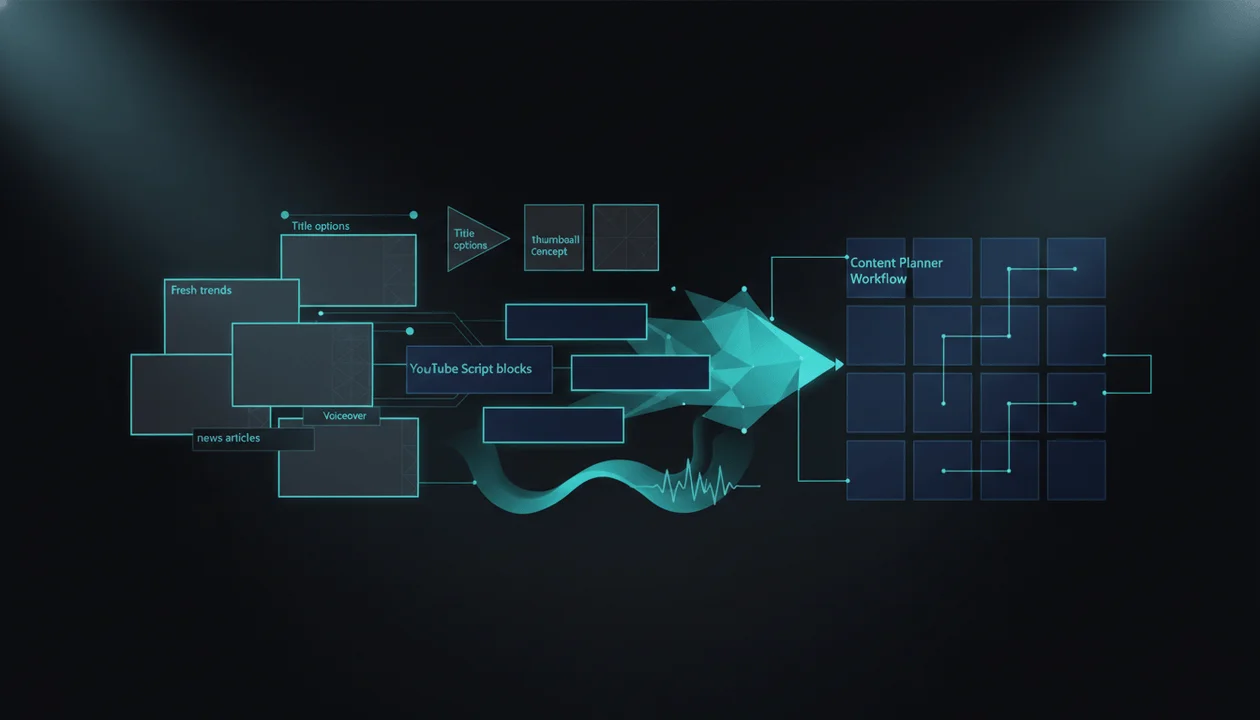
The best news-to-YouTube workflow finds the trend, checks whether the timing matters, turns the story into a clickable angle, builds the title and thumbnail promise, writes the hook, structures the script for retention, and moves the idea into production before the audience moves on.
This guide compares the best news-to-YouTube script generators in 2026, what each tool is actually good for, and how to build a workflow that turns fresh stories into videos without becoming another generic AI news channel.
Key Takeaways
- A news-to-YouTube script generator should do more than summarize articles. It should turn fresh information into a YouTube-native angle, hook, title, thumbnail promise, script, and production plan.
- The biggest mistake is pasting a news article into AI and asking for a script. That creates generic recap content with no point of view.
- The best workflow is: find the signal, verify the source, decide the YouTube angle, package the click, write the script, generate voiceover, and publish while the topic is still alive.
- OverseerOS is the strongest fit for creators who want fresh web news connected to scripts, titles, thumbnails, planners, competitors, and voiceovers in one YouTube workflow.
- Tools like Feedly, Google Trends, Perplexity, ChatGPT Search, Claude, NotebookLM, vidIQ, TubeBuddy, VEED, Kapwing, and Pictory can all help different parts of the process.
- The winner is not the tool that writes the fastest script. It is the tool that helps you pick the right trend and turn it into an original video before everyone else copies the obvious angle.
- This is especially useful for AI news, tech, finance, crypto, business, creator economy, sports commentary, celebrity commentary, politics-adjacent explainers, and fast-moving faceless channels.
Quick Verdict: Best News-to-YouTube Script Generators in 2026
| Tool | Best For | Main Strength | Main Weakness |
|---|---|---|---|
| OverseerOS | Turning fresh trends into YouTube-ready scripts and production plans | Fresh news feed, Trend to Script, titles, scripts, thumbnails, planners, voiceovers | Built for YouTube pre-production, not generic newsroom publishing |
| Feedly AI | Monitoring topics, companies, and trends across sources | Tracks trends across millions of sources and filters signal from noise | Research-first, not a YouTube script generator by itself |
| Google Trends | Validating whether public interest is rising | Free search-interest and trending-topic validation | Does not write scripts or understand YouTube packaging |
| Perplexity | Fast web research with source-backed answers | Real-time answer engine with citations | Needs human judgment and fact-checking before scripting |
| ChatGPT Search | Researching current topics and drafting scripts | Web search plus flexible script generation | Output quality depends heavily on prompt and source selection |
| Claude with Web Search | Deep research and structured script reasoning | Real-time web access with citations in supported environments | Not YouTube-specific without a strong workflow |
| NotebookLM | Source-grounded research packets from selected materials | Helps analyze and organize uploaded sources | Best after sources are chosen, not for live YouTube trend discovery alone |
| vidIQ Daily Ideas | YouTube-specific topic inspiration | Suggests personalized ideas based on channel and similar channels | Better for ideation than full news-to-script production |
| TubeBuddy | SEO and trend keyword validation | Keyword Explorer, SEO tools, topical analysis, title and thumbnail tools | Not a dedicated news script workflow |
| VEED | Script generation connected to editing | AI script generator plus text-to-speech and script-to-video workflow | More production/editing focused than trend validation |
| Kapwing | Short-form scripts and quick video drafts | Script generator, text-to-video, subtitles, voiceover, editing | Better for fast production than deep YouTube strategy |
| Pictory | Turning URLs, blogs, and scripts into videos | Converts text, URLs, blogs, scripts, and links into videos | Strong for repurposing, less strong for YouTube-native angle strategy |
What Is a News-to-YouTube Script Generator?
A news-to-YouTube script generator is a tool or workflow that helps creators turn fresh news, trends, articles, announcements, reports, or breaking stories into YouTube scripts.
A weak version does this:
Paste article → summarize article → produce generic script.
A strong version does this:
Detect fresh trend → verify source → understand why it matters → find the YouTube angle → create title and thumbnail promise → write hook → build retention structure → produce script → move into voiceover and production.
That difference matters.
YouTube viewers do not click because a story exists.
They click because the story has a clear angle.
Examples:
| News Item | Weak YouTube Angle | Stronger YouTube Angle |
|---|---|---|
| A new AI model launches | “New AI Model Released” | “This AI Model Just Changed the Browser War” |
| A startup raises funding | “Startup Raises $50M” | “Why Investors Are Betting on This Tiny AI Startup” |
| A creator platform changes policy | “YouTube Updates Policy” | “The YouTube Policy Shift Creators Are Missing” |
| A company announces layoffs | “Company Lays Off Workers” | “The Quiet Reason Tech Layoffs Are Not Over” |
| A finance report drops | “New Inflation Report Explained” | “The Number That Could Change Rate Cuts This Year” |
The news is the input.
The YouTube angle is the product.
Why Normal AI Script Generators Fail With News
Most AI script generators are built for generic topics.
You give them:
Write a YouTube script about the new AI update.
And they give you:
In today’s rapidly evolving world of artificial intelligence, a new update has taken the tech world by storm...
That is not a video.
That is filler with a headline attached.
News scripts fail when they:
- summarize instead of interpret
- start too slowly
- bury the real stakes
- repeat the article structure
- use generic “in today’s world” intros
- miss why the story matters now
- fail to connect the news to the viewer
- ignore title and thumbnail packaging
- do not include context
- do not verify claims
- sound like every other AI-generated recap
A good news script does not simply answer:
What happened?
It answers:
Why should the viewer care right now?
That is the entire game.
The News-to-YouTube Workflow That Actually Works
Before comparing tools, understand the workflow.
The best tool is the one that helps you move through these stages faster.
| Stage | Question | Output |
|---|---|---|
| Discovery | What happened? | Fresh trend or news item |
| Verification | Is it real? | Trusted source set |
| Relevance | Does my audience care? | Niche fit decision |
| Angle | What is the story really about? | YouTube-native premise |
| Packaging | Why would someone click? | Title + thumbnail promise |
| Script | How do we hold attention? | Hook, context, stakes, sections, payoff |
| Production | How fast can we publish? | Voiceover, visuals, brief, planner |
| Review | Did the audience respond? | CTR, retention, comments, follow-up ideas |
Most creators only do discovery and script.
That is why their videos feel flat.
The Best News-to-YouTube Script Generators in 2026
1. OverseerOS
Best for: turning fresh trends into YouTube-ready scripts, titles, thumbnails, voiceovers, and content plans
OverseerOS is the strongest choice if your goal is not just to find news, but to turn it into a YouTube production workflow.
Inside OverseerOS, the Trend to Script feature lets creators see fresh web news from the last 24 hours across many categories and move directly into script creation for trending topics. That makes it different from a generic AI writer. It is built around the creator problem: spotting a timely topic and turning it into a video before the opportunity dies.
But the real advantage is not only the news feed.
It is the connection between the pieces:
- Trend to Script for fresh news-driven ideas
- Smart Content Planners for organizing topics and scripts
- competitor tracking to see what other channels are doing
- channel analysis to understand proven patterns
- title generation for stronger packaging
- thumbnail generation for visual click strategy
- ElevenLabs-powered voiceovers inside the workflow
- channel blueprinting and tone analysis for style consistency
That means a creator can move from:
This story is trending.
To:
Here is the YouTube angle, title, thumbnail direction, script, voiceover, and production plan.
That is what most tools miss.
Use OverseerOS when you want to:
- turn fresh news into YouTube scripts
- create scripts for fast-moving niches
- connect trends with titles and thumbnails
- plan videos inside a creator workflow
- generate voiceovers after writing scripts
- track competitors and topic movement
- avoid random AI scripts that do not fit YouTube
Who it is best for:
- AI news channels
- tech commentary channels
- finance and business channels
- sports commentary channels
- creator economy channels
- faceless YouTube teams
- multi-channel operators
- agencies producing timely videos
Main weakness:
OverseerOS is not meant to be a generic newsroom CMS. It is strongest for YouTube strategy, pre-production, scripts, thumbnails, voiceovers, and planning.
Best use case:
Use OverseerOS when you want to turn fresh news into YouTube videos without separating research, scripting, thumbnails, voiceovers, and planning across five different tools.
Related: if you want the broader trend research angle, read the YouTube trend analysis tools guide. If you want script tooling more broadly, read the best AI YouTube script generators.
2. Feedly AI
Best for: monitoring topics, companies, industries, and trends across many sources
Feedly is one of the strongest tools for discovering and monitoring information before it becomes a video idea. Feedly describes its AI product as a way to track topics, companies, and trends across the web, with machine learning gathering, analyzing, and prioritizing information from millions of sources in real time. Source: Feedly
That makes it powerful for trend discovery.
Use Feedly when you need to monitor:
- AI product launches
- cybersecurity events
- company announcements
- finance stories
- market intel
- creator economy news
- startup funding
- platform policy changes
- niche-specific topics
- competitor mentions
Where it shines:
Feedly is excellent for signal tracking. Instead of manually checking dozens of websites, you can build feeds around topics and companies.
Where it is weaker for YouTube:
Feedly is not a YouTube script generator. It helps you find and filter the raw material. You still need to turn that news into a title, thumbnail, hook, script, and production plan.
Best use case:
Use Feedly as your trend radar, then move the strongest stories into a YouTube-native scripting workflow.
3. Google Trends
Best for: validating whether public interest is rising
Google Trends is free and useful for checking search interest. Google’s own documentation says Trends can be used to explore popular searches by location, learn about current issues, and examine how Trends data is used worldwide. Source: Google Trends Help
For news-based YouTube content, that matters.
A story can be interesting but not rising.
Google Trends helps you ask:
- Is search interest increasing?
- Is this topic regional or global?
- Is this seasonal?
- Are related queries emerging?
- Is the spike real or tiny?
- Are people searching for the person, company, event, or phrase?
Where it shines:
Google Trends is excellent for free validation.
Example:
You see a news story about an AI browser.
Before scripting, you compare:
- AI browser
- AI agent browser
- Perplexity Comet
- Google AI browser
- browser agents
Now you know which language the audience is using.
Where it is weaker:
Google Trends does not write scripts. It does not understand your channel. It does not tell you the YouTube angle by itself.
Best use case:
Use Google Trends before writing to confirm whether the news has audience pull.
4. Perplexity
Best for: fast web research with source-backed answers
Perplexity positions itself as an AI-powered answer engine that provides accurate, trusted, real-time answers. Source: Perplexity
For news-to-script workflows, Perplexity can help you quickly understand:
- what happened
- who is involved
- what the main sources say
- what changed recently
- what the key context is
- which sources disagree
- what follow-up questions matter
Where it shines:
Perplexity is useful in the research phase because it can gather information quickly and show sources.
Where it is weaker:
It is not a dedicated YouTube scripting system. It may help you understand a topic, but you still need to turn that topic into a YouTube angle, script, thumbnail, and production plan.
Important caution:
With fast-moving news, never trust one generated summary blindly. Open the original sources, verify names, dates, numbers, and claims, then write your own angle.
Best use case:
Use Perplexity to research the story quickly, then use a YouTube-first workflow to convert the story into content.
5. ChatGPT Search
Best for: current research plus flexible script drafting
OpenAI says ChatGPT Search can provide timely answers with links to relevant web sources and can search the web based on what you ask or when you manually choose search. Source: OpenAI
That makes it useful for news-to-script workflows when used carefully.
Use ChatGPT Search when you want to:
- research current events
- compare multiple sources
- create an outline
- draft a YouTube hook
- rewrite a script angle
- generate title options
- turn research into a narrative structure
- create follow-up questions
Where it shines:
ChatGPT is flexible. It can help with research, angle development, scripting, rewriting, and packaging.
Where it is weaker:
It is not automatically YouTube-native. If you ask for a script with a weak prompt, you get a generic script.
Best use case:
Use ChatGPT Search as a flexible research and drafting assistant, but guide it with a strong YouTube script framework.
6. Claude with Web Search
Best for: research-heavy scripting and structured reasoning
Anthropic’s web search documentation says Claude’s web search tool gives Claude direct access to real-time web content and includes citations for sources from search results. Source: Anthropic Docs
That makes Claude useful when a news story needs deeper reasoning, careful structure, or a more thoughtful script.
Use Claude when you need to:
- analyze source material
- compare viewpoints
- build a narrative structure
- rewrite for clarity
- create a more nuanced explainer
- turn complex news into simple language
- avoid overly hyped wording
Where it shines:
Claude is strong for long-form reasoning, structure, and tone.
Where it is weaker:
It is not a dedicated YouTube news workflow on its own. You still need trend discovery, packaging, thumbnails, voiceovers, and planning elsewhere.
Best use case:
Use Claude for deep script thinking after the trend and sources are chosen.
7. NotebookLM
Best for: source-grounded research packets
Google describes NotebookLM as an AI research tool that can analyze your sources, turn complexity into clarity, and transform your content. Source: NotebookLM
NotebookLM is useful when you want to ground the AI in selected sources instead of letting it wander across the web.
Use NotebookLM when you have:
- official reports
- PDFs
- articles
- transcripts
- company announcements
- research papers
- interview notes
- press releases
- policy documents
Where it shines:
For complex news, NotebookLM can help you organize source material and extract key points.
Example:
A major AI regulation update drops.
You upload:
- official government page
- company response
- expert commentary
- related policy PDF
- your own notes
Then you use NotebookLM to understand the source set before writing the script.
Where it is weaker:
NotebookLM is source-grounded research, not a YouTube content planner. It does not automatically create titles, thumbnails, hooks, voiceovers, or production workflows.
Best use case:
Use NotebookLM when accuracy and source grounding matter more than speed alone.
8. vidIQ Daily Ideas
Best for: YouTube-specific idea inspiration
vidIQ says Daily Ideas is an AI-powered tool that generates personalized video ideas for your channel by analyzing similar channels and your own content to identify trending topics and successful patterns. Source: vidIQ
That makes it useful for creators who want YouTube-specific ideas, not only news articles.
Use vidIQ when you need:
- daily topic suggestions
- YouTube idea inspiration
- niche-based ideas
- channel-aware recommendations
- trend-aware content prompts
Where it shines:
vidIQ is built around YouTube growth, so it is more relevant than generic news discovery tools for creator ideation.
Where it is weaker:
Daily Ideas is not the same as a full news-to-script workflow. It can help surface ideas, but you still need the news source verification, script structure, title-thumbnail promise, and production workflow.
Best use case:
Use vidIQ for YouTube idea inspiration, then turn only the strongest timely ideas into scripts.
9. TubeBuddy
Best for: YouTube SEO and trend keyword validation
TubeBuddy offers YouTube SEO and growth tools, including Keyword Explorer, SEO Studio, Click Magnet, Channel Insights, Niche Leaderboard, A/B Testing, Topical Analysis, title tools, thumbnail tools, and more. Source: TubeBuddy
For news-to-script creators, TubeBuddy is useful when you need to validate how people might search for a story.
Use TubeBuddy when you need:
- keyword research
- title optimization
- topical analysis
- YouTube SEO support
- thumbnail testing
- channel insights
Where it shines:
TubeBuddy helps creators think about search and optimization.
Where it is weaker:
A news story often wins through timing and packaging, not only search. TubeBuddy can help validate keywords, but it does not replace the creative news-to-script workflow.
Best use case:
Use TubeBuddy to refine searchable titles and metadata after you already have the news angle.
10. VEED
Best for: script generation connected to editing
VEED’s AI script generator says it can generate video scripts for YouTube scripts, voiceover scripts, marketing campaigns, educational content, social media videos, and presentations. It also connects scripts to text-to-speech and script-to-video workflows. Source: VEED
Use VEED when you want to:
- create quick scripts
- move from script to voiceover
- create social videos
- make short-form explainers
- work inside an editing workflow
Where it shines:
VEED is useful when you want script generation and production tools close together.
Where it is weaker:
VEED is not primarily a trend detection or YouTube competitor analysis system. You need to bring the news angle and sources yourself.
Best use case:
Use VEED when you already know the story and need to turn it into a script or quick video asset.
11. Kapwing
Best for: short-form scripts and fast AI video drafts
Kapwing’s AI Video Script Generator helps turn a topic, idea, or prompt into a structured script. It can generate hooks, talking points, narration, dialogue, and calls to action for short-form videos, explainers, ads, podcasts, and more. Source: Kapwing
Kapwing also offers AI video tools for turning scripts and prompts into editable video assets inside its online editor.
Use Kapwing when you need:
- short-form scripts
- quick explainers
- video drafts
- subtitles
- voiceover
- lightweight editing
- social-friendly formats
Where it shines:
Kapwing is good for speed and production.
Where it is weaker:
For serious YouTube news strategy, Kapwing does not replace trend validation, source analysis, competitor tracking, or channel-specific tone.
Best use case:
Use Kapwing for fast short-form scripts or quick production drafts after the angle is clear.
12. Pictory
Best for: turning URLs, blogs, scripts, and text into videos
Pictory says it can turn text, blogs, scripts, ideas, PPTs, images, screen recordings, URLs, and existing videos into engaging videos with automatic editing, captions, AI voices, avatars, and templates. Source: Pictory
That makes it relevant for repurposing articles or source content into video assets.
Use Pictory when you need to:
- convert article URLs into videos
- turn scripts into videos
- create branded videos quickly
- add captions and voiceovers
- repurpose blog content
- make simple explainer videos
Where it shines:
Pictory is useful for turning existing written material into video drafts.
Where it is weaker:
A URL-to-video workflow can become generic if the underlying angle is weak. It can convert information into a video, but it does not automatically create a strong YouTube story.
Best use case:
Use Pictory for repurposing or quick article-to-video workflows, but create the YouTube angle first.
The Difference Between a News Summary and a YouTube Script
This is where most creators lose.
A news summary sounds like this:
Company X announced a new AI tool today. The tool includes several features and is expected to improve productivity for users. Experts say this could impact the market.
A YouTube script sounds like this:
The most important part of this announcement is not the tool itself. It is what the tool is replacing. For years, companies sold software that waited for humans to click buttons. This new wave of AI tools is different. They do not just answer. They act.
That second version has a point of view.
Here is the difference:
| News Summary | YouTube Script |
|---|---|
| Reports what happened | Explains why it matters |
| Follows the article structure | Builds a viewer journey |
| Starts with facts | Starts with tension |
| Gives information | Creates curiosity |
| Often neutral | Has a clear angle |
| Ends when the story ends | Builds toward a payoff |
A news-to-YouTube script generator should help create the second one.
The News-to-Script Angle Framework
Use this before writing.
Every news story needs one strong angle.
| Angle Type | Best For | Example |
|---|---|---|
| Hidden shift | Tech, business, AI | “The real story is not the product. It is the behavior it changes.” |
| Warning | Finance, policy, platforms | “This update looks small, but creators may feel it later.” |
| Winner/loser | Markets, business, sports | “One company wins. Another quietly loses leverage.” |
| Bigger pattern | AI, creator economy, business | “This is not one announcement. It is part of a larger trend.” |
| Human consequence | Jobs, culture, creator economy | “This changes who gets paid, hired, or replaced.” |
| Timeline | Breaking stories | “Here is how this escalated in 48 hours.” |
| Contrarian | Crowded news topics | “Everyone is focusing on the wrong part.” |
| Explainer | Complex topics | “Here is the simple version of what actually changed.” |
Do not write until you pick the angle.
Example: Turning AI News Into a YouTube Script
News item:
A company launches a new AI browser agent.
Weak title:
New AI Browser Agent Released
Stronger titles:
- The Browser Is Becoming the Next AI Battlefield
- AI Agents Are Starting to Click for Us
- This Is Why Every AI Company Wants Your Browser
- The Internet Was Built for Humans. That May Be Changing.
Weak hook:
A new AI browser agent has been released, and it has many features that could help users online.
Stronger hook:
The browser used to be the place where humans made decisions. You searched, clicked, compared, bought, and typed. But AI companies are now trying to move into that exact layer, because whoever controls the browser may control how people use the internet.
That is the difference between a recap and a video.
Example: Turning Finance News Into a YouTube Script
News item:
A central bank signals possible rate cuts.
Weak title:
Interest Rate Cuts Explained
Stronger titles:
- The Market Heard One Word and Reacted
- Why Rate Cuts May Not Mean What You Think
- The Number Investors Are Watching This Week
- The Quiet Signal Behind the Next Rate Cut
Weak hook:
Interest rates are important because they affect the economy and consumer spending.
Stronger hook:
When people hear “rate cuts,” they think cheaper loans and a stronger market. But the uncomfortable question is why the cuts are needed in the first place.
Now the script has tension.
Example: Turning Creator Economy News Into a YouTube Script
News item:
A platform changes monetization rules.
Weak title:
New Creator Monetization Update
Stronger titles:
- The Creator Monetization Shift Nobody Is Talking About
- This Platform Update Could Change Who Gets Paid
- Creators Missed the Real Part of This Update
- The Small Policy Change That Could Hit Small Channels
Weak hook:
The platform has announced a new monetization update that creators should know about.
Stronger hook:
Most creators will read this update as another platform announcement. But buried inside it is a shift in who the platform wants to reward.
That is a YouTube angle.
The Best Prompt for News-to-YouTube Scripts
Use this when working with any AI tool.
You are a YouTube news script strategist.
I will give you a news story and sources.
Your job is not to summarize the article.
Your job is to turn the story into a YouTube-native script angle.
First, identify:
- what happened
- why it matters now
- who is affected
- what most people are missing
- the strongest YouTube angle
- 5 title options
- 3 thumbnail promise options
- the best opening hook
Then write a script with:
- no generic welcome intro
- a cold open that creates tension
- clear context without over-explaining
- stakes in the first 30 seconds
- source-based claims only
- simple language
- rehooks before major sections
- a clear final takeaway
Tone: [insert channel tone]
Audience: [insert target viewer]
Sources: [paste links or source excerpts]
Important: Do not invent facts. If a claim is uncertain, say it is uncertain. Do not exaggerate beyond the sources. Do not copy source wording. Create an original YouTube script.
This prompt alone will beat most generic script generator outputs.
But the bigger advantage comes from building the whole workflow around it.
How to Choose the Right Tool
Use this decision table.
| Need | Best Tool |
|---|---|
| Fresh news directly connected to YouTube scripts | OverseerOS |
| Monitor topics across the web | Feedly AI |
| Check if public interest is rising | Google Trends |
| Quickly understand a current story | Perplexity |
| Research and draft flexibly | ChatGPT Search |
| Deep source analysis and structured reasoning | Claude with Web Search |
| Analyze selected source documents | NotebookLM |
| Get YouTube-specific topic inspiration | vidIQ |
| Validate SEO and keyword opportunities | TubeBuddy |
| Generate quick scripts inside an editing flow | VEED |
| Create short-form scripts and fast video drafts | Kapwing |
| Turn articles or URLs into videos | Pictory |
The best stack for fast-moving YouTube channels is usually:
OverseerOS + Google Trends + one research assistant + one production tool.
You do not need 12 tools.
You need one clean workflow.
The Fast-Moving Niche Workflow
If your channel covers fast trends, use this.
Step 1: Watch the trend feed
Use a trend feed or monitoring tool to catch fresh stories.
Examples:
- AI launches
- platform updates
- creator economy news
- finance reports
- sports drama
- entertainment stories
- startup funding
- business shifts
- policy changes
- cultural moments
The goal is not to react to everything.
The goal is to spot the few stories your audience actually cares about.
Step 2: Verify the source
Before scripting, check:
- original announcement
- reputable reporting
- company blog or official statement
- dates
- names
- numbers
- whether the story is confirmed
- whether there are conflicting reports
A fast wrong video is still wrong.
Step 3: Decide the YouTube angle
Ask:
- What is the real shift?
- What is the tension?
- What is the consequence?
- What is the hidden part?
- What does the audience already believe?
- What can we explain better than everyone else?
- What can we say that is original but still accurate?
If you cannot find an angle, skip the story.
Step 4: Package before scripting
Create:
- 5 titles
- 3 thumbnail text options
- 3 thumbnail concepts
- 1 core hook
- 1 payoff
The title and thumbnail should shape the script.
Do not write first and package later.
Step 5: Write the script fast, but not lazy
A good news script should have:
- cold open
- context
- stakes
- source-backed explanation
- why it matters
- what most people are missing
- future implication
- final takeaway
Do not pad the script with generic background.
Step 6: Move into voiceover and production
For fast videos, production should not start from scratch every time.
Create reusable formats:
- breaking update
- deep explainer
- “what people missed”
- timeline breakdown
- company vs company
- winners and losers
- “why this matters”
- “the hidden shift”
The format speeds up production.
Step 7: Review after publishing
After the video publishes, check:
- CTR
- first 30-second retention
- comments
- average view duration
- whether viewers asked follow-up questions
- whether the topic deserves a part two
- whether the title/thumbnail promise matched the video
Then feed that back into the next trend script.
The News-to-YouTube Script Checklist
Before publishing, check this.
- The story is recent enough to matter.
- The sources are verified.
- The angle is not just a summary.
- The title creates a clear reason to click.
- The thumbnail promise adds emotion, not repetition.
- The hook starts with tension.
- The first 30 seconds explain why the viewer should care.
- The script separates facts from interpretation.
- The claims are not exaggerated beyond the sources.
- The script has rehooks before major sections.
- The video adds context competitors are missing.
- The final takeaway is clear.
- The production format is fast enough for the trend window.
- The video still makes sense if the viewer sees it 48 hours later.
That last point matters.
Evergreen-trend hybrid videos are stronger than disposable recaps.
Common Mistakes With News-to-YouTube Script Generators
Mistake 1: Summarizing the article
A summary is not a YouTube video.
The viewer can read the article faster.
Your video needs a reason to exist.
Mistake 2: Publishing too late
If the topic is time-sensitive, speed matters.
But speed without angle is noise.
The goal is not to publish first at any cost.
The goal is to publish while the topic is hot with a better angle than the lazy recaps.
Mistake 3: Trusting AI without checking sources
AI can misread, compress, or overstate claims.
For news, always verify.
Especially with:
- legal issues
- financial claims
- health claims
- platform policy changes
- public figures
- company announcements
- breaking stories
Mistake 4: Using the same title as everyone else
If every video says:
New AI Tool Released
You need a sharper frame.
Ask:
- What does this replace?
- Who loses?
- What changed?
- What is the hidden consequence?
- What does this reveal about the market?
Mistake 5: Forgetting the thumbnail
News channels often treat thumbnails as an afterthought.
That is a mistake.
A strong news thumbnail does not just show the subject.
It creates the emotion.
Examples:
| Topic | Weak Thumbnail Text | Better Thumbnail Text |
|---|---|---|
| AI launch | “New AI Tool” | “IT ACTS ALONE” |
| Platform policy | “Policy Update” | “CREATORS MISSED THIS” |
| Finance report | “Rate Cuts” | “NOT SO FAST” |
| Company scandal | “Breaking News” | “ALL FAKE?” |
| Sports drama | “Player Update” | “HE SAID WHAT?” |
Mistake 6: Making every story dramatic
Not every story is a scandal.
If you exaggerate everything, viewers stop trusting you.
Use intensity only when the facts support it.
Mistake 7: Ignoring your channel’s lane
Just because a story is trending does not mean it belongs on your channel.
A creator economy channel should not chase random celebrity gossip unless there is a creator-platform angle.
An AI channel should not cover every tech stock move unless it connects to AI adoption, tools, jobs, or market structure.
Trend chasing without positioning kills channel identity.
How OverseerOS Turns Trend Discovery Into Production
The biggest gap in most news workflows is the handoff.
Creators find a story in one place, research it in another, ask AI for a script somewhere else, make the thumbnail in another tool, generate the voiceover elsewhere, and track production in a spreadsheet.
That works for one video.
It breaks at scale.
OverseerOS is built around a more connected workflow.
The trend can become:
- a topic in a planner
- a title set
- a thumbnail direction
- a script
- a voiceover
- a content plan
- a production-ready asset
That matters because speed is not only about typing faster.
Speed is about reducing handoff friction.
For a fast-moving AI news channel, the workflow might look like this:
- Use Trend to Script to spot fresh AI news from the last 24 hours.
- Choose a story with strong timing and audience fit.
- Study competitor channels to see if the topic is already moving.
- Generate titles around the strongest angle.
- Create a thumbnail promise that adds emotion.
- Write a script in the channel’s tone.
- Generate a voiceover inside the workflow.
- Move the topic through the Smart Content Planner.
- Publish while the story is still hot.
- Review performance and feed the lesson into the next trend.
That is a real news-to-YouTube system.
Not just a script generator.
Final Verdict
The best news-to-YouTube script generator is not the one that summarizes articles fastest.
It is the one that helps you turn timing into leverage.
That means it needs to help with:
- trend discovery
- source verification
- audience fit
- YouTube angle
- title and thumbnail promise
- script structure
- voiceover
- production planning
Feedly is strong for monitoring.
Google Trends is strong for validation.
Perplexity, ChatGPT Search, Claude, and NotebookLM are useful for research.
VEED, Kapwing, and Pictory are useful for faster production.
vidIQ and TubeBuddy help with YouTube-specific ideas and SEO.
But if you want the workflow built specifically around turning fresh news into YouTube content, use OverseerOS.
The creators who win with news do not just react faster.
They frame the story better.
FAQ
What is a news-to-YouTube script generator?
A news-to-YouTube script generator is a tool or workflow that turns fresh news, trends, articles, announcements, or reports into YouTube scripts. The best ones do more than summarize. They help create a YouTube angle, hook, title, thumbnail promise, and retention structure.
What is the best news-to-YouTube script generator?
For YouTube creators, OverseerOS is the strongest fit because it connects fresh news discovery with Trend to Script, Smart Content Planners, titles, thumbnails, scripts, and voiceovers. Other tools like Feedly, Google Trends, Perplexity, ChatGPT Search, Claude, VEED, Kapwing, and Pictory can support parts of the workflow.
Can I turn news articles into YouTube videos with AI?
Yes, but you should not simply summarize the article. A stronger workflow verifies the story, identifies the angle, writes a YouTube-native hook, adds context, builds a title and thumbnail promise, and creates an original script.
Is it safe to use AI for news scripts?
Yes, if you fact-check carefully. AI can help research, structure, and draft, but you should verify dates, names, numbers, legal claims, financial claims, and source accuracy before publishing.
What makes a good news YouTube script?
A good news YouTube script has a strong hook, clear stakes, verified facts, useful context, a point of view, simple language, rehooks, and a clear takeaway. It should explain why the story matters, not just what happened.
How fast should I publish news-based YouTube videos?
It depends on the niche. For fast-moving AI, finance, sports, and commentary channels, publishing within the trend window matters. But speed should not come at the cost of accuracy or a weak angle.
What niches work best for news-to-script workflows?
The strongest niches include AI news, tech, finance, crypto, sports commentary, business, startup news, creator economy, entertainment commentary, policy explainers, and fast-moving faceless channels.
Should I use Google Trends before writing a news script?
Yes. Google Trends can help validate whether public interest is rising and what language people are using to search for the topic. It is not a full script tool, but it is useful for trend validation.
Can I use ChatGPT or Claude to write news-based YouTube scripts?
Yes. ChatGPT Search and Claude with web search can help research current stories and draft scripts. The output is much stronger when you give them verified sources, a clear audience, a title, a thumbnail promise, and a retention structure.
How do I avoid copying news articles?
Use articles as sources, not scripts. Verify the facts, then write your own original angle, structure, examples, and commentary. Do not copy article wording, headlines, or unique framing without permission.