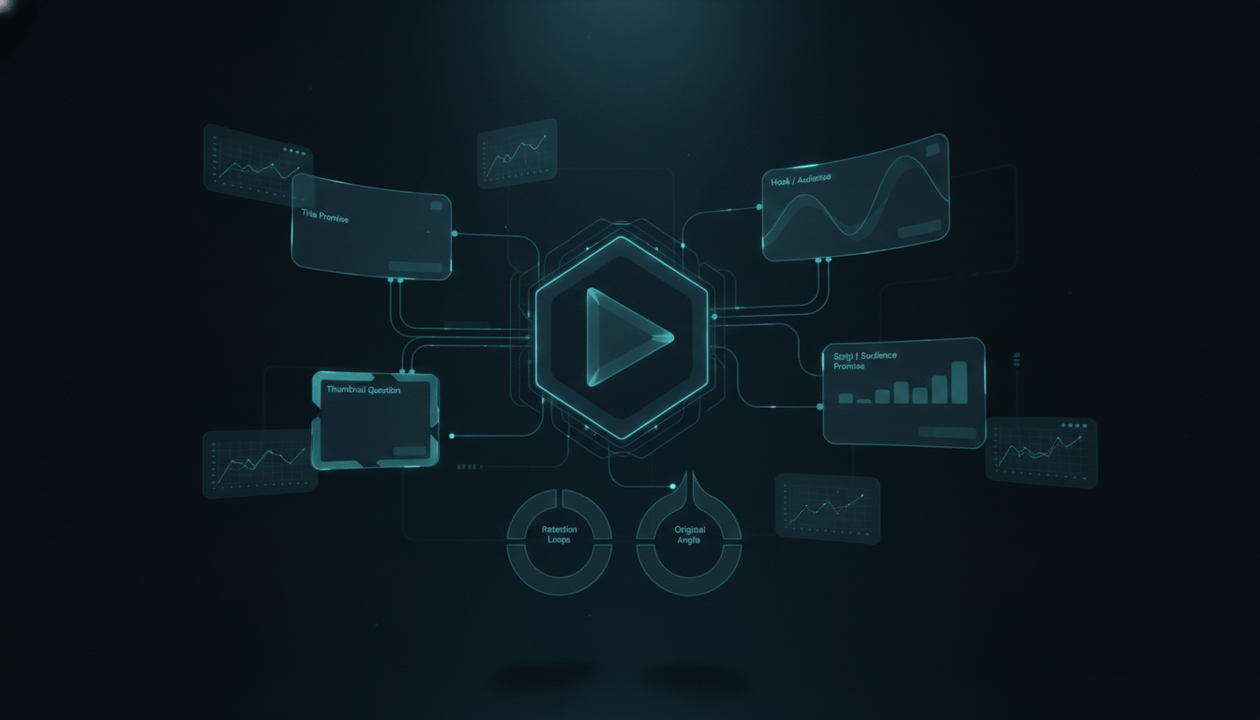
A viral YouTube video is not just a video.
It is a public case study.
The title tells you what promise got the click.
The thumbnail shows how that promise was made visual.
The hook shows how the creator kept the viewer from leaving.
The structure shows how the video held attention.
The comments show what the audience cared about.
The follow-up opportunities show what you could make next.
But most creators analyze viral videos too shallowly.
They watch the video once and say:
Good topic. Strong thumbnail. Nice hook.
That is not analysis.
That is a reaction.
A real YouTube video analyzer workflow breaks the video into parts: title, thumbnail, hook, audience promise, structure, pacing, emotional trigger, script logic, originality path, and follow-up angles.
The goal is not to copy the viral video.
The goal is to understand why it worked, then use that insight to create your own original video.
This guide gives you the full workflow for analyzing a viral YouTube video before you write your next title, thumbnail, hook, script, or production brief.
Key Takeaways
- A viral YouTube video should be studied as a system, not as a topic to copy.
- The five most important layers to analyze are title, thumbnail, hook, structure, and audience promise.
- A video analyzer workflow should answer: why did people click, why did they keep watching, what promise was delivered, and what original angle can you build next?
- YouTube’s own title and thumbnail guidance says viewers often see the thumbnail and title first, and that these signals help them decide whether to watch. Source: YouTube Help
- YouTube’s monetization policies reward original and authentic content and warn against repetitive, mass-produced, or reused content with little added value. Source: YouTube Help
- OverseerOS Viral X-Ray helps creators analyze YouTube videos, study public performance signals, inspect title and thumbnail strategy, extract structure, review thumbnail psychology, and turn proven patterns into original content.
- The best output of video analysis is not “make a similar video.” It is a production-ready brief for a different video that serves the same viewer demand.
What Is a YouTube Video Analyzer Workflow?
A YouTube video analyzer workflow is a repeatable process for breaking down why a specific video worked.
It is not just checking views.
It is not just reading the transcript.
It is not just copying the title format.
A real workflow studies the relationship between:
- Topic
- Title
- Thumbnail
- First 30 seconds
- Audience promise
- Emotional trigger
- Script structure
- Pacing
- Visual rhythm
- Comments
- CTA
- Follow-up potential
- Originality path
The point is to answer four questions:
- Why did viewers click?
- Why did viewers keep watching?
- What repeatable pattern can be learned?
- How can we create an original video from the same demand?
That last question matters most.
If your analysis ends with copying the video, you failed.
If your analysis ends with a stronger original angle, you did the work.
Why Most Viral Video Analysis Is Too Shallow
Most creators analyze videos like this:
The title is good.
The thumbnail is dramatic.
The hook is strong.
The video is well-edited.
That sounds useful, but it gives you nothing to execute.
What does “good title” mean?
What does “dramatic thumbnail” mean?
What made the hook strong?
What did the edit actually do for retention?
A useful analysis has to be specific.
Weak analysis:
Good thumbnail.
Better analysis:
The thumbnail turns the title’s abstract threat into one visual question: a familiar object is being replaced by something bigger and more mysterious.
Weak analysis:
Strong hook.
Better analysis:
The hook starts with a consequence, not context. It makes the viewer feel the topic matters before explaining the background.
Weak analysis:
Good script.
Better analysis:
The script uses a repeating loop: claim, example, implication, next question. Every section ends by opening the next one.
That is the level you need.
You are not trying to admire the video.
You are trying to extract a reusable pattern.
The 7-Layer YouTube Video Analyzer Framework
Use this framework on any viral video.
| Layer | What You Analyze | The Question |
|---|---|---|
| 1. Topic trigger | Why this subject mattered | Why now? |
| 2. Title promise | What the title made viewers expect | Why click? |
| 3. Thumbnail question | How the promise became visual | Why notice? |
| 4. Hook | How the first seconds paid off the click | Why stay? |
| 5. Structure | How the video held attention | Why continue? |
| 6. Audience promise | Who the video served | Why this viewer? |
| 7. Originality path | What you can make from the pattern | Why your version? |
Do not skip layers.
A viral video usually works because these pieces support each other.
The title creates a promise.
The thumbnail makes the promise visual.
The hook confirms the promise.
The structure pays it off.
The audience promise makes the viewer feel the video was for them.
The originality path keeps you from copying.
Layer 1: Analyze the Topic Trigger
The topic is not just the subject.
The topic trigger is the reason the subject became clickable.
Weak topic analysis:
This video is about AI agents.
Better topic trigger analysis:
This video works because AI agents are being framed as a threat to a familiar workflow people already use every day.
Different.
The topic is “AI agents.”
The trigger is “a familiar workflow is being threatened.”
That trigger is reusable.
Common topic triggers
| Topic Trigger | Why It Works | Example |
|---|---|---|
| Hidden threat | Viewers want to avoid being blindsided | “The AI Tool Quietly Replacing Entry-Level Work” |
| Hidden opportunity | Viewers want early advantage | “The New YouTube Format Small Channels Are Using to Break Out” |
| Familiar thing changed | Viewers care when normal behavior shifts | “Search Is Turning Into Something Else” |
| Underdog disruption | Viewers like power shifts | “The Tiny Startup Coming for a Billion-Dollar Market” |
| Mistake diagnosis | Viewers want to know what they are doing wrong | “Why Your Faceless Videos Get No Views” |
| System reveal | Viewers want to see the hidden machine | “How Companies Turn Convenience Into Monthly Payments” |
| Contrarian take | Viewers want a better explanation | “AI Is Not Killing Creators. Lazy Workflows Are.” |
| Before-and-after | Viewers want transformation | “I Changed One Thumbnail Pattern and the Video Finally Got Clicked” |
When analyzing a viral video, write the trigger in one sentence:
This video worked because it turned [topic] into [specific viewer-relevant tension].
Examples:
This video worked because it turned AI agents into a threat to how software companies price their products.
This video worked because it turned a boring finance topic into a hidden monthly leak viewers could feel immediately.
This video worked because it turned a historical event into a modern power story.
If you cannot identify the trigger, you are probably only seeing the topic.
Layer 2: Analyze the Title Promise
A title is not a description.
A title is a contract.
It tells the viewer:
Click this, and I will give you this payoff.
YouTube’s title and thumbnail guidance says titles should accurately represent the video, and that misleading titles can cause viewers to stop watching, which can impact discoverability. Source: YouTube Help
So when you analyze a title, do not only ask:
Is it clickable?
Ask:
What exact promise does this title make?
The title promise checklist
Analyze the title using these questions:
- What is the main subject?
- What tension does it create?
- What does the viewer expect to learn?
- Is the title searchable, curiosity-driven, or both?
- Is the title specific or broad?
- Does it create stakes?
- Does it imply a change, threat, mistake, secret, comparison, or payoff?
- Would the video disappoint viewers if it did not answer a specific question?
Title promise examples
Weak analysis:
“The Future of AI” is a broad AI title.
Better analysis:
This title promises a general prediction, but it does not create a specific viewer question. It is too broad unless the thumbnail or creator authority makes the promise sharper.
Weak analysis:
“The AI Search War Just Got Serious” is a good title.
Better analysis:
This title works because it combines a familiar behavior, search, with conflict, war, and urgency, just got serious. The viewer expects to learn what changed, who is fighting, and why it matters now.
Weak analysis:
“Why Your AI Faceless Videos Get No Views” is a pain title.
Better analysis:
This title works because it speaks directly to a failed creator outcome, creates diagnostic intent, and promises an explanation the viewer can use immediately.
Good title analysis should produce a formula.
Example:
“Why Your [Desired Output] Gets [Bad Result]”
Possible original versions:
- Why Your AI Shorts Get Views But No Subscribers
- Why Your YouTube Thumbnails Get Ignored
- Why Your Faceless Scripts Lose Viewers After 30 Seconds
- Why Your Content Calendar Creates Videos Nobody Wants
That is how title analysis turns into new ideas.
Layer 3: Analyze the Thumbnail Question
A thumbnail is not just an image.
It is a visual question.
The title uses words to create curiosity.
The thumbnail uses an image to make that curiosity instant.
YouTube says thumbnails and titles are usually the first things viewers see, and that they help viewers decide whether to watch. YouTube also recommends keeping thumbnails clear, not overly complex, and relevant to the audience. Source: YouTube Help
So when analyzing a thumbnail, ask:
What question does this image make the viewer ask?
The thumbnail analysis checklist
Look at:
- Main focal point
- Visual contrast
- Emotion
- Text clarity
- Object choice
- Background simplicity
- Before-and-after structure
- Scale contrast
- Color logic
- Familiar symbols
- Mystery element
- Relationship to the title
- Mobile readability
- Whether the image tells the same story as the title
Thumbnail questions by niche
| Niche | Thumbnail Question |
|---|---|
| AI | “Is this tool replacing something familiar?” |
| Finance | “Where is my money going?” |
| History | “What decision caused the collapse?” |
| Psychology | “Why do people behave this way?” |
| Business | “How did this company secretly win?” |
| Health | “Is this habit helping or hurting me?” |
| Creator economy | “Why did this video/channel/product suddenly work?” |
Weak thumbnail analysis:
The thumbnail has a robot and blue lighting.
Better analysis:
The thumbnail shows an AI object replacing a human role, which makes the title’s job-loss promise visual.
Weak thumbnail analysis:
It uses big red text.
Better analysis:
The red text only works because the image already creates danger. The text labels the threat instead of explaining the whole video.
Weak thumbnail analysis:
It looks cinematic.
Better analysis:
The cinematic style supports the documentary promise, but the click comes from the contrast between a familiar company logo and a hidden force behind it.
A good thumbnail analysis should help you create a new visual metaphor.
Not a copy.
Layer 4: Analyze the Title-Thumbnail Relationship
Many videos fail because the title and thumbnail sell two different videos.
A viral video often works because the two pieces create one clear promise.
Use this table.
| Relationship Type | How It Works | Example |
|---|---|---|
| Title explains, thumbnail dramatizes | Title gives context, image creates emotion | Title: “The AI Search War Just Got Serious” / Thumbnail: search bar being swallowed by AI |
| Title asks, thumbnail hints | Title creates question, image teases answer | Title: “Why This Channel Exploded” / Thumbnail: tiny channel card with huge view spike |
| Title names the threat, thumbnail shows the victim | Clear conflict | Title: “The App Store Problem Nobody Talks About” / Thumbnail: app icons trapped behind a gate |
| Title makes claim, thumbnail proves it visually | Strong payoff preview | Title: “Your Budget Is Leaking” / Thumbnail: money draining through subscription icons |
| Title creates contrast, thumbnail shows before/after | Transformation | Title: “I Changed One Thumbnail Pattern” / Thumbnail: weak version vs stronger version |
Ask:
- Does the thumbnail repeat the title or complete it?
- Does the thumbnail make the title clearer?
- Does the title explain the image?
- Is the promise honest?
- Would a viewer know what curiosity gap they are clicking for?
- Does the first 30 seconds pay off both the title and the thumbnail?
Weak pairing:
Title: “The Future of AI Workflows”
Thumbnail: Robot standing in city
Strong pairing:
Title: “AI Agents Could Break SaaS Pricing”
Thumbnail: subscription pricing page cracked by an autonomous AI agent
The second pairing is clearer because the title and thumbnail are solving the same click problem.
Layer 5: Analyze the Hook
The hook is where the video either earns the click or loses trust.
The viewer clicked because the title and thumbnail made a promise.
The hook must immediately prove:
Yes, this is the video you clicked for.
Most weak hooks start with context.
Strong hooks start with stakes.
Weak hook:
Artificial intelligence has changed many industries over the last few years, and today we are going to look at how AI agents are transforming the software industry.
Stronger hook:
Software companies spent years charging per seat. AI agents may break that model because the next user of your software might not be a human.
The second hook starts with a consequence.
The hook analysis checklist
For the first 15 to 30 seconds, ask:
- What is the first sentence?
- Does it match the title promise?
- Does it match the thumbnail promise?
- Does it create stakes?
- Does it avoid slow context?
- Does it introduce a clear question?
- Does it tell the viewer why this matters now?
- Does it signal the video has a point of view?
- Does it open a loop?
- Does it make the next section feel necessary?
Common hook types
| Hook Type | Structure | Example |
|---|---|---|
| Consequence hook | “X is happening, but the real problem is Y.” | “AI did not make YouTube easier. It made weak content easier to produce.” |
| Reversal hook | “You think X, but actually Y.” | “Most creators think their thumbnails are ugly. The real problem is that the thumbnail says nothing.” |
| Timeline hook | “For years X worked. Now Y changed.” | “For years, search meant links. Now the answer arrives before the click.” |
| Mistake hook | “Most people do X. That is why Y happens.” | “Most faceless creators write the script first. That is why the video fails before upload.” |
| Story hook | “One event revealed a bigger system.” | “One small channel found a format that exposed what the entire niche was missing.” |
| Question hook | “What happens when X?” | “What happens when the software buyer is no longer a person?” |
Do not just copy the hook.
Extract the mechanism.
If the viral video opens with a threat, your original video might open with a consequence.
If it opens with a surprising claim, your version might open with a reversal.
If it opens with a story, your version might open with a different story that serves the same viewer desire.
Layer 6: Analyze the Script Structure
A viral video is not only a good idea.
It is a sequence of decisions.
The script structure shows how the creator held attention after the click.
When analyzing structure, ignore the exact words at first.
Look for the flow.
The script structure map
Break the video into beats:
| Beat | What to Note |
|---|---|
| Opening hook | How the video earns the click |
| Setup | What context the viewer needs |
| First reveal | What new information creates momentum |
| Main argument | What the video is really saying |
| Examples | What proof makes the idea believable |
| Escalation | How the video keeps getting more interesting |
| Twist or contrast | What changes the viewer’s understanding |
| Payoff | What the viewer gets by the end |
| CTA or ending | What action or thought the viewer leaves with |
Do not summarize the video like a school assignment.
Analyze the job of each section.
Weak outline:
- Intro
- AI tools
- Examples
- Conclusion
Better structure analysis:
- Opens by saying AI agents threaten the software pricing model.
- Explains how SaaS pricing traditionally depended on human seats.
- Shows why AI agents change usage behavior.
- Gives examples of workflows where one human can control many agents.
- Explains why this affects product pricing, onboarding, and support.
- Contrasts companies that charge per user with companies that charge per outcome.
- Ends with the idea that software companies may need to sell work completed, not seats.
That is useful.
Now you can create an original script from the pattern.
Layer 7: Analyze the Retention Loops
A strong video keeps opening loops.
A loop is a reason to keep watching.
Loops can be small or large.
Large loop:
What is the real reason this channel exploded?
Small loop:
But the third pattern is the one most creators miss.
The best videos use both.
Retention loop types
| Loop Type | Example |
|---|---|
| Unanswered question | “But that only explains half the story.” |
| Delayed payoff | “In a minute, you will see why this thumbnail worked better.” |
| Escalating stakes | “The bigger issue is not the tool. It is what happens when every company copies it.” |
| Pattern reveal | “Once you see the structure, you will notice it in almost every breakout video.” |
| Contrast | “The video looked simple, but the strategy underneath was not.” |
| Countdown | “There are three reasons this worked. The second is the most important.” |
| Open comparison | “One version got ignored. The other got clicked.” |
| Future consequence | “If this continues, the entire niche changes.” |
When analyzing a viral video, mark where each loop appears.
Ask:
- What made me keep watching?
- What question was open?
- When was it answered?
- Did the answer create another question?
- Did the pacing change before I got bored?
- Did the video create curiosity at the end of each section?
This matters for scriptwriting.
A script with no loops feels like an article being read aloud.
A script with loops feels like a video.
Layer 8: Analyze the Audience Promise
A viral video works because it serves a specific viewer desire.
The topic is only the surface.
The audience promise is deeper.
Example:
Topic:
AI video tools
Possible audience promises:
- “Save production time.”
- “Avoid generic content.”
- “Find tools that actually help creators.”
- “Understand how AI changes the creator economy.”
- “Build a channel without hiring a full team.”
Same topic.
Different video.
Different audience.
Different title.
Different thumbnail.
Different script.
When analyzing a viral video, ask:
- Who is this really for?
- What fear, desire, curiosity, or frustration does it speak to?
- What does the viewer believe before clicking?
- What does the viewer want to believe after watching?
- What does the video help them understand, avoid, choose, or feel?
- Why would this viewer subscribe after watching?
Audience promise examples
| Topic | Weak Understanding | Stronger Audience Promise |
|---|---|---|
| AI agents | “People want AI news.” | “Professionals want to know how AI could change work before it affects them.” |
| Faceless videos | “People want automation tips.” | “Creators want to stop wasting money producing videos nobody watches.” |
| Finance | “People want money advice.” | “Young professionals want to understand why income disappears so fast.” |
| History | “People like old stories.” | “Viewers want forgotten events explained as dramatic power systems.” |
| Psychology | “People like facts.” | “Viewers want to understand behavior that affects status, confidence, and relationships.” |
This is the layer that helps you avoid copying.
If you understand the audience promise, you can create a different video for the same viewer.
Layer 9: Analyze the Emotional Trigger
People do not click only because a topic is useful.
They click because the topic is emotionally charged.
Common emotional triggers:
- Fear
- Curiosity
- Greed
- Relief
- Status
- Outrage
- Wonder
- Suspicion
- Identity
- Urgency
- Validation
- Regret
- Hope
A good video analyzer workflow names the dominant emotion.
Examples:
| Video Angle | Dominant Emotion |
|---|---|
| “Why Your AI Faceless Videos Get No Views” | Frustration and relief |
| “The AI Search War Just Got Serious” | Curiosity and urgency |
| “The Hidden Subscription Trap Killing Your Budget” | Anxiety and recognition |
| “The Roman Mistake That Made Collapse Inevitable” | Wonder and dread |
| “ChatGPT Is Not Enough for YouTube Automation” | Skepticism and clarity |
| “The Tiny Channel That Found a Million-View Format” | Opportunity and curiosity |
Ask:
- What emotion got the click?
- What emotion kept the viewer watching?
- Did the video resolve that emotion?
- Did it create a new emotional state by the end?
A strong video usually moves the viewer.
For example:
Confused → curious → surprised → convinced → ready to act
Or:
Frustrated → seen → educated → confident → ready to try
That emotional path is part of the structure.
Layer 10: Analyze the Originality Path
This is the ethical layer.
After analyzing a viral video, you need to decide what you can responsibly adapt.
You should not copy:
- Exact title
- Exact thumbnail composition
- Exact script
- Exact hook
- Exact examples
- Exact editing pattern
- Exact conclusion
- Exact channel identity
You can model:
- The viewer demand
- The title formula
- The thumbnail principle
- The hook mechanism
- The pacing logic
- The content format
- The emotional trigger
- The explanation style
- The follow-up topic category
YouTube’s monetization policies say creators should publish original and authentic content, and if they borrow content from someone else, they need to change it significantly to make it their own. YouTube also warns against mass-produced or repetitive content with minimal variation. Source: YouTube Help
So write this after every analysis:
What can I learn from this video without copying it?
Examples:
| Source Pattern | Bad Copy | Original Direction |
|---|---|---|
| “Why X gets no views” | “Why your AI Shorts get no views” with same structure and examples | “Why AI Shorts get views but no subscribers” with a new thesis |
| “The hidden cost of subscriptions” | Same title with different words | “How companies turned convenience into monthly rent” |
| “AI is replacing office work” | Same examples, same claim | “AI will replace tasks before it replaces job titles” |
| “Roman collapse explained” | Same story, same order | “The economic pattern behind slow empire collapse” |
| “I studied 100 thumbnails” | Same study concept | “I studied 50 low-view videos to find what their thumbnails failed to say” |
The best analysis creates distance from the source.
You learn the pattern.
Then you build your own video.
The Complete YouTube Video Analyzer Template
Use this template when studying a viral video.
Video Snapshot
Video URL:
Channel:
Upload date:
Video length:
Views:
Likes:
Comments:
Channel subscriber count:
Topic:
Format:
Niche:
Public Performance Signal
Is this video an outlier compared with the channel average?
Is it recent or old?
Is the topic evergreen or trend-led?
Is the format repeatable?
Can a smaller channel realistically make an original version?
Topic Trigger
What is the topic?
What made this topic clickable now?
What viewer problem, fear, desire, or curiosity does it hit?
Is the trigger hidden threat, hidden opportunity, mistake, comparison, contrarian take, case study, or trend?
Title Analysis
Exact title:
Title type: Searchable / curiosity / comparison / warning / case study / contrarian / tutorial
Title promise:
Curiosity gap:
Stakes:
Specificity:
Title formula:
Thumbnail Analysis
Main focal point:
Visual question:
Emotion:
Text usage:
Contrast:
Composition:
Mobile clarity:
What the thumbnail adds that the title does not:
Title-Thumbnail Alignment
Do they sell the same promise?
Does the title explain the thumbnail?
Does the thumbnail make the title visual?
Is the promise accurate?
What would disappoint the viewer if the video did not deliver?
Hook Analysis
First sentence:
First 30-second promise:
Does it continue the title-thumbnail promise?
What stakes appear immediately?
What loop is opened?
Where does the video move after the hook?
Structure Analysis
Beat 1:
Beat 2:
Beat 3:
Beat 4:
Beat 5:
Beat 6:
Final payoff:
Retention Analysis
Where does the video create curiosity?
Where does it change rhythm?
Where does it add examples?
Where does it escalate stakes?
Where could viewers leave?
What makes the ending satisfying or weak?
Audience Promise
Who is this video for?
What does the viewer want?
What emotion does the video trigger?
What does the viewer understand by the end?
Why would they subscribe after watching?
Originality Path
What pattern can be modeled?
What must not be copied?
What original angle could serve the same viewer?
What new examples would make it different?
What unique thesis could your version use?
Follow-Up Ideas
This is a real analysis.
Not a vibe check.
Example: Analyzing a Viral AI Video
Imagine the source video is:
The AI Search War Just Got Serious
Topic trigger
This video works because search is familiar to everyone, but AI is changing what search feels like. The topic is not just “AI search.” The trigger is a familiar internet behavior being disrupted.
Title promise
The title promises conflict, urgency, and a change in power. The viewer expects to learn who is fighting, what changed, and why it matters now.
Title formula:
The [familiar category] War Just [Changed/Escalated/Got Serious]
Original title directions:
- The AI Browser War Just Started
- The Creator Tool War Is Moving to AI Agents
- The SaaS Pricing War Is About to Change
- The AI Video Tool War Is Not About Video
Thumbnail question
A strong thumbnail might show a search bar being swallowed by an AI answer box.
The visual question:
Is the search experience being replaced?
Hook pattern
Strong hook:
For 20 years, search meant typing a question and clicking a link. Now the answer appears before the click, and that changes who gets traffic, who gets paid, and who controls discovery.
Hook mechanism:
Old behavior → new shift → larger consequence
Original hook using same mechanism:
For years, YouTube automation meant making videos faster. Now everyone can make videos faster, which means speed is no longer the advantage.
Structure pattern
- Explain the old search behavior.
- Introduce the AI shift.
- Show why this changes user behavior.
- Explain who loses.
- Explain who wins.
- Show what happens next.
- End with the larger implication.
Original structure for a different video:
- Explain the old YouTube automation workflow.
- Introduce AI production tools.
- Show why production speed is now common.
- Explain why generic output loses.
- Explain why research and packaging become more important.
- Show the better workflow.
- End with the new creator advantage.
Now you have an original video.
Not a copy.
Example: Analyzing a Viral Faceless Channel Video
Source idea:
Why Your AI Faceless Videos Get No Views
Topic trigger
The trigger is a painful failed outcome. The viewer has already tried AI videos and feels frustrated.
Title promise
The title promises diagnosis.
It says:
You are not just unlucky. There is a reason this is happening.
Title formula:
Why Your [Thing You Want to Work] Gets [Bad Result]
Original directions:
- Why Your YouTube Thumbnails Get Ignored
- Why Your AI Shorts Get Views But No Subscribers
- Why Your Faceless Scripts Lose Viewers After 30 Seconds
- Why Your Content Calendar Creates Videos Nobody Wants
- Why Your YouTube Automation Workflow Keeps Failing
Thumbnail question
A good thumbnail could show a polished AI video stuck at low views beside a missing research layer.
The visual question:
What is missing from this workflow?
Hook pattern
Strong hook:
Your video is usually dead before the first AI scene is rendered.
Hook mechanism:
Surprising diagnosis before explanation
Original hook:
Your thumbnail usually fails before the designer opens the file.
Now you can make a new video about thumbnails without copying the original video.
How OverseerOS Viral X-Ray Turns Analysis Into Action
Manual analysis works, but it gets messy.
You watch a video.
You write notes.
You screenshot the thumbnail.
You copy the title.
You paste the transcript somewhere.
You ask AI for ideas.
You lose the connection between the original pattern and the new video.
OverseerOS Viral X-Ray is built to keep the analysis focused.
OverseerOS Viral X-Ray AI YouTube Video Analyzer helps creators analyze a YouTube video URL or Shorts URL using public performance signals, title, thumbnail, hook, structure, tone, audience, emotions, and script strategy.
According to the OverseerOS Viral X-Ray feature page, the workflow can include:
- YouTube video URL and Shorts URL analysis
- Video ID extraction from multiple URL formats
- Public title, description, tag, category, and channel analysis
- Views, likes, comments, upload date, duration, and public engagement signals
- Thumbnail preview and expansion
- Premium AI analysis for hook, intro, tone, emotion, audience, structure, and CTA patterns
- Transcript-based outline extraction when transcripts are available
- Thumbnail psychology analysis for supported videos
- Workflow handoff into scripts, thumbnails, and original content planning
Important limitation:
OverseerOS Viral X-Ray does not access another creator’s private YouTube Studio analytics, retention graphs, audience demographics, watch-time curves, or internal recommendation data. It analyzes public signals, available metadata, thumbnails, and transcripts when accessible.
That is the right boundary.
You do not need private data to learn useful public patterns.
You need a better way to turn visible signals into decisions.
The Viral X-Ray Workflow Inside OverseerOS
Here is the practical workflow.
Step 1: Paste the YouTube video URL
Start with a video that has a reason to be analyzed.
Good candidates:
- A competitor’s breakout video
- A video outperforming a channel’s normal baseline
- A video in your niche with strong title-thumbnail packaging
- A video you want to understand before creating an original angle
- A Short with a strong hook pattern
- A video saved from OverseerOS Overseer Feed or competitor research
Do not analyze random viral videos just because they have views.
Analyze videos that can teach your channel something.
Step 2: Review public signals
Look at:
- Title
- Description
- Tags when available
- Category
- Channel details
- Views
- Likes
- Comments
- Upload date
- Duration
- Thumbnail
- Public engagement signals
Use this to answer:
Is this video actually useful as a strategy signal?
A video with 5 million views from a massive celebrity channel may not help your faceless channel.
A video with 300,000 views from a 20,000-subscriber channel might be gold.
Step 3: Run the AI breakdown
Use OverseerOS Viral X-Ray to inspect:
- Hook
- Intro
- Video type
- Niche
- Script tone
- Dominant emotion
- Storytelling structure
- Target audience
- CTA patterns
Use this to answer:
What is the video doing strategically?
Step 4: Generate a transcript-based outline when available
When transcripts are available, use the outline to study:
- Section order
- Topic flow
- Reveal timing
- Pacing
- Transitions
- Examples
- Payoff
Use this to answer:
How was the video structured?
Step 5: Analyze thumbnail psychology
Study:
- Visual triggers
- Composition
- Emotional pull
- Text clarity
- Click appeal
- Title-thumbnail relationship
Use this to answer:
What visual question got the viewer’s attention?
Step 6: Turn the analysis into an original content brief
This is the money step.
Do not stop at the analysis.
Turn it into:
- Original topic angle
- Title options
- Thumbnail concepts
- Hook options
- Script outline
- Proof needed
- Visual direction
- Originality check
- Production notes
Use the video as research input.
Not as a template to copy.
The Video Analyzer Output You Actually Want
A weak video analyzer output looks like this:
This video has a strong title, engaging thumbnail, and good hook.
Useless.
A strong output looks like this:
| Layer | Output |
|---|---|
| Topic trigger | A familiar workflow is being replaced by AI. |
| Title promise | The viewer will learn what changed and why it matters now. |
| Thumbnail question | Is the old workflow being swallowed by the new system? |
| Hook mechanism | Old behavior → new shift → larger consequence. |
| Structure | Explain old model, introduce shift, show winners and losers, explain what comes next. |
| Audience promise | Helps creators/operators understand a platform change before it affects their work. |
| Emotional trigger | Urgency and curiosity. |
| Originality path | Apply the same disruption structure to YouTube automation, SaaS pricing, or creator workflows. |
| New video angle | “AI Did Not Make YouTube Easier. It Made Strategy More Valuable.” |
That is useful because it creates action.
The Original Video Brief Template
After analyzing a viral video, create this.
Original Video Brief
Source video pattern:
What pattern inspired this?
What we are not copying:
Title, thumbnail, examples, structure, script, or visual identity.
Viewer demand:
What audience desire does the source video prove?
Original angle:
What is our different take?
Working title:
Best current title.
Backup titles:
At least 5 options.
Thumbnail concept:
One visual question.
Opening hook:
First 1 to 3 sentences.
Unique thesis:
What our video argues or explains differently.
Proof needed:
Sources, examples, public data, screenshots, case studies, or product references.
Script structure:
4 to 7 beats.
Retention devices:
Open loops, reveals, contrast, stakes, examples, pattern interrupts.
Visual style:
What the video should look and feel like.
Originality check:
Why this is meaningfully different from the source.
Production path:
Script, voiceover, scenes, thumbnail, edit, export.
This is the bridge between analysis and creation.
Without the brief, analysis stays theoretical.
With the brief, analysis becomes production-ready.
How to Turn One Viral Video Into 5 Original Ideas
A strong viral video can usually create multiple original directions.
Do not make one copy.
Create a small opportunity map.
Example source pattern
Source video:
Why Your AI Faceless Videos Get No Views
Extracted pattern:
Diagnose a painful failed outcome and reveal the hidden workflow problem behind it.
Original ideas:
Why Your YouTube Thumbnails Get Ignored
- Same diagnostic pattern, new packaging focus.
Why Your AI Shorts Get Views But No Subscribers
- Same failed outcome structure, new growth problem.
Why Your Faceless Script Loses Viewers After 30 Seconds
- Same pain diagnosis, deeper retention angle.
Why Your YouTube Automation Workflow Keeps Failing
- Same audience, broader system-level issue.
Why Your Content Calendar Creates Videos Nobody Wants
- Same workflow diagnosis, planning angle.
This is how you use a viral video ethically.
You do not remake it.
You extract the diagnostic structure and apply it to different problems.
The “Copy or Model?” Test
Before using any insight from a viral video, run this test.
| Question | Safe Answer |
|---|---|
| Am I using the same title with swapped words? | No |
| Am I recreating the same thumbnail composition? | No |
| Am I following the same script beat-for-beat? | No |
| Am I using the same examples in the same order? | No |
| Am I copying the same hook line? | No |
| Am I using the same visual identity? | No |
| Am I serving the same viewer demand with a new angle? | Yes |
| Am I adding original research, examples, or commentary? | Yes |
| Would the video still make sense without the source video? | Yes |
| Would a viewer feel this version gives them a different payoff? | Yes |
If your version fails this test, pull back.
You are too close.
The YouTube Video Analyzer Scorecard
Use this to rate a viral video as a source of inspiration.
Score each from 1 to 5.
| Factor | Question | Score |
|---|---|---|
| Demand signal | Did the video outperform a normal baseline? | |
| Recency | Is the topic still relevant now? | |
| Repeatability | Can the pattern create more than one video? | |
| Packaging clarity | Are the title and thumbnail clearly aligned? | |
| Hook strength | Does the first 30 seconds pay off the click? | |
| Structure | Does the video have a useful repeatable flow? | |
| Audience fit | Does it attract the viewer you want? | |
| Originality room | Can you make a clearly different version? | |
| Production fit | Can you produce a strong version realistically? | |
| Business value | Does the topic attract valuable viewers? |
Decision rule:
- 42 to 50: Strong source pattern. Build original briefs from it.
- 34 to 41: Useful, but inspect originality and production fit.
- 25 to 33: Good for learning, weak for direct planning.
- Below 25: Do not use as a strategic source.
Not every viral video is worth modeling.
Some videos are viral because of creator fame, celebrity access, shock, controversy, expensive production, or timing you cannot repeat.
The scorecard protects you from chasing the wrong signals.
When Not to Analyze a Viral Video
Do not waste time analyzing every big video.
Skip videos where:
- The channel is famous for reasons you cannot replicate.
- The video depends on celebrity access.
- The hook relies on personal drama.
- The format requires a huge budget.
- The topic is already dead.
- The video uses misleading packaging.
- The content relies on reused clips without meaningful transformation.
- The audience is not your target viewer.
- The source video already fully owns the topic.
- You cannot create an original version without sounding like a copy.
A million-view video is not automatically a useful blueprint.
A smaller breakout video in your exact niche may be much more valuable.
The Best Videos to Analyze
Prioritize these:
1. Small-channel outliers
A small channel getting a huge view spike can reveal an opening in the market.
Example:
A 15,000-subscriber channel gets 250,000 views on a specific format.
That is usually more useful than a massive channel getting normal views.
2. Competitor breakout videos
These show what your future audience is already clicking.
Analyze them to understand:
- Topic demand
- Packaging expectations
- Audience questions
- Content gaps
- Follow-up ideas
3. Videos with clear title-thumbnail alignment
Some videos are useful because the packaging is clean.
Study how the title and thumbnail work together.
4. Videos with strong hooks
A video with a great first 30 seconds can teach structure even if the topic is not perfect.
5. Videos with repeatable formats
Look for formats that can become series, not one-off stunts.
Examples:
- “Why X failed”
- “I studied X”
- “The hidden problem with X”
- “Before you do X”
- “The company that quietly controls X”
- “The mistake killing X”
- “X vs Y”
- “The beginner workflow for X”
Repeatable formats are channel assets.
How Video Analysis Connects to Titles, Thumbnails, Scripts, and Production
A good analysis should flow into the whole workflow.
| Analysis Insight | Next Action |
|---|---|
| Topic trigger | Generate original angles |
| Title formula | Create 10 title options |
| Thumbnail question | Create 3 thumbnail concepts |
| Hook mechanism | Write 3 opening hooks |
| Script structure | Build an outline |
| Emotional trigger | Set tone and pacing |
| Audience promise | Confirm channel fit |
| Originality path | Avoid copying |
| Visual style | Create production notes |
| Follow-up demand | Add ideas to planner |
This is where OverseerOS is useful.
OverseerOS Viral X-Ray gives you the video-level analysis.
OverseerOS Viral Title Architect helps turn title patterns into original titles.
OverseerOS AI YouTube Thumbnail Generator helps turn thumbnail principles into original visual concepts. OverseerOS AI YouTube Thumbnail Generator
OverseerOS Script Studio helps turn the validated idea into a hook, outline, tone, retention structure, voiceover direction, and script.
OverseerOS Smart Content Planner helps organize the idea, brief, script, voiceover, and production status.
OverseerOS Auto Edit Studio helps turn finished scripts and voiceovers into structured faceless video workflows with scenes, AI visuals, captions, music, motion, style direction, and export controls. OverseerOS Auto Edit Studio
The winning move is connecting the research to production.
Not leaving the insight in a notes doc.
Practical Workflow: From Viral Video to Original Script
Here is the exact process.
Step 1: Pick the right source video
Choose a video that:
- Is relevant to your niche
- Has a clear demand signal
- Has strong packaging
- Has a repeatable structure
- Attracts the audience you want
- Leaves room for an original angle
Step 2: Run the video through the analyzer
Use OverseerOS Viral X-Ray or your own template to inspect:
- Public signals
- Title
- Thumbnail
- Hook
- Structure
- Audience
- Emotion
- Script strategy
- Thumbnail psychology
- Transcript outline when available
Step 3: Extract the pattern
Write:
This video worked because [specific pattern].
Example:
This video worked because it diagnosed a frustrating creator failure and revealed that the real issue happens before production.
Step 4: Create 5 original angles
Use these buckets:
- Same viewer, different pain
- Same format, different topic
- Same trigger, different niche
- Same emotion, different thesis
- Same structure, deeper version
Step 5: Choose the strongest angle
Score by:
- Demand
- Originality
- Packaging strength
- Retention potential
- Production fit
- Channel fit
- Business value
Step 6: Build the title-thumbnail-hook package
Create:
- 10 title options
- 3 thumbnail concepts
- 3 hook options
- 1 viewer promise
- 1 unique thesis
Step 7: Write the script brief
Include:
- Structure
- Examples
- Proof
- Visual notes
- Retention loops
- Tone
- CTA
- Originality check
Step 8: Produce only after the brief is strong
If the brief is weak, do not produce.
Fix the idea first.
Example: Full Video Analyzer Output
Source video concept:
ChatGPT Is Not Enough for YouTube Automation
Topic trigger
Creators are using ChatGPT for YouTube scripts and ideas but still getting generic videos. The trigger is frustration with prompt-only automation.
Title promise
The title promises a clear argument: ChatGPT is useful, but insufficient. The viewer expects to learn what is missing.
Thumbnail question
A strong thumbnail would show a basic prompt workflow on one side and a structured YouTube operating system on the other.
Visual question:
What is missing between prompting and building a real channel?
Hook mechanism
Strong hook mechanism:
Acknowledge the tool’s value → expose the workflow gap → introduce the better system.
Example hook:
ChatGPT can write a script. But a script is not a channel. The gap between a prompt and a profitable YouTube workflow is where most creators fail.
Script structure
- Explain why ChatGPT feels powerful.
- Show why prompt-only output becomes generic.
- Explain that YouTube starts from viewer behavior, not text.
- Break down where ChatGPT helps.
- Break down where it fails.
- Introduce the proof-first workflow.
- Show how a connected YouTube system works.
- End with a practical pre-production checklist.
Audience promise
This video serves creators who are using AI for YouTube but feel stuck because their output does not convert into views, subscribers, or a real channel system.
Emotional trigger
Skepticism and relief.
The viewer feels:
I knew prompts were not enough, but I did not know what the missing layer was.
Originality path
Do not make another “ChatGPT is bad” video.
Create related original angles:
- Why AI YouTube Scripts Sound Generic
- The YouTube Workflow ChatGPT Cannot Build Alone
- The Missing Research Layer Behind AI Automation
- How to Use ChatGPT After You Analyze a Viral Video
- Prompt-to-Publish Is the Wrong YouTube Automation Workflow
Now the source video has become a cluster.
That is the point.
Common Mistakes in YouTube Video Analysis
Mistake 1: Copying the video instead of extracting the pattern
The fastest way to become forgettable is to make a weaker version of a better video.
Fix:
Write the pattern in abstract terms before creating your own idea.
Mistake 2: Analyzing only the topic
The topic is only one layer.
A video can win because of packaging, timing, hook, creator authority, emotional tension, or structure.
Fix:
Analyze title, thumbnail, hook, structure, and audience promise separately.
Mistake 3: Ignoring the source channel’s baseline
A video with 200,000 views may be normal for one channel and massive for another.
Fix:
Look for outlier performance, not just view count.
Mistake 4: Treating thumbnails as design instead of strategy
A thumbnail is not decoration.
It is a visual argument.
Fix:
Ask what question the thumbnail creates.
Mistake 5: Ignoring the first 30 seconds
The hook is where the click gets confirmed.
Fix:
Compare the first 30 seconds to the title-thumbnail promise.
Mistake 6: Forgetting originality
If your analysis leads to a near-copy, it is not useful.
Fix:
Write what you will not copy before writing your own brief.
Mistake 7: Not turning analysis into a production brief
Notes do not create videos.
Briefs create videos.
Fix:
Convert every useful analysis into titles, thumbnails, hooks, outline, proof, and production notes.
The Better Way to Use AI for Video Analysis
Do not ask AI:
Analyze this video and tell me why it went viral.
That is too broad.
Use a better prompt:
Analyze this YouTube video as a creator strategist.

Video:
[URL or transcript/notes]

Break it down into:
1. Topic trigger
2. Title promise
3. Thumbnail question
4. Title-thumbnail alignment
5. First 30-second hook
6. Script structure
7. Retention loops
8. Audience promise
9. Dominant emotion
10. Originality path

Then generate 5 original video angles that model the pattern without copying the title, thumbnail, script, examples, or structure too closely.
Even better, use OverseerOS Viral X-Ray so the analysis is connected to your YouTube workflow instead of living in a separate chat.
The Pre-Production Checklist After Analyzing a Viral Video
Before you produce the inspired video, check this.
- I understand the topic trigger behind the source video.
- I can explain the title promise in one sentence.
- I can explain the thumbnail question in one sentence.
- I know how the hook continues the title-thumbnail promise.
- I mapped the script structure.
- I identified the dominant emotion.
- I know who the video served.
- I have created a different original angle.
- My title is not a rewritten version of the source title.
- My thumbnail is not a copied composition.
- My hook is original.
- My examples are different.
- My thesis is different.
- My production style fits my channel.
- The video would still be valuable if the source video did not exist.
If you cannot check these, keep working.
The analysis is not finished.
Final Verdict: Analyze the Pattern, Then Build Your Own Video
A viral YouTube video is not a template.
It is evidence.
It shows you that a certain viewer, promise, title, thumbnail, hook, structure, and emotional trigger can work.
But the value is not in copying the output.
The value is in understanding the system.
A serious YouTube video analyzer workflow helps you break down:
- Why the topic mattered
- Why the title earned the click
- Why the thumbnail stopped attention
- Why the hook kept viewers
- How the structure held attention
- What the audience wanted
- What emotion carried the video
- What original angle you can build next
That is how creators turn viral videos into better original videos.
Not by stealing.
By studying.
If you want to do this manually, use the templates in this guide.
If you want the workflow connected, use OverseerOS Viral X-Ray AI YouTube Video Analyzer to analyze video URLs and Shorts, study public signals, inspect hooks, thumbnails, structure, audience, emotion, and script strategy, then move the insight into titles, thumbnails, scripts, and production.
Do not start your next video from a blank page.
Start from proof.
Then make it yours.
FAQ
What is a YouTube video analyzer?
A YouTube video analyzer is a tool or workflow that helps creators study a specific YouTube video using public signals such as title, thumbnail, description, tags, views, comments, transcript, hook, structure, audience, emotion, and packaging. The goal is to understand why a video worked and use those insights to create original content.
How do you analyze a viral YouTube video?
Analyze the topic trigger, title promise, thumbnail question, title-thumbnail alignment, first 30 seconds, script structure, retention loops, audience promise, emotional trigger, and originality path. Do not stop at “good title” or “strong thumbnail.” Break down how each part helped the video earn and keep attention.
Can I use a viral video as inspiration without copying?
Yes. The safe approach is to model the pattern, not duplicate the output. You can study the viewer demand, title logic, thumbnail principles, hook mechanism, pacing, and structure, then create a different video with a new angle, title, thumbnail, script, examples, and thesis.
What should I look for in a YouTube title?
Look for the title promise. Ask what the title makes the viewer expect, what curiosity gap it creates, what stakes it introduces, whether it is searchable or intriguing, and whether the video actually pays it off. A strong title is accurate, specific, and gives the viewer a reason to click.
What should I look for in a YouTube thumbnail?
Look for the thumbnail question. A good thumbnail usually has one clear focal point, strong visual contrast, emotional pull, mobile clarity, and a visual idea that supports the title. It should not just look good. It should make the viewer want to know more.
Why is the first 30 seconds important?
The first 30 seconds confirm whether the title and thumbnail promise was honest. If the hook is slow, vague, or disconnected from the package, viewers may leave quickly. A strong hook creates stakes, opens a loop, and proves the viewer clicked the right video.
Does OverseerOS Viral X-Ray show private YouTube analytics?
No. OverseerOS Viral X-Ray does not show another creator’s private YouTube Studio analytics, retention graphs, audience demographics, watch-time curves, or internal recommendation data. It analyzes public signals, available metadata, thumbnails, and transcripts when available.
Can OverseerOS Viral X-Ray analyze Shorts?
Yes. OverseerOS Viral X-Ray supports standard YouTube video URLs and YouTube Shorts URLs. Some analysis outputs depend on the public data, metadata, thumbnail, and transcript availability for the specific video.
How do I turn a viral video analysis into a new video?
Extract the pattern behind the viral video, then create an original angle. Build a new title, thumbnail concept, hook, script outline, proof list, visual direction, and originality check. The best output is a production-ready brief, not a copied video.
What is the biggest mistake creators make when analyzing viral videos?
The biggest mistake is copying the surface instead of understanding the system. Creators copy topics, titles, thumbnails, or scripts instead of extracting the deeper audience demand, emotional trigger, title logic, thumbnail principle, hook mechanism, and structure.