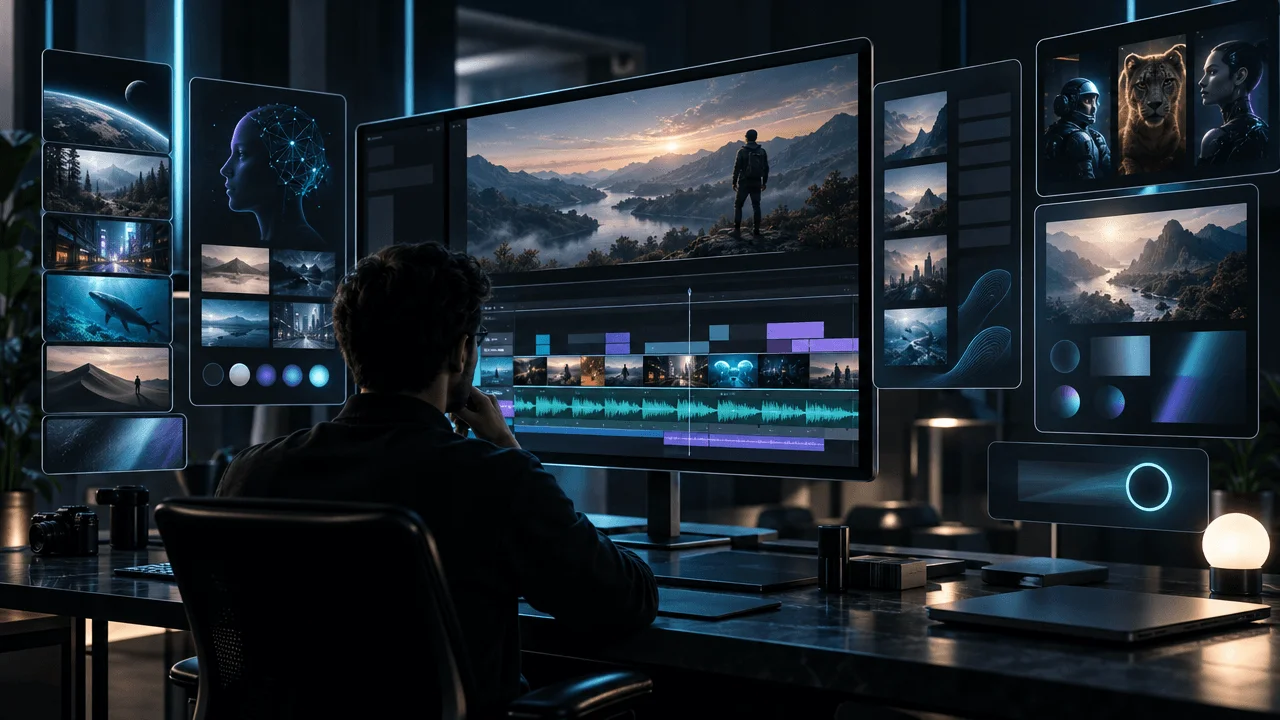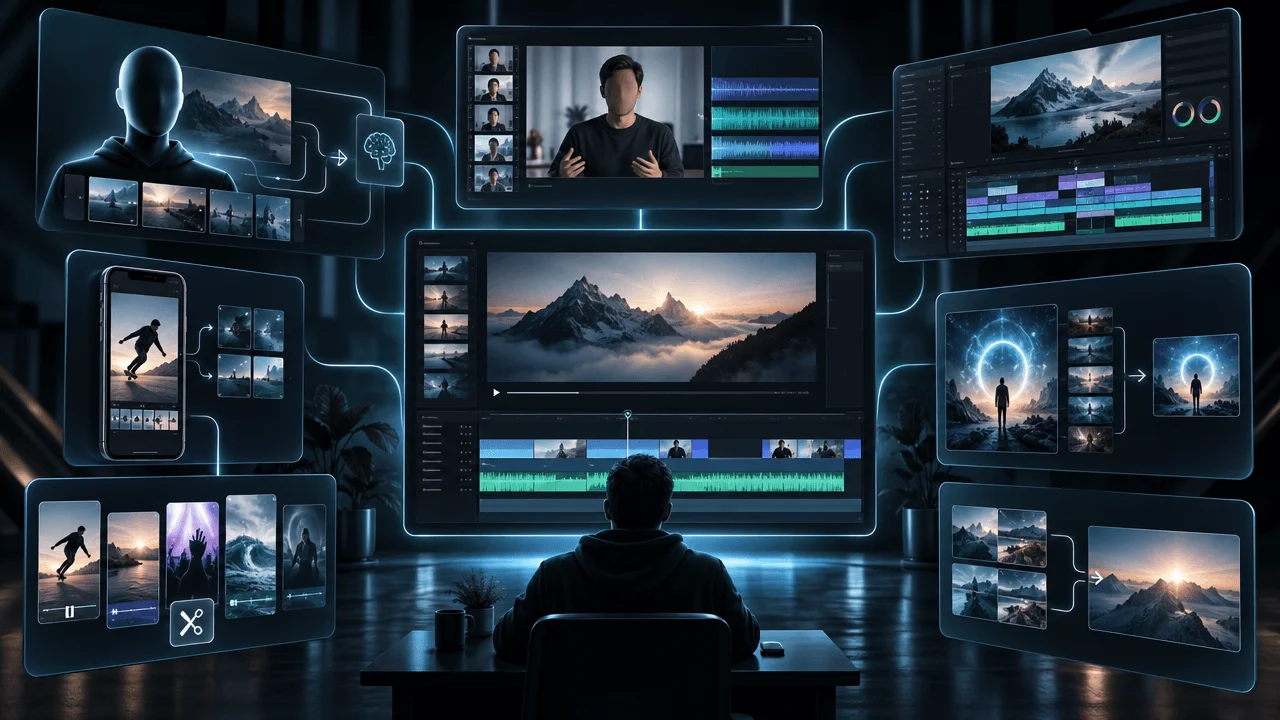
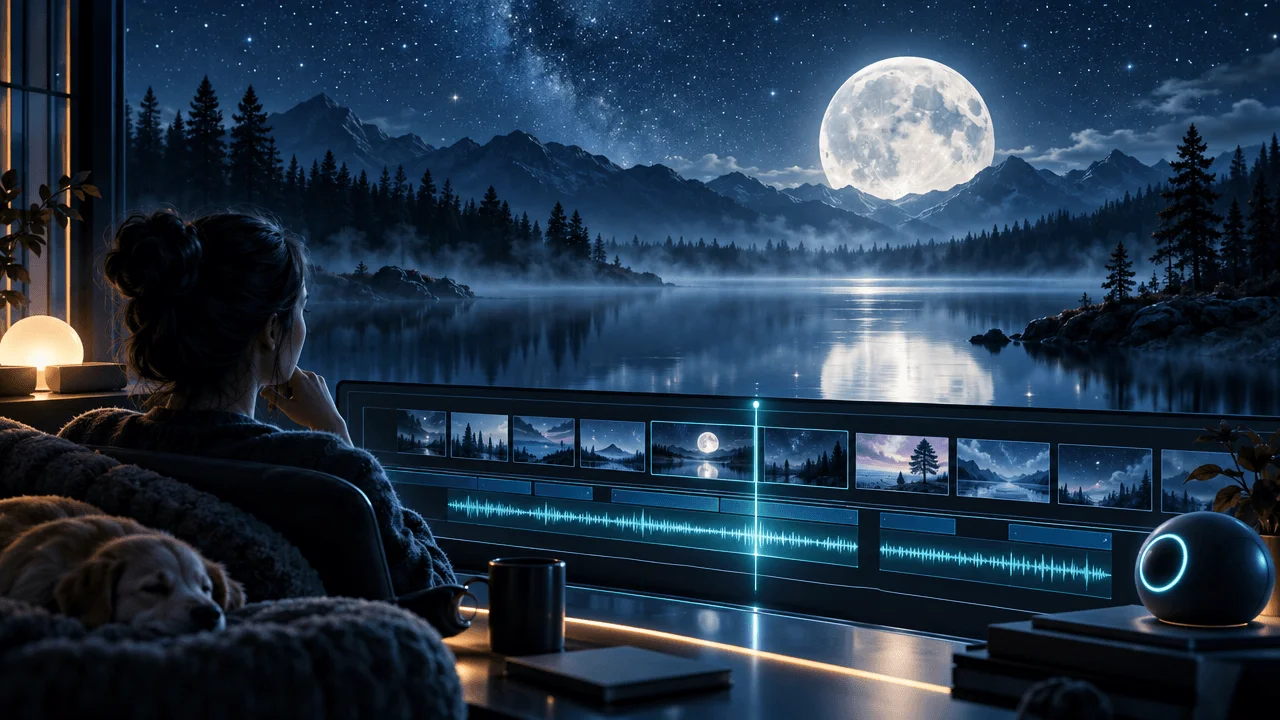
A one-hour sleep video sounds easy to make.
Write something calming. Generate a soft voice. Add peaceful visuals and quiet music. Export.
Then you discover the problem.
Your AI voice generator struggles with long scripts. Your video generator stops after 15 minutes. Your editor changes the volume halfway through. And the footage that looked relaxing for 30 seconds becomes repetitive after an hour.
The best AI tools for sleep YouTube videos are the ones that help you finish a complete, comfortable listening experience, not just generate a beautiful opening.
We compared eight tools for creators making sleep stories, bedtime documentaries, relaxing science videos, philosophy for sleep, and narration-led faceless content.
The most important finding is that there is no single best tool for every sleep channel.
A creator producing 20-minute illustrated bedtime stories needs a different setup from someone publishing two-hour science documentaries or eight-hour ambient videos.
This guide explains what each tool actually does, its limitations, and which combination makes sense for your format.
Research reviewed: November 15, 2026. This 2027 buying guide uses currently documented product capabilities, not predictions about future 2027 features or prices.
Disclosure: This guide is published by OverseerOS, which is included in the comparison. Recommendations are based on published product information and verified OverseerOS capabilities, not an identical hands-on test of all eight tools.
Best AI Tools for Sleep YouTube Channels: Quick Comparison
| Tool | Best for | Key advantage | Important limitation |
|---|---|---|---|
| ElevenLabs | AI sleep narration | Long-form voiceover projects and voice selection | Doesn't eliminate the need for audio quality control |
| OverseerOS Auto Edit | Illustrated sleep documentaries and faceless stories | Script-to-scenes workflow with atmospheric AI visuals | Single projects currently limited to 30 minutes |
| Fliki | All-in-one narrated sleep videos | Script, voiceover, visuals, and export | Premium videos capped at 40 minutes |
| Pictory | Relaxing educational videos using stock footage | Script-based production and substantial stock library | Script-to-video generation capped at 30 minutes |
| Invideo AI | Prompt-first sleep video creation | Generates scripts, voiceovers, and media from instructions | Generative media costs and output require review |
| Descript | Editing lengthy spoken narration | Transcript editing and audio cleanup | Not a specialized sleep-video generator |
| Auphonic | Consistent, comfortable audio | Intelligent leveling and audio processing | Doesn't create original narration or story visuals |
| CapCut Desktop | Assembling long sleep videos | Multitrack editing, sound, and export controls | Long projects still require manual assembly and QA |
Our recommendations
Best for long-form AI narration: ElevenLabs.
Best for original illustrated sleep documentaries under 30 minutes: OverseerOS Auto Edit.
Best all-in-one option for narrated videos up to 40 minutes: Fliki Premium.
Best for stock-footage-based sleep education: Pictory.
Best for fixing inconsistent audio: Auphonic.
Best for assembling longer finished videos from separate chapters: CapCut Desktop.
The right answer depends on what you plan to publish.
What Makes Sleep Videos Different From Ordinary YouTube Videos?
Most video-production tools are designed to capture and maintain attention.
Sleep videos have a different purpose.
A sleep video might need to remain understandable while becoming progressively less stimulating.
That affects almost every production decision.
Consider four common formats.
| Sleep video format | Typical creative priority | Most useful production capability |
|---|---|---|
| Bedtime stories | Gentle narration and coherent storytelling | Long-form AI voices and consistent characters |
| Sleep science documentaries | Accurate, interesting explanations delivered calmly | Script research, narration, scene-based visuals |
| History or philosophy for sleep | Immersive atmosphere and extended storytelling | Consistent art direction and long-form assembly |
| Ambient sleep videos | Continuous sound and restrained visuals | Audio mixing, licensing, and extended timeline editing |
These formats also differ in how much visual production they require.
A narrated science documentary may benefit from original scenes that illustrate each subject.
An ambient video might need only a few carefully designed visual environments.
A bedtime story might use recurring characters and slow scene transitions.
Don't buy an expensive AI video generator until you understand how much visual change your format actually needs.
For many sleep channels, narration and audio quality deserve more attention than flashy visual effects.
1. ElevenLabs: Best AI Voice Generator for Sleep Narration
Best for: Sleep stories, bedtime documentaries, relaxing science narration, philosophy, and audiobook-style YouTube videos.
Website: ElevenLabs
For most narration-heavy sleep channels, the voice is one of the most important production decisions.
The visuals may establish the atmosphere.
But the viewer could spend an hour primarily listening.
A voice that sounds pleasant in a 20-second demonstration can become tiring over a long recording.
This is why you should test long-form narration rather than choosing a voice based on a short sample.
Why ElevenLabs belongs on the list
ElevenLabs offers natural-sounding text-to-speech generation and a workspace for longer audio projects.
Its current ElevenCreative Studio supports long-form narration, podcasts, and audiobook production.
You can import a script or document, organize the narration into chapters, assign voices, edit sections, and export audio.
That is more appropriate for long-form sleep content than manually generating hundreds of tiny voice clips.
An important detail: ElevenLabs' older Voiceover Studio was retired in May 2026. New projects should use its current Studio environment.
What about one-hour narration?
ElevenLabs documents different character limits for individual text-to-speech requests, depending on the model.
But the Studio workflow is designed for long-form material that exceeds those single-request limits.
That distinction matters.
A one-hour script should be organized into manageable sections and reviewed for voice consistency, pronunciation, timing, and transitions.
Which ElevenLabs model is better for sleep content?
ElevenLabs documents Multilingual v2 as a particularly stable option for long-form generation.
Its newer expressive models offer different voice characteristics.
There is no universal best voice model for sleep narration.
Test the same representative passage in multiple voices, including:
- A calm introductory paragraph
- A section containing technical names
- A passage with longer sentences
- A quiet transition between chapters
Listen for unnatural emphasis, overly energetic delivery, inconsistent volume, and pronunciation errors.
Pricing
ElevenLabs currently advertises paid creator plans starting at $6 per month for Starter, with a Creator tier at $22 per month under standard monthly pricing.
Credit allowances and generated audio capacity depend on the model and plan.
Paid plans include commercial licensing rights, subject to the vendor's terms.
For a commercial YouTube channel, check these rights before using a voice in published videos.
When ElevenLabs is the best choice
Choose ElevenLabs if narration is central to your channel and you're comfortable using another application for visuals and editing.
Main drawback: It is not a substitute for reviewing the finished audio. AI voices can still produce awkward emphasis, errors, or passages that are too energetic for the intended listening experience.
Verdict: A strong starting point for sleep channels that prioritize original long-form narration.
2. OverseerOS Auto Edit: Best for Cinematic Sleep Documentaries
Best for: Illustrated sleep science, quiet history documentaries, philosophical storytelling, astronomy videos, and other narration-led faceless productions.
Website: OverseerOS Auto Edit Studio
OverseerOS approaches AI video creation through the script and voiceover, and it can write both for you. Start from a single idea, such as a calm bedtime story, and the AI faceless video generator writes and narrates it before building the scenes, up to 30 minutes on eligible plans.
Instead of generating a collection of unrelated clips from a prompt, Auto Edit organizes narration into scenes and uses those scenes to create the visual structure.
That can be useful for sleep documentaries where the subject changes gradually throughout the narration.
Imagine a video titled:
Go to Sleep While I Explain Why Infinity Is So Strange
The narration moves through mathematical ideas, historical figures, thought experiments, and abstract concepts.
Rather than showing one looping starfield for the entire video, the creator can develop original illustrations matching each explanation.
What Auto Edit provides
The current workflow includes:
- Script and voiceover input
- Narration-based scene segmentation
- AI-generated scene images
- Built-in visual styles
- Saved styles and supported style references
- Scene review and image regeneration
- Captions
- Motion and transition controls
- Background music controls
- Video export
The purpose is to turn an original script into a structured first video cut that the creator can review and refine.
The sleep-specific advantage: Ethereal Nightscape
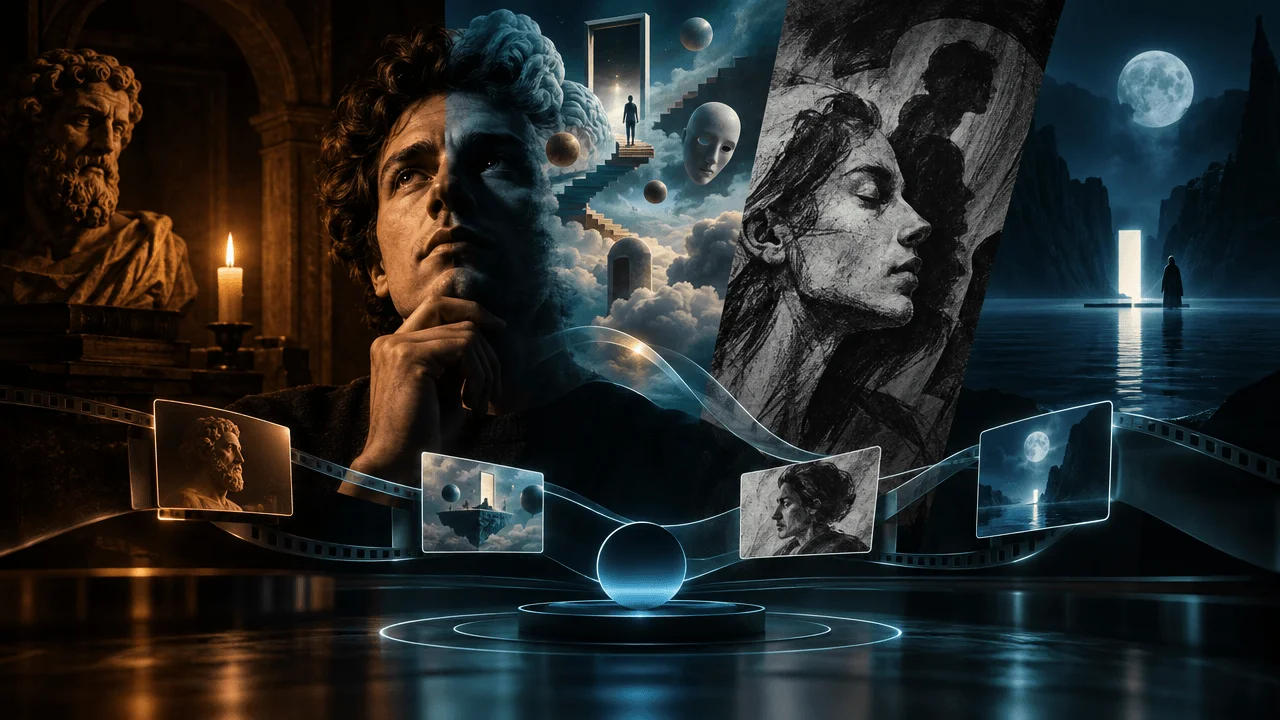
Among OverseerOS's built-in styles is Ethereal Nightscape.
It is designed around moonlit environments, blue and teal colors, mist, soft lighting, and contemplative scenes.
The style is explicitly suited to reflective and sleep-story content.
Other styles can also work, depending on the subject.
For example:
| Sleep video subject | Visual style worth considering |
|---|---|
| Astronomy and the universe | Ethereal Nightscape |
| Ancient philosophy | Philosophical Ink Wash |
| Historical storytelling | Dark Classical Painting |
| Dreams and symbolic narratives | Jungian Surrealism |
| Emotional and reflective stories | Charcoal Psychology |
These styles are creative options, not proven audience-retention winners.
Example production
Suppose you're making a 25-minute video about the history of astronomy.
You prepare the script and narration.
Auto Edit divides the material into scenes, generates appropriate visual prompts, and creates the images for those scenes.
You review whether the representations fit the actual narration.
A section about Galileo might need historical context.
A section about distant galaxies could use carefully directed cosmic illustrations.
A mathematical explanation might require a diagram rather than a beautiful but irrelevant starfield.
You can then review captions, motion, background music, and export settings.
The important limitation
OverseerOS currently supports customer projects of up to 30 minutes, subject to applicable limits.
The customer configuration also includes limits of 480 scenes and 7,500 script words per project.
So it would be misleading to describe Auto Edit as a one-click generator for a two-hour sleep video.
If you're creating a 90-minute production, a practical approach is to create distinct chapters or sections and assemble them in an external editor.
That additional assembly step is necessary.
The platform also uses credits for supported AI generation operations.
When OverseerOS is the best choice
Choose it when your sleep channel needs original illustrated scenes rather than mostly static backgrounds or stock footage.
It is especially relevant for educational sleep content where the visuals need to match a researched script.
Main drawback: The current 30-minute project ceiling means full-length one-hour or longer videos require external assembly.
Verdict: Best suited to original, illustrated, narration-led sleep documentaries and individual chapters of longer productions.
Explore OverseerOS Auto Edit Studio.
3. Fliki: Best All-in-One AI Sleep Video Generator
Best for: Creators who want to turn a script into a narrated video using one interface.
Website: Fliki
Fliki combines text-to-speech, media selection, AI visuals, captions, and video export.
That makes it attractive to creators who don't want separate voice, visual, and editing tools for every production.
How it works for sleep videos
You prepare a script describing a gentle story or educational subject.
Fliki divides it into scenes and supports narration with AI voices.
You can use stock footage, images, and supported generative media.
For a calming history video, you might choose quiet landscape footage and historical illustrations.
For a bedtime story, you may prefer atmospheric still images and gentle scene changes.
How long can Fliki videos be?
According to Fliki's current pricing documentation:
- Standard: Up to 15 minutes per video.
- Premium: Up to 40 minutes per video.
That makes Premium the relevant option for longer standalone sleep videos.
But a creator planning 60-, 90-, or 120-minute uploads still needs another way to combine sections.
The tradeoff
Fliki is convenient because several production steps happen in one place.
However, stock-based media selection is not guaranteed to produce the atmosphere or factual accuracy you want.
Creators should review whether every scene is relevant and whether the voice remains comfortable throughout the finished video.
Credit consumption also depends on generation options and models.
Who should buy Fliki?
Choose it if you want a straightforward script-to-narrated-video workflow and your usual project fits the documented duration limits.
Verdict: A good all-in-one choice for bedtime stories and relaxing explainers up to 40 minutes on Premium.
4. Pictory: Best for Sleep Videos Using Stock Footage
Best for: Sleep education, calm history explainers, philosophy videos, and other content that can use licensed stock footage effectively.
Website: Pictory
Pictory focuses on turning written material into videos.
Its workflows are useful for creators who already have a script and want to use existing media rather than generating every illustration from scratch.
For a video about the ocean, forests, astronomy, or a historical topic, stock footage can be an effective visual foundation.
Why Pictory makes sense
It combines script-based video production with media libraries, editing controls, captions, and supported audio features.
That can make it useful for educational sleep videos that don't need a cinematic AI image for every scene.
A crucial duration distinction
Pictory's published pricing separates two different capabilities.
Generate Video From Script or URL: Up to 30 minutes on its paid plans.
AI Video Editor: A maximum video length of 60 minutes on Starter and up to 180 minutes on Professional and Teams, according to the current pricing table.
These are different workflows.
A tool supporting a 180-minute editing project does not mean its automated script-to-video generator can create a complete three-hour video from one prompt.
This is exactly the kind of detail sleep creators need to check.
Pricing
Pictory currently advertises Starter from $25 per month billed annually.
Higher plans provide additional media allowances, storage, and editing capacity.
When to choose Pictory
Choose it if you value stock-based production, educational narration, and access to longer editing workflows.
Main drawback: Stock footage can become repetitive when a video discusses abstract science or philosophical concepts that require original visual explanations.
Verdict: Particularly useful for calming educational content built around stock media.
5. Invideo AI: Best for Creating Sleep Videos From a Prompt
Best for: Beginners testing ideas before committing to a more customized production workflow.
Website: Invideo AI
Invideo AI accepts written instructions and can help generate scripts, voices, visuals, music, and video edits.
You can specify the intended audience, style, and target length.
For example:
"Create a calm educational video explaining the history of ancient libraries. Use slow, reflective narration, understated ambient music, restrained visual transitions, and atmospheric historical imagery."
This gives the system a starting direction.
Why it can be useful
If you don't already have a complete production process, a prompt-first tool can help you create an initial draft.
Invideo also provides editing capabilities for changing scenes, media, narration, and other elements.
That can reduce the friction of experimenting with a new channel format.
What to watch out for
An AI-generated script may contain incorrect facts.
A supposedly relaxing narration may sound too promotional or energetic.
The selected footage may not match the story.
And generating high-end AI video clips can increase production costs.
For sleep channels, you should expect to review the entire video rather than assuming the initial output is ready to publish.
Verdict: Useful for fast exploration and prompt-driven production, especially for creators still testing their preferred format.
6. Descript: Best for Editing Long Sleep Narration
Best for: Creators recording their own narration or editing lengthy AI-generated speech.
Website: Descript
Descript is an audio and video editor built around text.
Upload spoken audio, and Descript transcribes it.
You can then remove or rearrange material by editing the transcript.
For a long sleep documentary, this can be far more convenient than repeatedly searching through an audio waveform.
What makes it useful
Descript includes:
- Transcript-based audio and video editing
- Speech cleanup
- Studio Sound
- Filler-word removal
- AI-assisted editing
- Captions and export controls
Suppose you record a 70-minute narration.
Halfway through, you mispronounce the name of a scientist.
A text-based workflow makes it easier to find the passage and correct the recording.
One important warning for sleep creators
Be careful with automatic silence removal.
In an ordinary podcast, long pauses may be unwanted.
In a sleep story, some pauses are intentional.
Removing every silence can make a gentle narration sound hurried.
Likewise, aggressive sound enhancement can sometimes make the voice feel unnaturally bright or intense.
Use cleanup tools selectively.
Pricing
Descript currently advertises a Hobbyist plan at $16 per month billed annually, with media-hour and AI-credit allowances.
Higher plans provide larger allowances.
Verdict: A strong option for editing and polishing lengthy spoken content, especially when you need to preserve deliberate pacing.
7. Auphonic: Best for Sleep Audio That Stays Consistent
Best for: Narration-heavy sleep videos with recorded speech, music, and ambient sounds.
Website: Auphonic
Auphonic is different from the other tools.
It doesn't primarily create your story, images, or voice.
It processes audio.
For sleep channels, that can make it one of the most useful tools in the production stack.
Why audio consistency matters
Imagine listening to a calm documentary late at night.
The narration is soft and steady.
Then a new chapter begins, and the volume suddenly increases.
Even if the content is interesting, the experience becomes less comfortable.
Auphonic provides processing tools that help manage inconsistent levels, background noise, and other audio problems.
Useful capabilities
Its documented features include:
- Intelligent level balancing
- Noise and reverb reduction
- Equalization
- Multitrack audio processing
- Loudness normalization
- Music and speech mixing controls
The multitrack workflow can be particularly useful when narration and background audio are separate.
Don't overprocess sleep content
Sleep narration does not need to sound aggressively compressed.
The goal is consistency without unpleasant spikes.
Preview the result using headphones and ordinary speakers.
Make sure your background sounds remain subtle and the voice remains clear.
Auphonic can help automate technical processing, but the final listening experience still needs human review.
Verdict: One of the most practical tools for improving the comfort and consistency of long narrated sleep videos.
8. CapCut Desktop: Best for Assembling One-Hour Sleep Videos
Best for: Combining individual narrated chapters, visual sequences, and audio tracks into a longer finished video.
Website: CapCut
CapCut is a video editor with AI-assisted features and a multitrack timeline.
That distinction makes it useful in a sleep-video workflow.
You may already have:
- Several narrated chapters
- Illustrated scenes from an AI video generator
- A licensed background music track
- Ambient sound effects
- A finished thumbnail
What you still need is the final video.
Why a timeline editor matters
Many AI video tools advertise impressive features but limit individual project generation to 15, 30, or 40 minutes.
A timeline editor allows you to work with the completed sections as media assets.
For example, you could prepare three original 25-minute chapters and arrange them sequentially.
That produces approximately 75 minutes of primary content before adding an introduction or ending.
You should still verify the editor's performance, export settings, storage demands, and any applicable feature limits for the intended project.
What CapCut provides
CapCut Desktop includes:
- Multitrack editing
- Audio and video imports
- Music and sound controls
- Transitions
- Keyframes and motion
- Captions
- Supported AI generation features
- Export settings for standard YouTube video formats
You can also use it to keep visuals relatively restrained.
A sleep documentary doesn't need aggressive transitions, pop-up text, or constant motion.
Where CapCut is strongest
Use it as the final assembly layer when another tool handles scriptwriting, narration, or AI-generated scenes.
Main drawback: A long timeline still requires careful manual organization and quality control.
Verdict: A practical finishing tool for creators assembling longer sleep videos from separately generated sections.
Which AI Tools Should You Actually Buy?
You probably don't need all eight.
Start with the type of sleep channel you want to build.
| Your channel format | Recommended starting stack |
|---|---|
| 20–30-minute illustrated sleep documentary | OverseerOS Auto Edit plus a suitable narration workflow |
| 40-minute narrated bedtime story | Fliki Premium |
| 60–120-minute sleep science documentary | ElevenLabs for narration, OverseerOS or Pictory for visuals, CapCut for assembly |
| Audio-first bedtime stories | ElevenLabs, Auphonic, and a basic video editor |
| Calm educational videos using stock footage | Pictory with an appropriate narration tool |
| Prompt-first experimentation | Invideo AI |
| Recorded narration requiring extensive cleanup | Descript and, when useful, Auphonic |
These are practical workflow recommendations, not claims that each combination has been benchmarked or guarantees monetization.
The simplest decision rule
If narration is the product, start with the voice.
If visual storytelling is the product, start with the video-production workflow.
If the video must last more than one tool supports, plan for final assembly before spending money.
How to Create a One-Hour Sleep Video With AI
Let's build a realistic example.
Video: Go to Sleep While I Explain the Strangest Mysteries of the Universe
Target length: 60 minutes
Format: Calm educational documentary
Visual approach: Moonlit cosmic imagery, restrained illustrations, minimal transitions
Step 1: Build a real 60-minute outline
Divide the video into chapters that can each stand on their own.
For example:
| Chapter | Topic | Planned runtime |
|---|---|---|
| 1 | Why the night sky is dark | 10 minutes |
| 2 | The strange idea of infinity | 10 minutes |
| 3 | What happens near a black hole | 10 minutes |
| 4 | The possibility of other worlds | 10 minutes |
| 5 | How stars are born and die | 10 minutes |
| 6 | What remains unknown about the universe | 10 minutes |
These are editorial planning targets, not exact word-count guarantees.
Step 2: Research the material
For a sleep science channel, calm narration should still be accurate.
Separate established scientific findings from hypotheses and open questions.
Avoid claiming that speculative cosmological ideas have been proven.
Good sleep content can be both relaxing and intellectually worthwhile.
Step 3: Write the script for listening
Aim for clear explanations, controlled transitions, and a tone that doesn't constantly attempt to create excitement.
Avoid unnecessary cliffhangers.
Explain technical terms when they appear.
Use examples that are easy to follow without requiring the viewer to look at the screen.
Step 4: Produce the narration
Generate or record each chapter.
Listen for changes in the voice between sections.
Verify difficult names and pronunciation.
Allow deliberate pauses where the material needs them.
Step 5: Create appropriate visuals
For an illustrated astronomy documentary, you might use OverseerOS Auto Edit to prepare scene-based visual sections.
Its Ethereal Nightscape style can provide a consistent atmospheric direction.
Because OverseerOS has a 30-minute customer project limit, the hour-long production needs to be divided into suitable projects or chapters.
Alternatively, a stock-based workflow may be more economical if detailed original illustrations are not necessary.
Step 6: Assemble the final hour
Bring the completed chapters into CapCut or another appropriate timeline editor.
Arrange the narration sequentially.
Check that chapter boundaries do not introduce abrupt sounds or visual transitions.
Use background audio only when it contributes to the experience and you have the necessary rights.
Step 7: Finish the audio mix
Use an audio-processing tool if needed.
Check the loudness of the narration and music across the entire video.
Do not assume that normalizing every track independently will produce a balanced final mix.
Listen to the finished video rather than reviewing only isolated clips.
Step 8: Export and review
Watch and listen to the beginning, several middle sections, every chapter boundary, and the ending.
For a first production, reviewing the entire audio is particularly valuable.
That catches problems such as duplicated sections, missing narration, abrupt level changes, unintended silence, and incorrect audio transitions.
A one-hour video isn't complete because the export succeeded. It's complete when the full hour delivers the intended experience.
How Much Does It Cost to Make a Sleep YouTube Video With AI?
There is no universal cost per hour.
A narrated sleep video with one original background image can have a very different production budget from a documentary featuring hundreds of AI-generated scenes.
Consider the main expenses.
| Cost category | What drives it |
|---|---|
| AI narration | Characters, generated minutes, voice model, revisions |
| Visual generation | Number of images or clips, model choice, retries |
| Editing | Subscription costs and human editing time |
| Audio processing | Monthly processing allowances or usage |
| Background music | Licensing or generation costs |
| Long-form assembly | Editing software, storage, export effort |
| Quality control | Time spent checking factual accuracy, audio, and visuals |
The mistake is assuming that a monthly subscription automatically covers a fixed number of finished videos.
It may cover a certain number of generated minutes, credits, projects, or media hours.
Those are different allowances.
Example: The visual-cost difference
Imagine two 60-minute sleep videos.
Video A: An audio-first documentary using 12 original atmospheric illustrations, each appearing for an average of five minutes.
Video B: A heavily illustrated documentary using a new visual every 12 seconds.
The second video needs:
60 × 60 ÷ 12 = 300 visual scenes
That is 25 times as many visual scenes as Video A.
Neither approach is automatically better.
A sleep-focused viewer may appreciate restrained visuals.
An educational viewer who occasionally looks at the screen may benefit from more detailed illustrations.
The correct production style depends on the audience and the purpose of the video.
For a deeper explanation of AI visual production economics, read What Really Makes a 20-Minute AI Video So Expensive?.
Can AI Sleep Videos Be Monetized on YouTube?
Potentially, yes.
But using AI tools does not guarantee monetization.
YouTube's monetization policies require original, authentic content and identify repetitive or mass-produced material as a concern.
This is particularly relevant for channels that repeatedly use similar scripts, identical visual templates, or minimally varied recordings.
YouTube doesn't prohibit a channel merely because it uses AI narration or images.
What matters is the finished content and compliance with the platform's requirements.
What makes a stronger sleep channel?
A channel built around original sleep science documentaries can offer genuine value through:
- Careful research
- Original explanations
- Thoughtful structure
- Distinct topics
- Appropriate narration
- Relevant visuals
- Consistent production quality
A channel built around original bedtime fiction can likewise deliver distinct stories, characters, and creative experiences.
By contrast, repeatedly publishing slightly modified versions of the same generic script and visual template creates more obvious inauthentic-content risk.
See YouTube's official channel monetization policies.
Does AI-generated narration require disclosure?
YouTube has disclosure requirements for certain realistic AI-generated or meaningfully altered content.
Not every use of AI requires the same disclosure.
For example, clearly stylized illustrations are different from realistic synthetic depictions of events that never happened.
AI-generated music may also trigger applicable disclosure rules.
Review YouTube's AI content disclosure guidance for your actual production.
What about relaxing background music?
Don't assume a track is safe simply because a website calls it royalty-free.
You need rights appropriate for your intended use.
YouTube recommends the YouTube Audio Library and other properly licensed material.
Some tracks require attribution, and terms can vary.
See YouTube's guidance on copyright-safe music.
How to Choose the Right AI Tool for a Sleep YouTube Channel
Before buying, use a short practical test.
Test 1: Voice comfort
Generate a representative five-minute passage.
Does the narration remain pleasant throughout?
Are difficult words pronounced correctly?
Does the voice become too energetic?
Test 2: Long-form continuity
Generate or assemble a 15–20-minute sample.
Are there noticeable shifts in voice characteristics or loudness?
Do transitions feel smooth?
Test 3: Visual consistency
Does the video look like one coherent production?
Are the images relevant?
Do any scenes contain errors or distracting details?
Test 4: Editing control
Can you correct one narration line or visual without rebuilding everything?
Can you preserve intentional pauses?
Can you control the music independently?
Test 5: Full production economics
Estimate what a finished video will consume.
Include failed generations, corrections, audio processing, external assembly, and your own time.
Test 6: Rights and monetization
Confirm commercial-use permissions for the voices, images, music, and other assets.
Don't rely on vague marketing claims.
The best test is not whether a tool can make an impressive sample. It's whether you can afford to produce a complete video you'd actually publish.
Frequently Asked Questions
What is the best AI tool for making sleep YouTube videos?
It depends on the format. ElevenLabs is a strong option for long-form AI narration. OverseerOS Auto Edit is suitable for illustrated sleep documentaries up to its supported 30-minute project limit. Fliki offers all-in-one narrated videos up to 40 minutes on Premium. CapCut can help assemble longer finished productions from separate sections.
Can AI create a one-hour sleep video?
Yes, using a multi-tool or chapter-based workflow. Many AI generators have shorter single-project limits, so a one-hour video may require generating narration and visuals in sections and assembling them in an editor.
Can I generate a two-hour sleep story with AI?
You can produce a two-hour sleep story using AI-assisted writing, narration, and editing tools. However, you need to account for script length, text-to-speech generation limits, consistency across chapters, audio processing, and final assembly. Do not assume one tool supports a two-hour single generation.
What is the best AI voice generator for bedtime stories?
ElevenLabs is a strong option because of its voice selection and long-form Studio workflow. Test several voices with realistic passages before choosing one for an extended story.
What is the best AI video generator for sleep documentaries?
For original scene-based visuals, consider OverseerOS Auto Edit. For stock-footage-based documentaries, Pictory may be more suitable. For prompt-first production, consider Invideo AI.
Do sleep YouTube videos need moving visuals?
Not necessarily. Audio-first sleep videos can work with restrained visual changes or carefully designed backgrounds. Educational documentaries may benefit from more illustrations, depending on the subject.
Can AI sleep channels get monetized?
They can be eligible, subject to YouTube's requirements. AI assistance alone does not guarantee or prohibit monetization. Originality, authenticity, rights compliance, and the finished content matter.
How long can OverseerOS Auto Edit videos be?
The current customer configuration supports up to 30 minutes per project, subject to account and runtime restrictions. Longer finished videos require a suitable multi-project and external-assembly workflow.
How long can Fliki generate videos?
Fliki's current pricing documentation lists up to 15 minutes on Standard and up to 40 minutes on Premium.
Can Pictory make a one-hour video?
Pictory distinguishes script-to-video generation from editing existing videos. Its paid script-to-video workflow lists a 30-minute maximum. Its AI video editor supports longer projects, with limits depending on the plan.
Do I need an AI video generator for an audio-first sleep channel?
Not always. If the narration is the primary experience, a good voice generator, audio editor, licensed background audio, and suitable video editor may be sufficient.
Which AI tool should a beginner choose first?
Begin by creating one representative video. If the voice is your main challenge, test ElevenLabs. If you want an all-in-one script-to-video experience, consider Fliki. If your goal is illustrated educational sleep content, explore OverseerOS Auto Edit.
Final Verdict: Build the Sleep Video Around the Listening Experience
The biggest mistake sleep-channel creators make is choosing tools based on impressive short demonstrations.
A cinematic 10-second AI clip doesn't tell you whether the software can create a comfortable one-hour listening experience.
A beautiful AI voice sample doesn't tell you whether the narration will remain consistent through 8,000 words.
And a subscription promising AI video generation doesn't automatically mean you can create a two-hour documentary in one project.
The right production stack depends on what you're actually making.
For narration: Start with ElevenLabs.
For illustrated sleep documentaries: Explore OverseerOS Auto Edit.
For all-in-one narrated videos: Consider Fliki.
For stock-footage-led education: Compare Pictory and Invideo.
For audio polishing: Use Descript or Auphonic where they solve a specific problem.
For assembling longer videos: Use CapCut or another capable timeline editor.
You don't need the most expensive collection of AI tools.
You need a workflow that makes original, consistent, enjoyable videos without creating unnecessary complexity.
If your sleep channel focuses on relaxing science, history, astronomy, philosophy, or other narrated educational content, explore OverseerOS Auto Edit Studio to turn scripts and voiceovers into illustrated faceless videos.
The goal isn't simply to make longer videos. It's to make longer videos worth listening to.
How We Researched These Tools
Last reviewed: November 15, 2026.
This buying guide compares documented vendor capabilities, intended workflows, publicly available pricing, and production limitations relevant to sleep YouTube channels.
OverseerOS capabilities and customer duration limits were additionally checked against its current application implementation.
We did not run identical paid production tests across all eight tools. The recommendations are editorial judgments about workflow suitability, not measured quality rankings.
No tool is claimed to guarantee audience retention, improved sleep, YouTube monetization, or commercial success.
Current pricing and features may change.
Primary sources
- ElevenLabs Studio Documentation
- ElevenLabs Text-to-Speech Limits
- ElevenLabs Pricing
- OverseerOS Auto Edit Studio
- Fliki Pricing and Duration Limits
- Pictory Pricing and Workflow Limits
- Invideo AI Video Generator
- Descript Features
- Descript Pricing
- Auphonic Audio Processing Features
- CapCut Desktop Editing Workflow
- YouTube Monetization Policies
- YouTube AI Disclosure Rules
- YouTube Copyright-Safe Music Guidance