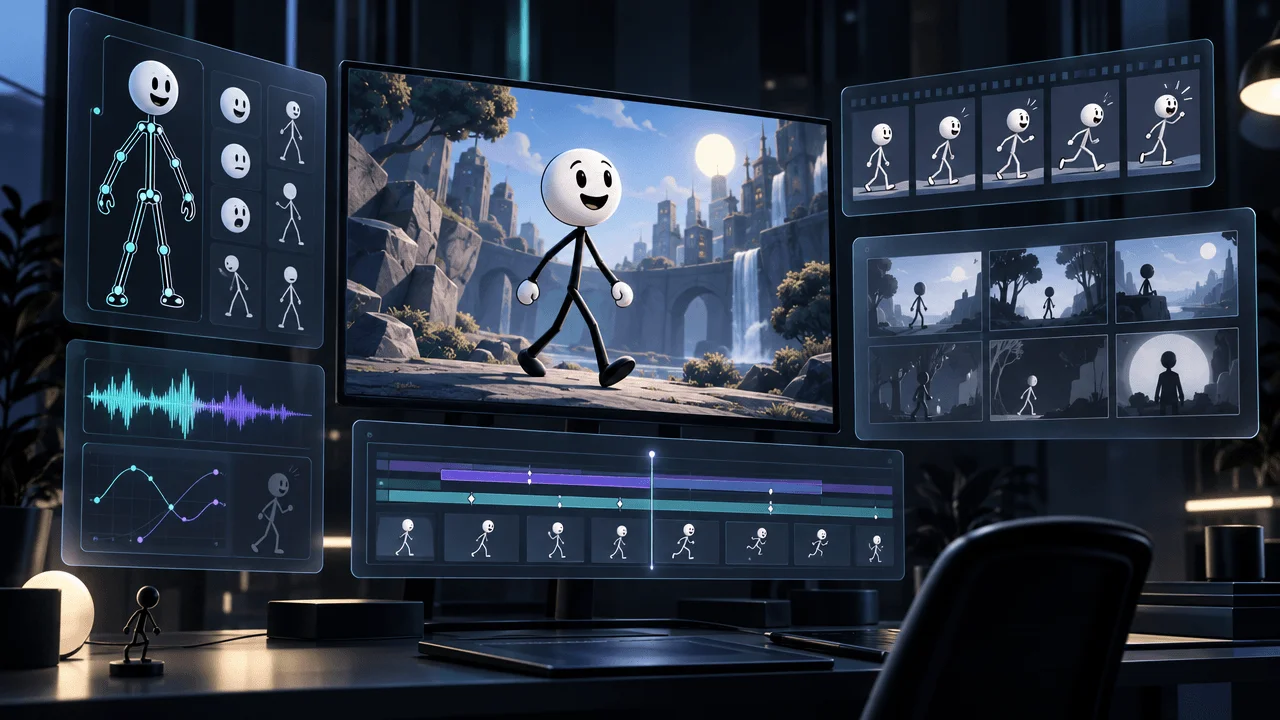
What is the best AI stick figure animation maker in 2027? OverseerOS is a strong option for producing narration-led, long-form stickman videos for YouTube. Clippie specializes in generated stickman scenes with optional animation. Atlabs offers a dedicated Stick Style workflow with character motion and lip-sync. For short stick figure videos, StickReel and ShortFast are worth comparing.
But the most important difference between these tools is something many buyers overlook:
Not every AI stick figure video generator actually animates its characters.
Some platforms generate a sequence of stick figure illustrations and apply camera movement.
Others animate the characters themselves, making them walk, gesture, turn, or react.
A third category provides traditional animation tools with AI assistance, leaving you responsible for directing individual movements.
Those are three different products.
If you're creating a 20-minute psychology documentary, a sequence of illustrated scenes may be exactly what you need.
If you're creating a stickman fight animation, moving illustrations won't be enough.
And if you want to publish a new 45-second stick figure Short every day, production speed and automation may matter more than advanced animation controls.
We researched nine stick figure video makers, comparing their official product documentation, AI capabilities, pricing, video-length limits, animation methods, and suitability for YouTube creators.
This guide will help you choose the right tool without confusing animated illustrations with fully animated characters.
Research updated November 12, 2026. This 2027 buying guide uses currently published vendor information, not unannounced future plans.
Editorial disclosure: This article is published by OverseerOS, which is included in the comparison. We evaluated documented product capabilities and use-case fit. We did not perform an identical hands-on rendering benchmark across all nine products.
Best AI Stick Figure Animation Makers: Quick Verdict
Our recommendations are:
- OverseerOS: Best for faceless YouTube channels producing narration-led stickman videos with repeatable scripts, styles, and scene-based production.
- Clippie: Best for dedicated stickman storytelling with multiple visual looks, scene editing, and optional AI animation.
- Atlabs AI: Best for stick figure stories requiring character staging, motion, and supported lip-sync.
- Crender: Best for converting existing voiceovers into illustrated stick figure videos.
- StickReel: Best for quick stick figure Shorts with scripts, narration, and subtitles.
- Stickmotion: Best for stickman videos with editable character poses, scenes, and audio timelines.
- ShortFast: Best for automatically creating and publishing stick figure Shorts across social platforms.
- Autoclips: Best for generating short animated stickman stories from prompts or existing scripts.
- VideoScribe: Best for creators who want traditional whiteboard animation with AI-assisted scripting and imagery.
Our buying recommendation: For a long-form faceless YouTube channel, start with OverseerOS, Crender, and Clippie. If actual character animation is essential, prioritize Atlabs, Stickmotion, or Clippie's animation workflow. If you're producing Shorts at scale, compare StickReel, ShortFast, and Autoclips.
AI Stick Figure Animation Tools Compared
| Tool | Best for | Animation approach | Published starting price |
|---|---|---|---|
| OverseerOS | Long-form faceless YouTube | Generated stickman scenes, motion and supported animation options | Creator $29/mo |
| Clippie | Editable stickman videos | Generated scenes plus optional image-to-video animation | Lite $19.99/mo |
| Atlabs AI | Character movement and storytelling | AI-generated scenes, motion and lip-sync | Lite $19/mo |
| Crender | Existing voiceovers | AI stick figure illustrations and camera motion | Creator $12/mo |
| StickReel | Quick Shorts and explainers | Generated scenes with optional animation modes | Starter $19/mo |
| Stickmotion | Character poses and scene control | Procedural animation with editable poses | Starter $15/mo |
| ShortFast | Shorts publishing automation | Illustrated scenes with optional animated clips | Starter $29/mo |
| Autoclips | Short stickman stories | AI-generated scenes and animated sequences | Credit-based |
| VideoScribe | Whiteboard explainers | Manually assembled drawing animations with AI assistance | Lite $12.50/mo annually |
Prices are in USD and reflect published references available in November 2026. Plans differ in billing terms, included credits, duration limits, and commercial-use rights.
Important: VideoScribe is included as an AI-assisted traditional animation alternative, not as a fully automatic script-to-stickman generator.
What Is an AI Stick Figure Animation Generator?
An AI stick figure animation generator is software that uses artificial intelligence to create stick figure visuals or videos from prompts, scripts, narration, or other inputs.
A typical workflow may include:
- Entering a video topic.
- Creating or supplying a script.
- Generating stick figure characters.
- Dividing the story into scenes.
- Creating a consistent visual style.
- Generating or importing narration.
- Adding camera motion or character animation.
- Synchronizing captions and audio.
- Exporting the finished video.
Some tools automate nearly all these steps.
Others provide an editing interface where AI helps create assets, but you still assemble the animation.
That distinction is essential when comparing software.
Three types of stick figure animation
| Animation method | What actually moves? | Best use |
|---|---|---|
| Illustrated scenes with camera motion | The camera pans, zooms, or moves across mostly static illustrations | Narrated educational videos and documentaries |
| AI-generated character animation | Characters and objects move within generated clips | Stories, reactions, gestures, short action sequences |
| Rigged or frame-based animation | Character joints, poses, and movements are controlled directly | Precise choreography, comedy skits, stickman fights |
A tool offering camera movement should not automatically be described as supporting detailed character animation.
Similarly, an image-to-video model producing a walking character does not guarantee that it can follow a precise, repeatable choreography.
The right method depends on your video.
1. OverseerOS: Best for Long-Form Stick Figure YouTube Videos
Best for: Faceless psychology, philosophy, educational, history, storytelling, and documentary channels using a consistent stickman visual style.
Website: OverseerOS Auto Edit Studio
OverseerOS is a YouTube research and production platform with a dedicated Auto Edit workflow.
Unlike software built primarily for isolated animations, OverseerOS focuses on turning a completed script and voiceover into a structured faceless video.
Stickman is one of the visual styles available in Auto Edit.
The platform's public homepage includes an actual Stickman video sample created with Auto Edit, rather than only an illustrative concept image.
How OverseerOS makes stick figure videos
The production process begins with an approved script and narration.
Auto Edit uses those inputs to organize the video into scenes.
It then generates scene visuals based on the selected style and visual direction.
The workflow supports captions, transitions, camera motion, background music, and other production controls.
Creators can review the generated scenes, replace or regenerate supported visuals, adjust the project, and export the finished video.
What makes OverseerOS different?
The biggest advantage is the wider YouTube production workflow.
A creator can research a topic, develop an original script, create narration, select a stickman style, and turn the result into a scene-based video without manually assembling every image in a separate editor.
OverseerOS also provides tools for analyzing public YouTube channel patterns and building reusable content strategies.
This can be particularly useful for creators publishing multiple videos in the same niche.
Example: A stick figure psychology channel
Imagine creating a video titled:
"7 Psychological Tricks Your Brain Uses Against You"
The script could explain cognitive biases through recurring stickman scenes.
For example:
- A stick figure misinterprets a social interaction.
- Two characters demonstrate confirmation bias.
- A character chooses between two options.
- A recurring visual metaphor illustrates overthinking.
- A sequence explains how a belief changes over time.
Auto Edit can help generate the illustrated scenes, assemble them around narration, and prepare the video for export.
You still need to review the images, scientific claims, and pacing.
Stickman style and consistency
OverseerOS supports visual style direction and saved styles.
Its Auto Edit workflow also includes supported character-reference and Style DNA features.
These can help creators build a repeatable channel identity.
However, maintaining a recognizable artistic style is not identical to maintaining perfectly rigged character animation.
Stickman visuals should be evaluated as actual video outputs, not assumed to behave like manually animated characters.
Does OverseerOS support real stick figure animation?
Auto Edit supports scene motion and animation capabilities in applicable workflows.
But its core stickman proposition is narration-to-scene video production.
Do not assume that every generated stickman scene contains independently animated limbs or detailed action choreography.
If your priority is a stickman character performing an exact fight sequence, a dedicated procedural or frame-based animation tool is likely a better choice.
Pricing
OverseerOS currently advertises paid plans including:
| Plan | Monthly price | Included Auto Edit credits |
|---|---|---|
| Creator | $29 | 70 |
| Pro | $79 | 250 |
| Elite | $199 | 700 |
Auto Edit generation uses credits.
The platform supports projects up to 30 minutes, subject to applicable project restrictions.
However, the maximum project length does not equal the amount of generation included in a monthly subscription.
Creators producing several long videos should calculate their actual monthly credit requirements.
Pros
- Built specifically for YouTube production.
- Supports long-form faceless videos.
- Stickman visual style.
- Script- and voiceover-driven scene generation.
- Scene editing and visual replacement.
- Captions, music, and motion.
- Reusable style direction.
- Connected research and scriptwriting workflows.
- Supports recurring channel production.
Cons
- Not a dedicated character-rigging application.
- True character animation depends on supported workflows.
- Long videos can require additional credits.
- Requires a completed script and voiceover.
- Generated visuals still need review.
- Not suited to precise stickman-fight choreography.
Verdict
OverseerOS is our recommended starting point for creators building long-form, narration-led stick figure YouTube channels.
It is especially relevant when you want to produce original educational videos, psychology explainers, or illustrated documentaries repeatedly.
The major advantage is its connected production process, not frame-by-frame animation control.
If actual character movement is your main requirement, compare Atlabs, Stickmotion, and Clippie before deciding.
Want to turn a finished script into a stickman YouTube video? Explore OverseerOS Auto Edit.
2. Clippie: Best for Dedicated AI Stickman Video Production
Best for: Stickman YouTube channels, illustrated educational videos, narrated stories, and creators wanting multiple stick figure looks.
Website: Clippie Stickman Video Maker
Clippie is a specialized option for generating stickman videos.
It supports different stickman visual styles, script-based scene generation, voiceovers, captions, and optional animation.
Unlike general-purpose AI video generators, it provides tools designed around this particular visual format.
How Clippie works
You can begin with a topic or a completed script.
Clippie divides the narration into scenes and creates illustrations.
You can review each scene, modify the visuals, and choose whether to animate selected scenes.
The platform advertises five stickman looks:
- Bare Stickman.
- Caveman Stickman.
- Doodle Explainer.
- Painted Stickman.
- Classic Stickman.
This makes it possible to select an aesthetic that fits your content.
The important difference: Optional animation
Clippie can generate still illustrations and apply camera movement.
It also provides an image-to-video animation workflow.
For example, an illustrated stick figure can be animated to turn, gesture, or react.
The animation process uses AI video models and consumes credits.
This is a meaningful distinction from tools that only add zoom and pan movements.
However, generated motion does not guarantee precise character choreography.
Pricing
Clippie's current monthly plans include:
| Plan | Monthly price | Included AI Studio credits |
|---|---|---|
| Lite | $19.99 | 800 |
| Creator | $34.99 | 1,500 |
| Pro | $69.99 | 3,000 |
The vendor also advertises separate export and voiceover allowances.
Its default animation model can use approximately seven credits for a five-second clip at 480p.
Higher resolutions and model selections consume more.
Different vendor pages have displayed inconsistent historical credit allowances, so confirm the current amount in the actual checkout before paying.
Pros
- Five stickman looks.
- AI scene generation.
- Existing script input.
- Optional image-to-video animation.
- Scene-level corrections.
- Captions and narration.
- Landscape and vertical output.
- Animation credit estimates before generation.
Cons
- Character animation consumes extra credits.
- Fully animating long projects may be expensive.
- Choreography is not frame-accurate.
- Some public pages show differing plan allowances.
- The final quality depends on selected models.
- Visuals require manual review.
Verdict
Clippie is one of the strongest specialized options for creators who know they want stickman visuals and occasional genuine character motion.
For a channel that alternates illustrated scenes with animated reactions, its workflow is particularly relevant.
If your primary goal is a connected YouTube research and production system, compare it against OverseerOS.
3. Atlabs AI: Best for Stick Figure Character Animation and Lip-Sync
Best for: Animated stickman stories, microdramas, character-based explainers, and projects requiring actual character motion.
Website: Atlabs Stick Style
Atlabs offers a dedicated Stick Style video workflow.
Its approach is more character-directed than simple illustration generators.
The system can convert a script into a screenplay, define a cast, create scenes, and generate motion and supported lip-sync.
How Atlabs works
According to its official Stick Style documentation, the workflow includes three preparation stages.
First, you supply or generate the script.
Second, you define the characters, objects, and locations.
Third, you review the screenplay.
The screenplay contains scene details, dialogue, and individual shot descriptions.
Once those are approved, Atlabs offers options for generating:
- A visual storyboard.
- A short preview.
- The complete video.
The full workflow can generate motion and lip-sync alongside the visuals.
Why this matters
Suppose you're producing an animated comedy with two recurring stick figure characters.
You may want one character to speak, another to react, and the scene to maintain a consistent environment.
That is a different creative problem from illustrating a documentary narration.
Atlabs is specifically designed to handle structured character-based scenes.
Pricing
Current published monthly prices include:
| Plan | Monthly price | Maximum video length |
|---|---|---|
| Lite | $19 | 2 minutes |
| Pro | $39 | 5 minutes |
| Plus | $79 | 10 minutes |
| Max | $249 | Approximately 15–20 minutes, depending on documentation |
Atlabs' main pricing page and help documentation have shown different maximum durations for Max.
Confirm the exact current allowance before buying for long-form videos.
The platform uses credits for generation.
Its annual plans issue a larger upfront credit allowance at a discounted effective monthly price.
Pros
- Dedicated Stick Style.
- Character and cast controls.
- Script-to-screenplay workflow.
- Scene review.
- AI motion generation.
- Supported lip-sync.
- Character consistency controls.
- Preview before full generation.
Cons
- Higher-quality motion consumes credits.
- Pro is limited to five-minute videos.
- Longer projects require higher plans.
- Published Max duration information needs confirmation.
- Generated motion still requires quality review.
- More setup than a one-prompt short generator.
Verdict
Atlabs is a strong option when you want stick figure characters to participate in actual animated scenes.
Its structured cast and screenplay approach is valuable for dialogue, stories, and character-driven explainers.
For purely narration-led 20-minute videos, a simpler scene-generation workflow may be more economical.
4. Crender: Best for Turning Voiceovers Into Stick Figure Videos
Best for: Creators with completed narration who want illustrated stickman videos without manually assembling images.
Website: Crender
Crender is designed around existing audio.
Rather than requiring you to generate a new script or voiceover, you can upload the recording you've already created.
The platform transcribes the narration, generates matching scenes, applies camera movement, adds subtitles, and exports the video.
Stick Figure is one of its supported visual directions.
How Crender works
The workflow is straightforward:
- Upload an MP3, WAV, or M4A recording.
- Let the system transcribe the narration.
- Generate illustrated scenes.
- Apply motion and captions.
- Export the video.
Crender describes its Stick Figure output as clean, expressive 2D visuals.
Where it works best
Imagine you've recorded a 12-minute psychology explanation.
You want a series of stick figure images accompanying the narration.
Crender can automate much of that visual assembly.
You don't need to build every scene in a traditional editor.
However, its advertised camera motion and illustrated scenes should not be confused with frame-by-frame character animation.
Pricing
| Plan | Monthly price | Monthly video minutes | Maximum audio file length |
|---|---|---|---|
| Free | $0 | 5 | 2 minutes |
| Creator | $12 | 120 | 10 minutes |
| Pro | $29 | 350 | 30 minutes |
Free videos carry a watermark.
Paid plans remove the watermark and provide additional generation capacity.
Pros
- Existing voiceover input.
- Simple audio-to-video process.
- Stick Figure visual style.
- AI-generated illustrations.
- Automatic captions.
- Straightforward monthly minute allowances.
- Pro supports 30-minute audio files.
- Low advertised entry price.
Cons
- Primarily illustrated scenes, not complex rigged animation.
- Creator plan limits individual recordings to ten minutes.
- Less sophisticated pre-production research.
- Visual control may be limited compared with a manual editor.
- Scene selection and facts require review.
Verdict
Crender is particularly compelling for creators who already have voiceovers and want an affordable illustrated-video workflow.
Its published video-minute allowances are generous relative to the subscription price.
For some creators, that may be more important than having a broader YouTube production platform.
If you also want research, script development, style management, and integrated production, compare OverseerOS.
5. StickReel: Best for Fast Stick Figure Shorts
Best for: YouTube Shorts, TikTok videos, Instagram Reels, and short narrated stick figure explainers.
Website: StickReel
StickReel focuses on fast, faceless stick figure videos.
You can enter a topic or supply a script, and the platform creates narration, subtitles, and stickman scenes.
Its primary audience is creators who publish short-form content regularly.
How StickReel works
The workflow begins with a video topic or script.
The platform creates the narration and visual sequence.
Creators can choose between different animation approaches.
The published options include:
- Moving Images.
- Mixed Motion.
- Full Animation.
These choices affect credit consumption.
That makes it important to understand what type of visual output you're purchasing.
Pricing
StickReel currently advertises:
| Plan | Monthly price | Monthly credits |
|---|---|---|
| Starter | $19 | 16 |
| Creator | $39 | 40 |
| Pro | $99 | 120 |
For a 30-second video, its published credit model lists:
| Visual mode | Credits per 30-second video |
|---|---|
| Moving Images | 1 |
| Mixed Motion | 4 |
| Full Animation | 6 |
Longer videos consume proportionally more credits.
The platform advertises support for videos up to ten minutes, but that maximum does not mean every subscription includes enough credits for a ten-minute Full Animation video.
Pros
- Simple topic-to-video workflow.
- Built for stick figure content.
- AI narration.
- Subtitles.
- Multiple motion modes.
- Commercial usage advertised on paid plans.
- Shorts and longer outputs.
Cons
- Credits vary significantly by animation mode.
- Full Animation is much more expensive than Moving Images.
- Best aligned with short-form publishing.
- Limited control compared with a character-rigging editor.
- Longer videos may require substantial additional credits.
Verdict
StickReel is a good choice for creators who want to produce short stickman videos quickly without managing a complex editor.
Before subscribing, calculate how many videos your preferred animation mode actually allows.
A plan that creates many illustrated Shorts may support only a handful of fully animated ones.
6. Stickmotion: Best for AI-Assisted Stickman Posing and Scene Control
Best for: Creators who want more direct control over character placement, poses, backgrounds, and animation timing.
Website: Stickmotion
Stickmotion combines prompt-driven generation with an editable animation workspace.
Its approach is different from systems that generate only illustrations or video clips.
It uses a procedural stickman cast with editable poses.
How Stickmotion works
You begin with a prompt or script.
The system creates a storyboard and organizes the video into scenes.
You can then adjust the characters, poses, backgrounds, and audio timeline.
The vendor advertises a unified editing environment with procedural animation and 1080p MP4 export.
Why procedural animation matters
Suppose you need a stick figure to point toward a chart, turn toward another character, or perform a specific reaction.
A procedural character system offers more direct control than simply asking an image-to-video model to animate a static picture.
This can be useful for:
- Educational explanations.
- Comedy sketches.
- Product demonstrations.
- Simple character interactions.
- Reusable animated characters.
The exact capabilities and motion quality should still be evaluated in the editor.
Pricing
Stickmotion currently advertises:
| Plan | Monthly price | Credits |
|---|---|---|
| Starter | $15 | 1,000 |
| Plus | $49 | 3,500 |
| Ultra | $99 | 8,000 |
The vendor estimates approximately six one-minute videos monthly on Starter, depending on usage.
Its pricing page advertises projects up to ten minutes and 1080p export.
Pros
- Procedural stickman characters.
- Editable poses.
- Scene and canvas controls.
- Voiceover timeline.
- AI backgrounds.
- Consistent cast system.
- Prompt-driven storyboarding.
- 1080p export.
Cons
- More editing work than automatic video generators.
- Credit consumption requires planning.
- Ten-minute project limit may be restrictive.
- Advanced movements require review.
- Best suited to creators who want some animation control.
Verdict
Stickmotion is a strong alternative when stickman character movement matters more than producing large volumes of illustrated narration.
It offers a potentially useful middle ground between traditional frame-by-frame software and fully automatic AI video generation.
7. ShortFast: Best for Stick Figure Shorts Automation and Auto-Publishing
Best for: Creators prioritizing short-form video generation, multiple social accounts, and recurring publishing workflows.
Website: ShortFast
ShortFast is a short-form video automation platform that supports a Stick Figures visual style.
It combines script generation, narration, visual creation, captions, and publishing tools.
Its major distinction is that it can support distribution as well as video generation.
What ShortFast does
You can begin with a topic or existing script.
The platform generates scenes in a selected visual style, including stick figures.
It adds narration and captions and can publish supported videos to YouTube Shorts, TikTok, and Instagram Reels.
ShortFast also provides an API and supported developer integrations.
Stick figure animation options
The Stick Figures style generates illustrated scenes.
ShortFast also documents an option to turn selected illustrations into AI-generated moving video clips.
This increases credit consumption significantly.
For example, the vendor's stick figure content documentation illustrates that a one-minute image-based video can cost tens of credits, while fully animated scenes can cost several hundred.
The exact total depends on length, generation settings, and media mode.
Pricing
ShortFast currently advertises:
- Starter: $29/month.
- Pro: $39/month.
- Advanced: $99/month.
It also advertises a three-day trial for $1 and annual billing discounts.
Pros
- Stick Figures style.
- Topic-to-video workflow.
- Script and voice generation.
- Captions.
- Short-form publishing automation.
- Multi-platform distribution.
- API and integration options.
- Supports recurring video creation.
Cons
- Primarily built for Shorts.
- AI motion can be much more expensive than illustrated scenes.
- Not a dedicated long-form documentary editor.
- Limited value if you don't need publishing automation.
- Creative control varies by generation mode.
Verdict
ShortFast is a strong option if your main goal is regularly publishing stick figure Shorts across multiple platforms.
Its value lies in reducing the work between creating a short video and distributing it.
For long-form YouTube channels, a narration-first production platform is more relevant.
8. Autoclips: Best for Short AI Stickman Stories
Best for: Short animated stories, faceless entertainment, viral-style explainers, and character-focused social videos.
Website: Autoclips Stickman Generator
Autoclips provides a dedicated Stickman video format.
Creators can start from a topic or, in supported workflows, use their own script.
The platform helps generate the narration, characters, visual scenes, animation, and captions.
How Autoclips works
The Stickman workflow supports different storytelling structures.
According to its current documentation, creators can choose formats such as:
- True Story.
- Character Speaks.
- Explainer.
- Skit.
- Other supported story modes.
The system then prepares the scenes and generates the video.
Video length
Autoclips currently documents a 30- to 120-second range for Stickman videos.
Its existing-script workflow also limits scripts to approximately two minutes of spoken words.
This is a significant distinction from long-form generators.
Autoclips is designed for short content.
It should not be purchased as a replacement for a 20-minute documentary production system.
Pricing
Autoclips uses paid credits for generation.
Its documentation directs creators to the current in-app pricing page and displays the cost before generation.
Because a stable public price for each Stickman mode was not confirmed in the reviewed materials, we are not assigning an unverified subscription price.
Pros
- Dedicated stickman format.
- Topic or existing-script inputs.
- Animated scene generation.
- AI narration.
- Captions.
- Short-form storytelling templates.
- Suitable for experimenting with different story concepts.
Cons
- Maximum documented Stickman duration is two minutes.
- Not intended for long-form videos.
- Credit-based production.
- Less suitable for precise action choreography.
- Full pricing requires in-app verification.
- Output quality needs testing.
Verdict
Autoclips is worth considering if you're producing short animated stickman stories and want a largely automated workflow.
Its clear limitation is video length.
For long-form educational or documentary content, choose another platform.
9. VideoScribe: Best for AI-Assisted Whiteboard Animation
Best for: Whiteboard explainers, teaching videos, manually directed educational animations, and creators wanting more control over visual sequencing.
Website: VideoScribe
VideoScribe is a traditional whiteboard animation platform with AI-assisted creation features.
It differs from fully automated stickman video generators.
Rather than generating every scene automatically from a script, VideoScribe provides a canvas, assets, animation controls, and editing tools.
AI can assist with scripts, images, and narration.
Why include VideoScribe?
Some creators searching for an AI stick figure animation maker actually want control over the animation.
They don't want the software to invent the scenes.
They want to decide:
- Which character appears.
- Where objects are positioned.
- When a drawing is revealed.
- How the visual sequence develops.
- How the animation aligns with narration.
VideoScribe is relevant to that workflow.
What VideoScribe provides
The platform includes:
- Whiteboard animation tools.
- Drawing and reveal effects.
- Image and icon libraries.
- AI-assisted script creation.
- AI image generation.
- Voiceover tools.
- Camera movements.
- MP4 export.
- Different aspect ratios.
It is particularly useful for explainers and lessons.
Pricing and limits
VideoScribe's published annual-billing reference prices include:
| Plan | Effective monthly price | Maximum video duration |
|---|---|---|
| Lite | $12.50 | 5 minutes |
| Core | $21.25 | 10 minutes |
| Max | $26.67 | 20 minutes |
The vendor also provides a seven-day free trial.
Video downloads and AI generation allowances vary by subscription.
Pros
- Whiteboard animation tools.
- Manual control over visual sequencing.
- AI-assisted writing and imagery.
- Accessible templates.
- 1080p export.
- Educational applications.
- Commercial-use options.
Cons
- Not fully automated script-to-stickman generation.
- More manual scene assembly.
- Maximum duration depends on plan.
- Advanced animation remains time-consuming.
- Character action is limited compared with specialized rigging software.
Verdict
VideoScribe is useful if you want to direct the appearance of every visual rather than rely on an automatic generator.
It is particularly relevant for whiteboard explainers.
However, if your goal is generating large volumes of stickman YouTube videos with minimal editing, a dedicated AI video generator is likely more appropriate.
Which AI Stick Figure Video Maker Is Best for YouTube?
The answer depends on the format you're producing.
| YouTube format | Recommended tools | Why |
|---|---|---|
| Long-form psychology videos | OverseerOS, Crender | Narration-driven illustrated scenes |
| Educational stickman explainers | OverseerOS, Clippie | Script-based visual storytelling |
| Animated stickman stories | Atlabs, Stickmotion | Character staging and movement |
| Stick figure YouTube Shorts | StickReel, Autoclips | Short-form generation workflows |
| Shorts with automatic publishing | ShortFast | Generation and distribution |
| Stickman videos from existing audio | Crender | Voiceover-first workflow |
| Stickman videos with selected animated scenes | Clippie, Atlabs | AI-generated character motion |
| Whiteboard teaching videos | VideoScribe | Manual drawing animation |
| Repeated multi-video YouTube production | OverseerOS | Research-to-production workflow |
Don't buy a Shorts generator for a 30-minute YouTube video.
Likewise, don't pay for a long-form production platform if your only requirement is animating a 15-second stick figure reaction.
AI Stick Figure Animation vs Traditional Stickman Animation
There are two major approaches to creating stick figure videos.
Traditional stick figure animation
Traditional tools allow creators to move characters frame by frame or through rigged poses.
Applications such as Pivot Animator and Stick Nodes are relevant examples.
These are not primarily generative AI video platforms.
They are better suited to creators who want direct control over character movement.
For example, a carefully choreographed stickman fight requires specific timing, poses, impacts, and reactions.
A traditional animation workflow offers greater control over these details.
AI-generated stick figure animation
AI systems can generate scenes or animations from written instructions.
This reduces the amount of drawing and manual setup.
But the creator may have less control over exact movements.
A generated character might turn, gesture, or walk convincingly without reproducing the precise choreography you intended.
Which is better?
Choose AI-assisted scene generation when narration and storytelling carry most of the content.
Choose character animation tools when the physical movement is the main entertainment.
For many faceless YouTube channels, illustrated scenes with carefully chosen motion are sufficient.
But for action animation, character movement is the product itself.
How Much Does It Cost to Make a 10-Minute Stickman Video With AI?
There is no universal price.
The cost depends on how the video is created.
Let's use a hypothetical ten-minute narrated video with 100 scenes.
That averages one scene every six seconds.
Option 1: Mostly static illustrations with motion
The system generates 100 stickman images.
Camera movement creates visual activity between cuts.
This may be relatively economical.
For a narration-led psychology video, it could be a sensible production method.
Option 2: Selected character animation
The system generates 100 scenes, but only 20 contain actual character motion.
The remaining 80 use still illustrations and camera movement.
This can balance visual variety with generation cost.
Option 3: Fully animated character scenes
Every scene contains independently animated characters.
That requires substantially more motion generation.
If each six-second scene must be animated separately, the costs can accumulate quickly.
The final result may justify the expense for entertainment-focused content, but not for every educational video.
Example: Clippie's default animation credits
Clippie advertises animation starting at seven credits for a five-second clip using its cheapest listed model and resolution.
At that reference rate:
| Animation duration | Approximate credits |
|---|---|
| 1 minute | 84 |
| 5 minutes | 420 |
| 10 minutes | 840 |
These are illustrations of the motion-generation cost only.
They are not complete project quotes.
Narration, image creation, export allowances, higher resolutions, and model selection may change the total cost.
For example, Clippie's higher-resolution animation options consume more credits per clip.
The real cost calculation
A useful formula is:
Total production cost = subscription + image-generation usage + animation usage + revisions + editing labor.
Before purchasing, determine how many completed videos your subscription will realistically support.
A platform with a low monthly price may become expensive if every scene requires separately charged animation.
Can AI Stick Figure Videos Be Monetized on YouTube?
Yes. Stick figure videos created with AI can be eligible for YouTube monetization, provided they meet YouTube's applicable policies.
The animation style itself is not what determines eligibility.
YouTube's monetization policies emphasize original, authentic content.
The platform clarified its rules around mass-produced and repetitive material in July 2025, using the term inauthentic content.
A stick figure video featuring a genuinely original explanation or story is different from a channel mass-producing interchangeable scripts with superficial visual changes.
What strengthens a stick figure channel?
Focus on original value:
- Distinctive storytelling.
- Accurate educational explanations.
- Original research.
- A recognizable editorial voice.
- Meaningful commentary.
- Unique jokes, examples, or scenarios.
- Consistent but not repetitive production.
- Clear visual explanations that support the narration.
AI can help with production.
It does not remove the need for meaningful content.
Source: YouTube Channel Monetization Policies.
Do stick figure videos require AI disclosure?
Clearly stylized stick figure animations generally differ from realistic synthetic footage.
YouTube's disclosure requirements focus on certain realistic altered or synthetic content.
However, creators should review the current rules if a video uses realistic synthetic people, voices, places, or events in a way covered by those requirements.
Source: YouTube Altered or Synthetic Content Disclosure.
How to Make a Stick Figure YouTube Video With AI
A practical workflow doesn't require drawing every frame.
Step 1: Choose the video format
Decide whether you're making a Short, a five-minute explainer, or a 20-minute documentary.
This determines which software can accommodate the project.
Step 2: Develop the story
Choose a specific topic with a clear promise.
For example:
"Why Your Brain Makes You Remember Embarrassing Moments"
This is more useful than a generic topic such as "psychology facts."
Step 3: Write the script
Develop a coherent explanation or narrative.
Stick figure visuals are simple, so the writing often needs to carry much of the entertainment and information.
Step 4: Create or record the voiceover
For narration-led videos, finalize the audio before generating the entire visual sequence.
This makes scene timing easier to manage.
Step 5: Select the visual style
Choose the type of stickman aesthetic.
For example:
- Minimal black-and-white stick figures.
- Detailed environments with simple characters.
- Doodle or whiteboard illustrations.
- Painted stick figures.
- Cartoon stickman characters.
Consistency matters more than adding unnecessary visual complexity.
Step 6: Generate the scenes
Use your chosen AI platform to turn the script into visual sequences.
Review the scene plan before spending additional credits where the workflow supports it.
Step 7: Add animation selectively
Not every scene needs complex character movement.
Use genuine animation when an action or reaction adds meaning.
Use camera movement for slower explanatory sections.
This can improve efficiency and reduce unnecessary generation expenses.
Step 8: Review character consistency
Check that recurring characters retain their appearance.
Watch for changes in body proportions, clothing, line weight, and environment.
Step 9: Add captions and music
Ensure the text is readable and the soundtrack doesn't obscure the narration.
Step 10: Export and review the complete video
Check:
- Narration synchronization.
- Scene accuracy.
- Character continuity.
- Caption timing.
- Audio levels.
- Motion quality.
- Correct aspect ratio.
- Final export completeness.
Then publish your original video.
What Makes a Good Stick Figure YouTube Channel?
A distinctive stick figure style can make a channel recognizable.
But the visual style alone isn't enough.
A sustainable channel needs a repeatable content proposition.
For example:
Psychology: Explain mental processes through relatable stickman scenarios.
History: Use simple characters to illustrate surprising historical stories.
Philosophy: Turn abstract ideas into everyday situations.
Science: Use simplified diagrams and stick figures to explain difficult concepts.
Comedy: Build recurring characters and recognizable comedic situations.
Business: Illustrate negotiations, decisions, and incentives through simple animated scenes.
The strongest concept is one in which simple visuals make the content easier to understand or more enjoyable.
If a subject requires precise photographs, detailed medical imagery, or realistic demonstrations, a stick figure format may be the wrong choice.
Why OverseerOS Makes Sense for a Recurring Stickman YouTube Channel
The difference between creating one stickman animation and operating a stickman YouTube channel is significant.
A single animation requires a script and visuals.
A recurring channel requires a system for choosing topics, preparing scripts, maintaining a recognizable style, producing videos, and learning from previous content.
OverseerOS connects several parts of that workflow.
Its research tools help creators analyze public YouTube strategies.
Its writing tools support original scripts.
Creator DNA can guide a reusable writing style.
Auto Edit then uses the completed script and voiceover to prepare the visual production.
This can be useful for creators who want stickman videos to become a consistent channel format rather than an occasional experiment.
However, if your content depends on precisely animated physical movement, a dedicated animation tool is likely the stronger choice.
For narration-led stickman content, explore OverseerOS Auto Edit Studio.
Final Verdict: Which AI Stick Figure Animation Maker Should You Buy in 2027?
There is no single best platform for every stickman video.
Choose OverseerOS for long-form faceless YouTube production built around original scripts, narration, and a consistent stickman style.
Choose Clippie for specialized stickman scenes with optional AI character animation.
Choose Atlabs for character-driven stories requiring supported motion and lip-sync.
Choose Crender when you already have a voiceover and want illustrated stick figure videos with straightforward production allowances.
Choose StickReel for fast Shorts with selectable motion modes.
Choose Stickmotion for editable poses and procedural stickman animation.
Choose ShortFast when automatic Shorts publishing is part of your workflow.
Choose Autoclips for short character stories generated from prompts or scripts.
Choose VideoScribe for manually directed whiteboard-style explanations with AI assistance.
The most important buying decision is understanding exactly what the tool automates.
Does it draw the scenes?
Does it move the camera?
Does it animate the character?
Does it let you direct the movement?
And can it produce videos of the length you need at a sustainable cost?
Answer those questions before subscribing.
For faceless YouTube creators who want to turn scripts and voiceovers into a repeatable illustrated production workflow, start with OverseerOS.
Frequently Asked Questions
What is the best AI stick figure animation maker in 2027?
OverseerOS is a strong option for narration-led long-form stickman YouTube videos. Clippie and Atlabs are more specialized in stick figure generation and motion, while Stickmotion supports procedural character animation.
Can AI generate a complete stickman video?
Yes. Several tools can generate scripts, narration, stick figure scenes, captions, and finished video files. However, the degree of character animation and editing control varies.
Can AI animate a stick figure walking or moving?
Yes. Some platforms generate motion from illustrated scenes, while others use procedural characters and poses. Atlabs, Clippie, and Stickmotion offer relevant motion workflows. Precise choreography may still require traditional animation.
What is the best AI stickman video generator for YouTube Shorts?
StickReel, ShortFast, and Autoclips are particularly relevant for Shorts. They provide automated creation workflows designed for shorter videos.
Can I make a 20-minute stick figure video with AI?
Yes. OverseerOS supports long-form projects up to 30 minutes, subject to credits and limits. Crender Pro supports individual recordings up to 30 minutes. Other tools may require higher plans or have shorter maximum durations.
What is the cheapest AI stick figure video maker?
Crender advertises a Creator plan at $12/month, and Stickmotion advertises Starter at $15/month. However, they provide different animation workflows. The lowest price does not necessarily mean the lowest cost per suitable finished video.
Can I make stick figure videos without drawing?
Yes. OverseerOS, Clippie, Crender, Atlabs, StickReel, and other generators support workflows that do not require manually drawing every scene.
What is the difference between AI stick figure video generation and traditional animation?
AI generation automatically creates illustrations or animated clips. Traditional animation gives creators more direct control over individual movements, poses, and frames.
Can I use my own script in an AI stickman generator?
Yes. OverseerOS, Clippie, Atlabs, StickReel, Stickmotion, and other tools support script-based workflows. Requirements differ, and some platforms also expect a voiceover.
Can I upload an existing voiceover to generate a stickman video?
Yes. Crender is specifically designed for voiceover-to-video generation. OverseerOS also uses scripts and narration as production inputs.
What is the best AI tool for animated psychology videos?
OverseerOS, Clippie, and Crender are relevant for illustrated psychology content. The best choice depends on length, narration workflow, visual style, and editing requirements.
Which AI tool can create stickman characters that stay consistent?
Atlabs provides cast and character controls. Stickmotion uses a procedural character system. OverseerOS and Clippie support visual style direction and applicable character-consistency workflows. Results still need checking.
Can AI make stickman fight animations?
Some AI tools can generate action scenes, but precise, repeatable fight choreography is better handled through traditional frame-based or rigged animation software.
Can I monetize AI-generated stick figure videos on YouTube?
Yes, provided the channel and videos meet YouTube's applicable monetization policies. Original storytelling, commentary, and viewer value matter more than whether AI was used.
Is OverseerOS better than Clippie for stickman videos?
OverseerOS is more focused on connected YouTube research, scripting, and long-form scene-based production. Clippie is more specialized in stickman visual formats and optional scene animation. Choose based on your production format.
Is Atlabs better than Crender for stick figure animation?
Atlabs is more appropriate for character-based stories needing motion and lip-sync. Crender is more straightforward for converting existing narration into illustrated stickman videos.
Are AI stick figure videos fully animated?
Not always. Many platforms create illustrated scenes with camera motion. Some add genuine character movement through image-to-video models or procedural systems. Confirm the animation method before buying.
How much does it cost to make a stickman video with AI?
Costs vary by duration, scene count, animation method, resolution, generation credits, and revisions. Compare the cost of an acceptable finished video, not just the subscription price.
Can I create stick figure videos for TikTok and Instagram?
Yes. Several platforms support vertical 9:16 output. ShortFast also offers supported auto-publishing workflows for short-form platforms.
Do I need a computer to make AI stick figure videos?
Many AI generators run in a browser, although features and mobile compatibility vary. Traditional animation applications may require dedicated desktop or mobile software.
Research Methodology and Official Sources
Research date: November 12, 2026.
This comparison evaluates nine stick figure video creation tools using their publicly documented capabilities.
Our evaluation considered:
- Whether the tool generates stickman visuals.
- Whether it supports actual character movement.
- Script and narration inputs.
- Character consistency features.
- Scene-level editing.
- Maximum video duration.
- Pricing and generation-credit requirements.
- YouTube and Shorts suitability.
- Commercial use and export considerations.
No identical hands-on production benchmark was performed. Rankings are editorial judgments about documented product fit, not measured video quality or animation accuracy.
Official product documentation
- OverseerOS Auto Edit Studio
- OverseerOS AI Faceless Video Generator
- Clippie Stickman Video Maker
- Clippie Animation Workflow
- Atlabs Stick Style
- Atlabs Stick Style Documentation
- Atlabs Pricing
- Crender
- StickReel
- Stickmotion
- ShortFast
- ShortFast Stick Figure Styles
- Autoclips Stickman Generator
- VideoScribe Pricing
- VideoScribe Plan Limits
YouTube policy documentation
Related OverseerOS guides
- Best AI Consistent Character Generators for YouTube
- Best AI Educational Video Generators in 2027
- Best AI Long-Form Video Generators
Editorial disclosure: OverseerOS publishes this guide and is one of the tools compared. Competitors may offer better value or more appropriate features for dedicated animation, short-form production, or manual character control. Prices, duration limits, animation models, and licensing conditions may change.
2027 editorial policy: The guide should be updated when verified product information changes. The edition year does not imply that unannounced future features are already available.