One reference image can communicate more visual direction than 500 words of prompting.
You can instantly see the mood, lighting, color palette, texture, composition, depth, and atmosphere you want.
The hard part is carrying that look into 30, 80, or 150 original scenes without the style slowly falling apart.
That is where AI image style cloner tools become useful.
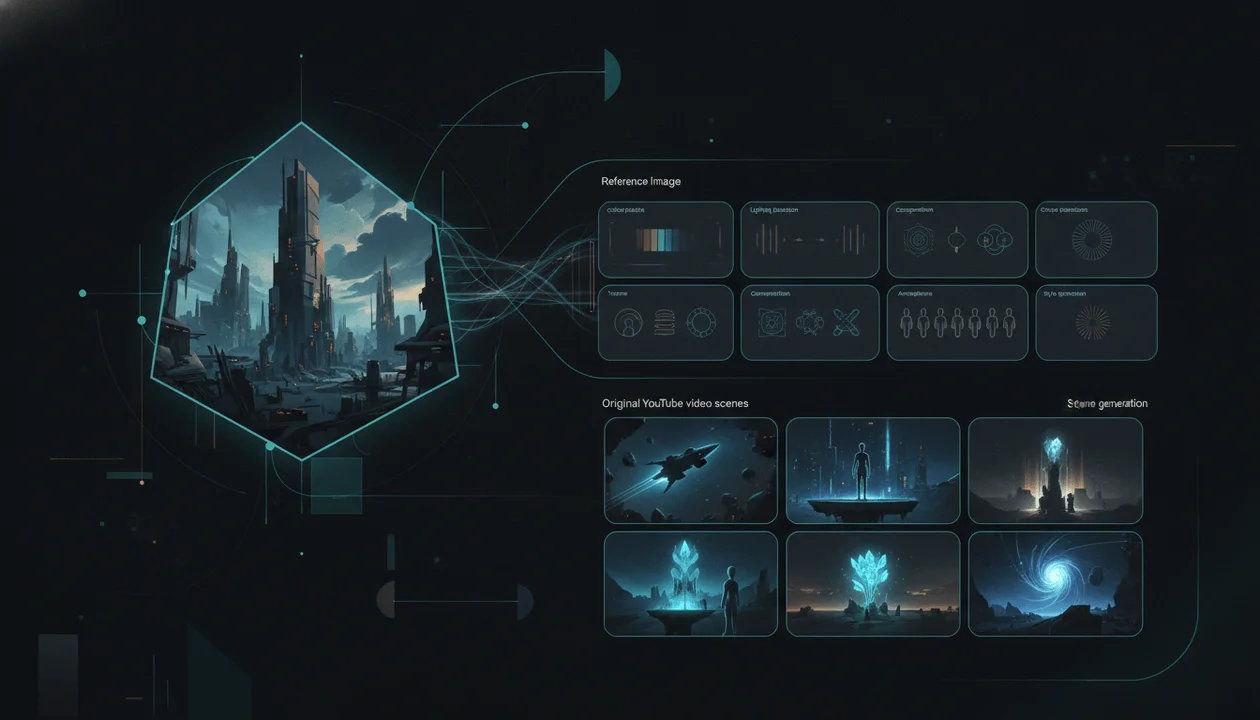
A strong image style cloner can study a reference image and guide new generations using its broader visual language:
- color relationships
- lighting logic
- texture
- medium
- contrast
- composition
- atmosphere
- realism
- line work
- depth
- visual energy
The best tools do not merely apply a filter to one image.
They help creators build a reusable style system that can survive across different subjects, locations, camera angles, and narrative moments.
For YouTube creators, that distinction matters.
A single beautiful image is not a finished video. A faceless documentary, explainer, history video, psychology story, or cinematic Short may require dozens of separate scenes that still need to feel like they belong to one production.
This guide compares the best AI image style cloner tools for YouTube videos in 2026, explains what each platform actually controls, and gives you a practical system for turning one reference image into an original visual language without copying protected content.
Key Takeaways
- OverseerOS is the best overall image style cloner for faceless YouTube production because OverseerOS Image Style Cloner connects reference-image direction to scripts, voiceovers, scene generation, captions, music, motion, effects, preview, and export inside OverseerOS Auto Edit.
- Midjourney is one of the strongest options for transferring the broader visual feel of a reference into visually striking new images.
- Adobe Firefly is particularly useful for brand and commercial creative teams that want separate control over style and structure.
- Runway is strongest when reference images need to move from consistent still-image generation into AI video production.
- Leonardo AI provides granular reference modes for style, content, characters, depth, edges, pose, and composition.
- Krea offers one of the fastest style-reference workflows for creators who want to reuse a visual language without complicated setup.
- Recraft is especially strong for reusable custom style libraries, teams, branded illustration, and vector-based visual systems.
- Ideogram is useful when style consistency must coexist with readable text and designed graphics.
- FLUX.2 is a strong technical option for developers and advanced creators who need multi-reference generation and editing.
- ChatGPT Images is useful for conversationally analyzing, adapting, and refining a reference-driven visual direction.
- Image style cloning is not the same as copying an image. The safest workflow extracts broad visual principles while changing the subject, scene, composition, story, branding, and final expression.
- No tool guarantees perfect consistency. Strong references, clear prompts, controlled scene design, and human review remain necessary.
Best AI Image Style Cloner Tools for YouTube: Quick Verdict
| Rank | Tool | Best For | Reference Workflow | Main Strength | Main Weakness |
|---|---|---|---|---|---|
| 1 | OverseerOS | Turning one reference image into a complete faceless YouTube visual workflow | Reference image inside OverseerOS Auto Edit | Connects style direction to scripts, voiceovers, scenes, captions, motion, music, and export | Not a professional frame-level compositing or color-grading suite |
| 2 | Midjourney | High-aesthetic style references and visual exploration | One or multiple style references | Strong interpretation of colors, medium, texture, and lighting | Less suited to structured long-form video production management |
| 3 | Adobe Firefly | Brand-safe creative workflows and separate style or structure control | Style Reference and Structure Reference | Clear distinction between appearance and composition | Repeated scene production still requires manual organization |
| 4 | Runway | Reference-driven still images that can move into video generation | Up to several tagged image references | Strong character, object, environment, and style blending | Complex multi-reference generations can require several iterations |
| 5 | Leonardo AI | Granular reference control | Style, content, character, edge, depth, pose, sketch, and other guidance modes | Broad range of image-guidance controls | Model compatibility and reference behavior can feel complex |
| 6 | Krea | Fast style-reference generation | Uploaded image or style-transfer preset | Simple, fast extraction of palette, line work, texture, lighting, and composition language | Less YouTube-specific production structure |
| 7 | Recraft | Reusable custom styles for teams and brands | Up to five weighted references in supported custom-style workflows | Strong style libraries, sharing, vector support, and reusable style IDs | Custom style compatibility varies by model generation |
| 8 | Ideogram | Styled visuals that may also require strong typography | Up to several style references | Combines visual consistency with designed text workflows | Not built as a complete multi-scene video editor |
| 9 | FLUX.2 | Advanced multi-reference editing and developer workflows | Multiple reference images through supported interfaces or API | Strong editing, reference composition, consistency, and technical control | Requires more setup outside third-party creative interfaces |
| 10 | ChatGPT Images | Conversational reference analysis, editing, and rapid visual iteration | Upload image and describe the transformation or new scene | Natural-language control and flexible iterative editing | Does not automatically maintain a full YouTube scene production system |
What Is an AI Image Style Cloner?
An AI image style cloner is a tool that uses one or more reference images to guide the appearance of newly generated visuals.
The tool may analyze characteristics such as:
- color palette
- lighting
- contrast
- texture
- brushwork
- line quality
- rendering medium
- realism
- depth
- composition language
- atmosphere
- shadow treatment
- visual density
- emotional tone
It then applies some of those characteristics to a new subject or scene.
For example, a creator could upload a reference showing:
A rainy city at night with muted cyan lighting, soft film grain, deep shadows, reflective streets, restrained neon, and a cinematic documentary mood.
Then request:
A lone researcher entering an abandoned laboratory.
A useful style-reference system should create the new laboratory scene using the reference’s broader visual language without recreating the same city, people, objects, or exact composition.
Image Style Cloning vs Image Copying
The distinction is critical.
| Image Style Cloning | Image Copying |
|---|---|
| Extracts broad visual characteristics | Reproduces the source too closely |
| Changes the subject and scene | Keeps the same subject or arrangement |
| Uses original prompts and narrative context | Follows the source composition almost exactly |
| Applies color, texture, lighting, or medium to new content | Recreates distinctive protected expression |
| Produces a clearly new image | Creates something viewers may mistake for the original |
| Can combine several references | Depends heavily on one identifiable source |
| Builds an original visual system | Imitates another creator’s finished asset |
A style reference should answer:
How should the new scene feel?
It should not answer:
How can I reproduce this exact image with small changes?
Why Image Style Consistency Matters for YouTube
A single AI image is judged for a few seconds.
A YouTube video is judged as a sequence.
The viewer may see:
- a hook scene
- a character introduction
- a location
- a visual metaphor
- a chart
- an evidence scene
- a flashback
- a conflict
- a transformation
- a conclusion
When every scene uses a different visual language, the video feels assembled from unrelated generators.
Common problems include:
- photorealism changing into illustration
- warm lighting changing into cold lighting without purpose
- characters appearing in different artistic mediums
- shadows behaving differently
- film grain disappearing
- saturation changing scene by scene
- background complexity varying randomly
- camera distance feeling inconsistent
- one scene looking premium and the next looking like generic stock art
- color accents changing without narrative meaning
Style consistency helps the viewer believe that one creative direction controls the entire production.
That improves:
- visual coherence
- channel identity
- perceived production value
- emotional continuity
- brand recognition
- editor efficiency
- regeneration speed
- viewer trust
The Five Types of Reference Control
Not every reference-image feature controls the same thing.
Understanding the difference prevents weak results.
1. Style Reference
A style reference influences how the generated image looks.
It may transfer:
- palette
- lighting
- texture
- visual medium
- line quality
- contrast
- atmosphere
- rendering style
The new scene can have completely different content.
Example:
Reference:
A hand-painted medieval village in soft watercolor.
New scene:
A modern server room.
Style-reference result:
A modern server room rendered with the same soft watercolor texture, muted palette, paper grain, and hand-painted lighting.
2. Content Reference
A content reference guides what appears in the image.
It may preserve:
- general subject
- object shape
- environment
- clothing
- visible features
- scene elements
The style can change.
Example:
Reference:
A red sports car viewed from the front.
New request:
Render the same general car content as a pencil illustration.
3. Structure Reference
A structure reference guides arrangement and depth.
It may preserve:
- object placement
- silhouette
- perspective
- composition
- depth
- pose
- spatial relationships
The subject details and style can change.
Example:
Reference:
A person standing in a doorway with strong foreground framing.
New scene:
A robot entering a futuristic archive using the same broad composition.
4. Character Reference
A character reference guides identity.
It may preserve:
- face
- body proportions
- hair
- clothing
- accessories
- signature colors
- original character traits
Character reference is different from style reference.
A creator may need both:
- character reference controls who appears
- style reference controls how the scene looks
5. Image-to-Image Editing
Image-to-image editing starts with an existing image and changes it.
Possible edits include:
- replacing a background
- changing lighting
- altering clothing
- restyling the entire frame
- adjusting colors
- inserting objects
- changing time of day
- extending the image
- correcting text
- preserving most of the original composition
This is useful when the creator already has the desired scene content and wants to alter its presentation.
Image Style Cloner vs Neural Style Transfer
Traditional neural style transfer and modern reference-guided generation are related, but they are not identical.
Traditional Neural Style Transfer
Traditional style transfer usually combines:
- one content image
- one style image
The output attempts to keep the content image’s structure while applying visual characteristics from the style image.
Classic example:
Apply the texture and brushwork of a painting to a photograph.
This can create strong artistic effects, but it is less useful when the creator needs entirely new scenes.
Modern Reference-Guided Generation
Modern systems can use a reference image as one input among several.
The creator can request:
- a new subject
- a new environment
- a new composition
- a new camera angle
- a new emotional moment
while retaining selected visual characteristics.
That is more useful for YouTube because the video requires many distinct scenes rather than one restyled photograph.
What an Image Style Cloner Should Analyze
A useful system should identify more than a broad label such as “cinematic.”
Color Palette
The analysis should identify:
- dominant colors
- secondary colors
- accent colors
- saturation
- temperature
- color separation
- skin-tone treatment
- highlight colors
- shadow colors
Weak direction:
Dark blue.
Stronger direction:
Deep desaturated navy shadows, neutral charcoal environments, subtle cold cyan reflections, and small amber highlights reserved for important objects.
Lighting
The system should understand:
- light direction
- softness
- exposure
- contrast ratio
- practical lights
- rim lighting
- volumetric light
- day or night
- background brightness
- subject separation
Weak direction:
Dramatic lighting.
Stronger direction:
Low-key side lighting with soft falloff, controlled highlights, dark backgrounds, and subtle rim light separating the subject from the environment.
Texture
Texture may include:
- film grain
- paper texture
- brushstrokes
- halftone
- ink
- clay
- plastic
- metal
- soft digital rendering
- archival damage
- clean vector surfaces
- rough pencil lines
- photographic noise
Composition Language
The reference may repeatedly favor:
- centered subjects
- off-center subjects
- symmetry
- negative space
- foreground framing
- layered depth
- wide environmental views
- intimate close-ups
- flat graphic arrangements
- strong diagonal lines
The goal is not to reproduce one composition.
The goal is to understand the broader framing logic.
Realism
Specify whether the style is:
- documentary photorealism
- polished commercial photography
- stylized realism
- cinematic 3D
- flat illustration
- painterly
- anime
- graphic novel
- vector
- collage
- archival
- surreal
Mixing realism levels without purpose is a common cause of scene inconsistency.
Atmosphere
Atmosphere can include:
- calm
- ominous
- hopeful
- clinical
- intimate
- luxurious
- nostalgic
- investigative
- mysterious
- playful
- urgent
- melancholic
The atmosphere should support the script.
Detail Density
Define whether scenes should feel:
- minimal
- clean
- moderately detailed
- richly layered
- visually chaotic
- texture-heavy
A reference with one subject against a simple background should not become a crowded scene merely because the prompt includes several nouns.
Subject Treatment
The reference may treat people or objects in a distinct way.
Examples:
- silhouettes rather than clear faces
- faces partially hidden
- natural expressions
- exaggerated expressions
- distant human figures
- product close-ups
- objects isolated in empty space
- documentary observation
- editorial fashion framing
- symbolic rather than literal depiction
How We Evaluated the Tools
The ranking uses criteria relevant to YouTube production rather than judging only the quality of one generated image.
Reference Fidelity
How well does the tool preserve the reference’s broader style?
Subject Independence
Can it apply the style to a clearly different subject without dragging unwanted content from the reference into the output?
Multi-Scene Consistency
Can creators reuse the direction across many generations?
Reference Separation
Can the tool distinguish between:
- style
- character
- content
- structure
- composition
Control
Can the user adjust reference strength, influence, weights, or prompting?
Production Handoff
Can the output move naturally into:
- video scenes
- animation
- storyboards
- editing
- team workflows
- saved style systems
YouTube Fit
Does the tool support:
- 16:9 visuals
- long-form production
- Shorts
- faceless scenes
- recurring environments
- channel styles
- scene-level review
Originality Controls
Does the workflow make it possible to use broad inspiration without copying the source image?
The Best AI Image Style Cloner Tools for YouTube Videos in 2026
1. OverseerOS: Best Overall for Faceless YouTube Production
OverseerOS Image Style Cloner is the strongest overall option when the purpose of the reference image is to guide a complete YouTube video rather than generate isolated pictures.
OverseerOS Image Style Cloner operates inside OverseerOS Auto Edit.
The workflow can connect:
- An original script
- A finished or generated voiceover
- A reference image
- Extracted OverseerOS image style direction
- Original scene generation
- Saved styles
- Captions
- Background music
- Motion
- Effects
- Preview controls
- Export controls
Most dedicated image generators solve one part of the problem:
Generate a new image in this visual style.
OverseerOS is designed around a larger question:
How can this reference guide the visual language of an entire original faceless YouTube video?
How OverseerOS Image Style Cloner Works
A supported workflow looks like this:
- Start an OverseerOS Auto Edit project with your own script, voiceover, or topic.
- Upload a reference image that captures the desired visual direction.
- Let OverseerOS Image Style Cloner identify reusable visual signals.
- Apply the direction to supported original scenes.
- Review scene consistency.
- Replace or regenerate weak outputs.
- Combine the style with other OverseerOS Auto Edit controls.
- Preview and export the final project.
Visual Signals OverseerOS Can Use
OverseerOS Image Style Cloner can guide supported scene generation using reference-derived direction for areas such as:
- mood
- color palette
- lighting
- composition
- texture
- atmosphere
- visual style
The reference is used as direction, not as content that must be reproduced.
Where OverseerOS Is Different
A normal image generator may produce a beautiful scene, but the creator still needs to:
- separate the script into scenes
- align scenes with narration
- maintain pacing
- manage captions
- select music
- create motion
- handle effects
- review the timeline
- export the video
OverseerOS Image Style Cloner is connected to that surrounding production workflow.
This makes it particularly useful for:
- faceless documentaries
- history channels
- psychology videos
- business stories
- AI explainers
- finance channels
- educational videos
- narrative Shorts
- agencies
- YouTube automation teams
- multi-channel operators
Combining OverseerOS Image Style Cloner With Other Controls
Creators can combine OverseerOS Image Style Cloner with supported workflows such as:
- OverseerOS Video Style Cloner
- OverseerOS Director DNA
- OverseerOS Character Lock
- OverseerOS saved styles
- OverseerOS script-to-scene generation
- OverseerOS voiceover-to-video workflow
That lets creators separate several production decisions:
| Control | Main Job |
|---|---|
| OverseerOS Image Style Cloner | Guides how scenes look |
| OverseerOS Video Style Cloner | Extracts broader visual direction from a public YouTube video |
| OverseerOS Director DNA | Guides pacing, motion, and directing rhythm |
| OverseerOS Character Lock | Helps preserve an original recurring character |
| OverseerOS Auto Edit | Connects the assets into a complete faceless video |
Creators comparing image and video references can also read the guide to the best YouTube video style analyzer tools.
Best For
- Complete faceless YouTube videos
- Long-form scene consistency
- Voiceover-first production
- Script-first production
- Agencies producing repeatable visual formats
- Creators who do not want to manage several disconnected tools
- Teams that need reference direction connected to the final edit
Main Strength
OverseerOS connects the reference image to the full narrative production process.
Main Weakness
OverseerOS is not intended to replace:
- Photoshop
- After Effects
- DaVinci Resolve
- professional compositing
- manual VFX
- frame-level masking
- advanced color grading
Generated scenes may still drift or contain visual defects. Human review remains necessary.
Verdict
Choose OverseerOS when the goal is not simply to create one image in a reference style, but to guide an original faceless YouTube video from narration to export.
2. Midjourney: Best for High-Aesthetic Style References
Midjourney Style Reference allows creators to use one or more images to guide the visual feel of new generations.
Midjourney describes style reference as capturing the overall visual vibe of an image rather than directly copying its people or objects.
Potentially transferable characteristics include:
- colors
- medium
- textures
- lighting
- visual mood
- rendering approach
Why Midjourney Is Strong
Midjourney remains particularly effective when creators want:
- cinematic concept art
- premium documentary scenes
- stylized illustration
- surreal visuals
- atmospheric environments
- visual-world exploration
- channel mood boards
- striking thumbnail imagery
A creator can test several visual directions quickly and decide which one deserves to become the channel’s production language.
Style Reference Workflow
A practical workflow is:
- Upload a strong reference image.
- Add it as a style reference rather than a normal content reference.
- Write a prompt describing a new subject.
- Generate several variations.
- Refine the style influence.
- Select one successful result.
- Use that result as a cleaner reference for future generations.
- Save a consistent prompt structure.
Best Reference Images
Midjourney style references work best when the reference has:
- one clear medium
- intentional lighting
- a focused palette
- readable texture
- minimal conflicting styles
- sufficient image quality
- no unnecessary protected branding
Main Strength
Midjourney is highly effective at capturing a visually compelling aesthetic from a reference and reinterpreting it across new subjects.
Main Weakness
It is an image-generation environment, not a complete YouTube production operating system.
Creators still need separate tools for:
- script segmentation
- voiceover timing
- scene management
- captions
- animation
- music
- timeline editing
- export
Consistency may also weaken when prompts contain many conflicting subjects or when the reference includes distinctive people, objects, or compositions.
Verdict
Choose Midjourney when visual quality and aesthetic exploration matter more than having the entire YouTube workflow in one place.
3. Adobe Firefly: Best for Brand and Commercial Creative Workflows
Adobe Firefly Style Reference lets creators use an uploaded or curated image to guide the look and feel of generated variations.
Adobe also provides Structure Reference, which can guide:
- outline
- depth
- object placement
- composition
This separation is valuable.
A creator may want:
- the style of reference A
- the composition of reference B
- a completely original subject described in the prompt
Style Reference vs Structure Reference
| Firefly Control | What It Influences |
|---|---|
| Style Reference | Colors, mood, texture, lighting, artistic qualities |
| Structure Reference | Outline, depth, layout, and broad arrangement |
| Text Prompt | Subject, action, environment, and narrative details |
This can produce more controlled results than asking one reference image to influence everything at once.
Why Firefly Works Well for Teams
Firefly is useful for:
- brand campaigns
- corporate channels
- agency production
- visual mood boards
- marketing assets
- repeatable design systems
- Adobe-centered teams
- commercial creative workflows
The reference strength can be adjusted, allowing creators to decide whether the result should follow the reference closely or interpret it more freely.
Example Workflow
Style reference:
Soft editorial illustration with muted warm colors and visible paper grain.
Structure reference:
A person standing beside a large vertical machine.
Prompt:
A solo YouTube creator standing beside an automated video-production system, 16:9 composition, no logos, original interface design.
The result can combine the desired visual medium with a controlled arrangement while changing the underlying subject.
Main Strength
Firefly provides a clear conceptual separation between appearance and structure.
Main Weakness
Firefly does not automatically convert a script and voiceover into a complete scene-based YouTube project.
The creator must still manage:
- scene planning
- image continuity
- animation
- captions
- music
- timing
- final editing
Verdict
Choose Adobe Firefly when brand consistency, structural control, and integration with an Adobe creative workflow matter most.
4. Runway: Best for Moving From References Into AI Video
Runway Gen-4 Image References can use one or more reference images to create new images from their characteristics, styles, characters, objects, or environments.
This makes Runway particularly useful when the final asset should become video.
What Runway References Can Control
Runway references can help creators work with:
- character identity
- object identity
- environments
- visual style
- wardrobe
- scene details
- composition
- recurring locations
Creators can save references with names and reuse them across generations.
That creates a more organized workflow than repeatedly uploading the same image.
Multi-Reference Workflow
A creator could combine:
- one character reference
- one environment reference
- one style reference
Then prompt:
Place the original character inside the referenced underground laboratory while applying the muted cinematic style of the third image.
This is useful for YouTube stories that need recurring:
- characters
- products
- locations
- visual worlds
Consistent Scene Development
Runway also supports iterative reference pathways.
A creator can:
- Generate the character.
- Save the preferred output as a new reference.
- Generate the environment separately.
- Save the preferred environment.
- Combine the two references.
- Refine the result.
- Animate the final still with a supported video model.
This step-by-step approach often produces better results than asking one prompt to solve every variable simultaneously.
Best For
- Cinematic YouTube scenes
- AI film workflows
- Recurring characters
- Recurring environments
- Product storytelling
- References that need to become moving footage
- Creators already using Runway video generation
Main Strength
Runway creates a natural bridge between consistent reference-driven images and AI-generated video.
Main Weakness
Multi-reference generations can become unpredictable as more variables are introduced.
The creator may need to build separate character, environment, and style pathways before combining them.
Verdict
Choose Runway when you need high-quality reference images that can be carried directly into an AI video workflow.
5. Leonardo AI: Best for Granular Image Guidance
Leonardo AI Image Guidance provides one of the broadest sets of reference controls.
Supported guidance categories can include:
- Style Reference
- Content Reference
- Character Reference
- Depth
- Edge
- Sketch
- Pose
- Normals
- Pattern
- Line Art
- Text Image Input
Availability depends on the selected model and workflow.
Why Leonardo Is Useful
Leonardo allows creators to separate several generation problems.
Example:
- Style Reference controls the cinematic watercolor look.
- Content Reference controls the general object.
- Character Reference controls the recurring person.
- Edge or Depth controls composition.
- Text prompt controls the new scene.
This can be powerful for creators who understand which reference type they need.
Multiple References
Supported Leonardo workflows can use several reference images and allow creators to adjust influence.
This makes it possible to blend:
- palette from one image
- texture from another
- character from a third
- composition from a fourth
Describe With AI
Leonardo also provides an image-description workflow that can convert an image into a detailed prompt.
This is useful when the creator wants to understand the reference rather than directly use it as image guidance.
The two workflows solve different problems:
| Workflow | Result |
|---|---|
| Describe With AI | Produces a textual description or prompt |
| Style Reference | Directly influences generation |
| Content Reference | Guides broad image content |
| Character Reference | Guides subject identity |
| Edge or Depth | Guides composition and spatial structure |
Best For
- Advanced creators
- Multiple guidance modes
- Character and style combinations
- Composition control
- Illustration
- Game-style visuals
- Faceless storytelling assets
- Teams that want detailed control
Main Strength
Leonardo provides a wide range of specialized image-guidance modes.
Main Weakness
The number of:
- models
- modes
- strengths
- compatibility rules
- legacy settings
can create a steeper learning curve.
Creators may obtain weak results when they choose the wrong guidance mode or apply excessive reference strength.
Verdict
Choose Leonardo AI when you want granular control and are willing to learn how different reference types interact.
6. Krea: Best for Fast Style-Reference Generation
Krea Style References allow creators to upload an image and use its visual language in new generations.
Krea describes its style-reference system as extracting characteristics such as:
- palette
- line work
- texture
- lighting
- composition language
The creator can then prompt a new subject inside the same broader visual world.
Why Krea Is Easy to Use
The workflow is straightforward:
- Open Krea Image.
- Add a style-transfer reference.
- Upload or select an image.
- Write the new scene prompt.
- Adjust reference strength.
- Generate.
- Reuse successful outputs as new references.
This makes Krea accessible to creators who do not want to manage several technical control modes.
Same Style, New Subject
The platform is strongest when the creator wants to say:
Keep this visual language, but replace everything being depicted.
Example:
Reference:
Retro illustrated cat riding a bicycle.
New prompt:
A scientist entering a quantum-computing laboratory.
Desired result:
A new laboratory scene built with the reference’s palette, line work, texture, and illustration logic.
Best For
- Fast visual exploration
- Mood boards
- Illustration
- YouTube scene concepts
- Testing several channel styles
- Creators who value simple controls
- Realtime creative experimentation
Main Strength
Krea makes image-reference styling fast and accessible.
Main Weakness
It is not specifically built around YouTube scripts, voiceovers, retention structure, or timeline production.
The creator must still organize the generated assets into a full video.
Verdict
Choose Krea when you need a fast, low-friction way to test and reuse image styles.
7. Recraft: Best for Reusable Team Style Libraries
Recraft Custom Styles can be created from multiple uploaded reference images.
Supported custom-style workflows can let creators:
- upload several references
- adjust the influence of each image
- add a style-level prompt
- choose a reference interpretation mode
- test the style
- save it
- reuse it
- share it with collaborators
- access supported styles through an API
Style Essentials vs Style and Composition
Recraft provides two useful interpretations.
| Mode | Main Focus |
|---|---|
| Style Essentials | Color, texture, detail, and overall aesthetic |
| Style and Composition | Visual style plus structure, layout, object placement, and perspective |
This lets teams decide whether the reference should control only appearance or also influence composition.
Why Recraft Is Strong for Teams
A creator can turn a group of approved references into one reusable style asset.
That style can then become part of a team’s production system.
Possible style libraries include:
- premium SaaS editorial
- dark business documentary
- clean educational vector
- archival history illustration
- luxury finance photography
- flat psychology explainer
- cinematic AI infrastructure
- branded YouTube Shorts
Recraft also supports style sharing and style IDs in supported workflows, making it useful for repeatable production.
Vector and Illustration Support
Recraft is especially relevant when the channel needs:
- vector illustrations
- icons
- infographics
- diagrams
- clean editorial graphics
- brand assets
- repeatable illustration systems
Not every YouTube video should use photorealistic AI scenes.
Educational and business channels can often communicate more clearly with controlled vector or editorial illustration.
Current Compatibility Consideration
Custom-style support varies across Recraft model generations.
The newest model is not automatically the best choice when the workflow specifically requires a reusable custom style. Check current compatibility before standardizing a team pipeline.
Best For
- Agencies
- Brand teams
- Shared styles
- Repeatable illustration
- Vector graphics
- Visual libraries
- API workflows
- Multi-channel visual systems
Main Strength
Recraft turns references into reusable, shareable style assets rather than temporary prompt inputs.
Main Weakness
Style and model compatibility requires attention, and the platform does not automatically create the complete YouTube video.
Verdict
Choose Recraft when the main goal is building a reusable style library for a team, brand, or repeatable channel format.
8. Ideogram: Best for Style References With Typography
Ideogram Style Reference supports curated styles and uploaded references for creating visually consistent images.
A creator can upload several references to build a custom style and reuse that style across future generations.
Why Ideogram Matters for YouTube
Many AI image generators struggle when the visual also needs readable text.
That matters for:
- title cards
- diagrams
- visual callouts
- product labels
- quote graphics
- thumbnails
- interface concepts
- chapter cards
Ideogram’s broader strength in designed text makes it useful when style consistency and typography need to coexist.
Practical YouTube Use Cases
Ideogram can help create:
- consistent chapter cards
- branded visual labels
- title graphics
- stylized charts
- YouTube thumbnails
- quote cards
- repeated social assets
- simple interface mockups
Best For
- Typography-heavy scenes
- Thumbnail concepts
- Graphic-design workflows
- Branded callouts
- Repeatable social assets
- Educational graphics
Main Strength
Ideogram combines custom visual styles with stronger typography-oriented generation than many general image tools.
Main Weakness
It is not a complete script-to-video or voiceover-to-video production environment.
Creators must still manage animation, timing, captions, audio, and the final edit elsewhere.
Verdict
Choose Ideogram when the reference-driven visual system also needs designed text or graphic communication.
9. FLUX.2: Best for Developers and Multi-Reference Editing
Black Forest Labs FLUX documentation positions FLUX.2 as its recommended generation and editing system for new projects.
Supported workflows can include:
- multi-reference image input
- image editing
- character consistency
- style transformation
- text editing
- high-resolution output
- API access
- playground testing
- self-hosted options for supported models and licenses
Why FLUX Is Powerful
FLUX is useful when the creator or development team wants to build a custom reference workflow rather than use a fixed consumer interface.
A custom system might combine:
- style reference
- character reference
- product reference
- environment reference
- composition reference
- text instructions
- scene metadata
Then produce assets directly inside an internal production pipeline.
Single-Reference Editing
A creator can upload one image and request changes while preserving the rest.
Examples include:
- change day to night
- replace text
- change clothing
- move an object
- add a person
- transform the style
- preserve character identity
- change the environment
Multi-Reference Workflows
Multi-reference support allows a creator to assign different jobs to different images.
Example:
- Reference 1: original character
- Reference 2: visual style
- Reference 3: environment
- Reference 4: product
- Reference 5: composition
This is powerful, but it also requires clear prompting and a strong internal asset system.
Best For
- Developers
- Custom SaaS products
- Advanced AI production teams
- High-volume generation
- Internal pipelines
- Multi-reference composition
- Iterative image editing
- Self-hosted or API-driven workflows
Main Strength
FLUX provides flexible technical building blocks for controlled reference-driven generation and editing.
Main Weakness
FLUX is a model ecosystem rather than one simple YouTube creator application.
Most creators will access it through:
- an API
- a playground
- a third-party interface
- a local workflow
- a custom product
The production experience depends heavily on that surrounding interface.
Verdict
Choose FLUX.2 when you need technical flexibility, multi-reference inputs, or a custom production pipeline.
10. ChatGPT Images: Best for Conversational Style Adaptation
ChatGPT Images allows creators to upload an image, discuss it, generate new images, and edit existing visuals through natural-language instructions.
Instead of configuring several separate reference modes, a creator can explain the desired relationship conversationally.
Example:
Analyze the reference image’s palette, lighting, texture, composition, and realism. Create a completely new 16:9 scene showing a researcher inside an underground data center. Keep the muted cyan shadows, soft amber practical lights, subtle film grain, and restrained documentary mood. Do not copy the original subject, layout, text, logo, or location.
The creator can then continue:
Keep the same visual language, but show the exterior of the facility at night.
Then:
Create a close-up evidence scene showing an encrypted storage device on a metal table.
Why Conversational Iteration Helps
Many reference generations fail because one instruction contains too many variables.
Conversational editing lets creators correct one issue at a time:
- reduce saturation
- soften the lighting
- remove an object
- change the camera angle
- preserve the background
- simplify the composition
- add more negative space
- match the previous image more closely
- change only the subject
Editing Existing Images
ChatGPT Images can also edit uploaded or generated images.
This is useful for:
- removing visual defects
- changing text
- replacing backgrounds
- adjusting objects
- correcting composition
- adding transparent backgrounds
- revising individual regions
Best For
- Creators who prefer natural-language direction
- Fast visual iteration
- Reference-image analysis
- Scene repair
- Prompt development
- Thumbnail exploration
- One-off YouTube assets
- Teams already using ChatGPT for creative planning
Main Strength
ChatGPT Images makes iterative image direction accessible without requiring the creator to understand several technical control systems.
Main Weakness
It does not automatically maintain:
- scene order
- voiceover alignment
- timeline timing
- captions
- music
- transitions
- a full video project
The creator must save the visual rules and apply them consistently across the conversation or external production system.
Verdict
Choose ChatGPT Images when you want a flexible conversational partner for analyzing, adapting, generating, and repairing reference-driven visuals.
Feature Comparison
| Tool | Custom Image Reference | Multiple References | Style Strength Control | Character Support | Structure or Composition Control | Saved Reusable Style | Direct Video Handoff |
|---|---|---|---|---|---|---|---|
| OverseerOS | Yes | Supported reference workflows vary | Workflow-guided | OverseerOS Character Lock | Scene and style direction | OverseerOS saved styles | Yes, inside OverseerOS Auto Edit |
| Midjourney | Yes | Yes | Supported style controls | Separate character or image reference workflows | Prompt and reference dependent | Reusable references and style workflows | External workflow required |
| Adobe Firefly | Yes | Supported workflows | Yes | Separate tools and prompting | Dedicated Structure Reference | Reusable through project workflows | External animation or video editor |
| Runway | Yes | Up to several active references in supported Gen-4 workflow | Prompt-driven | Strong reference workflow | Sketch and multi-reference control | Tagged saved references | Yes |
| Leonardo AI | Yes | Yes, model dependent | Yes | Dedicated Character Reference | Edge, depth, pose, sketch, content reference | Reusable uploaded references | Supported video workflows vary |
| Krea | Yes | Workflow dependent | Yes | Broader reference workflows | Style language and prompt control | Reusable style references | Krea video tools available separately |
| Recraft | Yes | Up to several references in supported custom styles | Weighted references | Not its primary custom-style purpose | Style and Composition mode | Yes, including shared styles | External video workflow |
| Ideogram | Yes | Yes, supported limits apply | Style controls | Broader reference features | Prompt and reference dependent | Yes | External video workflow |
| FLUX.2 | Yes | Yes | Prompt and API dependent | Yes | Multi-reference and editing controls | Requires external system or saved workflow | External or custom workflow |
| ChatGPT Images | Yes | Conversation dependent | Natural-language control | Reference and editing support | Natural-language and image editing | Conversation or asset-library workflow | External video workflow |
Capabilities, limits, models, and availability can change. Review the current official documentation before standardizing a production pipeline.
Best Tool by Use Case
| Use Case | Best Choice |
|---|---|
| Complete faceless YouTube workflow | OverseerOS |
| Highest-aesthetic visual exploration | Midjourney |
| Brand and commercial creative workflows | Adobe Firefly |
| Reference images that need to become AI video | Runway |
| Granular style, content, character, and composition guidance | Leonardo AI |
| Fast style-reference experimentation | Krea |
| Shared custom style libraries for teams | Recraft |
| Style plus readable typography | Ideogram |
| Developer-controlled multi-reference pipeline | FLUX.2 |
| Conversational reference analysis and editing | ChatGPT Images |
How to Choose the Right Tool
Choose OverseerOS When the Deliverable Is a YouTube Video
OverseerOS is the strongest fit when you already have or plan to create:
- a script
- a voiceover
- a scene sequence
- captions
- music
- motion
- effects
- a final video export
The reference image becomes part of the production system rather than a separate experiment.
Choose Midjourney When You Need to Discover the Look
Midjourney is ideal when you are still deciding:
- what the channel should look like
- which palette feels right
- which artistic medium fits the topic
- which cinematic direction feels premium
- what visual world should surround the story
Choose Adobe Firefly When Brand Control Matters
Firefly is useful when:
- the team already uses Adobe
- style and structure must be controlled separately
- the assets belong to a broader campaign
- commercial workflow considerations are important
- designers need to refine outputs manually
Choose Runway When Motion Comes Next
Runway is a strong choice when the still image will become:
- a video shot
- an animated environment
- a character scene
- a cinematic transition
- an AI-generated sequence
Choose Leonardo When You Need Several Guidance Types
Leonardo works well when one project requires:
- style
- content
- character
- depth
- edges
- pose
- sketch
- composition
Choose Recraft When the Style Must Survive Across a Team
Recraft is useful when the organization needs to:
- save styles
- version styles
- share styles
- use style IDs
- generate vector assets
- build branded visual libraries
The Three-Reference Method for Original Visual Direction
Using one reference can cause the output to follow that source too closely.
Using three references encourages synthesis.
Reference A: Color and Lighting
Use one image for:
- palette
- exposure
- shadows
- highlights
- atmosphere
Reference B: Texture and Medium
Use another image for:
- film grain
- paper texture
- brushwork
- vector style
- line quality
- realism
Reference C: Composition Language
Use a third image for:
- negative space
- depth
- subject scale
- framing
- visual hierarchy
Then create an original combined direction.
Example:
- cold color palette from reference A
- hand-painted texture from reference B
- spacious editorial composition from reference C
- original subject, environment, characters, camera angle, and scene purpose
This is more original than duplicating the complete visual identity of one image.
The Style Extraction Framework
Use this framework before generating scenes.
1. Core Visual Identity
Write one sentence.
Example:
A restrained investigative documentary style combining photorealistic environments, muted cold color, soft film grain, minimal composition, and controlled practical lighting.
2. Medium
Choose one:
- photorealistic photography
- cinematic 3D
- painterly illustration
- watercolor
- editorial illustration
- graphic novel
- anime
- vector art
- paper collage
- archival documentary
- mixed media
3. Palette
Define:
- three dominant colors
- one accent color
- saturation
- temperature
- highlight treatment
- shadow treatment
Example:
Charcoal, deep navy, and desaturated steel blue. Small amber accents appear only around important objects. Shadows remain cool and highlights stay controlled.
4. Lighting
Define:
- direction
- softness
- exposure
- contrast
- practical lights
- background brightness
Example:
Soft side lighting, low-key exposure, dark backgrounds, gentle rim separation, and warm practical light inside otherwise cold environments.
5. Texture
Define:
- grain
- surface quality
- sharpness
- imperfections
- line work
Example:
Subtle 35mm film grain, slightly softened digital sharpness, realistic materials, no plastic skin, no glossy AI surfaces.
6. Composition
Define:
- subject placement
- negative space
- depth
- focal hierarchy
- foreground use
Example:
One dominant subject per frame, strong foreground layers, off-center framing during uncertainty, centered framing during conclusions, and generous empty space for visual tension.
7. Realism
Example:
Photorealistic enough to feel cinematic, but clearly directed and stylized rather than presented as unedited documentary evidence.
8. Subject Treatment
Example:
Human figures appear from behind, in silhouette, or in partial close-up. Avoid direct presenter portraits and exaggerated facial expressions.
9. Scene Variety
List approved scene types:
- environment
- character
- object detail
- visual metaphor
- document
- interface
- chart
- archive
- transition
- payoff scene
10. Negative Direction
State what must not appear.
Example:
- no neon cyberpunk interfaces
- no random holograms
- no glossy stock-photo smiles
- no extreme saturation
- no unreadable generated text
- no logos
- no celebrity likenesses
- no copied characters
- no identical reference composition
- no inconsistent artistic medium
Copyable Image Style Cloner Prompt Template
REFERENCE ROLE
Use the uploaded image only as visual style direction.

EXTRACT
- Color palette
- Lighting logic
- Contrast
- Texture
- Artistic medium
- Atmosphere
- Composition language
- Subject treatment
- Realism level
- Detail density

DO NOT COPY
- Exact subject
- Exact composition
- Specific person
- Face
- Character
- Logo
- Text
- Product
- Background
- Location
- Branded asset
- Distinctive protected element

NEW SCENE
[Describe the completely original subject, action, and environment.]

SCENE PURPOSE
[Hook, explanation, conflict, evidence, transition, reveal, or payoff.]

CAMERA
[Wide shot, medium shot, close-up, overhead, low angle, etc.]

COMPOSITION
[Subject placement, depth, negative space, foreground, visual hierarchy.]

STYLE
Apply the reference’s broad visual qualities while creating a clearly original image.

FORMAT
16:9 YouTube video scene.

AVOID
[List visual defects, unwanted aesthetics, logos, real-person likenesses, text errors, and source-specific details.]
Example Style Prompt for a Faceless Documentary
Use the reference image only for its muted cold palette, soft film grain,
low-key lighting, controlled shadows, realistic materials, restrained
composition, and investigative documentary atmosphere.

Create a completely original 16:9 scene showing a lone technology auditor
entering a dark underground server archive. The auditor is viewed from behind
and occupies the lower-left third of the frame. Tall server racks create deep
leading lines toward one small amber warning light in the distance.

Use deep navy and charcoal shadows, subtle cyan reflections, one restrained
amber accent, soft side lighting, realistic scale, natural materials, and
gentle atmospheric haze.

Do not reproduce the reference subject, location, composition, person, text,
logo, object arrangement, or any recognizable branded element. No neon
cyberpunk interfaces, no glowing robot, no exaggerated holograms, no plastic
skin, no unreadable text, and no oversaturated colors.
How to Turn One Reference Image Into a Full YouTube Video
Step 1: Choose a Clean Reference
The image should have:
- clear palette
- clear lighting
- one identifiable medium
- readable texture
- intentional composition
- sufficient resolution
- minimal clutter
- no unwanted logos
- no confusing mixture of styles
Avoid references that contain several conflicting aesthetics.
Step 2: Describe the Style Manually
Before using the tool, write down:
- what you like
- what should transfer
- what should not transfer
- how the style supports the video
- which scenes need exceptions
This prevents the AI from deciding everything.
Step 3: Generate a Style Test Grid
Create four unrelated scenes:
- Human scene
- Environment scene
- Object close-up
- Abstract or symbolic scene
If the style survives across all four, the reference is strong enough for production.
Step 4: Lock the Style Rules
Save:
- medium
- palette
- lighting
- texture
- composition
- realism
- negative instructions
- approved reference
- approved examples
Do not change the rules casually halfway through production.
Step 5: Split the Script by Visual Function
Classify each scene as:
- hook
- context
- character
- evidence
- explanation
- tension
- pattern break
- transition
- reveal
- payoff
The style should stay consistent, but the visual function should change.
Step 6: Generate by Scene Family
Generate similar scene types together.
Example order:
- All environment shots
- All character shots
- All object close-ups
- All evidence scenes
- All metaphors
- All transition scenes
This makes inconsistencies easier to detect.
Step 7: Compare Against Approved Anchors
Keep three approved images visible:
- one environment
- one subject scene
- one close-up
Reject generations that fall outside the accepted style range.
Step 8: Add Motion Carefully
Motion should support the image style.
A restrained documentary style may use:
- slow push-ins
- subtle parallax
- controlled environmental motion
- gentle focus changes
- restrained camera drift
It should probably avoid:
- constant zooms
- chaotic camera shake
- rapid orbits
- excessive particles
- random speed ramps
Step 9: Review the Full Sequence
A scene can look correct individually and still break the video.
Watch for:
- sudden palette shifts
- inconsistent realism
- repeated compositions
- changing texture
- different character identity
- scenes that are too visually dense
- one weak generation lowering the whole production
Step 10: Review Rights and Disclosure
Confirm:
- you have the right to use the reference
- no protected character was copied
- no real person was imitated without permission
- no logo or branded artwork was reproduced
- realistic synthetic depictions are disclosed when required
- each generation platform permits the intended use
How to Measure Style Consistency
Style feels subjective, but you can still score it.
The 100-Point Image Style Consistency Score
| Category | Maximum Points |
|---|---|
| Medium consistency | 15 |
| Palette consistency | 15 |
| Lighting consistency | 15 |
| Texture consistency | 10 |
| Composition language | 10 |
| Realism consistency | 10 |
| Subject treatment | 10 |
| Scene relevance | 10 |
| Originality and rights safety | 5 |
| Total | 100 |
90 to 100
The scenes clearly belong to one production.
80 to 89
The style is recognizable, but several scenes need correction.
70 to 79
The direction is present, but the sequence still feels generated by several different systems.
Below 70
The style needs to be rebuilt or narrowed.
Consistency Review Table
| Scene | Medium | Palette | Lighting | Texture | Composition | Relevance | Pass? |
|---|---|---|---|---|---|---|---|
| 01 | 10 | 9 | 9 | 8 | 9 | 10 | Yes |
| 02 | 10 | 8 | 5 | 8 | 7 | 9 | No |
| 03 | 7 | 9 | 8 | 5 | 8 | 10 | No |
| 04 | 10 | 10 | 9 | 9 | 9 | 9 | Yes |
Use a 1-to-10 score for each field.
Do not keep a weak scene merely because it was expensive to generate.
Common Image Style Cloning Mistakes
Mistake 1: Using the Reference as Both Style and Content
The system may reproduce:
- the subject
- object placement
- face
- background
- clothing
- pose
when the creator wanted only the style.
State explicitly that the reference controls appearance, not content.
Mistake 2: Choosing a Reference With No Clear Style
A normal phone photo in flat lighting may contain little reusable direction.
A strong reference usually has intentional:
- palette
- light
- texture
- framing
- atmosphere
Mistake 3: Using High Reference Strength for Every Scene
High strength can pull unwanted elements from the reference.
Use stronger influence when:
- the style is highly distinctive
- the new scene is simple
- the reference contains little unwanted content
Use lower influence when:
- the new subject differs significantly
- the reference contains a face
- the composition should change
- unwanted objects keep appearing
Mistake 4: Changing the Prompt Vocabulary
If one scene says:
cinematic documentary
and the next says:
glossy futuristic 3D render
the reference may not overcome the conflict.
Keep stable vocabulary for the must-keep characteristics.
Mistake 5: Overloading the Scene
A reference with minimalist composition will struggle when the prompt asks for:
- six people
- three objects
- several screens
- text
- a complex background
- dramatic action
- several light sources
Simplify the scene.
Mistake 6: Accepting Different Realism Levels
A slightly painterly scene beside a photorealistic scene can create obvious drift.
Define the medium clearly and reject outliers.
Mistake 7: Copying a Living Artist or Recognizable Brand Too Closely
Use references you own, license, or have permission to use.
Even when style itself may not be protected in the same way as a specific finished work, copying distinctive expression, characters, logos, compositions, or branding can create legal and ethical risk.
Build a broader visual system from several references rather than imitating one creator.
Mistake 8: Forgetting the Narrative Purpose
A style-consistent scene can still be irrelevant.
Narration:
The company had only six weeks of cash remaining.
Weak visual:
A cinematic office building.
Stronger visual:
A nearly empty financial runway displayed through six illuminated markers disappearing toward darkness, rendered in the approved visual style.
Style supports the story. It does not replace visual thinking.
Mistake 9: Generating the Entire Video Before Testing
Test the style on four scene categories first.
A weak system becomes expensive when repeated across 100 scenes.
Mistake 10: Applying the Same Composition Everywhere
Consistency is not repetition.
Maintain the same style while varying:
- wide shots
- medium shots
- close-ups
- overhead views
- object details
- silhouettes
- environments
- charts
- documents
- metaphors
Ethical Image Style Cloning
The strongest workflow extracts patterns, not protected assets.
Reasonable Visual Principles to Study
- muted palette
- soft side lighting
- visible paper grain
- minimal composition
- close-up object treatment
- deep foreground layers
- restrained saturation
- strong negative space
- documentary realism
- flat vector geometry
Elements to Avoid Copying
- exact composition
- distinctive character
- real-person likeness
- logo
- watermark
- branded typography
- protected mascot
- source text
- product design
- recognizable artwork
- unique visual sequence
- signature scene
Credit Does Not Automatically Create Permission
Giving credit does not automatically make an unauthorized reproduction permissible.
Copyright rules vary by country and depend on the specific work and use.
For significant commercial projects, use:
- owned references
- licensed references
- public-domain references
- commissioned references
- internal brand references
- original AI references created for your channel
Do Not Use Style Cloning for Impersonation
The finished video should not make viewers believe it was created by:
- another YouTube channel
- a specific artist
- a known studio
- a competing brand
- a real person
- the owner of the reference image
Your channel should retain its own identity.
AI Disclosure on YouTube
YouTube requires creators to disclose AI-generated or meaningfully AI-altered content when it appears realistic and could mislead viewers about a real person, event, or place.
Examples that may require disclosure include:
- a realistic event that did not occur
- a real person shown doing something they did not do
- realistic synthetic footage of a real location
- a public figure depicted in a false situation
Ordinary production assistance, non-realistic scenes, minor aesthetic adjustments, and many clearly animated visuals generally do not require the same disclosure.
Review YouTube’s current AI content disclosure guidance before publishing.
Disclosure does not automatically prevent monetization.
The Image Style Production Bible
Create one document for every recurring channel style.
STYLE NAME:
[Internal name]

PURPOSE:
[What videos or scenes this style supports]

APPROVED REFERENCES:
[Links or asset IDs]

REFERENCE RIGHTS:
[Owned, licensed, commissioned, public domain, etc.]

MEDIUM:
[Photorealistic, illustration, vector, 3D, etc.]

PALETTE:
[Dominant, secondary, and accent colors]

LIGHTING:
[Direction, softness, contrast, exposure, practical lights]

TEXTURE:
[Film grain, paper, line work, surface qualities]

COMPOSITION:
[Subject placement, depth, negative space, focal hierarchy]

REALISM:
[Exact realism level]

SUBJECT TREATMENT:
[How people, objects, and environments should appear]

APPROVED SCENE TYPES:
[Environment, character, object, chart, metaphor, etc.]

MOTION:
[Push-in, parallax, static, handheld, etc.]

MUST KEEP:
[Non-negotiable visual traits]

MUST AVOID:
[Conflicting styles and risky elements]

CHARACTER RULES:
[Reference, clothing, identity, and change limits]

TEXT RULES:
[Font category, placement, words per frame, etc.]

DISCLOSURE RULES:
[When AI disclosure review is mandatory]

APPROVED EXAMPLES:
[Asset IDs]

REJECTED EXAMPLES:
[Asset IDs and reasons]

VERSION:
[Style version]

OWNER:
[Team member responsible]

LAST REVIEWED:
[Date]
How Agencies Should Manage Image Styles
Agencies should not store references in random folders named:
- inspiration
- good style
- use this
- final
- final 2
- new final
- client likes this
Use a controlled style library.
Recommended fields:
| Field | Purpose |
|---|---|
| Style ID | Unique identifier |
| Style name | Human-readable label |
| Channel | Approved channel |
| Client | Rights and usage context |
| Reference source | Origin of image |
| Rights status | Owned, licensed, or restricted |
| Visual description | Compact style definition |
| Generator | Tool or model |
| Prompt template | Reusable instructions |
| Negative prompt | Must-avoid elements |
| Approved outputs | Quality anchors |
| Version | Change control |
| Reviewer | Accountability |
| Disclosure notes | YouTube review requirements |
This prevents a team from accidentally:
- using one client’s style for another
- using an unlicensed reference
- changing the visual system halfway through a series
- losing the approved prompt
- copying an external creator too closely
How OverseerOS Fits Into the Workflow
The strongest image style workflow starts before generation.
A creator should know:
- the video topic
- the narrative purpose
- the script
- the voiceover
- the required scene types
- the desired emotional progression
That is why OverseerOS Image Style Cloner is connected to OverseerOS Auto Edit.
The production sequence can become:
- Write or import an original script.
- Generate or upload the voiceover.
- Build the scene structure.
- Add an approved reference image.
- Extract OverseerOS image style direction.
- Apply the direction to original scenes.
- Use OverseerOS Character Lock where recurring original characters are needed.
- Use OverseerOS Director DNA where motion and pacing direction are needed.
- Review visual consistency.
- Replace weak scenes.
- Add captions, music, motion, and effects.
- Preview the full project.
- Export and complete final YouTube QA.
Explore the complete OverseerOS AI faceless video generator when you need the reference image connected to the full production workflow.
Final Verdict
The best AI image style cloner depends on what you need after the reference is analyzed.
Choose OverseerOS when the goal is a complete original faceless YouTube video with style direction connected to scripts, voiceovers, scenes, captions, music, motion, effects, and export.
Choose Midjourney when visual exploration and aesthetic image quality are the priority.
Choose Adobe Firefly when brand workflows and separate style or structure controls matter.
Choose Runway when the reference-driven still images need to become AI video.
Choose Leonardo AI when you need granular control over style, content, characters, depth, pose, edges, or composition.
Choose Krea when you want a fast and accessible style-reference workflow.
Choose Recraft when a team needs reusable custom style libraries, vectors, sharing, and brand consistency.
Choose Ideogram when the visual system also needs designed text.
Choose FLUX.2 when you are building a technical multi-reference generation pipeline.
Choose ChatGPT Images when you want conversational reference analysis, editing, and iteration.
The strongest workflow is not:
Upload an image and copy its appearance.
It is:
Identify the useful visual principles, remove protected and source-specific elements, apply those principles to an original story, and build a style system your channel can own.
Use the reference to clarify your taste.
Use the tool to accelerate production.
Use human direction to make the final work original.
Frequently Asked Questions
What is the best AI image style cloner for YouTube videos?
OverseerOS is the best overall choice for faceless YouTube production because OverseerOS Image Style Cloner connects a reference image to the wider OverseerOS Auto Edit workflow, including scripts, voiceovers, scenes, captions, music, motion, effects, preview, and export.
Midjourney is a strong choice for standalone high-aesthetic image generation.
What is an AI image style cloner?
An AI image style cloner uses a reference image to guide the appearance of newly generated images.
It may transfer broad characteristics such as color, lighting, texture, medium, contrast, composition language, mood, and realism while creating a new subject or scene.
Is image style cloning the same as copying?
No.
Responsible style cloning studies broad visual principles and applies them to original content. Copying reproduces the source’s specific subject, composition, characters, text, branding, or other distinctive expression too closely.
Can I use one image to create a consistent YouTube video style?
Yes, but the reference needs a clear visual identity.
The best reference has an intentional palette, lighting system, texture, medium, composition, and atmosphere. Test it across several unrelated scene types before producing the full video.
What kind of reference image works best?
Use an image with:
- high visual clarity
- one dominant style
- intentional lighting
- a focused color palette
- readable texture
- minimal clutter
- no unwanted logos
- no confusing mixture of artistic mediums
Can AI copy the exact style of an image?
AI tools can approximate broad visual characteristics, but they do not recover the original creator’s complete process.
They do not automatically know the exact:
- camera
- lens
- lighting setup
- color grade
- brush technique
- generation prompt
- seed
- model settings
- compositing process
- post-production workflow
The output is an interpretation.
What is the difference between Style Reference and Content Reference?
Style Reference guides how the image looks.
Content Reference guides what appears in the image.
A style reference may influence palette, lighting, texture, and medium. A content reference may influence the general subject, object, or environment.
What is the difference between Style Reference and Structure Reference?
Style Reference guides visual appearance.
Structure Reference guides arrangement, perspective, outline, depth, or object placement.
Adobe Firefly is one example of a platform that explicitly separates these controls.
What is the difference between image style cloning and character consistency?
Image style cloning controls the visual world.
Character consistency controls who appears in that world.
A complete video may need:
- one style reference
- one original character reference
- separate scene prompts
- a consistent motion system
Can Midjourney use a reference image for style?
Yes.
Midjourney Style Reference is designed to apply the broader visual feel of an existing image to new creations. It can influence areas such as colors, medium, textures, and lighting without treating the image as a direct content copy.
Can Adobe Firefly copy an image style?
Adobe Firefly Style Reference can guide generated variations using the look and feel of an uploaded or curated reference.
Adobe Firefly also provides Structure Reference for controlling broader outline, depth, and arrangement.
Can Runway use several reference images?
Runway Gen-4 Image References supports multiple active references in its supported workflow.
Creators can combine references for characters, scenes, objects, environments, and visual styles.
Can Leonardo AI separate style and character references?
Yes.
Leonardo AI provides separate supported modes for Style Reference, Content Reference, Character Reference, and several structural guidance options. Model compatibility and limits vary.
What is the easiest image style reference tool?
Krea provides one of the simplest dedicated style-reference workflows.
ChatGPT Images is also accessible for creators who prefer conversational instructions rather than technical reference controls.
What is the best image style tool for teams?
Recraft is strong for teams because supported workflows allow creators to build, save, share, version, weight, and reuse custom styles.
OverseerOS is the stronger fit when the shared style needs to remain connected to a complete YouTube production workflow.
What is the best image style cloner for AI video?
OverseerOS is best for structured faceless YouTube production.
Runway is strong when reference-driven stills need to move into AI-generated clips.
The right choice depends on whether the final deliverable is a complete narrated YouTube video or a collection of individual cinematic shots.
How do I keep AI images consistent across 100 scenes?
Use:
- One approved reference set
- One written style bible
- Stable prompt vocabulary
- A fixed palette
- A fixed realism level
- Repeated negative instructions
- Approved anchor images
- Scene-family generation
- Character references where required
- Human review and regeneration
Do not rely on the reference image alone.
Should I use one reference or several?
Use one reference when it has a clean, focused style.
Use several references when you want to synthesize:
- palette from one image
- texture from another
- composition language from another
Several references can produce a more original visual identity, but they can also introduce conflicting direction.
Can I use another YouTuber’s thumbnail as a style reference?
You can study broad packaging principles, but avoid reproducing the exact composition, face, text, branding, colors, objects, or distinctive creative concept.
The safer approach is to combine several references and create a clearly original thumbnail for a different title and video promise.
Is AI image style transfer legal?
The legal answer depends on the reference, final output, jurisdiction, license, and degree of similarity.
Use owned, licensed, commissioned, or public-domain references where possible. Avoid copying protected characters, logos, branded assets, real-person likenesses, and distinctive finished expression.
Seek qualified legal advice for significant commercial uses.
Do AI-generated YouTube scenes require disclosure?
YouTube requires disclosure when AI-generated or meaningfully AI-altered content appears realistic and could mislead viewers about a real person, event, or place.
Clearly animated, unrealistic, or minor production assistance may not require the same disclosure. Review the current upload guidance for each video.
Does AI disclosure hurt YouTube monetization?
YouTube states that disclosing applicable AI-generated or altered content does not automatically limit a video’s audience or eligibility to earn money.
The content must still comply with YouTube’s wider policies.
Why do my images look inconsistent even with a style reference?
Common reasons include:
- vague prompts
- conflicting style words
- excessive reference strength
- weak reference quality
- different models
- changing aspect ratios
- overloaded scenes
- inconsistent realism
- changing character identity
- accepting the first output
Create a written style system and reject scenes that fall outside it.
How does OverseerOS Image Style Cloner work?
OverseerOS Image Style Cloner lets creators use a reference image inside OverseerOS Auto Edit to guide visual direction such as mood, lighting, color, composition, texture, and atmosphere.
That direction can support original AI-generated scenes connected to scripts, voiceovers, captions, music, motion, effects, preview, and export controls.
Does OverseerOS Image Style Cloner copy the reference image?
No.
OverseerOS Image Style Cloner is designed to use the image as visual direction rather than duplicate its exact content. Creators should use it with original scripts, scenes, subjects, and properly sourced reference assets.
Can OverseerOS Image Style Cloner work with OverseerOS Character Lock?
Yes.
OverseerOS Image Style Cloner can guide how the visual world looks, while OverseerOS Character Lock can help preserve the identity of an original recurring character across supported scenes.
Can OverseerOS Image Style Cloner work with OverseerOS Director DNA?
Yes.
OverseerOS Image Style Cloner guides the visual look. OverseerOS Director DNA can guide supported motion, pacing, shot rhythm, and directing feel inside OverseerOS Auto Edit.
Does an image style reference guarantee perfect consistency?
No.
AI outputs can still vary because of scene complexity, prompt changes, character changes, model behavior, and generation randomness.
Creators should review, refine, and regenerate weak scenes before publishing.