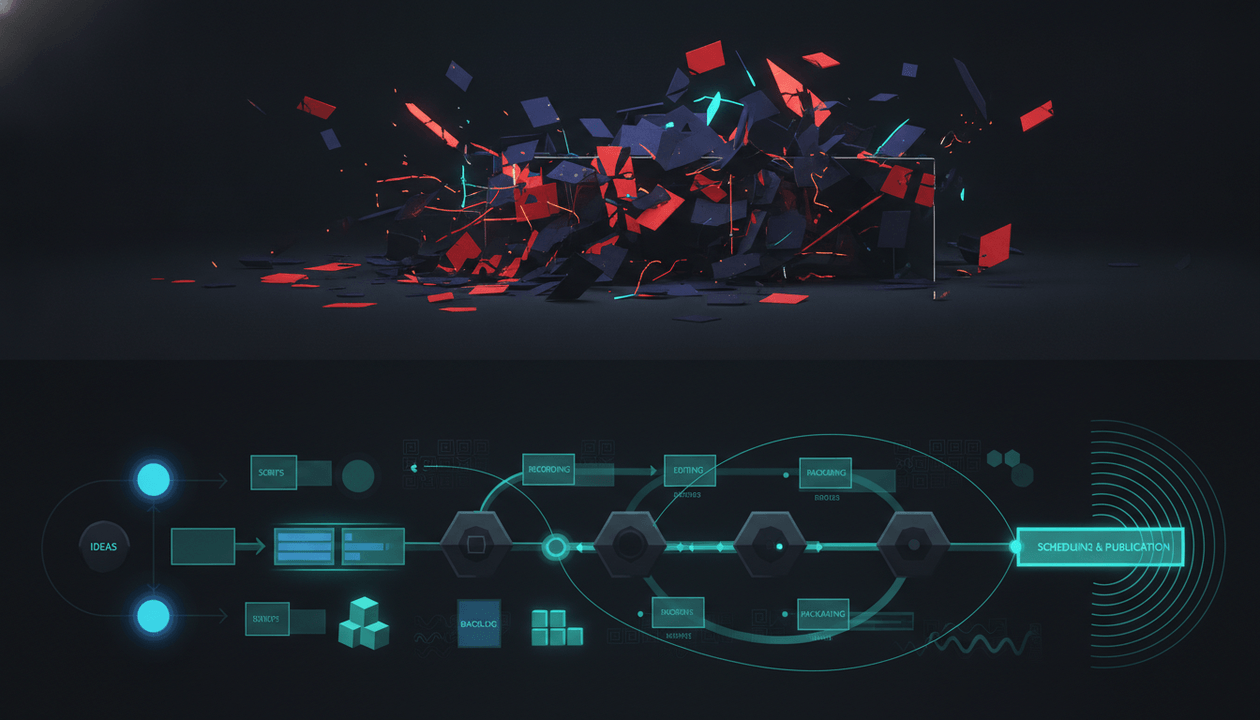
AI voiceover is not the problem.
Bad voice direction is the problem.
A faceless YouTube video can have a synthetic voice and still feel premium, clear, trustworthy, and bingeable. It can also have a human voice and still feel boring, flat, rushed, fake, or impossible to finish.
The difference is not only the voice model.
The difference is the voiceover QA system.
Most creators treat AI voiceover like a button:
Paste script. Pick voice. Generate. Upload.
That is how channels end up with robotic pacing, mispronounced names, weird emphasis, fake emotion, messy audio levels, captions that do not match, and videos that feel cheaper than the idea deserved.
A serious AI voiceover workflow asks better questions:
Does this voice fit the channel? Does the script sound natural when spoken? Are names pronounced correctly? Does the pacing protect retention? Does the delivery match the emotion? Does the sponsor read feel believable? Does the final audio support the edit?
This guide gives you a complete AI voiceover QA workflow for YouTube creators, faceless channels, agencies, and production teams that want narration that sounds intentional, not auto-generated.
Key Takeaways
- AI voiceover QA is the process of reviewing voice selection, script readability, pacing, pronunciation, emotion, audio quality, captions, sponsor reads, and final edit fit before publishing.
- The biggest AI voiceover problems are not always technical. They are usually direction problems: wrong voice, wrong pace, wrong emotion, wrong emphasis, and no pronunciation notes.
- YouTube says creators do not need to disclose some AI production assistance, including cloning one’s own voice to create voiceovers or dubs, but realistic AI-generated or meaningfully altered content may require disclosure when it could mislead viewers. Source: YouTube Help
- If a voice makes a real person appear to say something they did not say, that moves into a higher-risk area and should be reviewed carefully against YouTube’s AI disclosure guidance. Source: YouTube Help
- Sponsor reads need extra QA because paid claims, product promises, links, and disclosures must be handled cleanly. YouTube says creators need to select the paid promotion box when videos include paid product placement, sponsorship, endorsement, or another commercial relationship. Source: YouTube Help
- OverseerOS voiceover generation helps creators keep narration connected to scripts, topics, planners, and production workflows instead of managing voice files in scattered tools.
- The best AI voiceover does not try to sound “human” in a vague way. It tries to sound right for the channel, the audience, the topic, and the moment in the script.
What Is AI Voiceover QA for YouTube?
AI voiceover QA is the quality-control process used to review AI-generated narration before it becomes part of a YouTube video.
It checks whether the narration is:
- Clear
- Natural
- Well-paced
- Emotionally matched
- Pronounced correctly
- Consistent with the channel
- Easy to edit
- Safe for sponsors
- Aligned with captions
- Strong enough to support retention
A weak voiceover workflow asks:
Does the audio exist?
A strong voiceover workflow asks:
Does this narration make the video easier to watch?
That is the standard.
Why AI Voiceover Quality Matters So Much on YouTube
Voiceover is one of the strongest trust signals in a faceless YouTube video.
The viewer may never see a host.
They may never see a studio.
They may never see the creator.
So the voice becomes the channel’s presence.
If the voice sounds rushed, fake, detached, misdirected, or emotionally wrong, the whole video feels cheap.
That hurts:
- Retention
- Trust
- Sponsor safety
- Brand perception
- Viewer loyalty
- Comments
- Session time
- Bingeability
- Channel identity
AI voiceover lets creators produce faster.
But speed only helps if the final voice still carries the video.
The AI Voiceover QA Framework
Use this 9-layer framework before approving AI narration.
| QA Layer | What It Checks | Why It Matters |
|---|---|---|
| 1. Voice Fit | Does the voice match the channel and audience? | Protects brand identity |
| 2. Script Readability | Does the script sound natural when spoken? | Prevents robotic delivery |
| 3. Pronunciation | Are names, brands, and terms correct? | Protects trust |
| 4. Pacing | Is the voice too fast, slow, flat, or rushed? | Protects retention |
| 5. Emotion | Does the tone match the scene? | Builds believability |
| 6. Emphasis | Are the right words stressed? | Improves clarity |
| 7. Audio Quality | Is the file clean and usable? | Protects production value |
| 8. Sponsor Safety | Are paid claims delivered correctly? | Protects brand deals |
| 9. Edit Fit | Does the voice work with visuals, captions, and pacing? | Protects final video quality |
Do not approve AI voiceover from one listen.
Approve it by layer.
Layer 1: Voice Fit
Voice fit is the first decision.
Most creators choose a voice because it sounds “good.”
That is too vague.
The question is:
Good for what channel, what niche, what audience, and what video format?
A voice that works for a finance documentary may feel dead in a gaming channel.
A voice that works for a horror channel may feel ridiculous in a SaaS tutorial.
A voice that works for a 60-second Short may become exhausting in a 14-minute explainer.
Voice Fit Checklist
- The voice matches the channel’s niche.
- The voice matches the viewer’s maturity level.
- The voice fits the video format.
- The voice can hold attention for the full length.
- The voice does not sound too salesy.
- The voice does not sound too theatrical for the topic.
- The voice feels trustworthy.
- The voice is easy to understand on mobile.
- The voice can handle technical words.
- The voice fits future videos, not only this one.
Voice Fit by Niche
| Niche | Better Voice Direction | Avoid |
|---|---|---|
| AI and tech | Clear, sharp, curious, controlled | Overhyped robot voice |
| Finance | Calm, credible, measured | Excited sales tone |
| Psychology | Warm, steady, thoughtful | Dramatic fake intimacy |
| Horror | Slow, tense, textured | Cartoon villain tone |
| Business documentaries | Premium, serious, narrative | Generic corporate voice |
| Tutorials | Clear, friendly, direct | Cinematic overacting |
| Faceless list channels | Energetic but clean | Same cadence every sentence |
| Commentary | Conversational, slightly opinionated | Flat announcer voice |
The right voice is not the most impressive one.
It is the one the viewer forgets is AI because the content feels easy to watch.
Layer 2: Script Readability
Most AI voiceover problems start with the script.
A sentence can look good on the page and sound terrible when spoken.
Long clauses, awkward transitions, dense lists, and unnatural phrasing make AI narration worse.
Before generating the voiceover, read the script out loud.
If you stumble, the voice model probably will too.
Script Readability Checklist
- Sentences are short enough to speak naturally.
- Complex ideas are broken into smaller beats.
- Transitions sound spoken, not written.
- Lists are not too long.
- The script avoids awkward punctuation.
- The first 30 seconds sound strong out loud.
- Important reveals have space before and after.
- Sponsor reads sound natural.
- The script does not sound like a blog post.
- The narration rhythm changes between sections.
Weak vs Strong Voiceover Writing
Weak:
In today’s rapidly evolving creator economy, AI voiceover technology has become an increasingly important tool for content creators seeking to streamline their production workflows and achieve higher levels of efficiency.
Better:
AI voiceover did not make faceless YouTube easier. It made bad narration easier to publish.
Weak:
This section will explain the various ways creators can improve pronunciation, pacing, and emotional delivery.
Better:
The voice does not fail because it is AI. It fails because nobody told it how to perform the script.
The better version gives the voice something to do.
Layer 3: Pronunciation QA
Mispronunciation destroys trust fast.
One wrong name can make the entire channel feel careless.
This matters especially in:
- AI channels
- finance channels
- news channels
- history channels
- documentary channels
- business channels
- science channels
- product review channels
- sponsor integrations
Pronunciation QA Checklist
- Names are listed separately.
- Brand names are checked.
- Tool names are checked.
- Acronyms are defined.
- Foreign words are marked.
- Technical terms are simplified where possible.
- Ambiguous words are rewritten.
- Sponsor names are approved.
- The first generated audio is checked only for pronunciation before full approval.
- Repeated errors are added to a pronunciation dictionary or notes doc.
Pronunciation Sheet Template
| Word or Name | Correct Pronunciation Notes | Where It Appears | Priority |
|---|---|---|---|
| OpenAI | Say as “Open A I” | Intro and section 2 | High |
| SaaS | Say as “sass,” if that fits the channel style | Section 4 | Medium |
| NVIDIA | Confirm current brand pronunciation | Section 3 | High |
| Sponsor Name | Use sponsor-approved pronunciation | Sponsor read | Critical |
Do not trust the model to guess.
Give it instructions.
Layer 4: Pacing QA
Pacing is where many AI voiceovers fail.
AI voices often sound smooth but emotionally flat because every sentence receives the same amount of energy.
Good YouTube narration changes speed.
It slows down for complex ideas.
It speeds up through obvious setup.
It pauses before reveals.
It gives the editor room to breathe.
Pacing Checklist
- The hook is not rushed.
- The first reveal has a pause.
- Complex sections are slower.
- Simple transitions are faster.
- Lists do not feel mechanical.
- Sponsor read is not unnaturally fast.
- The ending has enough weight.
- The pacing changes between sections.
- The voice leaves space for visuals.
- The final audio does not feel exhausting after two minutes.
Pacing Direction Template
| Script Moment | Pacing Direction |
|---|---|
| Opening line | Slow, controlled, high tension |
| Context setup | Medium pace |
| Technical explanation | Slower and clearer |
| Example | Conversational |
| Big reveal | Pause before reveal |
| List section | Slightly faster, but not rushed |
| Sponsor read | Natural, confident, not compressed |
| Final takeaway | Slower, more grounded |
Weak Pacing Note
Make it sound natural.
Strong Pacing Note
Keep the first sentence calm and controlled. Pause before “that is the danger.” Slow down during the policy explanation. Read the sponsor section like a recommendation, not an ad.
Specific direction creates better output.
Layer 5: Emotion QA
AI voices often fail because the emotion is wrong.
Not absent.
Wrong.
A voice can sound excited when the script is serious.
It can sound dramatic when the topic needs credibility.
It can sound warm when the video needs tension.
It can sound neutral when the story needs a reveal.
Emotion QA asks:
Does the tone match what the viewer should feel at this exact moment?
Emotion Map Template
| Section | Viewer Should Feel | Voice Direction |
|---|---|---|
| Hook | Concern and curiosity | Calm, sharp, serious |
| Problem | Recognition | Direct, slightly urgent |
| Explanation | Clarity | Measured, confident |
| Example | Practicality | Conversational |
| Mistakes | Warning | Firm, not dramatic |
| Sponsor | Trust | Natural, grounded |
| Ending | Conviction | Strong and clear |
Emotion Mistakes
| Mistake | Why It Hurts |
|---|---|
| Too excited | Makes serious content feel cheap |
| Too flat | Kills retention |
| Too dramatic | Makes educational content feel fake |
| Too fast | Makes complex ideas harder to follow |
| Too polished | Makes sponsor reads feel like ads |
| Too soft | Makes strong arguments lose power |
| Same tone throughout | Makes the video feel AI-generated |
A good AI voiceover does not need huge emotion.
It needs the right level of emotion.
Layer 6: Emphasis QA
Emphasis changes meaning.
AI voices often stress the wrong word, which makes the line feel weird even when the sentence is correct.
Example:
AI voiceover is not the problem.
The emphasis should usually land on “not” or “problem.”
If the voice stresses “AI” too strongly, it may sound like the sentence is about AI as a category.
If it stresses “voiceover” awkwardly, it may sound robotic.
Emphasis Checklist
- Key contrast words are emphasized.
- Important reveals are stressed.
- Throwaway phrases are not overemphasized.
- Sponsor product names are not repeated unnaturally.
- Technical terms are clear but not over-performed.
- Emotional lines do not sound sarcastic by accident.
- The final takeaway lands with confidence.
Emphasis Direction Examples
Weak direction:
Read this strongly.
Better direction:
Emphasize “not” in “AI voiceover is not the problem.” Pause after the sentence. The next line should feel like the real diagnosis.
Weak direction:
Make the sponsor sound exciting.
Better direction:
Read the sponsor section like a practical tool recommendation from someone who has used creator workflows, not like a commercial.
Emphasis should serve meaning, not volume.
Layer 7: Audio Quality QA
Even a good voice model can produce bad audio if the file is noisy, compressed, clipped, inconsistent, or poorly matched to the edit.
Audio quality QA checks whether the voiceover is production-ready.
Audio Quality Checklist
- Audio is not clipping.
- Volume is consistent.
- No harsh peaks.
- No distracting noise.
- No weird artifacts.
- No cut-off words.
- No unnatural silence.
- Breath sounds are acceptable or removed.
- File format matches editor needs.
- File name includes version number.
- Final approved file is stored in the right project folder.
- Editor knows which file is final.
File Naming System
Use simple file names.
| File Type | Example |
|---|---|
| Draft voiceover | video-topic-voiceover-v1.mp3 |
| Pronunciation fix | video-topic-voiceover-v2-pronunciation-fix.mp3 |
| Final approved voiceover | video-topic-voiceover-final-approved.mp3 |
| Sponsor read only | video-topic-sponsor-read-final.mp3 |
Do not let your editor guess which voice file is final.
That is how old versions get published.
Layer 8: Sponsor Read QA
Sponsor reads need a separate voiceover pass.
A sponsor segment has different risks than normal narration.
The voice needs to sound natural, but the claims also need to stay approved.
YouTube says creators need to tell YouTube when content includes paid product placement, sponsorship, endorsement, or another commercial relationship by selecting the paid promotion box in video details. Source: YouTube Help
That means the sponsor read should be part of the approval workflow, not a last-minute paragraph.
Sponsor Voiceover Checklist
- Sponsor name is pronounced correctly.
- Product claim is approved.
- CTA is accurate.
- Link or code is correct in the script.
- Voice sounds natural, not fake-excited.
- Segment length matches the deal.
- No unsupported performance promise is made.
- No legal, health, finance, or income claim is overstated.
- Paid promotion setting is noted for upload.
- Sponsor read file is labeled clearly.
Weak Sponsor Read
This tool will completely change your channel and double your productivity overnight.
Risky. Overpromised. Sounds fake.
Better Sponsor Read
If your team already writes scripts, records voiceovers, and edits videos across multiple tools, this is designed to make that workflow easier to manage.
Cleaner. More believable. Easier to approve.
Layer 9: Edit Fit QA
Voiceover does not live alone.
It has to work with:
- visuals
- captions
- music
- sound effects
- cuts
- motion
- sponsor segment
- title promise
- thumbnail promise
- final pacing
A voiceover can sound good by itself and still fail in the edit.
Edit Fit Checklist
- The voice gives the editor enough space for visual transitions.
- Important lines are not buried under music.
- Captions match the words.
- The first 10 seconds feel strong with visuals.
- The sponsor read does not break the flow.
- The pacing works once B-roll and captions are added.
- The voice does not fight the music mood.
- The edit does not cut off breaths or final words.
- Visual reveals land with narration.
- The final video is watched once on mobile before publishing.
The Mobile Test
Most voiceover mistakes become obvious on a phone.
Before publishing, watch the first 60 seconds on mobile.
Ask:
- Is the voice clear?
- Are captions readable?
- Is music too loud?
- Does the hook feel slow?
- Does the voice sound fake?
- Are words easy to understand without headphones?
- Would I keep watching?
If the answer is no, fix the audio before upload.
The Complete AI Voiceover QA Checklist
Use this before approving any AI narration.
Voice Selection
- Voice matches the niche.
- Voice matches the target viewer.
- Voice fits the video length.
- Voice can handle technical terms.
- Voice does not sound too salesy.
- Voice is not tiring after two minutes.
- Voice feels consistent with the channel.
- Voice is clear on mobile speakers.
Script Readability
- Script sounds natural when read aloud.
- Long sentences are shortened.
- Complex ideas are broken into beats.
- Transitions sound spoken.
- Sponsor section sounds natural.
- Hook is strong when spoken.
- Ending lands clearly.
- No sentence sounds like generic AI filler.
Pronunciation
- Names are listed.
- Brand names are checked.
- Acronyms are marked.
- Technical terms are checked.
- Sponsor name is approved.
- Foreign words are noted.
- Pronunciation issues are fixed before editing.
Pacing
- Hook is not rushed.
- Important reveals have pauses.
- Technical sections are slower.
- Lists do not sound robotic.
- Sponsor read is not compressed.
- Pacing changes between sections.
- Final takeaway has weight.
Emotion
- Tone matches the topic.
- Serious sections are not overhyped.
- Explanations are clear and grounded.
- Examples sound conversational.
- Warnings are firm, not theatrical.
- Sponsor read sounds trustworthy.
- The voice does not stay emotionally flat the whole time.
Audio Quality
- No clipping.
- No harsh peaks.
- No distracting artifacts.
- Volume is consistent.
- File format works for the editor.
- Final version is labeled clearly.
- Old versions are not used by mistake.
Sponsor Safety
- Sponsor claims are approved.
- CTA is correct.
- Link or coupon is correct.
- Paid promotion setting is noted.
- No exaggerated product promise.
- No unsupported income, finance, health, or legal claim.
- Sponsor segment sounds natural.
Edit Fit
- Voice works with visuals.
- Captions match narration.
- Music does not overpower voice.
- Voice pacing gives room for cuts.
- First 60 seconds work on mobile.
- Final edit uses approved voice file.
- Video is watched once before upload.
AI Voiceover Direction Template
Use this before generating narration.
| Field | Direction |
|---|---|
| Video title | |
| Channel tone | |
| Target viewer | |
| Voice style | |
| Emotional direction | |
| Pacing direction | |
| Pronunciation notes | |
| Words to emphasize | |
| Words to avoid overemphasizing | |
| Sponsor read direction | |
| Audio format needed | |
| Final approval owner |
Example Direction Brief
| Field | Example |
|---|---|
| Video title | AI Voiceover QA for YouTube |
| Channel tone | Sharp, clear, strategic, no hype |
| Target viewer | Faceless YouTube operators and creator teams |
| Voice style | Calm, premium, confident |
| Emotional direction | Serious but not dramatic |
| Pacing direction | Slow down during QA framework, pause before key takeaways |
| Pronunciation notes | Say “A I” clearly, say “SaaS” as “sass” if used |
| Words to emphasize | “direction,” “trust,” “retention,” “approval” |
| Words to avoid overemphasizing | “AI” repeated too hard |
| Sponsor read direction | Natural recommendation, not ad voice |
| Audio format needed | Editor-ready audio file |
| Final approval owner | Producer or founder |
A voice model cannot read your mind.
Give it the performance brief.
AI Voiceover Revision Notes Template
Bad revision notes create bad revisions.
Do not say:
Make it better.
Say exactly what is wrong.
| Issue | Timestamp | Fix Needed |
|---|---|---|
| Too rushed | 0:00 to 0:15 | Regenerate hook slower with stronger pause after first sentence |
| Wrong pronunciation | 1:24 | Fix sponsor name pronunciation |
| Flat delivery | 2:10 to 2:45 | Add more contrast between problem and solution |
| Sponsor sounds fake | 5:40 to 6:20 | Read calmer, less salesy |
| Cut-off word | 7:08 | Regenerate sentence cleanly |
| Music too loud | Final edit | Lower music under voice |
The more specific the note, the faster the fix.
AI Voiceover Scorecard
Score each narration before approving it.
| Category | Score 1 to 5 |
|---|---|
| Voice fit | |
| Clarity | |
| Pacing | |
| Pronunciation | |
| Emotional match | |
| Emphasis | |
| Audio quality | |
| Sponsor safety | |
| Edit fit | |
| Mobile clarity |
Score Meaning
| Total Score | Decision |
|---|---|
| 40 to 50 | Approved |
| 30 to 39 | Minor revisions |
| 20 to 29 | Regenerate or redirect |
| Under 20 | Wrong voice or wrong script |
Do not approve a voiceover with a low score in pronunciation, clarity, sponsor safety, or edit fit.
Those are trust categories.
How OverseerOS Helps With AI Voiceover Workflows
AI voiceover works best when it is connected to the rest of the YouTube production system.
That is where OverseerOS fits.
OverseerOS is built around the idea that creators should not start from a blank page. They should reverse-engineer what is already working on YouTube, turn proven patterns into original ideas, and move those ideas through a connected workflow.
OverseerOS Channel Analyzer helps creators study successful channels, top-performing videos, content strategy, upload patterns, and engagement signals before deciding what to produce.
OverseerOS Viral X-Ray helps creators analyze individual videos so they can understand titles, hooks, thumbnail psychology, structure, and why a video may have worked.
OverseerOS AI YouTube Script Studio helps creators move from topic to outline to script with Creator DNA tone, hook workflows, retention commands, Add Evidence commands, Add Proof Safely commands, voiceover handoff, thumbnail handoff, and planner saving.
OverseerOS voiceover generation helps creators generate AI voiceovers for scripts, use multiple voice options, download audio files, and link voiceovers to planned topics inside the content workflow.
OverseerOS Smart Content Planner helps creators organize topics, competitors, scripts, voiceovers, reference videos, and production statuses so the voiceover is not floating around as a random file with no context.
OverseerOS Auto Edit helps creators move from approved script and voiceover into a structured faceless video workflow with scene structure, AI visuals, style direction, captions, music, motion, and export controls. You can explore it here: OverseerOS Auto Edit for faceless YouTube videos.
The point is not that OverseerOS removes the need for voiceover QA.
The point is that OverseerOS keeps script, voiceover, planning, and production connected so the QA process has context.
A voiceover is easier to approve when you know the topic, script, thumbnail promise, planned visuals, and production status.
How to Choose an AI Voice for a Faceless YouTube Channel
Do not pick a voice only for one video.
Pick a voice that can become part of the channel identity.
Voice Selection Questions
Ask:
- Can this voice carry 10 videos in a row?
- Does it match the channel’s niche?
- Does it sound credible for the topic?
- Does it feel too generic?
- Can it handle emotional variation?
- Can it pronounce technical terms?
- Does it sound good on phone speakers?
- Would viewers complain about the voice?
- Would sponsors trust this voice?
- Does it support the brand we want to build?
Voice Types by Channel Style
| Channel Style | Better Voice Type |
|---|---|
| Documentary | Premium, calm, serious, narrative |
| AI news | Clear, fast but controlled, curious |
| Finance | Trustworthy, measured, confident |
| Self-improvement | Warm, grounded, direct |
| Psychology | Calm, thoughtful, human |
| Tutorials | Friendly, clear, practical |
| Horror | Low, tense, atmospheric |
| Business breakdown | Sharp, strategic, authoritative |
| Faceless list channel | Energetic, clean, easy to follow |
The wrong voice makes the channel feel off even if the content is good.
How to Direct AI Voiceover Like a Producer
Most creators prompt AI voiceover like this:
Read this script naturally.
That is not direction.
A producer gives intent.
Better Direction Examples
For a serious documentary:
Read with calm tension. Do not sound excited. Let the first sentence breathe. Pause before the reveal. Keep the tone premium and controlled.
For a tutorial:
Read clearly and practically. Keep the pace medium. Slow down during steps. Avoid dramatic emphasis. The viewer should feel guided, not sold to.
For a sponsor read:
Read like a useful recommendation inside the workflow. Keep it calm and credible. Do not use exaggerated excitement. Emphasize the practical problem the product solves.
For an AI news video:
Read with urgency, but not panic. Keep technical terms clear. Pause before the key implication. Avoid sounding like a breaking-news TV anchor.
AI voiceover needs direction the same way a human voice actor does.
When to Regenerate vs Manually Edit
Not every issue requires a full regeneration.
Regenerate When
- Voice is wrong for the channel
- Pacing is wrong across the whole file
- Pronunciation fails repeatedly
- Emotion is wrong
- Sponsor read sounds fake
- Audio artifacts appear throughout
- The script was changed significantly
Manually Edit When
- One pause is too long
- One sentence needs trimming
- Music is too loud
- Volume needs balancing
- Silence needs cleanup
- A small breath or artifact needs removal
- Captions need alignment
Rewrite the Script When
- The voice sounds robotic because the writing is stiff
- Sentences are too long
- The sponsor read is awkward
- The hook feels flat when spoken
- The script has too many list items
- The tone does not match the voice
- The voiceover cannot save the sentence
Sometimes the voice is not the issue.
The script is.
AI Voiceover and YouTube Disclosure: What Creators Should Know
YouTube’s AI disclosure rules focus on realistic AI-generated or meaningfully altered content that could mislead viewers.
YouTube gives examples of AI production assistance creators do not need to disclose, including using generative AI to create or improve a video outline, script, thumbnail, title, infographic, captions, idea generation, and cloning one’s own voice to create voiceovers or dubs. Source: YouTube Help
But disclosure becomes more important when AI makes realistic content that could mislead viewers, such as making a real person appear to say or do something they did not do. Source: YouTube Help
Practical Rule
If AI voiceover is used as narration for your own video, that is usually a normal production workflow.
If AI voiceover is used to imitate a real person saying something they did not say, that is a serious trust and disclosure issue.
Voiceover Disclosure Checklist
- Is this narration simply part of your production workflow?
- Is this your own cloned voice for voiceover or dubbing?
- Does this make a real person appear to say something they did not say?
- Could viewers believe the voice is a real recording?
- Is a public figure, celebrity, employee, or private person being impersonated?
- Does the video need YouTube’s AI disclosure setting?
- Does the video need additional transparency in the script or description?
When in doubt, choose viewer trust.
AI Voiceover for Sponsors: Extra Rules
Sponsors care about how their brand sounds.
A rushed, fake, or robotic sponsor read can damage both the campaign and the channel.
Sponsor Voice Direction Template
| Field | Notes |
|---|---|
| Sponsor name | |
| Product name | |
| Approved pronunciation | |
| Approved claims | |
| Forbidden claims | |
| CTA | |
| Link or coupon | |
| Tone | |
| Segment length | |
| Disclosure notes |
Sponsor Voiceover Mistakes
- Sounding more excited than the rest of the video
- Reading the sponsor like a separate ad
- Mispronouncing the product name
- Changing approved claims
- Reading too fast
- Forgetting the CTA
- Saying the wrong URL or code
- Making unsupported outcome promises
- Using a voice that does not match the brand
A sponsor read should feel like part of the video.
Not a hostage note inserted into the edit.
AI Voiceover Workflow for Faceless YouTube Teams
Here is the clean workflow.
| Stage | Owner | Output |
|---|---|---|
| Script approval | Founder or script lead | Final voiceover-ready script |
| Pronunciation sheet | Researcher or producer | Names, brands, terms |
| Voice direction | Producer | Tone, pace, emotion notes |
| Voice generation | Voiceover operator | Draft audio |
| Voice QA | Producer or founder | Revision notes |
| Sponsor approval | Sponsor manager | Approved sponsor read |
| Final audio approval | Producer | Final voice file |
| Edit handoff | Channel manager | Script, audio, notes |
| Final edit QA | QA editor | Audio, captions, music check |
Do not let the editor become the first person to notice voiceover issues.
That is too late.
Common AI Voiceover Mistakes
Mistake 1: Picking the Most Dramatic Voice
Dramatic does not mean premium.
Often it means fake.
Fix:
Pick the voice that matches the viewer’s expectation and the channel’s long-term identity.
Mistake 2: Generating Voiceover From an Unapproved Script
If the script changes after voiceover, you create extra work.
Fix:
Approve the script first, then generate narration.
Mistake 3: No Pronunciation Sheet
AI voices guess.
And they often guess wrong.
Fix:
Create a pronunciation sheet before generating audio.
Mistake 4: Using the Same Emotion for Every Section
Same energy across the whole video feels robotic.
Fix:
Map emotion by section.
Mistake 5: Sponsor Reads That Sound Like Ads
Viewers can feel the switch instantly.
Fix:
Read sponsor segments like useful recommendations inside the same voice style as the video.
Mistake 6: Captions Do Not Match the Voice
Bad captions make the video feel broken.
Fix:
Check caption timing and wording after the final voiceover is approved.
Mistake 7: Music Is Too Loud
This is common in faceless videos.
Fix:
Watch the first 60 seconds on mobile and check whether every word is clear.
Mistake 8: No Final Audio Owner
If nobody owns final audio approval, old versions get used.
Fix:
Assign one person to approve the final voiceover file.
The 20-Minute AI Voiceover QA Sprint
Use this when you need a fast review.
Minute 0 to 3: Voice Fit
Ask:
- Does this voice match the channel?
- Is it credible for the topic?
- Can I listen for the full video?
Minute 3 to 6: Pronunciation
Check:
- names
- brands
- acronyms
- sponsor names
- technical terms
Minute 6 to 10: Pacing
Check:
- hook speed
- pauses
- complex sections
- sponsor read
- ending
Minute 10 to 13: Emotion
Check:
- does tone match each section?
- is anything overacted?
- is anything too flat?
Minute 13 to 16: Audio Quality
Check:
- clipping
- artifacts
- volume
- silence
- file version
Minute 16 to 20: Edit Fit
Drop the audio into the first 60 seconds of the edit or test with visuals.
Ask:
- Does it work with captions?
- Does it work with music?
- Does it hold attention?
- Would a viewer keep watching?
This is the minimum viable QA pass.
Final Verdict: AI Voiceover Needs Direction, Not Blind Trust
AI voiceover can make YouTube production faster.
But faster narration is not automatically better narration.
The winning channels will not be the ones that generate the most audio.
They will be the ones that direct voice like producers.
They will choose voices intentionally.
They will write scripts that sound natural.
They will check pronunciation.
They will control pacing.
They will match emotion to the scene.
They will protect sponsor reads.
They will review captions and edit fit.
They will use AI to speed up production without letting it flatten the channel’s identity.
That is the standard.
OverseerOS helps creators build that standard into a larger YouTube workflow: start from proven channel patterns, plan smarter topics, write stronger scripts, generate voiceovers, organize production, create thumbnails, and move into video creation with less chaos.
Do not treat AI voiceover like a button.
Treat it like performance.
Because to the viewer, the voice is not a file.
It is the channel.
FAQ
What is AI voiceover QA for YouTube?
AI voiceover QA is the process of reviewing AI-generated narration before publishing a YouTube video. It checks voice fit, script readability, pronunciation, pacing, emotion, emphasis, audio quality, sponsor safety, captions, and edit fit.
Is AI voiceover bad for YouTube videos?
No. AI voiceover is not automatically bad. Poorly directed AI voiceover is bad. A good AI voiceover can work well when the voice fits the channel, the script is written for speech, pronunciation is checked, pacing is controlled, and the final audio supports the edit.
Does YouTube require disclosure for AI voiceover?
YouTube says creators do not need to disclose some production assistance, including cloning one’s own voice to create voiceovers or dubs. But creators must disclose realistic AI-generated or meaningfully altered content when it could mislead viewers, such as making a real person appear to say something they did not say. Source: YouTube Help
How do I make AI voiceover sound more natural?
Start with a voice that fits the channel. Rewrite the script for speech. Add pronunciation notes. Give pacing and emotion direction. Use pauses before key reveals. Avoid long sentences. Check the first 60 seconds on mobile with captions and music.
What should I check before approving AI voiceover?
Check voice fit, clarity, pronunciation, pacing, emotional match, emphasis, audio quality, sponsor read quality, caption alignment, and how the voice works with the final edit.
Why does my AI voiceover sound robotic?
It may sound robotic because the script is too stiff, the pacing is too even, the emotion is wrong, the voice is a poor fit, pronunciation is off, or every sentence has the same rhythm. The fix is usually better direction, not only a different voice.
Should I use AI voiceover or a human voice actor?
Use AI voiceover when you need speed, consistency, and scalable production. Use a human voice actor when the channel depends heavily on subtle emotion, character, comedy, or premium narration. Many channels can use either successfully if the direction and QA process are strong.
How do I QA sponsor reads in AI voiceover?
Check sponsor pronunciation, approved claims, CTA, link or coupon, tone, pacing, disclosure notes, and whether the segment sounds natural inside the video. Avoid exaggerated product promises or fake excitement.
How does OverseerOS help with AI voiceover workflows?
OverseerOS helps creators connect voiceover to the larger YouTube workflow. OverseerOS AI YouTube Script Studio supports script creation and voiceover handoff, OverseerOS voiceover generation helps create and link voiceovers to planned topics, and OverseerOS Auto Edit helps move approved scripts and voiceovers into a structured faceless video production workflow.
What is the biggest AI voiceover mistake?
The biggest mistake is treating voiceover generation as the final step instead of a performance step. AI narration still needs direction, review, pronunciation checks, pacing control, emotional matching, sponsor review, caption alignment, and final edit QA.