Most people searching for an AI video generator for YouTube automation are asking the wrong question.
They ask:
Which tool can make videos fastest?
But the better question is:
Which tool helps me build a repeatable YouTube production system without creating generic, low-effort content?
That difference matters.
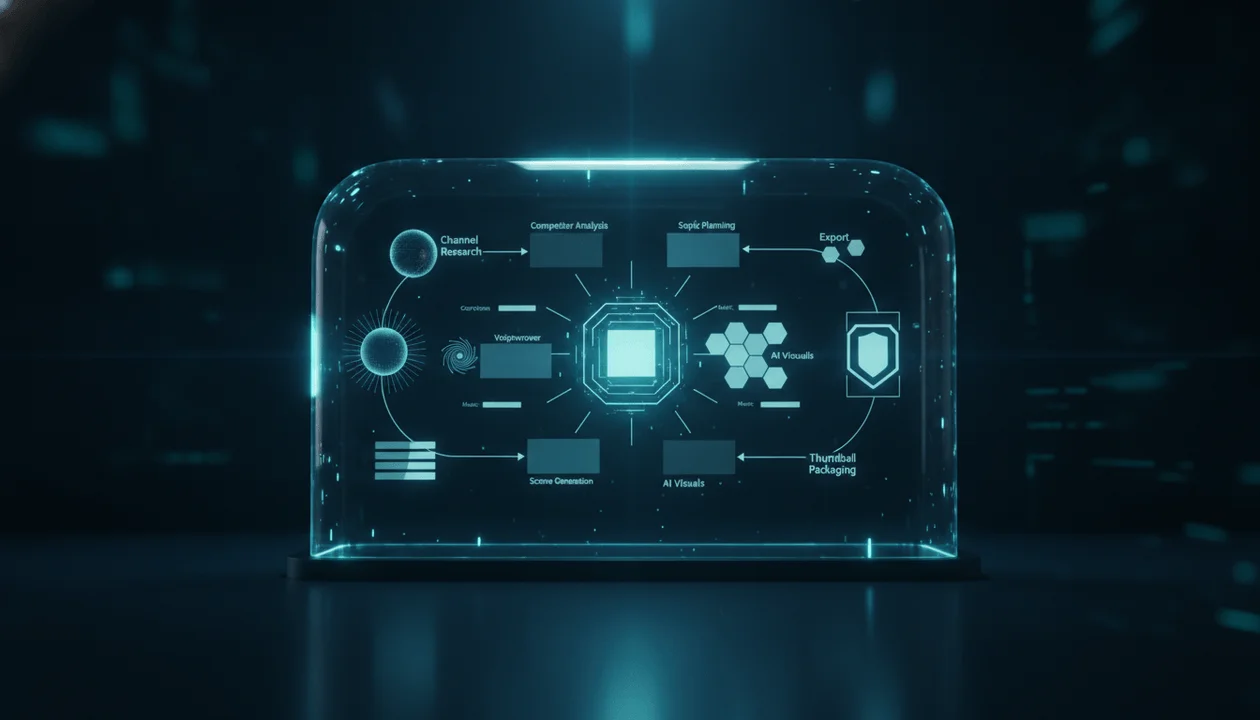
YouTube automation is not just “make a video with AI.” It is a full workflow: find a niche, study winning channels, choose proven topics, write scripts, generate voiceovers, create visuals, add captions, edit scenes, design thumbnails, publish, and improve based on performance.
If one part of that system is weak, the whole channel suffers.
A fast AI video generator can help with production. But if the topic is weak, the script is generic, the voiceover is disconnected, the visuals do not match the narration, or the final video feels mass-produced, speed will not save the channel.
That is why creators need to think bigger.
The best AI video generator for YouTube automation is not just a prompt-to-video tool. It is part of a production workflow.
It should help creators move from script and voiceover to structured scenes, AI visuals, captions, music, motion, and export without rebuilding everything manually across five different tools.
That is exactly the workflow behind AI video generator for YouTube automation inside OverseerOS Auto Edit Studio.
This guide breaks down what YouTube automation creators actually need, why generic AI video tools often fall short, and how to build a real creator system from research to script to voiceover to Auto Edit.
Key Takeaways
- YouTube automation is a full production system, not just a video generation button.
- A serious AI video generator for YouTube automation should support script, voiceover, scenes, AI visuals, captions, music, motion, and export.
- Prompt-to-video tools are useful for clips, but they often do not solve the full faceless YouTube workflow.
- The best workflow starts before video production: niche research, competitor analysis, topic validation, scriptwriting, and voiceover.
- Auto Edit Studio inside OverseerOS is built as the production layer after the idea, script, and voiceover are ready.
- OverseerOS connects research, channel blueprinting, topic planning, scripting, voiceover, thumbnails, and Auto Edit into one creator workflow.
- YouTube automation should not mean mass-producing low-value videos. The goal is repeatable original production with human judgment and quality control.
- For the detailed production layer, see the Auto Edit Studio production workflow.
What Is an AI Video Generator for YouTube Automation?
An AI video generator for YouTube automation is a tool that helps creators produce YouTube videos without filming everything manually.
For faceless YouTube creators, that usually means using AI to help with:
- Scripts
- Voiceovers
- Scene planning
- AI visuals
- Captions
- Music
- Motion
- Editing support
- Export
- Thumbnail concepts
- Repeatable production workflows
But a real YouTube automation system does not begin with video generation.
It begins with strategy.
A weak workflow looks like this:
Ask AI for a video → generate visuals → upload.
A strong workflow looks like this:
Find a proven niche → study competitor channels → choose a validated topic → write a strong script → generate or upload voiceover → build scenes → create visuals → add captions and music → export → package with title and thumbnail → publish → review performance.
The second workflow is what serious creators need.
Because YouTube does not reward the tool you used.
It rewards whether real viewers click, watch, trust, and come back.
Why Most AI Video Generators Are Not Enough for YouTube Automation
Many AI video generators are impressive at first glance.
They can create a clip from a prompt. They can generate stock-style visuals. They can turn text into short videos. They can make quick social posts.
But YouTube automation needs more than isolated clips.
A faceless YouTube video usually has a full narration. It needs scene timing. It needs captions that match the voiceover. It needs visual consistency. It needs a hook, structure, pacing, and payoff.
A generic AI video generator might be good for:
- Short AI clips
- Social media visuals
- B-roll
- Quick concept previews
- Marketing snippets
- Background footage
- Experimental visuals
But a YouTube automation creator needs:
- A script-first workflow
- Voiceover timing
- Scene-based production
- Long-form and Shorts support
- Visual style direction
- Scene regeneration
- Captions
- Music
- Motion
- Export controls
- A way to repeat the workflow across many videos
That is the difference between making a clip and running a channel.
YouTube automation creators are not looking for a toy.
They are looking for a production system.
The Real YouTube Automation Stack
A serious YouTube automation workflow has several layers.
Layer 1: Niche Research
Before you generate any video, you need to know what market you are entering.
Ask:
- Who is the channel for?
- What problems does this audience care about?
- What video formats already work?
- What channels are growing?
- What topics are overdone?
- What gaps exist?
- What kind of videos get repeated demand?
Without niche research, automation becomes random output.
Inside OverseerOS, creators can use tools like Viral Channel Finder to discover breakout channels in a niche and study public performance signals before choosing what to make.
Layer 2: Competitor Analysis
YouTube automation is not about copying competitors.
It is about understanding what the market already rewards.
Study:
- Which videos outperform the channel average?
- Which titles keep appearing?
- Which thumbnail patterns repeat?
- Which formats get the most comments?
- Which upload lengths work?
- Which tones fit the audience?
- Which topics are becoming saturated?
- Which angles are still underused?
A good competitor workflow helps you stop guessing.
OverseerOS includes Channel Blueprint Cloner, which helps creators turn public channel signals into a structured content strategy blueprint.
That matters because automation without intelligence becomes noise.
Layer 3: Topic Planning
After research, you need a planner.
A strong YouTube automation workflow should not produce random videos one by one.
It should build a pipeline.
A topic planner should track:
- Topic idea
- Target audience
- Competitor proof
- Video format
- Title direction
- Thumbnail direction
- Script status
- Voiceover status
- Production status
- Export status
- Publish status
- Performance notes
This is how a YouTube automation channel becomes an operation.
Without a planner, creators lose track of what is ready, what worked, and what should happen next.
Layer 4: Scriptwriting
The script is the foundation of a faceless video.
Bad automation channels often fail because they automate weak scripts.
A weak script is:
- Generic
- Repetitive
- Overwritten
- Too slow
- Too vague
- Built from one source
- Missing examples
- Missing a real payoff
- Written like an article instead of a video
A strong script has:
- A clear hook
- Simple language
- Strong pacing
- Visual moments
- Good section structure
- Examples
- Tension
- Transitions
- A reason to keep watching
- A satisfying ending
AI can help write scripts, but creators still need judgment.
The goal is not to produce words.
The goal is to produce a watchable video.
Layer 5: Voiceover
Voiceover is one of the most important layers in faceless YouTube automation.
It controls:
- Timing
- Energy
- Emotion
- Scene pacing
- Caption timing
- Viewer trust
- Perceived production quality
The voiceover can be human-recorded or AI-generated.
Either way, it should match the channel style.
A finance channel needs a different voice than a mystery channel. A history documentary needs a different pace than a YouTube Shorts channel. A psychology channel needs a different emotional tone than an AI news channel.
Inside the broader OverseerOS workflow, creators can use voiceover generation as part of the script-to-production process before moving into Auto Edit.
Layer 6: Auto Edit Production
This is where an AI video generator for YouTube automation becomes important.
Once the script and voiceover are ready, creators need to turn narration into a video.
Auto Edit Studio is designed for this production layer.
Instead of starting with one vague prompt, Auto Edit starts with:
- Finished script
- Voiceover
- Shorts or long-form direction
- Scene structure
- Visual style
- AI visuals
- Captions
- Background music
- Motion and FX
- Export controls
This matters because the voiceover becomes the source of timing.
The tool is not just making random visuals.
It is helping build a video around the narration.
Layer 7: Thumbnail and Packaging
A finished video still needs packaging.
YouTube automation creators often underinvest in this step.
But the title and thumbnail decide whether the video gets clicked.
A strong automation workflow should include:
- Title testing
- Thumbnail concepts
- Visual contrast
- Clear promise
- Emotional trigger
- Accurate framing
- Competitor pattern research
- Audience fit
A good video with weak packaging can disappear.
A weak video with strong packaging may get clicks once, but viewers will not trust the channel.
The goal is both: strong packaging and strong delivery.
Layer 8: Review and Learning
Automation without a feedback loop is dangerous.
If you publish 30 videos but learn nothing, you do not have a system.
You have noise.
A serious YouTube automation workflow tracks:
- Views
- Impressions
- Click-through rate
- Retention
- Watch time
- Comments
- Subscribers gained
- Returning viewers
- Topic performance
- Format performance
- Thumbnail patterns
- Script lessons
- Production bottlenecks
This is how the channel improves.
What Creators Actually Need From an AI Video Generator
If you are choosing an AI video generator for YouTube automation, do not only ask whether it can generate video.
Ask whether it supports the workflow creators actually use.
1. Script and Voiceover Intake
A serious tool should let you start with a script and voiceover.
This is essential for faceless YouTube channels because the narration drives the video.
The script gives meaning. The voiceover gives timing. The generator should build around both.
2. Scene-Based Production
YouTube videos are easier to produce when they are divided into scenes.
Each scene should connect to a part of the narration.
A scene-based workflow helps with:
- Visual planning
- Timing
- Regeneration
- Caption alignment
- Review
- Editing control
- Long-form management
Without scenes, creators are stuck trying to manage one long video block.
3. AI Visual Generation
The tool should generate visuals that match the script.
Not random images.
Not generic filler.
Scene visuals should help the viewer understand the narration.
For example:
Weak visual:
A robot on a laptop.
Stronger visual:
A faceless creator dashboard where script cards, voiceover waveform, scene visuals, captions, and export controls are connected into one production workflow.
The second visual supports the idea.
4. Style Direction
YouTube automation channels need visual consistency.
If every video looks different, the channel feels unstable.
A good tool should support:
- Built-in styles
- Custom visual direction
- Saved styles
- Style references where supported
- Consistent visual mood across scenes
Style consistency is especially important for faceless channels because the visuals often become part of the brand identity.
5. Captions
Captions are not optional for many faceless videos.
They are especially important for Shorts, educational videos, and narration-heavy content.
Good captions should be:
- Timed well
- Readable
- Styled for the format
- Clear on mobile
- Not covering important visuals
- Consistent across videos
6. Music and Audio Control
Background music helps shape emotion.
But music must not overpower the voiceover.
A good workflow should give creators control over music and volume.
This is especially important for documentary, mystery, psychology, business, finance, and AI videos.
7. Motion and FX
Motion makes static scenes feel alive.
This can include:
- Zooms
- Pans
- Motion clips
- Transitions
- FX
- Scene movement
- Logo controls
The goal is not to over-edit.
The goal is to keep viewer attention without making the video feel chaotic.
8. Export Controls
The generator should move the project toward a usable final video.
You should not have to rebuild the entire project in another tool unless you want advanced manual editing.
For YouTube automation, reducing tool switching matters.
Every extra handoff creates delay, cost, and inconsistency.
9. Workflow Fit
The most important question:
Does the AI video generator fit inside the full YouTube operation?
A tool may generate nice visuals, but if it does not connect to scripts, voiceovers, planning, thumbnails, or team workflows, it may still slow you down.
That is why Auto Edit Studio is stronger inside OverseerOS than it would be as a disconnected generator.
It sits inside a broader creator workflow.
Why OverseerOS Auto Edit Fits YouTube Automation
OverseerOS is not only an AI video generator.
It is a creator workflow system.
That matters because YouTube automation is a chain.
If you only improve one link, the rest can still break.
OverseerOS helps creators move through the full process:
- Find channels and niches showing public breakout patterns.
- Reverse-engineer what is working.
- Build channel blueprints.
- Plan video ideas.
- Write scripts.
- Generate or upload voiceovers.
- Move into Auto Edit Studio.
- Turn narration into scenes.
- Generate visuals.
- Add captions, music, motion, and export.
- Build thumbnails and packaging.
- Review and improve.
That is the real system.
Auto Edit Studio is the production layer, but the platform around it helps with the strategic layers too.
This is why the main advantage is not:
AI makes a video.
The stronger advantage is:
OverseerOS helps creators go from public YouTube signals to script to voiceover to faceless video production.
That is what YouTube automation creators actually need.
AI Video Generator for YouTube Automation: Tool Checklist
Use this checklist before choosing a tool.
Does it support finished scripts?
Does it support voiceovers?
Can it turn narration into scenes?
Can it generate visuals per scene?
Can it keep visual style consistent?
Can it create Shorts and long-form videos?
Can it add captions?
Can it add background music?
Can it support motion or visual movement?
Can it move toward export?
Can it fit into a repeatable channel workflow?
Can your team review and improve the output?
Does it avoid encouraging low-effort mass production?
Does it help create original videos, not copies?
Does it reduce production bottlenecks?
Does it connect to planning, scripts, or thumbnails?
If a tool only checks two or three boxes, it may be useful for clips but weak for YouTube automation.
The Ideal YouTube Automation Workflow
Here is what a strong workflow looks like.
Step 1: Find a Market
Start with a niche that has demand.
Use public YouTube signals, competitor research, and audience problems.
Do not choose a niche only because AI can produce videos about it.
Choose a niche because viewers already care.
Step 2: Study Winning Channels
Look at channels already getting traction.
Do not copy them.
Study:
- Topics
- Formats
- Titles
- Thumbnails
- Upload frequency
- Video length
- Viewer comments
- Breakout videos
- Channel positioning
Use this to understand what the market rewards.
Step 3: Build a Channel Blueprint
A channel blueprint defines:
- Target viewer
- Content pillars
- Tone
- Format style
- Topic strategy
- Thumbnail direction
- Script style
- Upload workflow
- Differentiation
- Monetization direction
This prevents random content.
A YouTube automation channel without a blueprint becomes a content pile.
Step 4: Plan the Video
Before writing, define:
- Title promise
- Viewer pain
- Video angle
- Format
- Hook
- Main sections
- Visual direction
- Thumbnail idea
- CTA
This makes the script stronger and the production easier.
Step 5: Write the Script
Write the script for video, not for an article.
Use:
- Shorter lines
- Strong hooks
- Clear section breaks
- Examples
- Visual cues
- Emotional pacing
- Strong payoff
A script built for video is easier to turn into Auto Edit scenes.
Step 6: Generate or Upload Voiceover
The voiceover should match the channel.
Check:
- Pace
- Emotion
- Pronunciation
- Clarity
- Audio quality
- Timing
- Energy
Do not move into production with a weak voiceover.
Step 7: Use Auto Edit Studio
Now move into production.
Bring the script and voiceover into Auto Edit Studio, choose the format, set the visual direction, generate scene structure, create visuals, add captions, add music, apply supported motion and FX, then move toward export.
This is where the AI video generator solves the production bottleneck.
Step 8: Create the Thumbnail
Do not leave the thumbnail until the end emotionally, even if you design it late.
The thumbnail should match the title and video promise.
For YouTube automation, your thumbnail system should be repeatable but not repetitive.
Step 9: Publish and Review
After publishing, review performance.
Do not just ask:
Did it get views?
Ask:
- Did the title and thumbnail get clicks?
- Did the hook hold viewers?
- Did retention drop in a specific section?
- Did comments show interest?
- Did the topic fit the channel?
- Did the format deserve repeating?
- Did production quality match the promise?
This is how YouTube automation becomes smarter over time.
YouTube Automation Mistakes to Avoid
Mistake 1: Automating Before You Understand the Audience
AI can help produce videos faster, but it cannot fix a channel that does not understand its viewer.
Before automating production, define:
- Who the viewer is
- What they want
- What they fear
- What they already watch
- What they are tired of
- What they will click
- What they will finish
Without this, automation just creates volume.
Mistake 2: Using One Prompt as the Strategy
A prompt is not a channel strategy.
A prompt can create an output.
A channel strategy creates repeatable viewer demand.
Do not ask:
Make me a YouTube video about finance.
Ask:
What specific finance viewer are we serving, what problem are we solving, what format already works, and what original angle can we own?
That is a very different workflow.
Mistake 3: Treating Scripts Like Filler
Faceless channels live or die by the script.
If the script has no hook, pacing, examples, or payoff, the video will feel empty even if the visuals look expensive.
Mistake 4: Ignoring Visual Consistency
YouTube automation channels need a visual identity.
If every scene looks random, the channel feels cheap.
Use consistent style direction across videos.
Mistake 5: Overproducing Generic Videos
Publishing more does not help if every video feels the same.
YouTube automation should still create original, useful, materially different videos.
Avoid low-effort repetition.
Mistake 6: Forgetting the Thumbnail
A strong video still needs a strong click promise.
Thumbnails are not decoration.
They are packaging.
Mistake 7: Not Reviewing Performance
If you do not learn from uploads, you do not have automation.
You have a machine that repeats mistakes.
Faceless YouTube Automation: What Makes a Video Feel Original?
A faceless video can still feel original.
Originality does not require showing your face.
It can come from:
- A sharper angle
- Better research
- Stronger examples
- A unique format
- A better script structure
- A consistent visual style
- A clear editorial voice
- A smarter comparison
- A better explanation
- A stronger viewer payoff
Example:
Generic:
10 AI Tools for YouTube Automation
More original:
I Built a Faceless YouTube Workflow With 5 AI Tools. Here Is What Actually Saved Time.
Generic:
How to Start a Faceless YouTube Channel
More original:
I Studied 12 Faceless Channels. The Winners Had the Same Production Pattern.
Generic:
Best Niches for YouTube Automation
More original:
The Faceless Niches That Look Easy But Are Hard to Monetize
The difference is not just the topic.
It is the angle, proof, and format.
Why Auto Edit Studio Should Not Be Used Alone
Auto Edit Studio is powerful, but it should not be the only step.
It is the production layer.
Before Auto Edit, you still need:
- Topic research
- Title direction
- Script
- Voiceover
- Visual style
- Channel strategy
After Auto Edit, you still need:
- Thumbnail
- Final review
- Upload
- Performance analysis
The strongest users will not treat Auto Edit like a magic button.
They will treat it like a production accelerator inside a bigger creator system.
That is the right mindset.
Best Use Cases for Auto Edit in YouTube Automation
AI News Channels
Use Auto Edit to turn AI news scripts and voiceovers into scene-based videos with tech visuals, captions, and export workflow.
History Channels
Use narration-led production to create scene-by-scene visuals for historical stories, timelines, and documentary-style videos.
Psychology Channels
Turn psychology scripts into faceless educational videos with consistent visuals, captions, and mood.
Finance Channels
Create explainers, market breakdowns, and personal finance education without filming yourself.
Self-Improvement Channels
Turn story-driven scripts and frameworks into visual faceless videos.
Business Channels
Create case studies, company breakdowns, founder stories, and strategy explainers.
YouTube Education Channels
Teach creators through visual workflows, examples, and production breakdowns.
Shorts Channels
Turn short scripts and voiceovers into vertical, caption-heavy faceless videos.
Multi-Channel Operators
Use repeatable production workflows to reduce handoff friction between writers, voiceover artists, and editors.
AI Video Generator for YouTube Automation vs Traditional Editing
Traditional editing gives maximum control.
AI video generation gives speed.
The best workflow depends on the creator’s needs.
| Traditional Editing | AI Video Generator Workflow |
|---|---|
| Full manual control | Faster production |
| Best for advanced editors | Best for repeatable faceless workflows |
| Slower handoff | Faster script-to-scene process |
| Requires editing skill | Requires strong strategy and review |
| Better for complex custom edits | Better for narration-led videos |
| More flexible | More structured |
Auto Edit Studio does not need to replace professional editing for every use case.
Its job is to reduce the production bottleneck for faceless YouTube videos built from scripts and voiceovers.
For many creators, that is the exact pain point.
The Best AI Video Generator for YouTube Automation Is a Workflow, Not a Button
The biggest mistake is thinking the best tool is the one that needs the least input.
That sounds convenient, but it usually creates generic output.
The best tool is the one that lets you bring in better inputs:
- Better research
- Better topics
- Better scripts
- Better voiceovers
- Better style direction
- Better thumbnails
- Better review standards
The better the input, the better the output.
That is why OverseerOS matters.
It is not just trying to generate video.
It is helping creators build from public YouTube signals, channel patterns, scripts, voiceovers, thumbnails, and production workflows.
That is what makes it different from isolated video generators.
Practical YouTube Automation Workflow Template
Use this before producing a video.
Channel:
What channel is this video for?

Target viewer:
Who exactly should watch this?

Market proof:
What public signal shows demand?

Competitor pattern:
Which videos or channels prove this format can work?

Video angle:
What is our original take?

Working title:
What is the click promise?

Thumbnail direction:
What visual promise supports the title?

Script status:
Is the script finished and strong enough?

Voiceover status:
Is the narration ready?

Auto Edit direction:
Shorts or long-form?

Visual style:
What should the video look like?

Scene needs:
What scenes must be clear?

Caption style:
What caption format fits the video?

Music direction:
What mood should the music support?

Export goal:
What final format do we need?

Review standard:
What must be true before publishing?

Next learning:
What will we measure after publishing?
This template keeps automation from becoming chaos.
Final Verdict
The best AI video generator for YouTube automation is not the one that creates the fastest random clip.
It is the one that fits into a real creator workflow.
YouTube automation needs more than text-to-video.
It needs:
- Niche research
- Competitor analysis
- Channel blueprints
- Topic planning
- Scriptwriting
- Voiceover
- Scene generation
- AI visuals
- Captions
- Music
- Motion
- Export
- Thumbnails
- Performance review
Auto Edit Studio solves the production layer after the script and voiceover are ready.
OverseerOS helps connect that production layer to the rest of the creator workflow.
That is the bigger advantage.
A creator can discover channels, study patterns, plan videos, write scripts, generate voiceovers, create thumbnails, and then move into Auto Edit production without treating video generation as a disconnected tool.
If you are serious about YouTube automation, do not look for a magic button.
Look for a system.
Start with research. Build the script. Create the voiceover. Use Auto Edit. Package the video. Publish. Review. Improve.
That is what creators actually need.
If you want to move from script and voiceover to structured faceless video production, try the AI video generator for YouTube automation.
For the detailed production breakdown, see the Auto Edit Studio production workflow.
FAQ
What is the best AI video generator for YouTube automation?
The best AI video generator for YouTube automation is one that supports the full creator workflow, not just prompt-to-video clips. It should help creators move from script and voiceover to scenes, AI visuals, captions, music, motion, and export while fitting into a broader workflow for research, planning, scripts, thumbnails, and performance review.
What does YouTube automation mean?
YouTube automation usually means building a repeatable content production workflow where creators use systems, tools, and sometimes team members to produce videos consistently. For faceless channels, this often includes research, scripts, voiceovers, AI visuals, captions, editing, thumbnails, and publishing workflows.
Can AI automate YouTube video creation?
AI can help automate parts of YouTube video creation, including scripts, voiceovers, visuals, captions, thumbnails, and editing workflows. But AI should not replace strategy, originality, quality control, topic research, or human judgment.
Is Auto Edit Studio an AI video generator for YouTube automation?
Yes. Auto Edit Studio is an AI video production workflow inside OverseerOS. It helps creators turn finished scripts and voiceovers into structured faceless videos with scenes, AI visuals, style direction, captions, music, motion, and export controls.
How is Auto Edit Studio different from generic AI video generators?
Generic AI video generators often start with a single prompt and create isolated clips. Auto Edit Studio starts with a YouTube production workflow: script, voiceover, scenes, AI visuals, captions, music, motion, and export controls.
Do I need a script before using Auto Edit Studio?
Yes. Auto Edit Studio works best when you already have a topic, finished script, and voiceover. The script and narration become the foundation for scene structure, timing, captions, visuals, and export.
Can Auto Edit Studio create both Shorts and long-form videos?
Yes. Auto Edit Studio supports Shorts and long-form project setup. The selected format guides the production workflow, framing direction, scene handling, and export path for supported video outputs.
Is AI video generation enough to grow a YouTube automation channel?
No. AI video generation helps with production, but growth still depends on niche selection, topic demand, title, thumbnail, hook, script quality, retention, audience fit, consistency, and performance review.
Is YouTube automation allowed?
YouTube automation is a broad workflow term, not a policy category by itself. The important thing is that videos should be original, authentic, useful, and not low-effort repetitive content. Creators should avoid mass-producing videos with little variation, little value, or misleading content.
How does OverseerOS help with YouTube automation?
OverseerOS helps creators research channels, find breakout patterns, clone channel blueprints, plan topics, write scripts, generate voiceovers, create thumbnails, and use Auto Edit Studio to turn scripts and voiceovers into faceless video production workflows.