AI video generation looks impressive.
You type a prompt. You upload an image. You describe a scene. A few minutes later, you get a moving clip.
That is powerful.
But here is the problem:
A cool AI-generated clip is not the same thing as a YouTube video worth uploading.
That difference is where many creators get stuck.
They try a new AI video generator, create a few beautiful shots, get excited, and then realize the hard part is still there.
Where is the script? Where is the voiceover? Where are the scenes? Where are the captions? Where is the music? Where is the thumbnail? Where is the pacing? Where is the full timeline? Where is the final video that actually feels like something a viewer would watch?
This is why the real question in 2026 is not:
Can AI generate video?
The real question is:
Can AI help produce a complete YouTube video worth uploading?
That is the difference between AI video generation and Auto Edit.
AI video generation creates video assets.
Auto Edit turns a script and voiceover into a structured YouTube production workflow.
If you already have a script and voiceover and want to move from narration to scenes, visuals, captions, music, motion, and export, start with Auto Edit Studio.
Key Takeaways
- AI video generation is useful for creating clips, b-roll, shots, visual experiments, and short moving assets.
- A YouTube video worth uploading needs more than clips. It needs topic, title, script, voiceover, scene structure, visuals, captions, music, pacing, thumbnail, and quality control.
- Auto Edit is different because it starts from a finished script and voiceover, then builds a scene-based faceless video workflow around the narration.
- Generic AI video generators often create isolated outputs. Auto Edit helps creators produce structured faceless YouTube videos.
- The best workflow is not “prompt to random clip.” It is “script and voiceover to scenes, visuals, captions, music, motion, and export.”
- Style DNA helps creators guide visual direction from references without copying another creator’s video.
- Character consistency helps keep recurring characters, identity, clothing, and visual continuity more stable across scenes where supported.
- Thumbnail Cloner-style workflows help creators package videos using proven thumbnail patterns while still creating original designs.
- AI video generation is a tool. Auto Edit is a production workflow.
AI Video Generation vs Auto Edit: The Simple Difference
AI video generation creates footage.
Auto Edit creates a video workflow.
That is the simplest way to understand it.
AI video generation is usually about making one visual output:
- A cinematic shot
- A talking avatar
- A product clip
- An animated image
- A short AI scene
- A visual effect
- A background loop
- A social media clip
Auto Edit is about building the full faceless YouTube production layer:
- Script
- Voiceover
- Scenes
- Visual direction
- AI visuals
- Captions
- Background music
- Motion
- FX
- Export
- Production review
One is an asset generator.
The other is a creator workflow.
Both can be useful.
But they solve different problems.
What Is AI Video Generation?
AI video generation is the process of using AI models to create or transform video.
It can include:
- Text-to-video
- Image-to-video
- Video-to-video
- Prompt-based scene generation
- AI avatars
- Motion generation
- Generative b-roll
- AI visual effects
- Short cinematic clips
- Product videos
- Social media visuals
AI video generation is impressive because it can create visuals that used to require cameras, actors, locations, animators, or editors.
For creators, this unlocks speed.
You can generate a sci-fi city. You can animate a still image. You can make a product scene. You can create an abstract visual. You can make cinematic b-roll. You can test visual concepts quickly.
That is real value.
But it is not the full YouTube workflow.
What AI Video Generation Is Good For
AI video generation is best when the output is the visual asset itself.
It is useful for:
1. B-Roll
If your script needs a quick visual moment, AI-generated video can help create supporting footage.
Example:
A finance video talks about “market volatility.”
AI video can create a visual metaphor like a glowing stock chart moving through a storm.
2. Cinematic Shots
Some AI video tools are excellent for beautiful short shots.
Example:
A history documentary may need a dramatic battlefield atmosphere, old city street, or candlelit room.
3. Concept Testing
AI video generation is great for testing ideas before committing to a full production style.
Example:
You can test whether your channel should look cinematic, futuristic, documentary-style, minimal, realistic, or animated.
4. Motion From Images
Image-to-video workflows can help bring still visuals to life.
Example:
A generated image of a creator dashboard can become a slow cinematic camera move.
5. Shorts Experiments
For short-form content, a few AI clips can sometimes be enough if the idea is simple and the captions carry the message.
6. Creative Visuals
AI video can create visuals that would be expensive or impossible to film.
Example:
A symbolic scene showing “AI overload” as thousands of floating dashboards surrounding one creator.
This is where AI video generation shines.
It creates possibilities.
But possibilities are not the same as a finished upload.
What AI Video Generation Does Not Solve
Most AI video generators do not solve the full YouTube production workflow.
They usually do not answer:
- What topic should I make?
- What title will earn the click?
- What thumbnail will package the idea?
- What script should the viewer hear?
- What voiceover should control timing?
- How should the narration be split into scenes?
- Which visual belongs to which line?
- How do I keep characters consistent?
- How do I keep style consistent?
- How do I add captions?
- How do I add background music?
- How do I keep pacing strong?
- How do I export a full upload-ready video?
- How do I review weak scenes?
- How do I make this repeatable for a channel?
That is why many AI-generated videos look impressive for five seconds and weak after one minute.
The clip is strong.
The video is not.
What Is Auto Edit?
Auto Edit is a script-first faceless video production workflow.
Instead of starting with one prompt, Auto Edit starts with the real foundation of a YouTube video:
- A finished script
- A voiceover
- A target format
- A visual direction
Then it helps build the video around the narration.
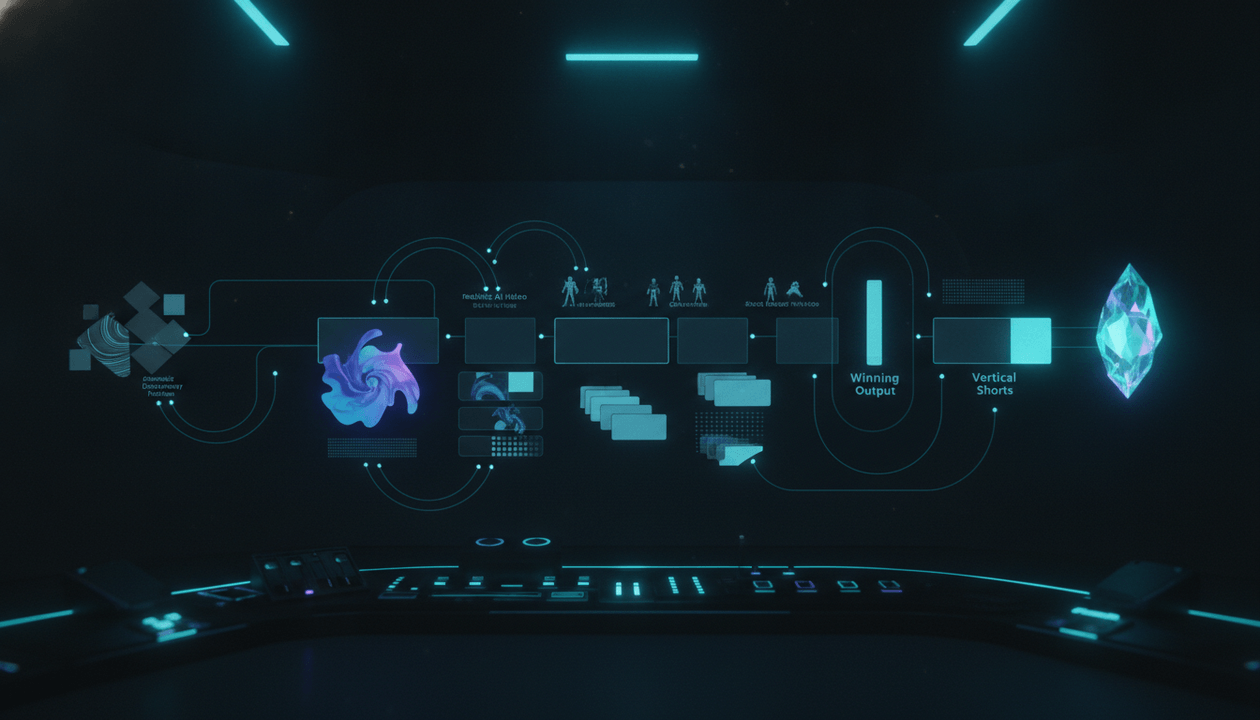
The workflow looks like this:
1. Start with a finished script.
2. Upload or generate a voiceover.
3. Choose Shorts or long-form.
4. Set the visual direction.
5. Turn narration into scenes.
6. Generate AI visuals for each scene.
7. Refine weak scenes.
8. Add captions.
9. Add background music.
10. Add motion, FX, and transitions where supported.
11. Preview the video.
12. Export the final project.
This is different from generic AI video generation.
Auto Edit is not trying to create one random clip.
It is trying to help creators turn narration into a complete faceless video workflow.
That is the production bottleneck most YouTube creators actually feel.
AI Video Generation vs Auto Edit: Comparison Table
| Category | AI Video Generation | Auto Edit |
|---|---|---|
| Main output | Video clip or visual asset | Structured faceless video workflow |
| Best starting point | Prompt, image, or reference | Script and voiceover |
| Best use case | Cinematic shots, b-roll, visual experiments | YouTube videos from narration |
| Handles full script? | Usually not as core workflow | Yes |
| Uses voiceover timing? | Often not central | Yes |
| Scene structure | Usually manual | Built around narration |
| Captions | Often separate | Included in workflow |
| Music | Often separate | Included in workflow |
| Motion | Core in AI clips | Applied as production layer |
| Style consistency | Varies by model/tool | Guided through style direction |
| Character consistency | Hard across many scenes | Supported through character reference workflows where available |
| YouTube production fit | Asset-level | Workflow-level |
| Best for | Clips | Upload-ready faceless videos |
| Biggest risk | Beautiful but disconnected footage | Still requires strong script, topic, and review |
The winner depends on your goal.
If you need one stunning clip, AI video generation may be enough.
If you need a full YouTube video built from a script and voiceover, Auto Edit is the better workflow.
What Makes a YouTube Video Worth Uploading?
A YouTube video worth uploading is not just a file with visuals and audio.
It should meet a higher standard.
Ask these questions:
Does the video have a clear topic?
Does the title promise something specific?
Does the first 30 seconds create a reason to keep watching?
Does the script deliver real value?
Does the voiceover feel clear and natural?
Do the visuals match the narration?
Are scenes structured logically?
Are captions readable?
Is the music balanced under the voiceover?
Does the video have consistent style?
Does the thumbnail match the video promise?
Does the video feel original?
Would a real viewer trust this channel more after watching?
If the answer is no, the video is not ready.
AI video generation can help with visuals.
Auto Edit helps with the production chain.
But the creator still needs judgment.
Why Prompt-to-Video Is Not Enough for YouTube
Prompt-to-video is useful.
But YouTube videos are not prompts.
They are viewer experiences.
A prompt can generate:
A cinematic shot of a futuristic creator dashboard.
But a YouTube video needs:
- Why the dashboard matters
- What the viewer is learning
- What the script says
- How the voiceover flows
- Where the scene changes
- What the captions display
- What the thumbnail promises
- What the viewer gets by the end
Prompt-to-video can create the visual.
It does not automatically create the experience.
That is why creators need workflow, not just generation.
The Problem With Generic AI Video Generators
Generic AI video generators often fail faceless YouTube creators in five ways.
1. They Start From a Prompt Instead of a Script
A prompt is not a script.
A script has structure, pacing, examples, transitions, and payoff.
A prompt usually creates a single visual idea.
Faceless YouTube videos need narration-led production.
The script should guide the visuals, not the other way around.
2. They Ignore Voiceover Timing
Voiceover controls the pace of a faceless video.
If the visuals do not match the narration, the video feels random.
A strong workflow should build scenes around the voiceover.
That is why Auto Edit starts with script and voiceover.
3. They Produce Isolated Clips
A clip can look amazing alone and still fail inside a video.
A YouTube video needs continuity.
It needs scenes that connect.
It needs visual logic.
It needs a beginning, middle, and end.
4. They Create Style Drift
AI visuals often drift.
One scene looks realistic. The next scene looks animated. The next looks like a stock-photo ad. The next looks like a fantasy poster.
That inconsistency makes the video feel cheap.
A serious workflow needs style direction.
5. They Do Not Solve Packaging
Even if the video looks good, YouTube still needs:
- Title
- Thumbnail
- Description
- Hook
- Audience promise
- Upload strategy
- Follow-up plan
AI video generators usually do not solve the channel workflow.
They solve asset creation.
Why Auto Edit Is Better for Faceless YouTube
Auto Edit is built around the way faceless YouTube videos are actually produced.
Most faceless videos start with narration.
The creator needs to turn that narration into visuals.
Auto Edit makes that process more structured.
1. Script-First Production
Auto Edit starts with the script.
That matters because the script is the source of meaning.
Instead of asking the tool to invent the whole video from a vague idea, the creator brings the actual message.
This improves direction.
2. Voiceover-First Timing
Auto Edit uses the voiceover as the timing layer.
That matters because captions, scene length, and visual pacing should match the narration.
The voiceover becomes the production backbone.
3. Scene-Based Structure
Instead of one long output, Auto Edit breaks the video into scenes.
This makes review easier.
A creator can ask:
- Does this scene match the line?
- Is the visual clear?
- Is the pacing right?
- Should this scene be regenerated?
- Does the style match the rest?
Scene control is much better than fighting one long generated video.
4. Visual Style Direction
Auto Edit supports visual direction through custom style, saved style, and style analysis workflows where available.
This helps keep the video more consistent.
Instead of random visuals, the channel can build a repeatable look.
5. Character Consistency
For some video formats, recurring characters matter.
Examples:
- A faceless narrator avatar
- A fictional case-study character
- A recurring student/teacher visual
- A founder character in business stories
- A consistent “viewer” character in explainer videos
- A historical figure representation
Character consistency helps avoid the “new face every scene” problem.
Auto Edit includes consistent character reference support for supported workflows, which helps creators guide identity, clothing, and visual continuity.
6. Captions and Music
Captions and music are not afterthoughts.
They affect comprehension, emotion, and retention.
Auto Edit includes captions and background music controls as part of the production workflow.
That matters because creators should not have to move between disconnected tools for every layer.
7. Export Workflow
A video is not done until it is exportable.
Auto Edit moves the project toward final output with preview, scene timeline, and export controls.
The goal is not just to generate something.
The goal is to create something closer to upload-ready.
Style DNA: Why Visual Consistency Matters
One of the biggest problems with AI-generated video is inconsistency.
A creator may want a premium documentary style, but the tool creates:
- One cinematic scene
- One cartoon scene
- One plastic-looking scene
- One random stock image style
- One totally different color palette
This breaks the channel identity.
Style DNA solves this at the direction level.
The goal of Style DNA is not to copy someone else’s video.
The goal is to extract useful style signals and guide original production.
Useful style signals can include:
- Mood
- Lighting
- Color palette
- Shot type
- Pacing feel
- Visual density
- Cinematic style
- Editorial style
- Character style
- Scene atmosphere
For example:
A creator might want:
Dark premium SaaS documentary style, subtle cyan lighting, realistic dashboard visuals, calm camera motion, high contrast, clean creator workflow scenes, no cartoon robots, no random futuristic clutter.
That kind of direction gives the AI a stronger visual target.
Style DNA helps creators build a repeatable channel look instead of starting from scratch every time.
Character Consistency: Why One-Off AI Characters Break Trust
AI-generated characters often change from scene to scene.
That creates problems.
A character may have:
- Different face
- Different age
- Different clothing
- Different hair
- Different body shape
- Different ethnicity
- Different mood
- Different lighting style
- Different environment
For some video formats, this does not matter.
For others, it matters a lot.
Character consistency is important for:
- Story videos
- Case studies
- Fictional examples
- Documentary recreations
- Educational explainer characters
- Brand mascots
- Recurring faceless channel identities
- Shorts series
- Long-form narrative videos
A strong Auto Edit workflow should let the creator guide character identity where supported.
That does not mean every scene will be perfect.
It means the workflow understands that continuity matters.
A random AI video generator may create a beautiful person in one clip.
But a YouTube video may need the same character across 20 scenes.
That is a different problem.
Thumbnail Cloner: Why Upload-Ready Means Package-Ready
A video is not truly upload-ready if the thumbnail is weak.
Most AI video generators stop at the video.
But YouTube performance depends heavily on packaging.
The thumbnail must make the video promise visible.
A good thumbnail should show:
- The tension
- The transformation
- The comparison
- The curiosity
- The pain point
- The result
- The visual metaphor
For example, this topic could have a thumbnail like:
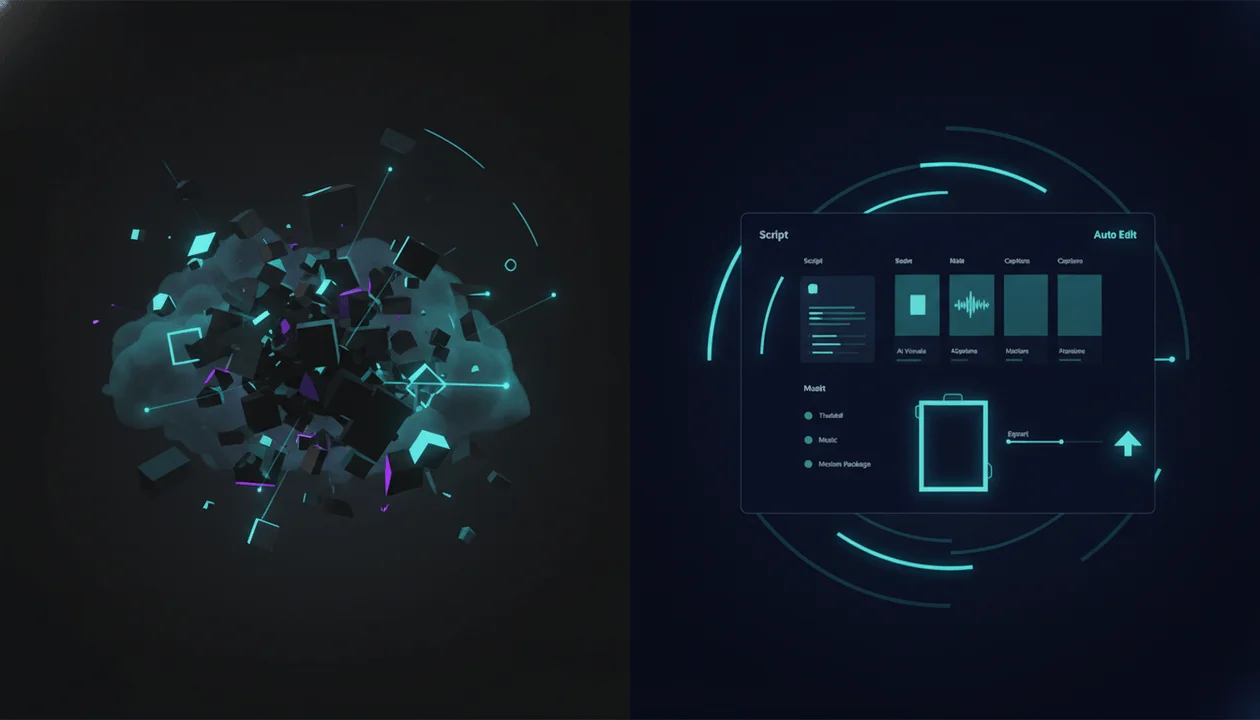
Left side: random AI-generated clips floating disconnected in chaos.
Right side: clean Auto Edit dashboard turning script and voiceover into scenes, captions, music, and export.
Visual tension: AI clips vs upload-ready workflow.
A Thumbnail Cloner-style workflow is useful when it studies proven packaging patterns and helps create original thumbnails from them.
The goal is not to copy another creator’s thumbnail.
The goal is to learn the structure of strong packaging and create a new original design for your own video.
That is why thumbnail workflow matters.
A good video with weak packaging may never get the chance to prove itself.
AI Video Generation vs Auto Edit by Creator Type
Different creators need different tools.
Solo Creator
A solo creator needs speed, simplicity, and less tool switching.
AI video generation helps create visuals.
Auto Edit helps turn the script and voiceover into a complete production workflow.
Best fit:
Auto Edit for full video production, AI video generation for extra custom shots.
Faceless YouTube Operator
A faceless YouTube operator needs repeatability.
The workflow must work across many videos.
Best fit:
Auto Edit as the core workflow, with Style DNA and Character Consistency for more consistent visuals.
YouTube Agency
An agency needs process.
Clients need source-backed planning, scripts, voiceovers, video production, thumbnails, and review.
Best fit:
Auto Edit inside a broader OverseerOS system for planning, scripts, production, and packaging.
AI Filmmaker
An AI filmmaker may care more about individual shot quality, cinematic output, and visual experimentation.
Best fit:
AI video generation for shots, with Auto Edit only if the goal becomes narration-led YouTube production.
Shorts Creator
A Shorts creator needs fast pacing, captions, vertical framing, and a clear hook.
Best fit:
Auto Edit for script and voiceover to Shorts workflow, plus AI video generation for extra attention-grabbing visuals where needed.
Long-Form Creator
A long-form creator needs structure, pacing, sections, captions, and visual consistency across many scenes.
Best fit:
Auto Edit because long-form narration needs scene management, not just random clips.
When AI Video Generation Is the Better Choice
AI video generation is the better choice when you need a specific visual asset.
Use AI video generation when:
- You need cinematic b-roll.
- You need one short clip.
- You need a concept shot.
- You need a visual experiment.
- You need image-to-video motion.
- You need a background loop.
- You need a visual metaphor.
- You need a trailer-style sequence.
- You are creating purely visual content.
- You are testing a style before production.
If the goal is one shot, use AI video generation.
If the goal is a full YouTube upload, use Auto Edit.
When Auto Edit Is the Better Choice
Auto Edit is the better choice when the goal is a real faceless YouTube video.
Use Auto Edit when:
- You have a script.
- You have a voiceover.
- You need scene structure.
- You need captions.
- You need music.
- You need visual consistency.
- You need to produce Shorts or long-form videos.
- You need a repeatable workflow.
- You need to reduce tool switching.
- You want to move toward export.
- You are building a faceless channel.
- You want visuals to match narration.
If the goal is upload-ready YouTube production, Auto Edit is the stronger fit.
The Best Workflow: Use Both, But Know Their Roles
The smartest creators do not treat this as a war.
AI video generation and Auto Edit can work together.
Use AI video generation for:
- Special shots
- Cinematic b-roll
- Visual experiments
- Style tests
- Extra motion assets
Use Auto Edit for:
- Script-to-video workflow
- Voiceover-based timing
- Scene structure
- Captions
- Music
- Motion
- Export
- Repeatable production
The ideal workflow looks like this:
1. Research a topic.
2. Write a strong script.
3. Generate or upload the voiceover.
4. Use Auto Edit to turn narration into scenes.
5. Generate AI visuals for each scene.
6. Use Style DNA to guide the look.
7. Use Character Consistency where needed.
8. Add captions, music, and motion.
9. Generate or design the thumbnail.
10. Export and upload.
11. Review performance.
That is a complete system.
Not just a clip generator.
The “Worth Uploading” Test
Before uploading any AI-assisted video, use this test.
1. Topic Test
Does the topic have proven audience demand?
If not, the video may fail before production begins.
2. Hook Test
Does the first 30 seconds make the viewer want to continue?
If not, the video will leak retention.
3. Script Test
Does the script say something useful, clear, or interesting?
If not, the video is just decoration.
4. Voiceover Test
Does the voiceover sound clear and aligned with the channel?
If not, the video will feel low quality.
5. Scene Test
Does every scene match what is being said?
If not, the visuals will feel random.
6. Style Test
Does the video look like one channel made it?
If not, style drift will hurt trust.
7. Character Test
If characters appear, do they stay consistent enough?
If not, the video may feel broken.
8. Caption Test
Can viewers follow the video on mobile?
If not, especially for Shorts, the video will struggle.
9. Music Test
Does the music support the narration without overpowering it?
If not, the video feels amateur.
10. Thumbnail Test
Would someone understand the video promise in one second?
If not, the video may never get clicked.
A video worth uploading should pass all ten tests.
Why AI Slop Happens
AI slop happens when creators automate output before they understand the workflow.
The pattern looks like this:
1. Choose a generic topic.
2. Generate a generic script.
3. Generate a generic voiceover.
4. Generate random visuals.
5. Add basic captions.
6. Upload quickly.
7. Repeat the same template.
This creates content that feels mass-produced.
Viewers can sense it.
The better workflow is:
1. Choose a proven topic.
2. Create a specific angle.
3. Write a strong script.
4. Use a voiceover that fits the niche.
5. Build scenes around the narration.
6. Generate relevant visuals.
7. Keep style consistent.
8. Add captions, music, and motion with intention.
9. Package the video with a strong thumbnail.
10. Review and improve.
This is the difference between generating content and producing a video.
The Production Checklist
Use this checklist before exporting.
Topic:
Is this something the target viewer actually wants?

Title:
Does the title create a clear reason to click?

Script:
Does the script deliver the promise?

Voiceover:
Is the narration clear and paced well?

Scene structure:
Does the video move logically?

Visual relevance:
Does each scene support the narration?

Style:
Does the video have a consistent look?

Characters:
Are recurring characters consistent enough?

Captions:
Are captions readable and well-timed?

Music:
Is the audio balanced?

Motion:
Does movement support the story?

Thumbnail:
Does the packaging match the promise?

Originality:
Does this add real value beyond generic AI output?

Export:
Is the final video ready for the target format?
If the video fails, fix it before uploading.
Example: Generic AI Video vs Auto Edit Workflow
Let’s compare.
Generic AI Video Workflow
Topic:
AI tools for creators
Prompt:
Make a video about AI tools for creators.
Output:
A short video with random AI visuals, generic narration, vague captions, and no strong structure.
Problem:
The video looks like a template. It does not feel specific, original, or connected to a real audience.
Auto Edit Workflow
Topic:
Why AI video generators create clips, not upload-ready YouTube videos.
Script:
A structured explanation comparing AI video generation vs Auto Edit.
Voiceover:
Clear narration with pacing built around the argument.
Scenes:
- AI clips floating disconnected
- Creator stuck between tools
- Script and voiceover as source of truth
- Auto Edit turning narration into scenes
- Style DNA guiding consistent visuals
- Character consistency solving identity drift
- Thumbnail packaging the upload
- Export-ready workflow
Captions:
Timed to the voiceover.
Music:
Subtle tech-focused background.
Thumbnail:
AI clips vs Auto Edit production workflow.
Result:
A real YouTube video with argument, structure, visuals, pacing, and a clear CTA.
That is the difference.
Where OverseerOS Fits
OverseerOS is built around the full creator workflow.
It does not treat video generation as the only step.
The platform helps creators with:
- Channel research
- Competitor tracking
- Content planning
- Channel blueprint cloning
- Scriptwriting
- Voiceover workflows
- Thumbnail generation
- Auto Edit production
- Style guidance
- Character consistency
- Export workflows
Auto Edit Studio is the production layer.
It works best after the creator has a clear topic, script, and voiceover.
Then it helps turn that narration into scenes, visuals, captions, music, motion, and export.
That is why Auto Edit is stronger than generic AI video generation for faceless YouTube creators.
It is not just creating a clip.
It is helping you produce the video.
Start here: Auto Edit Studio
Use Style DNA inside Auto Edit to guide consistent visual direction.
Use Character Consistency to keep recurring characters more stable where supported.
Use Thumbnail Cloner to create original thumbnail concepts from proven packaging patterns.
Final Verdict
AI video generation is powerful.
But it is not enough by itself.
It can create beautiful clips, cinematic visuals, moving images, and creative shots. That makes it useful for b-roll, experiments, concept scenes, and visual assets.
But YouTube creators need more than clips.
They need videos.
A video worth uploading needs a topic, title, script, voiceover, scene structure, visual direction, captions, music, motion, thumbnail, export, and quality control.
That is why Auto Edit matters.
Auto Edit starts from the script and voiceover. It turns narration into scenes. It generates and refines visuals. It supports style direction. It supports character consistency where available. It adds captions and music. It helps creators move toward export.
AI video generation creates pieces.
Auto Edit creates the production workflow.
For faceless YouTube creators, that is the difference between something that looks cool and something worth uploading.
If you want to turn finished scripts and voiceovers into structured faceless YouTube videos, start with Auto Edit Studio.
FAQ
What is the difference between AI video generation and Auto Edit?
AI video generation usually creates video clips or visual assets from prompts, images, or references. Auto Edit starts with a finished script and voiceover, then helps turn the narration into scenes, AI visuals, captions, music, motion, and export controls for faceless YouTube production.
Is AI video generation enough to make YouTube videos?
AI video generation can help create visuals, but it is usually not enough for a complete YouTube video. A real upload needs a topic, title, script, voiceover, scenes, captions, music, thumbnail, pacing, and quality control.
What is Auto Edit Studio?
Auto Edit Studio is the faceless YouTube video production workflow inside OverseerOS. It helps creators turn finished scripts and voiceovers into structured video projects with scenes, AI visuals, style direction, captions, music, motion, FX, and export controls.
When should I use AI video generation?
Use AI video generation when you need individual clips, b-roll, cinematic shots, image-to-video motion, visual experiments, or creative assets. It is best for generating footage, not managing the full YouTube workflow.
When should I use Auto Edit?
Use Auto Edit when you have a script and voiceover and want to turn them into a structured faceless YouTube video with scenes, visuals, captions, music, motion, and export controls.
What is Style DNA?
Style DNA is a workflow for guiding visual direction from reference style signals. The goal is to learn mood, pacing, lighting, color, and visual patterns so creators can make original videos with a more consistent look.
What is Character Consistency?
Character Consistency helps creators guide recurring character identity across scenes where supported. It is useful for story videos, case studies, educational explainers, recurring personas, and faceless channels that need visual continuity.
What is Thumbnail Cloner?
Thumbnail Cloner-style workflows help creators study proven thumbnail packaging patterns and create original thumbnail concepts for their own videos. The goal is not to copy thumbnails exactly, but to learn what makes a thumbnail visually clickable.
Can Auto Edit create both Shorts and long-form videos?
Yes. Auto Edit Studio supports Shorts and long-form project setup. The selected format guides the production workflow, scene direction, framing, captions, and export path for supported outputs.
Does Auto Edit guarantee YouTube views?
No. Auto Edit does not guarantee views, subscribers, revenue, or virality. It helps with production, but performance still depends on topic demand, title, thumbnail, script quality, retention, audience fit, and publishing strategy.