Most creators looking for AI tools for faceless YouTube channels are asking the wrong question.
They ask:
What tools can make videos for me?
The better question is:
What tools help me build videos people actually want to click and watch?
That difference matters.
A faceless YouTube channel does not fail because the creator lacked another AI video editor. It fails because the topic was weak, the title had no tension, the thumbnail did not create curiosity, the script sounded generic, the voiceover felt cheap, or the video had no reason to exist.
AI can help you move faster.
But if you automate the wrong workflow, you just create bad videos at higher speed.
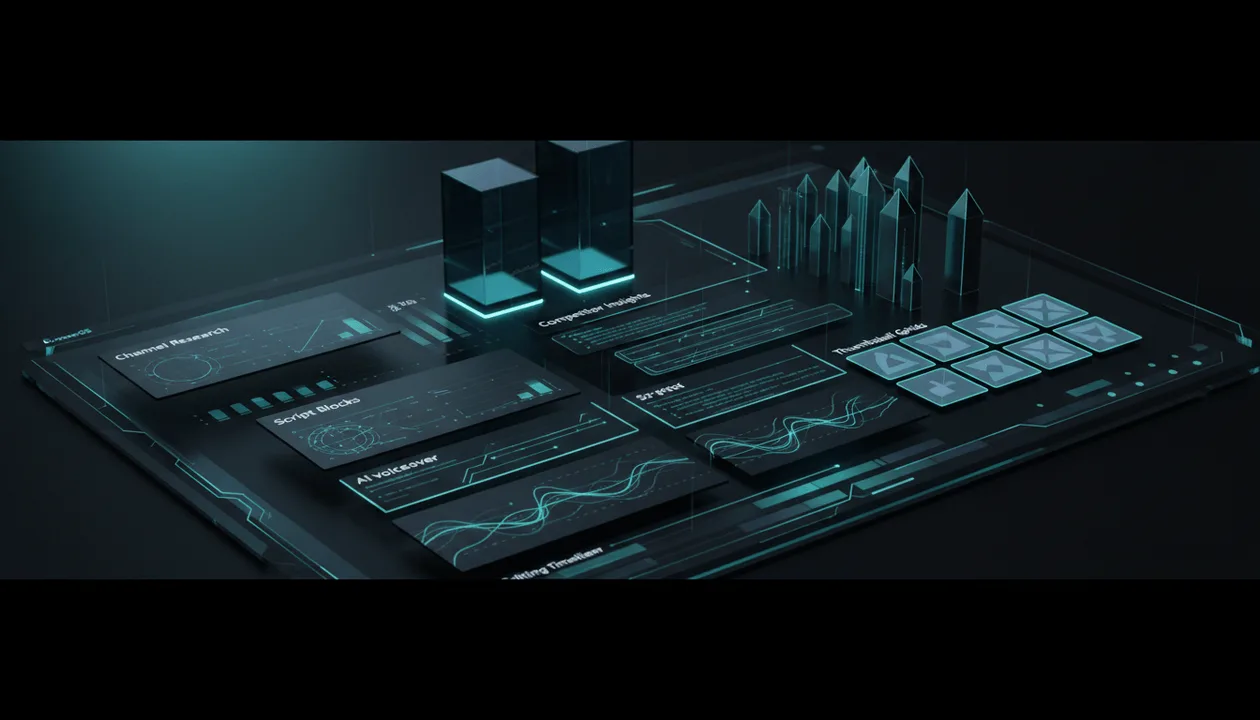
This guide breaks down the best AI tools for faceless YouTube channels in 2026 by workflow stage: research, topic validation, planning, titles, thumbnails, scripts, voiceovers, editing, repurposing, and analytics.
The goal is not to collect tools.
The goal is to build a stack that helps you create better videos before you waste time editing the wrong one.
Key Takeaways
- The best AI tools for faceless YouTube channels are not just video generators. The strongest stack starts with research, competitor analysis, topic validation, titles, thumbnails, scripts, and voiceovers before editing.
- OverseerOS is the strongest pre-production command center for faceless creators because it helps with channel analysis, channel blueprints, competitor tracking, winning topics, smart planners, titles, scripts, thumbnails, and ElevenLabs-powered voiceovers.
- OverseerOS does not currently generate or edit final videos. It prepares the assets that make the final video worth producing.
- ElevenLabs is one of the strongest standalone AI voice tools for faceless narration, with creator-friendly voices for long-form videos, Shorts, tutorials, and branded YouTube content. Source: ElevenLabs YouTube Voices
- InVideo, VEED, CapCut, Runway, Luma, and Pika can help with editing, visual generation, or final production, but they still need strong ideas and scripts.
- YouTube Studio should be part of every faceless creator’s stack because it gives first-party performance data, including analytics, retention, CTR, impressions, and testing tools. Source: YouTube Analytics Help, Source: YouTube A/B Testing
- YouTube does not automatically ban AI-assisted content, but reused, repetitive, low-effort, or misleading content can create monetization risk. Source: YouTube Monetization Policies
Quick Verdict: Best AI Tools for Faceless YouTube Channels
| Workflow Stage | Best Tool | Why It Fits |
|---|---|---|
| Channel research | OverseerOS | Reverse-engineers channels into blueprints and patterns |
| Competitor tracking | OverseerOS | Tracks competitors and helps surface winning topics |
| Topic validation | OverseerOS | Finds proven topics from competitor patterns |
| Content planning | OverseerOS | Smart planners for topics, scripts, thumbnails, and voiceovers |
| Titles | OverseerOS | Generates titles from proven channel and competitor patterns |
| Thumbnails | OverseerOS | Creates thumbnails from proven YouTube visual patterns |
| Scripts | OverseerOS | Writes scripts from planned topics and learned tone/style |
| Voiceovers | OverseerOS + ElevenLabs | ElevenLabs-powered voiceovers inside the YouTube workflow |
| Standalone voice generation | ElevenLabs | Best pure AI voice generation layer |
| Prompt-to-video | InVideo | Useful for turning scripts or prompts into videos |
| Browser editing | VEED | Good for editing, subtitles, dubbing, avatars, and voice tools |
| Short-form editing | CapCut | Fast editing for Shorts, TikTok, and Reels |
| AI visuals | Runway, Luma, Pika | Useful for custom B-roll, cinematic visuals, and creative clips |
| Repurposing | OpusClip | Turns long videos into short clips |
| SEO and optimization | vidIQ, TubeBuddy | Keyword research, optimization, and testing support |
| Analytics | YouTube Studio | First-party performance data and testing |
What Makes a Faceless YouTube Tool Actually Useful?
A useful faceless YouTube tool should solve one clear bottleneck.
Not every tool needs to do everything.
But your full stack should answer every major question in the workflow.
| Question | Tool Category Needed |
|---|---|
| What niche or channel should I study? | Channel research |
| What topics are already working? | Competitor analysis and outlier discovery |
| Which ideas deserve to be planned? | Content planning |
| What title should I use? | Title generation and packaging |
| What thumbnail should I create? | Thumbnail strategy and design |
| What should the script say? | Scriptwriting |
| What voice should narrate it? | AI voiceover |
| How do I create the final video? | Editing or AI video generation |
| How do I turn long videos into Shorts? | Repurposing |
| How do I know what worked? | Analytics |
Most creators only build the bottom half of the stack.
They pick:
- AI voiceover
- AI video editor
- Thumbnail tool
- Captions tool
Then they skip:
- Research
- Topic validation
- Competitor patterns
- Outlier analysis
- Title strategy
- Script structure
- Performance review
That is why the channel feels automated but not strategic.
A faceless channel is still a media business.
It needs taste, positioning, and pattern recognition.
The Correct AI Stack for a Faceless YouTube Channel
Use this stack order.
Do not start with editing.
1. Research Layer
The research layer answers:
What is already working?
This includes:
- Channel analysis
- Competitor tracking
- Outlier videos
- Topic clusters
- Format patterns
- Content gaps
- Audience pain
- Recent winners
Best tools:
- OverseerOS
- YouTube Studio
- vidIQ
- manual competitor research
This layer matters because random ideas are expensive.
Even if AI makes videos cheaper, weak uploads still waste time and attention.
2. Planning Layer
The planning layer turns research into a pipeline.
A good planner tracks:
- Topic
- Source proof
- Competitor source
- Title
- Thumbnail direction
- Script status
- Voiceover status
- Editing status
- Publish date
- Performance review
Best tools:
- OverseerOS
- Notion
- Trello
- Google Sheets
The difference is that Notion, Trello, and Sheets store your plan.
OverseerOS helps create the plan from YouTube patterns.
That is a different level of value.
3. Packaging Layer
Packaging is the title and thumbnail.
This is where many faceless channels die.
The viewer does not care that your video was made with AI.
They care whether the title and thumbnail create a reason to click.
Best tools:
- OverseerOS
- Canva
- Photoshop
- TubeBuddy
- YouTube Studio testing
The title and thumbnail should be built before the script.
They define the promise the script must fulfill.
4. Script Layer
The script is where the promise becomes a video.
A good faceless script needs:
- Strong hook
- Clear stakes
- Fast setup
- Specific examples
- Curiosity loops
- Pattern interrupts
- Strong transitions
- Clear payoff
- Spoken rhythm
Best tools:
- OverseerOS
- ChatGPT
- Claude
- human editing
Do not use raw AI scripts without editing.
Generic writing destroys faceless channels.
5. Voiceover Layer
Voiceover carries the video when there is no on-camera personality.
Best tools:
- OverseerOS with ElevenLabs integration
- ElevenLabs directly
- Murf
- PlayHT
- Speechify
OverseerOS uses ElevenLabs integration, not its own proprietary voice model.
That means users can generate ElevenLabs-powered voiceovers for scripts inside OverseerOS instead of leaving the workflow.
On lower plans such as Creator, users can bring their own ElevenLabs API key. On Pro and Elite plans, OverseerOS offers server-based ElevenLabs voiceover generation, so users do not need to bring their own key.
The value is not only the voice.
The value is keeping the topic, script, and voiceover connected in one workflow.
6. Editing and Visual Layer
The editing layer turns the assets into the final video.
Best tools:
- InVideo
- VEED
- CapCut
- Runway
- Luma
- Pika
- Premiere Pro
- DaVinci Resolve
This layer matters, but it should come after strategy.
A beautiful edit cannot save a weak idea.
7. Repurposing Layer
Once a video is published, you can create Shorts, Reels, and clips.
If you plan to build those Shorts with AI, our comparison of the top AI tools for making YouTube Shorts walks through options for ideas, hooks, scripts, and editing.
Best tools:
- OpusClip
- CapCut
- VEED
Repurposing works best when the original long-form video has strong moments.
If the main video is weak, clipping it will not magically make it strong.
8. Analytics Layer
The analytics layer tells you what worked.
Best tools:
- YouTube Studio
- internal tracking sheets
- channel dashboards
Track:
- CTR
- Impressions
- Retention
- Average view duration
- Comments
- Subscriber gain
- Views vs channel baseline
- Traffic source
- Returning viewers
Without review, automation becomes blind repetition.
Best AI Tool for Faceless YouTube Strategy: OverseerOS
OverseerOS is the strongest tool for the strategy and pre-production side of faceless YouTube.
It is not currently a final video generator or final editing tool.
That needs to be clear.
OverseerOS helps creators build the production assets before editing:
- Channel analysis
- Channel blueprint cloning
- Competitor tracking
- Winning topic discovery
- Smart Content Planner
- Topic planning
- Title generation
- Script writing
- Thumbnail generation
- ElevenLabs-powered voiceovers
This is exactly where faceless creators need help.
Because faceless channels usually fail before editing starts.
They fail at:
- Choosing weak topics
- Copying competitors too literally
- Writing generic scripts
- Using boring titles
- Making unclear thumbnails
- Producing voiceovers that do not fit the niche
- Uploading without reviewing performance
OverseerOS is built to fix the front of the workflow.
Why OverseerOS Fits Faceless Channels
Faceless channels are systems.
They do not rely on the creator’s face or personality.
That means the system must be strong:
- Research must be strong.
- Topics must be proven.
- Titles must be sharp.
- Thumbnails must create curiosity.
- Scripts must hold attention.
- Voiceovers must be listenable.
- Production must be repeatable.
OverseerOS helps connect these pieces.
Instead of using one tool for research, another for planning, another for scripts, another for thumbnails, and another for voiceover, OverseerOS brings the pre-production workflow into one place.
That reduces context switching.
More importantly, it keeps the strategy connected.
The OverseerOS Faceless Workflow
A strong workflow looks like this:
- Paste a successful channel link.
- Generate a channel blueprint.
- Study the channel’s tone, pacing, hooks, titles, thumbnails, and structure.
- Create a planner from the cloned channel or start with an empty planner.
- Add competitors.
- Use Smart Content Planner to find winning topics.
- One-click add topics into the planner.
- Generate title options.
- Create a thumbnail direction or thumbnail.
- Write the script.
- Generate an ElevenLabs-powered voiceover.
- Move the assets into editing or final video production.
That is the correct role for OverseerOS.
It prepares the content before the edit.
For the broader breakdown, read the AI YouTube content planner tools guide and the AI YouTube video generator tools guide.
Best AI Voice Tool for Faceless Channels: ElevenLabs
ElevenLabs is one of the strongest standalone voice tools for faceless creators.
Its YouTube voice library is built around creator-friendly voices for long-form videos, Shorts, tutorials, vlogs, and branded YouTube content. Source: ElevenLabs YouTube Voices
Its AI voice generator page also says it offers realistic voices, voice cloning, and a large multilingual voice library. Source: ElevenLabs AI Voice Generator
This makes it useful for faceless channels where narration carries the video.
Use ElevenLabs if you want:
- High-quality narration
- Many voice options
- Multilingual voices
- Voice cloning with consent controls
- Long-form voiceovers
- Shorts narration
- Standalone voice generation
Best workflow:
Use OverseerOS for topic, script, and planning.
Use ElevenLabs through OverseerOS or directly for voiceover.
Best AI Video Creation Tool for Faceless Channels: InVideo
InVideo is useful for creators who want prompt-to-video or script-to-video workflows.
Its YouTube automation page says it can generate video scripts, AI visuals, scenes, and voiceovers automatically. Source: InVideo YouTube Automation
That makes it a strong option for creators who want to move from script or idea into video production faster.
Use InVideo if you want:
- Prompt-to-video workflows
- Script-to-video generation
- AI visuals
- Scenes
- Voiceovers
- Fast faceless video assembly
Where it needs support:
InVideo still needs a strong topic, title, script, and thumbnail direction.
If the input is generic, the output will feel generic.
Best Browser Editing Tool for Faceless Channels: VEED
VEED is useful for creators who want browser-based video editing with AI tools.
VEED’s homepage positions it as an AI video creation platform where users can generate and edit in one workflow, with tools for talking heads, dubbing, subtitles, AI avatars, text-to-speech, and video editing. Source: VEED
Use VEED if you want:
- Browser-based editing
- Subtitles
- Dubbing
- AI avatars
- Text-to-speech
- Simple video assembly
- Social video workflows
VEED is a strong editing and creation layer.
It is not a substitute for faceless channel strategy.
Best Short-Form Editing Tool: CapCut
CapCut is practical for Shorts, TikTok, Reels, and fast social content.
Use it for:
- Captions
- Templates
- Mobile editing
- Short-form cuts
- Simple AI voice tools
- Fast edits
- Trend-based formats
CapCut is strong when speed matters.
It is weaker for research, planning, and long-form strategy.
Best AI Visual Tools: Runway, Luma, and Pika
Faceless videos often need visuals.
Stock footage can work, but it can also feel repetitive.
AI visual tools can help create custom scenes, animated moments, and cinematic B-roll.
Use:
- Runway for cinematic AI video clips and controlled visuals.
- Luma for polished AI-generated visual assets.
- Pika for short creative effects, image animation, and expressive clips.
These tools are useful when the script needs visuals that stock footage cannot provide.
But they are not a complete YouTube workflow.
They create assets.
They do not decide the strategy.
Best Repurposing Tool: OpusClip
OpusClip is useful when you already have long-form content and want to turn it into short clips.
Its homepage says it can turn long videos into short clips and publish them to social platforms. Source: OpusClip
Use OpusClip if you want:
- Long-form to Shorts
- Podcast clips
- Webinar clips
- Captioned clips
- Social repurposing
- More distribution from existing content
Do not use it as a substitute for original content creation.
It works after you already have something worth clipping.
Best YouTube SEO Tools: vidIQ and TubeBuddy
vidIQ and TubeBuddy are useful for YouTube SEO, keyword research, and optimization.
vidIQ’s keyword tools can provide keyword ideas, search volume, competition score, and related suggestions. Source: vidIQ Keyword Tools
TubeBuddy’s Keyword Explorer helps creators find high-traffic, low-competition keywords, while TubeBuddy’s A/B testing tools can test thumbnails, titles, descriptions, tags, CTR, engagement, traffic sources, watch time, and more. Source: TubeBuddy Keyword Explorer, Source: TubeBuddy A/B Testing
Use these tools if you want:
- Keyword research
- SEO scoring
- Upload optimization
- A/B testing
- Metadata improvements
- Back-catalog optimization
They are strong optimization tools.
They are not the whole faceless channel system.
Best Analytics Tool: YouTube Studio
YouTube Studio is the final truth layer.
It tells you whether the system worked.
Track:
- CTR
- Impressions
- Watch time
- Average view duration
- Audience retention
- Traffic sources
- Comments
- Subscribers gained
- Revenue if monetized
- Returning viewers
- New viewers
YouTube Analytics gives creators reports and metrics to understand video and channel performance. Source: YouTube Analytics Help
YouTube also supports title and thumbnail testing for eligible videos. Source: YouTube A/B Testing
This is where the loop closes.
If a video fails, do not just publish more.
Find out why.
The Faceless YouTube AI Stack by Budget
Beginner Stack
Use this if you are starting lean:
| Workflow | Tool |
|---|---|
| Research | YouTube search, YouTube Studio, manual competitor review |
| Planning | Google Sheets or Trello |
| Scripts | ChatGPT or Claude with manual editing |
| Voiceover | ElevenLabs or another AI voice tool |
| Thumbnail | Canva |
| Editing | CapCut or VEED |
| Analytics | YouTube Studio |
This stack can work, but it requires taste and discipline.
The biggest risk is generic output.
Serious Creator Stack
Use this if you want to build a real system:
| Workflow | Tool |
|---|---|
| Research | OverseerOS |
| Channel blueprints | OverseerOS |
| Competitor tracking | OverseerOS |
| Winning topics | OverseerOS |
| Planning | OverseerOS |
| Titles | OverseerOS |
| Scripts | OverseerOS |
| Thumbnails | OverseerOS plus Canva or Photoshop if needed |
| Voiceover | OverseerOS with ElevenLabs integration |
| Editing | InVideo, VEED, CapCut, Runway, Luma, or human editor |
| Analytics | YouTube Studio |
This is the stack I would use if the goal is to build a faceless channel as an operation.
Team Stack
Use this if you have a writer, editor, thumbnail designer, and manager:
| Workflow | Tool |
|---|---|
| Strategy | OverseerOS |
| Planning | OverseerOS, Notion, ClickUp |
| Scripts | OverseerOS plus human editor |
| Voiceover | OverseerOS or ElevenLabs |
| Thumbnails | OverseerOS, Photoshop, Canva |
| Editing | Human editor, Premiere Pro, DaVinci Resolve, VEED |
| AI visuals | Runway, Luma, Pika |
| Repurposing | OpusClip |
| Analytics | YouTube Studio and internal tracking |
The team stack should still start with strategy.
Otherwise, the team just produces more average videos.
The Workflow That Actually Builds a Faceless Channel
Here is the practical workflow.
Step 1: Pick a Niche With Proof
Do not pick a niche because it sounds profitable.
Look for:
- Small channels breaking out
- Recent outlier videos
- Repeatable formats
- Clear audience pain
- Strong thumbnail potential
- Enough future topics
- Monetization potential
A niche is only attractive if you can keep producing in it.
Step 2: Reverse-Engineer Winning Channels
Study channels that already work.
Look at:
- Topics
- Titles
- Thumbnails
- Hooks
- Scripts
- Pacing
- Voiceover style
- Video length
- Upload rhythm
- Outliers
- Gaps
For a deeper framework, read the reverse engineer YouTube channel guide.
Step 3: Build a Planner
Your planner should not be a random idea list.
Each topic should include:
- Source proof
- Competitor reference
- Title
- Thumbnail direction
- Hook
- Script status
- Voiceover status
- Editing status
- Publish target
- Review notes
This keeps the channel from becoming chaotic.
Step 4: Build the Title and Thumbnail Before the Script
The title and thumbnail define the promise.
Weak concept:
AI tools for YouTube
Better concept:
Title: I Tested 10 AI YouTube Tools. Only 2 Were Worth Using.
Thumbnail: 8 tools crossed out, 2 glowing, text: “8 FAILED”
Now the script has a clear job.
It must fulfill the promise.
Step 5: Write the Script for Voiceover
Faceless scripts must sound spoken.
Bad:
In today’s digital environment, artificial intelligence is increasingly transforming workflows across industries.
Better:
I tested 10 AI tools that claim they can help YouTubers grow faster. Most were generic, overpriced, or completely useless. But two actually changed how I would build a channel from scratch.
The second version sounds like a video.
The first sounds like a blog post.
Step 6: Generate the Voiceover
Pick a voice that fits the niche.
| Niche | Voice Direction |
|---|---|
| Finance | Calm, credible, serious |
| AI news | Fast, sharp, informed |
| Psychology | Warm, reflective, clear |
| History | Cinematic, steady, mysterious |
| Business | Direct, confident, premium |
| Self-improvement | Motivational but not fake |
| Education | Clear, patient, trustworthy |
| Shorts | Fast, punchy, energetic |
Generate a short sample first.
Fix pacing and pronunciation.
Then generate the full voiceover.
Step 7: Edit With Intent
The edit should support the script.
Use:
- Relevant B-roll
- Screenshots
- Motion graphics
- AI visuals
- Charts
- Captions
- Sound design
- Pattern interrupts
Avoid random footage.
Random footage makes faceless videos feel cheap.
Step 8: Publish and Review
After publishing, review:
- Did the topic beat your baseline?
- Did the title get clicks?
- Did the thumbnail create curiosity?
- Did viewers stay after the intro?
- Where did retention drop?
- Did comments show demand?
- Should this become a series?
This is how faceless channels improve.
Not by uploading blindly.
Monetization Safety for AI Faceless Channels
Faceless YouTube channels can be monetized, but not if the content is low-effort, repetitive, reused, misleading, or copied.
YouTube’s monetization policies say reused content may be allowed when viewers can tell there is a meaningful difference between the original and your video. Source: YouTube Monetization Policies
YouTube also requires disclosure when realistic altered or synthetic content could be mistaken for a real person, place, scene, or event. Source: YouTube AI Disclosure
Use this checklist:
- The script is original.
- The video adds commentary, structure, research, or transformation.
- The visuals are licensed, original, or responsibly generated.
- The voiceover does not impersonate someone without permission.
- The title and thumbnail are not misleading.
- Realistic synthetic content is disclosed when required.
- The video is not mass-produced spam.
- The content is useful or entertaining even if AI helped create it.
AI is not the issue.
Low-effort content is the issue.
Common Mistakes With AI Tools for Faceless YouTube Channels
Mistake 1: Buying Tools Before Building a Workflow
A tool stack is not a strategy.
Before buying tools, define the workflow:
research → topic → title → thumbnail → script → voiceover → edit → publish → review
Then choose tools for each stage.
Mistake 2: Using AI to Generate Random Ideas
Random AI ideas are usually average.
Use competitor data, outliers, comments, trends, and proven patterns instead.
AI should help you develop evidence-backed ideas.
Not invent generic ones from nothing.
Mistake 3: Creating the Video Before the Title
If the title is unclear, the video will be unclear.
The title defines the promise.
Write it before the script.
Mistake 4: Treating Thumbnails as Decoration
Thumbnails are not decoration.
They are the visual half of the click.
A strong thumbnail creates a question.
The title makes that question urgent.
Mistake 5: Using Scripts That Sound Like Articles
Faceless scripts must sound spoken.
Shorter sentences.
Cleaner rhythm.
Stronger hooks.
More examples.
Less corporate language.
Mistake 6: Ignoring Voiceover Fit
Do not choose a voice because it sounds impressive in a 10-second sample.
Choose a voice the viewer can listen to for the full video.
Mistake 7: Editing With Random Visuals
Every visual should support the narration.
If the visuals do not help understanding or emotion, they are filler.
Mistake 8: Never Reviewing Performance
Automation without review creates repeated mistakes.
Use YouTube Studio after every upload.
The data tells you what to fix.
Practical Faceless YouTube AI Tool Checklist
Before building your stack, answer these.
- What niche am I targeting?
- Which successful channels am I studying?
- Which videos are outliers?
- What title formulas keep working?
- What thumbnail patterns repeat?
- What script structures hold attention?
- What voice style fits the niche?
- What editing style fits the audience?
- What tool handles research?
- What tool handles planning?
- What tool handles scripts?
- What tool handles voiceover?
- What tool handles thumbnails?
- What tool handles final editing?
- What tool handles analytics?
If you cannot answer these, you are not ready to automate yet.
Final Verdict: What Are the Best AI Tools for Faceless YouTube Channels?
The best AI tools for faceless YouTube channels depend on what part of the workflow you need to fix.
If you need strategy, research, content planning, titles, thumbnails, scripts, and ElevenLabs-powered voiceovers, use OverseerOS.
If you need standalone voice generation, use ElevenLabs.
If you need prompt-to-video creation, use InVideo.
If you need browser editing, use VEED.
If you need short-form editing, use CapCut.
If you need AI visuals, use Runway, Luma, or Pika.
If you need repurposing, use OpusClip.
If you need SEO and optimization, use vidIQ or TubeBuddy.
If you need analytics, use YouTube Studio.
But the real answer is this:
Do not build a faceless channel around tools.
Build it around a workflow.
The winning workflow is:
proven topic → strong title → clear thumbnail → retention-focused script → quality voiceover → purposeful edit → performance review
Most AI tools help you create faster.
The best tools help you create smarter.
Start by using OverseerOS to reverse-engineer high-performing YouTube channels, find proven topics, generate titles, write scripts, create thumbnails, generate ElevenLabs-powered voiceovers, and build a faceless channel system that does not depend on guessing.
FAQ
What are the best AI tools for faceless YouTube channels?
The best AI tools for faceless YouTube channels include OverseerOS for strategy and pre-production, ElevenLabs for AI voiceover, InVideo for prompt-to-video creation, VEED for browser editing, CapCut for Shorts, Runway and Luma for AI visuals, OpusClip for repurposing, vidIQ and TubeBuddy for optimization, and YouTube Studio for analytics.
What is the best AI tool for faceless YouTube automation?
OverseerOS is the best AI tool for the strategy and pre-production side of faceless YouTube automation. It helps with channel analysis, blueprints, competitor tracking, winning topics, titles, scripts, thumbnails, smart planners, and ElevenLabs-powered voiceovers.
Can OverseerOS generate final faceless YouTube videos?
No. OverseerOS does not currently generate or edit final videos. It prepares the pre-production assets before editing: proven topics, titles, thumbnails, scripts, and ElevenLabs-powered voiceovers.
What does OverseerOS do for faceless YouTube channels?
OverseerOS helps creators reverse-engineer successful channels, build channel blueprints, track competitors, find winning topics, plan videos, generate titles, write scripts, create thumbnails, and generate ElevenLabs-powered voiceovers inside one workflow.
What is the best AI voice tool for faceless YouTube?
ElevenLabs is one of the strongest standalone AI voice tools for faceless YouTube channels. OverseerOS integrates ElevenLabs so creators can generate voiceovers inside the YouTube planning and scripting workflow.
What is the best AI video tool for faceless YouTube?
InVideo is strong for prompt-to-video and script-to-video workflows. VEED is strong for browser-based editing. CapCut is strong for Shorts. Runway and Luma are strong for AI-generated visuals. The best choice depends on the type of video you are producing.
Can AI faceless YouTube videos be monetized?
AI faceless YouTube videos can be monetized if they follow YouTube’s policies and add original value. Low-effort, reused, repetitive, or misleading content can create monetization problems. Creators should make original scripts, use meaningful editing, and disclose realistic synthetic content when required.
Do I need to disclose AI-generated faceless videos?
YouTube requires disclosure when altered or synthetic content is realistic enough that viewers could mistake it for a real person, place, scene, or event. Always follow YouTube’s current upload guidance.
What is the cheapest AI stack for faceless YouTube?
A beginner stack can use YouTube Studio for analytics, Google Sheets or Trello for planning, ChatGPT or Claude for scripts, ElevenLabs or another voice tool for narration, Canva for thumbnails, and CapCut or VEED for editing.
What is the best stack for serious faceless YouTube creators?
A serious stack uses OverseerOS for research, planning, titles, scripts, thumbnails, and ElevenLabs-powered voiceovers, then uses InVideo, VEED, CapCut, Runway, Luma, or a human editor for final production, and YouTube Studio for analytics.
Why do most faceless YouTube channels fail?
Most fail because the topics are generic, the titles are weak, thumbnails are unclear, scripts sound robotic, voiceovers do not fit, visuals are random, and there is no performance review. The problem is usually workflow, not tools.
Should I start with an AI video generator or a planning tool?
Start with planning. A video generator can create the final asset, but a planning tool helps decide what video should exist, what title should lead, what thumbnail should sell the click, and what script should hold attention.
What should I automate first in a faceless YouTube channel?
Automate research support, topic planning, script drafting, thumbnail concepting, and voiceover generation first. Do not automate strategy and quality control too early.
Is faceless YouTube automation passive income?
Not at the start. It can become systemized, but it still requires research, strategy, production, review, and improvement. Treat it like a media operation, not a passive income button.