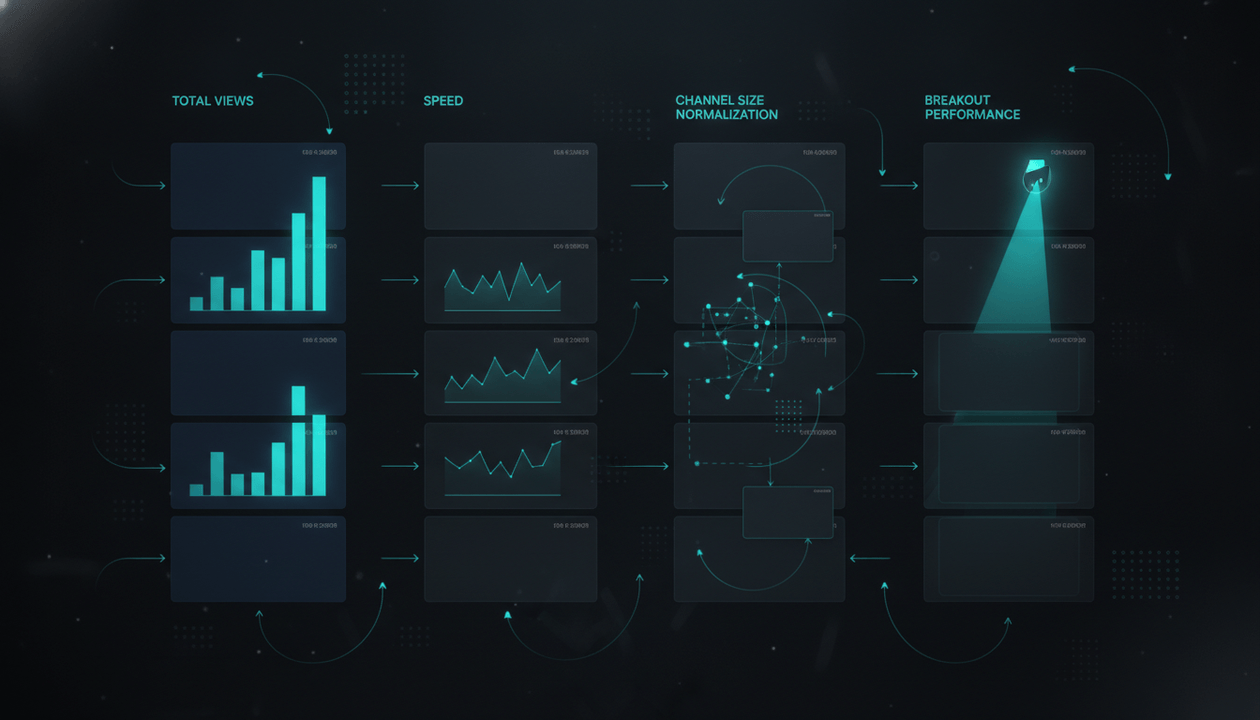
The best faceless YouTube research tool is not the one that gives you the most video ideas.
It is the one that helps you avoid producing videos that should never have been made.
That is the expensive mistake.
A weak faceless video is not just a bad upload. It is a wasted script, a wasted voiceover, a wasted edit, a wasted thumbnail, a wasted publishing slot, and sometimes a wasted month of testing the wrong niche.
Most creators do research too late.
They pick a niche because it sounds profitable. They generate topics because an AI tool gave them a list. They write the script because the title sounds interesting. Then they spend money on voiceover, visuals, editing, captions, and thumbnails before they have real evidence that the idea deserves production.
That is backwards.
A serious faceless YouTube workflow starts with research.
Before you write the script, you need to know:
- Is this niche still producing breakout channels?
- Are small channels getting outsized views?
- Which topics are beating the channel baseline?
- What title and thumbnail patterns are working?
- What audience promise keeps showing up?
- Can this format be repeated?
- Is the content original enough to build long-term?
- Can you produce it consistently without burning cash?
This guide breaks down what a faceless YouTube research tool should actually do, which tool categories are useful, where common tools fall short, and how to build a proof-first workflow before spending money on scripts and editing.
Key Takeaways
- The best faceless YouTube research tool should help you find proven demand before production, not just generate random video ideas.
- A strong research workflow studies channels, breakout videos, titles, thumbnails, hooks, audience promise, repeatability, monetization fit, and production complexity.
- Tools like Viewstats, 1of10, vidIQ, TubeBuddy, Social Blade, YouTube Studio, Google Trends, YouTube search, and AI assistants can all help, but they solve different parts of the workflow.
- Faceless creators need more than keyword research. They need competitor intelligence, pattern extraction, packaging analysis, originality checks, and planning.
- YouTube’s monetization policies say creators should publish original and authentic content, and they warn against mass-produced or repetitive content with little variation. Source: YouTube Help
- YouTube also says titles and thumbnails are often what viewers see first, and misleading packaging can cause viewers to stop watching. Source: YouTube Help
- OverseerOS is built for the full proof-first faceless workflow: finding breakout channels, analyzing public performance signals, reverse-engineering channel blueprints, studying viral videos, planning original topics, generating titles, writing scripts, creating thumbnails, and moving into production.
Quick Verdict: Best Faceless YouTube Research Tools by Use Case
| Tool | Best For | Main Strength | Main Weakness |
|---|---|---|---|
| OverseerOS | Faceless creators who want research, strategy, scripts, thumbnails, and production in one workflow | Turns public YouTube signals into original content decisions and connected production workflows | Best when you want a full YouTube system, not just a simple analytics checker |
| Viewstats | Finding outlier videos, competitor activity, and thumbnail inspiration | Strong public YouTube analytics, outlier discovery, competitor tracking, and thumbnail research | More analytics and inspiration focused than full script-to-production workflow |
| 1of10 | Finding data-backed ideas, outliers, titles, and thumbnail directions | Simple creator-focused idea and outlier workflow | Less focused on full faceless production systems and channel blueprint execution |
| vidIQ | YouTube SEO, ideas, optimization, and creator coaching | Strong creator tools, AI ideas, optimization, browser extension, and coaching ecosystem | Can become broad, and not every workflow is built specifically for faceless channel operators |
| TubeBuddy | Keyword research, SEO, A/B testing, and optimization | Strong YouTube SEO, keyword discovery, title and thumbnail testing, and channel optimization | Better for optimization than complete competitor-to-script faceless workflow |
| Social Blade | Quick channel stats and public growth checks | Fast public subscriber and view tracking across platforms | Good for surface-level checks, weak for strategy, packaging, scripts, and production |
| YouTube Studio | Your own channel analytics | Best source for your private retention, CTR, impressions, and audience behavior | Only works after you publish, and it cannot analyze competitor private data |
| Google Trends + YouTube Search | Early topic discovery and search demand | Useful for spotting search interest and autocomplete patterns | Does not show full packaging, channel blueprint, or competitor content systems |
| ChatGPT or NotebookLM | Turning research notes into outlines, briefs, and ideas | Flexible writing and synthesis support | Weak if you feed it no real YouTube evidence |
The short version:
If you only want public stats, use Social Blade.
If you want YouTube SEO optimization, use TubeBuddy or vidIQ.
If you want outlier discovery and competitor inspiration, use Viewstats or 1of10.
If you want a faceless YouTube workflow that connects research, channel reverse-engineering, video analysis, content planning, scripts, thumbnails, and production, use OverseerOS.
Why Faceless YouTube Research Is Different
Faceless YouTube is not normal YouTube.
A personality-led creator can sometimes survive weak research because the audience comes for the creator.
A faceless channel usually cannot.
The idea, packaging, script, voiceover, pacing, and production system have to carry the whole video.
That means research matters more.
A faceless channel has fewer soft advantages:
- No recognizable face
- No personal relationship with the viewer yet
- No built-in trust from personality
- No natural vlog-style looseness
- No easy behind-the-scenes content
- No creator charisma to save a weak topic
So the research must do heavier work.
It has to answer:
Why would a stranger click this video from a faceless channel?
And then:
Why would that stranger keep watching after they realize there is no human face on screen?
That is why faceless creators need tools that go beyond keyword volume.
They need proof that a specific content pattern can work.
What a Faceless YouTube Research Tool Should Actually Do
A real faceless YouTube research tool should help you make better production decisions.
Not just more ideas.
Here are the nine jobs it should handle.
| Research Job | Why It Matters |
|---|---|
| Find breakout channels | Shows where demand is already forming |
| Identify outlier videos | Reveals videos that beat the channel’s normal baseline |
| Analyze titles | Shows how creators frame curiosity |
| Analyze thumbnails | Shows the visual promise that earns the click |
| Study hooks | Shows how the first seconds continue the title-thumbnail promise |
| Extract channel blueprints | Turns scattered observations into a repeatable strategy |
| Score topic ideas | Helps avoid producing weak ideas |
| Plan original videos | Turns research into a content calendar |
| Connect to production | Moves strong ideas into scripts, thumbnails, voiceover, and video workflows |
If a tool only gives you one of these, it can still be useful.
But it is not the full system.
The Core Problem: Most Tools Help After the Idea, Not Before It
A lot of YouTube tools are built around optimization.
That is useful, but optimization assumes you already picked a good idea.
For example:
- Keyword tools help you optimize around search terms.
- Title tools help you improve the title.
- Thumbnail tools help you improve the image.
- Analytics tools help you understand what happened.
- Editing tools help you produce faster.
- AI writing tools help you draft the script.
But the most important question comes earlier:
Should this video exist at all?
That is where faceless creators lose money.
They make videos that are well-edited but strategically dead.
They make videos where:
- The topic is too broad.
- The niche is too crowded.
- The title has no tension.
- The thumbnail has no question.
- The script has no fresh angle.
- The format is hard to repeat.
- The audience has low value.
- The video copies a trend too late.
- The idea was generated from prompts, not proof.
A good faceless YouTube research tool should stop bad videos before they enter production.
The Faceless YouTube Research Stack
You do not need every tool.
You need the right stack for your workflow.
Here are the main categories.
1. Public channel analytics tools
These tools help you check public channel performance.
They can show:
- Subscribers
- Views
- Upload count
- Growth trends
- Top videos
- Estimated performance
- Public channel history
Examples include Social Blade, Viewstats, and parts of OverseerOS Channel Analyzer.
Use these tools to answer:
Is this channel actually growing, or does it only look impressive?
The danger:
Surface-level stats can trick you.
A channel with many subscribers may be declining.
A channel with low subscribers may have incredible view-to-subscriber ratios.
A channel with one huge video may not have a repeatable format.
Do not stop at public stats.
Use them as the first filter.
2. Outlier and breakout video tools
These are more important than basic analytics.
An outlier video is a video that performs better than expected compared with the channel’s baseline.
Example:
- Channel average: 25,000 views
- Breakout video: 380,000 views
That video is a signal.
It may reveal:
- A better topic
- A stronger title frame
- A more emotional thumbnail
- A trend the niche cares about
- A format the channel should repeat
- A topic cluster worth entering
Viewstats positions around outlier discovery, competitor tracking, thumbnail research, and real-time YouTube data. Its homepage says creators can track trends, analyze competitors, find outlier videos, and see popular thumbnail styles in a niche. Source: Viewstats
1of10 also positions itself around data-backed ideas, viral thumbnails, winning titles, and outlier discovery. Source: 1of10
Use outlier tools to answer:
Which videos are beating normal expectations?
The danger:
Not every outlier is repeatable.
Some videos explode because of:
- A one-time news event
- A celebrity mention
- A controversy
- A shock thumbnail
- A trend that already passed
- A topic that only works once
- A creator-specific story you cannot reproduce
You still need judgment.
3. Keyword and SEO tools
Keyword tools help you understand search demand.
TubeBuddy emphasizes YouTube SEO, keyword discovery, SEO Studio, A/B testing, channel insights, and thumbnail tools. Source: TubeBuddy
vidIQ positions around AI-powered ideas, optimization, and creator coaching for getting more views and subscribers. Source: vidIQ
These tools can help answer:
- Are people searching this topic?
- What phrases are commonly used?
- Is the keyword competitive?
- Can this video rank in search?
- What tags or descriptions might support discovery?
- Which related topics are worth considering?
This matters for evergreen faceless channels like:
- Education
- Finance
- Software tutorials
- Health explainers
- Productivity
- Tech reviews
- History explainers
- “How it works” channels
The danger:
YouTube is not only search.
A video can have low search volume and still explode through browse, suggested videos, Shorts, or recommendation surfaces.
A faceless documentary video titled:
The Company Quietly Building the AI Internet
may not be built around a classic keyword.
But it can still work if the packaging, topic, and audience promise are strong.
SEO tools are useful.
They are not the whole strategy.
4. Title and thumbnail research tools
Title and thumbnail research is where faceless videos often win or die.
YouTube says thumbnails and titles are usually what viewers see first, and they help viewers decide whether to watch. It also warns that misleading titles may cause viewers to stop watching, which can affect discoverability. Source: YouTube Help
A good research tool should help you study:
- Title formulas
- Curiosity gaps
- Emotional triggers
- Specificity
- Stakes
- Thumbnail focal point
- Visual contrast
- Text hierarchy
- Visual metaphor
- Title-thumbnail alignment
Weak research:
This thumbnail is blue and has big text.
Strong research:
This thumbnail shows a familiar object being replaced by a strange new force. The title explains the threat, while the image makes the threat visible.
That is a reusable pattern.
OverseerOS AI YouTube Thumbnail Generator is built around proven YouTube packaging patterns. It can create thumbnails from scratch, clone the visual DNA of a YouTube URL, clone from analyzed channels, or start from a 1M+ view thumbnail style library. AI YouTube thumbnail generator built from proven 1M+ view styles
The goal is not to copy.
The goal is to understand design principles behind clicks and apply them to your own original topic.
5. Video analyzer tools
A video analyzer is different from a channel analyzer.
A channel analyzer answers:
What is working across this channel?
A video analyzer answers:
Why did this specific video work?
For faceless YouTube, this is critical.
A strong video analyzer should inspect:
- Title
- Thumbnail
- Hook
- Intro structure
- Video type
- Audience promise
- Dominant emotion
- Script structure
- Pacing
- CTA pattern
- Transcript outline when available
- Packaging alignment
OverseerOS Viral X-Ray is built for this job. It helps creators analyze a YouTube video URL or Shorts URL using public signals, title, thumbnail, hook, structure, tone, audience, emotions, and script strategy. It can also support transcript-based outline extraction and thumbnail psychology analysis when available. OverseerOS Viral X-Ray AI YouTube Video Analyzer
Use this type of tool before writing a script.
It helps answer:
What pattern should I learn from this video before making my own original version?
6. Channel blueprint tools
This is where the best faceless research becomes strategy.
A channel blueprint is not just data.
It is the operating system behind a channel.
It includes:
- Audience promise
- Content pillars
- Topic formulas
- Title formulas
- Thumbnail style
- Hook patterns
- Pacing
- Tone
- Structure
- Upload rhythm
- Production complexity
- Monetization fit
- Untapped opportunities
OverseerOS Channel Blueprint Cloner is designed to turn a public YouTube channel into a structured content strategy blueprint with tone DNA, hooks, pacing, viral formulas, tags, keywords, and untapped topic opportunities. OverseerOS features
This matters because faceless creators do not just need “ideas.”
They need repeatable systems.
A good blueprint helps you answer:
Can I build a channel around this demand for the next 90 videos?
Not:
Can I copy one video this week?
7. Content planning tools
Research is useless if it never becomes a plan.
A content planner should help you organize:
- Saved channels
- Breakout videos
- Topic ideas
- Video briefs
- Scripts
- Voiceovers
- Thumbnail concepts
- Publishing schedule
- Status
- Production notes
- Channel fit
- Priority
OverseerOS AI YouTube Content Planner is built for proof-first video ideas, connecting public competitor signals, breakout videos, saved ideas, scripts, and voiceovers in one workflow. OverseerOS creator tools
This matters because most creators lose strategy during handoff.
The idea starts strong.
Then the scriptwriter gets a vague title.
The thumbnail designer gets no visual brief.
The editor gets no retention notes.
The final video looks like production, not strategy.
A planning tool should protect the original insight all the way to upload.
The Best Tool Depends on the Job
This is the clean decision framework.
| Your Goal | Best Tool Type |
|---|---|
| Check if a channel is growing | Public analytics tool |
| Find videos outperforming baseline | Outlier discovery tool |
| Find search-based topics | YouTube keyword tool |
| Study titles and thumbnails | Packaging research tool |
| Break down one viral video | Video analyzer |
| Build a repeatable channel strategy | Channel blueprint tool |
| Turn research into a content calendar | Content planner |
| Create scripts from proven patterns | Script workflow tool |
| Create thumbnails from proven patterns | Thumbnail generator with style references |
| Produce faceless videos faster | Script-first production tool |
The mistake is expecting one old-school analytics dashboard to solve all of this.
Faceless YouTube is a workflow.
So the best tool is the one that matches the stage where you are currently weak.
Tool Comparison: What Each Option Is Actually Best At
OverseerOS
Best for:
- Faceless YouTube creators
- YouTube automation teams
- Multi-channel operators
- Agencies producing strategy, scripts, thumbnails, and faceless videos
- Creators who want proof-first workflows instead of random AI prompts
OverseerOS is strongest when you want a connected system.
It helps with:
- Channel analysis
- Viral channel discovery
- Breakout video research
- Channel blueprint cloning
- Viral X-Ray video analysis
- Title generation
- Hook research
- Script Studio
- Script ReSpark
- Creator DNA
- Smart Content Planner
- AI YouTube Thumbnail Generator
- Voiceover workflows
- OverseerOS Auto Edit Studio for faceless video production
The key difference is workflow connection.
A normal tool might help you find a topic.
OverseerOS is designed to help you move from public YouTube signal to original video plan, script, thumbnail, voiceover, planner, and production workflow.
Best fit:
You want to build faceless videos from proven public patterns, not brainstorm from scratch.
Not best fit:
You only want a simple subscriber counter or a single-purpose keyword tool.
Viewstats
Best for:
- Outlier discovery
- Competitor tracking
- Thumbnail inspiration
- Public YouTube analytics
- Creators who want a MrBeast-style analytics lens
Viewstats says it helps creators track trends, analyze competitors, find outlier videos, and see popular thumbnails in a niche using real-time YouTube data. Source: Viewstats
This makes it useful for spotting public performance signals.
Best fit:
You want to see what is outperforming and keep up with competitor activity.
Main limitation:
It is more analytics and inspiration focused than a complete faceless workflow for scripting, planning, thumbnails, voiceover, and production.
1of10
Best for:
- Finding data-backed ideas
- Generating titles
- Generating thumbnail directions
- Finding outliers
- Creator inspiration
1of10 positions itself as a way to find data-backed ideas, generate viral thumbnails, craft winning titles, and find outliers. Source: 1of10
Best fit:
You want a simple idea and packaging workflow with data-backed inspiration.
Main limitation:
It may not replace a full channel blueprint, script, planner, and faceless production workflow.
vidIQ
Best for:
- AI-powered YouTube ideas
- Optimization
- Creator coaching
- Browser extension workflows
- Broad creator growth support
vidIQ positions itself around AI-powered ideas, optimization, and creator coaching that help creators get more views and subscribers. Source: vidIQ
Best fit:
You want a broad creator growth assistant with optimization and education.
Main limitation:
It is not only built for faceless channel operators, and broad idea generation still needs evidence and creator judgment.
TubeBuddy
Best for:
- YouTube SEO
- Keyword discovery
- SEO Studio
- A/B testing
- Thumbnail tools
- Channel optimization
TubeBuddy describes itself as a YouTube SEO and growth tool with keyword discovery, ranking optimization, CTR optimization, analytics, A/B testing, and content strategy tools. Source: TubeBuddy
Best fit:
You want help optimizing videos, keywords, titles, thumbnails, and channel performance.
Main limitation:
It is stronger for optimization than full reverse-engineered faceless content production.
Social Blade
Best for:
- Fast public stats
- Subscriber tracking
- View tracking
- Growth history
- Quick competitor checks
Social Blade tracks public YouTube and other social platform statistics using public platform data. Source: Social Blade
Best fit:
You want a quick first look at a channel’s public performance.
Main limitation:
It does not tell you why a video worked, how to package your own version, or how to turn research into a production workflow.
YouTube Studio
Best for:
- Your own private analytics
- CTR
- Impressions
- Retention
- Traffic sources
- Returning viewers
- Audience behavior
- Post-publish learning
YouTube Studio is essential.
But it is reactive.
It tells you what happened after you published.
Best fit:
You already have videos and need to improve future uploads from your own data.
Main limitation:
It cannot tell you a competitor’s private retention curve, private revenue, or internal recommendation data.
Google Trends and YouTube Search
Best for:
- Search interest
- Autocomplete ideas
- Seasonal demand
- Topic language
- Related queries
- Early market checks
These are free and underrated.
Best fit:
You want to understand what people are searching, how they describe a problem, and whether interest is rising.
Main limitation:
Search demand is not the same as YouTube packaging demand. Many great YouTube videos are driven by browse and suggested discovery, not direct keyword search.
ChatGPT, Claude, Gemini, or NotebookLM
Best for:
- Turning research notes into briefs
- Synthesizing transcripts
- Creating outlines
- Rewriting hooks
- Building checklists
- Generating title variations
- Organizing messy research
AI assistants are powerful after research.
They are weak before research.
Best fit:
You already have channel data, examples, titles, thumbnails, transcripts, and patterns.
Main limitation:
If you ask AI for ideas without proof, it often gives you plausible generic ideas.
The Faceless YouTube Research Workflow I Would Use
Here is the full workflow before spending money on scripts and editing.
Step 1: Pick the niche hypothesis
Do not start with a vague niche like:
AI
Start with a specific demand hypothesis:
Ambitious professionals want to understand which AI shifts could affect their jobs, tools, and income.
Or:
Beginner investors want visual explanations of financial systems they hear about but do not fully understand.
Or:
History viewers want forgotten power struggles explained like modern documentaries.
The niche hypothesis should include:
- Viewer
- Desire
- Emotional trigger
- Content format
- Monetization angle
- Production feasibility
Template:
This channel will help [viewer type] understand [specific topic category] so they can [desired outcome or emotional payoff], using [format].
Example:
This channel will help creators understand what is working on YouTube by breaking down public channel patterns, viral packaging, and repeatable video systems.
Step 2: Find 10 competitor or inspiration channels
Look for channels that match your demand hypothesis.
Track:
- Channel name
- URL
- Subscribers
- Total videos
- Average recent views
- Upload frequency
- Content format
- Production style
- Monetization signals
- Breakout videos
- Repetition of formats
Do not only study huge channels.
Small breakout channels are often more useful.
A 30,000-subscriber channel getting 400,000 views on recent uploads may teach you more than a 5-million-subscriber channel coasting on old momentum.
Step 3: Identify breakout videos
For each channel, find videos that beat the channel’s normal baseline.
Ask:
- What topic caused the breakout?
- What title made it clickable?
- What thumbnail made the promise visual?
- Was the topic evergreen, trend-based, emotional, controversial, useful, or surprising?
- Could this pattern be repeated?
- Could a new channel enter this space with a different angle?
Do not just save the video.
Save the reason it worked.
Step 4: Extract title and thumbnail patterns
For each breakout video, write:
| Layer | Question |
|---|---|
| Title promise | What does the title make the viewer expect? |
| Thumbnail question | What visual question does the thumbnail create? |
| Curiosity gap | What information is missing that makes the click feel necessary? |
| Stakes | What happens if the viewer ignores this? |
| Emotional trigger | Fear, greed, curiosity, status, identity, relief, outrage, wonder? |
| Specificity | Is the idea concrete enough to feel real? |
| Originality path | How can you create a different version without copying? |
This is where most creators get lazy.
They write:
Good thumbnail.
That is useless.
Write:
Thumbnail shows a familiar object being threatened by an unexpected force. The title names the threat. The viewer clicks to understand whether the threat is real.
That is a pattern.
Step 5: Score each topic before scripting
Use this scoring table.
| Factor | Question | Score 1 to 5 |
|---|---|---|
| Demand proof | Have similar videos worked recently? | |
| Packaging strength | Can we create a strong title and thumbnail? | |
| Retention path | Can the topic hold attention for the full video? | |
| Original angle | Is our version meaningfully different? | |
| Production fit | Can we make it well with our budget? | |
| Repeatability | Can this become a series or content pillar? | |
| Monetization fit | Does it attract valuable viewers? | |
| Risk | Is it safe, original, and sponsor-friendly? |
Do not produce low-scoring ideas.
A video idea should earn the right to enter production.
Step 6: Build the video brief before the script
A faceless video brief should include:
- Working title
- Backup titles
- Thumbnail concept
- Viewer promise
- Opening hook
- Unique thesis
- Proof needed
- Source examples
- Script structure
- Visual direction
- Voiceover tone
- Retention notes
- CTA
- Originality check
- Production complexity
This protects the video from becoming generic.
A scriptwriter should not receive:
Make a video about AI tools.
They should receive:
Make a 10-minute video about why AI tools are not replacing creators, but are replacing weak creative managers. The video should open with the idea that AI made production cheap, which made strategy more valuable. Use examples from YouTube, thumbnails, scripting, editing, and content planning. The thumbnail should show a messy AI prompt wall versus one clean strategy system. The tone should be direct, skeptical, and creator-native.
That is a brief.
Step 7: Only then move into production
Now you can spend money on:
- Script
- Voiceover
- AI visuals
- Editing
- Captions
- Thumbnail
- Music
- Export
This is where OverseerOS Auto Edit Studio fits.
OverseerOS Auto Edit Studio is built for script-first faceless video production. It turns a finished script and voiceover into a structured workflow with scenes, AI visuals, captions, music, motion, style direction, and export controls.
The order matters:
Research first.
Script second.
Production third.
Not the other way around.
What Makes OverseerOS Different for Faceless Research
Most tools solve one slice.
OverseerOS is designed around the connected creator workflow.
That matters because the biggest faceless YouTube failure is not lack of tools.
It is disconnected decisions.
A creator uses one tool to find a channel.
Another tool to generate titles.
Another tool to write a script.
Another tool to generate a thumbnail.
Another tool for voiceover.
Another tool for video.
By the time the video is done, the original research insight is gone.
OverseerOS is built to keep the workflow connected:
- Find viral and breakout channels with OverseerOS Viral Channel Finder.
- Analyze a channel with OverseerOS AI YouTube Channel Analyzer.
- Turn the channel into a strategy blueprint with OverseerOS Channel Blueprint Cloner.
- Study specific winners with OverseerOS Viral X-Ray.
- Generate titles with OverseerOS Viral Title Architect.
- Study hooks with OverseerOS Hook Library.
- Plan videos with OverseerOS Smart Content Planner.
- Write scripts with OverseerOS Script Studio.
- Improve drafts with OverseerOS Script ReSpark.
- Create thumbnails with OverseerOS AI YouTube Thumbnail Generator.
- Generate or manage voiceover workflows.
- Produce faceless videos with OverseerOS Auto Edit Studio.
The point is not that every creator needs every feature on day one.
The point is that faceless YouTube is not one task.
It is a pipeline.
OverseerOS is built for the pipeline.
The “Before You Spend Money” Research Checklist
Run this before ordering a script, hiring an editor, generating visuals, or producing the video.
- I can name the specific viewer this video is for.
- I have found at least 3 recent videos proving demand in this topic area.
- I know whether this idea is search-led, browse-led, suggested-led, or trend-led.
- I can explain why the title would make someone click.
- I can sketch the thumbnail promise in one sentence.
- I know what the first 30 seconds must prove.
- I have a unique thesis, not just a topic.
- I have enough examples or evidence to support the video.
- The video is meaningfully different from the source inspiration.
- The format can be repeated in future uploads.
- The production style fits my budget and timeline.
- The content adds original commentary, education, or narrative value.
- The idea attracts the kind of viewer I want long-term.
- The video fits the channel’s content pillars.
- I know what to make next if this video works.
If you cannot check most of these, do not produce yet.
Research more.
Red Flags: When Not to Produce the Video
Do not produce the video if:
- The only reason you like it is because another channel got views.
- The title sounds interesting but the thumbnail is unclear.
- The topic is too broad to explain well.
- The idea has no original thesis.
- The video depends on copied footage or reused content.
- The audience value is low.
- The format is too expensive to repeat.
- The niche has views but no monetization path.
- The channel you are modeling has only one breakout video.
- The idea is already old by the time you start production.
- You cannot explain the viewer promise in one sentence.
Faceless creators need discipline.
The easiest way to save money is to kill weak ideas early.
Example: Researching a Faceless AI Channel Before Production
Let’s say you want to start a faceless AI channel.
Weak workflow:
AI is hot. Generate 20 video ideas. Write scripts. Make videos.
Better workflow:
Niche hypothesis
This channel helps ambitious professionals understand how AI changes work, software, and online business before those changes become obvious.
Competitor research
You find 10 channels covering:
- AI tools
- future of work
- AI news
- tech documentaries
- SaaS disruption
- creator automation
- AI productivity
- automation tutorials
- Big Tech strategy
- software business models
Breakout pattern
You notice several videos winning around the same deeper promise:
A familiar workflow is being quietly replaced by AI.
Title patterns
- “The AI Tool That Could Replace X”
- “Why Every Company Is Adding AI to X”
- “The Hidden Problem With AI Agents”
- “This Is Where AI Gets Expensive”
- “The New Job AI Is Creating”
Thumbnail patterns
- Familiar interface being replaced
- Human role versus AI system
- Broken pricing page
- One object under threat
- Simple visual metaphor with minimal text
Strong original topic
AI Agents Could Break SaaS Pricing
Why it passes research
- AI agents are a current topic.
- SaaS pricing is a real business concern.
- The viewer is valuable: creators, founders, operators, marketers, software buyers.
- The title has stakes.
- The thumbnail can show subscription pricing being replaced by an autonomous agent.
- The video can use examples and a clear framework.
- The angle is more specific than “AI agents explained.”
- It can lead to more videos about AI workflows, software, creator tools, pricing, and automation.
Production decision
This idea deserves a brief.
Not because AI is popular.
Because the research shows a specific viewer demand, a repeatable pattern, and a clear packaging path.
Example: Researching a Faceless Finance Channel Before Production
Weak workflow:
Finance channels make money. Let’s make videos about money.
Better workflow:
Niche hypothesis
This channel helps young professionals understand financial systems, hidden costs, and economic decisions that affect their daily life.
Competitor research
You study channels covering:
- personal finance
- economic explainers
- investing basics
- housing markets
- inflation
- retirement
- credit cards
- debt
- tax explainers
- business breakdowns
Breakout pattern
The strongest videos are not generic investing tips.
They are videos that expose hidden systems:
- Why rent feels impossible
- Why salaries do not stretch
- Why subscriptions quietly drain income
- Why cars are more expensive than they look
- Why credit card rewards are not free
Original topic
The Hidden Subscription Trap Killing Your Monthly Budget
Why it passes research
- It has broad audience relevance.
- It is visual.
- It is evergreen.
- It can attract finance sponsors or affiliate offers.
- It can be explained with simple examples.
- It has emotional tension.
- It can become a series about hidden financial systems.
That is how research turns a broad niche into a usable video.
Example: Researching a Faceless History Channel Before Production
Weak workflow:
History videos get views. Let’s use AI to make history documentaries.
Better workflow:
Niche hypothesis
This channel explains forgotten historical events as power struggles that still shape the modern world.
Competitor research
You study channels covering:
- ancient empires
- military strategy
- forgotten rulers
- lost cities
- war decisions
- strange historical events
- political betrayals
- historical myths
- economic history
- modern parallels
Breakout pattern
Videos win when they make history feel urgent:
- A forgotten decision changed a modern border.
- A ruler made one mistake that destroyed an empire.
- A hidden trade route created a power shift.
- A failed invasion explains a modern conflict.
- A lost technology changed how people lived.
Original topic
The Forgotten Trade Route That Made Empires Rich
Why it passes research
- It has curiosity.
- It is visual.
- It can be documentary-style.
- It connects history to power and money.
- It can become a repeatable format.
- It does not require a human face.
- It can be produced with narration, maps, archival-style visuals, and AI scenes.
This is faceless research working correctly.
Why “Best AI Video Generator” Is Usually the Wrong First Search
Many beginners search for the best AI video generator before they search for the best YouTube research tool.
That is the wrong order.
AI video generators help you make the asset.
Research tools help you decide whether the asset should exist.
A beautiful video with a weak topic still fails.
A polished edit cannot save:
- A boring premise
- A copied title
- A confusing thumbnail
- A generic script
- A low-value audience
- A dead niche
- A one-time trend
- A format you cannot repeat
Production speed is useful only after strategy is clear.
That is why OverseerOS Auto Edit Studio starts after the script and voiceover are ready. It is a production engine, not a magic strategy replacement.
The best faceless workflow is:
- Research demand.
- Analyze patterns.
- Pick the right idea.
- Build the title and thumbnail promise.
- Write the script.
- Generate or record the voiceover.
- Produce the video.
Skipping the first four steps is how creators waste money faster.
The Best Faceless YouTube Research Tool Should Help You Say No
This is the underrated point.
A good research tool does not just give you ideas.
It gives you reasons to reject ideas.
Reject the niche if:
- Only giant channels are winning.
- Small channels cannot break through.
- Most wins are old.
- The audience is too broad.
- The production style is too expensive.
- The content relies on reused clips.
- The format has no repeatability.
- There is no monetization path.
Reject the topic if:
- The title is weak.
- The thumbnail is unclear.
- The idea has no stakes.
- The source video already answered it fully.
- You have no original angle.
- The video cannot hold attention.
- The topic does not fit your channel promise.
Reject the script if:
- The opening does not continue the title-thumbnail promise.
- The structure is just a list.
- The examples are generic.
- The voiceover sounds like AI filler.
- There is no fresh insight.
- The ending does not pay off the question.
Most creators want tools that say yes.
Operators need tools that help them say no faster.
Final Verdict: Research Before You Produce
The best faceless YouTube research tool is the one that helps you make better decisions before money leaves your pocket.
Not the prettiest dashboard.
Not the biggest idea generator.
Not the tool with the most vague “viral” claims.
The best tool helps you answer:
- What is already working?
- Why is it working?
- Is it repeatable?
- Can I make an original version?
- Can I package it clearly?
- Can I produce it well?
- Can this become a channel, not just one upload?
If you only need stats, use a stats tool.
If you only need SEO, use a YouTube SEO tool.
If you only need outliers, use an outlier tool.
But if you are building faceless YouTube videos and need research, strategy, scripts, thumbnails, planning, and production connected, OverseerOS is built for that workflow.
Start with public proof.
Find what is working.
Extract the pattern.
Build an original idea.
Then spend money on production.
That is how you stop wasting scripts, edits, thumbnails, and months on videos that were never strong enough to make.
FAQ
What is the best faceless YouTube research tool?
The best faceless YouTube research tool depends on the job. For a full research-to-production workflow, OverseerOS is built for faceless creators who want to analyze channels, find breakout videos, clone content blueprints, plan original topics, write scripts, create thumbnails, and move into production. For public analytics and outlier discovery, Viewstats and 1of10 are useful. For YouTube SEO and optimization, vidIQ and TubeBuddy are strong options.
What should I research before starting a faceless YouTube channel?
Research the niche, audience promise, competitor channels, breakout videos, title patterns, thumbnail patterns, script structures, monetization fit, production complexity, and repeatability. Do not start with random video ideas. Start by finding proof that similar videos are working now.
How do I know if a faceless YouTube niche is worth entering?
A faceless YouTube niche is worth entering if small or mid-sized channels are still getting breakout views, the audience has clear demand, topics are repeatable, production is realistic, monetization is possible, and you can create original videos without copying existing creators.
Are YouTube keyword tools enough for faceless channel research?
No. Keyword tools are useful for search-led content, but faceless YouTube growth often depends on browse, suggested videos, title-thumbnail psychology, storytelling, retention, and topic packaging. You need competitor research, breakout analysis, and packaging analysis too.
What is an outlier video?
An outlier video is a video that performs much better than a channel’s normal baseline. For example, if a channel usually gets 20,000 views and one video gets 300,000 views, that video is an outlier. Outliers are useful because they reveal unusual audience demand.
Should I use AI to generate faceless YouTube ideas?
Yes, but only after research. AI can help generate and organize ideas, but raw prompting often creates generic topics. You will get better ideas if you first provide evidence from competitor channels, breakout videos, title patterns, thumbnails, audience promises, and content gaps.
What is the difference between channel analysis and video analysis?
Channel analysis studies the overall pattern of a YouTube channel, including public stats, top videos, upload rhythm, engagement, and content direction. Video analysis studies one specific video, including its title, thumbnail, hook, structure, audience promise, and why it may have worked.
Can I copy ideas from successful faceless YouTube channels?
You should not copy titles, thumbnails, scripts, visuals, or full video structures. A safer strategy is to reverse-engineer public patterns and create original videos from those patterns. YouTube’s monetization policies reward original and authentic content and warn against repetitive or reused content with little added value.
Why do faceless YouTube videos fail?
Faceless YouTube videos usually fail because the idea is weak before production starts. Common problems include generic topics, copied packaging, unclear thumbnails, boring hooks, weak scripts, poor pacing, low originality, and no repeatable content strategy.
What makes OverseerOS different from a normal YouTube analytics tool?
A normal analytics tool shows numbers. OverseerOS is designed to connect research to action. It helps creators analyze public YouTube signals, reverse-engineer channel blueprints, study viral videos, plan original topics, generate titles, write scripts, create thumbnails, and move faceless videos into production with OverseerOS Auto Edit Studio.