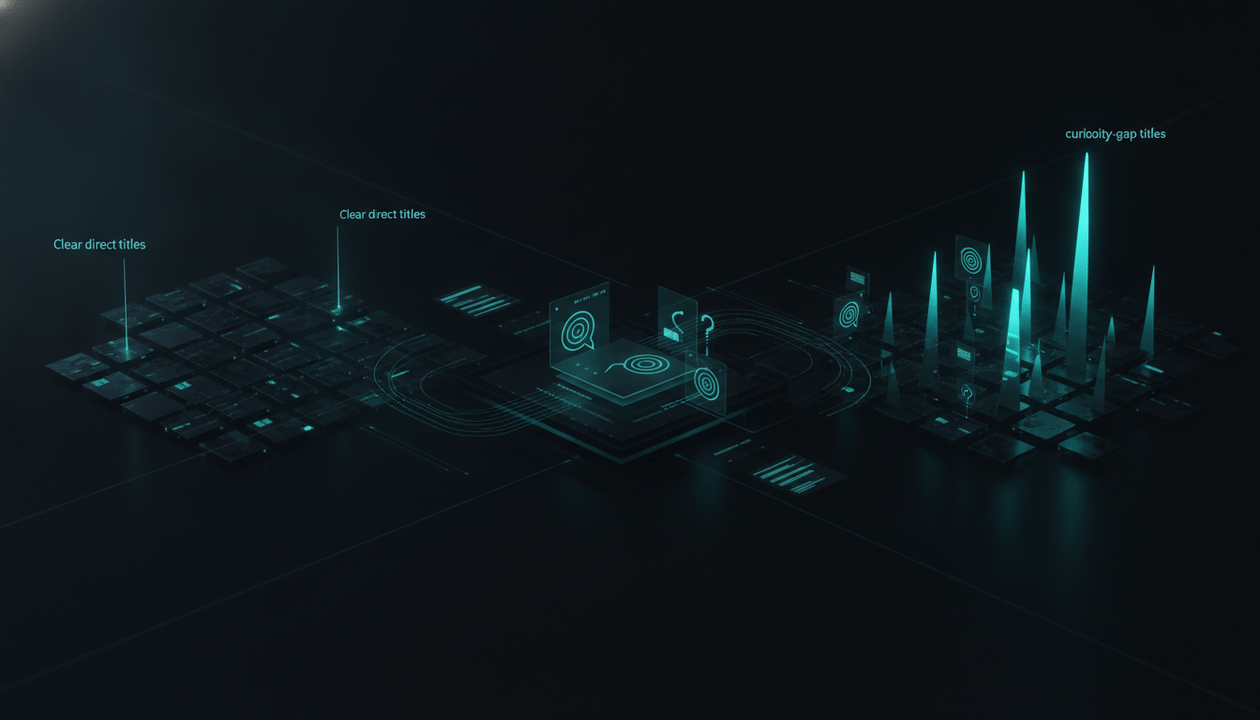
Most AI thumbnail prompts are bad because they describe an image instead of designing a click.
That is why creators end up with the same generic output over and over: glowing backgrounds, shocked faces, random arrows, fake-looking text, and thumbnails that look “AI-generated” before they look clickable.
A YouTube thumbnail prompt generator should solve a deeper problem.
It should help you turn a video idea into a thumbnail prompt that understands YouTube packaging: the visual hook, the emotional angle, the text hierarchy, the title relationship, the niche style, and the one thing a viewer needs to feel before they click.
That is the missing layer.
The strongest creators do not prompt from a blank page. They start from proven thumbnail patterns, then turn those patterns into original concepts. That is the same idea behind the AI YouTube thumbnail generator built around proven thumbnail styles inside OverseerOS.
Key Takeaways
- A good YouTube thumbnail prompt generator should create packaging prompts, not generic image prompts.
- The best prompts define the viewer emotion, visual hook, focal point, text, composition, contrast, and title relationship.
- Weak prompts usually describe the topic. Strong prompts create a question the viewer wants answered.
- AI thumbnail prompts work better when they are based on proven YouTube patterns instead of random design taste.
- You should generate multiple prompt angles for the same video: fear, curiosity, proof, conflict, transformation, or outcome.
- YouTube allows creators to test up to three thumbnails and/or titles through its A/B testing workflow, so creating real variations matters. Source: YouTube Help
- OverseerOS helps creators move faster by creating thumbnail ideas from scratch, YouTube URLs, analyzed channel styles, and a 1M+ view thumbnail style library.
What Is a YouTube Thumbnail Prompt Generator?
A YouTube thumbnail prompt generator helps you create better text prompts for AI thumbnail tools.
Instead of typing something vague like:
Make a YouTube thumbnail about AI tools.
A good prompt generator turns your video idea into something more strategic:
Create a high-contrast YouTube thumbnail for a video about AI tools replacing online workers. Use one dominant visual: an empty office chair facing a glowing AI dashboard. Add a dark cinematic SaaS background, strong teal and red contrast, and short bold thumbnail text: “NO ONE NOTICED.” Leave clean space around the focal point. Make it feel urgent, mysterious, and professional. 16:9 layout, mobile-readable, no clutter, no real logos, no copied creator style.
That is a completely different level of instruction.
The first prompt gives the AI a topic.
The second prompt gives the AI a click strategy.
Why Most AI Thumbnail Prompts Fail
Most creators treat thumbnail prompts like image descriptions.
They write:
- “make it eye-catching”
- “make it viral”
- “use bold colors”
- “make it cinematic”
- “add a shocked face”
- “make it look professional”
The problem is that these words are too vague.
AI image tools do not automatically know your niche, audience, promise, title, retention angle, or the kind of curiosity that gets people to click. If the prompt does not define the packaging strategy, the output becomes decoration.
Here is the difference:
| Weak Prompt | Better Prompt |
|---|---|
| “Make a thumbnail about productivity.” | “Create a thumbnail showing a stressed creator surrounded by open productivity apps, with one bold text phrase: ‘FAKE WORK.’ Make the visual feel like hidden burnout, not generic productivity.” |
| “Make a thumbnail about AI automation.” | “Show an empty desk where an AI system is secretly completing tasks on multiple screens. Use dark lighting, one glowing screen as the focal point, and text: ‘IT RUNS ALONE.’” |
| “Make a finance thumbnail.” | “Show a cracked retirement account dashboard with a red warning symbol and short text: ‘TOO LATE?’ Make it feel urgent, simple, and readable on mobile.” |
| “Make a psychology thumbnail.” | “Show one person staring at a phone while the message bubble fades away. Use emotional distance, negative space, and text: ‘THEY PULL AWAY.’” |
The better prompt does not just describe the subject.
It defines the click emotion.
The 7-Part Formula for Better YouTube Thumbnail Prompts
A strong thumbnail prompt has seven parts.
Use this structure every time.
| Prompt Element | What It Does | Example |
|---|---|---|
| Video topic | Gives the AI context | “A video about AI agents replacing customer support teams” |
| Viewer emotion | Defines the feeling | “Uneasy, urgent, slightly shocking” |
| Visual hook | Creates the main image idea | “A support desk with no humans, only AI chat windows answering customers” |
| Focal point | Controls where the eye goes | “One glowing laptop in the center” |
| Thumbnail text | Adds the click trigger | “NO HUMANS?” |
| Composition | Makes it readable | “One subject, dark background, clean negative space, large text on the right” |
| Constraints | Prevents bad output | “No clutter, no real logos, no unreadable tiny text, 16:9, mobile-readable” |
The formula:
Create a YouTube thumbnail for [video topic].
The viewer should feel [emotion].
The main visual hook is [specific image idea].
The focal point should be [main subject].
Add short thumbnail text: “[text].”
Use [composition, contrast, lighting, background, style].
Avoid [clutter, copied styles, fake logos, tiny text, misleading visuals].
Make it 16:9 and readable on mobile.
This is much stronger than asking AI to “make a viral thumbnail.”
The Best Thumbnail Prompts Start With the Click Question
Before writing the prompt, ask this:
What question should the thumbnail create in the viewer’s mind?
That question is the entire game.
Examples:
| Video Topic | Weak Thumbnail Question | Strong Thumbnail Question |
|---|---|---|
| AI agents | “What are AI agents?” | “Are AI agents already acting without us?” |
| Finance mistake | “How do I save money?” | “Am I making a costly mistake without noticing?” |
| Relationship psychology | “Why do people lose interest?” | “Did I push them away without realizing it?” |
| Faceless YouTube | “How do faceless channels work?” | “Can this really work without showing my face?” |
| Productivity | “How do I get more done?” | “Is my productivity system actually fake work?” |
| Business failure | “Why do startups fail?” | “What killed the company before anyone noticed?” |
Once you know the click question, the prompt becomes much sharper.
Bad:
Create a thumbnail for a video about AI agents.
Better:
Create a thumbnail that makes viewers wonder whether AI agents are secretly taking over online tasks without human approval.
That one sentence changes everything.
Thumbnail Prompt Generator Template
Use this as your base template.
Create a YouTube thumbnail for a video titled: “[VIDEO TITLE].”
Video topic: [SHORT TOPIC SUMMARY]
Viewer emotion: [fear / curiosity / shock / confidence / urgency / transformation / suspicion]
Main visual hook: [ONE CLEAR IMAGE IDEA]
Focal point: [ONE MAIN SUBJECT OR OBJECT]
Thumbnail text: “[2 TO 4 WORDS MAX]”
Composition: [where the subject goes, where the text goes, what stays empty]
Visual style: [cinematic, documentary, premium SaaS, bold creator style, dark mystery, clean tech, etc.]
Contrast: [dark background with bright subject, red warning accent, yellow highlight, etc.]
Constraints: 16:9 YouTube thumbnail, mobile-readable, one clear focal point, no clutter, no real logos, no copyrighted characters, no copied creator faces, no misleading elements.
This gives the AI enough structure to generate something usable.
But the real power comes from changing the angle.
Generate 3 Prompt Angles for Every Important Video
Do not generate one thumbnail prompt and hope it works.
Generate three angles.
YouTube’s A/B testing workflow lets eligible creators upload up to three thumbnails and/or titles for testing inside YouTube Studio. Source: YouTube Help
So your AI thumbnail workflow should produce real strategic variations.
Not this:
- blue background
- red background
- same thumbnail with bigger text
This:
| Angle | Purpose | Example Thumbnail Text |
|---|---|---|
| Fear | Shows what could go wrong | “NO ONE NOTICED” |
| Curiosity | Hides part of the answer | “WHAT IS THIS?” |
| Outcome | Shows the result | “NO TEAM NEEDED” |
| Conflict | Shows tension between two forces | “AI VS HUMANS” |
| Proof | Shows evidence or result | “30 DAYS LATER” |
| Transformation | Shows before/after | “FROM ZERO” |
For the same video topic, each angle should create a different emotional reason to click.
Example topic:
AI agents are taking over customer support.
Fear prompt:
Show a support office with all chairs empty while AI chat windows answer angry customers. Dark urgent lighting, one red warning icon, text: “NO HUMANS?”
Curiosity prompt:
Show a mysterious AI dashboard replying to hundreds of customers at once, with one hidden command window glowing in the background. Text: “WHO SENT THIS?”
Outcome prompt:
Show a clean SaaS dashboard resolving customer tickets automatically while a business owner watches in disbelief. Text: “IT RUNS ALONE.”
Same video. Three different click triggers.
YouTube Thumbnail Prompt Examples by Niche
Use these as starting points, not final copy-paste prompts.
The best version should always be customized to your video, audience, title, and channel style.
AI and Technology
Prompt:
Create a YouTube thumbnail for a video about AI agents taking over online tasks. The viewer should feel uneasy and curious. Show a dark browser window with multiple AI agents opening tabs, sending messages, and completing tasks without a human visible. One glowing screen should be the focal point. Add short bold text: “IT ESCAPED.” Use a dark premium tech style, teal and red contrast, cinematic lighting, and clean negative space. 16:9, mobile-readable, no real logos, no clutter.
Why it works:
- It creates a story, not just a tech image.
- The text is short and emotional.
- The visual implies something is happening without permission.
Faceless YouTube
Prompt:
Create a YouTube thumbnail for a video about building a faceless YouTube channel without showing your face. The viewer should feel surprised and curious. Show a shadowy creator silhouette sitting in front of a glowing YouTube-style analytics dashboard, but do not use the real YouTube logo. Add short text: “NO FACE?” Use a dark creator studio background, strong contrast, clean layout, and one clear focal point. Make it feel achievable but mysterious. 16:9, mobile-readable, no clutter.
Why it works:
- It speaks directly to the faceless creator desire.
- It uses mystery instead of generic “make money online” imagery.
- It gives the thumbnail one clear idea.
Psychology
Prompt:
Create a YouTube thumbnail for a psychology video about why people pull away after getting close. The viewer should feel emotional tension and curiosity. Show one person looking at their phone while a message bubble fades away. The background should feel quiet, dark, and intimate. Add short text: “TOO CLOSE?” Use negative space, soft cinematic lighting, and a clear emotional focal point. 16:9, mobile-readable, no clutter, no exaggerated facial expressions.
Why it works:
- It turns an abstract psychology topic into a visual moment.
- It creates an unresolved emotional question.
- It avoids generic couple stock-photo energy.
Finance
Prompt:
Create a YouTube thumbnail for a finance video about a common retirement mistake. The viewer should feel urgency and concern. Show a cracked retirement account dashboard with a red warning symbol and a downward line chart. Add short text: “TOO LATE?” Use high contrast, simple composition, dark background, and one clear focal point. 16:9, mobile-readable, no real bank logos, no clutter.
Why it works:
- The viewer instantly understands risk.
- The text creates urgency without explaining everything.
- The image is simple enough for mobile.
Business and Startups
Prompt:
Create a YouTube thumbnail for a video about why a promising startup failed. The viewer should feel suspicion and curiosity. Show a founder silhouette standing beside a collapsing SaaS dashboard, with red warning lights and falling metrics. Add short text: “ALL FAKE?” Use dark documentary lighting, high contrast, one central subject, and clean space for text. 16:9, mobile-readable, no real company logos, no clutter.
Why it works:
- It creates a documentary hook.
- It implies hidden truth.
- It gives the video a story before the viewer reads the title.
Education
Prompt:
Create a YouTube thumbnail for an educational video explaining why students forget what they study. The viewer should feel recognition and frustration. Show a student staring at a notebook while words fade off the page. Add short text: “GONE AGAIN?” Use warm desk lighting, simple composition, one clear focal point, and high contrast between the notebook and background. 16:9, mobile-readable, no clutter.
Why it works:
- It visualizes the pain.
- It makes the topic personal.
- It avoids boring classroom imagery.
How to Make AI Thumbnails Look Less Like AI
This is one of the biggest problems with prompt-based thumbnails.
The output looks polished, but fake.
Common signs of a bad AI thumbnail:
- unreadable text
- fake UI details
- too many glowing effects
- overly smooth faces
- random objects that do not make sense
- cluttered backgrounds
- plastic-looking lighting
- dramatic expression with no real context
- text that looks like a poster instead of a thumbnail
Add this section to your prompts:
Make the thumbnail look like a real YouTube packaging concept, not generic AI art. Use simple composition, realistic lighting, clean subject separation, readable text placement, and a believable visual metaphor. Avoid overdesigned neon effects, fake gibberish text, distorted hands, messy UI, cluttered backgrounds, and random objects.
That one paragraph can improve the output fast.
Thumbnail Text Prompting: What to Write on the Thumbnail
Most thumbnail text should be short.
Usually 2 to 4 words is enough.
Not because short text is magic, but because thumbnails are small, fast, and competing against dozens of other videos.
Weak thumbnail text labels the topic.
Strong thumbnail text creates tension.
| Weak Text | Stronger Text | Why It Works |
|---|---|---|
| AI Automation | It Runs Alone | Adds mystery and outcome |
| YouTube Tips | No One Clicked | Adds pain |
| Productivity System | Fake Work | Adds conflict |
| Investing Advice | Too Late? | Adds urgency |
| Relationship Tips | They Pull Away | Adds emotional stakes |
| Business Strategy | All Fake? | Adds suspicion |
| Faceless YouTube | No Face? | Adds curiosity |
| Thumbnail Guide | Stop Doing This | Adds immediate tension |
A simple test:
If the thumbnail text sounds like a blog category, it is probably weak.
The text should feel like a hook.
Pair the Prompt With the Title
A thumbnail prompt should not be written alone.
It should be written with the title in mind.
Bad packaging:
Title:
How AI Agents Work
Thumbnail:
AI Agents
Better packaging:
Title:
AI Agents Are Quietly Taking Over the Internet
Thumbnail:
IT ESCAPED
The title gives context.
The thumbnail gives emotion.
That is the relationship you want.
Here is a better workflow:
- Write the video idea.
- Create 5 title options.
- Pick the strongest title promise.
- Write 3 thumbnail prompt angles.
- Make sure the thumbnail does not repeat the title.
- Generate concepts.
- Choose the clearest title-thumbnail pair.
The thumbnail should not say the same thing as the title.
It should complete the title.
How OverseerOS Makes Thumbnail Prompting Easier
The hard part is not writing a long prompt.
The hard part is knowing what the prompt should be based on.
That is where most creators get stuck.
They ask AI for a thumbnail before they know:
- which thumbnail patterns work in their niche
- what successful competitors are doing
- what emotion their thumbnail should create
- what title-thumbnail relationship fits the video
- whether the prompt is based on proof or random taste
OverseerOS helps solve this by making thumbnail generation part of a YouTube strategy workflow, not a random image workflow.
Inside the OverseerOS AI YouTube thumbnail generator, creators can:
- generate thumbnail concepts from scratch using a video title or topic
- paste a YouTube URL and use the thumbnail style as inspiration
- create thumbnails based on analyzed channel styles
- explore a library of thumbnail styles from videos that reached 1M+ views
- build thumbnails from proven visual patterns instead of starting from a blank prompt
That means the prompt is not just:
Make something cool.
It becomes:
Use proven YouTube packaging patterns to create a thumbnail concept for this exact video.
That is the difference.
Generic AI thumbnail tools start from imagination.
OverseerOS starts from evidence.
The Practical Workflow: From Video Idea to Thumbnail Prompt
Use this workflow before making thumbnails for serious videos.
Step 1: Define the video promise
Write one sentence:
This video helps viewers understand [problem, story, outcome, warning, or transformation].
Example:
This video shows how AI agents are quietly taking over internet tasks without people noticing.
Step 2: Choose the click emotion
Pick one.
| Emotion | Best For |
|---|---|
| Fear | Warnings, mistakes, risks, drama |
| Curiosity | Hidden systems, mysteries, experiments |
| Proof | Results, case studies, tests |
| Transformation | Before/after stories |
| Conflict | Debates, comparisons, scandals |
| Relief | Solutions, fixes, guides |
| Shock | Unexpected reveals |
Do not mix too many emotions.
A thumbnail that tries to be shocking, funny, mysterious, and educational at the same time usually becomes confusing.
Step 3: Create the visual metaphor
Ask:
What is the simplest image that represents the promise?
Examples:
| Promise | Visual Metaphor |
|---|---|
| AI replaced the worker | Empty chair + glowing AI dashboard |
| The relationship is fading | Message bubble disappearing |
| Money is leaking | Wallet draining into red warning symbol |
| The channel is dead | Analytics graph flatlining |
| Fake productivity | Creator surrounded by apps but no work done |
| Startup collapsed | Founder silhouette + broken dashboard |
The metaphor makes the idea visual.
Step 4: Write the thumbnail text
Keep it short.
Use one of these formats:
| Format | Example |
|---|---|
| Warning | “DON’T DO THIS” |
| Question | “TOO LATE?” |
| Reveal | “IT WAS FAKE” |
| Outcome | “NO TEAM NEEDED” |
| Contrast | “BEFORE / AFTER” |
| Suspicion | “WHO SENT THIS?” |
| Pain | “NO ONE CLICKED” |
Step 5: Build the final prompt
Now combine:
- video topic
- emotion
- visual metaphor
- text
- composition
- style
- constraints
Example:
Create a YouTube thumbnail for a video titled “AI Agents Are Quietly Taking Over the Internet.” The viewer should feel uneasy and curious. The main visual metaphor is an empty office chair in front of a glowing AI dashboard that appears to be running tasks by itself. Use one clear focal point: the glowing dashboard and empty chair. Add short bold text: “IT RUNS ALONE.” Use dark premium tech lighting, teal glow, red warning accent, clean negative space, and strong contrast. Make it 16:9, mobile-readable, no clutter, no real logos, no distorted UI text, and no copied creator style.
That is a real thumbnail prompt.
Prompt Upgrade Checklist
Before generating the image, check the prompt.
- Does the prompt define one clear viewer emotion?
- Does it include one main visual hook?
- Is there one obvious focal point?
- Is the thumbnail text 2 to 4 words?
- Does the text create curiosity instead of labeling the topic?
- Does the prompt explain composition and negative space?
- Does it avoid clutter?
- Does it tell the AI what not to do?
- Does it match the title without repeating it?
- Does it feel like a YouTube thumbnail, not a movie poster?
- Does it avoid copying a real creator’s exact style, face, or branding?
- Is it designed for 16:9 and mobile readability?
YouTube’s custom thumbnail help page recommends using large, high-resolution custom thumbnails, common image formats like JPG, GIF, or PNG, and a 16:9 aspect ratio for standard video thumbnails. Always check the latest upload limits and thumbnail rules before publishing. Source: YouTube Help
Common Mistakes With YouTube Thumbnail Prompts
Mistake 1: Asking for “viral”
Do not write:
Make this viral.
AI cannot turn that into a concrete design decision.
Write:
Use one shocking visual contrast, short warning text, and a clear focal point that creates fear and curiosity.
That gives the AI instructions it can follow.
Mistake 2: Using the full video title as thumbnail text
If your title is:
How AI Agents Are Quietly Taking Over the Internet
Do not put that whole sentence on the thumbnail.
Use:
IT ESCAPED
or:
NO HUMANS?
The thumbnail needs to be read fast.
Mistake 3: Adding too many objects
More objects usually means less clarity.
Bad prompt:
Show a creator, robot, laptop, money, charts, YouTube logo, comments, fire, arrows, shocked face, and big text.
Better prompt:
Show one empty chair facing a glowing AI dashboard.
One clear idea beats ten tiny ideas.
Mistake 4: Ignoring the niche
A gaming thumbnail, finance thumbnail, AI documentary thumbnail, and relationship psychology thumbnail should not look the same.
Your prompt should mention the niche style.
Examples:
- “dark documentary tech style”
- “clean finance explainer style”
- “emotional psychology thumbnail style”
- “bold faceless YouTube automation style”
- “premium SaaS dashboard style”
- “high-contrast commentary style”
Mistake 5: Making the image beautiful but unclear
A thumbnail can be visually impressive and still fail.
The question is not:
Does this look cool?
The question is:
Would someone understand the emotional promise in one second?
If not, simplify.
The Best YouTube Thumbnail Prompt Generator Is a Strategy Tool
A basic thumbnail prompt generator gives you a prompt.
A better one helps you think.
It should force you to answer:
- What is the video really promising?
- What emotion should the viewer feel?
- What is the visual metaphor?
- What should the thumbnail text say?
- What should the title say instead?
- What niche pattern are we modeling?
- What should be removed to make the image clearer?
- What would make this look less like generic AI art?
- What are the three best angle variations?
That is what separates a prompt tool from a packaging tool.
The creator who wins is not the one who writes the longest prompt.
It is the one who gives AI the clearest click strategy.
Final Verdict
A YouTube thumbnail prompt generator is useful only if it helps you create better packaging.
Not prettier images.
Not generic AI art.
Not random neon backgrounds.
Better packaging.
The best prompt starts with the viewer, the emotion, the click question, the visual metaphor, the title relationship, and the proven patterns already working in your niche.
That is the real shift.
Instead of asking:
What should the thumbnail look like?
Ask:
What should the viewer feel before they click?
Then write the prompt around that.
If you want to skip the blank-prompt guessing, use the OverseerOS AI YouTube thumbnail generator. It helps you create thumbnail concepts from video ideas, YouTube URLs, analyzed channel styles, and proven 1M+ view thumbnail patterns, so your prompts start from evidence instead of random taste.
FAQ
What is a YouTube thumbnail prompt generator?
A YouTube thumbnail prompt generator helps creators turn video ideas into structured AI prompts for thumbnail creation. A good prompt generator includes the video topic, viewer emotion, visual hook, focal point, text, composition, style, and constraints.
What should I include in an AI YouTube thumbnail prompt?
Include the video topic, emotional angle, main visual idea, focal point, thumbnail text, background style, color contrast, layout, and what the AI should avoid. The prompt should also mention 16:9 format and mobile readability.
Why do my AI thumbnails look generic?
Most AI thumbnails look generic because the prompt is too vague. Phrases like “make it viral” or “make it eye-catching” do not tell the AI what the click trigger is. You need to define the visual hook, emotion, text, and composition.
How long should thumbnail text be?
For most YouTube thumbnails, 2 to 4 words is enough. The text should create curiosity or tension, not repeat the full video title.
Should my thumbnail text repeat my title?
No. The thumbnail and title should work together. The title can explain the topic, while the thumbnail creates emotion, curiosity, or contrast.
Can AI create good YouTube thumbnails?
Yes, but AI works best when the prompt is strategic. If you give AI a vague topic, you usually get generic results. If you give it a clear thumbnail concept based on proven YouTube packaging patterns, the output is much stronger.
What is the best format for a YouTube thumbnail prompt?
The best format is: topic, emotion, visual hook, focal point, text, composition, style, and constraints. This gives the AI both creative direction and YouTube-specific structure.
How many thumbnail prompts should I generate?
Generate at least three prompt angles for important videos. Try one fear angle, one curiosity angle, and one outcome or proof angle. This gives you real options instead of small design variations.
What is the best YouTube thumbnail prompt generator?
The best YouTube thumbnail prompt generator is one that helps you create prompts from proven YouTube patterns, not just random image descriptions. OverseerOS is built for this kind of workflow because it connects thumbnail generation with YouTube strategy, URL style inspiration, analyzed channel patterns, and a 1M+ view thumbnail style library.