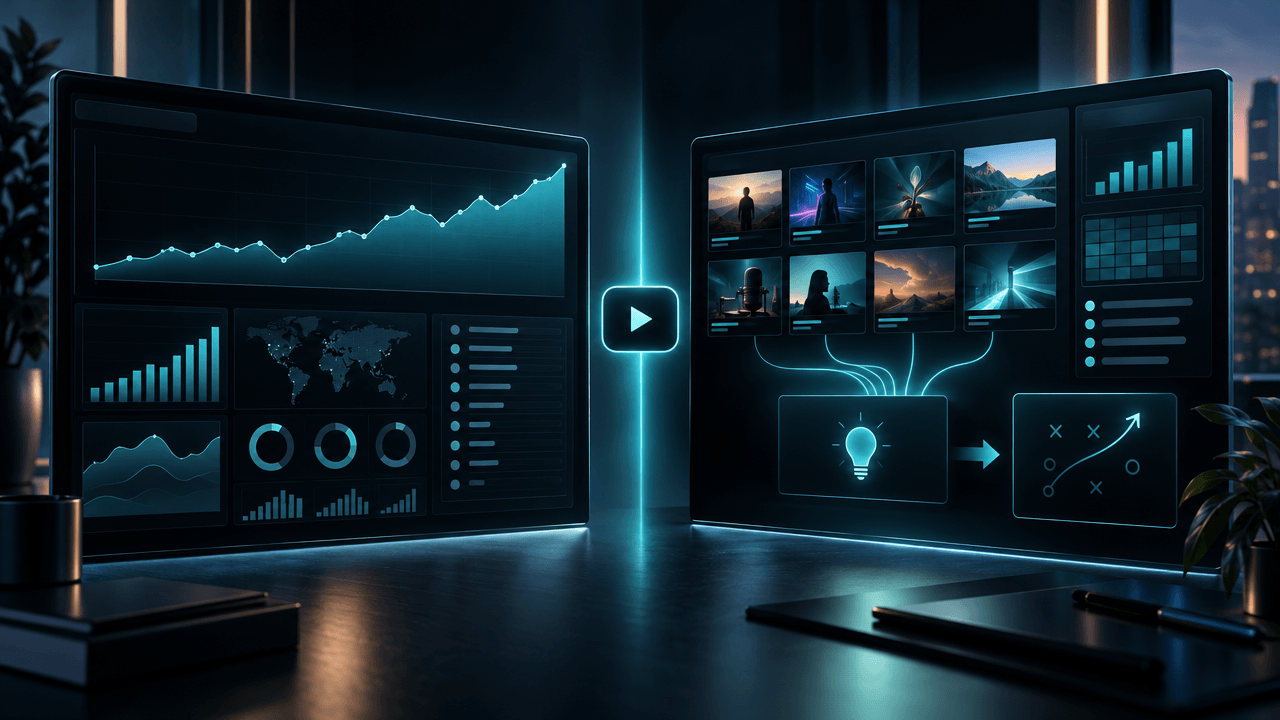
Most YouTube tools help you optimize a video after you have already decided what to make.
A YouTube channel strategy tool should help you make the decisions that come before that:
- Which audience should the channel serve?
- Which competitors are actually worth studying?
- Which topics have proven demand?
- Which formats are repeatable?
- What should make the channel different?
- Which videos deserve production resources?
- How should titles, thumbnails, scripts, and publishing plans work together?
- What should change after the results come in?
That is the difference between a collection of creator tools and a real channel strategy system.
The best overall option for creators who want to connect public YouTube research, competitor analysis, content planning, scripting, titles, hooks, and thumbnails is OverseerOS.
YouTube Studio remains essential because it provides the private first-party performance and audience data no public competitor tool can replace.
For specialized research, Viewstats and 1of10 are strong for outliers and packaging, vidIQ is strong for competitor monitoring and keyword opportunities, TubeBuddy is useful for search-led optimization, Morningfame provides guided channel analytics, and Google Trends offers free demand-direction and seasonality research.
The strongest setup is rarely one tool alone.
It is a strategy loop that combines:
Public market intelligence + first-party channel data + original creative judgment + disciplined execution.
This guide compares the best YouTube channel strategy tools in 2026 and gives you a complete system for turning scattered data into a channel that knows what it is trying to win.
Key Takeaways
- OverseerOS is the strongest fit for an end-to-end YouTube strategy workflow spanning channel research, competitor discovery, strategic pattern analysis, content planning, scripts, titles, hooks, and thumbnails.
- YouTube Studio is the mandatory source of truth for your own impressions, click-through rate, watch time, retention, traffic sources, returning viewers, and audience behavior.
- vidIQ is useful for tracking known competitors, monitoring top videos, researching keywords, and identifying content opportunities.
- Viewstats is strongest for outlier-video discovery, competitor tracking, thumbnail research, alerts, and packaging inspiration.
- 1of10 is best for creators who want an outlier-first research workflow connected to AI-generated ideas, titles, and thumbnails.
- TubeBuddy is most useful for search-led channels that need keyword research, competition signals, related terms, and optimization support.
- Morningfame is a good option for creators who want channel analytics translated into simpler, guided recommendations.
- Google Trends is the best free tool for validating broad demand direction, seasonality, geography, and topic momentum.
- A channel strategy tool should improve decisions, not merely generate more ideas.
- Public tools cannot reveal another channel’s private retention, traffic sources, revenue, or complete audience data.
- One viral video is not a strategy. Look for repeated performance across topics, formats, and publishing cycles.
- The best channel strategy connects positioning, demand, packaging, production, and learning in one continuous system.
Quick Verdict: Best YouTube Channel Strategy Tools
| Tool | Best For | Competitor Research | Topic Discovery | Planning and Creation | First-Party Analytics |
|---|---|---|---|---|---|
| OverseerOS | End-to-end YouTube strategy and execution | Strong | Strong | Strong | Connected-channel workflows |
| YouTube Studio | Understanding and improving your own channel | Limited public research | Strong for your audience | Limited | Strongest |
| vidIQ | Competitor tracking, ideas, and keyword research | Strong | Strong | Moderate | Connected-channel analytics |
| Viewstats | Outliers, trends, thumbnails, and packaging | Strong | Strong | Limited to research and packaging | Public-performance focused |
| 1of10 | Outlier-led ideas, titles, and thumbnails | Strong | Strong | Strong for packaging | Public-performance focused |
| TubeBuddy | Search-led channel strategy and optimization | Moderate | Strong for search | Moderate | Connected-channel workflows |
| Morningfame | Guided analytics and channel diagnosis | Limited | Search focused | Limited | Strong for connected channels |
| Google Trends | Free market-demand and seasonality validation | Indirect | Strong directional research | No | No |
What Is a YouTube Channel Strategy Tool?
A YouTube channel strategy tool is software that helps a creator decide how a channel should compete, what content it should produce, and how it should improve over time.
A complete strategy tool may support:
- Niche research
- Audience research
- Competitor discovery
- Channel analysis
- Outlier-video discovery
- Topic validation
- Content-gap analysis
- Channel positioning
- Content-pillar development
- Title and thumbnail research
- Script planning
- Publishing calendars
- Performance analysis
- Retention diagnosis
- Strategic recommendations
- Team workflows
A tool does not need to perform every function to be useful.
The important question is:
Which strategic decision does this tool improve?
Strategy Tool vs Analytics Tool vs SEO Tool
These categories overlap, but they are not identical.
YouTube Analytics Tool
Answers:
- What happened?
- Which videos performed?
- Where did views come from?
- How long did viewers watch?
- Which audience segments returned?
Example:
- YouTube Studio
YouTube SEO Tool
Answers:
- What are viewers searching for?
- How competitive is a keyword?
- Which terms relate to the topic?
- How can metadata improve search visibility?
Examples:
- TubeBuddy
- vidIQ
- Morningfame
YouTube Research Tool
Answers:
- Which channels are growing?
- Which videos are outliers?
- Which formats are emerging?
- What topics are competitors covering?
- What packaging patterns appear repeatedly?
Examples:
- OverseerOS
- Viewstats
- 1of10
- vidIQ
YouTube Creation Tool
Answers:
- How can the idea become a title, thumbnail, outline, script, voiceover, or video?
Examples:
- OverseerOS
- 1of10
- Specialized title, script, or thumbnail generators
YouTube Channel Strategy Tool
Connects the categories.
It should help transform:
Market evidence
into:
A differentiated channel plan
and then transform:
Performance results
into:
Better future decisions.
The Seven Decisions a YouTube Strategy System Must Support
A useful channel strategy should guide seven connected decisions.
1. Positioning
- Who is the channel for?
- What outcome or experience does it promise?
- Why should viewers choose it?
- What does it do differently?
2. Market Selection
- Is demand proven?
- Is the niche still accessible?
- Are smaller channels breaking out?
- Which parts of the market are underserved?
3. Content Architecture
- What are the main content pillars?
- Which recurring formats will the channel own?
- How deep is the topic universe?
- What should the channel publish repeatedly?
4. Idea Selection
- Which topics have enough evidence to justify production?
- Is the idea timely, evergreen, searchable, or browse-driven?
- Does it fit the channel?
- Is there a strong audience tension?
5. Packaging
- What should the title promise?
- What should the thumbnail communicate?
- Can viewers understand the value instantly?
- Is the idea distinct from competing videos?
6. Production
- Can the channel deliver the promised quality consistently?
- What scripts, visuals, editing, and resources are required?
- Is the publishing cadence sustainable?
- Which parts of the workflow can be standardized?
7. Learning
- Did the video earn impressions?
- Did viewers click?
- Did they keep watching?
- Did they return?
- What should the next video repeat, change, or stop?
Most creator tools specialize in one or two of these stages.
A true strategy system connects them.
The YouTube Channel Strategy Loop
Use this seven-stage loop:
Position → Discover → Validate → Package → Produce → Publish → Learn
Position
Define the audience, promise, advantage, and boundaries of the channel.
Discover
Find competitors, breakout channels, outlier videos, trends, questions, and content gaps.
Validate
Confirm that the opportunity is supported by real demand, not only personal interest.
Package
Develop the title and thumbnail promise before committing to expensive production.
Produce
Create the brief, script, voiceover, visuals, edit, and publishing assets.
Publish
Release the video with clear metadata, playlist placement, distribution, and follow-up.
Learn
Analyze impressions, clicks, retention, traffic sources, viewers, and downstream business results.
Then repeat the cycle with stronger information.
1. OverseerOS: Best Overall YouTube Channel Strategy Tool
OverseerOS is the strongest fit for creators who want to connect YouTube research with planning and production.
It is designed as a YouTube strategy intelligence platform rather than a single-purpose analytics extension.
The workflow can support:
- Public channel analysis
- Breakout-channel discovery
- Competitor research
- Video analysis
- Strategy extraction
- Topic development
- Content planning
- Script generation
- Hook improvement
- Title generation
- Thumbnail analysis and creation
- Voiceovers
- Distribution
- Channel-performance review
OverseerOS Viral Channel Finder
OverseerOS Viral Channel Finder helps creators discover active, emerging, and breakout channels in a target niche.
Research criteria include:
- Niche
- Subscriber range
- Video count
- Content format
- Language
Results can include:
- Subscribers
- Total channel views
- Public video count
- Recent upload activity
- Average views
- Viral score
- Growth signals
- Recent viral hits
- The breakout videos responsible for the result
This helps answer:
Which channels are currently proving that a market or format can work?
That is more useful than beginning with the biggest channel in a niche.
A new creator can often learn more from a recently growing channel with 30,000 subscribers than from an established brand with millions.
OverseerOS Channel Blueprint Cloner
OverseerOS Channel Blueprint Cloner turns a public channel into a structured strategic blueprint.
It can organize public patterns such as:
- Tone DNA
- Primary emotion
- Hook patterns
- Pacing
- Signature phrases
- Viral topic formulas
- Keywords
- Tags
- Content structure
- Strategic insights
- Untapped topic opportunities
The purpose is not to copy another creator’s content.
It is to understand the public strategic system behind a channel and adapt the principles into an original channel plan.
OverseerOS Viral X-Ray
Viral X-Ray helps analyze individual public videos.
A useful video analysis can examine:
- Topic choice
- Title
- Thumbnail promise
- Hook
- Structure
- Pacing
- Audience engagement patterns
- Possible reasons the video outperformed
This is important because channel-level averages can hide the specific videos driving growth.
OverseerOS Channel Content Planner
The Channel Content Planner helps turn research into a publishing system with:
- Topics
- Titles
- Content briefs
- Production status
- Planned publishing dates
- Content-mix visibility
- Thumbnail assets
- Channel-specific context
This closes a major gap found in many research platforms.
Finding an idea is not the same as integrating it into a realistic production calendar.
OverseerOS Script Studio
Script Studio connects the validated topic to execution.
Its workflow can support:
- Full script generation
- Hooks
- Pacing
- Transitions
- Calls to action
- Tone-aware writing
- Creator voice and style context
- Existing-script improvement
- Retention-focused rewrites
Titles and Thumbnails
OverseerOS includes title and thumbnail workflows that can help with:
- Viral title patterns
- Channel-tone matching
- Thumbnail analysis
- Visual psychology
- Composition
- Text placement
- Proven thumbnail-style research
- Original thumbnail concepts
Post-Publish Strategy
OverseerOS Channel Pulse helps connect channel-performance data with future decisions.
The important strategic question is not merely:
How many views did the video get?
It is:
What did this result teach us about the audience, topic, packaging, and format?
Best For
- Faceless-channel operators
- Creators entering a new niche
- YouTube agencies
- Multi-channel teams
- Scriptwriters
- Content strategists
- Research-heavy channels
- Creators who want one connected workflow
- Teams moving from analysis to production
Main Strength
OverseerOS connects the full strategic chain:
Discover → Analyze → Adapt → Plan → Write → Package → Review
That continuity matters because context is usually lost when creators jump between unrelated tools.
Main Limitation
OverseerOS uses public YouTube information for competitor research.
It cannot reveal another creator’s private:
- Audience-retention graph
- Traffic sources
- Revenue
- Click-through rate
- Returning-viewer data
- YouTube Studio analytics
Use YouTube Studio for the private data belonging to your own channel.
Use OverseerOS for public market intelligence, strategic analysis, planning, and creation.
2. YouTube Studio: Best First-Party Strategy Tool
YouTube Studio is the source of truth for your own channel.
No third-party public research tool can replace its access to private channel performance.
YouTube Studio can help analyze:
- Impressions
- Impressions click-through rate
- Views
- Watch time
- Average view duration
- Average percentage viewed
- Audience retention
- Traffic sources
- Search terms
- Suggested-video relationships
- New viewers
- Casual viewers
- Regular viewers
- Returning viewers
- Subscriber behavior
- Geography
- Age and gender
- Device type
- Other channels your viewers watch
- Other videos and formats your viewers watch
- Revenue, when eligible
Why YouTube Studio Is Strategic
A channel strategy begins as a hypothesis.
YouTube Studio tells you what viewers actually did.
Suppose a video underperforms.
The diagnosis changes depending on the data.
| Signal | Likely Strategic Question |
|---|---|
| Low impressions | Was the topic or audience fit too weak? |
| Impressions but low CTR | Did the title and thumbnail fail to create interest? |
| Strong CTR but weak retention | Did the opening or video fail to deliver the promise? |
| Strong retention but limited reach | Is the audience too narrow, or does the channel need more authority? |
| Strong new-viewer acquisition but low return rate | Is the video disconnected from the channel’s wider promise? |
| Strong returning-viewer response | Should this become a recurring series? |
The same view count can hide very different strategic realities.
Best Reports for Channel Strategy
Content Performance
Use this to compare:
- Videos
- Shorts
- Live streams
- Impressions
- Click-through rate
- Traffic sources
- How viewers discovered the content
Audience Retention
Use retention to investigate:
- Whether the hook worked
- Where viewers lost interest
- Which sections were rewatched
- Whether the pacing matched the promise
- Whether the ending arrived too late
Audience Reports
Use these to understand:
- New, casual, and regular viewers
- When viewers are online
- Other channels they watch
- Other videos and formats they consume
- Geography
- Language
- Device behavior
Trends and Research
Use YouTube’s research and trend signals to investigate:
- What your audience searches for
- Broader YouTube searches
- Related topics
- Potential content gaps
- Video ideas connected to current audience interest
Best For
- Every active YouTube channel
- First-party performance diagnosis
- Audience analysis
- Retention improvement
- Content-format decisions
- Traffic-source analysis
- Channel-level strategic reviews
- Measuring whether a hypothesis worked
Main Strength
It measures real behavior on your channel.
Main Limitation
YouTube Studio is strongest after you have an audience and published content.
It is less effective for:
- Discovering unknown competitors
- Launching a new channel from zero
- Reverse-engineering public channels
- Building complete scripts
- Creating a strategy from a new market
- Comparing many public niches
Use it as the feedback engine inside a wider research system.
3. vidIQ: Best for Competitor Monitoring and Search Opportunities
vidIQ combines competitor tracking, keyword research, channel analytics, trend discovery, AI ideas, and publishing tools.
Its competitor workflows can help creators:
- Add and manage competitor channels
- Compare views, subscribers, and public video counts
- Review growth across different periods
- Track average daily views
- Monitor top-performing videos
- Sort videos by views or views per hour
- Review titles and thumbnails
- Export competitor keywords
- Identify recent content gaining traction
Its keyword tools can provide:
- Estimated search volume
- Competition signals
- Related queries
- Trend direction
- Keyword scores
- Rising keywords
- Search-led idea discovery
Best Strategic Use
vidIQ is useful when you already know which channels matter and want to monitor them continuously.
A disciplined workflow could include:
- Add five direct competitors.
- Add five adjacent competitors.
- Review their top videos weekly.
- Sort by views per hour to identify current momentum.
- Record repeated themes.
- Research search demand around the strongest themes.
- Adapt the opportunity to your own audience.
Best For
- Existing creators
- Known competitor tracking
- Search-led channels
- Keyword research
- Trend monitoring
- Daily idea generation
- Channels wanting a browser-integrated workflow
- Creators who value coaching or AI guidance
Main Strength
vidIQ combines public competitor monitoring with search and channel-optimization tools.
Main Limitation
Tracking competitors is only useful when the competitor set is correct.
A channel may be:
- In the same broad niche
- Similar in subscriber count
- Visually similar
- Popular
and still compete for a different audience or viewing occasion.
Do not add competitors merely because their topics look familiar.
Qualify them by:
- Audience
- Format
- Channel promise
- Topic overlap
- Production model
- Distribution source
- Monetization model
4. Viewstats: Best for Outlier and Packaging Strategy
Viewstats focuses on public YouTube data, outlier discovery, competitors, trends, thumbnails, and packaging research.
Its strategy-related tools include:
- Outlier-video discovery
- Channel and video analytics
- Competitor tracking
- Thumbnail search
- Trend alerts
- Research collections
- Niche-level research
- Packaging organization
Why Outliers Matter
Raw views are misleading.
Consider two videos:
- Video A receives 500,000 views on a channel that normally receives 2 million.
- Video B receives 150,000 views on a channel that normally receives 8,000.
Video A has more views.
Video B may contain the more useful strategic lesson.
An outlier reveals that something about the:
- Topic
- Promise
- Timing
- Title
- Thumbnail
- Format
- Audience tension
performed far above the channel’s normal expectation.
Packaging Research
Viewstats can help creators study:
- Thumbnail styles appearing in a niche
- High-performing visual patterns
- Repeated title mechanisms
- Competitor packaging
- Emerging presentation formats
This is valuable for browse-led channels where the audience may not be searching for the topic directly.
Collections
Research collections can help organize:
- Topic references
- Thumbnail directions
- Competitor examples
- Format inspiration
- Potential video packages
This turns random inspiration into a reusable research library.
Best For
- Browse-led channels
- Outlier-video research
- Thumbnail strategists
- Competitor monitoring
- Packaging inspiration
- Trend alerts
- Research boards
- Teams studying visible market behavior
Main Strength
Viewstats makes disproportionate public performance easier to identify.
Main Limitation
An outlier is a clue, not a complete strategy.
A video may outperform because of:
- A news event
- Collaboration
- Celebrity involvement
- External distribution
- Controversy
- Timing
- An unusually large existing audience segment
Before adapting an outlier, check whether:
- Similar videos also performed
- Follow-up videos worked
- Multiple channels proved the topic
- The format fits your channel
- The audience need remains active
5. 1of10: Best for Outlier-Led Ideas, Titles, and Thumbnails
1of10 combines outlier research with AI-assisted ideas, titles, and thumbnails.
Its workflows include:
- YouTube outlier discovery
- Competitor tracking
- Niche exploration
- Thumbnail search
- Virality monitoring
- Trending formats
- Saved folders
- Advanced research filters
- AI video ideas
- AI titles
- AI thumbnails
- Packaging optimization
The 1of10 Strategy
The core model is built around identifying videos that perform dramatically above a channel’s normal average.
The creator can then investigate:
- What subject caused the breakout?
- What title mechanism created curiosity?
- What thumbnail promise earned attention?
- Is the pattern appearing across more than one channel?
- Can the principle be adapted to a different audience?
Best For
- Idea-first creators
- Outlier research
- Title and thumbnail development
- Browse-led entertainment channels
- Faceless channels
- Creators who want research and packaging in one tool
- Teams monitoring trending formats
Main Strength
1of10 connects performance research directly to idea and packaging generation.
That is strategically useful because a topic, title, and thumbnail should be developed together.
Main Limitation
A high-performing idea from another channel is not automatically right for yours.
The adaptation still requires:
- Audience fit
- Channel positioning
- Original research
- Production feasibility
- A differentiated promise
- A credible reason your channel should cover it
Use outliers as evidence.
Do not use them as permission to produce a duplicate.
6. TubeBuddy: Best for Search-Led YouTube Strategy
TubeBuddy Keyword Explorer helps creators research YouTube topics using search-volume, competition, keyword-strength, trend, and related-query signals.
It is especially useful for channels built around questions viewers actively type into YouTube or Google.
Examples include:
- Software tutorials
- Product comparisons
- Troubleshooting
- Educational explainers
- Fitness routines
- Career guidance
- Personal finance
- Buying guides
- Technical instruction
- How-to content
Strategic Uses
TubeBuddy can help:
- Turn a broad niche into specific searchable problems
- Compare keyword opportunities
- Discover long-tail queries
- Investigate search competition
- Find related questions
- Improve metadata alignment
- Analyze potential thumbnail directions
- Optimize existing video assets
Example
Broad content pillar:
YouTube thumbnails
Search-led topics:
- How to make a YouTube thumbnail
- Best YouTube thumbnail maker
- YouTube thumbnail size
- Why YouTube thumbnails get no clicks
- How to test YouTube thumbnails
- AI YouTube thumbnail generator
- YouTube thumbnail design mistakes
The tool helps turn one broad category into a searchable topic map.
Best For
- Search-led channels
- Tutorial channels
- Educational creators
- Review and comparison channels
- Local and professional niches
- Evergreen content
- Creators optimizing existing libraries
Main Strength
TubeBuddy helps identify and compare explicit search demand.
Main Limitation
YouTube is not only a search engine.
Many channels grow primarily through:
- Browse features
- Suggested videos
- Returning viewers
- Trends
- Entertainment
- Strong packaging
- Community
A topic can have low estimated search demand and still become a major browse hit.
Do not force every channel into a keyword-first strategy.
7. Morningfame: Best for Guided Channel Analytics
Morningfame is designed to simplify YouTube analytics and search optimization.
Its workflow focuses on:
- Channel-performance analysis
- Comparing a channel with similar-sized channels
- Identifying weak areas
- Translating metrics into recommendations
- Keyword research
- Guided search optimization
Why Similar-Size Comparison Matters
Benchmarking against the wrong channel can create bad conclusions.
A new channel should not judge itself by the same absolute metrics as an established global creator.
Morningfame attempts to place channel performance into a more relevant context by comparing it with channels of similar size.
That can help answer:
- Is this performance weak for a channel at my stage?
- Which metric needs the most attention?
- Should I focus on discovery, engagement, watch time, or conversion?
- Is the channel improving relative to a realistic benchmark?
Best For
- Newer creators
- Creators overwhelmed by analytics
- Search-led channels
- Solo creators
- Channels wanting guided recommendations
- Creators who prefer simplicity over feature volume
Main Strength
Morningfame translates analytics into a more guided diagnosis.
Main Limitation
It is not a full competitor-discovery, content-planning, scripting, or production environment.
It is most useful as a diagnosis and search-support layer.
8. Google Trends: Best Free Demand-Validation Tool
Google Trends helps creators compare the relative direction of interest across topics, time periods, and locations.
It can support:
- Broad niche validation
- Seasonality research
- Geographic comparisons
- Trend direction
- Related topics
- Rising queries
- Topic comparisons
- Timing decisions
Example
Suppose a channel is deciding among:
- AI video generators
- AI voice generators
- AI website builders
- AI presentation tools
- AI music generators
Google Trends can help reveal whether interest is:
- Growing
- Declining
- Seasonal
- Regionally concentrated
- Driven by temporary spikes
- Connected to related topics
Best For
- Free early-stage research
- Comparing broad topics
- Seasonal channels
- News-sensitive channels
- Geographic strategy
- Long-term demand direction
- Testing whether interest extends beyond one viral video
Main Strength
It provides quick directional context without requiring a paid creator platform.
Main Limitation
Google Trends does not tell you:
- How many views a YouTube video will receive
- Whether a small channel can win
- Which thumbnail will earn clicks
- How competitive suggested-video traffic is
- What your retention will be
- Whether the audience will subscribe
- Whether the topic fits your channel
It is a market signal, not a complete YouTube forecast.
Best YouTube Strategy Tool by Goal
| Strategic Goal | Best Tool |
|---|---|
| Build an end-to-end YouTube strategy workflow | OverseerOS |
| Understand your own channel performance | YouTube Studio |
| Discover breakout channels | OverseerOS Viral Channel Finder |
| Reverse-engineer public channel patterns | OverseerOS Channel Blueprint Cloner |
| Track known competitors | vidIQ |
| Find public outlier videos | Viewstats, 1of10, or OverseerOS |
| Research titles and thumbnails | Viewstats, 1of10, or OverseerOS |
| Research YouTube search demand | TubeBuddy or vidIQ |
| Receive simpler guided analytics | Morningfame |
| Validate broad topic direction | Google Trends |
| Plan topics, scripts, and packaging together | OverseerOS |
| Monitor your post-publish results | YouTube Studio |
| Run a faceless-channel workflow | OverseerOS |
| Build a browse-led entertainment channel | Viewstats or 1of10 plus YouTube Studio |
| Build a search-led educational channel | TubeBuddy or vidIQ plus YouTube Studio |
| Manage several channels or client strategies | OverseerOS plus YouTube Studio |
The 100-Point YouTube Strategy Tool Score
Do not choose software based on the number of features listed on its pricing page.
Score it by the quality of the decisions it can improve.
Rate each factor from 0 to 5.
Then calculate:
Factor score = rating ÷ 5 × factor weight
| Factor | Weight | What to Evaluate |
|---|---|---|
| Data grounding | 20 | Are recommendations based on useful YouTube evidence? |
| Opportunity discovery | 15 | Can it find channels, topics, outliers, or gaps you did not already know? |
| Channel context | 15 | Does it adapt insights to your audience, niche, format, and channel? |
| Strategic synthesis | 15 | Does it explain what the data means and what decision to make? |
| Execution continuity | 15 | Can research move into briefs, scripts, titles, thumbnails, or plans? |
| Feedback loop | 10 | Can results improve future decisions? |
| Workflow and organization | 5 | Can ideas, competitors, assets, and plans remain organized? |
| Transparency | 5 | Are estimates, limitations, and public-data boundaries clear? |
| Total | 100 |
How to Interpret the Score
| Score | Meaning |
|---|---|
| 85 to 100 | Strategic operating system |
| 70 to 84 | Strong multi-purpose strategy platform |
| 55 to 69 | Valuable specialist tool |
| 40 to 54 | Tactical optimization tool |
| Below 40 | Narrow utility or supporting tool |
A specialist tool can still be excellent.
A score of 60 does not mean the product is poor.
It means it should be used for a specific strategic function rather than expected to run the whole channel.
What Makes a YouTube Strategy Data-Backed?
“Data-backed” is frequently used without explanation.
A strategy is meaningfully data-backed when the evidence changes the decision.
Weak Use of Data
This topic has a lot of views.
Stronger Use of Data
This topic produced repeated outliers across five channels under 100,000 subscribers during the last 90 days, and the strongest videos used a comparison format that our target audience already watches.
Weak Use of Data
Competitors upload weekly.
Stronger Use of Data
Three fast-growing competitors publish one research-heavy long-form video every seven to ten days, while weaker daily uploads receive lower average views and little follow-up demand.
Weak Use of Data
The audience likes AI tools.
Stronger Use of Data
Videos testing AI tools inside real workflows outperform general AI-news videos, while comments repeatedly ask about cost, long-form quality, and whether the tools can replace editors.
Good data does not merely decorate a strategy.
It narrows the available choices.
The Evidence Hierarchy for YouTube Strategy
Not all evidence deserves equal weight.
Use this hierarchy.
Level 1: Direct First-Party Behavior
Strongest evidence:
- Your impressions
- Click-through rate
- Retention
- Watch time
- Traffic sources
- Returning viewers
- Conversions
- Revenue
Level 2: Repeated Public Performance
Strong evidence:
- Multiple outliers
- Several successful channels
- Recent repeatable performance
- Follow-up videos succeeding
- A format working across creators
Level 3: Audience Language
Useful evidence:
- Recurring questions
- Complaints
- Objections
- Comparisons
- Requests
- Purchase intent
Level 4: Search and Trend Signals
Directional evidence:
- Search demand
- Related terms
- Rising topics
- Seasonality
- Geographic interest
Level 5: Expert Opinion and AI Suggestions
Hypothesis-generating evidence:
- Advice
- Predictions
- AI-generated ideas
- Creator intuition
- Trend commentary
Use lower-level evidence to generate ideas.
Use higher-level evidence to make expensive decisions.
How to Build a YouTube Channel Strategy Step by Step
Step 1: Write the Channel Thesis
A channel thesis explains who the channel serves, what it delivers, and why it deserves attention.
Use this formula:
A [format] channel for [specific audience] that helps them [achieve or understand an outcome] through [distinct mechanism or perspective].
Example:
A faceless documentary channel for ambitious creators that explains how attention, algorithms, and media businesses shape what the world watches.
A useful thesis should be:
- Specific enough to guide decisions
- Broad enough to support many videos
- Different enough to be memorable
- Valuable enough to create repeat viewing
Step 2: Define the Viewer Situation
Do not stop at demographics.
Weak:
Men aged 18 to 34 interested in business.
Stronger:
Early-stage creators who want to build profitable media businesses but struggle to distinguish real strategic patterns from generic growth advice.
The second definition creates better:
- Topics
- Titles
- Hooks
- Examples
- Products
- Calls to action
Step 3: Map the Competitive Environment
Build four competitor groups.
Direct Competitors
Serve a similar audience with a similar promise and format.
Adjacent Competitors
Compete for the same viewer through a different subject or format.
Aspirational References
Represent a production, storytelling, or brand level you want to reach.
Emerging Channels
Smaller or newer channels demonstrating that the market remains accessible.
Use a YouTube similar channel finder workflow to avoid relying only on famous creators you already know.
Step 4: Validate the Niche
Before committing to production, check:
- Recent demand
- Competitive pressure
- Newcomer accessibility
- Topic depth
- Audience urgency
- Packaging diversity
- Monetization
- Production feasibility
Use the complete YouTube niche saturation checker framework to separate a competitive opportunity from a genuinely locked market.
Step 5: Define the Strategic Advantage
Your advantage can come from:
- Better research
- Faster timing
- Stronger storytelling
- A specific audience
- Proprietary data
- Original experiments
- Deeper expertise
- Distinct visuals
- Better production economics
- A recognizable recurring format
- Unique access
- Stronger emotional positioning
Do not use:
We make better videos.
Define what “better” means.
Example:
Every software review uses the same real production assignment, making cost, output quality, setup time, and limitations directly comparable.
That is observable and repeatable.
Step 6: Build Content Pillars
A content pillar is a recurring category of audience value.
Example for a YouTube strategy channel:
- Channel research
- Video ideas
- Titles and thumbnails
- Scripts and retention
- Production systems
- Monetization
- Case studies
Each pillar should support:
- Beginner topics
- Advanced topics
- Comparisons
- Mistakes
- Case studies
- Experiments
- News
- Evergreen guides
- Recurring formats
Step 7: Build Recurring Formats
Topics tell viewers what the video is about.
Formats tell them what experience to expect.
Examples:
- We Tested
- Before and After
- Why It Failed
- The Hidden System
- X vs Y
- Complete Breakdown
- 30-Day Experiment
- The Cost of
- Ranking Every
- What Nobody Tells You
- Rise and Fall
- From Zero to
A repeatable format creates:
- Viewer familiarity
- Faster ideation
- Easier production
- Stronger branding
- More reliable packaging
Step 8: Create an Opportunity Database
Every potential video should include:
- Topic
- Target audience
- Core problem
- Evidence
- Source channel or video
- Search or trend signal
- Content gap
- Proposed angle
- Format
- Title direction
- Thumbnail direction
- Expected traffic source
- Strategic priority
- Production cost
This prevents weak ideas from reaching production simply because someone suggested them during a meeting.
Step 9: Validate the Package Before the Script
Before writing a full script, confirm:
- The audience problem is clear.
- The title creates a strong promise.
- The thumbnail communicates the tension.
- The title and thumbnail complement each other.
- The idea fits the channel.
- The video can deliver what the package implies.
A weak package usually indicates a weak or unclear idea.
Do not spend heavily producing a video nobody can explain in one sentence.
Step 10: Build the Production Brief
A production-ready brief should include:
- Viewer
- Core promise
- Strategic goal
- Evidence
- Original angle
- Hook
- Key sections
- Proof required
- Visual direction
- Title options
- Thumbnail concepts
- Call to action
- Risks
- Fact-checking requirements
Step 11: Publish With a Hypothesis
Every video should test something.
Examples:
- This audience will respond to cost transparency.
- A comparison format will outperform a list format.
- A specific face-free visual style will increase returning viewers.
- A stronger curiosity gap will improve CTR.
- Shorter intros will improve first-30-second retention.
- Case studies will convert more subscribers than tutorials.
Write the hypothesis before publishing.
That makes the analytics easier to interpret.
Step 12: Run a Strategic Postmortem
After enough data accumulates, answer:
Topic
- Did YouTube distribute the idea?
- Was demand broad or narrow?
- Did the audience match the intended viewer?
Packaging
- Did viewers click?
- Did the title and thumbnail create the correct expectation?
- Did the package attract the wrong audience?
Content
- Did the hook retain viewers?
- Where did attention drop?
- Which sections were rewatched?
- Did the ending satisfy the promise?
Channel Impact
- Did viewers subscribe?
- Did they watch another video?
- Did regular-viewer behavior improve?
- Did the video strengthen a content pillar?
Business Impact
- Did it generate leads?
- Did it produce sales?
- Did sponsors care?
- Did it attract the correct customer?
Copy-and-Paste YouTube Channel Strategy Template
YOUTUBE CHANNEL STRATEGY

CHANNEL THESIS
A [format] channel for [specific audience] that helps them [outcome] through [distinct mechanism].

TARGET VIEWER
Who they are:
What they want:
What blocks them:
What they currently watch or use:
Why they would return:

CHANNEL PROMISE
The recurring value viewers should expect from every upload:

STRATEGIC ADVANTAGE
Why this channel can serve the audience better or differently:

COMPETITIVE SET
Direct competitors:
Adjacent competitors:
Aspirational references:
Emerging channels:

CONTENT PILLARS
1.
2.
3.
4.
5.

RECURRING FORMATS
1.
2.
3.
4.
5.

TOPIC-SELECTION RULES
A topic must:
- Fit the target audience
- Support the channel promise
- Have performance, audience, search, or trend evidence
- Offer an original angle
- Be realistic to produce

PACKAGING PRINCIPLES
Title principles:
Thumbnail principles:
Emotional triggers:
What to avoid:

PRODUCTION MODEL
Publishing frequency:
Target video length:
Research process:
Script process:
Thumbnail process:
Editing model:
Approval process:

CONTENT MIX
Evergreen:
Trend-driven:
Search-led:
Browse-led:
Experimental:
Commercial:

CORE METRICS
Impressions:
Click-through rate:
First-30-second retention:
Average percentage viewed:
Returning viewers:
Subscriber conversion:
Business conversions:

90-DAY GOALS
1.
2.
3.

KILL CRITERIA
When a topic, format, or series should stop:

DOUBLE-DOWN CRITERIA
When a topic, format, or series deserves expansion:

CURRENT STRATEGIC BET
The single most important hypothesis the channel is testing:
The 90-Day YouTube Strategy Plan
Days 1 to 30: Build the Intelligence Layer
Research
- Define the channel thesis.
- Map direct and adjacent competitors.
- Find emerging channels.
- Identify recent outliers.
- Analyze audience comments.
- Validate search and trend direction.
- Select content pillars.
- Create recurring formats.
Output
By day 30, you should have:
- One audience definition
- One channel promise
- One strategic advantage
- Five content pillars
- Three to five recurring formats
- Twenty validated ideas
- Ten production-ready packages
Days 31 to 60: Run Controlled Tests
Publish a group of videos that test distinct hypotheses.
Keep consistent:
- Audience
- Channel promise
- General production quality
- Brand identity
Vary:
- Topic cluster
- Format
- Title mechanism
- Thumbnail concept
- Hook style
- Video length
- Search-led versus browse-led angle
Do not change everything at once.
You need interpretable results.
Days 61 to 90: Double Down on Evidence
Identify:
- Topics earning the most impressions
- Packages earning the highest qualified CTR
- Videos retaining the right audience
- Formats creating returning viewers
- Series generating follow-up demand
- Videos producing business results
Then:
- Expand the strongest pillar.
- Build follow-ups to proven videos.
- Improve or remove weak formats.
- Update the content calendar.
- Document what the team learned.
- Begin the next 90-day cycle.
The Three-Layer Content Portfolio
A strong channel should not depend on one type of content.
Use three layers.
Layer 1: Proven Core
Approximately 50% to 70% of production.
Includes:
- Topics already validated by your channel
- Recurring formats
- Follow-ups to successful videos
- Audience problems with repeated demand
Purpose:
Reliability and audience reinforcement.
Layer 2: Adjacent Expansion
Approximately 20% to 30% of production.
Includes:
- Related audience problems
- New subtopics
- Format variations
- Adjacent competitors
- Slightly broader ideas
Purpose:
Growth without abandoning channel identity.
Layer 3: Strategic Experiments
Approximately 10% to 20% of production.
Includes:
- New formats
- Unusual topic combinations
- Contrarian ideas
- New visual systems
- Emerging trends
- Bigger creative bets
Purpose:
Discovering the channel’s next advantage.
The exact percentages can change.
The principle is what matters:
Protect the proven core while creating room to evolve.
Strategy Stacks for Different Types of Creators
Best Stack for a New Channel
Use:
- OverseerOS
- YouTube Studio
- Google Trends
Workflow:
- Validate the niche.
- Find emerging channels.
- Analyze their strategies.
- Build the channel blueprint.
- Create the first ten topics.
- Publish controlled tests.
- Use YouTube Studio to identify early signals.
Best Stack for a Browse-Led Channel
Use:
- Viewstats or 1of10
- OverseerOS
- YouTube Studio
Focus on:
- Outliers
- Titles
- Thumbnails
- Emotional promises
- Recurring formats
- Suggested-video relationships
- Returning viewers
Best Stack for a Search-Led Channel
Use:
- TubeBuddy or vidIQ
- YouTube Studio
- Google Trends
Focus on:
- Search demand
- Long-tail questions
- Competition
- Evergreen topics
- Search traffic
- Updating older videos
- Topic clusters
Best Stack for a Faceless Channel
Use:
- OverseerOS
- YouTube Studio
- Optional Viewstats or 1of10
Focus on:
- Competitor discovery
- Public channel blueprints
- Original topic opportunities
- Script systems
- Voiceovers
- Thumbnail workflows
- Production consistency
- Content planning
Best Stack for an Agency
Use:
- OverseerOS
- YouTube Studio for each authorized client
- Viewstats or vidIQ for monitoring
- A project-management layer when required
Focus on:
- Standardized research
- Client-specific blueprints
- Competitor sets
- Approval workflows
- Topic pipelines
- Production status
- Repeatable reporting
- Strategic postmortems
Best Stack for a Mature Channel
Use:
- YouTube Studio
- OverseerOS
- A specialized competitor or outlier tool
Focus on:
- Returning viewers
- Content-pillar performance
- Audience expansion
- Format fatigue
- Competitor movement
- New series
- Business results
- Long-term brand strength
Common YouTube Strategy Mistakes
Mistake 1: Choosing Tools Before Defining the Decision
Do not ask:
Which tool has the most features?
Ask:
Which decision is currently weakest?
Examples:
- Weak competitor discovery
- Poor topic validation
- Unclear positioning
- Low CTR
- Weak retention
- Disorganized production
- No post-publish learning
Mistake 2: Confusing More Ideas With Better Strategy
An AI can generate 100 topics in seconds.
That does not mean any of them deserve production.
A strategic idea should have:
- Audience fit
- Evidence
- Originality
- Packaging potential
- Production feasibility
- Channel value
Mistake 3: Copying the Largest Competitor
The largest channel may have:
- More authority
- Better distribution
- A recognizable host
- A large returning audience
- Higher production budgets
- Years of brand equity
Study emerging channels as well.
Mistake 4: Treating One Viral Video as a Formula
One outlier may be accidental.
Look for:
- Repeated outliers
- Follow-up performance
- Cross-channel proof
- Audience continuity
- Format repeatability
Mistake 5: Optimizing for Search When the Channel Is Browse-Led
Tags and keywords cannot rescue a topic that depends on curiosity, entertainment, or emotional packaging.
Match the tool to the distribution model.
Mistake 6: Optimizing CTR Without Viewer Satisfaction
A title and thumbnail can win the click and still damage the channel when the video fails to deliver.
Packaging and content must make the same promise.
Mistake 7: Treating Public Estimates as Private Truth
Third-party tools can analyze visible performance.
They generally cannot reveal another channel’s private:
- CTR
- Retention
- Revenue
- Traffic sources
- Demographics
- Returning viewers
Use accurate language.
Mistake 8: Ignoring Production Economics
A strategy can look excellent in a spreadsheet and fail operationally.
Measure:
- Research hours
- Script cost
- Voiceover cost
- Editing cost
- Thumbnail cost
- Revision cycles
- Publishing frequency
- Break-even period
Mistake 9: Changing the Strategy After Every Upload
One video rarely proves or disproves an entire channel direction.
Use controlled groups of videos.
Mistake 10: Never Changing the Strategy
The opposite mistake is remaining loyal to a plan that the audience repeatedly rejects.
Strategy should be stable enough to learn and flexible enough to adapt.
Mistake 11: Measuring Only Views
Views matter, but they do not reveal the whole result.
Also review:
- Qualified CTR
- Retention
- Returning viewers
- Subscriber conversion
- Follow-up demand
- Revenue
- Leads
- Strategic value
Mistake 12: Building a Calendar Without a Thesis
A calendar full of unrelated topics creates activity, not a channel.
Every planned video should strengthen:
- A target audience
- A content pillar
- A recurring format
- A strategic hypothesis
Mistake 13: Buying Several Overlapping Tools
A larger stack can create:
- Conflicting scores
- Duplicate research
- More subscriptions
- Lost context
- Tool switching
- Slower decisions
Choose one primary system and add specialists only where a real gap exists.
Mistake 14: Letting AI Replace Creative Judgment
AI can:
- Organize data
- Find patterns
- Generate options
- Summarize research
- Draft scripts
It cannot guarantee:
- Cultural timing
- Taste
- Originality
- Viewer trust
- Creative courage
- Exceptional storytelling
The tool should strengthen judgment, not eliminate it.
When You Do Not Need a Paid YouTube Strategy Tool
A paid tool may not be necessary when:
- You have not published your first video.
- You have not defined the audience.
- You are unwilling to analyze the results.
- You publish too rarely to learn.
- You expect software to guarantee views.
- Your biggest problem is execution rather than information.
- You already have a strategy but do not follow it.
Start with:
- YouTube Studio
- YouTube Search
- Google Trends
- Competitor channels
- A spreadsheet or document
Upgrade when the manual process becomes:
- Too slow
- Too fragmented
- Too inconsistent
- Too difficult to scale
- Too dependent on one person’s memory
YouTube Channel Strategy Checklist
Positioning
- The target viewer is clearly defined.
- The channel promise fits in one sentence.
- The strategic advantage is observable.
- The niche is broad enough for repeatable content.
- The channel has clear boundaries.
Market Research
- Direct competitors are mapped.
- Adjacent competitors are included.
- Emerging channels were studied.
- Recent outliers were identified.
- Niche saturation was evaluated.
- Audience questions and objections were collected.
Content Architecture
- Content pillars are defined.
- Recurring formats are defined.
- At least 50 credible ideas exist.
- A balanced content portfolio exists.
- Every planned video supports the channel thesis.
Validation
- The topic has evidence.
- The angle is original.
- The title promise is clear.
- The thumbnail direction is viable.
- The production cost is justified.
- The expected distribution source is identified.
Production
- A complete brief exists.
- Research requirements are clear.
- The script serves the intended viewer.
- Packaging and content make the same promise.
- The publishing cadence is sustainable.
Measurement
- Every video has a hypothesis.
- Impressions and CTR are reviewed.
- Retention is reviewed.
- Returning-viewer behavior is reviewed.
- Business outcomes are reviewed.
- Learnings affect the next production cycle.
Final Verdict
The best YouTube channel strategy tool depends on which part of the strategy is currently broken.
Use OverseerOS when you want one connected system for public channel research, breakout-channel discovery, strategic analysis, content planning, scripts, hooks, titles, thumbnails, and production workflows.
Use YouTube Studio to understand what real viewers did on your own channel and to measure whether the strategy worked.
Use vidIQ when you want competitor monitoring, top-video tracking, views-per-hour signals, keyword research, and idea support.
Use Viewstats when you want to find outlier videos, monitor competitors, research thumbnails, track trends, and organize packaging inspiration.
Use 1of10 when you want outlier research connected directly to AI-assisted ideas, titles, and thumbnails.
Use TubeBuddy when your channel depends heavily on YouTube Search, evergreen queries, tutorials, comparisons, and discoverability.
Use Morningfame when you want simpler analytics, relevant benchmarking, and guided recommendations.
Use Google Trends when you need a free way to validate broad demand direction, seasonality, geography, and topic momentum.
The strongest channel strategy is not built by one perfect score or one viral idea.
It is built by repeatedly connecting:
- The right audience
- A clear promise
- Proven demand
- Original positioning
- Strong packaging
- Sustainable production
- Honest performance analysis
A tool becomes strategically valuable when it helps you choose what not to make, not only when it gives you more things to publish.
Frequently Asked Questions
What is the best YouTube channel strategy tool?
OverseerOS is the strongest overall fit for creators who want a connected workflow spanning public channel research, competitor discovery, strategy analysis, planning, scripts, titles, hooks, and thumbnails.
YouTube Studio remains essential for private first-party performance data on your own channel.
What is a YouTube channel strategy tool?
A YouTube channel strategy tool helps creators make decisions about audience, positioning, competitors, topics, formats, titles, thumbnails, production, and performance improvement.
It differs from a narrow analytics or keyword tool by connecting several decisions into a repeatable channel system.
What tools do successful YouTubers use?
Tool stacks vary by channel.
Common categories include:
- YouTube Studio for first-party analytics
- Competitor and outlier tools
- Keyword-research tools
- Content planners
- Scriptwriting tools
- Thumbnail tools
- Production-management systems
- Distribution tools
The correct stack depends on whether the channel is browse-led, search-led, faceless, personality-driven, educational, entertainment-focused, or operated by a team.
Is YouTube Studio enough for channel strategy?
YouTube Studio is essential but usually not sufficient for complete strategy.
It provides strong first-party data about your own channel but offers less support for discovering unknown competitors, reverse-engineering public channels, building scripts, or managing a complete content-production system.
Is vidIQ a YouTube strategy tool?
vidIQ supports several strategic functions, including competitor monitoring, top-video research, keyword analysis, outlier discovery, ideas, and channel optimization.
It is particularly useful for creators who want search and competitor intelligence inside a familiar YouTube workflow.
Is TubeBuddy or vidIQ better for YouTube strategy?
TubeBuddy is particularly useful for search-led optimization and keyword workflows.
vidIQ provides a broader combination of competitor monitoring, keyword research, ideas, trends, and channel tools.
The better choice depends on whether your primary need is search optimization or broader competitive intelligence.
What is the difference between Viewstats and 1of10?
Both platforms focus heavily on public YouTube performance and outlier discovery.
Viewstats emphasizes outliers, competitor analytics, thumbnail research, alerts, and collections.
1of10 connects outlier discovery with AI-assisted ideas, titles, thumbnails, niche exploration, and virality monitoring.
Can YouTube strategy tools predict viral videos?
No tool can reliably guarantee that a video will go viral.
Tools can identify:
- Proven demand
- Outliers
- Emerging patterns
- Strong packaging
- Search opportunities
- Competitive gaps
Actual performance still depends on execution, audience fit, timing, viewer satisfaction, distribution, and factors no tool fully controls.
Can a tool reveal a competitor’s YouTube analytics?
Public tools can analyze visible information such as views, subscribers, public videos, titles, thumbnails, upload dates, and engagement signals.
They generally cannot reveal a competitor’s private click-through rate, retention, traffic sources, revenue, returning-viewer data, or complete demographics without authorized access.
What should a YouTube channel strategy include?
A complete strategy should include:
- Target audience
- Channel promise
- Strategic advantage
- Competitor map
- Content pillars
- Recurring formats
- Topic-selection rules
- Packaging principles
- Production model
- Publishing cadence
- Core metrics
- Testing plan
- Review process
How many competitors should I track?
A useful starting point is:
- 5 direct competitors
- 5 adjacent competitors
- 3 aspirational references
- 5 emerging channels
Track fewer channels deeply rather than hundreds superficially.
How often should I update my YouTube strategy?
Review tactical performance weekly or after each publishing cycle.
Run a deeper strategic review every 30 to 90 days, depending on upload frequency.
Revisit the strategy immediately when:
- Audience behavior changes
- A major format emerges
- Competitor activity shifts
- Production economics change
- Several controlled tests contradict the existing plan
How do I know whether a YouTube idea is worth making?
A strong idea should have:
- Audience relevance
- Demand evidence
- An original angle
- Clear packaging
- Channel fit
- Production feasibility
- Strategic value
The strongest opportunities are supported by more than one evidence source.
Should I choose topics before titles and thumbnails?
Develop the topic first, but test the title and thumbnail promise before committing to full production.
When an idea cannot produce a clear and compelling package, the idea may still be too weak or vague.
What is an outlier video?
An outlier is a video performing significantly above the normal baseline of its channel.
Outliers can reveal unusually strong topics, promises, titles, thumbnails, formats, or timing.
They should be validated across follow-up videos and comparable channels before being treated as a repeatable strategy.
What is the best strategy tool for a new YouTube channel?
A new channel needs public market evidence because it has little first-party data.
OverseerOS can help discover breakout channels, analyze public strategies, and build original topics and content plans.
Google Trends can provide free demand-direction research, while YouTube Studio becomes more valuable after the channel begins publishing.
What is the best YouTube strategy tool for faceless channels?
OverseerOS is particularly suited to faceless-channel workflows because it connects channel research, strategy extraction, topic planning, scripting, titles, thumbnails, voiceovers, and structured production.
YouTube Studio should be used alongside it for first-party performance analysis.
Do YouTube keywords still matter?
Keywords matter most for search-led videos, tutorials, comparisons, and evergreen questions.
Browse-led and suggested-video growth depends more heavily on topic appeal, packaging, audience fit, satisfaction, and returning-viewer behavior.
Keywords should support the content strategy rather than replace it.
How does OverseerOS support YouTube channel strategy?
OverseerOS uses public YouTube signals and creator-provided inputs to support:
- Channel analysis
- Breakout-channel discovery
- Competitor research
- Strategic blueprint creation
- Individual-video analysis
- Topic opportunities
- Content planning
- Scriptwriting
- Hooks
- Titles
- Thumbnails
- Voiceovers
- Distribution
- Performance workflows
Its purpose is to help creators study public patterns and turn them into original strategies and videos, not duplicate another creator’s content.