A generic AI video brief generator can give you a plan.
But for YouTube, a basic plan is not enough.
YouTube videos do not fail because the creator forgot to write an objective, audience, and CTA. They fail because the idea was not validated, the title and thumbnail promise was weak, the hook did not match the click, the script had no retention structure, and the editor received vague instructions like “make it engaging.”
That is why a YouTube video brief needs to be different.
An AI YouTube video brief generator should not only create a neat document. It should help you turn one rough idea into a production-ready video plan: research angle, viewer problem, title direction, thumbnail concept, hook, script structure, visual notes, voiceover direction, editor instructions, and CTA.
This guide breaks down what a real AI YouTube video brief generator should do, why generic video brief tools fall short, and how to create briefs that actually help you make better videos before you script, record, or edit.
Key Takeaways
- An AI video brief generator creates a structured plan for a video, but most generic tools are not built for YouTube’s title, thumbnail, hook, and retention workflow.
- A YouTube-native brief should connect the viewer problem, proven demand, title promise, thumbnail direction, hook, script structure, voiceover tone, visuals, editor notes, and final CTA.
- The brief should be created before the full script, not after the idea has already moved into production.
- Generic AI brief tools are useful for basic planning, but they often miss competitor patterns, outlier research, packaging psychology, and production handoff details.
- YouTube’s own tools now include AI-assisted idea brainstorming through the Inspiration tab and native title/thumbnail A/B testing, which makes stronger planning even more important. Source: YouTube Help and Source: YouTube Help
- OverseerOS helps creators move from channel research to titles, thumbnails, scripts, voiceovers, and content planning inside one workflow.
- The goal is not to generate a longer brief. The goal is to generate a brief that makes the video easier to produce and harder to misunderstand.
What Is an AI YouTube Video Brief Generator?
An AI YouTube video brief generator is a tool that turns a rough video idea into a structured production plan for YouTube.
A good one should help you define:
- Who the video is for
- Why the viewer should care
- What problem the video solves
- What title direction creates the click
- What thumbnail direction supports the title
- What the first 30 seconds should do
- How the script should be structured
- What visuals the editor needs
- What tone the voiceover should use
- What sources, examples, or proof should be included
- What CTA should appear at the end
A basic AI video brief generator might give you:
Objective
Target audience
Key message
Hook
Scene ideas
CTA
That is fine for a simple brand video or social post.
But YouTube needs more.
A serious YouTube brief should also answer:
Why would this video get clicked instead of ignored?
And:
What proven pattern are we building from?
That is where most generic tools are weak.
Why Generic AI Video Brief Generators Fall Short on YouTube
Most AI video brief tools are built for general video marketing.
They help with:
- Brand videos
- Explainer videos
- Product videos
- Ads
- Social media posts
- Campaign assets
- Basic creative briefs
For example, StoryLab’s AI Video Brief Generator says it can turn a topic into a plan with objective, audience, key points, hook options, scenes, and CTA. Source: StoryLab.ai
Wyzowl’s free video brief generator is also positioned around creating a concise brief to align the team and kickstart a video project. Source: Wyzowl
That is useful.
But YouTube has a different problem.
A YouTube video is not just a video asset. It is a click-and-retention product.
Before the viewer watches, the title and thumbnail have already created a promise. The first 30 seconds either proves that promise or breaks it. The structure decides whether the viewer stays. The editor decides how the idea feels. The CTA decides where the viewer goes next.
A generic brief usually does not go deep enough into:
- Competitor outliers
- Search vs browse intent
- Title patterns
- Thumbnail psychology
- Hook structure
- Retention pacing
- Visual proof
- Viewer belief shift
- Comment demand
- Production handoff
- YouTube-native CTA strategy
That is why a YouTube video brief generator needs a different standard.
AI Video Brief Generator vs YouTube Video Brief Generator
| Tool Type | Best For | Usually Includes | What It Often Misses |
|---|---|---|---|
| Generic AI video brief generator | Brand videos, explainers, social videos, ads | Objective, audience, key points, hook, scenes, CTA | YouTube packaging, competitor patterns, thumbnail direction, retention structure |
| Creative brief generator | Campaign planning and brand alignment | Goal, audience, tone, message, deliverables | YouTube-specific click strategy and video structure |
| Script generator | Writing the video narration | Intro, sections, outro, CTA | Research validation, title/thumbnail strategy, visual plan |
| AI YouTube video brief generator | Planning a YouTube video before production | Viewer problem, title, thumbnail, hook, structure, visuals, voiceover, editor notes, CTA | Nothing if built properly |
The key difference is simple:
A generic video brief helps you make a video. A YouTube video brief helps you make a video people understand, click, and keep watching.
What a Real AI YouTube Video Brief Should Include
A strong AI YouTube video brief should include 10 parts.
1. Viewer Problem
The brief should start with the real viewer problem.
Not the topic.
The problem.
Weak:
This video is about AI tools.
Strong:
The viewer wants to use AI to grow a YouTube channel, but they are overwhelmed by disconnected tools and do not know the correct workflow.
Weak:
This video is about thumbnails.
Strong:
The viewer is getting impressions but low clicks, and they do not understand why their thumbnails are not creating curiosity.
Weak:
This video is about productivity.
Strong:
The viewer keeps planning their day but still wastes the first three hours and feels behind before lunch.
The viewer problem tells the whole team why the video exists.
2. Search or Browse Intent
Not every YouTube video is discovered the same way.
Your brief should define the main discovery mode.
| Discovery Mode | What It Means | Brief Implication |
|---|---|---|
| Search-driven | Viewer is actively looking for an answer | Title should be clear, hook should get to value quickly |
| Browse-driven | Viewer is passively scrolling and reacts to curiosity | Title and thumbnail need stronger tension |
| Trend-driven | Viewer cares because the topic is fresh | Speed and angle matter |
| Competitor-inspired | Similar videos already worked | Study the pattern, then create an original version |
| Audience-driven | Existing viewers asked for it | Build around community demand |
This matters because a search video and a browse video need different packaging.
Search title:
How to Write a YouTube Video Brief
Browse title:
Your Editor Is Not the Problem. Your Brief Is.
Both can work.
But they are built for different viewer behavior.
3. Competitor Pattern
A good brief should not start from random AI output.
It should start from evidence.
The AI should help you identify:
- Which competitor videos performed unusually well
- Which formats keep repeating
- Which titles create curiosity
- Which thumbnails pull attention
- Which hooks open strong
- Which gaps the current videos miss
- Which comments reveal demand
The smartest creators do not copy competitors. They model proven patterns and create a unique version.
Bad research:
This video did well, so copy the title.
Good research:
This video worked because it used a “mistake teardown” format, opened with proof, and targeted a painful beginner problem. We can adapt the format for our audience with a different example and original angle.
4. Title Direction
The brief should generate multiple title directions, not just one final title.
Why?
Because the title shapes the whole video.
A good AI YouTube brief should include:
- Main title idea
- Alternate title ideas
- Title pattern
- Curiosity gap
- Viewer emotion
- Search or browse fit
- What the title promises
Example:
| Title Idea | Pattern | Promise |
|---|---|---|
| Your Editor Is Not the Problem. Your Brief Is. | Contrarian blame shift | The viewer will discover the real production bottleneck |
| AI YouTube Video Brief Generator: Plan Before You Script | Tool/search intent | The viewer will find a better planning workflow |
| I Fixed My YouTube Workflow With One Brief Template | Transformation | The viewer will see a practical improvement system |
A title is not just metadata.
It is a production decision.
5. Thumbnail Direction
The brief should also define thumbnail direction early.
A good thumbnail section includes:
- Main visual idea
- Focal point
- Text overlay
- Emotion
- Contrast
- Visual question
- What to avoid
Example:
| Field | Direction |
|---|---|
| Main visual | Messy production board vs clean video brief |
| Focal point | One clear brief card connected to title, thumbnail, script, and edit |
| Text overlay | “FIX THIS” or “ONE BRIEF” |
| Emotion | Relief, clarity, control |
| Avoid | Generic robot, fake analytics, cluttered dashboard, too much text |
If the title and thumbnail are planned after the script, the video often loses focus.
For YouTube, packaging should guide production.
YouTube’s native A/B testing now lets eligible creators test title and thumbnail variations in Studio, which makes it even more important to create multiple strong packaging options early. Source: YouTube Help
6. Hook Plan
The brief should define the first 30 seconds clearly.
A strong hook plan includes:
- Opening line
- Pattern interrupt
- Stakes
- Proof
- Open loop
- Transition into the first section
Weak hook:
Today I’ll show you how to write a video brief.
Strong hook:
Most creators blame the editor when a video feels messy. But the real problem started before the edit. The title promised one thing, the script delivered another, and the editor was forced to guess the story. That is what a proper YouTube brief fixes.
The strong version creates tension.
It gives the viewer a reason to keep watching.
7. Script Structure
A brief does not need to write the full script.
But it should map the structure.
Example:
| Section | Purpose | What It Should Deliver |
|---|---|---|
| Intro | Prove the problem | Show why weak briefs create weak videos |
| Section 1 | Define the tool | Explain what an AI YouTube video brief generator is |
| Section 2 | Expose the gap | Show why generic video briefs fail on YouTube |
| Section 3 | Give the framework | Walk through the 10-part brief system |
| Section 4 | Show example | Weak brief vs strong brief |
| Final | Convert attention | Tell viewer how to build the workflow faster |
This stops the script from drifting.
The writer knows what every section is supposed to do.
8. Visual Direction
The editor needs visual direction before the edit starts.
A good AI brief should generate:
- B-roll ideas
- Screen recording notes
- Dashboard shots
- Diagram ideas
- On-screen text
- Motion style
- Caption style
- Visual examples
- What to avoid
Weak visual note:
Add engaging visuals.
Strong visual note:
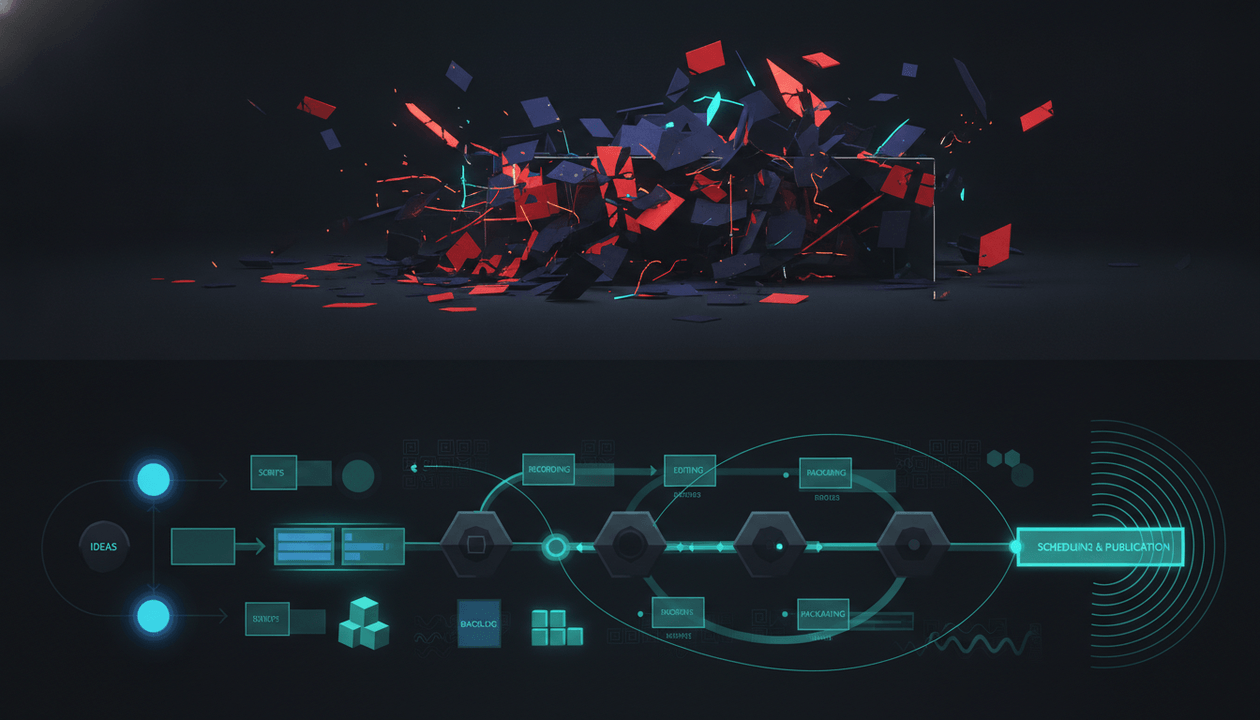
Show a messy board with disconnected cards: topic, title, script, thumbnail, edit. Then show them connected into one clean brief. Use short labels, subtle zooms, and clean dashboard-style overlays. Avoid random stock footage and generic AI robot imagery.
That is usable.
9. Voiceover Direction
Voiceover is part of the production system.
A good brief should define:
- Tone
- Speed
- Emotion
- Emphasis
- Pronunciation notes
- What not to do
Example:
| Field | Direction |
|---|---|
| Tone | Calm, sharp, strategic |
| Speed | Medium-fast, slow down on key insights |
| Emotion | Confident, not hype |
| Emphasis | Stress the contrast between random AI output and pattern-based planning |
| Avoid | Overdramatic “You won’t believe this” delivery |
This matters even more for faceless channels, where voiceover carries most of the authority.
10. Editor and Production Notes
The final brief should be useful to the person making the video.
Include:
- Required assets
- Source links
- Screenshots
- Timestamps
- Visual references
- Brand notes
- Caption style
- Music direction
- CTA placement
- Export format
- Deadline
- Revision notes
A brief is not finished until a writer, designer, voiceover artist, and editor can all understand the same video.
The 10-Part AI YouTube Video Brief Template
Use this compact template before producing a video.
| Brief Area | What to Fill In |
|---|---|
| Video overview | Working topic, target channel, target audience, video format, target length, main viewer problem, main promise, main emotion, CTA |
| Discovery mode | Search-driven, browse-driven, trend-driven, competitor-inspired, or audience-driven, plus what the title, thumbnail, and hook need to do |
| Competitor pattern | 3 to 5 reference videos or channels, why they worked, pattern to study, gap to beat, what not to copy |
| Title direction | Main title idea, alternate titles, title pattern, curiosity gap, viewer emotion, search or browse fit, title promise |
| Thumbnail direction | Main visual, focal point, text overlay, emotion, contrast, visual question, what to avoid |
| Hook plan | Opening line, pattern interrupt, stakes, proof, open loop, transition into section one |
| Script structure | Main sections, purpose of each section, key point, visual direction, final CTA |
| Visual direction | B-roll, screen recordings, diagrams, on-screen text, motion style, caption style, examples, what to avoid |
| Voiceover direction | Tone, speed, emotion, emphasis, pronunciation notes, what to avoid |
| Sources and assets | Official sources, competitor examples, screenshots, timestamps, brand assets, thumbnail assets, voiceover file, music or SFX assets |
| Production notes | Editor notes, designer notes, voiceover notes, uploader notes, deadline, revision notes, final export format |
The goal is not to create a huge document.
The goal is to make sure the whole team understands the same video before production starts.
Example: Weak AI Brief vs Strong YouTube-Native Brief
Let’s say your idea is:
AI tools for YouTube creators
A generic AI brief might produce this:
Objective: Explain the best AI tools for YouTube creators.
Audience: YouTubers and content creators.
Key points: Research, scriptwriting, thumbnails, editing, publishing.
Hook: AI tools can help you grow faster.
CTA: Subscribe for more tips.
That is not terrible.
But it is weak.
It could describe 500 videos.
A stronger YouTube-native brief would look like this:
| Brief Section | Stronger Direction |
|---|---|
| Viewer problem | Creators are collecting AI tools, but their workflow is still broken because the tools are disconnected. |
| Main promise | Show the correct AI YouTube workflow from research to title, thumbnail, script, voiceover, and editing. |
| Title direction | The AI YouTube Workflow That Actually Saves Time |
| Thumbnail direction | Messy tool stack vs clean production system |
| Hook | “Most creators do not need more AI tools. They need the tools in the right order.” |
| Structure | The tool-stack trap, why research comes before writing, why title and thumbnail should guide the script, how to turn one idea into a production brief, how to hand it to your writer, voiceover artist, and editor |
| Visual direction | Use clean workflow diagrams, tool cards, script snippets, thumbnail previews, and editor handoff visuals. |
| CTA | Build from proven YouTube patterns instead of random AI output. |
That is a real video plan.
The difference is not the length.
The difference is strategic clarity.
How OverseerOS Turns Ideas Into Production-Ready Video Briefs
The best AI YouTube video brief generator is not just a prompt box.
It needs useful input.
If the AI starts with a random topic, it usually creates a random brief.
If it starts with proven YouTube patterns, competitor research, title examples, thumbnail direction, and viewer demand, the brief becomes much stronger.
That is the advantage of OverseerOS.
OverseerOS helps creators and teams:
- Analyze successful YouTube channels
- Study breakout videos
- Track competitors
- Find winning topics
- Generate stronger titles
- Plan thumbnails
- Write scripts
- Generate voiceovers through the ElevenLabs-powered workflow
- Organize ideas inside Smart Content Planners
- Turn fresh trends into script ideas with Trend to Script
The workflow is simple:
- Analyze a channel or niche.
- Find videos that already performed well.
- Extract the title, thumbnail, hook, and format patterns.
- Turn the pattern into an original idea.
- Generate the script direction.
- Plan the thumbnail direction.
- Generate voiceover inside the workflow.
- Move the idea into production with a clear brief.
That is much stronger than asking AI:
Write me a video brief about AI tools.
The better prompt is:
Here are the proven patterns. Now turn this into an original YouTube video plan.
If you want to build videos from real YouTube signals instead of blank-page AI output, use OverseerOS to reverse-engineer successful channels and turn proven patterns into better content plans.
AI YouTube Video Brief Generator Workflow
Use this workflow before every serious video.
Step 1: Start With Research, Not the Prompt
Do not begin with:
Create a brief for a video about productivity.
Start with:
What productivity videos are already breaking out, and what pattern do they share?
You need evidence before generation.
Use:
- Competitor videos
- Outlier examples
- Audience comments
- Search demand
- Trend momentum
- Your own channel data
- Common title and thumbnail patterns
A brief built on research will beat a brief built on vibes.
Step 2: Define the Viewer Problem
The viewer problem controls everything.
Ask:
- What does the viewer want?
- What are they frustrated by?
- What have they tried?
- What do they misunderstand?
- What would make them click?
- What would make them leave?
Example:
Weak problem:
They want YouTube tips.
Strong problem:
They are uploading consistently but cannot tell why some videos get impressions and others die.
Now the video has tension.
Step 3: Choose the Video Format
Do not only choose a topic.
Choose a format.
Examples:
| Topic | Stronger Format |
|---|---|
| AI tools | I tested 7 AI tools for YouTube creators |
| YouTube thumbnails | I redesigned 10 dead thumbnails |
| Faceless channels | I studied 100 faceless channels |
| Productivity | I copied the daily routine of 5 CEOs |
| Finance | 7 money mistakes keeping beginners broke |
| Fitness | I tried the simplest fat-loss routine for 30 days |
The format gives the video shape.
The brief should make the format obvious.
Step 4: Generate Title and Thumbnail Directions
Create packaging before the script.
At minimum, generate:
- 5 title options
- 3 thumbnail concepts
- 3 hook options
- 1 final recommended direction
Use this table:
| Packaging Element | Question |
|---|---|
| Title | What promise creates the click? |
| Thumbnail | What visual question supports the title? |
| Hook | How do we prove the promise quickly? |
| Script | How do we deliver the promise fully? |
| CTA | What should the viewer do next? |
This prevents the script from becoming disconnected from the click.
Step 5: Create the Script Structure
Once the promise is clear, generate the structure.
A strong script structure should include:
- Intro
- Setup
- Main framework
- Examples
- Mistakes
- Practical workflow
- Final CTA
The brief should explain the job of each section.
Do not just list headings.
Tell the writer what each section needs to accomplish.
Step 6: Add Visual and Voiceover Direction
A YouTube brief should not be text-only.
Add direction for:
- B-roll
- Diagrams
- Screenshots
- On-screen text
- Captions
- Motion
- Music
- Voiceover tone
- Emotional pacing
This is what turns a writing plan into a production plan.
Step 7: Turn the Brief Into a Team Handoff
The final output should be usable by:
- Scriptwriter
- Thumbnail designer
- Voiceover artist
- Editor
- Channel manager
- Client
- Uploader
If only the writer understands the brief, it is incomplete.
Best Use Cases for an AI YouTube Video Brief Generator
Faceless YouTube Channels
Faceless channels need strong briefs because the production is usually split between writers, voiceover artists, thumbnail designers, and editors.
The brief keeps everyone aligned.
Use it for:
- Documentary videos
- Psychology channels
- Finance explainers
- AI news channels
- Self-improvement videos
- History channels
- Celebrity commentary
- Business case studies
YouTube Agencies
Agencies need briefs because they manage multiple clients and cannot rely on one person holding the whole strategy in their head.
Use it for:
- Client video approvals
- Writer assignments
- Thumbnail direction
- Editor handoff
- Voiceover direction
- Revision reduction
- Production consistency
If you run multiple clients or channels, pair this with the best YouTube tools for agencies and multi-channel operators.
Multi-Channel Operators
Multi-channel operators need repeatability.
A brief generator helps standardize how every channel moves from idea to production.
Use it for:
- Topic validation
- Format selection
- Packaging direction
- Script structure
- Editor notes
- Upload planning
- Performance learning
Solo Creators
Solo creators benefit too.
Even if you do everything yourself, the brief forces you to think before producing.
It stops you from making videos where the title says one thing, the thumbnail says another, and the script wanders somewhere else.
AI YouTube Video Brief Checklist
Before producing a video, check the brief.
- The viewer problem is specific.
- The discovery mode is clear.
- The video format is defined.
- Competitor or pattern research is included.
- The title promise is clear.
- The thumbnail supports the title.
- The hook proves the promise quickly.
- The script structure has a clear job for each section.
- The visual direction is specific.
- The voiceover tone is defined.
- Sources and proof are included.
- The editor knows what to show.
- The CTA is clear.
- The brief can be understood by the full production team.
If the brief cannot pass this checklist, do not move into production yet.
Common Mistakes With AI Video Brief Generators
Mistake 1: Starting With a Generic Prompt
Bad prompt:
Make me a video brief about YouTube growth.
Better prompt:
Create a YouTube video brief for small creators who get impressions but low CTR. The video should explain why thumbnails fail, use a mistake-breakdown format, include title and thumbnail directions, and give the editor clear visual notes.
AI is only as strong as the context you give it.
Mistake 2: Treating the Brief as a Script
The brief is not the full script.
The brief tells the script what to become.
If you skip the brief and jump straight to scripting, you often get a video with no clear promise.
Mistake 3: Creating the Thumbnail After the Script
For YouTube, the thumbnail should be planned early.
The script should support the promise the thumbnail creates.
If the thumbnail is an afterthought, the video may feel disconnected.
Mistake 4: Ignoring Competitor Patterns
You do not need to copy competitors.
But you should understand what already works.
Study:
- Formats
- Title structures
- Thumbnail patterns
- Hook types
- Viewer problems
- Content gaps
Then create your own version.
Mistake 5: Giving the Editor Vague Notes
“Make it engaging” is not useful.
Better:
Keep the intro fast and proof-heavy. Use a messy workflow visual in the first 10 seconds. Add a clean before/after diagram when introducing the brief system. Avoid generic AI robot footage.
Specificity saves revisions.
AI Video Brief Prompt You Can Use
Use this prompt structure if you want to create a stronger brief manually.
| Prompt Field | What to Add |
|---|---|
| Topic | The rough video idea |
| Target viewer | Who the video is for |
| Channel niche | The niche or channel type |
| Discovery mode | Search-driven, browse-driven, trend-driven, competitor-inspired, or audience-driven |
| Main viewer problem | The pain, fear, or desire behind the click |
| Desired video format | Tutorial, teardown, comparison, case study, documentary, list, review, or challenge |
| Competitor patterns or references | Videos, titles, thumbnails, hooks, or formats that already worked |
| Main title direction | The title promise you want the video to deliver |
| Thumbnail direction | The visual idea that supports the title |
| Desired CTA | What the viewer should do next |
Then ask the AI to generate:
- Viewer problem
- Search or browse intent
- Main promise
- Title options
- Thumbnail concepts
- Hook plan
- Script structure
- Visual direction
- Voiceover direction
- Editor notes
- Sources or proof needed
- CTA
- Common mistakes to avoid
Make sure the instruction says:
Do not make this a generic video marketing brief. Make it specific to YouTube packaging, retention, and production handoff.
This is better than a normal prompt because it forces the AI to think like a YouTube strategist, not just a content assistant.
Final Verdict: The Best Brief Generator Starts With Proven Patterns
An AI YouTube video brief generator is useful only if it creates a production plan that improves the video before production starts.
A weak brief gives you generic objectives and scene ideas.
A strong brief connects:
- Viewer problem
- Search or browse intent
- Competitor patterns
- Title promise
- Thumbnail direction
- Hook
- Script structure
- Visual plan
- Voiceover tone
- Editor notes
- CTA
That is the difference between a document and a production system.
If you only need a simple brand video brief, a generic video brief generator may be enough.
But if you are creating YouTube videos, especially for faceless channels, agencies, or multi-channel operations, you need a YouTube-native workflow.
You need research before writing.
Packaging before scripting.
Hook before editing.
Structure before voiceover.
A clear brief before production.
That is exactly why OverseerOS exists.
If you want to turn proven YouTube patterns into scripts, thumbnails, voiceovers, and production-ready content plans, start with OverseerOS and build your videos from evidence instead of guessing.
FAQ
What is an AI YouTube video brief generator?
An AI YouTube video brief generator is a tool that turns a rough video idea into a structured YouTube production plan. It should include the viewer problem, title direction, thumbnail concept, hook, script structure, visual notes, voiceover direction, editor instructions, and CTA.
How is a YouTube video brief different from a normal video brief?
A normal video brief usually focuses on objective, audience, message, scenes, and CTA. A YouTube video brief also needs title strategy, thumbnail direction, hook structure, retention flow, competitor patterns, viewer psychology, and production handoff details.
What should an AI YouTube video brief include?
It should include the target viewer, viewer problem, discovery mode, competitor patterns, title options, thumbnail direction, hook plan, script structure, visual direction, voiceover tone, sources, editor notes, and CTA.
Can AI write a YouTube video brief?
Yes. AI can help write a YouTube video brief, but the quality depends on the input. If you give AI only a generic topic, the brief will usually be generic. If you give it competitor patterns, title direction, thumbnail direction, viewer pain, and format examples, the brief becomes much stronger.
Is a video brief the same as a script?
No. The brief comes before the script. It explains the strategy, promise, structure, visuals, voiceover direction, and production notes. The script is the actual narration or spoken content.
Should I create the title and thumbnail before the script?
Yes. For YouTube, title and thumbnail direction should usually be created before the full script because they define the promise of the video. The script and hook should then deliver that promise.
What is the best AI video brief generator for YouTube?
The best tool is one that understands YouTube strategy, not just generic video planning. OverseerOS is built around reverse-engineering successful channels, finding proven patterns, generating titles, planning thumbnails, writing scripts, and organizing production workflows from YouTube-native signals.
Can an AI video brief generator help YouTube agencies?
Yes. Agencies can use AI video briefs to standardize handoffs between strategists, writers, designers, voiceover artists, editors, and clients. This reduces confusion and makes production more consistent across multiple channels.
Can I use a generic video brief generator for YouTube?
You can, but you will likely need to add YouTube-specific details manually. Generic tools often miss title and thumbnail strategy, hook structure, competitor outliers, retention planning, and editor notes.
How does OverseerOS help create better YouTube video briefs?
OverseerOS helps creators analyze successful channels, find breakout videos, track competitors, generate titles, plan thumbnails, write scripts, generate voiceovers, and organize ideas inside Smart Content Planners. That gives the brief better input than a blank AI prompt.