A YouTube video finder by channel sounds simple.
Paste a channel. Find its videos.
But for creators, agencies, and SaaS teams, the real job is not finding every upload. The real job is finding the videos that explain why a channel works.
Which videos broke out? Which titles pulled attention? Which thumbnails created the click? Which topics repeated? Which formats kept showing up? Which uploads were ignored? Which videos were clearly above the channel’s normal baseline?
That is where the money is.
A good YouTube video finder by channel should help you move from a channel URL to a useful research map: best videos, recent uploads, outliers, content gaps, format patterns, title formulas, thumbnail angles, and videos worth analyzing deeper.
This guide breaks down how to find videos from a YouTube channel the right way, what “private video finder” tools can and cannot do, which tools are useful, and how to turn public video research into original content strategy with OverseerOS.
Key takeaways
- A YouTube video finder by channel should help you find the videos worth studying, not just list uploads.
- The strongest videos to study are usually outliers: uploads that perform far above the channel’s normal baseline.
- “Private YouTube video finder” is usually the wrong search intent. Legitimate tools cannot expose private videos from another creator’s channel.
- Public videos can appear on channels, in search, and in recommendations. Private videos are only visible to the creator and selected people, while unlisted videos require the link and usually do not appear on the channel or in YouTube search. Source: YouTube Help
- YouTube’s own search, channel tabs, playlists, and filters are useful for manual research, but they are slow when you need pattern-level analysis.
- OverseerOS Viral X-Ray helps analyze individual public videos, while OverseerOS Channel Analyzer and OverseerOS Channel Blueprint Cloner help turn channel and video patterns into original strategy.
- The best workflow is: find the channel, identify its outlier videos, study the packaging and structure, extract the repeatable pattern, then create your own original angle.
What is a YouTube video finder by channel?
A YouTube video finder by channel is a tool or workflow that helps you locate and sort videos from a specific YouTube channel.
At the basic level, it helps you find:
- A channel’s newest uploads
- A channel’s most popular videos
- Videos from a specific time period
- Videos around a specific keyword
- Shorts, long-form videos, livestreams, or playlists
- Videos that match a topic inside the channel
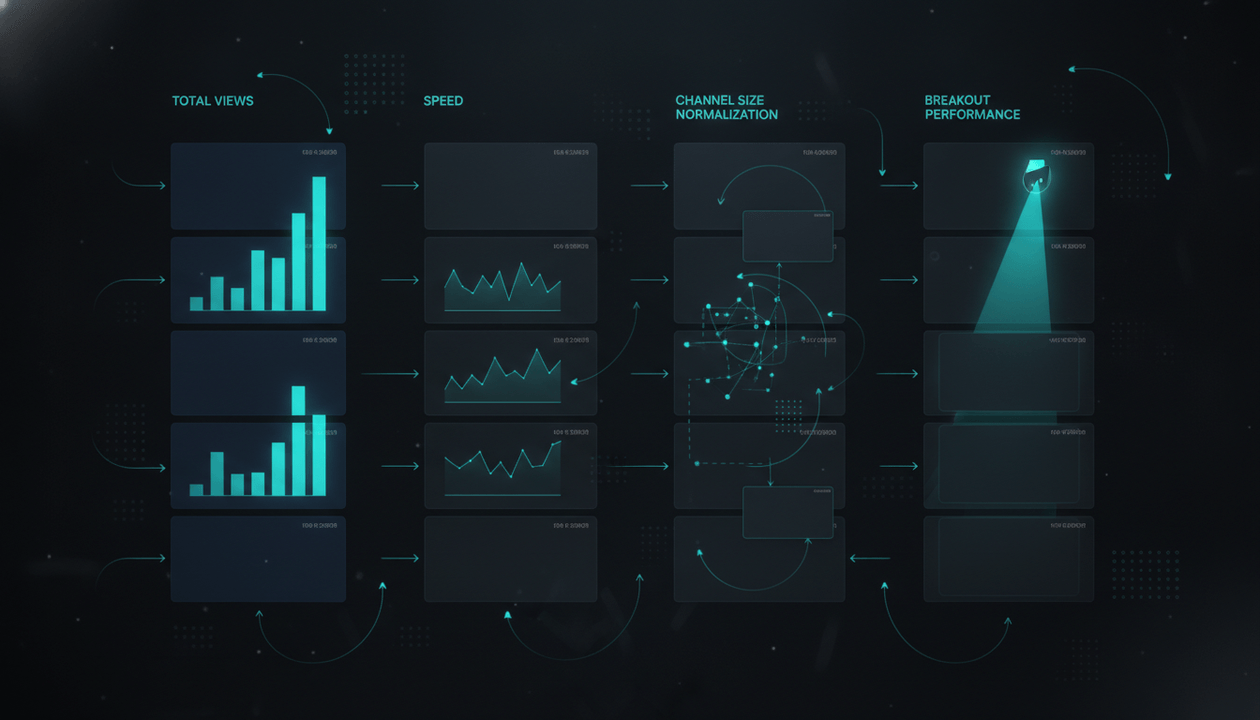
- Videos that performed unusually well compared to the rest of the channel
At the strategic level, it helps you answer better questions:
- Which videos built the channel?
- Which videos are recent outliers?
- Which titles keep working?
- Which thumbnail styles repeat?
- Which formats are getting views now?
- Which videos underperformed and should be avoided?
- Which topics does the channel keep returning to?
- Which gaps could another creator own?
- Which videos should be sent into a deeper analysis tool?
That second layer is what most creators actually need.
A list of uploads is not enough. A channel with 400 videos does not need “more data.” It needs a way to separate signal from noise.
The honest answer about private YouTube video finders
A lot of people search for terms like:
- private YouTube video finder
- YouTube video finder private
- find private videos from YouTube channel
- unlisted YouTube video finder by channel
- deleted YouTube video finder
This is where the article needs to be clear.
A legitimate YouTube video finder cannot reveal another creator’s private videos.
According to YouTube’s own privacy settings documentation, private videos can only be seen by the creator and people they choose. Private videos do not appear in the Videos tab of the channel homepage and do not show up in YouTube search. Source: YouTube Help
Unlisted videos are different. Anyone with the link can watch and share an unlisted video, but unlisted videos usually do not appear on the channel homepage or in YouTube search unless they are added to a public playlist. Source: YouTube Help
So the clean rule is:
| Video type | Can a normal finder discover it? | What it means |
|---|---|---|
| Public video | Yes | Visible on the channel, in search, recommendations, or public playlists |
| Unlisted video | Only if you already have the link or it appears in a public playlist | Not normally discoverable through channel search |
| Private video | No | Only visible to the creator and selected people |
| Deleted video | No normal access | May appear as dead links or historical references, but not watchable through a finder |
The right creator workflow is not trying to expose private videos.
The right workflow is studying public videos deeply enough to understand what is working.
That is safer, more ethical, and much more useful.
The best YouTube video finder tools and methods
| Method | Best for | Main strength | Main weakness |
|---|---|---|---|
| YouTube channel Videos tab | Manual browsing | Fast and free | Weak filtering and no strategy analysis |
| YouTube search with channel keywords | Finding topic-specific videos | Good for quick manual discovery | Search results can be noisy |
| Channel playlists | Understanding content categories | Shows how the creator organizes topics | Not every creator maintains playlists well |
| YouTube Data API | Technical retrieval of public videos | Useful for developers and internal tools | Requires API setup and interpretation |
| ViewStats | Outliers, thumbnails, competitors, analytics | Strong public performance research | More analytics-first than full strategy workflow |
| 1of10 | Outlier videos and content ideas | Good for finding videos that overperform | More video-level than full channel blueprinting |
| vidIQ | SEO, keywords, competitors, daily ideas | Strong optimization and channel management | Less focused on deep video pattern extraction |
| TubeBuddy | SEO, A/B testing, bulk tools | Strong publishing and optimization workflows | Not built primarily as a channel video intelligence system |
| OverseerOS | Video, channel, and pattern research | Connects public video analysis to strategy, scripts, thumbnails, and planning | Best for creators who want to act on the research |
Method 1: Use the channel’s Videos tab
The simplest way to find videos from a YouTube channel is to open the channel and use the Videos tab.
This helps you see:
- Recent uploads
- Long-form videos
- Shorts
- Livestreams
- Upload cadence
- Current packaging style
- Topic direction
- Whether the channel is still active
This is the first step because it gives you the human read.
Before using any tool, look at the channel like a viewer.
Ask:
- What is the channel promising?
- What does the creator repeat?
- What looks recent?
- What looks old?
- Are thumbnails consistent?
- Are titles curiosity-driven, search-driven, emotional, or direct?
- Is the channel winning with personality, format, research, editing, or topic selection?
Manual browsing is not enough for serious research, but it helps you avoid blindly trusting scores.
Best manual sorting rule
Do not only sort by “popular.”
Sort mentally by:
- Newest videos
- Most viewed videos
- Recent videos that look unusually high
- Videos that match the channel’s current direction
- Videos that launched a repeatable series
The best video to study is not always the most viewed upload of all time.
A video from 2019 with 10 million views may be less useful than a video from last month that got 600,000 views on a channel that normally gets 40,000.
Method 2: Search inside YouTube for channel-specific topics
You can use YouTube search manually to find videos from or about a channel.
Try searches like:
channel name + topic
channel name + keyword
site:YouTube.com channel name topic
channel name best videos
channel name documentary
channel name AI
channel name reaction
channel name tutorial
This works when you already know the channel and topic.
Example:
If you are studying a finance channel, you might search:
channel name recession
channel name passive income
channel name credit card
channel name retirement
channel name AI investing
This helps you find clusters inside the channel.
But this method has limits.
YouTube search is built for viewers, not strategists. It may prioritize relevance, recency, personalization, popularity, or other signals that do not perfectly match your research goal. It also does not automatically tell you which videos are outliers compared to the channel’s baseline.
So use search for discovery, not final judgment.
Method 3: Use playlists to understand content categories
Playlists are underrated.
A creator’s playlists can show how they think about their own content.
Look for:
- Series names
- Recurring formats
- Beginner vs advanced segmentation
- Topic clusters
- Evergreen tutorials
- Documentary collections
- Product review categories
- Shorts vs long-form separation
Example:
A tech channel might have playlists like:
- AI Tools
- Beginner Tutorials
- Startup Stories
- Product Reviews
- Automation Workflows
- Weekly News
That tells you the channel is not random. It has buckets.
Those buckets can become your research map.
But playlists are not perfect. Many creators ignore them, forget to update them, or organize them for viewers instead of strategy.
Use playlists as one signal, not the whole truth.
Method 4: Use the YouTube Data API for public video retrieval
For technical teams, the YouTube Data API can retrieve public video and playlist data.
The YouTube Data API Search endpoint supports a channelId parameter that restricts results to resources created by a specific channel, and it can be restricted to video results with type=video. Google also notes that search results are constrained to a maximum of 500 videos when using channelId with type=video without certain authorized filters. Source: YouTube Data API Search docs
For upload lists, the YouTube Data API playlistItems.list endpoint can retrieve videos from a specified playlist, including upload playlists, with pagination. Source: YouTube Data API PlaylistItems docs
This is useful if you are building internal tools or dashboards.
But raw API data is not the same as insight.
The API can help retrieve:
- Titles
- Video IDs
- Publish dates
- Descriptions
- Thumbnails
- Playlist positions
- Public metadata
- Public stats through related endpoints
But you still need to interpret:
- Why the video worked
- Whether it was an outlier
- Whether the title pattern is repeatable
- Whether the topic is saturated
- Whether the thumbnail style can be adapted
- Whether the video fits your channel’s positioning
That is why most creators should not start with the API.
They should start with a research workflow that turns public video data into decisions.
What makes a video worth studying?
Not every video on a channel deserves attention.
Use this table to separate real signals from vanity signals.
| Signal | What it means | Why it matters |
|---|---|---|
| High views relative to channel average | The video overperformed its baseline | Strong outlier signal |
| Recent high performance | The topic or format is working now | More useful than old viral hits |
| Repeatable format | The idea can become a system | Better for creators and agencies |
| Clear title promise | The click reason is obvious | Easier to model |
| Strong thumbnail contrast | The viewer understands the hook fast | Packaging signal |
| Comment intent | Viewers ask questions, request more, or mention buying decisions | Useful for SaaS and sponsor research |
| Series potential | The video can become multiple episodes | Strong content planning value |
| Low production dependency | You can realistically adapt the idea | Better execution fit |
| High monetization relevance | The audience has buyer value | Better for subscriptions, sponsors, and deals |
A video is weak research material when it only worked because of:
- Celebrity involvement
- News timing you cannot repeat
- One-time controversy
- Huge production budget
- Personal life event
- Clickbait with no retention
- A topic outside your niche
- A creator’s existing fame
- A thumbnail that cannot be adapted ethically
The question is not:
Did this video get views?
The real question is:
Can this pattern help me create something original that my audience would actually click and watch?
How to find a channel’s best videos without fooling yourself
Most creators make one big mistake.
They look at the most viewed videos and assume those are the best videos to copy.
Wrong.
The most viewed videos are often old, lucky, broad, or algorithmically blessed by a moment that no longer exists.
You need to find the best strategic videos.
Use this scoring system.
| Score factor | Question | Score |
|---|---|---|
| Recent performance | Did it perform well in the last 30 to 180 days? | 1 to 5 |
| Relative outlier | Did it beat the channel’s normal views? | 1 to 5 |
| Pattern clarity | Is the reason it worked obvious? | 1 to 5 |
| Repeatability | Can this become more than one video? | 1 to 5 |
| Fit | Could your channel credibly adapt the pattern? | 1 to 5 |
| Packaging strength | Are the title and thumbnail doing real work? | 1 to 5 |
| Monetization value | Does this attract a valuable audience? | 1 to 5 |
Add the score.
- 25 to 35: worth deep analysis
- 18 to 24: useful but not urgent
- 10 to 17: save only if relevant
- Below 10: ignore
This prevents you from chasing the wrong videos.
The 5 types of videos you should look for on any channel
1. The breakout video
This is the video that performed far above the channel’s normal baseline.
Example:
A channel usually gets 30,000 views. One video gets 420,000.
That is a signal.
Study:
- Title
- Thumbnail
- Topic timing
- Intro structure
- Video length
- First 30 seconds
- Comments
- Follow-up videos
- Whether the channel repeated the format
The breakout video tells you where the audience suddenly cared.
2. The repeat winner
This is not one video. It is a pattern that worked multiple times.
Example:
A psychology channel repeatedly wins with:
“Why You Feel [Emotion] Around [Person Type]”
Possible repeat winners:
Why You Feel Anxious Around Calm People
Why You Feel Empty Around People You Love
Why You Feel Addicted to Someone Who Pulls Away
That is more valuable than one random viral video because it gives you a format.
3. The recent direction shift
This is when the channel changes style, topic, or format and performance improves.
Look for:
- New thumbnail layout
- New topic category
- New title structure
- New pacing
- New video length
- New upload schedule
- New audience promise
This is useful because it shows active learning by the creator.
A direction shift can tell you what the market is rewarding now.
4. The underperformer
Most creators ignore failed videos.
That is a mistake.
A failed video tells you what not to do.
Look for videos with:
- Weak title clarity
- Confusing thumbnail
- Low emotional stakes
- Overly broad topic
- Topic mismatch
- Bad timing
- Same idea as competitors but weaker angle
- High effort but low viewer demand
The failed videos are your warning labels.
5. The sponsor-friendly video
If your goal includes subscriptions, deals, affiliates, or sponsorships, look for videos that attract buyer-intent comments.
Examples:
- “Which tool should I use?”
- “Does this work for beginners?”
- “Can you compare X vs Y?”
- “What software do you recommend?”
- “Is there a cheaper alternative?”
- “Can this work for agencies?”
- “What setup are you using?”
These videos matter because they show commercial intent.
A channel’s most sponsor-friendly video is not always its biggest video.
It is the video where the audience is closest to buying something.
How OverseerOS helps turn video finding into video strategy
This is where OverseerOS fits naturally.
OverseerOS is not built to help creators scrape or copy another creator’s work. It is built to help creators study public YouTube patterns and turn those signals into original content.
A strong workflow looks like this:
- Use OverseerOS Viral Channel Finder to discover viral and breakout channels in a niche.
- Open promising channels and identify their strongest public videos.
- Use OverseerOS Viral X-Ray to analyze individual videos: title, thumbnail, hook, structure, and audience pattern.
- Use OverseerOS Channel Analyzer to understand the channel’s broader growth patterns, upload frequency, engagement signals, and content strategy.
- Use OverseerOS Channel Blueprint Cloner to turn the channel into a structured strategy blueprint with tone, hooks, pacing, viral topic formulas, tags, keywords, hidden insights, and untapped topic opportunities.
- Use the output to create original topics, titles, scripts, thumbnails, and planner items.
That is the difference between finding videos and building a content system.
Most creators stop at inspiration.
OverseerOS helps you move from inspiration to execution.
The video finder workflow for faceless YouTube channels
Faceless creators need stronger research because they cannot rely on personality alone.
A personality creator can sometimes win because viewers love the person.
A faceless channel has to win through:
- Topic selection
- Packaging
- Story structure
- Voiceover
- Pacing
- Editing
- Thumbnail psychology
- Repeatable formats
Use this workflow:
Step 1: Pick 5 channels in your niche
For example:
- AI documentary channels
- Psychology animation channels
- Finance explainer channels
- History documentary channels
- Business case study channels
- Tech review channels
- Internet mystery channels
Do not pick only the biggest channels.
Pick a mix of:
- 1 giant authority channel
- 2 mid-size channels
- 2 smaller breakout channels
Step 2: Find each channel’s top 10 strategic videos
For each channel, collect:
- 3 most viewed videos
- 3 recent outliers
- 2 underperformers
- 2 videos that seem repeatable
This gives you a balanced view.
You are not just studying winners. You are studying the system.
Step 3: Categorize the videos by format
Use categories like:
| Format | Example |
|---|---|
| Hidden truth | “The Dark Side of…” |
| Mistake breakdown | “Why Most People Fail at…” |
| Transformation | “I Tried X for 30 Days” |
| Explainer | “How X Really Works” |
| Case study | “How X Built a $100M Business” |
| Warning | “Do Not Use X Until You See This” |
| Comparison | “X vs Y: Which One Is Better?” |
| List | “7 Signs You Are…” |
| Story documentary | “The Rise and Fall of…” |
| Tutorial | “How to Do X Step by Step” |
The goal is to see which formats repeat across winners.
Step 4: Extract the packaging pattern
For each winning video, write:
- Title structure
- Thumbnail text
- Thumbnail focal point
- Main emotion
- Curiosity gap
- Viewer promise
- Stakes
- First 10 seconds
- Final payoff
Example:
Weak note:
Good AI video.
Strong note:
Uses “hidden replacement” fear. Thumbnail shows human vs machine contrast. Title creates urgency without naming every detail. Hook opens with a personal threat, then zooms out to industry impact. This pattern can be adapted to AI teachers, AI lawyers, AI therapists, AI editors, and AI sales reps.
That is useful.
Step 5: Create original video ideas
Do not copy the original video.
Extract the mechanism.
Original:
“The Dark Side of AI Girlfriends”
Pattern:
A new technology solves loneliness, but creates dependency, manipulation, and identity confusion.
Original adaptations:
The Dark Side of AI Study Apps
The Dark Side of AI Career Coaches
The Dark Side of AI Therapy Bots
The Dark Side of AI Fitness Companions
The Dark Side of AI Productivity Managers
That is ethical strategy modeling.
The video finder workflow for agencies
Agencies should use video finding as a client research product.
Most client reports are too generic:
“Post consistently.”
“Improve thumbnails.”
“Use better hooks.”
“Make Shorts.”
That is not enough.
A better agency report includes evidence.
Use this structure:
| Section | What to include |
|---|---|
| Competitor video map | 10 to 30 videos from direct competitors |
| Outlier analysis | Which videos beat baseline and why |
| Packaging patterns | Repeated title and thumbnail structures |
| Topic gaps | Valuable topics competitors have not packaged well |
| Format opportunities | Series or formats the client can repeat |
| Risk areas | Overused topics, weak angles, saturated formats |
| Recommended content plan | 10 to 20 original video ideas |
| Execution notes | Hook, title, thumbnail, script direction |
This gives the client something concrete.
Inside OverseerOS, an agency can use OverseerOS Viral Channel Finder to discover channels, OverseerOS Viral X-Ray to analyze specific public videos, OverseerOS Channel Blueprint Cloner to decode a channel’s strategy, and OverseerOS content planning workflows to turn research into a client-ready roadmap.
That is how a video finder becomes a billable deliverable.
The video finder workflow for SaaS teams
SaaS teams should care about YouTube video finders because YouTube is not only a media platform.
It is a buyer-intent database.
People search YouTube before buying tools, learning workflows, comparing platforms, and deciding who to trust.
A SaaS team should find videos from channels that cover:
- Tool comparisons
- Tutorials
- Workflow breakdowns
- Alternative pages
- Product reviews
- Case studies
- “Best tools” lists
- Problem-solving videos
- Creator stack videos
- Agency workflows
Then ask:
- Which videos attract buyers?
- Which topics mention tools naturally?
- Which comments reveal purchase intent?
- Which channels accept sponsors?
- Which creators already influence our buyer?
- Which videos rank in Google as well as YouTube?
- Which comparison angles are underserved?
- Which tutorial formats could we create ourselves?
Example:
A SaaS company selling a YouTube growth tool should study videos like:
Best YouTube tools for creators
How to find viral YouTube video ideas
ViewStats vs vidIQ
How to analyze competitors on YouTube
How to make better YouTube thumbnails
How to find outlier videos
Faceless YouTube niche research workflow
These are not just content ideas.
They are demand signals.
The right video finder workflow helps SaaS teams find sponsorship targets, SEO topics, YouTube topics, affiliate partners, and comparison angles.
The “public video research” template
Use this template whenever you study videos from a channel.
| Field | What to write |
|---|---|
| Channel name | The channel you are studying |
| Channel URL | Public channel link |
| Video title | Exact title |
| Video URL | Public video link |
| Publish date | When it was published |
| Views | Current public view count |
| Channel average | Rough average views on recent videos |
| Outlier ratio | Video views divided by channel average |
| Thumbnail pattern | Face, object, contrast, text, layout, emotion |
| Title pattern | Curiosity, benefit, warning, comparison, story, list |
| Hook | What the first 30 seconds likely promises |
| Format | Tutorial, documentary, reaction, list, case study, etc. |
| Viewer emotion | Fear, curiosity, ambition, relief, anger, awe |
| Repeatability | Can this become a series? |
| Adaptation idea | Your original version |
| Next action | Analyze, ignore, monitor, send to planner, or build brief |
This turns random browsing into a real system.
How to identify outlier videos by channel
An outlier video is a video that performs unusually well compared to the channel’s typical performance.
A simple formula:
Outlier ratio = video views / channel’s recent average views
Example:
A channel’s recent videos usually get 40,000 views.
One video gets 320,000 views.
That video has an 8x outlier ratio.
That is worth studying.
Use this rough scale:
| Outlier ratio | Meaning |
|---|---|
| 1x to 1.5x | Normal performance |
| 2x to 3x | Interesting |
| 4x to 7x | Strong outlier |
| 8x to 15x | Major breakout |
| 15x+ | Extreme outlier, study carefully |
But do not use ratio alone.
A 20x outlier may be a one-off controversy. A 4x outlier across a repeatable format may be more valuable.
The best outlier is not the biggest spike.
The best outlier is the clearest repeatable signal.
What to look for in titles
When finding a channel’s best videos, titles are one of the most important signals.
Look for patterns like:
| Pattern | Example structure | Why it works |
|---|---|---|
| Hidden truth | “The Truth About X” | Creates curiosity and distrust |
| Warning | “Don’t Do X Until You See This” | Adds urgency |
| Transformation | “I Tried X for 30 Days” | Creates story and payoff |
| Comparison | “X vs Y: Which Is Better?” | Captures buyer intent |
| Beginner promise | “X Explained for Beginners” | Reduces friction |
| Mistake | “Why Most People Fail at X” | Makes viewers self-assess |
| Contrarian | “Everyone Is Wrong About X” | Creates tension |
| Future prediction | “What Happens to X Next” | Appeals to uncertainty |
| Case study | “How X Built Y” | Offers proof and narrative |
| Identity | “Signs You Are X” | Pulls personal relevance |
Do not copy titles word for word.
Extract the structure.
Weak adaptation:
The Truth About AI Girlfriends
Better adaptation:
The Hidden Cost of AI Companions Nobody Wants to Admit
Same emotional lane. New angle.
What to look for in thumbnails
A video finder should lead you into thumbnail research, because the thumbnail often explains the click.
Look for:
- One clear focal point
- Strong emotional signal
- Simple visual contrast
- Minimal readable text
- Before/after tension
- Human vs object contrast
- Big object, tiny human
- Red flag, arrow, circle, or visual anomaly
- Clear stakes
- Mystery without confusion
Thumbnail notes should be specific.
Bad:
Good thumbnail.
Better:
One face on left, AI robot on right, red warning glow, 3-word text, clear “human replaced by machine” conflict.
That gives you something usable.
For deeper packaging work, use OverseerOS AI YouTube Thumbnail Generator to build thumbnail concepts from proven visual patterns while keeping your final thumbnail original.
Common mistakes when finding videos by channel
Mistake 1: Studying the biggest video instead of the most useful video
The biggest video may be old, broad, lucky, or impossible to repeat.
The most useful video is recent, overperformed its baseline, and has a pattern you can adapt.
Mistake 2: Ignoring failed videos
Failed videos teach you what the audience rejected.
Study underperformers to understand:
- weak topics
- bad packaging
- audience mismatch
- unclear promise
- repetitive ideas
- poor timing
A failed video can save you from wasting money.
Mistake 3: Mixing Shorts and long-form without separating them
Shorts and long-form often have different mechanics.
Separate:
- Shorts
- Long-form videos
- Livestreams
- Podcasts
- Clips
- Tutorials
- Documentaries
A channel may be strong in Shorts and weak in long-form, or the opposite.
Do not average them together blindly.
Mistake 4: Chasing viral videos outside your ability
A video might work because of:
- travel budget
- celebrity access
- extreme challenge
- expensive animation
- expert interviews
- legal risk
- real-time news access
- personal charisma
If you cannot execute the core reason it worked, do not model it.
Mistake 5: Treating a single outlier as proof
One outlier is a clue.
Multiple outliers around the same pattern are proof.
Look for clusters.
Mistake 6: Copying instead of modeling
Copying says:
That video worked, so I will make the same thing.
Modeling says:
That video worked because of a specific emotional promise, structure, and packaging pattern. I can apply the mechanism to a different topic with my own research and voice.
That is the line.
Stay on the right side of it.
Best workflow: from channel URL to original video idea
Use this step-by-step workflow.
Step 1: Start with a public channel
Choose a channel in your niche or adjacent niche.
Good sources:
- OverseerOS Viral Channel Finder
- YouTube search
- ViewStats
- 1of10
- Competitor recommendations
- Sponsor pages
- Google search
- Niche communities
- Newsletter recommendations
Step 2: Pull 10 to 20 videos
Include:
- Most viewed videos
- Recent uploads
- Recent outliers
- Underperformers
- Repeated series
- Sponsor-friendly videos
Step 3: Score the videos
Use the 35-point scoring system from earlier.
Prioritize videos with:
- recent performance
- relative outlier behavior
- repeatable format
- clear packaging
- strong monetization relevance
Step 4: Analyze the top 3 videos deeply
For each video, study:
- Title
- Thumbnail
- First 30 seconds
- Structure
- Pacing
- Promise
- Payoff
- Comments
- Viewer emotion
- Follow-up potential
This is where OverseerOS Viral X-Ray fits. Use OverseerOS Viral X-Ray to analyze individual public videos and understand the title, thumbnail, hook, structure, and audience engagement patterns behind performance.
Step 5: Extract the pattern
Write one sentence:
This video worked because [audience] wanted [specific promise] delivered through [format] with [emotional tension].
Example:
This video worked because burned-out creators wanted proof that simple faceless channels still work, delivered through a case-study format with money and speed tension.
That sentence becomes your strategy.
Step 6: Create original adaptations
Create 5 to 10 new ideas from the mechanism.
Do not reuse the exact topic unless you have a genuinely new angle.
Original pattern:
Small channels are making money with simple AI videos.
Original adaptations:
Small Channels Are Growing With AI Voiceover Essays
These Faceless Tutorial Channels Are Quietly Exploding
The New Simple YouTube Format Nobody Is Talking About
Creators Are Turning Boring Tools Into Viral Channels
The Low-Budget AI Channel Strategy That Still Works
Step 7: Build the production brief
A proper brief includes:
- target viewer
- title options
- thumbnail concept
- hook direction
- video structure
- examples to avoid copying
- research needed
- unique angle
- retention risks
- CTA or business goal
This is how you turn research into a publishable video.
Final verdict
A YouTube video finder by channel is useful only if it helps you make better decisions.
Finding every upload is easy.
Finding the videos that reveal a channel’s growth pattern is the real work.
The smartest creators do not just ask:
What videos did this channel upload?
They ask:
Which videos broke the pattern, why did they work, and how can I create an original version for my own audience?
That is the workflow that matters.
Use YouTube’s native tools for quick browsing. Use public data and playlists for technical retrieval. Use ViewStats, 1of10, vidIQ, or TubeBuddy when their specific strengths fit your workflow.
But if your goal is to move from public video research to original YouTube strategy, use OverseerOS.
Start with OverseerOS Viral Channel Finder to discover channels, use OverseerOS Viral X-Ray to analyze individual videos, use OverseerOS Channel Blueprint Cloner to decode the channel’s deeper pattern, and turn the output into original titles, thumbnails, scripts, and content plans.
That is how a video finder becomes a growth system.
FAQ
How do I find all videos from a YouTube channel?
The simplest way is to open the channel and use its Videos tab, Shorts tab, Live tab, and playlists. Developers can also use the YouTube Data API to retrieve public upload playlists or search public videos by channel ID. For strategy work, do not only collect all videos. Sort them by recent performance, outlier behavior, topic pattern, and repeatability.
Can I find private videos from a YouTube channel?
No legitimate public tool can reveal another creator’s private videos. YouTube says private videos are only visible to the creator and selected people, and they do not appear on the channel homepage or in YouTube search. Focus on public videos and ethical research.
Can I find unlisted YouTube videos from a channel?
Only in limited cases. Unlisted videos can be watched by anyone with the link, but they normally do not appear on the channel homepage or in YouTube search unless someone adds them to a public playlist. A tool should not claim it can magically expose every unlisted video from a channel.
What is the best way to find a channel’s most popular videos?
Use the channel’s Videos tab when available, third-party analytics tools, or a research workflow that sorts by public views. But “most popular” is not always the same as “most useful.” For creators, recent outliers are often more valuable than old all-time hits.
What is an outlier video on YouTube?
An outlier video is a video that performs far above the channel’s normal baseline. For example, if a channel usually gets 20,000 views and one upload gets 250,000, that video is an outlier. Outliers are useful because they reveal topics, titles, thumbnails, or formats that pulled more attention than usual.
How do I find a channel’s best videos for competitor research?
Collect the channel’s most viewed videos, recent uploads, recent outliers, underperformers, and repeated series. Then score each video based on recency, relative performance, repeatability, packaging strength, and fit for your own channel. Use OverseerOS Viral X-Ray and OverseerOS Channel Analyzer when you want deeper pattern analysis.
Is it okay to copy a video idea from another channel?
No. You should not copy another creator’s video, script, thumbnail, or unique angle. It is fine to study public patterns and adapt the underlying strategy into original work. The ethical workflow is: analyze the pattern, understand the audience demand, create your own angle, write your own script, and design your own thumbnail.
What should I do after finding a channel’s best videos?
Analyze the title, thumbnail, hook, structure, topic, comments, and repeatability. Then create original adaptations. Inside OverseerOS, the next step is to use OverseerOS Viral X-Ray for individual video analysis, OverseerOS Channel Blueprint Cloner for deeper channel strategy, and OverseerOS planning workflows to turn the research into publishable content.