Most AI brand kit generators are built for businesses.
They assume you need:
- a logo
- a business card
- a website palette
- an email signature
- a presentation template
A YouTube creator needs a different system.
Your brand has to survive inside:
- a tiny profile picture
- a wide channel banner
- thumbnails viewed at phone size
- long-form videos
- Shorts
- captions
- charts
- AI-generated scenes
- sponsor integrations
- social posts
- community posts
And all of those assets need to feel like the same channel.
That is why generating a logo is not enough.
A useful YouTube brand kit should define a repeatable visual system:
- primary logo
- simplified channel icon
- banner direction
- thumbnail color system
- typography
- accent colors
- background colors
- image style
- illustration style
- recurring shapes
- text treatment
- channel watermark
- visual do-not-use rules
- asset files
- templates
- AI generation instructions
The strongest AI brand kit generators can either create that system from scratch or turn an existing visual identity into reusable rules.
But the tools are very different.
Some generate a full brand identity from one prompt.
Some start with a logo.
Some store brand assets and automatically apply them to future designs.
Some are strongest for teams.
Some are better for creators.
And one approaches branding from the YouTube channel itself.
This guide compares the best AI brand kit generator tools for YouTube creators in 2026, explains what each one actually produces, and gives you a complete framework for building a channel identity that remains consistent across banners, thumbnails, videos, Shorts, and AI-generated visuals.
Key Takeaways
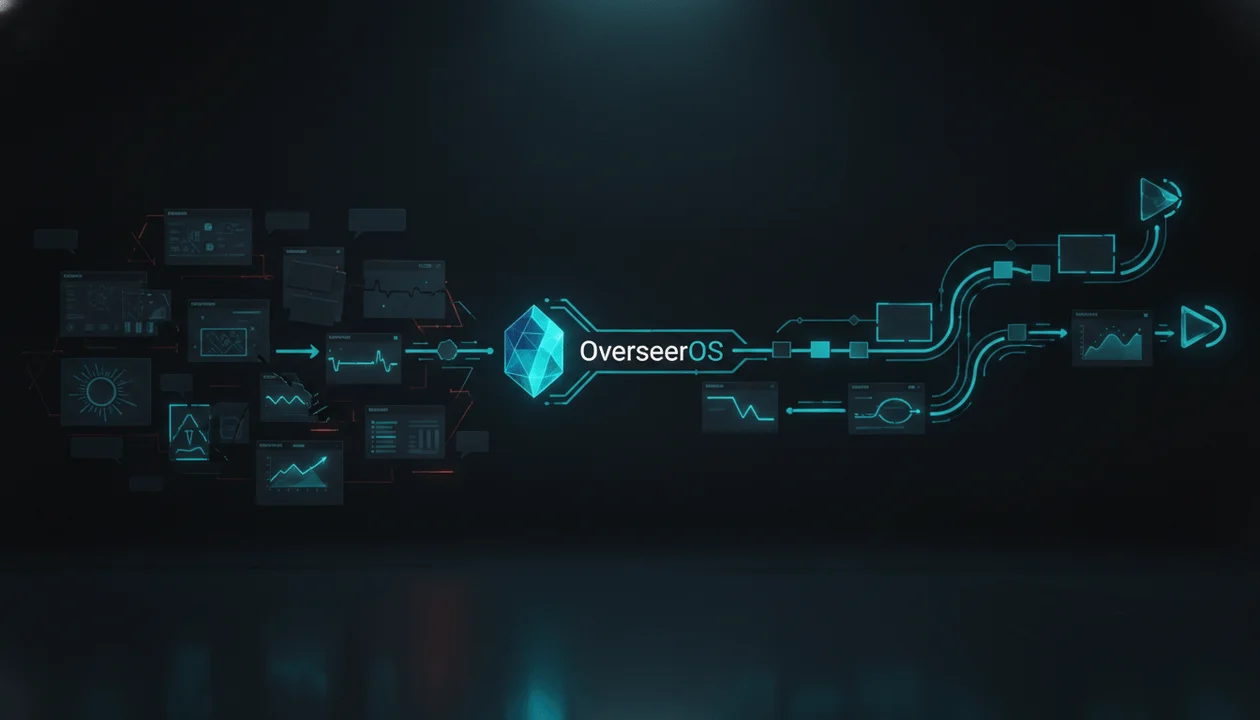
- OverseerOS is the best YouTube-first brand kit workflow for creators who want to study successful channels and build an original channel identity from proven visual direction. OverseerOS Brand Kit focuses on channel-facing branding such as logo and banner style rather than pretending to be a complete corporate identity agency.
- Lovart is the strongest overall AI brand identity generator when you need a complete visual system from scratch, including logos, colors, fonts, patterns, guidelines, editable assets, and reusable brand controls.
- Canva is the best ongoing brand-kit workspace for most creators because logos, fonts, colors, icons, imagery, graphics, and Brand Templates can live inside the same design environment used for thumbnails and social assets.
- Adobe Express is one of the best choices for existing brands because it can store logos, colors, fonts, and graphics and can also extract brand elements from uploaded material.
- Looka is one of the strongest logo-first brand kit generators, turning a generated logo into hundreds of branded templates, social assets, guidelines, and business collateral.
- Designs.ai is strong when you already have a website, because its current branding workflow can extract a logo, colors, fonts, and visual style from a URL and turn them into a reusable brand system.
- LOGO.com is one of the easiest ways to move from a logo into a broader brand kit, including multiple logo formats, fonts, brand boards, social covers, and branded templates.
- Brandmark is strong for fast AI-generated identity systems without a recurring design subscription, with logo source files, brand guides, social designs, presentations, and other brand assets available in supported packages.
- Tailor Brands is useful for creators building a broader business around the channel, combining AI logo generation with social formats, a brand book, branded assets, website tools, and business services.
- Kittl is a strong choice for design-heavy creator brands that want stored logos, colors, fonts, graphics, and reusable brand controls inside a powerful creative editor.
- A YouTube brand kit should not only define what your channel looks like. It should define what it must not look like.
- YouTube's own creator guidance emphasizes consistent visual identity across the channel name, profile picture, banner, and broader brand presentation.
- Brand consistency does not mean every thumbnail looks identical. It means viewers can recognize the visual language even when the topic changes.
- Reference-based branding should extract broad visual principles rather than copying another creator's logo, banner, fonts, characters, or distinctive identity.
Best AI Brand Kit Generator Tools for YouTube Creators: Quick Verdict
| Rank | Tool | Best For | Main Brand Kit Strength | Main Weakness |
|---|---|---|---|---|
| 1 | OverseerOS | Building a YouTube-first brand from successful channel references | Connects channel research with logo and banner style direction | Not a complete corporate brand-guideline generator |
| 2 | Lovart | Full AI-generated visual identity | Creates and reuses logos, colors, fonts, patterns, visual direction, guidelines, and branded assets | Broader than most individual YouTube creators need |
| 3 | Canva | Everyday creator brand consistency | Stores fonts, logos, colors, icons, imagery, graphics, and Brand Templates | Better at applying a brand than deeply defining strategic positioning |
| 4 | Adobe Express | Existing brands and professional teams | Create manually or extract logos, colors, fonts, and other brand elements from uploads | YouTube strategy still needs to be defined elsewhere |
| 5 | Looka | Logo-first automatic brand kits | Generates 300+ branded templates around logo, colors, fonts, and business information | More business-oriented than YouTube-native |
| 6 | Designs.ai | Brand extraction from an existing website | Turns a URL or description into logo, colors, typography, and visual style | Best when some identity already exists |
| 7 | LOGO.com | Easy logo-to-brand-kit workflow | Logo variations, fonts, brand boards, social covers, templates, and resizing | More identity production than creator strategy |
| 8 | Brandmark | One-time AI branding workflow | Logo, guide, social graphics, presentation assets, source files, and AI icon generation | Less powerful as an ongoing multi-user content workspace |
| 9 | Tailor Brands | Creators building a business around the channel | AI logo, social formats, brand book, branded assets, website and business tools | Business formation ecosystem may be unnecessary for pure creators |
| 10 | Kittl | Design-heavy creator brands | Reusable logos, colors, fonts, graphics, and one-click brand application | More manual design responsibility than fully automated generators |
What Is an AI Brand Kit Generator?
An AI brand kit generator is a tool that uses artificial intelligence to create, extract, organize, or apply the visual rules of a brand.
Depending on the platform, a generated brand kit may include:
- logo
- secondary logo
- icon
- wordmark
- color palette
- font pairing
- typography hierarchy
- brand guidelines
- imagery direction
- illustration style
- patterns
- social templates
- presentation templates
- business cards
- advertisements
- website styles
- brand voice
- reusable AI instructions
The important word is system.
A logo is an asset.
A brand kit explains how assets should work together.
What Should a YouTube Brand Kit Include?
A YouTube creator does not need exactly the same brand kit as a restaurant, SaaS startup, or law firm.
The channel needs its own version.
1. Channel Name
Define:
- official spelling
- capitalization
- spacing
- shortened version
- abbreviation rules
Example:
Official:
AI Uncovered

Allowed:
AI UNCOVERED

Avoid:
AiUncovered
AIUncovered
AI uncovered TV
This sounds trivial until different editors start creating assets.
2. Primary Logo
This is the complete channel mark.
It might include:
- icon
- channel name
- wordmark
- symbol
Use it on:
- website
- sponsor decks
- larger graphics
- press assets
- merchandise
3. Channel Icon
The YouTube profile picture appears in many locations and at small sizes.
The icon should usually be simpler than the full logo.
Possible formats:
- single letter
- symbol
- simplified mark
- creator face
- monogram
- mascot
YouTube's own branding guidance describes the profile picture as the channel's signature image or logo and recommends designs that work as square or round images.
4. Banner
The banner establishes the wider visual world.
Define:
- palette
- background style
- text treatment
- tagline
- spacing
- subject treatment
- level of visual complexity
If you are building one now, use the complete guide to the best AI YouTube banner generator tools.
5. Thumbnail System
This is arguably more important to day-to-day YouTube branding than the logo.
Define:
- primary colors
- accent color
- text rules
- border rules
- subject placement
- contrast
- face treatment
- image realism
- graphic style
- logo usage
- maximum words
- repeated visual motifs
A thumbnail system should be recognizable without becoming repetitive.
6. Typography
Choose:
Display Font
Used for:
- thumbnails
- title cards
- large labels
Supporting Font
Used for:
- charts
- captions
- lower thirds
- diagrams
Optional Editorial Font
Useful for:
- documentary graphics
- quotations
- premium storytelling
Do not let every freelancer choose a different font.
7. Primary Color Palette
Define exact values.
Example:
Primary Dark
#07090D

Deep Navy
#0D1522

Cyan Accent
#23E6E6

White
#F5F7FA
Do not write:
dark blue and maybe cyan.
Use exact values.
8. Color Roles
A professional brand kit explains what each color does.
Example:
Black:
Main background

Deep Navy:
Secondary surfaces

White:
Primary text

Cyan:
Important words, highlights, charts, visual tension

Amber:
Rare warning or reveal accent
Color roles reduce drift.
9. Image Style
Define what visuals should feel like.
Example:
Photorealistic cinematic documentary imagery with deep shadows, controlled cyan accents, natural human proportions, low-key lighting, subtle film grain, restrained futuristic elements, and clean focal hierarchy.
This becomes increasingly important when AI-generated imagery is part of the channel.
10. Illustration Style
If the channel uses illustrations, define:
- flat
- vector
- painterly
- line art
- editorial
- 3D
- collage
- anime
- technical diagram
Do not alternate randomly between five unrelated styles.
11. Motion Language
For video production, branding should also define movement.
Examples:
- slow push-ins
- subtle parallax
- direct cuts
- restrained motion graphics
- smooth chart animation
- no excessive bounce
- no random glitch effects
12. Caption Style
Define:
- font
- capitalization
- word highlighting
- position
- maximum lines
- animation
- background box
- shadow
- colors
13. Chart and Data Style
For business, finance, AI, and educational channels, define:
- chart colors
- line thickness
- labeling
- backgrounds
- gridlines
- emphasis colors
- source placement
14. Video Watermark
YouTube lets channels upload a video watermark.
The current YouTube help documentation states that the watermark should be square, at least 150 x 150 pixels, and less than 1 MB.
A simplified icon often works better here than a detailed full logo.
15. Negative Brand Rules
This is the part most AI-generated brand kits miss.
Define what should never appear.
Example:
DO NOT USE

Neon rainbow gradients
Generic glowing robots
Cartoon icons
Rounded bubble fonts
Stock-photo smiles
Fake holographic interfaces
Excessive purple
Lens flares
Large red arrows
Random emojis
Unapproved logos
More than two fonts
Your negative rules may protect consistency more effectively than your positive rules.
AI Brand Kit Generator vs AI Logo Generator
These are not the same thing.
| AI Logo Generator | AI Brand Kit Generator |
|---|---|
| Creates a logo | Creates or stores a wider identity system |
| Focuses on symbol and wordmark | Includes logo, colors, fonts, templates, and rules |
| Solves one asset | Solves consistency |
| Useful for launch | Useful for repeated production |
| May produce PNG/SVG files | May produce guidelines and reusable templates |
| Often ends after export | Often continues into future designs |
A logo generator answers:
What should my logo look like?
A brand kit answers:
What should everything look like?
AI Brand Kit vs Brand Guidelines
Another important distinction.
Brand Kit
Usually stores usable assets:
- logo
- fonts
- colors
- graphics
- templates
Brand Guidelines
Explain how those assets should be used.
Example:
Primary logo:
Use on light backgrounds.

Icon:
Use when the logo is smaller than 120 px.

Cyan:
Use only for emphasis.

Thumbnail text:
Maximum three words.

Logo clear space:
Minimum one icon width.
The strongest systems provide both.
AI Brand Kit vs YouTube Brand System
A generic brand kit might contain:
Logo
Colors
Fonts
Business card
Letterhead
Email signature
Website
A creator-first kit should also contain:
Channel icon
Banner
Thumbnail DNA
Video graphics
Captions
Scene style
Motion rules
Shorts treatment
Sponsor overlay rules
Watermark
AI prompt system
This is why generic branding software is not automatically ideal for YouTube.
How We Evaluated the Tools
The ranking uses criteria that matter to creators.
Brand Generation
Can the tool help create an identity from scratch?
Brand Extraction
Can it learn from:
- existing logo
- website
- upload
- reference
- visual assets
Logo System
Does it support:
- full logo
- icon
- transparent files
- scalable/vector formats
- alternate versions
Color System
Can exact colors be created, stored, or extracted?
Typography
Can fonts be generated, selected, saved, or reused?
Reusability
Can the brand kit actually influence future designs?
YouTube Fit
Can the system support:
- profile image
- banner
- thumbnails
- video assets
- social extensions
AI Generation
Can AI create new assets while staying on-brand?
Editing
Can individual elements be changed without rebuilding everything?
Team Use
Can a team consistently access the same brand rules?
Export
Can creators export useful, production-ready assets?
Strategy
Does the tool help define the brand's role and positioning or only generate graphics?
The Best AI Brand Kit Generator Tools for YouTube Creators in 2026
1. OverseerOS: Best YouTube-First Brand Kit Workflow
OverseerOS approaches branding differently from the general-purpose tools in this list.
Its current product ground truth describes OverseerOS Brand Kit as a workflow for cloning a channel's logo and banner style so a new channel can look polished and consistent from the beginning.
That makes its purpose narrower than Lovart, Canva, or Looka.
But for a YouTube creator, that narrowness can be useful.
OverseerOS begins from the channel.
The OverseerOS Branding Workflow
A creator can use OverseerOS to move through a broader process:
- Find channels worth studying.
- Analyze the strategic patterns behind them.
- Build an original channel direction.
- Generate an adapted channel identity.
- Create logo and banner concepts.
- Develop a thumbnail system.
- Connect the identity to the topics and videos the channel will actually publish.
The key difference is context.
A generic brand generator knows:
I need a technology brand.
OverseerOS can begin from:
These are the YouTube channels winning attention in the niche. What strategic and visual patterns are worth learning from?
OverseerOS Channel Blueprint Cloner
OverseerOS Channel Blueprint Cloner can analyze a public YouTube channel and build a structured strategy blueprint around areas such as:
- tone
- hooks
- pacing
- topic formulas
- keywords
- content opportunities
Branding can then be developed around the actual channel strategy instead of being invented independently.
OverseerOS Brand Kit
OverseerOS Brand Kit is focused on:
- logo style
- banner style
- polished channel identity
It should not be described as a replacement for a full corporate brand-guideline system.
If you need:
- downloadable PDF brand manuals
- hundreds of marketing templates
- business cards
- sales presentations
- packaging
- website style systems
use one of the broader tools below.
OverseerOS AI YouTube Thumbnail Generator
Branding does not stop at the banner.
OverseerOS AI YouTube Thumbnail Generator can connect channel identity to YouTube packaging by letting creators build thumbnails from proven visual patterns rather than random design.
This is important because thumbnails are the channel's most frequently seen visual brand asset.
Why OverseerOS Ranks First for YouTube Creators
It connects:
Channel research
→ strategy
→ channel identity
→ banner
→ thumbnails
→ topics
→ scripts
→ videos
General brand-kit software usually begins at:
Business description
→ logo
→ colors
→ fonts
Both are useful.
But they solve different starting problems.
Best For
- faceless YouTube creators
- new channels
- niche operators
- multi-channel creators
- creators modeling proven market patterns
- teams building a YouTube identity before launching
- creators who want branding connected to strategy
Main Strength
YouTube strategy and branding live in the same research workflow.
Main Weakness
OverseerOS Brand Kit is not a full corporate identity platform with extensive business collateral and downloadable brand-guideline systems.
Verdict
Choose OverseerOS when the main goal is:
Build a recognizable YouTube channel around a proven niche and content strategy.
Choose a broader brand platform when the goal is:
Build every possible asset for an entire company.
2. Lovart: Best Full AI Brand Identity Generator
Lovart is one of the strongest current examples of an AI-native design system rather than a traditional template editor with AI bolted on.
Its Brand Kit workflow can support:
- logo
- color palette
- fonts
- patterns
- visual identity
- brand guidelines
- reusable brand rules
- social assets
- images
- videos
- campaign assets
- editing
- multi-format exports
Its current AI Brand Identity workflow is designed to create a complete visual identity from a description.
Brand Kit Memory
Once a brand has been defined, Lovart can keep:
- colors
- fonts
- logos
- design guidance
available for later creative work.
This matters more than generating the first asset.
The real test of a brand kit is:
Does asset 47 still look like asset 1?
Brand Book Parsing
Lovart also supports workflows where an existing brand book can be uploaded and parsed into reusable brand guidance.
That makes it useful for agencies inheriting an existing identity.
AI Design Agent
Instead of manually producing every asset, creators can request new work from the same brand system.
Example:
Create a YouTube thumbnail for a documentary called "The AI Company Nobody Can Stop."
The brand kit can provide the surrounding visual rules.
Touch Edit
Individual design elements can be refined without necessarily starting the entire generation again.
That is useful because brand work usually fails through small inconsistencies:
- wrong shade
- wrong font
- excessive logo
- incorrect spacing
- off-brand image
YouTube Workflow
A creator could define:
Logo
Color system
Typography
Image style
Thumbnail rules
Banner direction
Then generate:
- thumbnail backgrounds
- community graphics
- Shorts covers
- sponsor graphics
- promotional social assets
inside the same broader identity.
Best For
- full visual identity
- creators building a serious media brand
- agencies
- creator-led businesses
- multi-platform brands
- AI-heavy design workflows
- teams needing editable AI assets
Main Strength
Lovart is built around maintaining a visual system across new AI-generated work.
Main Weakness
A solo creator launching one channel may not need the entire design-agent ecosystem.
Verdict
Choose Lovart when your YouTube channel is becoming a broader brand and you want an AI system that can keep generating around the identity.
3. Canva: Best Everyday Brand Kit Workspace
Canva Brand Kit is one of the strongest options for creators because the brand does not sit in a separate document.
It sits inside the editor creators already use.
Canva Brand Kit currently supports storing brand elements such as:
- fonts
- logos
- colors
- icons
- imagery
- graphics
- Brand Templates
Those elements can then be used while designing.
Why This Matters
Imagine five people create channel assets:
- thumbnail designer
- editor
- social manager
- sponsorship manager
- founder
Without a shared system:
Designer:
uses #16D6D6

Editor:
uses #00FFFF

Social manager:
uses #35C8FF

Founder:
says "just use cyan"
The brand slowly drifts.
A shared Brand Kit reduces that.
Brand Templates
Creators can build reusable layouts for:
- thumbnails
- community posts
- sponsor cards
- Shorts promotion
- X graphics
- presentations
Best Use for YouTube
Use Canva Brand Kit to store:
Primary logo
Icon
Thumbnail font
Supporting font
Primary palette
Accent palette
Graphics
Approved imagery
Then create templates for:
Long-form thumbnail
Shorts cover
Community post
Sponsor slide
Quote card
Channel announcement
Best For
- creators
- small teams
- agencies
- Canva-heavy workflows
- social media extension
- shared templates
- repeat production
Main Strength
The brand kit lives inside an extremely broad everyday design environment.
Main Weakness
Canva is excellent at applying an existing brand system.
It is less specialized at determining the strategic YouTube identity that should exist in the first place.
Verdict
Choose Canva when you already know what the brand should be and need everyone to execute it consistently.
4. Adobe Express: Best for Existing Brands
Adobe Express provides a flexible brand-management workflow for organizations that already have visual assets.
Its current Brands system lets users add elements such as:
- logos
- colors
- fonts
- graphics
It also supports extracting a brand from uploaded material.
Extract Brand From Upload
This is particularly useful when the creator already has:
- presentation
- poster
- campaign visual
- brand graphic
- existing design
but no formal digital brand kit.
Adobe Express can use uploaded material to help extract elements such as:
- color palette
- fonts
- logos
That gives existing brands a faster starting point.
Adobe Express Logo Maker
For new channels, Adobe Express also includes a logo maker where creators can begin from:
- brand name
- slogan
- style
- icon
and then customize the result.
The completed logo can be added to the brand system for future designs.
Why Adobe Express Fits YouTube
Creators can use one environment for:
- logos
- banner assets
- thumbnails
- social graphics
- promotional videos
- brand templates
while retaining manual design control.
Best For
- established businesses launching YouTube
- corporate YouTube teams
- creators already using Adobe
- agencies
- teams converting existing materials into a digital brand system
Main Strength
Strong bridge between existing assets and repeatable digital production.
Main Weakness
Like Canva, Adobe Express does not inherently tell you which YouTube niche, positioning, or packaging system to pursue.
Verdict
Choose Adobe Express when a real brand already exists and YouTube needs to inherit it correctly.
5. Looka: Best Logo-First Automatic Brand Kit
Looka begins with the logo and expands outward.
Its current Brand Kit includes more than 300 branded templates generated using elements such as:
- logo
- colors
- fonts
- stock imagery
- business information
Supported asset categories include:
- social posts
- social covers
- business cards
- email signatures
- letterheads
- brand guidelines
- ads
- posters
- presentations
- newsletters
- proposals
- other collateral
Why This Is Useful for New Creators
Many first-time channel builders have:
Channel name
+
rough niche
+
nothing else
Looka can quickly create a coherent starting identity.
Logo Files
Looka also provides multiple logo-file workflows depending on the purchased package, making it easier to obtain files suitable for:
- channel icon
- banner
- website
- sponsor deck
- social profiles
Best YouTube Workflow
Use Looka to establish:
- logo
- icon
- colors
- fonts
- basic social visual identity
Then move those rules into:
- thumbnail templates
- banner
- video graphics
Best For
- new creators
- solo creators
- creator-led businesses
- people who need an identity quickly
- non-designers
Main Strength
One logo becomes an entire starter brand system.
Main Weakness
The generated collateral is designed for general business use.
YouTube-specific assets such as thumbnail DNA, video visual language, and retention graphics need additional work.
Verdict
Choose Looka when you need to go from:
I have a name.
to:
I have a usable visual identity.
quickly.
6. Designs.ai: Best for Extracting a Brand From a Website
Designs.ai has an interesting approach for existing companies and creator businesses.
Its current AI Branding workflow can begin from:
- company URL
- business description
The platform can then build a brand kit around elements such as:
- logo
- brand colors
- typography
- visual style
Why URL Extraction Is Useful
A company may already have:
- website
- logo
- colors
- typography
but no centralized brand kit.
The website is effectively functioning as the unofficial brand guide.
Designs.ai can help turn that existing identity into something more structured.
Ongoing Brand Application
Its current branding positioning also emphasizes applying brand rules to later:
- designs
- slides
- images
- video
This can be useful for teams where many people create visual assets.
YouTube Use Case
A SaaS company launching a channel could:
- Enter the existing company URL.
- Extract brand identity.
- Create YouTube-specific extensions.
- Use the same system for thumbnails, graphics, and video assets.
That prevents the YouTube channel from looking like a completely different company.
Best For
- SaaS brands
- ecommerce businesses
- existing companies launching YouTube
- agencies
- teams with a website but weak brand documentation
Main Strength
Turns an existing digital presence into reusable brand rules.
Main Weakness
If your website already has weak or inconsistent branding, extracting it can preserve the wrong decisions.
Verdict
Choose Designs.ai when your website already represents the identity you want YouTube to inherit.
7. LOGO.com: Best Simple Logo-to-Brand-Kit Workflow
LOGO.com's Brand Kit can begin in two ways:
- Create a new logo.
- Upload an existing logo.
Its current Brand Kit surface includes assets such as:
- full logo
- wordmark
- multiple logo file formats
- fonts
- favicons
- brand boards
- social covers
- branded templates
It also provides tools for resizing and adapting logo assets.
Why Logo Variants Matter
A creator should not use the same logo file everywhere.
You may need:
Full Logo
For:
- sponsor deck
- website
- presentation
Icon
For:
- YouTube profile
- watermark
- favicon
Wordmark
For:
- banner
- title card
- merchandise
Monochrome Version
For:
- overlays
- difficult backgrounds
A strong brand system anticipates these contexts.
Best For
- fast brand setup
- creators with an existing logo
- creators needing multiple logo formats
- non-designers
- startup channels
Main Strength
The identity system expands naturally from the logo.
Main Weakness
Like Looka, it is more business-brand oriented than YouTube-strategy oriented.
Verdict
Choose LOGO.com when logo consistency and export-ready brand files are the primary need.
8. Brandmark: Best One-Time AI Brand Identity Package
Brandmark uses AI-assisted logo and identity generation and can extend the selected design into broader brand assets.
Its current branding packages can include:
- logo files
- source files
- brand guidelines
- social media designs
- presentation designs
- business cards
- one-page website assets
- other identity collateral
The platform also provides generative icon tools.
No Ongoing Design Subscription Required for Core Package
Brandmark's current pricing is structured around one-time package purchases rather than requiring a monthly subscription for basic ownership of the selected branding package.
That can appeal to creators who want:
Build the brand once, export everything, move on.
Logo Rank
Brandmark also offers a separate AI-powered logo evaluation tool that analyzes areas such as:
- uniqueness
- legibility
- color and contrast
This is useful because an attractive AI-generated logo is not necessarily a strong small-format channel icon.
YouTube Profile Test
A logo should still be recognizable when:
- tiny
- circularly cropped
- placed beside comments
- displayed on mobile
If the logo contains:
- five words
- fine lines
- intricate illustration
it may fail.
Best For
- one-time identity generation
- solo creators
- startup media brands
- creators who want exportable source files
- people who do not need ongoing team design infrastructure
Main Strength
Creates a reasonably broad identity system without locking the brand itself behind continuous design work.
Main Weakness
Ongoing content operations may be easier inside Canva, Adobe Express, Lovart, or Kittl.
Verdict
Choose Brandmark when you want to generate a complete starter identity, export the assets, and use them elsewhere.
9. Tailor Brands: Best for Creators Building a Business Around the Channel
Tailor Brands begins with AI logo creation and extends into a broader business ecosystem.
Its current logo workflow can provide:
- AI-generated logo options
- high-resolution files
- vector files
- social-media formats
- branded assets
- brand book
- business cards
- letterheads
- website tools
- additional business services
Brand Book
Tailor Brands can automatically provide branding guidance around the generated identity, including areas such as:
- colors
- fonts
- logo variations
That helps the creator move beyond one logo file.
Why This Fits Some YouTubers
Many channels eventually become businesses.
They may need:
- company website
- merchandise
- newsletter
- sponsor documents
- digital products
- business cards
- client services
At that point, YouTube is one part of the brand rather than the entire brand.
Best For
- creator entrepreneurs
- coaches
- consultants
- ecommerce creators
- channels becoming full businesses
- creators who need company infrastructure
Main Strength
Branding can expand into a wider business-building workflow.
Main Weakness
A faceless channel operator who only needs:
- profile picture
- banner
- thumbnail system
may find much of the ecosystem unnecessary.
Verdict
Choose Tailor Brands when your YouTube channel is the front end of a broader commercial business.
10. Kittl: Best for Design-Heavy Creator Brands
Kittl's current Brand experience lets creators manage visual identity inside the editor.
Users can store or define:
- logos
- brand details
- color palettes
- font styles
- graphics
and reuse those elements across designs.
Why Kittl Is Different
Kittl is especially strong when typography and visual design are a major part of the brand.
That makes it useful for channels with:
- retro graphics
- bold display type
- merch-driven identity
- illustrated packaging
- posters
- stylized thumbnails
- strong visual typography
One Brand, Many Assets
Once the identity is configured, those elements can be applied to new designs rather than manually rebuilding the same palette and typography each time.
Best For
- design-heavy creators
- merchandise channels
- lifestyle brands
- typography-focused branding
- illustration-heavy channels
- creative teams
Main Strength
Combines brand storage with a capable visual-design environment.
Main Weakness
It assumes the creator wants to do more hands-on design work.
Verdict
Choose Kittl when your brand identity depends heavily on typography, illustration, and designed visual assets.
Feature Comparison
| Tool | Generates Brand | Extracts Existing Brand | Logo | Colors | Fonts | Templates | Reuses Brand in Future AI/Designs | YouTube-Specific |
|---|---|---|---|---|---|---|---|---|
| OverseerOS | Channel-focused | Reference-channel workflow | Yes, channel identity workflow | Visual style dependent | Not positioned as full font-management suite | YouTube workflows | Connected to broader creator workflow | Excellent |
| Lovart | Yes | Yes, including existing brand materials | Yes | Yes | Yes | Campaign assets | Excellent | Strong |
| Canva | Partially through design/AI tools | Upload existing assets | Yes via broader tools | Yes | Yes | Excellent | Excellent | Strong |
| Adobe Express | Yes | Yes, including extraction from uploaded material | Yes | Yes | Yes | Excellent | Excellent | Strong |
| Looka | Yes | Logo-first | Excellent | Yes | Yes | 300+ branded templates | Strong | Moderate |
| Designs.ai | Yes | Excellent URL-based extraction | Yes | Yes | Yes | Broader AI design system | Excellent | Strong |
| LOGO.com | Yes | Upload existing logo | Excellent | Yes | Yes | Yes | Strong | Moderate |
| Brandmark | Yes | Primarily creation-first | Excellent | Yes | Yes | Brand assets | Moderate | Moderate |
| Tailor Brands | Yes | Primarily creation-first | Excellent | Yes | Yes | Branded business assets | Strong | Moderate |
| Kittl | Create or define manually with AI-supported design | Upload brand assets | Strong | Yes | Yes | Excellent | Excellent | Strong |
Best Tool by Use Case
| Use Case | Best Choice |
|---|---|
| Build a YouTube brand from successful channel research | OverseerOS |
| Generate a full AI visual identity | Lovart |
| Manage everyday creator branding | Canva |
| Existing business brand moving onto YouTube | Adobe Express |
| Go from name to logo and full starter kit | Looka |
| Extract a brand from an existing website | Designs.ai |
| Generate or upload a logo and create supporting assets | LOGO.com |
| One-time AI identity package | Brandmark |
| Turn a channel into a broader business | Tailor Brands |
| Typography and design-heavy branding | Kittl |
The 15-Part YouTube Brand Kit
Use this as the standard regardless of which software you choose.
1. Brand Positioning
Write:
We help [AUDIENCE]
understand / achieve [OUTCOME]
through [CONTENT FORMAT]
with a [PERSONALITY] point of view.
Example:
We help curious professionals understand
how artificial intelligence is reshaping the world
through cinematic explanatory documentaries
with an investigative, intelligent, slightly unsettling point of view.
Now design has context.
2. Channel Promise
One sentence.
Example:
The hidden stories behind the AI revolution.
Every asset should support that promise.
3. Brand Personality
Choose three to five traits.
Example:
Investigative
Intelligent
Cinematic
Restrained
Futuristic
Avoid vague lists such as:
Modern
Professional
Fun
Creative
Amazing
High quality
Those do not constrain anything.
4. Logo System
Create:
- primary logo
- secondary logo
- icon
- monochrome version
- light-background version
- dark-background version
5. Color Palette
Create:
Primary
Secondary
Accent
Dark background
Light background
Main text
Muted text
Warning or reveal color
6. Typography
Define:
Display
Heading
Body
Caption
Data/Chart
Fallback
You may not need six unique fonts.
You need six roles.
Often two fonts can cover all six.
7. Channel Icon Rules
Define:
- approved icon
- crop
- background
- padding
- minimum size
- prohibited versions
8. Banner Rules
Define:
- background
- logo placement
- tagline
- safe area
- mood
- approved imagery
YouTube's current creator guidance recommends a banner image of at least 2560 x 1440 pixels for strong display across devices.
9. Thumbnail DNA
Define:
One visual idea
One focal subject
Primary dark background
Cyan accent
Maximum three words
No small text
No logo unless necessary
Strong contrast
Topic-specific imagery
10. Image Style
Example:
Cinematic photorealism
Natural materials
Low-key lighting
Deep navy shadows
Controlled cyan highlights
Subtle grain
No glossy generic AI look
11. Motion Style
Example:
Slow push-ins
Controlled parallax
Direct cuts
Minimal glitch
No bouncing elements
No random zooms
12. Caption Style
Example:
Bold sans serif
White base
One cyan keyword
Maximum two lines
Bottom-center safe placement
No word-by-word rainbow colors
13. Graphics
Define:
- charts
- arrows
- labels
- outlines
- maps
- screenshots
- document treatments
- icons
14. Sponsor Treatment
This is often forgotten.
Define how sponsors appear.
Example:
Sponsor logo:
small top-left

Sponsor lower third:
same channel typography

Product demo:
native screenshots, not floating 3D mockups

CTA:
channel accent color

No sponsor asset may override the core channel design unless contractually required.
15. Negative Brand Rules
Create at least ten.
The strongest brands know what they reject.
The AI Brand Kit Prompt
Use this with an AI branding system.
Create a complete visual identity for a YouTube media brand.

CHANNEL NAME:
[NAME]

NICHE:
[NICHE]

TARGET VIEWER:
[AUDIENCE]

CHANNEL PROMISE:
[PROMISE]

BRAND PERSONALITY:
[3-5 traits]

CONTENT FORMAT:
[Documentary / educational / commentary / gaming / etc.]

CREATE:

1. Primary logo direction
2. Simplified YouTube channel icon
3. Primary color palette with exact hex values
4. Secondary and accent colors
5. Typography system
6. YouTube banner direction
7. Thumbnail visual system
8. Image style
9. Illustration style
10. Chart and graphic style
11. Caption style
12. Motion direction
13. Video watermark direction
14. Sponsor graphic rules
15. Ten visual rules to avoid

REQUIREMENTS:

The identity must work at tiny mobile sizes.
The channel icon must remain recognizable when circularly cropped.
Thumbnail design must prioritize clarity and contrast.
The banner must remain readable after YouTube device cropping.
The system must be repeatable across hundreds of videos.

Do not rely on generic AI clichés.
Do not copy existing brands, creators, logos, or protected characters.
Create a distinctive original identity that fits the audience and channel promise.
The YouTube Brand Kit Scorecard
Score the final system out of 100.
| Category | Points |
|---|---|
| Positioning fit | 10 |
| Logo clarity | 10 |
| Channel icon performance | 10 |
| Banner consistency | 10 |
| Thumbnail system | 15 |
| Color system | 10 |
| Typography | 10 |
| Image and visual style | 10 |
| Repeatability | 10 |
| Originality | 5 |
| Total | 100 |
90 to 100
Ready to scale.
80 to 89
Strong identity with several missing production rules.
70 to 79
Looks good but is not yet a repeatable system.
60 to 69
Collection of assets, not a brand kit.
Below 60
Rebuild before scaling production.
The Brand Recognition Test
A real YouTube brand should eventually pass this test.
Remove:
- logo
- channel name
- creator face
Then show someone:
- one thumbnail
- one chart
- one video frame
- one community post
Ask:
Which channel is this from?
If they can still identify the brand, the visual system is working.
If every asset becomes anonymous without the logo, branding is weak.
The Thumbnail Without Logo Test
Creators often compensate for weak brand identity by putting a logo on every thumbnail.
Try removing it.
Can the thumbnail still feel like the channel because of:
- palette
- composition
- typography
- subject treatment
- contrast
- visual language
If yes, the brand is stronger.
The Small-Size Logo Test
Shrink the channel icon to approximately the size viewers see beside a comment.
Can you still recognize it?
If not:
- remove detail
- simplify shapes
- increase contrast
- reduce text
- create an icon-only version
A technically beautiful logo can be a terrible YouTube avatar.
The Five-Thumbnail Test
Place five thumbnails beside each other.
They should feel related.
But not identical.
Too Inconsistent
Video 1:
Black documentary

Video 2:
Pastel cartoon

Video 3:
Red gaming aesthetic

Video 4:
Corporate stock photo

Video 5:
Anime
Too Repetitive
Same face
Same pose
Same object
Same text location
Same background
Different words
Strong System
Same visual language
Different topic-specific concept
That is the target.
Brand Consistency vs Thumbnail Performance
Do not let brand consistency destroy clicks.
This is a common mistake.
A rigid brand system might say:
Every thumbnail must use cyan.
But the strongest concept for one video might require:
yellow warning tape.
Use the brand as a framework.
Not a prison.
The hierarchy should be:
1. Video idea
2. Clear thumbnail concept
3. Audience relevance
4. Brand consistency
not:
1. Make everything the same color
The 70/20/10 Brand Rule
Use this to maintain consistency without visual fatigue.
70% Core Brand
Keep:
- typography
- contrast
- image style
- composition logic
- primary colors
20% Topic-Specific Variation
Change:
- subject
- object
- environment
- secondary color
- emotional intensity
10% Experiment
Test:
- unexpected accent
- new layout
- new crop
- new visual format
- new text treatment
This protects both recognition and learning.
Building a Brand Kit From Reference Channels
Do not copy one channel.
Study three to five.
Reference A: Positioning
Ask:
How quickly can I understand what this channel promises?
Extract:
- clarity
- niche communication
- tagline logic
Do not copy wording.
Reference B: Thumbnail System
Extract:
- visual hierarchy
- text density
- contrast
- subject scale
- emotional intensity
Do not copy individual thumbnails.
Reference C: Banner
Extract:
- visual density
- palette relationship
- logo placement
- use of tagline
Reference D: Video Graphics
Extract:
- captions
- charts
- lower thirds
- transitions
Reference E: Brand Personality
Extract:
- premium
- playful
- urgent
- clinical
- investigative
- warm
- rebellious
Then synthesize.
This is where OverseerOS Channel Blueprint Cloner is useful: the goal is to study public strategic patterns and create an original system rather than reproduce the identity of one creator.
Build a Brand From the Strategy, Not the Other Way Around
Weak process:
Choose cool logo
→ choose colors
→ make banner
→ decide niche later
Strong process:
Audience
→ problem
→ promise
→ positioning
→ channel personality
→ visual identity
→ content system
→ packaging
Branding is packaging for a strategy.
It should not become a substitute for one.
Brand Kits for Faceless YouTube Channels
Faceless channels need stronger system branding because there is no consistent human face carrying recognition.
A personal creator can rely on:
- face
- personality
- voice
- lifestyle
- story
A faceless media brand needs stronger:
- colors
- typography
- visual language
- logo
- thumbnail structure
- sound
- editing
- narrative voice
Read the full faceless YouTube branding guide when building the larger system.
The Faceless Brand Kit
At minimum, define:
Channel name
Channel icon
Logo
Banner
3-5 colors
2 fonts
Thumbnail system
Visual realism
Scene style
Caption system
Music direction
Motion rules
Sponsor system
Do-not-use list
Brand Kit for a Documentary Channel
Example:
PERSONALITY
Investigative
Intelligent
Cinematic

COLORS
Black
Deep navy
Cyan
Muted white
Amber for warning

TYPE
Heavy grotesk for thumbnails
Neutral sans for data
Editorial serif for quotations

IMAGERY
Photorealistic
Low-key lighting
Subtle film grain
High environmental depth

THUMBNAILS
One dominant object
Minimal text
Strong contrast
No decorative clutter

MOTION
Slow push-in
Subtle parallax
Direct cuts
Rare glitch

AVOID
Neon cyberpunk
Glowing robots
Random holograms
Plastic human skin
Generic office stock
Now everyone can create inside the same world.
Brand Kit for a Psychology Channel
PERSONALITY
Intimate
Observant
Sophisticated

COLORS
Black
Warm gray
Muted burgundy
Cream

TYPE
Elegant serif
Clean supporting sans

IMAGERY
Human silhouettes
Close emotional framing
Negative space
Soft directional light

THUMBNAILS
One emotional relationship
Minimal text
Readable body language

AVOID
Heart emojis
Generic brains
Therapy stock photos
Quote-card aesthetic
Brand Kit for a Finance Channel
PERSONALITY
Analytical
Trusted
Premium

COLORS
Deep charcoal
Navy
Muted green
White

TYPE
Strong editorial sans
Data-first secondary font

IMAGERY
Documents
Markets
Objects
Real environments
Clean charts

THUMBNAILS
Evidence over decoration
Clear visual result
Strong number hierarchy

AVOID
Cash rain
Lamborghinis
Gold coin piles
Crypto cliché graphics
Fake trading dashboards
Brand Kit for an AI Channel
PERSONALITY
Future-facing
Intelligent
Unsettling
Premium

COLORS
Black
Deep navy
Cyan
White
Rare amber

TYPE
Modern grotesk
Technical supporting sans

IMAGERY
Real machines
Research labs
Data centers
Robotics
Human-machine interaction

THUMBNAILS
Show the technological consequence
Minimal text
High visual stakes

AVOID
Generic robot heads
Blue glowing brains
Random circuit boards
Neon hacker rooms
Floating AI text
How Agencies Should Manage Creator Brand Kits
Agencies should not keep branding in a message that says:
Client likes dark blue and Montserrat.
Create structured records.
Recommended fields:
| Field | Example |
|---|---|
| Brand ID | BRAND-014 |
| Client | Channel A |
| Version | 2.3 |
| Primary Logo | Asset URL |
| Icon | Asset URL |
| Primary Color | #0A0D12 |
| Accent | #16E0E0 |
| Display Font | Approved |
| Supporting Font | Approved |
| Thumbnail Rules | Document |
| Banner | Asset |
| Image Style | Prompt block |
| Negative Rules | Document |
| Last Approved | 2026-08-01 |
| Owner | Creative Director |
Version Your Brand Kit
Do not overwrite the system without recording the change.
Example:
v1.0
Original launch

v1.1
Increased cyan contrast

v1.2
Removed logo from thumbnails

v2.0
Repositioned channel from daily AI news to cinematic AI documentaries
This creates institutional memory.
Brand Drift Score
Review ten recent pieces of content.
Score each from 0 to 10 for consistency.
Evaluate:
- typography
- color
- image style
- thumbnail structure
- graphics
- captions
Formula:
Total consistency score
÷
number of reviewed assets
Example:
84 points
÷
10 assets
=
8.4 / 10
Track it quarterly.
Signs Your Channel Has Brand Drift
- Every thumbnail uses a different font.
- Cyan becomes blue, then teal, then purple.
- Video captions look different every week.
- Banner and thumbnails feel unrelated.
- AI visuals switch between illustration and realism.
- Editors introduce unapproved effects.
- Sponsor graphics look like different channels.
- The logo appears in random sizes.
- Shorts look disconnected from long form.
- Different designers interpret "premium" differently.
A brand kit exists to remove these decisions from daily debate.
When Should You Rebrand a YouTube Channel?
Rebrand when the identity no longer represents the content.
Good reasons:
- niche changed
- audience changed
- content format changed
- personal channel became a media brand
- low-quality early branding no longer matches production quality
- channel expanded internationally
- business positioning changed
- several channels are being unified
Bad reason:
I got bored with the color after three weeks.
Consistency needs time.
Soft Rebrand vs Full Rebrand
Soft Rebrand
Change:
- colors
- font
- banner
- thumbnail polish
Keep:
- name
- positioning
- content promise
Full Rebrand
Change:
- positioning
- name
- identity
- visual language
- content format
- audience promise
A full rebrand is much riskier.
The Brand Migration Checklist
When rebranding:
- Update channel icon.
- Update banner.
- Update watermark.
- Update About section if positioning changed.
- Update website.
- Update social accounts.
- Update sponsor deck.
- Update thumbnail templates.
- Update video graphic templates.
- Update editor instructions.
- Update AI generation prompts.
- Update brand assets.
- Archive old kit.
- Record new version.
YouTube's own creator guidance explicitly notes that channel visuals can change as a creator's values or message change.
AI Brand Kit Safety Checklist
AI makes branding faster.
It does not remove legal or creative responsibility.
Logo Review
Check for:
- similarity to existing trademarks
- generic stock icons
- protected symbols
- unintended words
- poor small-size legibility
Font Review
Confirm:
- license
- commercial rights
- web rights if needed
- team access requirements
Image Review
Check:
- real-person likeness
- trademarked products
- protected characters
- copied visual identity
- misleading realistic imagery
Naming Review
Before investing heavily:
- search the name
- search relevant trademarks
- check handles
- check domain
- check YouTube
- get legal review when the brand is commercially significant
An AI generator does not provide trademark clearance merely because it generated the logo.
Do Not Clone Another Creator's Brand
There is a clear difference between studying visual strategy and impersonating another channel.
You can study:
- color relationships
- visual density
- typography hierarchy
- thumbnail simplicity
- level of contrast
- use of negative space
- tone
- positioning
Do not duplicate:
- channel name
- logo
- mascot
- banner
- exact fonts plus colors plus composition
- creator likeness
- trademark
- slogan
- distinctive graphic identity
YouTube's own impersonation and branding rules should also be reviewed before building an identity that could confuse viewers.
The Three-Reference Brand Method
Instead of copying one channel, combine three unrelated references.
Reference A: Strategy
Use for:
- positioning
- channel clarity
- audience promise
Reference B: Visual Identity
Use for:
- palette
- sophistication
- typography density
Reference C: Packaging
Use for:
- thumbnail hierarchy
- focal point
- contrast
Then create a fourth identity.
Yours.
Common AI Brand Kit Mistakes
Mistake 1: Generating the Logo Before Defining the Audience
Design cannot fix unclear positioning.
Mistake 2: Treating a Logo as the Entire Brand
Your thumbnails will be seen far more often.
Mistake 3: Choosing Too Many Colors
Start with:
- one primary
- one secondary
- one accent
- dark background
- light background
You can add later.
Mistake 4: Choosing Too Many Fonts
Two good fonts are usually enough.
Mistake 5: Not Defining Color Roles
A palette is not useful when nobody knows which color goes where.
Mistake 6: Forgetting Thumbnail Rules
For a YouTube brand, this is a major failure.
Mistake 7: Ignoring AI Image Style
If AI-generated scenes are part of the channel, image-generation rules belong in the brand kit.
Mistake 8: No Negative Rules
Teams need to know what to reject.
Mistake 9: Branding Every Asset Too Aggressively
Not every frame needs:
- logo
- accent
- special font
- branded border
Strong branding can be subtle.
Mistake 10: Making Every Thumbnail Identical
Recognition is useful.
Template fatigue is not.
Mistake 11: Copying a Competitor Too Closely
If viewers mistake your channel for theirs, you did not build a brand.
Mistake 12: Never Updating the Kit
A brand kit should evolve when evidence shows something is not working.
Mistake 13: Updating It Constantly
Changing weekly prevents recognition.
Mistake 14: Letting Every Freelancer Interpret the Brand
Give them the actual system.
Mistake 15: Using AI Outputs Without Review
AI can generate:
- trademark-like shapes
- bad text
- inconsistent logos
- wrong colors
- low-legibility icons
Review everything.
The 30-Minute YouTube Brand Kit Setup
If you are starting from zero:
Minutes 1–5
Define:
Audience
Niche
Promise
Personality
Minutes 6–10
Research three channels.
Extract:
What feels credible?
What feels overused?
What should we avoid?
Minutes 11–15
Generate:
- three logo directions
- three palettes
- two typography systems
Minutes 16–20
Pick:
- logo
- icon
- palette
- typography
Minutes 21–25
Define:
- banner
- thumbnail DNA
- image style
Minutes 26–30
Write:
- five must-do rules
- ten must-not-do rules
You now have a functional first version.
Not a finished eternal identity.
A usable system.
The Complete YouTube Brand Kit Template
CHANNEL BRAND KIT

VERSION:
DATE:
OWNER:

POSITIONING

Channel name:
Handle:
Niche:
Target viewer:
Channel promise:
Differentiator:

PERSONALITY

Trait 1:
Trait 2:
Trait 3:
Trait 4:
Trait 5:

LOGO

Primary logo:
Secondary logo:
Icon:
Monochrome:
Light version:
Dark version:
Minimum size:
Clear-space rule:

COLOR

Primary:
Secondary:
Accent:
Dark background:
Light background:
Primary text:
Muted text:
Warning/reveal:

COLOR ROLES

Primary:
Secondary:
Accent:
Background:
Warning:

TYPOGRAPHY

Display:
Heading:
Body:
Captions:
Charts:
Fallback:

YOUTUBE ICON

Approved asset:
Background:
Crop:
Padding:
Minimum size:

BANNER

Approved asset:
Tagline:
Background direction:
Text placement:
Visual direction:
Do-not-crop elements:

THUMBNAIL DNA

Primary composition:
Subject treatment:
Text rule:
Color rule:
Contrast:
Logo usage:
Border usage:
Maximum words:
Emotion:
Avoid:

IMAGE STYLE

Medium:
Realism:
Lighting:
Palette:
Texture:
Composition:
Subject treatment:
Background treatment:

MOTION

Camera:
Transitions:
Graphics:
Speed:
Effects:

CAPTIONS

Font:
Size:
Placement:
Highlight:
Animation:
Background:
Maximum lines:

CHARTS

Background:
Primary series:
Secondary series:
Highlight:
Labels:
Grid:
Source treatment:

WATERMARK

Asset:
File:
Placement:
Usage:

SPONSOR ASSETS

Logo treatment:
Lower third:
Product screen:
CTA:
Color overrides:
Restrictions:

SHORTS

Caption variation:
Crop rules:
Thumbnail/cover rules:
Visual intensity:

AI GENERATION

Master visual prompt:
Negative prompt:
Approved models:
Approved reference images:
Character references:

MUST DO

1.
2.
3.
4.
5.

NEVER DO

1.
2.
3.
4.
5.
6.
7.
8.
9.
10.

APPROVED EXAMPLES

Thumbnail:
Banner:
Chart:
Video frame:
Community post:

REJECTED EXAMPLES

Asset:
Reason:

LAST UPDATED:
How OverseerOS Fits Into a YouTube Brand System
A brand kit should be connected to the actual content strategy.
That is where OverseerOS has an advantage for creators.
The workflow can begin with public YouTube evidence:
Find viral channels
↓
Analyze channel patterns
↓
Generate channel blueprint
↓
Define original positioning
↓
Create channel identity
↓
Build banner and thumbnail direction
↓
Plan content
↓
Write scripts
↓
Produce videos
That relationship matters.
A brand should not exist independently from what the channel repeatedly delivers.
A dark investigative identity makes sense when the channel produces investigative stories.
It makes less sense when the channel posts:
5 Cute AI Apps for School
The strategy and identity need to agree.
The Best Stack for a New Faceless Channel
Use:
Strategy
OverseerOS.
Full Brand Identity
OverseerOS Brand Kit plus Lovart, Canva, or Adobe Express depending on how broad the identity needs to become.
Banner
OverseerOS reference-based banner workflow or another dedicated banner tool.
Thumbnails
OverseerOS AI YouTube Thumbnail Generator.
Brand Storage
Canva, Adobe Express, Lovart, Kittl, or another centralized asset system.
Production
OverseerOS Auto Edit or your chosen editing workflow.
The point is not to use the maximum number of tools.
Use the smallest combination that preserves consistency.
Final Verdict
The best AI brand kit generator for a YouTube creator depends on where the brand begins.
Use OverseerOS when the starting point is YouTube itself: a niche, successful reference channels, proven visual patterns, and a need to turn that research into an original channel identity.
Use Lovart when you want AI to build and maintain a complete visual identity across images, video, campaigns, and marketing assets.
Use Canva when you already know the brand and need creators, editors, and team members to use the same logos, fonts, colors, imagery, graphics, and templates every day.
Use Adobe Express when an existing business identity needs to be extracted, organized, and extended into YouTube.
Use Looka when you need to move quickly from a new logo into a complete starter brand kit.
Use Designs.ai when a website already contains the identity and you want AI to turn it into reusable brand rules.
Use LOGO.com when logo variants, brand boards, fonts, social covers, and reusable templates are the priority.
Use Brandmark when you want an AI-generated identity package and prefer a one-time branding workflow.
Use Tailor Brands when the YouTube channel is becoming a larger commercial business.
Use Kittl when typography, illustration, and hands-on design are central to the identity.
Then remember what a brand kit is actually supposed to do.
It is not there to make one asset look professional.
It is there to make the hundredth asset still look like it came from the same channel.
That is the test.
Not whether the logo looks impressive in a mockup.
Not whether the AI generated 40 assets in 30 seconds.
Not whether the palette feels trendy.
The real question is:
Can this identity survive 100 videos, 300 thumbnails, five editors, three years, several sponsors, a Shorts strategy, and a changing content calendar without losing recognition?
If the answer is yes, you have a brand system.
If the answer is no, you have a folder of graphics.
Frequently Asked Questions
What is the best AI brand kit generator for YouTube creators?
OverseerOS is the strongest YouTube-first option when you want branding connected to channel research, successful reference channels, strategy, banners, thumbnails, and content planning.
Lovart is a stronger choice when you need a broader general-purpose AI-generated identity covering logos, fonts, colors, patterns, guidelines, and multi-channel creative assets.
What is an AI brand kit generator?
An AI brand kit generator creates or organizes a visual identity using artificial intelligence.
A brand kit may include:
- logo
- icon
- colors
- fonts
- templates
- imagery
- brand guidelines
- visual rules
- reusable AI design instructions
What should a YouTube brand kit include?
A complete YouTube brand kit should include:
- Channel name
- Channel promise
- Brand personality
- Primary logo
- Channel icon
- Banner
- Color palette
- Typography
- Thumbnail DNA
- Image style
- Motion rules
- Captions
- Graphics
- Watermark
- Negative design rules
Is a brand kit the same as a logo?
No.
A logo is one asset inside the brand kit.
A brand kit defines how the complete visual identity should work.
What is the difference between a brand kit and brand guidelines?
A brand kit usually contains reusable assets such as logos, fonts, colors, graphics, and templates.
Brand guidelines explain how those assets should and should not be used.
The strongest branding system includes both.
Does YouTube have a built-in brand kit?
YouTube Studio lets creators manage channel branding elements such as the profile picture, banner image, and video watermark.
It does not function as a complete AI brand kit generator with logo creation, font systems, thumbnail templates, and broader visual guidelines.
What branding can I customize in YouTube Studio?
YouTube Studio currently lets creators manage channel elements including:
- profile picture
- banner image
- video watermark
- channel name
- handle
- description
- links
Some of these are identity elements rather than visual brand-kit assets.
What size should a YouTube banner be?
YouTube currently recommends a banner image of at least 2560 x 1440 pixels for strong display across devices.
Always preview the crop before publishing.
What size should a YouTube watermark be?
YouTube's current watermark guidance specifies a square image of at least 150 x 150 pixels and less than 1 MB.
What makes a strong YouTube channel icon?
A strong channel icon should be:
- simple
- recognizable
- high contrast
- legible at small sizes
- compatible with square and round presentation
- distinct from competitors
Complex text-heavy logos often perform poorly at YouTube avatar size.
Can Canva create a brand kit?
Yes.
Canva Brand Kit currently lets supported users store brand elements such as fonts, logos, colors, icons, imagery, graphics, and Brand Templates for use inside the Canva editor.
Can Adobe Express create a brand kit?
Yes.
Adobe Express lets users create brands and add elements such as logos, colors, fonts, and graphics.
Its current workflow can also extract brand elements from uploaded material.
Can Looka generate a complete brand kit?
Looka provides a Brand Kit built around a generated logo, colors, fonts, and brand information.
Its current Brand Kit includes hundreds of branded templates across social media and business collateral.
Can AI generate my entire brand identity?
Yes, current AI branding platforms can generate much of a starter identity.
But every result should still be reviewed for:
- originality
- trademark conflicts
- legibility
- audience fit
- commercial rights
- consistency
- long-term usability
AI accelerates branding.
It does not eliminate creative direction or legal review.
Can an AI brand kit stay consistent across future designs?
Some tools can.
Platforms such as Lovart, Canva, Adobe Express, Designs.ai, and Kittl provide ways to store brand elements and reuse them during future creative work.
The exact behavior depends on the tool and plan.
What is the best AI brand kit generator for faceless YouTube channels?
OverseerOS is particularly useful for faceless YouTube creators because the brand can begin from public channel research and visual patterns rather than a generic business questionnaire.
A broader tool such as Lovart, Canva, or Adobe Express can then store and extend the resulting identity across additional assets.
What is the best AI brand kit generator for beginners?
Looka, LOGO.com, Canva, and Tailor Brands are all accessible starting points.
The best choice depends on whether you want:
- automated identity generation
- manual editing
- ongoing templates
- broader business tools
What is the best AI brand kit generator for teams?
Canva, Adobe Express, Lovart, Designs.ai, and Kittl are stronger choices when multiple people need to reuse one visual identity.
What is the best AI brand kit generator for an existing business?
Adobe Express and Designs.ai are particularly useful because they can work from existing branding rather than forcing the company to start over.
Designs.ai currently offers website-based brand extraction, while Adobe Express can extract brand elements from uploaded material.
What is the best AI brand kit generator for a new business?
Looka, Brandmark, Tailor Brands, LOGO.com, and Lovart are all designed to help create new identities from limited starting information.
What is the best brand kit generator if I already have a logo?
Canva, Adobe Express, LOGO.com, Lovart, and Kittl can all support workflows built around existing brand assets.
The right option depends on whether you need storage, templates, AI generation, or a complete reconstructed identity.
Can AI extract a brand kit from a website?
Yes.
Designs.ai currently offers a workflow where users can provide a company URL and the platform extracts or builds a system around elements such as logo, colors, fonts, and visual style.
Can AI extract a brand from a PDF brand book?
Some current AI design platforms support this.
Lovart, for example, documents a workflow where an existing brand-book PDF can be parsed into reusable brand elements and guidance.
What is the best way to make thumbnails consistent with a brand kit?
Define thumbnail rules separately.
Include:
- dominant colors
- accent color
- text font
- maximum text length
- subject scale
- image style
- contrast
- logo rules
- forbidden patterns
Then use the brand kit as a framework while still allowing topic-specific concepts.
Should every YouTube thumbnail use the same colors?
No.
Brand consistency does not mean every thumbnail should be identical.
Keep enough repeated visual signals for recognition while allowing topic-specific colors when they make the thumbnail clearer or stronger.
Should every YouTube thumbnail include the logo?
Usually not.
If the channel's visual language is strong enough, viewers should recognize the packaging without a logo on every thumbnail.
Logos can also consume valuable visual space.
How many colors should a YouTube brand kit have?
A practical starting system is:
- primary color
- secondary color
- accent color
- dark background
- light background
- primary text
- muted text
Not every color needs to appear in every asset.
How many fonts should a YouTube channel use?
Two primary fonts are enough for most channels.
One can handle high-impact display use.
The other can handle body text, captions, charts, and supporting graphics.
Does brand consistency help YouTube growth?
Brand consistency can make a channel easier to recognize and understand, but it does not replace strong content.
YouTube growth still depends on factors such as:
- topic selection
- viewer satisfaction
- packaging
- retention
- content quality
- audience fit
Branding helps viewers recognize the channel.
It does not guarantee views.
Can I copy another YouTube channel's branding?
You should not copy another creator's name, logo, banner, slogan, trademark, mascot, creator likeness, or distinctive finished identity.
You can study broad visual patterns such as:
- simplicity
- hierarchy
- color relationships
- visual density
- typography strategy
- thumbnail composition principles
Then create an original system.
How does OverseerOS Brand Kit work?
OverseerOS's current product definition describes Brand Kit as a workflow for cloning the broad logo and banner style of a channel so creators can start with a polished and consistent identity.
The correct use is to study visual direction and create an original channel identity, not duplicate another creator's branding.
Does OverseerOS generate a full corporate brand guide?
OverseerOS should not be positioned as a replacement for a full corporate identity platform.
Its strength is YouTube-first branding connected to channel research and creation.
For large brand manuals, extensive font management, hundreds of business templates, presentations, packaging, and corporate collateral, use a broader brand-design platform alongside OverseerOS.
How does OverseerOS help keep channel branding consistent?
OverseerOS connects branding to the surrounding YouTube workflow.
Creators can research channels, generate a channel blueprint, establish original channel identity, develop banner and thumbnail direction, plan content, and create videos around one strategic system.
Should I build my brand kit before launching a YouTube channel?
Build a minimum viable brand kit before launch.
You do not need a 70-page brand manual.
Define:
- channel name
- icon
- banner
- colors
- fonts
- thumbnail system
- visual style
- negative rules
Then improve the system as the channel learns what its audience responds to.
How often should I update my YouTube brand kit?
Update it when meaningful evidence changes the brand.
Examples:
- niche shift
- format shift
- stronger thumbnail system
- new positioning
- new target audience
- major visual rebrand
Do not redesign constantly because you are bored.
Recognition requires repetition.
What is the biggest mistake when using an AI brand kit generator?
The biggest mistake is accepting the first generated identity as the finished brand.
AI should accelerate exploration and organization.
The creator still needs to decide:
- what the channel stands for
- what makes it distinctive
- which assets actually work at YouTube scale
- what should never be used
- how the identity should evolve
A strong brand kit is not the output of one prompt.
It is a decision system the team can use repeatedly.