You want to start a YouTube channel without appearing on camera.
But you don't necessarily want every video to consist of stock footage, AI images, and anonymous narration.
You want a recognizable presenter.
Someone who can explain complex topics, introduce stories, demonstrate products, or become the familiar face of your channel.
And you want that presenter available whenever you need another video.
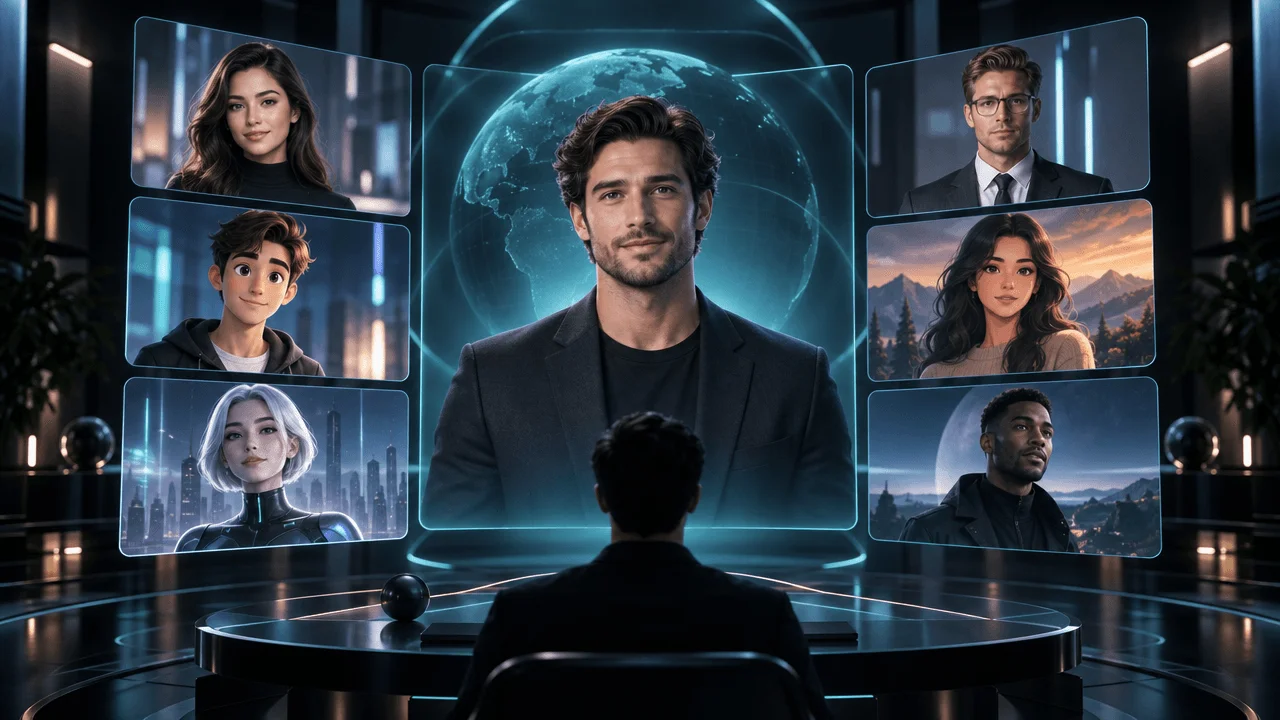
That's what AI avatar generators promise.
These tools create digital presenters who speak scripts using synthetic voices, cloned voices, or uploaded audio. Some can reproduce your own appearance. Others provide ready-made presenters or animate fictional characters from a photograph.
But there's a problem.
An AI avatar that looks impressive in a ten-second demonstration can become distracting during a twenty-minute YouTube video.
The mouth may not match the speech. Facial expressions may repeat. Hands may behave unnaturally. The presenter may look convincing in close-up but artificial in a full-body shot.
And even if the animation looks excellent, the subscription may not cover the number of video minutes your channel needs.
We researched nine leading AI avatar generators for their documented capabilities, pricing, video limits, commercial-use conditions, and suitability for YouTube creators.
Our overall recommendation is HeyGen for realistic digital presenters and recurring channel hosts.
But the best choice changes depending on whether you're creating educational videos, YouTube Shorts, fictional characters, or high-volume narrated content.
What Are the Best AI Avatar Generators in 2026?
These are our top recommendations:
- HeyGen: Best overall for realistic AI presenters, digital twins, and multilingual YouTube videos.
- Synthesia: Best for professional educational explainers and structured presenter-led content.
- AI Studios: Best for producing longer avatar videos with a high monthly video count.
- D-ID: Best for turning a single portrait into a talking presenter.
- Captions: Best for short-form creators using AI actors and digital twins.
- Colossyan: Best for educational presentations and multi-presenter explanations.
- Elai.io: Best for converting scripts, documents, and presentations into avatar videos.
- Hedra: Best for animated fictional characters and expressive talking avatars.
- Vidnoz AI: Best for beginners experimenting with free AI presenters.
Our recommendation: Start with HeyGen if you want a recurring realistic presenter. Choose AI Studios if you expect to produce many longer videos. Choose Hedra if your channel features an animated character rather than a conventional human presenter.
And if you don't actually need someone speaking on screen, consider a narration-first faceless-video workflow instead of paying for avatar minutes.
Best AI Avatar Generators: Quick Comparison
| Rank | Tool | Best for | Advertised starting price | Free option |
|---|---|---|---|---|
| 1 | HeyGen | Realistic recurring presenters | Creator $29/month | Yes |
| 2 | Synthesia | Educational and professional videos | Starter $19/month, or $14 annually | Yes |
| 3 | AI Studios | High-volume presenter videos | Personal from $24/month | Yes |
| 4 | D-ID | Talking photos and digital presenters | Paid Lite, Pro, and Advanced plans | 14-day trial |
| 5 | Captions | Shorts and AI digital twins | Max $24.99/month on iOS | Limited free tools |
| 6 | Colossyan | Training and multi-presenter videos | Professional $59/month annually | Yes |
| 7 | Elai.io | Script and document-to-video | Creator $29/month, or $23 annually | Yes |
| 8 | Hedra | Animated fictional hosts | Basic $20/month | Yes |
| 9 | Vidnoz AI | Free avatar experimentation | Paid Starter and Business plans | Yes |
Prices are USD reference rates from official product pages checked around November 4, 2026. Annual prices represent monthly equivalents billed annually. D-ID and Vidnoz do not expose dependable current paid amounts in their publicly readable pricing pages, so verify checkout prices rather than relying on outdated third-party quotes.
The most important distinction
An AI avatar generator creates a presenter.
An AI video generator creates or assembles visual content.
A faceless YouTube production platform coordinates the entire video.
These categories overlap, but they solve different problems.
You may need one of them, or a combination.
What Is an AI Avatar Generator?
An AI avatar generator is software that creates a digital person or character capable of delivering spoken content in video form.
Most talking-avatar systems follow a similar process:
- Select a stock presenter or create a custom avatar.
- Enter a script or upload recorded speech.
- Select a voice and language.
- Generate synchronized lip movements and facial expressions.
- Export the talking-avatar footage or completed video.
Some products also support hand gestures, emotional delivery, full-body movement, translated speech, custom backgrounds, and scene editing.
What does "faceless YouTube" mean here?
In this article, faceless means the channel owner does not need to appear on camera.
The finished video may still contain a visible AI presenter.
For a channel with no visible host at all, a narration-and-visuals workflow is usually more appropriate than a talking-avatar generator.
1. HeyGen: Best Overall AI Avatar Generator for YouTube
Best for: Recurring digital hosts, educational channels, marketing explainers, multilingual videos, and creators who want a realistic AI version of themselves.
Pricing: Free. Creator $29/month. Pro $49/month. Business $149/month.
Website: HeyGen
HeyGen is our overall recommendation because it offers a broad selection of presenter options and a workflow designed around realistic talking avatars.
Creators can choose stock presenters, generate photo avatars, or create a custom digital twin.
For YouTube, that flexibility matters.
A technology news channel might use the same virtual presenter in every episode.
A business channel might create an AI version of its founder.
An educational channel might use a different stock presenter for different subjects.
What makes HeyGen useful?
HeyGen's current product lineup includes Avatar III, Avatar IV, and Avatar V, with access depending on the subscription.
The company also provides Video Agent and additional generative video features.
Its paid plans support 175 or more languages and dialects, making the platform relevant for channels producing multilingual content.
Key features
- More than 500 stock digital presenters on Free.
- More than 700 stock avatars on eligible paid plans.
- Custom digital twins.
- Photo avatars.
- AI voice generation.
- Voice cloning.
- Avatar expression and motion controls.
- Multilingual video translation.
- AI video creation.
- API and team integrations.
The pricing limits that matter
Free provides three videos per month, each up to one minute, with a watermark.
Creator, at $29/month, provides 600 credits, 1080p exports, watermark removal, and videos up to thirty minutes.
Pro, at $49/month, provides 1,000 credits, 4K exports, and broader premium-model access.
Business, at $149/month, provides 1,500 credits and videos up to sixty minutes.
The important caveat is that 600 credits do not mean 600 minutes of every avatar model.
Different generation models and features consume credits differently.
Check the credit cost of your selected avatar before committing to high-volume production.
Where HeyGen works best
Imagine a weekly AI news channel.
The format includes:
- A recurring digital presenter.
- News explanations.
- Supporting screenshots.
- Product demonstrations.
- Short presenter appearances between visual segments.
HeyGen is particularly suitable for creating the host footage.
You can then combine that footage with additional visuals.
Pros
- Strong selection of digital presenters.
- Custom avatar and digital-twin workflows.
- Multilingual voice support.
- Free evaluation plan.
- 1080p and 4K export options.
- Useful for recurring channel hosts.
Cons
- Advanced generation consumes credits.
- Some avatar models have additional usage limits.
- High-volume production can require upgrades.
- Generating an entire documentary with a continuously speaking avatar can be expensive.
- A presenter still needs good writing and editing to remain interesting.
Who should choose HeyGen?
Choose HeyGen if you want a recurring realistic presenter who can appear across many YouTube videos without requiring new filming sessions.
Verdict: Best overall for realistic AI channel hosts and digital twins.
Official source: HeyGen pricing and feature comparison.
2. Synthesia: Best for Professional Educational Videos
Best for: Educational explainers, business tutorials, training content, professional presentations, and structured avatar-led videos.
Pricing: Basic Free. Starter $19/month or $14/month billed annually. Pro $89/month or $59/month billed annually.
Website: Synthesia
Synthesia is especially suitable when your video format resembles a structured presentation.
Its platform combines AI presenters, video templates, narration, and supporting visual elements.
For educational YouTube creators, this can make it easier to produce consistent explanations without recording a human presenter.
What makes Synthesia different?
Synthesia emphasizes professional presentation workflows.
Its platform supports stock avatars, custom presenters, voiceovers, translated videos, motion graphics, and interactive learning features.
You can build a scene around a presenter, then combine it with slides, graphics, screenshots, and other supporting content.
Important 2026 pricing update
Synthesia changed its pricing model on October 1, 2026.
Older comparisons that describe Starter and Creator using only fixed monthly video-minute allowances are now outdated.
The company also renamed Creator to Pro.
Its self-serve plans now combine a baseline allowance with shared credits.
Every plan includes:
- Ten minutes of video creation or dubbing per month.
- Three survey responses.
- 500 shared credits.
Paid plans add additional credits.
| Synthesia plan | Total shared credits per month | Included baseline video allowance |
|---|---|---|
| Basic | 500 | 10 minutes |
| Starter | 1,750 | 10 minutes |
| Pro | 6,500 | 10 minutes |
| Pro 2× | 12,500 | 10 minutes |
The company estimates typical video creation at approximately 100 credits per minute.
On that basis, Starter's 1,750 credits could fund around 17.5 additional minutes, beyond the included ten-minute allowance.
That produces an illustrative capacity of approximately 27.5 minutes, assuming the credits are spent on ordinary video creation and the actual job uses the estimated rate.
Real usage varies with avatars, B-roll, dubbing, and other features.
Key features
- Stock AI presenters.
- Custom avatars.
- Multilingual voice generation.
- Video templates.
- Document and script-based video creation.
- Video dubbing.
- Motion graphics.
- Team collaboration.
- Enterprise controls.
- Interactive learning features.
Pros
- Strong fit for structured explanations.
- Professional video templates.
- Extensive language support.
- Free plan for experimentation.
- Useful for consistent branded presentations.
- Collaboration features.
Cons
- Shared credits make cost calculations more complex.
- Some premium features require higher plans.
- Presenter-led templates may feel too corporate for entertainment channels.
- Not primarily designed for cinematic storytelling.
- Free outputs carry restrictions.
Who should choose Synthesia?
Choose Synthesia if your channel explains concepts through a virtual presenter, visual slides, and structured educational material.
Verdict: Best for professional educational and presentation-style YouTube videos.
Official sources: Synthesia pricing and October 2026 credit changes.
3. AI Studios: Best for High-Volume AI Presenter Videos
Best for: Educational channels, regular explainer videos, product tutorials, multilingual content, and creators producing many presenter-led videos.
Pricing: Free plan. Personal starts at $24/month. Team starts at $55/month.
Website: AI Studios
AI Studios, formerly known as DeepBrain AI's AI video platform, is an interesting option for creators focused on recurring production.
Its current pricing emphasizes unlimited video counts on paid plans.
But that phrase needs careful interpretation.
What "unlimited videos" actually means
AI Studios' Personal plan advertises unlimited video generation.
However, the plan still restricts the maximum duration of each video and maintains separate allowances for premium AI features.
Its official documentation states:
- Free: Three videos per month, up to one minute each.
- Personal: Unlimited video count, up to thirty minutes per video.
- Team: Unlimited video count, up to sixty minutes per video.
- Enterprise: Custom duration.
The Personal plan supports up to 1080p export.
Team supports up to 4K.
Unlimited video count does not mean unlimited generative credits, dubbing, or every premium avatar model.
Why this matters for YouTube
Imagine publishing one ten-minute tutorial every day.
You need an application that can support repeated video creation without a low fixed count of completed videos.
AI Studios is worth evaluating because of its plan structure.
But you still need to check which avatar engines and premium features consume additional credits.
Key features
- AI presenter library.
- Script-to-video generation.
- Long-form avatar videos.
- Text-to-speech.
- Dubbing.
- Custom avatars.
- Video templates.
- PPT and PDF import.
- Captions.
- Translation.
- Editing and brand assets.
Pros
- Unlimited video count on paid plans.
- Relatively long per-video limits.
- 1080p and 4K options.
- Useful document-to-video workflow.
- Supports recurring educational content.
- Free evaluation plan.
Cons
- Premium AI usage still has limits.
- Personal exports are limited to 1080p.
- Team costs more.
- Avatar quality depends on the selected presenter and model.
- Editing options may not replace a dedicated professional video editor.
Who should choose AI Studios?
Choose AI Studios if you produce many recurring presenter-led videos and want a plan built around regular output.
Verdict: Best candidate for high-volume avatar production with longer individual videos.
Official source: AI Studios pricing.
4. D-ID: Best for Turning Photos Into Talking Avatars
Best for: Talking portraits, digital presenters created from photographs, short explainers, and creators experimenting with expressive AI faces.
Pricing: Fourteen-day trial. Paid Studio tiers include Lite, Pro, Advanced, and Enterprise. Check the live Studio checkout for current rates.
Website: D-ID
D-ID is particularly relevant when you already have an image you want to animate.
Instead of choosing a conventional studio presenter, you can start from a photograph or generated portrait.
The platform can turn that image into a speaking video.
This creates several possibilities for faceless YouTube channels.
Example use case
Imagine a fictional storytelling channel featuring a recurring character.
You create an original portrait.
Then you use D-ID to animate the character delivering a short introduction.
You can place that clip inside a larger video.
This approach is different from generating a completely new cinematic scene for every line of narration.
D-ID's 2026 avatar technology
D-ID expanded its avatar capabilities with V4 Expressive Avatars.
The company introduced V4 Expressive Avatars in its Studio in February 2026.
Its technology includes more expressive performances and sentiment controls.
D-ID also supports interactive visual-agent experiences, although those are a different product category from standard uploaded YouTube videos.
Key features
- Talking-photo animation.
- Stock digital presenters.
- Generated presenters.
- Script-to-video creation.
- AI voices.
- Expression controls.
- Video layouts.
- Multilingual support.
- API access.
- V4 expressive avatars.
What to know about pricing
D-ID meters Studio usage by generated video duration.
Its official documentation states that durations are rounded up to fifteen-second increments.
For example, a video lasting one minute and ten seconds consumes one minute and fifteen seconds.
Unused monthly minutes don't roll over.
Trial and Lite videos carry watermarks.
These details matter more than an outdated promotional price from several years ago.
Pros
- Can animate existing images.
- Useful for talking portraits.
- Expression controls.
- API access.
- Supports custom visual identities.
- Flexible for short avatar clips.
Cons
- Watermarks on lower tiers.
- Duration-based usage.
- Unused monthly minutes expire.
- Realistic movement depends on source-image quality.
- Less suited to complex full-body cinematic action.
Who should choose D-ID?
Choose D-ID if your main requirement is transforming a portrait into a speaking character.
Verdict: Best for talking-photo videos and custom portrait-based presenters.
Official sources: D-ID Studio, pricing, and V4 Expressive Avatars.
5. Captions: Best for Short-Form AI Actors and Digital Twins
Best for: YouTube Shorts, TikTok-style content, vertical explainers, mobile creators, and social videos featuring AI presenters.
Pricing: Max $24.99/month. Frontier starts at $69.99/month. The published prices currently describe iOS subscriptions.
Website: Captions
Captions is especially relevant to creators who prioritize short-form video.
Rather than concentrating only on a talking head, the platform combines AI actors with other editing features.
That makes it an attractive option for creators who want to produce vertical videos quickly.
Key capabilities
The Max plan includes:
- Digital twins.
- Custom AI actors.
- AI editing styles.
- Chat-based video editing.
- Long-video-to-short-clips workflows.
- AI-generated footage.
- 500 credits per month.
Frontier provides access to more advanced models and larger usage allowances.
Its published Frontier tiers include 1,400, 2,800, or 5,600 monthly credits, depending on the selected package.
Why it fits YouTube Shorts
Short-form videos need more than realistic lip synchronization.
They also need:
- Strong openings.
- Captions.
- Visual changes.
- Appropriate framing.
- Good pacing.
- Consistent subject placement.
Captions brings several of those tools together.
Important pricing caveat
The current pricing page explicitly states that its listed prices and features apply to iOS plans.
Don't assume identical prices or availability on every device.
Also, the credit system means you should verify the cost of your intended avatar model before calculating your monthly production capacity.
Pros
- Strong short-form focus.
- Custom AI actors.
- Digital-twin functionality.
- Built-in editing tools.
- Caption and clipping features.
- Useful for vertical videos.
Cons
- Credit-based usage.
- Public pricing is specific to iOS.
- Premium models cost more.
- Not ideal for very long documentary production.
- A fast editing workflow doesn't guarantee strong content.
Who should choose Captions?
Choose Captions if you create Shorts or social videos where the avatar is part of a fast-paced edited format.
Verdict: Best for short-form creators using AI actors and digital twins.
Official source: Captions pricing.
6. Colossyan: Best for Educational Presentations and Multiple AI Presenters
Best for: Tutorials, educational explainers, roleplay-based learning, customer education, and multi-presenter videos.
Pricing: Free Starter. Professional starts at $59/month when billed annually. Enterprise pricing is custom.
Website: Colossyan
Colossyan focuses on avatar-based learning and presentation videos.
Its strengths include multiple presenters, structured content creation, and interactive educational features.
For faceless YouTube, the most relevant applications are tutorials and explanatory content.
Why multiple presenters matter
Imagine creating a video about a business negotiation.
One avatar represents a buyer.
Another represents a seller.
Instead of using a single narrator to explain the entire example, you could create a dialogue between two presenters.
That can make certain educational concepts easier to demonstrate.
Current pricing
Colossyan's Free Starter plan provides twenty monthly video minutes using its NEO model.
Its Professional plan, at $59/month billed annually, includes:
- Thirty minutes monthly with NEO.
- Ten additional minutes monthly with NEO2.
- MP4 video downloads.
- AI image generation.
- SCORM export.
- Additional collaboration capabilities.
These NEO and NEO2 allowances are model-specific.
Do not treat them as forty interchangeable minutes of every avatar model.
Key features
- AI presenters.
- Multiple-avatar scenes.
- Custom avatars.
- Voice cloning.
- Script and document import.
- Video templates.
- Language translation.
- Interactive quizzes.
- Branching videos.
- SCORM export.
- Team collaboration.
Pros
- Useful free generation allowance.
- Supports multiple presenters.
- Educational templates.
- Professional learning features.
- Structured scene creation.
- Useful for explanatory dialogue.
Cons
- Strong emphasis on corporate learning.
- Advanced models have separate minute allowances.
- Premium plan is relatively expensive.
- Entertainment-focused creators may find the format restrictive.
- Some enterprise capabilities require custom pricing.
Who should choose Colossyan?
Choose Colossyan if your YouTube videos teach processes, demonstrate conversations, or rely on structured educational presentations.
Verdict: Best for multi-presenter educational video production.
Official source: Colossyan pricing.
7. Elai.io: Best for Converting Scripts and Documents Into Avatar Videos
Best for: Educational presentations, tutorials, company explainers, document-based videos, and structured instructional content.
Pricing: Free. Creator $29/month or $23/month annually. Team $125/month or $100/month annually.
Website: Elai.io
Elai.io combines AI avatars with script-based and document-driven video creation.
It is especially useful when the material already exists in written form.
For example, you might have a long explanation in a document and want to turn it into a narrated presentation.
Key capabilities
- Stock AI presenters.
- AI voices.
- Script-to-video creation.
- Document-based workflows.
- Presentation-style scenes.
- AI image generation.
- Multiple languages.
- Custom avatar options.
- 16:9, 9:16, and square output.
- Team collaboration on higher plans.
Pricing and limits
The current plans offer:
Free: One minute for evaluation.
Creator: Fifteen generated video minutes per month and Full HD output.
Team: Fifty minutes per month at the entry allowance, 4K output, additional editors, and custom avatar or voice features.
The important limitation is the monthly video-minute allowance.
A creator producing long-form YouTube content can exhaust the Creator plan quickly.
Example
Suppose you publish one eight-minute avatar video each week.
That's approximately thirty-two minutes of generated video across four uploads.
The fifteen-minute Creator allowance doesn't cover that workload.
A larger plan, additional minutes, or shorter avatar segments would be needed.
Pros
- Straightforward script-to-avatar workflow.
- Good for document-driven content.
- Multilingual support.
- Full HD and 4K options.
- Clear minute allowances.
- Free evaluation tier.
Cons
- Creator includes only fifteen minutes monthly.
- Higher-resolution features require Team.
- Stronger fit for presentations than cinematic entertainment.
- Custom-avatar capabilities vary by plan.
- Long-form production can become expensive.
Who should choose Elai.io?
Choose Elai if you frequently convert written educational or business material into presenter-led videos.
Verdict: Best for document-to-avatar and structured instructional videos.
Official source: Elai.io pricing.
8. Hedra: Best for Animated Fictional AI Avatars
Best for: Fictional storytellers, illustrated channel hosts, animated animals, stylized presenters, and creators who want more character flexibility.
Pricing: Free access available. Basic $20/month. Pro $50/month. Ultra $100/month.
Website: Hedra
Hedra is different from a traditional corporate avatar platform.
Instead of relying primarily on stock presenters in professional clothing, it is well suited to animating custom characters from images and audio.
For storytelling channels, that distinction matters.
Your host doesn't need to resemble a conventional business presenter.
It could be an illustrated scientist, a fictional detective, or an original animated character.
Hedra Character 3
Hedra's Character 3 model accepts image, text, and audio inputs.
It uses audio-driven generation to produce a speaking or singing character.
The documented model supports:
- Up to ten minutes per generated clip.
- Several aspect ratios, including 16:9 and 9:16.
- 540p, 720p, and 1080p output.
- Speech-driven character animation.
- Multilingual audio input.
Why Hedra works for creative channels
Imagine a mythology channel hosted by an illustrated raven.
The raven introduces each story, comments on events, and appears in recurring segments.
That format doesn't require a photorealistic digital human.
It needs a recognizable character that can speak.
Hedra is a relevant option for this kind of original presenter.
API pricing example
Hedra's Character 3 API publishes the following rates:
| Resolution | Price per generated second | Approximate 60-second clip |
|---|---|---|
| 540p | $0.025 | $1.50 |
| 720p | $0.05 | $3.00 |
| 1080p | $0.0625 | $3.75 |
These are the published Character 3 API rates, not the equivalent pricing of every Hedra subscription or model.
A ten-minute 1080p clip at that API rate would cost approximately $37.50, excluding any additional services.
Subscription details
Hedra Basic includes 2,000 monthly credits.
Pro includes 7,200.
Ultra includes 18,000.
The consumption rate depends on the model and settings.
Don't confuse subscription credits with API dollars or generated video minutes.
Pros
- Flexible fictional character workflows.
- Supports stylized avatar concepts.
- Audio-driven animation.
- Multiple aspect ratios.
- API availability.
- Useful for original recurring characters.
Cons
- Credit costs depend on generation settings.
- Character motion can still introduce artifacts.
- Long-form generation requires cost planning.
- More focused on character animation than corporate presentation templates.
- Ten-minute model cap may require splitting longer scenes.
Who should choose Hedra?
Choose Hedra if your YouTube channel uses an original animated character rather than a conventional human-looking presenter.
Verdict: Best for creative character-based talking avatars.
Official sources: Hedra pricing and Character 3 specifications.
9. Vidnoz AI: Best Free AI Avatar Generator for Beginners
Best for: Beginners, low-budget creators, educational videos, experimental Shorts, and creators comparing different virtual presenters.
Pricing: Free plan. Paid Starter, Business, and Enterprise plans are available; check current checkout pricing.
Website: Vidnoz AI
Vidnoz has an unusually broad presenter library.
Its current pricing documentation advertises more than 1,800 avatars on the free plan and more than 1,900 on paid plans.
It also offers templates, AI voices, and a range of creative video tools.
What the free tier provides
The current free plan includes:
- Avatar-based video creation.
- Videos up to three minutes each.
- 720p exports.
- A stock presenter library.
- Video templates.
- Basic voice capabilities.
- Watermarked exports.
- Daily usage restrictions.
This makes it useful for initial experimentation.
You can test several presenter styles without committing to a paid plan.
Paid plans
Starter provides:
- Up to sixty minutes per individual video.
- 1080p export.
- Watermark removal.
- Expanded avatar and voice access.
- Additional credits.
Business adds more custom-avatar, voice-cloning, translation, and collaboration features.
Vidnoz's publicly readable pricing page does not reliably expose its current dollar amounts for Starter and Business.
We therefore recommend checking the actual account checkout rather than copying an unsupported price.
Pros
- Large avatar library.
- Free entry plan.
- Useful templates.
- Multiple video formats.
- Paid watermark removal.
- Beginner-friendly experimentation.
Cons
- Free exports are limited to 720p.
- Watermark on Free.
- Daily and monthly usage restrictions.
- Premium features require upgrades.
- Large avatar library doesn't guarantee natural delivery.
Who should choose Vidnoz?
Choose Vidnoz if you're new to AI presenters and want to explore different avatars before buying a higher-priced system.
Verdict: Best for initial free experimentation with AI presenters.
Official source: Vidnoz pricing.
Which AI Avatar Generator Is Best for Your YouTube Channel?
The right platform depends on your content format.
| Channel type | Recommended tools | Main reason |
|---|---|---|
| AI and technology news | HeyGen, AI Studios | Recurring digital presenters |
| Business explainers | Synthesia, Colossyan | Structured educational scenes |
| YouTube Shorts | Captions, HeyGen | Short-form presenter workflows |
| Fictional storytelling | Hedra, D-ID | Custom characters and talking portraits |
| Software tutorials | AI Studios, Synthesia | Presenters combined with demonstrations |
| Educational courses | Synthesia, Elai | Script and document workflows |
| Multilingual explainers | HeyGen, AI Studios | Translation and voice options |
| Beginner experiments | Vidnoz, HeyGen Free | Accessible entry points |
| High-volume presenter videos | AI Studios | Unlimited video count within plan limits |
Best for long-form YouTube
Start with AI Studios or HeyGen.
Both support individual videos up to thirty minutes on eligible paid plans.
But confirm the actual monthly generation allowance for your chosen avatar.
A thirty-minute maximum video duration does not mean the plan includes unlimited thirty-minute videos using every model.
Best for YouTube Shorts
Captions is particularly relevant for creators who want digital twins, captions, and short-form editing features.
HeyGen is useful for recurring realistic presenters.
Vidnoz is a practical starting point for testing the concept cheaply.
Best for fictional characters
Hedra and D-ID are worth testing.
Hedra is particularly attractive when you want to animate an original character from an image.
D-ID suits talking-photo workflows.
AI Avatar vs. Digital Twin vs. Talking Photo: What's the Difference?
These terms are frequently mixed together.
Stock AI avatar
A ready-made digital presenter supplied by a platform.
You choose the presenter and provide the script.
Best for: Quick explainers and educational content.
Custom AI avatar
A digital presenter created specifically for your project.
It may be based on a consenting person's appearance or an original fictional design.
Best for: Branded channel hosts.
Digital twin
A synthetic representation of a real person, typically designed to reproduce their visual appearance and sometimes their voice.
Best for: Founders, educators, or creators who want to appear in videos without repeatedly filming.
Talking photo
An image animated to appear as though the person or character is speaking.
Best for: Short introductions, fictional characters, and portrait-based content.
Conversational avatar
A digital presenter that can respond interactively to users.
Best for: Training, support, applications, and interactive experiences.
Conversational avatars are not the same product as ordinary prerecorded YouTube videos.
For most faceless YouTube channels, a stock avatar or custom fictional host is sufficient.
You don't need a real-time conversational agent to publish a narrated video.
The Hidden Cost of AI Avatar Videos: Minutes vs. Credits
This is the biggest financial mistake creators make when choosing an avatar generator.
They compare subscription prices without estimating actual avatar footage.
Let's examine a realistic YouTube workload.
Example: Eight videos per month
Suppose your channel publishes eight twelve-minute videos.
That's:
8 × 12 = 96 minutes of finished video per month
But do you need an avatar visible for all ninety-six minutes?
Not necessarily.
You could use the presenter for introductions, transitions, and conclusions, while the rest of the video shows supporting visuals.
Scenario A: Avatar visible throughout the video
Total generated avatar footage:
96 minutes
That may exhaust lower-tier avatar allowances quickly.
Scenario B: Avatar appears for two minutes per video
Total:
8 × 2 = 16 minutes
You still have the same amount of finished YouTube content.
But you only generate sixteen minutes of presenter footage.
Scenario C: Avatar appears for thirty seconds per video
Total:
8 × 0.5 = 4 minutes
This can make avatar production substantially more economical.
Why this matters
A recurring host doesn't need to remain on screen during every explanation.
For a science channel, viewers may benefit more from diagrams and demonstrations while the narration continues.
For a history documentary, relevant footage and historical visuals may be more useful than a presenter speaking continuously.
Compare the correct costs
| Pricing model | What to calculate |
|---|---|
| Per-minute avatar generation | Generated presenter minutes |
| Shared AI credits | Credits consumed by the selected avatar model |
| Unlimited video count | Per-video length and premium model restrictions |
| Monthly video allowance | Total generated footage across the billing period |
| API generation | Cost per second or minute at the chosen resolution |
The most useful metric is cost per publishable video, not the subscription's headline price.
What Makes an AI Avatar Look Realistic?
A good avatar is more than a face with synchronized mouth movements.
Its performance needs to be convincing over time.
1. Lip synchronization
The mouth should follow the spoken words naturally.
Pay attention to difficult consonants and fast speech.
2. Facial expressions
Expressions should fit the meaning of the narration.
An avatar that smiles while discussing a tragedy can undermine the video.
3. Head and eye movement
Natural-looking micro-movements can help.
But exaggerated or repetitive motion may feel artificial.
4. Hand gestures
Gestures should support the words.
Random gestures can distract viewers.
5. Voice quality
A realistic face paired with a robotic voice can still look unconvincing.
6. Temporal stability
The avatar should remain visually consistent throughout the clip.
Watch for changing facial details, unnatural skin movement, and flickering elements.
7. Performance over longer clips
A five-second demonstration is not enough.
Test at least sixty to ninety seconds of realistic narration before deciding a model is ready for your channel.
The 12-Shot AI Avatar Quality Test
Many comparison articles rely on promotional examples.
A better test uses the same script and conditions across tools.
Test four delivery conditions
Test A: Neutral explanation
The presenter calmly explains a factual concept for thirty seconds.
Test B: Emotional emphasis
The presenter delivers a surprising or serious statement.
Test C: Difficult pronunciation
The script contains technical terms, names, and numbers.
Test D: Fast speech
The presenter delivers a quicker explanation without losing intelligibility.
Test three compositions
For each delivery condition, evaluate:
- Close-up.
- Medium shot.
- Wider shot, where supported.
That produces twelve test combinations.
Score each output
| Criterion | Maximum score |
|---|---|
| Lip synchronization | 5 |
| Facial naturalness | 5 |
| Eye and head movement | 5 |
| Voice and emotion alignment | 5 |
| Visual stability | 5 |
| Usable framing | 5 |
| Maximum per output | 30 |
Maximum across twelve outputs: 360 points.
Record processing time, generation cost, failed attempts, and available export resolution separately.
This is a proposed benchmarking method, not a test we've performed across the nine vendors.
Why this test is better
A provider may perform excellently in a close-up but poorly when the avatar gestures.
Another may produce accurate lip sync but unnatural emotional expressions.
A third may create good footage at an attractive price but consume too many credits when you switch to higher quality.
The best tool is the one that handles your actual format reliably.
How to Create a Faceless YouTube Channel Using an AI Avatar
You don't need to begin with the avatar.
Start with the channel concept.
Step 1: Choose a format worth watching
Examples include:
- AI and technology explainers.
- Business case studies.
- Educational tutorials.
- Science demonstrations.
- Language-learning videos.
- Fictional storytelling.
- Short-form commentary.
The format should provide original value.
An avatar alone is not a content strategy.
Step 2: Decide the avatar's role
There are three common approaches.
Full-time presenter: The avatar stays on screen for most of the video.
Part-time presenter: The avatar appears during openings, transitions, and conclusions.
Character host: A fictional avatar introduces or narrates selected parts of the story.
For many documentary-style channels, the second approach is more practical.
Step 3: Write the script
Use a clear structure.
Start with a compelling reason to watch.
Introduce the topic.
Explain the most important information.
Deliver meaningful examples and evidence.
Avoid filler.
A realistic AI presenter cannot rescue an uninteresting script.
Step 4: Select the avatar
Choose a presenter who suits the channel's audience and subject.
Consider:
- Age appearance.
- Visual style.
- Voice.
- Emotional range.
- Clothing.
- Background.
- Framing.
- Consistency across episodes.
Step 5: Generate a short test
Before generating a full video, create approximately sixty seconds of the actual narration.
Inspect the mouth, expressions, gestures, and pronunciation.
Step 6: Generate approved presenter footage
Only process the sections where the avatar adds value.
For a longer documentary, this might be an introduction and several transitions.
Step 7: Add supporting visuals
Use diagrams, real footage, images, screenshots, or animated scenes to explain the content.
Don't keep the avatar on screen simply because it has already been generated.
Step 8: Review the final edit
Check whether the presenter feels natural in the complete video.
Review pacing, sound, visual continuity, and the handoff between avatar footage and supporting images.
Step 9: Publish and analyze
After publishing, use YouTube Analytics to evaluate audience response.
Test whether the avatar improves the viewer experience.
Don't assume viewers prefer a talking AI presenter over narration with relevant visual footage.
Can You Monetize YouTube Videos With AI Avatars?
Yes. Using an AI avatar does not automatically make a YouTube channel ineligible for monetization.
However, YouTube's monetization policies still apply.
The relevant issue is whether your content provides original value.
YouTube's policy on inauthentic content specifically addresses material that is repetitive, generic, or mass-produced without meaningful variation.
The policy clarification took effect on July 15, 2025.
That means an AI avatar reading the same generic script template across hundreds of nearly identical videos can create monetization risks.
But a well-researched educational video featuring an AI presenter is a different proposition.
What matters more than the avatar
- Original research.
- Useful information.
- Strong storytelling.
- Accurate explanations.
- Meaningful editing.
- Distinctive creative direction.
- Viewer satisfaction.
For monetization guidance, review YouTube's official channel monetization policies.
Do you need to disclose your AI avatar?
YouTube requires disclosure for certain realistic synthetic or altered content.
Its rules cover cases where AI makes real people appear to say or do things they didn't do, or creates realistic events that didn't actually occur.
YouTube states that disclosure itself does not automatically reduce a video's audience or monetization eligibility.
For a realistic synthetic presenter, review the current disclosure requirements and use the AI disclosure setting when applicable.
See YouTube's AI-generated content disclosure guidance.
Is It Legal to Create an AI Avatar of a Real Person?
Only create a digital likeness when you have the necessary authorization and rights.
This is particularly important for:
- Celebrity likenesses.
- Employees.
- Contractors.
- Voice actors.
- Clients.
- Public figures.
- Other identifiable individuals.
Some platforms require a consent recording before generating a custom avatar.
For example, Synthesia's Photo Avatar rules require an identity match between the submitted photograph and consent video.
HeyGen also requires explicit consent for custom avatars depicting real people.
A creator should not assume that a publicly available photograph can be used to build a speaking digital replica.
Commercial use may involve privacy, publicity, copyright, trademark, contract, and advertising considerations.
For a fictional YouTube host, an original character often provides more creative freedom and fewer likeness-rights complications.
AI Avatars vs. Faceless AI Video Generators: Which Is Better?
This decision can affect your entire channel format.
AI avatar video
A digital presenter speaks directly to the viewer.
Advantages:
- Recognizable recurring host.
- Suitable for tutorials.
- Useful for explanations.
- Can support multilingual videos.
- No need to film a human presenter repeatedly.
Limitations:
- Long presenter segments can become visually repetitive.
- Lip synchronization and gestures require quality checks.
- Generated presenter minutes can become expensive.
- Not every subject benefits from a talking face.
Narration-first faceless video
A narrator speaks while relevant visuals explain the content.
Advantages:
- More flexibility for documentary storytelling.
- Can use footage, diagrams, animations, and images.
- No continuous talking-avatar generation required.
- Suitable for complex subjects.
- Easier to prioritize visual evidence and examples.
Limitations:
- Requires a coherent scene-production process.
- Visual sourcing and generation take effort.
- Editing can become complex.
- Character identity may be less central.
Which should you use?
For educational presentations and recurring talking hosts, consider an AI avatar generator.
For history documentaries, science storytelling, psychological explainers, and visually driven narratives, consider a narration-first workflow.
For many channels, the strongest option is a hybrid:
AI presenter for introductions and transitions, with original supporting visuals throughout the rest of the video.
How OverseerOS Fits Into an AI Avatar YouTube Workflow
Most platforms in this comparison focus on generating the presenter.
But creating a successful YouTube video also requires choosing topics, developing scripts, producing visual scenes, and editing the final content.
That's where OverseerOS fits.
OverseerOS is a YouTube research and video-production platform, not a dedicated talking-avatar engine equivalent to HeyGen or Synthesia.
It can complement an avatar tool rather than replace it.
Example workflow
1. Research the topic
Use OverseerOS to study channels, investigate high-performing video ideas, and develop an original angle.
2. Develop the script
Write a video structured around useful information and a strong viewing experience.
3. Generate presenter segments
Use an eligible avatar tool to create the opening, transitions, or other sections where a visible presenter adds value.
4. Produce the supporting video
Use OverseerOS Auto Edit Studio for the wider narration-and-scene production workflow.
5. Assemble and review
Combine the presenter footage with the approved scenes in your editing workflow.
6. Publish and evaluate
Review the results in YouTube Analytics.
Why this approach can be more efficient
Suppose your finished video runs for twenty minutes.
Instead of generating twenty minutes of a talking avatar, you create two minutes of presenter footage.
The remaining eighteen minutes use relevant visuals and narration.
This can reduce avatar-generation usage while providing a recognizable on-screen host.
The exact cost depends on the avatar vendor and video production setup.
For creators interested in fully visual storytelling without a presenter, explore OverseerOS AI Scene Generator.
Frequently Asked Questions
What is the best AI avatar generator for YouTube in 2026?
HeyGen is our overall recommendation for realistic recurring presenters and digital twins. Synthesia is strong for structured educational videos, AI Studios for frequent longer videos, and Hedra for fictional animated hosts.
What is the best free AI avatar generator?
Vidnoz offers free avatar experimentation with watermarked 720p output. HeyGen provides three free one-minute videos per month. Synthesia and Colossyan also offer free plans with usage restrictions.
Can you start a faceless YouTube channel with an AI avatar?
Yes. A faceless channel can use a virtual presenter without showing the real creator on camera. The finished content still needs original value and must follow YouTube's policies.
Can AI avatar videos be monetized on YouTube?
Yes, provided the channel and videos meet YouTube's monetization requirements. Using an AI avatar doesn't automatically make content eligible or ineligible.
Does YouTube penalize videos with AI avatars?
YouTube does not have a blanket rule that AI avatars are penalized. However, repetitive, mass-produced, or low-value content can create monetization problems, and certain realistic synthetic content requires disclosure.
Which AI avatar generator looks the most realistic?
HeyGen, Synthesia, D-ID, and AI Studios are relevant options for realistic presenters. There is no independently established winner across all models, scripts, camera angles, and delivery styles. Test your actual use case.
Is HeyGen better than Synthesia?
HeyGen is our preferred choice for flexible recurring digital presenters and creator-facing video. Synthesia is particularly strong for professional presentation and training workflows. Usage allowances differ substantially.
How much does HeyGen cost in 2026?
The current listed monthly prices are $29 for Creator, $49 for Pro, and $149 for Business. A limited Free plan is available. Actual output depends on the model's credit consumption.
Is Synthesia free?
Yes. Synthesia Basic includes ten monthly video minutes and 500 shared credits, among other allowances. Free videos and downloads have restrictions.
How many videos can I create with Synthesia Starter?
Synthesia moved to a shared-credit system in October 2026. Starter includes ten baseline video minutes and 1,750 total monthly shared credits. Actual output depends on avatar footage, models, and other features.
Is AI Studios really unlimited?
AI Studios advertises unlimited video count on paid plans. However, per-video duration, generative credits, dubbing, and premium features remain subject to limits.
Can I create an AI avatar from one photo?
Yes. D-ID supports talking-photo workflows, while Hedra can animate characters using images and audio. Other vendors offer their own photo-avatar capabilities.
Can I make a digital twin of myself?
Yes. HeyGen, Captions, and several other products support custom digital-twin workflows. The setup and consent requirements vary by provider.
Can I make an AI avatar of a celebrity?
Using someone else's likeness may violate platform rules or applicable rights if you lack authorization. Do not assume public photographs grant permission to create a synthetic speaking replica.
Which AI avatar generator is best for YouTube Shorts?
Captions and HeyGen are attractive choices for short-form creator workflows. Vidnoz is useful for free experimentation. The best choice depends on editing needs, avatar realism, and available credits.
Which AI avatar generator supports the longest videos?
Eligible AI Studios paid plans support thirty-minute or sixty-minute videos, while HeyGen offers thirty-minute videos on Creator and Pro and sixty-minute videos on Business. The maximum individual duration is not the same as unlimited monthly generation.
Can AI avatars speak different languages?
Yes. Several platforms support multilingual voices or translated videos. HeyGen, Synthesia, AI Studios, and Elai.io are relevant options.
Can an AI avatar use my cloned voice?
Many avatar platforms support voice cloning on eligible plans. Check consent requirements and commercial rights before creating or using a cloned voice.
What is the best AI avatar generator for animated characters?
Hedra is particularly relevant for original fictional characters, including illustrated or stylized hosts animated from images and audio.
Which is better: an AI avatar or AI voiceover with stock footage?
For presenter-led explanations, an avatar may provide a recognizable host. For visually rich documentaries, narration with relevant footage, diagrams, and animation may be more appropriate. A hybrid can combine both.
How much does an AI avatar cost per minute?
It varies by provider, model, plan, and resolution. Some vendors bill by video minutes, others use shared credits, and some offer API generation priced per second. Calculate the cost using your intended model.
Can I make 100 YouTube videos per month with AI avatars?
Possibly, depending on the vendor and plan. AI Studios advertises unlimited video count on paid plans but maintains duration and premium usage restrictions. Other services may require additional credits or higher tiers.
Do AI avatar videos need to disclose AI use?
Certain realistic synthetic or altered content requires disclosure under YouTube's rules. The correct disclosure depends on what the video depicts and whether it could mislead viewers about reality.
What is the biggest mistake when creating AI avatar YouTube channels?
Building the entire format around the avatar instead of the content. A realistic presenter does not compensate for generic scripts, weak topics, repetitive editing, or poor storytelling.
Final Verdict: Which AI Avatar Generator Should You Choose?
For most creators who want a recurring realistic YouTube presenter, choose HeyGen.
It offers stock avatars, custom digital twins, multilingual support, and several levels of video generation.
Choose Synthesia for professional educational explainers and presentation-based videos.
Choose AI Studios if you produce many avatar-led videos and need longer per-video limits.
Choose D-ID for talking portraits.
Choose Captions for AI actors in short-form social videos.
Choose Colossyan for educational content involving multiple presenters and interactive learning concepts.
Choose Elai.io for turning written material into presenter-led videos.
Choose Hedra for original fictional and animated characters.
Choose Vidnoz if you want to experiment with AI presenters before spending money.
But the most important decision isn't which avatar looks best in a demo.
It's whether your video actually benefits from having a visible presenter.
For an educational host, an AI avatar can become part of the channel's identity.
For a documentary, the avatar may be most useful for introductions and transitions.
For a visually rich faceless channel, narration combined with relevant scenes may be the stronger format.
Choose the production approach that serves the viewer.
Then select the tool that supports it economically.
If you're building narration-driven YouTube videos, explore OverseerOS for channel research, scripting, and connected faceless-video production.
Research Methodology and Editorial Disclosure
Research date: November 4, 2026.
This article compares nine AI avatar generation platforms using official product pages, published pricing, documentation, and YouTube's current policies.
The evaluation considers:
- Presenter realism and available avatar technologies.
- Custom-avatar options.
- Voice and language capabilities.
- Video duration limits.
- Output resolution.
- Editing features.
- Production scalability.
- Credit and minute accounting.
- Commercial rights and consent.
- Suitability for YouTube video formats.
These rankings are editorial assessments of documented product capabilities and intended use cases.
We did not conduct a controlled paid hands-on benchmark of all nine products. We therefore do not claim experimentally proven realism scores, lip-sync accuracy, or render-speed rankings.
Official product sources
- HeyGen pricing
- Synthesia pricing
- Synthesia October 2026 pricing update
- AI Studios pricing
- D-ID Studio pricing
- Captions pricing
- Colossyan pricing
- Elai.io pricing
- Hedra pricing
- Hedra Character 3
- Vidnoz AI pricing
YouTube policy sources
Commercial disclosure
This article is published by OverseerOS, a company offering YouTube research and video production software.
OverseerOS is discussed as a complementary production platform, not ranked as a dedicated talking-avatar generator.
No paid sponsorship or affiliate placement was arranged for this draft. Any future sponsored inclusion, affiliate relationship, or commercial partnership should be clearly disclosed and must not be presented as independent product testing.
Pricing and product capabilities change frequently. Readers should verify the relevant plan, generation model, commercial rights, and current usage limits before purchasing.