How to Automate YouTube Production Handoffs Without Losing Quality
A YouTube video can take hours to produce even when most of the individual tasks are relatively straightforward.
The problem is often not the work itself. It is everything that happens between the work.
A writer finishes a script, but someone still needs to send it to the voiceover artist. The narration is ready, but the editor is waiting for the correct file. The edit is finished, but nobody knows whether it has been reviewed. A revision is requested, but the editor is working from an outdated version.
Every handoff introduces another opportunity for delays, mistakes, duplicated work, and unnecessary communication.
These problems become increasingly expensive when a creator operates multiple channels or an agency manages production for several clients.
The solution is not to automate every creative decision. It is to automate the operational work surrounding those decisions.
A properly designed YouTube production automation system moves completed work to the next stage, checks whether the required inputs exist, handles predictable failures, and brings people into the process when their judgment is actually needed.
This guide explains how to build that system, which production tasks to automate, how to prevent common automation failures, and how to scale video production without turning your channel into a factory of interchangeable content.
What Is YouTube Production Automation?
YouTube production automation is the use of connected software, triggers, and predefined rules to move video projects through repetitive production tasks without requiring someone to manually coordinate every step.
It can automate activities such as:
- Creating production tasks when an idea is approved.
- Sending completed scripts to the next production stage.
- Starting voiceover generation when a script is finalized.
- Transferring narration and assets into an editing workflow.
- Notifying reviewers when a video is ready.
- Sending approved videos into publishing preparation.
- Updating production statuses automatically.
- Recording errors and retrying failed operations.
- Collecting publishing and performance information.
The distinction between automation and full autonomy is important.
Automation handles predictable operations. Autonomy attempts to make decisions independently.
For example, automatically transferring an approved script into a voiceover workflow is a predictable operation.
Deciding whether a story is original, emotionally compelling, factually accurate, and suitable for a particular audience requires considerably more judgment.
The best production systems combine both approaches rather than treating them as interchangeable.
Why Manual Handoffs Become a Production Bottleneck
Manual handoffs are easy to overlook because each individual action seems insignificant.
Sending a file takes a few seconds. Updating a status takes another few seconds. Finding the correct version might take a minute.
But these actions happen repeatedly across every video.
Consider a team producing 40 videos per month.
If each video requires eight manual handoffs, the team handles 320 individual handoff events every month.
Even a small amount of coordination time per event can become a substantial operational burden.
More importantly, time is not the only problem.
1. Work waits for someone to notice it is finished
A script is completed, but the next person does not receive a notification.
The project sits idle until someone checks a document or sends a message.
This creates waiting time that has nothing to do with actual production complexity.
2. Files become disconnected from their projects
A video may have several versions of its script, narration, visual assets, and export.
If these files are moved manually, the wrong version can easily enter production.
3. Production status becomes unreliable
Someone forgets to update a task.
The project board says editing is in progress even though the video has already been exported.
Managers can no longer trust the production dashboard.
4. Failed tasks require manual intervention
A voiceover generation request fails. A render stops. An upload encounters an error.
Without an automated failure-handling process, someone must discover the problem, investigate it, and restart the operation.
5. Teams spend time coordinating instead of producing
The more channels and clients an operation manages, the more communication is required to keep everything moving.
Eventually, the coordination work becomes a bottleneck of its own.
The goal of production automation is to eliminate these unnecessary dependencies.
The Five Layers of a Reliable YouTube Production Automation System
A reliable system should not be built as one enormous automation that attempts to perform everything at once.
It should be divided into five layers, each with a clear responsibility.
| Layer | Responsibility | Automation objective |
|---|---|---|
| 1. Orchestration | Coordinate production stages | Move work automatically |
| 2. Asset management | Maintain files and versions | Prevent missing or incorrect assets |
| 3. Production execution | Run scripts, voiceovers, and editing | Reduce repetitive manual work |
| 4. Quality control | Validate outputs | Prevent defective videos from progressing |
| 5. Monitoring | Track progress and failures | Detect problems before they become expensive |
These layers work together.
The orchestration layer decides what should happen next. The production layer performs the task. The quality layer checks the result. The monitoring layer makes sure the entire system remains reliable.
Let's examine how to build each one.
1. Automate Production Handoffs Instead of Automating Everything
The first step is identifying which activities actually require someone to initiate them manually.
A traditional workflow might look like this:
- Writer finishes a script.
- Writer messages the voiceover artist.
- Voiceover artist creates narration.
- Someone downloads the audio.
- Someone sends it to the editor.
- Editor creates the video.
- Editor messages the manager.
- Manager reviews the export.
- Manager sends feedback.
- Editor creates another version.
Most of these steps do not require a human to coordinate them.
A better workflow uses production events.
For example:
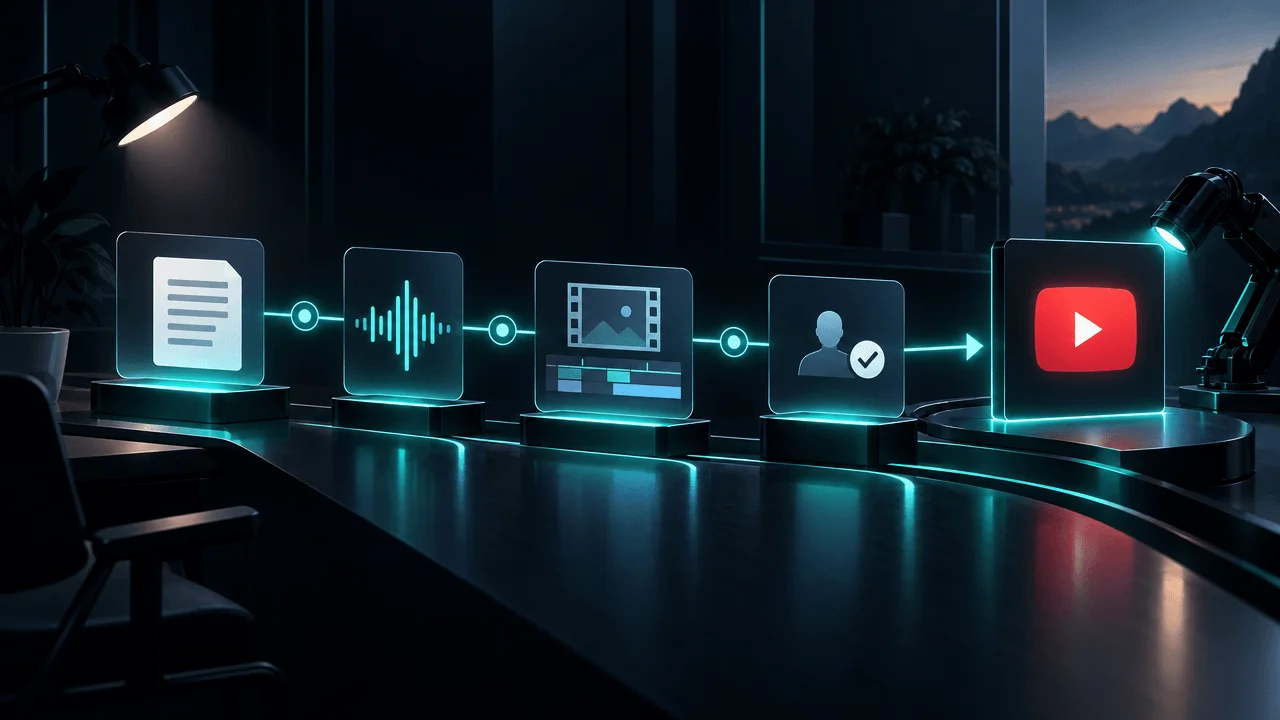
Script approved → Voiceover generation starts → Audio validated → Editing job starts → Export completed → Review notification sent.
The important difference is that each stage starts when the previous stage has successfully completed.
Nobody needs to remember to move the project forward.
Build event-based automation
Instead of relying on someone checking whether work is finished, use an event that communicates a completed action.
Examples include:
| Event | Automated action |
|---|---|
| Topic approved | Create production project |
| Script approved | Start voiceover generation |
| Voiceover completed | Attach audio to the project |
| Required assets available | Start editing |
| Export completed | Create review task |
| Review approved | Prepare publishing package |
| Upload completed | Record publishing status |
Each action should have a defined trigger and an expected result.
This makes the workflow easier to maintain and troubleshoot.
Why this matters
A task should not progress simply because someone changed a label to "Complete."
It should progress because the required output actually exists and has passed the necessary checks.
That distinction prevents a large number of downstream production problems.
2. Give Every Video One Source of Truth
One of the most important requirements for production automation is a reliable source of truth.
Every video should have a unique project identity.
That project should connect its:
- Channel.
- Topic.
- Approved title.
- Script.
- Voiceover.
- Visual assets.
- Editing instructions.
- Export versions.
- Review status.
- Publishing information.
The project should not depend on someone remembering which Google Drive folder contains the latest narration or which message includes the approved script.
Use structured production records
A practical project record might look like this:
| Field | Example |
|---|---|
| Project ID | VID-1042 |
| Channel | Example Channel |
| Working title | The Hidden History of... |
| Script status | Approved |
| Voiceover status | Completed |
| Asset status | Ready |
| Editing status | In progress |
| Review status | Waiting |
| Publishing status | Not started |
| Current version | 2 |
| Project owner | Production Manager |
The values should update as the project moves through the workflow.
Establish version control
Never allow a production system to assume that the latest file uploaded is automatically the correct file.
For example, if a script changes after narration has been generated, the existing voiceover may no longer match the approved script.
The system should identify that dependency and mark the narration as needing regeneration.
The same principle applies to edits.
If the voiceover changes, the associated edit may need to be reviewed or rebuilt.
A good automation system understands which outputs depend on which inputs.
3. Automate the Repetitive Production Work
Once the handoffs and project records are structured, you can begin automating actual production tasks.
This is where the biggest time-saving opportunities usually appear.
Script production
When a topic is approved, the system can prepare the required research and script brief.
AI can assist with:
- Research organization.
- Script drafting.
- Hook development.
- Structural improvements.
- Voice and tone consistency.
- Formatting production instructions.
However, the system should not automatically approve every generated script.
A script should pass editorial checks for accuracy, originality, relevance, and quality before moving into production.
Voiceover production
Voiceover generation is a strong candidate for automation.
Once a script is approved, the system can:
- Retrieve the correct script version.
- Load the channel's voice settings.
- Generate narration.
- Validate that the audio file exists.
- Check duration and basic technical requirements.
- Attach the output to the correct project.
A failed generation should create an identifiable error rather than silently leaving the project incomplete.
Video editing
Automated editing can handle much of the repetitive assembly process.
Depending on the editing system, this can include:
- Creating scenes from a script.
- Matching visuals to narration.
- Applying transitions.
- Adding captions.
- Applying music.
- Maintaining aspect ratios.
- Rendering exports.
The system should also support different production requirements.
A long-form documentary, a talking-head video, and a vertical Short should not necessarily follow identical editing rules.
Thumbnail production
Thumbnail creation can also be partially automated.
A production system can prepare thumbnail concepts, apply channel-specific visual references, generate variations, and organize the resulting files.
However, the final thumbnail should still be evaluated against the actual video promise.
A technically attractive image is not automatically a good thumbnail.
Publishing preparation
Once the video has passed review, the system can prepare:
- Final title.
- Description.
- Thumbnail.
- Playlist.
- Publishing date.
- End-screen instructions.
- Pinned comment.
- Distribution captions.
YouTube supports scheduled publishing through YouTube Studio, allowing uploaded videos to be released at a specified date and time.
For API-based workflows, YouTube's Data API also supports video uploads, subject to its authorization and quota requirements.
Sources: YouTube scheduled publishing and YouTube Data API video uploads.
The important point is that publishing should only proceed when the required assets and approvals are present.
4. Build Automated Quality Gates Before Every Major Handoff
This is where many automation systems fail.
They become very good at moving work forward, but not necessarily at ensuring the work is correct.
Imagine an editing job starting with:
- An incomplete script.
- A missing narration file.
- An outdated thumbnail reference.
- The wrong video format.
- An incorrect channel assignment.
The automation may successfully execute its instructions while producing the wrong result.
That is not successful automation.
It is faster failure.
Create validation rules
Every important production stage should have a checklist that can be evaluated automatically.
For example:
Before voiceover generation:
- Is the script approved?
- Is the correct voice selected?
- Is the project assigned to the correct channel?
- Is the required text available?
Before editing:
- Does the narration file exist?
- Does its duration match expectations?
- Are all required assets available?
- Is the correct aspect ratio selected?
- Are the editing instructions complete?
Before publishing:
- Has the export completed?
- Is the correct final version selected?
- Has the video passed internal review?
- Is the correct thumbnail attached?
- Are the title and description approved?
- Is the publishing destination correct?
Not every check needs to be performed by AI.
File existence, project ownership, export completion, and required metadata can be validated deterministically.
Creative quality, factual accuracy, storytelling, and brand suitability require more sophisticated evaluation and often human judgment.
Use a human approval gate where it matters
A useful rule is:
Automate execution. Require human approval for decisions that can materially damage the channel or client relationship.
For example, automatically generating narration is generally low risk once the script is approved.
Automatically publishing an unreviewed video to a client's channel is a much higher-risk decision.
A well-designed system makes those distinctions explicit.
5. Build Failure Recovery Into the Workflow
A production automation system must assume that some operations will fail.
AI generation can time out. Rendering can stop. APIs can return errors. Files can become unavailable. Uploads can fail.
The question is not whether failures happen.
It is whether the system can recover without creating more problems.
Use clear failure states
Do not use one generic status called "Failed."
Identify where the failure occurred.
For example:
| Status | Meaning | Appropriate response |
|---|---|---|
| Script failed | Script generation did not complete | Retry or request review |
| Voiceover failed | Audio generation failed | Retry with error tracking |
| Asset missing | Required media unavailable | Stop and request missing asset |
| Render failed | Video export unsuccessful | Retry under defined limits |
| Review rejected | Creative output needs changes | Return to editing |
| Upload failed | Publishing operation unsuccessful | Retry after checking upload state |
Prevent duplicate jobs
One of the most important technical safeguards is idempotency.
In simple terms, repeating the same automation request should not accidentally create two videos, charge credits twice, or publish the same content twice.
Every production operation should have a unique identifier and a way to determine whether it has already completed.
For example, if a render request times out but the server actually finished the export, retrying without checking the original job could create duplicate work.
A reliable system checks the existing job state before starting another one.
Use controlled retries
Not every error should trigger an unlimited retry loop.
A temporary network error might justify another attempt.
A missing asset will not be fixed by repeating the same request.
Use:
- Limited retry attempts.
- Increasing delays between retries.
- Clear error classification.
- Duplicate-job protection.
- A manual intervention queue for unresolved failures.
This makes the system more predictable and prevents one failed operation from consuming unlimited resources.
The Automation Architecture: How Everything Connects
A reliable system can be represented as a sequence of production events and controlled transitions.
The following is a conceptual architecture, not a claim that every stage can or should run without human involvement.
             APPROVED VIDEO IDEA
                     |
                     v
              PROJECT CREATED
                     |
                     v
              SCRIPT GENERATION
                     |
                     v
              EDITORIAL REVIEW
                     |
               Approved?
                /     \
              No       Yes
              |         |
          Revise       v
                   VOICEOVER
                       |
                       v
                 ASSET VALIDATION
                       |
                       v
                  AUTO EDIT
                       |
                       v
                 EXPORT VALIDATION
                       |
                       v
                  HUMAN REVIEW
                    /     \
                  No       Yes
                  |         |
               Revise      v
                       PUBLISH PREP
                            |
                            v
                     FINAL APPROVAL
                            |
                            v
                       SCHEDULE
                            |
                            v
                        PUBLISHED
                            |
                            v
                    PERFORMANCE DATA
Every transition should have:
- A trigger.
- Required inputs.
- An execution step.
- A success condition.
- A failure condition.
- A recovery path.
This is the difference between a collection of connected AI tools and a production system that can reliably run at scale.
How to Automate YouTube Production Without Violating Monetization Requirements
Automation creates another important responsibility: maintaining originality and viewer value.
YouTube's monetization policy explicitly addresses repetitive and mass-produced content under its inauthentic content guidelines.
The policy does not prohibit using AI or automated production tools.
It focuses on whether the resulting content is original, authentic, and provides meaningful value to viewers.
For example, using a consistent intro or production template is not inherently a problem. Publishing videos that are essentially interchangeable, with little meaningful variation or original value, can be.
YouTube also explains that automated tools can assist in creating content when the result still demonstrates creative vision and provides educational or entertainment value.
Source: YouTube Channel Monetization Policies.
What this means for your automation system
Do not treat content production as a simple template-filling exercise.
Instead:
- Research each topic independently.
- Give every video a distinct angle.
- Verify factual claims.
- Avoid repeating the same narrative with different keywords.
- Use channel-specific editorial direction.
- Evaluate the actual finished video.
- Keep human oversight over important creative decisions.
Automation should make originality easier to produce consistently, not replace originality.
How to Measure Whether Production Automation Is Actually Working
Publishing more videos does not automatically mean your production system is better.
You need to measure whether automation is reducing operational friction while maintaining output quality.
These are the most useful metrics.
| Metric | What it measures |
|---|---|
| Manual handoffs per video | How much human coordination remains |
| Active production time | Actual labor required to produce a video |
| Waiting time | Time spent waiting between production stages |
| First-pass approval rate | How often videos pass review without revisions |
| Automation success rate | Percentage of jobs completing successfully |
| Duplicate job rate | Repeated operations that should not have occurred |
| Recovery time | Time required to resolve failed operations |
| Cost per approved video | Total production expenditure divided by approved output |
| On-time publishing rate | Percentage of videos published according to schedule |
Start with three measurements
If you are building your first automation system, do not try to measure everything immediately.
Start with:
1. Time between stages
Measure how long a completed script waits before voiceover production begins, and how long a completed edit waits before review.
2. Manual interventions per video
Count how many times someone needs to move files, send messages, restart tasks, or manually update statuses.
3. First-pass approval rate
Measure how many videos pass internal quality review without needing substantial revisions.
Together, these metrics show whether your system is genuinely becoming more efficient or simply producing more work that someone has to fix later.
The Best Way to Implement YouTube Production Automation
Do not attempt to automate an entire production operation in one deployment.
Start with the handoffs that create the most unnecessary work.
Phase 1: Standardize the workflow
Document the current production stages.
Define what must exist before a project can move forward.
Create clear project identifiers, statuses, file requirements, and ownership rules.
Phase 2: Automate the simplest handoffs
Start with predictable operations:
- Creating production tasks.
- Sending notifications.
- Attaching completed files.
- Updating statuses.
- Creating review requests.
Verify that these operations work reliably before adding more automation.
Phase 3: Connect production execution
Introduce automated script, voiceover, and editing jobs where appropriate.
Make sure each operation can report success or failure and that outputs remain attached to the correct project.
Phase 4: Add validation and recovery
Implement quality gates, duplicate-job protection, controlled retries, and failure notifications.
This is what turns a convenient workflow into a dependable production system.
Phase 5: Scale gradually
Only expand automation after measuring its results.
Test different formats, channels, and production requirements separately.
A workflow that works perfectly for a 60-second Short may not be suitable for a 30-minute documentary.
Do not assume one successful automation path proves that every production type is ready.
Frequently Asked Questions
What is YouTube production automation?
YouTube production automation uses software, AI, and predefined workflows to handle repetitive video production tasks. This can include moving approved scripts into voiceover generation, transferring assets into editing, creating review requests, updating production statuses, and preparing videos for publishing.
How do I automate YouTube video production?
Start by documenting your production stages and identifying repetitive handoffs. Connect the tools responsible for scripting, voiceovers, editing, review, and publishing through event-based automation. Add validation rules, failure recovery, and human approval gates before expanding the system.
Can I automate the entire YouTube production process?
Many operational and production tasks can be automated, but complete autonomy is not appropriate for every channel. Research validation, editorial judgment, creative direction, factual accuracy, and final quality approval often benefit from human oversight.
What is the best software for automating YouTube production?
The best software depends on which production stages you want to automate. OverseerOS is designed for YouTube-specific channel intelligence, planning, scripting, and automated video editing. General workflow tools can complement it by coordinating tasks, notifications, approvals, and external applications.
What is the difference between YouTube automation and YouTube production automation?
YouTube automation is a broad term that can include channel management, publishing, reporting, and repetitive administrative tasks.
YouTube production automation focuses specifically on the process of creating videos, connecting production stages, transferring assets, executing tasks, and handling failures.
How do I prevent automated video production from producing duplicate videos?
Give every project and production operation a unique identifier. Before retrying a failed or timed-out job, check whether the original operation actually completed. Use idempotency safeguards, controlled retries, and duplicate-publishing protection.
Should YouTube videos be automatically published?
Only when the channel's editorial standards and quality checks support that level of automation. For client work, sensitive topics, or channels with strict brand requirements, retain an approval step before publishing.
Does YouTube allow AI-generated videos?
YouTube does not prohibit AI-generated videos simply because AI was used. However, monetized content must comply with its originality and authenticity requirements. Repetitive, mass-produced content that lacks meaningful original value can be ineligible for monetization.
How much time can YouTube production automation save?
There is no universal percentage. Savings depend on the production format, the number of manual handoffs, the tools involved, the quality of the automation, and the amount of human review required. Measure active production time and waiting time separately to establish your actual improvement.
Final Verdict: Stop Making People Move Work Between Tools
The biggest opportunity in YouTube production automation is not generating another script faster or rendering another video with AI.
It is removing the operational friction between every stage of production.
When approved work automatically reaches the next stage, files stay connected to their projects, failed jobs are handled properly, and people only intervene when their judgment is needed, production becomes considerably easier to scale.
But reliable automation requires more than connecting a few applications.
It requires clear project ownership, structured data, validation rules, failure recovery, and quality controls.
That is how you build a production system that saves time without sacrificing creative standards.
OverseerOS brings YouTube channel intelligence, content planning, scripting, voiceovers, and automated video editing into a connected production environment.
Instead of coordinating every creative task manually, you can move more of the production process into one system while retaining control over the decisions that matter.
Explore OverseerOS and build a more efficient way to produce YouTube videos.