Most AI YouTube script generators can write a script.
That does not mean they can write a YouTube video.
There is a big difference.
A normal AI writer gives you words.
A real YouTube script generator should give you a watchable structure: a hook, a reason to keep watching, simple pacing, emotional movement, clear transitions, visual direction, and a payoff that matches the title and thumbnail.
That matters even more for faceless channels.
When you do not have a person on camera, the script carries more weight. The voiceover, visuals, captions, scenes, music, and editing all depend on the script. If the script is generic, the whole video feels generic.
So if you are searching for an AI YouTube script generator in 2026, the real question is not:
“Can this tool write 2,000 words?”
The real question is:
“Can this tool create a YouTube-native script that keeps viewers watching and gives the production system clear direction?”
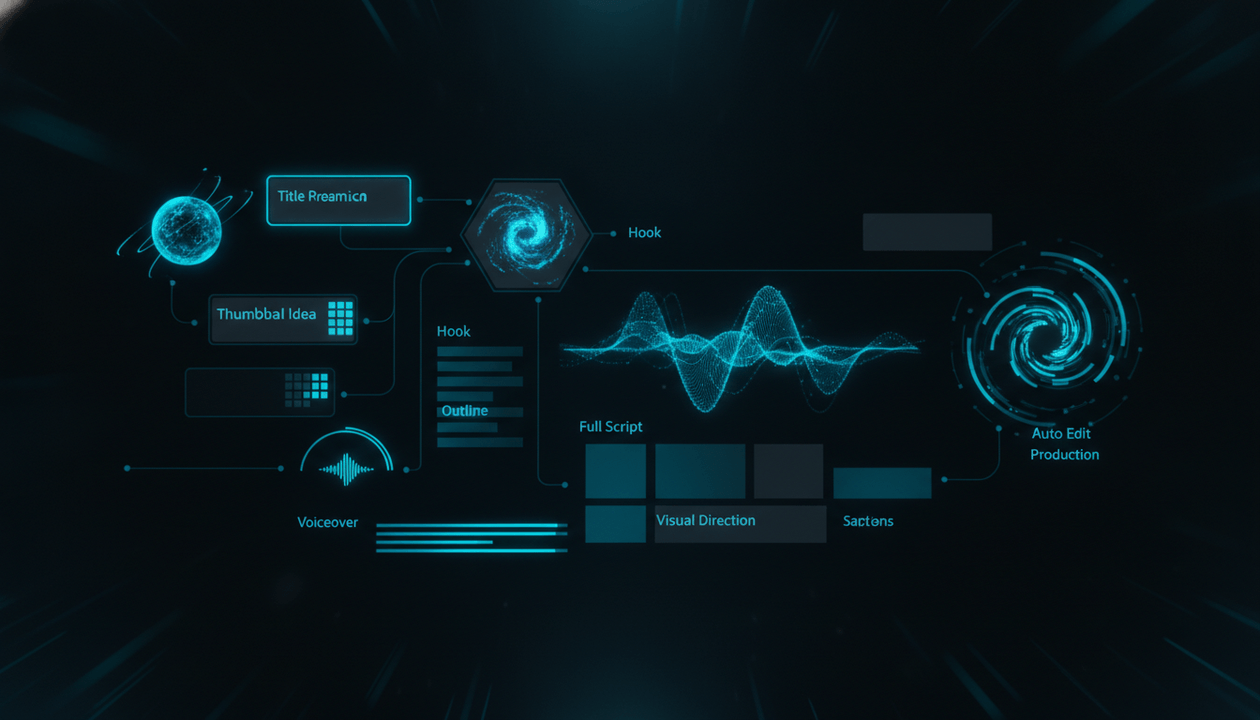
This guide breaks down what an AI YouTube script generator should actually do, why generic AI scripts fail, what faceless creators need from a script workflow, and how OverseerOS helps creators move from topic research to hooks, outlines, full scripts, voiceovers, thumbnails, and Auto Edit production.
Key Takeaways
- A good AI YouTube script generator should write for retention, not just length.
- Faceless videos need scripts that include visual direction, scene logic, pacing, and voiceover-friendly structure.
- Generic AI scripts often fail because they sound like blog posts instead of videos.
- The best YouTube scripts are built from a clear title promise, a strong hook, simple language, curiosity loops, and a satisfying payoff.
- AI-generated scripts should still be original, varied, and guided by creator judgment.
- OverseerOS helps creators generate YouTube-focused scripts using topic research, viral pattern analysis, Trend-to-Script, CreatorDNA, Script ReSpark, and Auto Edit workflows.
- The goal is not to let AI write random content. The goal is to turn proven YouTube patterns into original scripts faster.
What Is an AI YouTube Script Generator?
An AI YouTube script generator is a tool that helps creators turn a topic, title, outline, or trend into a YouTube video script.
A basic script generator can produce:
- An intro
- A few sections
- A conclusion
- A call to action
But a strong AI YouTube script generator should go much deeper.
It should help with:
- Hook creation
- Viewer promise
- Topic angle
- Script outline
- Section pacing
- Story structure
- Retention loops
- Curiosity gaps
- Voiceover flow
- Scene suggestions
- Visual direction
- Thumbnail-title alignment
- Ending structure
- Variations for testing
That is the difference between a text generator and a YouTube script system.
A faceless channel does not need a random essay.
It needs a production-ready script.
Why Generic AI Scripts Fail on YouTube
Most generic AI scripts fail for one simple reason:
They are written to sound complete, not to keep attention.
They often start like this:
“In today’s fast-paced digital world, artificial intelligence is changing the way we create content.”
That sentence is grammatically fine.
But on YouTube, it is weak.
It sounds generic.
It gives no tension.
It does not prove the video will be worth watching.
It feels like filler.
A better opening would be:
“Most AI YouTube videos do not fail because the visuals are bad. They fail because every scene feels like it came from a different video.”
That line is stronger because it creates a specific idea immediately.
It tells the viewer:
- This video has a point.
- This is not generic.
- There is a problem I may have missed.
- I should keep watching.
That is what YouTube scripts need.
The Difference Between an Article and a YouTube Script
Many AI tools accidentally write articles.
YouTube scripts need a different rhythm.
| Article Writing | YouTube Script Writing |
|---|---|
| Can start with background | Must start with tension |
| Can use long paragraphs | Needs spoken pacing |
| Explains information | Creates momentum |
| Reader controls speed | Viewer can leave anytime |
| Sections can be dense | Sections need clear transitions |
| Works visually on a page | Must work through voice and visuals |
| Can be scanned | Must be heard in sequence |
A YouTube script is not just information.
It is a guided viewing experience.
Every sentence should help the viewer move to the next sentence.
What Makes a Good AI YouTube Script Generator?
A good AI YouTube script generator should do seven things well.
1. It Should Understand the Video Promise
Before writing the script, the tool should understand what the viewer is clicking for.
A script should be built around one promise.
Example:
Weak promise:
This video is about AI video tools.
Strong promise:
This video explains why most AI-generated YouTube videos look fake and how creators can make scenes feel consistent.
The second promise is much stronger.
It tells the script what job it has to do.
Without a clear promise, the script becomes a list of points.
With a clear promise, the script becomes a journey.
2. It Should Write a Strong Hook
The hook is the first test after the click.
If the viewer clicked because of the title and thumbnail, the opening must confirm they are in the right place.
A strong hook usually does one of these:
- Challenges a common belief
- Shows a surprising result
- Names a painful mistake
- Opens a curiosity gap
- Shows a transformation
- Reveals a hidden system
- Creates urgency
- Makes the viewer feel understood
Weak hook:
“Welcome back to the channel. Today we are going to talk about YouTube scripts.”
Better hook:
“Most YouTube scripts do not fail because the idea is bad. They fail because the first 30 seconds gives the viewer no reason to stay.”
The second hook creates a problem.
Problems hold attention.
3. It Should Write for Retention
A YouTube script has to keep viewers moving.
That means it needs retention devices.
Examples:
- Open loops
- Pattern interrupts
- Clear stakes
- Short transitions
- “But here is the problem...”
- “This is where most creators mess up...”
- “The next part matters because...”
- “By the end, you will know...”
- “The mistake is not what you think...”
Retention does not mean manipulating the viewer.
It means giving them a reason to keep watching.
A good AI YouTube script generator should understand that.
4. It Should Use Simple Spoken Language
YouTube scripts are heard, not read.
That means the language should be simple.
Bad:
“The implementation of artificial intelligence-driven content production workflows has fundamentally transformed the creator economy landscape.”
Better:
“AI has made video production faster. But faster does not always mean better.”
Simple language wins because viewers do not want to decode the script.
They want to understand it instantly.
This is especially important for faceless channels because the voiceover carries the relationship with the viewer.
5. It Should Give Visual Direction
A faceless script should not only say what the voiceover says.
It should guide what the viewer sees.
That can include:
- Scene ideas
- B-roll direction
- AI visual prompts
- On-screen text
- Chart ideas
- Comparison frames
- Product screen moments
- Emotional visuals
- Before-and-after visuals
Example script line:
“The real problem is that every AI scene looks like it belongs to a different video.”
Visual direction:
Show a messy timeline with mismatched AI scenes, then contrast it with a clean storyboard where every scene shares the same style.
That visual direction makes production easier.
It also helps tools like OverseerOS Auto Edit turn scripts into matching scenes.
6. It Should Match the Title and Thumbnail
The script should deliver what the title and thumbnail promised.
If the title says:
“Why Most AI YouTube Videos Look Fake”
Then the script cannot open with a generic history of AI video tools.
It needs to start with the specific reason AI videos look fake.
The title, thumbnail, hook, and script must all point in the same direction.
This is packaging alignment.
A good AI YouTube script generator should not write the script in isolation.
It should understand the full video package.
7. It Should Create a Real Payoff
A script should not just end.
It should land.
A strong ending should make the viewer feel like they gained something.
Examples:
- A framework
- A decision
- A checklist
- A warning
- A new way of thinking
- A practical next step
- A final insight
Weak ending:
“Thanks for watching. Like and subscribe.”
Better ending:
“The future of faceless YouTube is not random AI generation. It is direction. The creators who win will not be the ones who generate the most scenes. They will be the ones who make every scene serve the promise of the video.”
That ending has weight.
The Best AI YouTube Script Generator Workflow
Here is the workflow serious creators should use.
Step 1: Start With Research
Do not start with a blank prompt.
Start with evidence.
Research:
- Competitor videos
- Breakout topics
- Top-performing titles
- Thumbnail patterns
- Viewer comments
- Trend signals
- Search intent
- Similar videos
- Audience questions
This is where OverseerOS Channel Analyzer, Viral X-Ray, Viral Channel Finder, and Breakout Video analysis become useful.
The better the research, the better the script.
AI is only as useful as the direction you give it.
Step 2: Define the Video Angle
A topic is not enough.
You need an angle.
Topic:
AI video generators
Weak angle:
Best AI video generators
Stronger angle:
Why AI video generators still fail at YouTube
Even stronger angle:
Why most AI YouTube videos look fake
The angle decides the script.
A good AI YouTube script generator should help turn a broad topic into a sharp angle.
Step 3: Build the Title Before the Script
The title tells the script what the video is promising.
If you do not know the title, you may not know the promise.
Example title:
This Thumbnail Mistake Kills Good Videos
The script should now explain:
- What the mistake is
- Why good videos still fail
- How to diagnose it
- How to fix it
- What creators should do next
The title becomes the script’s spine.
Step 4: Write the Hook First
Do not write the intro last.
The hook should come early.
Ask:
- What does the viewer already believe?
- What surprising thing can we say?
- What pain can we name?
- What result can we show?
- What curiosity gap can we open?
- What promise can we confirm?
Example:
“The script was good. The edit was good. The topic was good. But the video still failed because the packaging sold the wrong promise.”
That is a strong opening because it creates a mystery.
Step 5: Build a Retention Outline
Before generating the full script, create the outline.
A strong outline should not be a list of boring sections.
Weak outline:
- Introduction
- What is a script generator?
- Benefits
- Tools
- Conclusion
Better outline:
- Hook: Most AI scripts fail because they are written like articles.
- Problem: YouTube scripts need retention, not word count.
- Mistake: Creators generate scripts before defining the title promise.
- Framework: The 7-part YouTube script system.
- Example: Turn one weak topic into a strong script.
- Workflow: Research to title to hook to voiceover to scenes.
- Tool stack: Where OverseerOS fits.
- Payoff: AI should create structure, not generic filler.
That outline has movement.
Step 6: Generate the Full Script
Now the AI has direction.
The script should include:
- Hook
- Context
- Stakes
- Main sections
- Transitions
- Examples
- Visual cues
- Recaps
- Payoff
- Ending
This is where OverseerOS Quality Script Generation can help creators turn an idea into a full YouTube-native script.
Step 7: Improve the Script
The first draft is not the final draft.
A good AI YouTube script generator should help revise.
Look for:
- Slow intro
- Generic phrases
- Long sentences
- Weak transitions
- Repeated ideas
- Missing examples
- Low emotional stakes
- Unclear payoff
- Too much explanation
- Not enough story
This is where Script ReSpark becomes useful.
Instead of accepting a weak script, creators can improve hooks, clarity, pacing, structure, and delivery.
Step 8: Turn the Script Into Production
A script is not finished until it can be produced.
For faceless creators, the script should connect to:
- Voiceover
- Visual scenes
- Thumbnail
- Captions
- Music
- Motion
- Export
This is where OverseerOS Auto Edit becomes important.
A script can become the base for a full video workflow, with matching scenes, AI visuals, captions, music, supported motion, and export-ready production.
The best AI YouTube script generator does not stop at text.
It helps the video move forward.
The 9-Part YouTube Script Framework
Use this framework for faceless videos.
1. Pattern Interrupt
Start with something that breaks expectation.
Example:
“Most faceless channels fail before the first video is even published.”
2. Viewer Recognition
Show the viewer you understand their problem.
Example:
“You can have a decent script, a clean voiceover, and polished editing, but if the topic has no demand, the video is already weak.”
3. Promise
Tell the viewer what they will understand or gain.
Example:
“By the end, you will know how to find video ideas that already have proof of demand before you write the script.”
4. Stakes
Explain why this matters.
Example:
“Because every weak topic wastes scriptwriting, thumbnail design, voiceover, editing, and upload time.”
5. Core Explanation
Teach the main idea.
Example:
“The best creators do not start with ideas. They start with signals.”
6. Examples
Make the idea concrete.
Example:
“A small channel with 8,000 subscribers getting 200,000 views is often a stronger signal than a huge channel getting its normal million views.”
7. Framework
Give the viewer a system.
Example:
“Use the trend validation scorecard: attention velocity, niche fit, small-channel proof, comment demand, freshness, and packaging strength.”
8. Application
Show how to use the system.
Example:
“Before writing the script, choose one trend, one audience, one pain, one title, and one thumbnail promise.”
9. Payoff
End with a final insight.
Example:
“A good YouTube script is not a document. It is a retention path.”
This is what an AI script generator should help build.
AI YouTube Script Generator Prompt Template
Use this prompt when generating a faceless YouTube script.
Write a YouTube-native script for a faceless video.

Topic:
[Insert topic]

Target viewer:
[Insert specific audience]

Video promise:
[What the viewer will understand, avoid, achieve, or decide]

Title:
[Insert title]

Thumbnail idea:
[Insert thumbnail concept]

Tone:
[Simple, direct, suspenseful, educational, cinematic, etc.]

Length:
[Insert target word count or duration]

Script requirements:
- Start with a strong pattern interrupt.
- Avoid generic intro phrases.
- Use simple spoken language.
- Keep sentences voiceover-friendly.
- Add retention loops every 30-60 seconds.
- Include clear transitions between sections.
- Give concrete examples.
- Include visual direction for each major section.
- Make the script match the title and thumbnail promise.
- End with a strong final insight, not a generic conclusion.

Structure:
1. Hook
2. Viewer problem
3. Stakes
4. Main framework
5. Examples
6. Practical application
7. Final payoff
This is much stronger than:
Write me a YouTube script about AI tools.
Specific prompts create better scripts.
But tools like OverseerOS make this easier because the workflow already connects topics, titles, scripts, tone, voiceover, and production.
Examples: Weak AI Script vs Strong YouTube Script
Example 1: AI Video Topic
Weak opening:
“Artificial intelligence has changed the way people create videos. In this video, we will explore the best AI video tools and how they can help creators save time.”
Strong opening:
“Most AI videos do not look fake because the images are low quality. They look fake because every scene feels like it belongs to a different video.”
Why the strong version works:
- It challenges a belief.
- It names a specific problem.
- It creates a reason to keep watching.
- It sets up a framework.
Example 2: YouTube Growth Topic
Weak opening:
“Growing a YouTube channel can be difficult, especially for beginners.”
Strong opening:
“Most creators do not lose because their videos are bad. They lose because they choose ideas with no proof of demand.”
Why the strong version works:
- It is sharper.
- It creates tension.
- It speaks to a real pain.
- It makes the viewer want the solution.
Example 3: Thumbnail Topic
Weak opening:
“Thumbnails are very important for YouTube because they help viewers decide whether to click.”
Strong opening:
“The video was good. The script was good. The edit was good. But one thumbnail mistake made people scroll past it.”
Why the strong version works:
- It creates a story.
- It makes the viewer curious.
- It avoids obvious advice.
- It leads into a specific lesson.
What Faceless Creators Need From an AI Script Generator
Faceless creators have different needs than vloggers or personality-led creators.
A faceless script has to support:
- Voiceover
- Visuals
- B-roll
- AI scenes
- Captions
- Music
- Pacing
- Retention
- Production notes
The script is the foundation of everything else.
If the script says:
“This changed everything.”
The video needs a visual that shows what changed.
If the script says:
“Most creators miss this step.”
The video needs a visual that highlights the missing step.
If the script says:
“The system has three parts.”
The video needs a clear three-part visual.
A faceless script should be production-aware.
That is why generic AI text is not enough.
The Script-to-Scene Advantage
One of the biggest trends in AI YouTube creation is the move from script generation to script-to-scene production.
Creators do not only want text.
They want the script to become a video.
That means each script section should be easy to turn into:
- A scene
- A visual prompt
- A caption moment
- A motion idea
- A cutaway
- A comparison
- A timeline
- A chart
- A symbolic image
Example:
Script line:
“The old faceless YouTube model was built on volume.”
Scene direction:
Show a chaotic production board with many low-quality videos stacked quickly.
Script line:
“The new model is built on systems.”
Scene direction:
Show a clean workflow board moving from research to title to script to voiceover to Auto Edit.
That is how a script becomes visual.
This is where OverseerOS Auto Edit connects naturally to script generation.
The script creates the logic.
Auto Edit helps turn that logic into scenes.
How OverseerOS Helps With AI YouTube Scripts
OverseerOS is not just a generic script generator.
It is built around the YouTube creator workflow.
Topic Research Before the Script
OverseerOS can help creators analyze channels, study competitors, find viral patterns, identify breakout videos, and discover trend opportunities before writing.
That matters because the script is only as strong as the idea behind it.
Trend-to-Script
OverseerOS Trend-to-Script helps turn current trends into full YouTube scripts with research, viral potential analysis, and multiple variations.
This is useful for creators who need to move fast on fresh topics without writing generic trend recaps.
CreatorDNA
CreatorDNA helps creators preserve tone and style.
That matters because faceless channels need consistency.
If every script sounds different, the channel feels unstable.
With CreatorDNA, creators can generate scripts closer to a saved channel voice or style direction.
Quality Script Generation
OverseerOS Quality Script Generation helps create YouTube-focused scripts with hooks, outlines, storytelling, pacing, tone, and variations.
The goal is to create scripts that feel like videos, not articles.
Script ReSpark
Script ReSpark helps improve scripts that are too weak, too flat, too generic, or not structured enough.
This is important because the first draft is rarely the best version.
Voiceover and Auto Edit
Once the script is ready, OverseerOS can help move it into voiceover and Auto Edit workflows.
That means the script can become part of the production system instead of staying trapped in a document.
AI Script Generator vs Human Scriptwriter
A good human scriptwriter has judgment.
A good AI script generator has speed.
The strongest workflow combines both.
| Human Scriptwriter | AI Script Generator |
|---|---|
| Better judgment | Faster drafts |
| Better taste | More variations |
| Better nuance | Faster outlines |
| Better originality | Faster structure |
| Slower production | Faster iteration |
The mistake is thinking AI should replace judgment.
It should multiply judgment.
A creator can use AI to generate:
- 10 title angles
- 5 hooks
- 3 outlines
- 2 script drafts
- visual direction
- rewrite options
Then the creator chooses the strongest version.
That is the correct use.
AI Script Generator vs ChatGPT
ChatGPT can help write scripts.
But a dedicated YouTube workflow tool can be stronger when it connects script generation to channel strategy.
The difference is context.
A generic chat tool may not know:
- Your channel tone
- Your competitors
- Your saved topics
- Your video pipeline
- Your title workflow
- Your thumbnail concepts
- Your voiceover workflow
- Your Auto Edit production flow
OverseerOS is built around those connected workflows.
That means script generation can happen inside the same system where the creator researches topics, plans content, generates voiceovers, creates thumbnails, and produces videos.
That is the advantage of a YouTube-specific platform.
Buyer Checklist: What to Look for in an AI YouTube Script Generator
Before choosing a tool, ask these questions.
Strategy
- Does it help me choose stronger topics?
- Does it use competitor or trend signals?
- Does it help create better angles?
- Does it connect to title and thumbnail strategy?
Script Quality
- Does it write strong hooks?
- Does it avoid generic introductions?
- Does it use simple spoken language?
- Does it create retention loops?
- Does it include examples?
- Does it end with a real payoff?
Faceless Production
- Does it include visual direction?
- Does it support voiceover flow?
- Does it help with scene structure?
- Does it connect to video production?
Workflow
- Does it save scripts in a planner?
- Does it support multiple variations?
- Does it keep tone consistent?
- Does it connect to voiceover or Auto Edit?
Safety and Originality
- Does it avoid repetitive templates?
- Does it support original insight?
- Does it help make each script materially different?
- Does it discourage mass-produced low-value content?
If a tool only generates generic scripts, it is not enough.
Red Flags in AI YouTube Script Generators
Avoid tools that create scripts with:
- Generic intros
- Long background sections
- No clear hook
- No viewer promise
- No retention structure
- No examples
- No visual direction
- No title alignment
- No production logic
- No originality
- No tone control
- No revision workflow
Also be careful with tools that promise:
- “Unlimited scripts with no effort”
- “Fully automated cash cow videos”
- “No research needed”
- “Instant viral scripts”
- “Guaranteed monetization”
Those promises are usually weak.
YouTube success still needs strategy.
AI can help, but it cannot replace taste.
Best AI YouTube Script Generator Use Cases
Faceless Documentary Channels
Need:
- Strong hooks
- Suspense
- Story structure
- Scene direction
- Simple narration
- Emotional pacing
Best script style:
Cinematic, clear, narrative-driven, curiosity-heavy.
AI and Tech Channels
Need:
- Fresh trends
- Clear explanations
- Simple analogies
- Product context
- Future implications
Best script style:
Educational, sharp, fast-moving, insight-driven.
Psychology Channels
Need:
- Emotional hooks
- Relatable examples
- Human behavior framing
- Strong transitions
- Deep payoff
Best script style:
Intimate, direct, emotionally intelligent.
Finance Channels
Need:
- Trust
- Clarity
- Risk framing
- Examples
- Avoiding hype
Best script style:
Clear, grounded, practical, consequence-driven.
YouTube Automation Channels
Need:
- Tactical frameworks
- Tool workflows
- Examples
- Buyer intent
- Clear steps
Best script style:
Practical, direct, system-focused.
The Ideal Script Workflow for Faceless YouTube
Use this process.
Step 1: Find a Proven Topic Signal
Use competitor research, trend analysis, or breakout videos.
Do not start from random ideas.
Step 2: Define the Title Promise
Write the title before the full script.
Make sure it creates a clear reason to click.
Step 3: Create the Thumbnail Idea
The thumbnail should show the tension visually.
Step 4: Write the Hook
The hook should confirm the title and thumbnail in the first few seconds.
Step 5: Build the Outline
Structure the video around curiosity, examples, and payoff.
Step 6: Generate the Full Script
Use a YouTube-native script generator.
Step 7: Improve the Draft
Remove generic lines.
Sharpen hooks.
Add examples.
Improve transitions.
Make the ending stronger.
Step 8: Generate Voiceover
Turn the script into narration.
Listen for pacing.
Step 9: Produce the Video
Use Auto Edit or your production workflow to create matching visuals.
Step 10: Review the Promise
Before publishing, ask:
Does the video deliver exactly what the title and thumbnail promised?
If yes, the script did its job.
Final Verdict
The best AI YouTube script generator is not the tool that writes the longest script.
It is the tool that helps create the strongest viewing experience.
For faceless creators, that means:
- Better research
- Sharper angles
- Stronger hooks
- Cleaner structure
- Simple spoken language
- Retention loops
- Visual direction
- Voiceover flow
- Production-ready scenes
- Original insight
A weak AI script sounds like an article.
A strong YouTube script feels like a video before it is even edited.
That is the standard creators need in 2026.
If you want a script workflow built for YouTube, not generic writing, OverseerOS helps you move from channel research and trends to titles, outlines, full scripts, voiceovers, thumbnails, and Auto Edit production.
Do not use AI just to write more words.
Use AI to build better videos.
FAQ
What is an AI YouTube script generator?
An AI YouTube script generator is a tool that helps creators turn topics, titles, trends, or outlines into YouTube video scripts. A strong one should include hooks, pacing, retention structure, examples, visual direction, and a clear payoff.
What is the best AI YouTube script generator for faceless videos?
The best AI YouTube script generator for faceless videos should write voiceover-friendly scripts, include visual direction, support hooks and retention, and connect to production workflows. OverseerOS is built around this full YouTube workflow.
Can AI write good YouTube scripts?
Yes, but only when it is guided with a strong topic, title promise, audience, tone, structure, and examples. Generic prompts usually create generic scripts.
Why do AI-generated YouTube scripts sound bad?
Many AI scripts sound bad because they use generic intros, long explanations, weak hooks, and article-style writing. YouTube scripts need spoken pacing, tension, and retention structure.
Should a YouTube script generator include visual direction?
Yes, especially for faceless videos. Visual direction helps the editor or AI video workflow understand what should appear on screen during each section.
Can I monetize AI-generated YouTube scripts?
AI-assisted content can be monetized if the channel follows YouTube’s policies and the content is original, authentic, and valuable. Repetitive, mass-produced, or generic template-based content can create monetization risk.
What should I include in an AI YouTube script prompt?
Include the topic, target viewer, title, thumbnail idea, video promise, tone, length, structure, and specific requirements like hooks, retention loops, examples, and visual direction.
Is ChatGPT enough for YouTube scripts?
ChatGPT can help, but a YouTube-specific platform can be more useful when it connects scripts to channel research, titles, thumbnails, voiceovers, content planning, and video production workflows.
How long should a YouTube script be?
It depends on the video length and niche. A rough estimate is 130 to 160 spoken words per minute. A 10-minute video often needs around 1,300 to 1,600 words, depending on pacing.
How does OverseerOS help with YouTube scripts?
OverseerOS helps creators research topics, analyze viral patterns, generate titles, write YouTube-focused scripts, improve drafts with Script ReSpark, match tone with CreatorDNA, generate voiceovers, and move scripts into Auto Edit production.