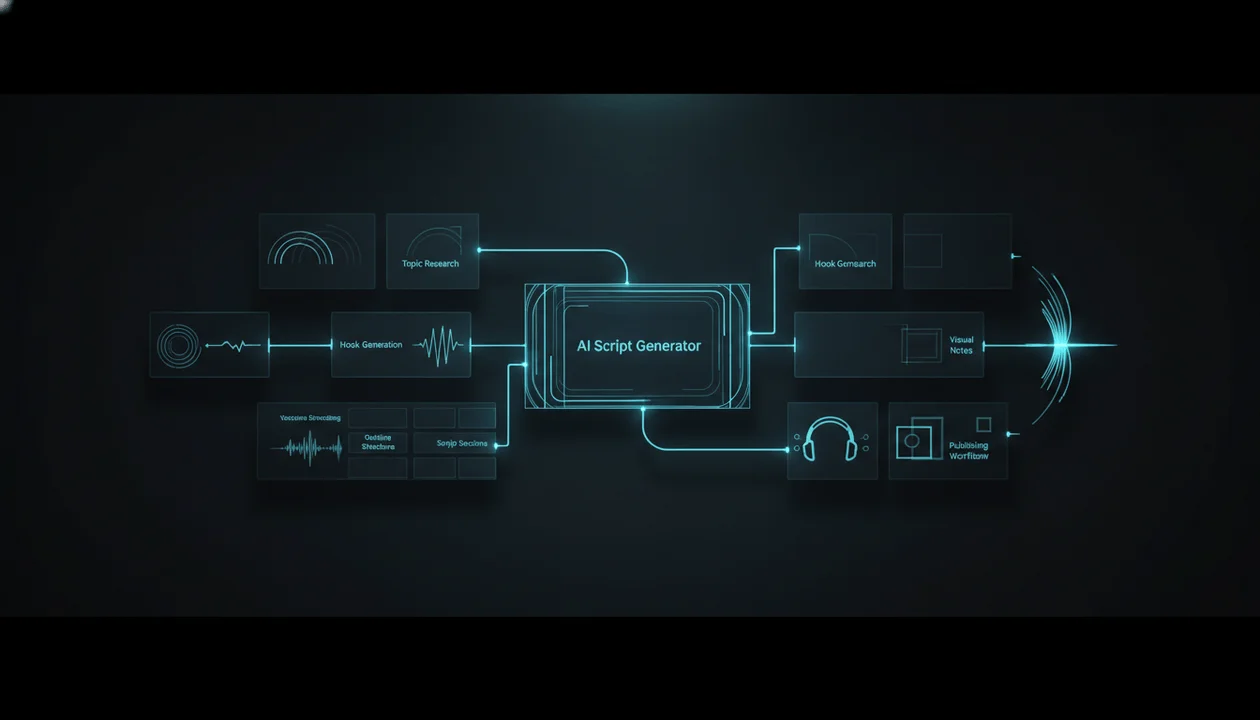
An AI script generator for faceless YouTube channels can save hours.
It can also destroy the channel if it creates generic scripts nobody wants to watch.
That is the trap.
Most faceless creators do not fail because they cannot generate a script. They fail because the script has no angle, no tension, no structure, no audience awareness, no retention logic, and no reason for the viewer to keep watching.
The script sounds like this:
In today’s fast-paced digital world, artificial intelligence is changing everything. In this video, we will explore the top tools that can help you improve your productivity and take your content to the next level.
That is not a YouTube script.
That is AI filler.
A real faceless YouTube script has a job. It needs to hook the viewer, create curiosity, deliver value, move fast, sound natural in voiceover, support visuals, and make the video feel worth finishing.
This guide breaks down how to use an AI script generator for faceless YouTube channels without creating low-effort AI content. You will learn what makes a good script, which features matter, how to write better prompts, how to structure different faceless video types, and how to build a repeatable script workflow that can turn ideas into watchable videos.
Key Takeaways
- An AI script generator is only useful if it creates structure, tension, and viewer retention. A generic script is not enough.
- Faceless YouTube scripts need to be written for voiceover, visuals, pacing, and trust because there is no on-camera creator carrying the video.
- The best AI script workflow starts with research and angle selection before writing the script.
- A strong faceless script usually includes a hook, problem setup, curiosity loop, structured sections, examples, transitions, visual direction, CTA, and a satisfying ending.
- YouTube says monetized content should be original and authentic, and warns against mass-produced or repetitive content with little educational or entertainment value. Source: YouTube Help
- YouTube’s AI disclosure rules focus on realistic AI-generated or meaningfully altered content that could mislead viewers, but script generation still needs human review for accuracy, originality, and trust. Source: YouTube Help
- The best AI script generator for a faceless channel is not the one that writes the most words. It is the one that helps you create scripts people actually watch.
What Is an AI Script Generator for Faceless YouTube?
An AI script generator for faceless YouTube is a tool that helps turn a video idea, topic, trend, outline, transcript, or brief into a YouTube script without requiring the creator to write every line manually.
A faceless creator can use it to create:
- Long-form video scripts
- Shorts scripts
- Documentary scripts
- AI news scripts
- Product review scripts
- Affiliate video scripts
- Tutorial scripts
- Educational explainers
- Psychology scripts
- Finance scripts
- History scripts
- Business case studies
- Intro hooks
- Outlines
- CTAs
- Voiceover-ready narration
- Scene-by-scene visual notes
But the tool itself is not the strategy.
The strategy is knowing what the script needs to do.
A faceless YouTube script should not just fill time.
It should create a viewing experience.
Why Faceless YouTube Scripts Are Different
A faceless channel does not have a person on camera to build connection.
That means the script has to do more work.
It has to create:
- Trust
- Momentum
- Clarity
- Curiosity
- Emotion
- Structure
- Authority
- Visual direction
- Reason to keep watching
A creator on camera can sometimes save a weak line with personality.
A faceless channel cannot.
If the voiceover reads a weak script, the video feels weak.
If the script repeats generic points, the video feels automated.
If the hook is slow, the viewer leaves.
If the structure is flat, retention dies.
The script is the spine of the entire faceless video.
That is why script generation is one of the highest-leverage steps in the workflow.
The Biggest Mistake With AI YouTube Scripts
The biggest mistake is asking AI for a script before giving it strategy.
Bad prompt:
Write a YouTube script about the best AI tools.
That produces a generic list.
Better prompt:
Write a faceless YouTube script for beginner creators who want to build a YouTube channel without showing their face.
The video angle is: most creators do not need more AI tools, they need a workflow that connects research, scripts, voiceover, visuals, thumbnails, and publishing.
The script should be direct, practical, and retention-focused.
Include a strong hook, explain the common mistake, break down the workflow by tool category, include examples, warn against low-effort AI content, and end with a clear checklist.
The second prompt gives the AI:
- Audience
- Angle
- Tone
- Structure
- Stakes
- Direction
- Ending
That is why it creates a better script.
AI is not weak because it cannot write.
AI is weak when you give it nothing worth writing from.
The Faceless YouTube Script Framework
Use this structure for most long-form faceless videos.
| Section | Purpose |
|---|---|
| Hook | Make the viewer feel the video is immediately relevant |
| Problem | Show the mistake, pain, or gap |
| Promise | Tell the viewer what they will learn |
| Stakes | Explain why the topic matters |
| Framework | Give the main structure of the video |
| Sections | Deliver the value in clear parts |
| Examples | Make the ideas concrete |
| Transitions | Keep the video moving |
| Pattern interrupt | Reset attention before the video feels flat |
| CTA | Move the viewer to the next logical action |
| Ending | Make the video feel complete |
Most AI scripts skip half of this.
They go from intro to list to conclusion.
That is why they feel dead.
The Hook: The Most Important Part of the Script
The hook is not a greeting.
Do not start with:
Welcome back to the channel.
Do not start with:
In this video, we are going to talk about...
Do not start with:
Make sure to like and subscribe.
The viewer does not care yet.
The hook should make the viewer feel:
“This is about my problem.”
Weak Hook
In today’s video, we will discuss AI script generators and how they can help faceless YouTube creators.
Strong Hook
Most faceless YouTube scripts do not fail because AI wrote them.
They fail because the creator gave AI a boring idea, no angle, and no reason for the viewer to keep watching.
The strong hook creates tension.
It attacks a real mistake.
It makes the viewer curious.
Hook Formulas for Faceless YouTube Scripts
Use these formulas.
1. The Mistake Hook
Most [audience] do not fail because [obvious reason].
They fail because [deeper reason].
Example:
Most faceless creators do not fail because the niche is too competitive.
They fail because every video sounds like it was generated from the same prompt.
2. The Contrarian Hook
Everyone tells you [common advice].
But that is exactly why [bad outcome happens].
Example:
Everyone tells you to use AI to make more videos.
But making more bad videos is not a content strategy.
3. The Before-You-Buy Hook
Before you pay for [tool/category], you need to understand [hidden issue].
Example:
Before you pay for an AI script generator, you need to know why most generated scripts still destroy retention.
4. The Pain Hook
The worst part about [problem] is not [surface pain].
It is [deeper pain].
Example:
The worst part about a bad AI script is not that it sounds robotic.
It is that the viewer can feel there is no real human judgment behind it.
5. The Promise Hook
By the end of this video, you will know how to [specific outcome] without [common problem].
Example:
By the end of this video, you will know how to turn AI into a script assistant without turning your channel into AI slop.
What a Good AI Script Generator Should Do
A good AI script generator should not just produce words.
It should help with the full script workflow.
Look for features that support:
- Hook generation
- Angle development
- Outline creation
- Long-form scripts
- Shorts scripts
- Tone customization
- Retention structure
- Visual direction
- Multiple variations
- CTA control
- Rewrite and improvement
- Script expansion
- Script shortening
- Creator or channel style guidance
- Topic-to-script workflow
- Trend-to-script workflow
- Transcript-to-script workflow
- Voiceover-ready formatting
The strongest tools do not just ask:
“What topic do you want?”
They help you answer:
“What is the angle, audience, structure, tone, and reason this video should exist?”
That is the difference between writing and generating.
AI Script Generator Features That Matter
1. Hook Suggestions
The tool should create multiple hook options.
A single hook is not enough.
You want:
- Curiosity hook
- Contrarian hook
- Pain hook
- Story hook
- Question hook
- Mistake hook
- Before-you-buy hook
Why It Matters
Most viewers decide fast.
If the first 15 seconds feel generic, the rest of the script does not matter.
2. Structured Outlines
A strong AI script generator should create outlines before full scripts.
Outlines help you see:
- The flow
- The section order
- The missing parts
- The retention logic
- The examples
- The ending
- The CTA
Do not generate the full script too early.
Bad workflow:
Topic → full script → publish
Better workflow:
Topic → angle → outline → hook → section beats → full script → rewrite → voiceover formatting
The outline saves the script.
3. Tone Customization
A faceless psychology channel should not sound like an AI news channel.
A finance channel should not sound like a motivational channel.
A history channel should not sound like a software tutorial.
The tool should let you define tone.
Examples:
- Calm and trustworthy
- Cinematic and serious
- Direct and masculine
- Fast and analytical
- Warm and emotional
- Premium and editorial
- Simple and educational
- Suspenseful and atmospheric
Tone is not decoration.
Tone is brand identity.
4. Voiceover-Ready Writing
Faceless scripts need to be easy to narrate.
A good AI script generator should write for the ear.
That means:
- Short sentences
- Natural pauses
- Clear transitions
- No giant paragraphs
- No corporate filler
- No awkward phrasing
- No overcomplicated sentences
- Lines that sound good when spoken
Bad Voiceover Writing
This comprehensive analysis provides a multitude of strategic insights that content creators can leverage in order to optimize their video production workflow.
Better Voiceover Writing
This is not about making more videos.
It is about making the right videos faster.
The second version is easier to narrate and easier to watch.
5. Retention Structure
A script generator should understand retention.
That means it should help create:
- Open loops
- Pattern interrupts
- Section previews
- Payoff moments
- Curiosity gaps
- Strong transitions
- Examples
- Stakes
- Progression
- End payoff
Most bad scripts feel like a list.
Good scripts feel like movement.
6. Multiple Variations
You want variations for:
- Hooks
- Titles
- Openings
- CTAs
- Section order
- Examples
- Tone
- Endings
One version is not enough.
The first generation is usually a draft.
Strong creators compare options.
7. Script Rewriting
A good script generator should help improve existing scripts.
Useful rewrites include:
- Make this hook stronger.
- Make this section simpler.
- Make this more dramatic.
- Make this less generic.
- Rewrite for voiceover.
- Add examples.
- Add tension.
- Remove filler.
- Make the ending stronger.
- Match this channel tone ethically.
The rewrite step is where scripts become sharper.
8. Visual Direction
Faceless scripts need visual support.
A strong script tool should include optional visual notes.
Example:
Narration: Most creators think AI will solve their channel.
Visual: A messy dashboard with disconnected tools, random scripts, unused voiceover files, and thumbnails scattered everywhere.
This helps editors and AI visual tools.
Without visual direction, the editor guesses.
9. Niche-Specific Script Modes
Different niches require different scripts.
A good tool should adapt to:
- AI news
- Finance
- History
- Psychology
- Business
- Product reviews
- Tutorials
- Affiliate videos
- Documentaries
- Shorts
- List videos
A one-size-fits-all script generator will create generic output.
10. Content Planner Integration
Scripts should not live alone.
They should connect to:
- Topic ideas
- Competitor research
- Video titles
- Thumbnail direction
- Voiceover
- Metadata
- Publishing status
- Content calendar
This matters because a faceless channel is a pipeline, not one script.
The Best AI Script Workflow for Faceless YouTube
Use this workflow.
Step 1: Start With a Proven Topic
Do not write scripts for random ideas.
Start with:
- Competitor videos
- Search demand
- Trend signals
- Viewer questions
- Affiliate buyer intent
- Outlier videos
- Comment patterns
- Topics that fit your niche
A weak topic creates a weak script.
Example weak topic:
AI tools
Example stronger topic:
Best AI tools for faceless YouTube channels
Example even sharper topic:
Best AI voiceover tools for faceless YouTube channels: how to choose a voice that builds trust
The more specific the topic, the better the script.
Step 2: Define the Viewer
Before generating the script, define who it is for.
Ask:
- Is the viewer a beginner?
- Are they trying to make money?
- Are they comparing tools?
- Are they worried about monetization?
- Are they trying to save time?
- Are they trying to improve quality?
- Are they afraid of wasting money?
- Are they trying to start a faceless channel?
Bad:
This video is for everyone interested in YouTube.
Better:
This video is for beginner faceless creators who want to use AI to write scripts but are afraid of creating generic low-effort videos.
Now the script can speak to a real person.
Step 3: Choose the Angle
The angle is the point of view.
Topic:
AI script generator for YouTube
Weak angle:
Here are the benefits of AI script generators.
Strong angle:
AI script generators only work if you give them a retention structure. Otherwise, they create scripts that sound polished but feel empty.
The angle makes the video worth watching.
Step 4: Build the Outline
Before the full script, create a section outline.
A strong outline might look like this:
00:00 Why most AI scripts fail
01:10 What faceless scripts need to do
02:40 The hook formula
04:20 The outline workflow
06:10 Script prompts that work
08:30 Voiceover-ready formatting
10:00 Policy and trust mistakes
12:00 Final checklist
This gives the script direction.
Step 5: Generate the Script in Sections
Do not generate a 3,000-word script in one shot.
Generate section by section.
Why?
Because each section needs a job.
Generate:
- Hook
- Setup
- Section 1
- Section 2
- Section 3
- Examples
- CTA
- Ending
This gives you more control.
Step 6: Rewrite for Voiceover
After the script is generated, rewrite it for narration.
Check:
- Are the sentences too long?
- Are there enough pauses?
- Does it sound human?
- Is the rhythm natural?
- Is there filler?
- Would an AI voice read it well?
- Is the hook strong when spoken?
A script that reads well on screen may sound bad in voiceover.
Step 7: Add Visual Notes
For faceless channels, add visual direction.
Example format:
Narration:
Most creators do not need more AI tools.
Visual:
Show a creator dashboard with too many disconnected tools and a messy workflow.
This helps the video feel built, not assembled randomly.
Step 8: Fact-Check and Human Review
Never publish a raw AI script.
Review:
- Facts
- Claims
- Names
- Dates
- Product features
- Legal or financial statements
- Policy references
- Statistics
- Sponsor claims
- Affiliate claims
- Medical or health claims
- Copyright-sensitive content
AI can sound confident and still be wrong.
Human review protects the channel.
Script Templates for Faceless YouTube Channels
1. Faceless Tutorial Script Template
Best for:
- Software tutorials
- AI tool walkthroughs
- Creator workflows
- Automation guides
Structure:
Hook: The exact problem this tutorial solves
Result preview: What the viewer will be able to do
Setup: What they need before starting
Step 1: First action
Step 2: Main workflow
Step 3: Common mistake
Step 4: Final setup
Test: Show the result
CTA: Next workflow or related tutorial
Example hook:
If you are trying to plan YouTube videos in Notion, the mistake is not using the wrong template.
The mistake is building a system that looks organized but does not help you publish faster.
2. Faceless Product Review Script Template
Best for:
- Affiliate content
- Software reviews
- Tool comparisons
- Buyer-intent videos
Structure:
Hook: Who should care
Quick verdict: Best for X, not for Y
Criteria: How the tool will be judged
Feature 1
Feature 2
Feature 3
Weaknesses
Who should use it
Who should avoid it
Final recommendation
Disclosure and CTA
Example hook:
I would not choose an AI script generator based on the demo.
Some tools can write 2,000 words in seconds, but still create scripts nobody finishes.
3. Faceless Documentary Script Template
Best for:
- History
- Business
- Mystery
- AI documentaries
- Psychology stories
Structure:
Cold open
Setup
Main character or force
Early warning sign
Turning point
Escalation
Hidden mistake
Consequence
Lesson
Final reflection
Example hook:
The company did not fail because the product was bad.
It failed because nobody inside the room wanted to admit the strategy had already stopped working.
4. Faceless AI News Script Template
Best for:
- AI news
- Tech updates
- Software launches
- Trend analysis
Structure:
Hook: What changed
Why it matters
Who is affected
What most people are missing
Practical impact
Risks or limitations
What happens next
Final takeaway
Example hook:
This AI update looks small.
But for creators, it points to something much bigger: the end of disconnected content tools.
5. Faceless Psychology Script Template
Best for:
- Relationships
- Attraction
- Self-worth
- Human behavior
- Emotional patterns
Structure:
Relatable pain
Hidden pattern
Why it happens
Example
Common mistake
Better response
Final insight
Example hook:
The person who pulls away is not always the person who cares less.
Sometimes, they are the person who only feels safe when there is distance.
6. Faceless Finance Script Template
Best for:
- Personal finance
- Investing basics
- Budgeting
- Finance apps
- Money psychology
Structure:
Common money mistake
Why it feels logical
Why it creates problems
Simple framework
Example
Risk warning
Practical next step
Disclaimer
Example hook:
Most beginners do not lose money because they are stupid.
They lose money because they make decisions without a system.
The Best Prompt for AI YouTube Scripts
Use this master prompt.
Write a faceless YouTube script for this topic:
[Topic]
Audience:
[Specific viewer]
Video angle:
[Strong point of view]
Tone:
[Direct / cinematic / calm / analytical / warm / serious]
Goal:
[What the viewer should understand or do after watching]
Structure:
- Strong hook in the first 15 seconds
- Explain the real problem
- Create curiosity for the rest of the video
- Break the topic into clear sections
- Include specific examples
- Avoid generic filler
- Write for voiceover with short sentences and natural pauses
- Add optional visual notes for each section
- End with a clear final takeaway
Rules:
- Do not start with “welcome back.”
- Do not use generic phrases like “in today’s digital world.”
- Do not add fake facts.
- Do not overhype.
- Make every section feel useful.
- Keep the viewer watching by creating progression.
This prompt is strong because it gives the tool a real job.
Prompt Variations for Different Script Goals
Stronger Hook Prompt
Give me 10 hook options for this faceless YouTube video.
Topic: [Topic]
Audience: [Audience]
Angle: [Angle]
Rules:
- No generic intro
- No “welcome back”
- Use tension, pain, curiosity, or a contrarian point
- Make the viewer feel this video is immediately relevant
- Keep each hook under 45 words
Better Outline Prompt
Build a retention-focused outline for this faceless YouTube video.
Topic: [Topic]
Audience: [Audience]
Angle: [Angle]
Include:
- Hook
- Problem setup
- Main sections
- Examples
- Pattern interrupt
- CTA
- Final payoff
The outline should feel like a progression, not a list.
Voiceover Rewrite Prompt
Rewrite this script section for AI voiceover.
Rules:
- Use shorter sentences
- Add natural pauses
- Remove filler
- Make it sound spoken
- Keep the meaning
- Improve rhythm
- Do not add hype
Script:
[Paste script]
Visual Notes Prompt
Add visual direction to this faceless YouTube script.
For each section, give:
- Visual idea
- B-roll suggestion
- Text overlay idea
- Motion or pacing note
Keep visuals relevant to the script. Do not suggest random stock footage.
How to Make AI Scripts Sound Less Generic
Generic AI scripts usually have the same problems:
- Overused phrases
- Broad claims
- No specific audience
- No examples
- No edge
- No stakes
- Weak transitions
- Empty conclusions
- Repetitive section structure
- No real point of view
Fix this with five edits.
1. Add a Strong Opinion
Weak:
AI tools can help creators save time.
Better:
AI tools do not save time if they create assets you still have to fix for three hours.
Opinion makes the script sharper.
2. Add a Specific Viewer
Weak:
This is useful for content creators.
Better:
This is useful for faceless YouTube creators trying to publish two videos a week without hiring a full team.
Specific beats broad.
3. Add Examples
Weak:
You need a better workflow.
Better:
If your script is in ChatGPT, your voiceover is in another tool, your thumbnails are in Canva, and your topics are buried in a spreadsheet, the problem is not effort. The problem is disconnected production.
Examples make the script real.
4. Remove Corporate Filler
Delete:
- In today’s world
- Unlock your potential
- Take your content to the next level
- Game-changing
- Revolutionary
- It is important to note
- Without further ado
- Let’s dive in
These phrases make scripts sound mass-produced.
5. Add Progression
Weak scripts repeat.
Strong scripts move.
Each section should answer:
What does the viewer understand now that they did not understand before?
If the answer is nothing, cut the section.
Script Quality Checklist Before Voiceover
Before sending a script to voiceover, check:
- The hook is strong in the first 15 seconds.
- The viewer is specific.
- The angle is clear.
- The script has tension or curiosity.
- Each section adds new value.
- There are concrete examples.
- The script avoids generic AI phrases.
- The pacing feels natural.
- Sentences are short enough for narration.
- Visual direction is clear.
- Claims are fact-checked.
- The CTA matches the video goal.
- The ending feels satisfying.
If the script fails this checklist, do not generate the voiceover yet.
Fix the script first.
AI Script Generator for Shorts vs Long-Form
Shorts and long-form need different scripts.
Shorts Script
A Shorts script needs:
- Immediate hook
- One idea
- Fast payoff
- No long setup
- Strong punchline or takeaway
- Loop potential
Structure:
Hook
Tension
Insight
Final hit
Example:
Most people think discipline starts with motivation.
It does not.
It starts when you stop trusting the mood you wake up in.
Because your mood changes.
Your standards should not.
Long-Form Script
A long-form script needs:
- Strong hook
- Clear promise
- Section progression
- Examples
- Pattern interrupts
- Payoffs
- CTA
- Ending
Structure:
Hook
Setup
Framework
Section 1
Section 2
Section 3
Example
Mistake
Final checklist
CTA
Do not use the same script style for both.
A Shorts script is a punch.
A long-form script is a journey.
Script Structure by Monetization Goal
The script should match the business goal.
| Goal | Best Script Type | CTA |
|---|---|---|
| Ad revenue | Retention-focused educational or entertainment script | Watch next video |
| Affiliate revenue | Product review, comparison, tutorial, buying guide | Check recommended tool |
| SaaS conversion | Problem-solution educational script | Try the tool |
| Email list | Framework or checklist script | Download resource |
| Brand authority | Deep educational or case study script | Subscribe or watch more |
| Shorts growth | Punchy insight script | Watch related long-form video |
Do not write every video the same way.
The goal changes the script.
How to Write Affiliate Scripts Without Sounding Salesy
Affiliate scripts need extra trust.
Bad affiliate script:
This tool is amazing and you should definitely try it using my link below.
Good affiliate script:
This tool is best if you need [specific use case].
But it is not the best option if [specific limitation].
I’ll show you where it fits, where it falls short, and who should avoid it.
That feels honest.
Affiliate script structure:
- Problem
- Criteria
- Options
- Strengths
- Weaknesses
- Best use case
- Who should avoid it
- Disclosure
- CTA
Trust converts better than hype.
How to Use Competitor Videos Ethically
Faceless creators often want to model successful videos.
That is smart.
But copying is not.
Ethical Modeling
You can study:
- Topic choice
- Title pattern
- Thumbnail logic
- Hook type
- Video structure
- Pacing
- Audience promise
- CTA strategy
Do Not Copy
Do not copy:
- Exact script
- Exact title
- Exact thumbnail
- Exact examples
- Exact order
- Exact wording
- Exact visuals
- Exact voice or identity
The goal is to understand why something works, then create your own version.
A good AI script generator should help with ethical modeling, not plagiarism.
Policy and Trust for AI-Generated Scripts
AI-generated scripts are not automatically a problem.
Low-effort scripts are.
YouTube’s monetization policies say content should be original and authentic, and warn against mass-produced or repetitive content with little variation or low educational or entertainment value. YouTube also points to AI-generated content made with generic templates that gives the impression of mass production without original insight or perspective. Source: YouTube Help
That means the risk is not using AI.
The risk is using AI with no human judgment.
Avoid:
- Mass-producing near-identical scripts
- Rewriting other videos with no original value
- Publishing scripts with false claims
- Creating fake stories presented as real
- Copying competitors
- Using generic templates with no real perspective
- Making low-effort list videos that add nothing
Use AI to improve your workflow.
Not to remove originality.
AI Script Disclosure: What Creators Should Know
YouTube’s AI disclosure rules focus on realistic altered or synthetic content that could mislead viewers.
YouTube says creators must disclose content when it makes a real person appear to say or do something they did not do, alters footage of a real event or place, or generates a realistic scene that did not actually happen. Source: YouTube Help
Using AI to help write a script is not the same thing as creating realistic fake footage.
But your script can still create risk if it leads to misleading content.
Be careful with:
- Fake quotes
- Fake events
- Fake product claims
- Fake reviews
- Fake expert authority
- Fake financial results
- Fake medical advice
- Fake celebrity statements
If the script says something happened, verify it.
If the script reviews a product, be honest.
If the script includes advice in finance, health, or legal topics, use extra care.
How OverseerOS Helps With AI Scripts for Faceless YouTube
Most AI script tools start from a blank prompt.
That is the problem.
A strong YouTube script should start from context:
- What niche is the channel in?
- What videos are already working?
- What tone should the channel use?
- What title and thumbnail direction are planned?
- What audience is watching?
- What topic cluster does this video belong to?
- What should the CTA be?
- What metadata will support the upload?
- What voiceover style will read the script?
OverseerOS is built around a more connected YouTube workflow.
Instead of treating scripts as isolated text, OverseerOS helps creators plan topics, track competitors, generate scripts for topics, save and organize scripts, connect scripts to topics, and build from channel strategy instead of random prompts.
That matters for faceless channels because scripts are only one part of the system.
A faceless video needs:
- Topic research
- Title direction
- Thumbnail direction
- Script structure
- Voiceover
- Visual planning
- Metadata
- Content calendar
- Repeatable workflow
Use the AI YouTube Script Generator when your bottleneck is turning ideas into structured scripts.
Use the OverseerOS YouTube growth platform when you want to connect research, planning, scripts, thumbnails, voiceovers, and publishing into one workflow.
Use the AI YouTube thumbnail generator when your scripts are strong but your packaging is not getting enough clicks.
The goal is not to generate more words.
The goal is to create better videos from better strategy.
30-Minute AI Script Workflow
Use this before producing any faceless video.
Minute 0 to 5: Define the Topic and Viewer
Write:
Topic:
Audience:
Viewer problem:
Video promise:
Example:
Topic: AI script generator for faceless YouTube
Audience: beginner faceless creators
Problem: scripts sound generic and hurt retention
Promise: learn how to use AI scripts without creating AI slop
Minute 5 to 10: Choose the Angle
Write one sentence:
This video argues that [point of view].
Example:
This video argues that AI script generators only work when they are guided by retention structure, niche context, and human review.
Minute 10 to 15: Generate Hook Options
Ask for 10 hooks.
Pick the strongest one.
Rewrite it manually if needed.
Minute 15 to 20: Build the Outline
Create section beats before writing.
Check that each section adds new value.
Minute 20 to 25: Generate the Script in Sections
Write section by section.
Do not generate everything in one massive block.
Minute 25 to 30: Rewrite for Voiceover
Shorten sentences.
Add pauses.
Remove filler.
Add visual notes.
Now the script is ready for voiceover.
Common AI Script Generator Mistakes
Mistake 1: Generating Before Research
AI cannot fix a topic nobody wants.
Start with demand.
Mistake 2: Writing for Everyone
A script for everyone connects with no one.
Pick a specific viewer.
Mistake 3: Using Generic Hooks
The first 15 seconds need tension.
Do not waste them.
Mistake 4: Creating List Videos With No Progression
Lists are easy.
Progression is harder.
Make each section build on the last.
Mistake 5: Publishing Raw AI Output
Raw AI output is a draft.
Review, rewrite, fact-check, and sharpen it.
Mistake 6: Ignoring Voiceover
A script should sound good when spoken.
Write for the ear.
Mistake 7: Forgetting Visuals
Faceless scripts need visual direction.
Otherwise, the editor fills gaps with random footage.
Mistake 8: Copying Competitors Too Closely
Model structure.
Do not copy content.
Mistake 9: Overusing Hype
Hype makes AI scripts feel fake.
Specificity builds trust.
Mistake 10: No Ending Payoff
The ending should make the viewer feel the video was worth finishing.
Do not end with a generic “thanks for watching.”
Final Script Checklist
Before moving to voiceover, check:
- Topic has demand.
- Viewer is specific.
- Angle is clear.
- Hook is strong.
- The problem is real.
- The promise is specific.
- Outline has progression.
- Script avoids generic filler.
- Sections include examples.
- Transitions keep momentum.
- Visual notes are included.
- Claims are fact-checked.
- Voiceover formatting is clean.
- CTA matches the goal.
- Ending has a payoff.
- Script feels original, not mass-produced.
Final Verdict
An AI script generator for faceless YouTube channels is not a magic button.
It is a writing assistant.
Used badly, it creates generic scripts that sound polished but lose viewers.
Used well, it can help you build hooks, outlines, scripts, CTAs, visual notes, and voiceover-ready narration much faster.
The difference is strategy.
Start with a proven topic.
Define the viewer.
Choose the angle.
Build the outline.
Generate in sections.
Rewrite for voiceover.
Add visual direction.
Fact-check everything.
Then connect the script to the rest of the video workflow.
The creators who win with AI scripts will not be the ones who generate the most words.
They will be the ones who use AI to create sharper videos faster.
FAQ
What is an AI script generator for faceless YouTube?
An AI script generator for faceless YouTube is a tool that helps creators turn topics, outlines, trends, transcripts, or briefs into YouTube scripts without appearing on camera. It can help with hooks, outlines, long-form scripts, Shorts scripts, CTAs, rewrites, tone, and voiceover-ready narration.
Can I use AI-generated scripts on YouTube?
Yes, you can use AI to help write YouTube scripts, but the final video still needs to provide original, authentic value. YouTube’s monetization policies warn against mass-produced, repetitive, or generic-template content with little educational or entertainment value. Source: YouTube Help
Do AI-generated YouTube scripts need disclosure?
Using AI to write a script does not automatically mean the video needs an AI disclosure. YouTube’s disclosure rules focus on realistic AI-generated or meaningfully altered content that could mislead viewers about whether something real happened. Still, creators should review YouTube’s current disclosure rules and avoid misleading claims. Source: YouTube Help
What makes a good faceless YouTube script?
A good faceless YouTube script has a strong hook, clear viewer problem, specific promise, structured sections, examples, natural voiceover pacing, visual direction, retention logic, and a satisfying ending. It should not sound like generic AI filler.
How do I make AI scripts sound less robotic?
Use shorter sentences, remove filler, add line breaks for pauses, write for spoken language, include real examples, add a clear point of view, and rewrite the script before voiceover. Most robotic scripts start with text that was not written for narration.
What is the best AI script prompt for YouTube?
The best prompt includes the topic, audience, angle, tone, goal, structure, and rules. Do not simply ask AI to “write a script.” Tell it what the viewer cares about, what the video should prove, how the script should flow, and what style it should use.
Are AI script generators good for Shorts?
Yes, but Shorts scripts need a different structure than long-form scripts. A Shorts script should focus on one idea, hook immediately, create fast tension, and deliver a strong payoff. Long-form scripts need progression, sections, examples, and retention loops.
Can AI write affiliate YouTube scripts?
Yes, but affiliate scripts need trust. The script should explain who the product is for, who should avoid it, what the weaknesses are, and why the recommendation makes sense. It should also include clear affiliate disclosure when links are used.
Should I generate a full script in one prompt?
Usually no. Better workflow: generate the hook, outline, sections, examples, CTA, and ending separately. Section-by-section generation gives more control and reduces generic output.
Can OverseerOS help with AI scripts for faceless YouTube?
Yes. OverseerOS helps creators plan topics, track competitors, generate scripts, organize scripts, connect scripts to content plans, and build a more complete YouTube workflow. That is useful for faceless creators who need scripts connected to strategy, thumbnails, voiceovers, and publishing instead of isolated AI text.