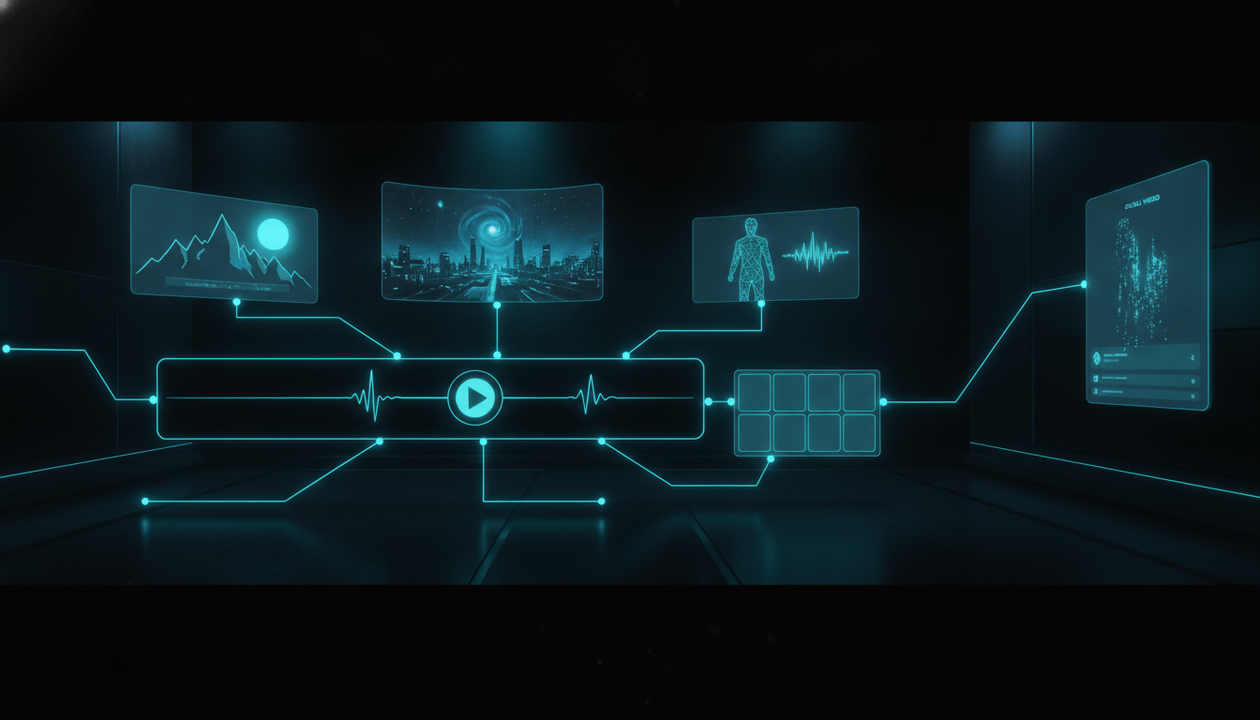
Most AI faceless video generators promise the same thing:
“Turn any idea into a video in minutes.”
That sounds exciting.
But for YouTube, it is not enough.
A faceless YouTube video is not just a pile of AI visuals with a voiceover on top. It needs a strong topic, a clickable title, a clear thumbnail promise, a script that keeps attention, voiceover timing, matching scenes, captions, music, motion, and a final export that feels like one complete video.
That is why many AI-generated faceless videos fail.
They are fast.
But they feel random.
The visuals do not match. The script sounds generic. The scenes feel disconnected. The captions look cheap. The video technically exists, but it does not feel worth watching.
So if you are searching for an AI faceless video generator in 2026, the real question is not:
“Which tool can generate a video fastest?”
The real question is:
“Which tool can help me create original faceless YouTube videos that feel directed, consistent, and publishable?”
This guide breaks down what an AI faceless video generator should actually do, what features matter before you buy, what red flags to avoid, and how OverseerOS Auto Edit helps creators turn scripts and voiceovers into matching scenes, AI visuals, captions, music, motion, and export-ready faceless videos.
Key Takeaways
- An AI faceless video generator should create structured YouTube videos, not random clips.
- The best workflow starts with a strong topic, title promise, script, and voiceover.
- Matching scenes matter because viewers can feel when AI visuals do not belong together.
- Serious faceless creators need style direction, character consistency, captions, music, motion, and export controls.
- YouTube expects monetized content to be original and authentic, not mass-produced or built from generic AI templates.
- Creators may need to disclose realistic AI-generated or meaningfully altered content during upload.
- OverseerOS Auto Edit is built for faceless YouTube workflows where scripts become structured video timelines instead of disconnected AI outputs.
What Is an AI Faceless Video Generator?
An AI faceless video generator is software that helps creators make videos without appearing on camera.
A basic tool may generate:
- AI visuals
- Voiceover
- Captions
- Stock footage
- Simple scenes
- A final video file
But a serious AI faceless video generator should do more than that.
It should help with:
- Script-to-video workflows
- Voiceover timing
- Scene breakdown
- AI visual generation
- Style direction
- Character consistency
- Captions
- Music
- Motion
- Export-ready production
- Revision control
- YouTube-ready formatting
The best AI faceless video generator is not just a video maker.
It is a production workflow.
It should help you move from:
Idea → Script → Voiceover → Scenes → Captions → Motion → Export
That is what faceless YouTube creators actually need.
AI Faceless Video Generator vs AI Video Generator
These two are not the same.
A normal AI video generator may create a short clip from a prompt.
Example:
“A futuristic robot walking through a neon city.”
That can look impressive.
But YouTube videos need more than impressive clips.
A faceless YouTube video needs:
- A clear topic
- A script
- Voiceover
- Scene progression
- Visual consistency
- Title and thumbnail alignment
- Retention structure
- Captions
- Music
- Final export
That means a faceless video generator should be built for YouTube workflows, not just visual demos.
| AI Video Generator | AI Faceless Video Generator |
|---|---|
| Starts with a prompt | Starts with a script or video idea |
| Generates clips | Builds a full video workflow |
| Good for visuals | Good for YouTube production |
| Often short-form focused | Can support longer faceless videos |
| May ignore voiceover | Should align with voiceover |
| Can feel random | Should create matching scenes |
| Usually clip-first | Should be story-first |
| Produces assets | Produces a structured video |
If you only need one visual clip, a normal AI video generator can help.
If you want to build a faceless YouTube channel, you need a faceless video workflow.
Why Most AI Faceless Videos Look Bad
Most AI faceless videos do not fail because the AI is weak.
They fail because the workflow is weak.
1. The Topic Is Generic
Bad topic:
AI tools that can make you rich
Better topic:
Why most AI automation channels fail before monetization
The second topic has tension.
A video generator cannot fix a weak topic.
If the idea is generic, the video will feel generic.
2. The Script Sounds Like an Article
A lot of AI faceless videos sound like this:
“In today’s digital world, artificial intelligence is changing the way creators produce content.”
That is not a YouTube hook.
It is filler.
A better opening:
“Most AI faceless videos do not look cheap because of the voiceover. They look cheap because every scene feels like it came from a different video.”
That creates a real reason to keep watching.
3. The Visuals Do Not Match
One scene looks cinematic.
The next scene looks like a cartoon.
The next scene looks like stock footage.
The next scene looks like a different brand.
That breaks trust.
The viewer may not consciously say:
“The visual continuity is bad.”
But they feel it.
The video feels cheap.
4. The Video Feels Like a Slideshow
Some AI faceless video generators create a sequence of images with captions.
That can work for simple content, but it often feels low-effort.
A strong faceless video needs movement, pacing, visual variety, and scene logic.
Not just image after image.
5. There Is No Human Direction
AI can generate fast.
But it still needs direction.
Without direction, it produces generic output.
The creator still needs to decide:
- What is the video promise?
- What is the angle?
- What should the viewer feel?
- What should each scene show?
- What style should the video follow?
- What should be avoided?
- What does the final video need to deliver?
The best AI faceless video generator helps with direction instead of pretending direction does not matter.
What to Look For in an AI Faceless Video Generator
1. Script-to-Video Workflow
A serious tool should turn a full script into a structured video timeline.
It should not only ask for one prompt.
A faceless YouTube video is built from a script, and the visuals should follow that script.
Look for:
- Script input
- Scene splitting
- Voiceover alignment
- Section-based visual prompts
- Timeline structure
- Scene review
- Export workflow
If a tool only creates disconnected clips, it is not enough.
2. Voiceover Support
Voiceover is the spine of a faceless video.
A good AI faceless video generator should support:
- AI voiceover generation
- Voiceover upload
- Voiceover timing
- Scene alignment to narration
- Audio balance
- Export with voiceover included
The visuals should follow the voiceover, not randomly change.
3. Matching Scenes
This is one of the biggest quality factors.
Matching scenes means the video feels like one visual world.
That includes:
- Similar lighting
- Similar color palette
- Similar style
- Consistent framing
- Consistent characters if used
- Logical scene progression
- Visuals that match the script
A video with matching scenes feels intentional.
A video with random scenes feels like AI slop.
4. Style Direction
A serious faceless video generator should let you guide the style.
Examples:
- Dark AI documentary
- Clean SaaS explainer
- Cinematic history documentary
- Minimal finance explainer
- Emotional psychology video
- Futuristic tech breakdown
- Premium business education style
Style direction matters because a channel needs identity.
If every video looks different, the brand feels unstable.
5. Consistent Characters
Some faceless channels use recurring characters.
Examples:
- A faceless entrepreneur
- A symbolic narrator
- A detective-style analyst
- A futuristic AI operator
- A historical figure style
- A brand mascot
If the character changes face, outfit, or style every scene, the video feels broken.
A strong tool should help preserve character identity across scenes.
6. Captions
Captions help with:
- Clarity
- Retention
- Mobile viewing
- Emphasis
- Pacing
- Accessibility
But bad captions can make the video look cheap.
Look for captions that are:
- Readable
- Well-timed
- Style-consistent
- Not too large
- Not distracting
- Clean enough for long-form videos
7. Music and Sound
Music gives the video emotional direction.
A serious tool should support background music that fits the video style.
Examples:
- Subtle futuristic tension for AI videos
- Cinematic mystery for documentaries
- Calm focus for educational videos
- Dark ambient music for serious topics
- Light modern music for productivity content
Music should support the voiceover.
Not overpower it.
8. Motion and Animation
Static images can work, but motion helps the video feel alive.
Look for:
- Subtle zooms
- Pans
- Scene animation
- Motion clips
- Transitions
- Visual emphasis
The goal is not to add movement everywhere.
The goal is to keep the viewer’s attention without making the video chaotic.
9. Export-Ready Output
A tool is not production-ready if it only creates previews.
You need:
- 16:9 output
- Audio included
- Captions included if selected
- Music included
- Video export
- Revision ability
- Downloadable final file
- Saved project workflow
A serious faceless video generator should help you reach the upload stage.
Why YouTube Policy Matters When Using AI Video Tools
AI video is not automatically a problem.
The problem is low-effort, repetitive, or misleading use.
YouTube expects monetized channels to publish original and authentic content. It also warns against mass-produced or repetitive content, especially content that appears to be made from generic templates with little variation.
That means creators should avoid:
- Repetitive AI templates
- Generic AI videos with no original insight
- Reused content with minimal changes
- Mass-produced slideshow content
- Misleading synthetic scenes
- Fake realistic events
- Deepfake-style impersonation
- Copying other creators’ videos or likeness
If you use AI to create original, useful, clearly directed videos, you are in a much stronger position than creators using AI to flood YouTube with low-value content.
The safest mindset is:
Use AI to improve the production workflow, not to replace originality.
Do You Need to Disclose AI-Generated Faceless Videos?
Sometimes, yes.
YouTube requires creators to disclose content when AI is used to meaningfully alter or generate realistic content.
For example, disclosure may be required if AI makes a real person appear to say or do something they did not do, alters footage of a real event or place, or generates a realistic scene that did not actually occur.
For many faceless videos, disclosure may not be needed when the content is clearly non-realistic, animated, or when AI is only used for production assistance like outlines, scripts, thumbnails, captions, or idea generation.
But if your AI video looks realistic and could mislead viewers about what actually happened, you should take disclosure seriously.
The practical rule:
If the viewer could mistake the AI scene for real footage of a real person, place, or event, check YouTube’s AI disclosure requirements before uploading.
Best Use Cases for AI Faceless Video Generators
AI and Tech Channels
Great for:
- AI tool breakdowns
- software explainers
- automation videos
- future-of-work content
- product comparison videos
Why it works:
AI and tech videos often need dashboards, abstract visuals, workflow boards, futuristic scenes, and clear visual metaphors.
Psychology Channels
Great for:
- relationship lessons
- dark psychology explainers
- human behavior videos
- self-improvement content
- emotional storytelling
Why it works:
Psychology videos can use symbolic scenes, human silhouettes, emotional situations, and visual metaphors.
Finance and Business Channels
Great for:
- business breakdowns
- money habits
- investing education
- startup stories
- productivity systems
Why it works:
Finance and business content needs charts, comparisons, clean visuals, office scenes, and trust-focused pacing.
History and Documentary Channels
Great for:
- historical explainers
- mystery documentaries
- biography videos
- war breakdowns
- civilization stories
Why it works:
These videos need cinematic scenes, narration, pacing, atmosphere, and visual continuity.
YouTube Automation Channels
Great for:
- faceless channel guides
- AI tool comparisons
- creator workflow tutorials
- YouTube strategy videos
- case studies
Why it works:
These videos can use workflow boards, timelines, thumbnails, analytics dashboards, and production scenes.
AI Faceless Video Generator Workflow
Here is the ideal workflow.
Step 1: Find a Strong Topic
Do not start by generating.
Start by choosing a topic with demand.
Use:
- competitor research
- breakout videos
- trend signals
- viewer comments
- search intent
- channel analysis
A weak topic creates a weak video.
Step 2: Build the Packaging
Before the video, define:
- Title
- Thumbnail idea
- Hook
- Viewer promise
- First 30 seconds
The video should be produced to deliver that promise.
Step 3: Write a Visual Script
A good faceless script should be easy to visualize.
Bad:
“This matters for creators.”
Better:
“This is where the workflow breaks: the script is ready, the voiceover is done, but every visual looks like it belongs to a different video.”
The second line creates a scene.
Step 4: Generate or Upload Voiceover
The voiceover sets the pacing.
Listen to it before producing the full video.
Fix awkward lines.
Make sure the energy matches the topic.
Step 5: Generate Matching Scenes
Each scene should match:
- the script
- the voiceover
- the style direction
- the video promise
- the emotional tone
Do not accept visuals just because they look nice.
They need to serve the video.
Step 6: Add Captions, Music, and Motion
Captions should be clean.
Music should support the tone.
Motion should keep the video alive.
Everything should feel intentional.
Step 7: Review Before Export
Check:
- Do the scenes match?
- Does the pacing feel right?
- Are captions readable?
- Is the music too loud?
- Does the video deliver the title promise?
- Does the first 30 seconds confirm the click?
- Does the output feel original?
AI speeds up production.
Review protects quality.
Step 8: Export and Publish
Export the final video.
Then review it one last time as a viewer.
Ask:
Would I keep watching this if I clicked it on YouTube?
If the answer is no, fix it before uploading.
How OverseerOS Auto Edit Helps
OverseerOS Auto Edit is built for faceless YouTube creators who want more than random AI visuals.
It helps creators turn scripts and voiceovers into structured video workflows with:
- Matching AI scenes
- Visual style direction
- Consistent characters
- Captions
- Music
- Supported motion
- Export-ready production
The key advantage is that Auto Edit is built around the YouTube production chain.
It does not treat the video as one random prompt.
It treats the video as a sequence of scenes that should match the script.
That is the difference.
Where OverseerOS Fits Before Auto Edit
A faceless video generator is powerful, but production is only part of the process.
Before generating the video, you still need the right idea.
OverseerOS helps with the earlier decisions too.
You can use OverseerOS to:
- Analyze successful channels
- Study competitor videos
- Find breakout topics
- Generate title ideas
- Create thumbnail concepts
- Turn trends into scripts
- Plan content
- Generate voiceovers
- Move scripts into Auto Edit
This matters because a video generator should not be isolated.
The best workflow is connected:
Channel research → Topic → Title → Thumbnail → Script → Voiceover → Auto Edit → Export
That is how serious creators build a system.
AI Faceless Video Generator vs Hiring an Editor
AI video tools and editors do not have to compete.
They can work together.
A human editor can bring:
- Taste
- Judgment
- Final polish
- Better pacing
- Better music choices
- Quality control
- Brand consistency
An AI faceless video generator can help with:
- First-pass scene creation
- Visual generation
- Captions
- Motion
- Faster production
- Lower repetitive workload
The strongest workflow may be hybrid.
AI creates the production draft.
The creator or editor reviews, improves, and finalizes.
This saves time without giving up control.
AI Faceless Video Generator vs Stock Footage Workflow
Stock footage can still be useful.
But it has limits.
Stock footage often feels generic because many creators use the same clips.
AI visuals can create more specific scenes for your script.
Example:
Script line:
“The old faceless workflow was built on stock footage and generic voiceovers.”
Stock footage:
Person typing on laptop.
AI visual:
A messy production desk with duplicated stock clips, robotic voice files, and identical video templates stacked across a dark creator dashboard.
The AI visual is more specific.
That specificity can make the video feel more original.
Buyer Checklist: What to Look For Before You Buy
Before choosing an AI faceless video generator, ask these questions.
Workflow
- Does it support full scripts?
- Does it support voiceovers?
- Does it split scripts into scenes?
- Does it create a timeline?
- Does it let me review before export?
Visual Quality
- Do the scenes match?
- Can I control the style?
- Can I keep characters consistent?
- Can I regenerate weak scenes?
- Does the output avoid random visuals?
YouTube Fit
- Is it made for YouTube videos?
- Does it support 16:9 output?
- Does it support captions?
- Does it support music?
- Does it support longer videos?
- Does it create videos that feel watchable, not just pretty?
Control
- Can I edit prompts?
- Can I change the style direction?
- Can I choose or upload voiceover?
- Can I adjust captions?
- Can I export the final video?
Originality
- Does it help create original content?
- Does it avoid repetitive templates?
- Does it support unique scripts?
- Does it help make each video materially different?
- Does it support creator input?
If a tool is fast but gives you little control, be careful.
Fast random output is not a business advantage.
Red Flags to Avoid
Avoid AI faceless video generators that promise:
- “Guaranteed monetization”
- “Unlimited passive income”
- “No research needed”
- “No script quality needed”
- “No editing or review needed”
- “Mass produce videos instantly”
- “Copy viral videos automatically”
- “Create a full YouTube channel with no human input”
Those promises are not serious.
A real faceless YouTube operation still needs:
- Strategy
- Originality
- Quality control
- Packaging
- Viewer understanding
- Strong scripts
- Consistent production
AI can help with all of that.
But it should not replace direction.
The Best AI Faceless Video Generator Is Not Just a Generator
This is the main point.
The best AI faceless video generator should not only generate.
It should help direct.
That means it should understand:
- The script
- The voiceover
- The style
- The viewer promise
- The scene logic
- The pacing
- The production needs
Random AI generation creates random videos.
Directed AI production creates watchable videos.
That is the future of faceless YouTube.
Final Verdict
An AI faceless video generator can be powerful.
But only if it helps you create videos that feel intentional.
The weak version is:
Write generic script, generate random visuals, add AI voiceover, upload.
The strong version is:
Research the topic, define the promise, write a visual script, generate voiceover, create matching scenes, keep the style consistent, add captions and music, review the timeline, and export a video worth watching.
That is the standard now.
If you want a tool that only generates clips, there are many options.
If you want a YouTube-focused faceless video workflow, start with OverseerOS Auto Edit.
It is built to help creators turn scripts and voiceovers into matching faceless videos with AI visuals, captions, music, motion, and export-ready production.
Do not use AI to make more random videos.
Use AI to create a better production system.
FAQ
What is an AI faceless video generator?
An AI faceless video generator is software that helps creators make videos without appearing on camera. It can support scripts, voiceovers, AI visuals, captions, music, motion, and export-ready production.
What is the best AI faceless video generator for YouTube?
The best AI faceless video generator for YouTube should support full scripts, voiceover timing, matching scenes, style direction, captions, music, motion, and export-ready output. OverseerOS Auto Edit is built for this type of faceless YouTube workflow.
Can I make faceless YouTube videos with AI?
Yes. AI can help with scripts, voiceovers, visuals, captions, music, and editing. The key is to use AI with original direction instead of publishing generic template-based videos.
Are AI faceless videos monetizable on YouTube?
AI-assisted videos can be monetized if they follow YouTube’s policies and provide original, authentic value. Repetitive, mass-produced, or generic AI-template content may create monetization risk.
Do I need to disclose AI-generated faceless videos on YouTube?
You may need to disclose AI use if the content meaningfully alters or generates realistic content that could mislead viewers. Non-realistic content or AI used for production assistance may not require disclosure, but creators should check YouTube’s current disclosure rules.
What should I look for in an AI faceless video generator?
Look for script-to-video workflow, voiceover support, matching scenes, style direction, consistent characters, captions, music, motion, export controls, revision options, and originality safeguards.
Is an AI video generator enough for a faceless YouTube channel?
Not usually. A normal AI video generator may create clips, but a faceless YouTube channel also needs topic research, titles, thumbnails, scripts, voiceovers, planning, and consistent production.
How does OverseerOS Auto Edit help faceless creators?
OverseerOS Auto Edit helps creators turn scripts and voiceovers into faceless videos with matching AI scenes, visual style direction, consistent characters, captions, music, supported motion, and export-ready production.
Can I use AI instead of hiring a video editor?
AI can reduce editing workload, but creators may still use human editors for final polish, quality control, pacing, and creative judgment. The best workflow often combines AI production with human review.
How do I make AI faceless videos look less generic?
Start with a strong topic, write a visual script, use consistent style direction, keep scenes matched, avoid repetitive templates, add original insight, review every scene, and make sure the final video delivers the title and thumbnail promise.