Nearly 87% of YouTube videos stop earning within a week of being published. Dozens, sometimes hundreds, of clips that once pulled in an audience and views settle into the channel's archive for years and drop out of recommendations.
Yet that library doesn't lose its value. The media industry increasingly treats these archives as a distinct asset class. In November 2025, Forbes described how funds and investors have started buying up creators' back catalogs, because a strong library gives an investor three things: recurring revenue, predictable audience behavior, and the ability to earn across several platforms at once.
This archive can be put back to work, and the approach is called repurposing your back catalog.
What repurposing your back catalog means
Repurposing your back catalog is when a creator takes a video they once published on the channel and runs it again for fresh views and revenue. On YouTube, the most convenient tool for this is the loop stream.
The advantage of this approach is that the outcome is predictable. Each old video's performance is already known: how many views it brings, its engagement level, how the audience reacts in the comments. All of this data is visible in YouTube Studio or through third-party services such as SubSub Analytics, which compares a video's metrics against other videos on the channel and against competitors' videos.
The trouble begins when a creator decides to simply re-upload the same video to their channel again. This is where the nuances of YouTube's rules come in.
Where the line is: reuse is allowed, re-uploading is penalized
YouTube keeps a close watch on originality. Re-uploading the same video, even with a changed title or thumbnail, is treated by the platform as duplication and credited with no added value.
On July 15, 2025, YouTube tightened its wording, replacing the term "repetitive content" with "inauthentic content." The update spells out more clearly what counts as templated, mass-produced content: videos with minimal differences between them, or compilations with no authorial input. A channel risks losing monetization, dropping out of the Partner Program, and in some cases getting suspended.
Uploading an old video to the channel a second time is risky. But showing that same video in a 24/7 live stream is legal and permitted under YouTube's rules.
Why a live stream bypasses the duplication filter
The secret lies in the technical nature of a stream. YouTube treats a broadcast as a live stream, that is, a separate content type with its own rules. During a stream built from a pre-recorded video, the file isn't published as a second video in the feed, so the system doesn't see it as a copy of an existing clip. Once the broadcast ends, the recording can easily be set to "unlisted" so it doesn't stay in the public part of the channel.
Algorithms give live content priority in recommendations, so a stream is shown to new audiences more often. On top of that, the average live session lasts around 25 minutes, several times longer than a typical view of a regular video, which means higher retention and more expensive ads. As a result, the same archived clip in stream format can earn more than a static video on the channel.
To get the most out of a stream, it's worth assembling a full program. A playlist of different videos with a thought-out running order, like a TV channel, and variety for the viewer works well. That way YouTube sees a meaningful selection, and the viewer gets a reason to stay in the stream longer.
One archive, two strategies: revenue or reach
A repurposed back catalog can serve different goals. Depending on what you're after right now, one of two formats fits.
Horizontal streams for watch time and revenue
The 16:9 format works toward total watch time and ad revenue.
The math is on the creator's side. Minutes watched in a public stream count toward the monetization threshold just like views of regular videos. A continuous stream, even with only a few concurrent viewers, reaches the required 4,000 hours in roughly three to four weeks, whereas individual videos often take months. For a new channel, this is one of the fastest known paths to monetization.
Revenue accumulates around the clock. A 24/7 stream places ad breaks every hour, that's over 700 ad insertions a month, running even overnight. According to YouTube, channels with automatic mid-roll breaks enabled in live streams earned, on average, more than a 20% increase in in-stream ad revenue per hour. For a large channel, such a stream keeps the archive working while the team focuses on new content.
Vertical streams for reach and new subscribers
The 9:16 format is aimed at Shorts and a mobile audience. The scale of the platform is enormous: as of 2026, Shorts draws about 200 billion views a day and 2 billion active viewers a month.
Vertical streams land in the Shorts Feed. This is the channel through which YouTube shows content to new viewers, so a vertical stream gets a flow of traffic from people who aren't yet subscribed to the channel.
Which content formats work
Repurposing works for almost any genre. Based on SubSub's observations, a few categories perform especially consistently in streams.
Background content feels natural in streams. The textbook example is Lofi Girl: the round-the-clock "lofi hip hop radio" music stream has stayed on screens for years and built a multi-million audience precisely thanks to continuous streaming. Music collections, ambient, nature footage, or a crackling fireplace work by the same logic, easy to listen to and watch for hours.
Kids' content holds a viewer's attention well: cartoons, stories, and educational clips stay available in the stream around the clock.
News and talk formats work because a viewer can join the stream at any time of day.
Entertainment content and compilations of short videos in horizontal format show especially strong view dynamics.
Educational collections, gaming highlights, interviews, and podcasts easily turn into a program that's engaging to watch in sequence.
Regardless of the format, one question remains: how to get this archive into a round-the-clock stream and keep the broadcast stable. That's exactly what SubSub Live helps with.
How it works in SubSub Live
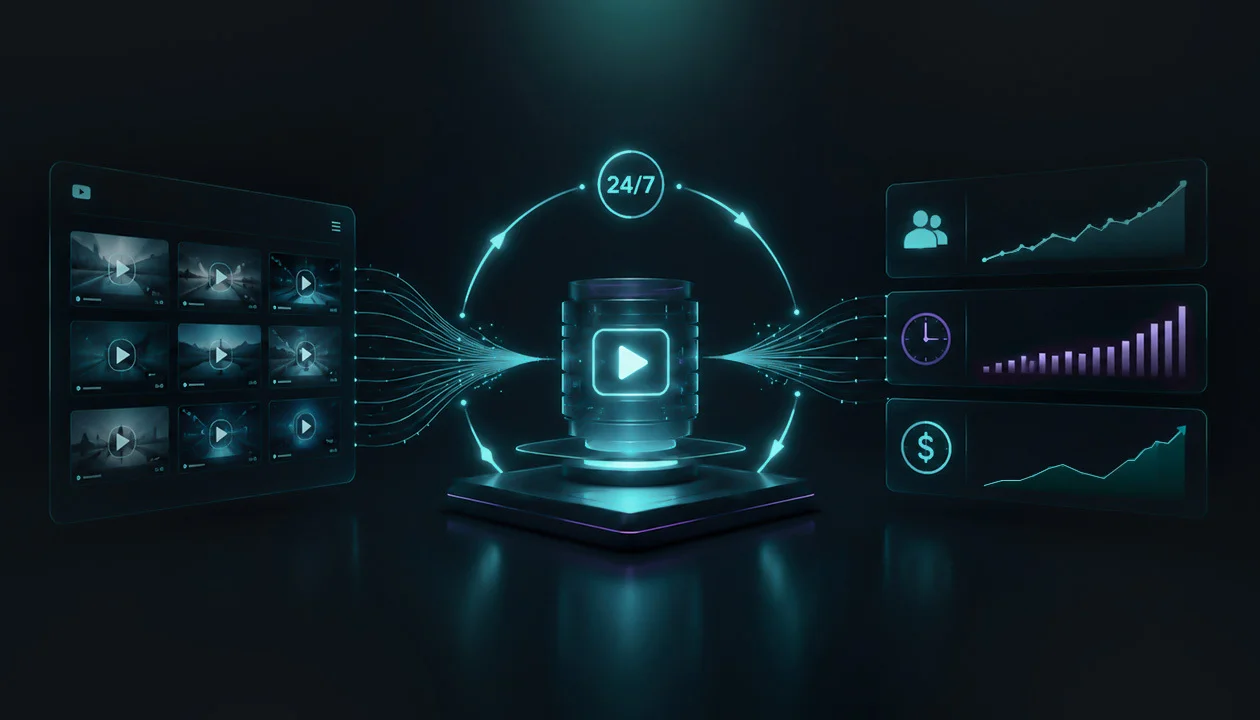
SubSub Live turns an archive into a round-the-clock stream in a few easy steps, with broadcast management gathered in a single dashboard.
Step one happens in YouTube Studio. The stream is created the usual way, title, description, thumbnail, after which the system issues a stream key and URL. The stream belongs to the channel, while SubSub handles the technical side.
Step two happens in the SubSub Live dashboard. This is where the stream's details are transferred, videos are uploaded and grouped into playlists, and the time window during which the stream will run is set. One library can be used for several streams at once, with no need to re-upload the files.
Step three is launch. Once started, the content goes live in 24/7 mode, and views, budget spent, and revenue are all visible in the same dashboard. No hardware, no downloads, no crashes, SubSub takes on the encoding, delivery, and stability of the stream in quality up to 4K, so the result doesn't depend on your internet speed or computer setup.
The whole path from uploading the archive to the first stream takes just minutes, and after that the broadcast runs on its own: no check-ins, no restarts, nothing from your side.
SubSub is an official YouTube partner, so streams fully pass moderation and are eligible for ads, Super Chat, and memberships, just like any other live broadcast.
Case studies that show results
The idea is best illustrated by channels that have already walked this path with SubSub Live. Below are the figures from their analytics in YouTube Studio.
Mr. Clabik: 2 days = $500, nearly $10,000 over the full period
The channel gathered its best prank Shorts through the popular-videos tab, arranged them into a horizontal 16:9 format, and put them live at peak time. A single run of just two days brought 351,000 views, 23,600 watch hours, 1,800 new subscribers, and $511, while viewers left 53,730 reactions and 3,740 chat messages. Across all streams cumulatively, the channel added over 5.9 million views, nearly 383,000 watch hours, 26,000 subscribers, and about $9,900 in revenue.
TOP DOGS husky and malamute: 627 new subscribers for $5 (the cost of launching the stream)
The channel about huskies and malamutes launched a single stream from its ready-made archive, spent about $5 on it, and gained 627 new subscribers and 80,400 views. The calm, background dog format produced strong engagement: 97,170 reactions and 9,381 chat messages in a single stream.
Serhiy Mamaiev: a second chance for the archive through analytics.
The channel did a deep review of its socio-political library, found the most popular guest across all episodes, and assembled a vertical 9:16 video from his key messages for the stream. In total, the broadcasts brought 1.58 million views, over 61,000 watch hours, and 3,825 new subscribers, from material that had already been published on the channel.
How much it costs
Loop streams in SubSub Live cost less than most alternatives. The difference is simple: competitors usually sell a fixed package of slots on a monthly subscription, so you have to pay even when the slots sit idle. SubSub Live charges only for hours of actual streaming.
The SubSub Live model is built on pay-as-you-go. Pricing starts at $0.06 per hour of streaming, and when a stream isn't running, the cost is zero. A test stream comes to literally a few cents, so you can see first results before scaling.
The number of streams is up to you. Once a week or three streams at once, it all depends on your channel's scaling strategy.
Tips for consistent results
A loop stream delivers maximum return with a systematic approach. A few working principles keep your metrics high from launch to launch.
Refresh the stream on time. The main flow of views comes in the first 72 hours, then the momentum drops, so restarting once every three days brings reach back and holds the algorithm's attention. There are exceptions, too: sometimes a stream stays active for two weeks straight with no changes at all.
A thought-out program instead of one clip on a loop. A running order with TV-channel logic and themed selections extends watch time and preserves the stream's originality in the platform's eyes.
Rely on analytics. Put your best-performing videos, by views and retention, into the stream, and replace the weak spots after each cycle.
Launch at peak hours. Starting during your target audience's period of maximum activity gives the stream a stronger boost in recommendations right from the first minutes.
Conclusion
Loop streams are just a tool, a system that has to be managed. Without that management, there won't be a million views or any revenue, no matter how long the stream runs on its own.
A first launch rarely brings record numbers, and that's a normal part of the process and of working on content. The big figures come to those who work with a stream systematically: constantly testing formats, measuring results, and refining the broadcast.
SubSub Live lets you test and launch your first stream for free, your balance starts with $0.50 to get going. You can try it today at subsub.io/live.
FAQ
What happens to the stream if my internet or computer goes down?
Nothing, the broadcast lives in SubSub's cloud, separate from your device. You can close your laptop, lose connection, or shut the browser, and the stream will keep running without interruption.
What about copyright and music in archived videos?
A stream works by the same rules as a regular video: you should only put content into a broadcast that you have the rights to. Content ID checks a stream just as it does uploaded videos, so someone else's music or clips can trigger monetization limits or a block, the same as outside a stream.
Do I need separate permissions from YouTube to start?
Yes, the basic requirements are the same as for any broadcast: a verified account and no active restrictions on live streaming. If the channel hasn't streamed before, YouTube may need around 24 hours to activate the feature.
Can I run several streams at the same time?
Yes. The number of concurrent broadcasts is up to you, depending on your plan, from a single stream to several in parallel, including for different formats or different channels.
Won't a 24/7 stream hurt the regular videos on my channel?
No. YouTube treats a live stream and uploaded videos as separate formats, so a stream doesn't "pull" impressions away from your videos. On the contrary, constant channel activity is a positive signal for the algorithm.
What happens to the stream recording after it ends?
The recording is saved as a separate video, and it can be set to "unlisted" so it doesn't stay in the public part of the channel. The watch hours the stream has already accumulated don't disappear and remain credited.