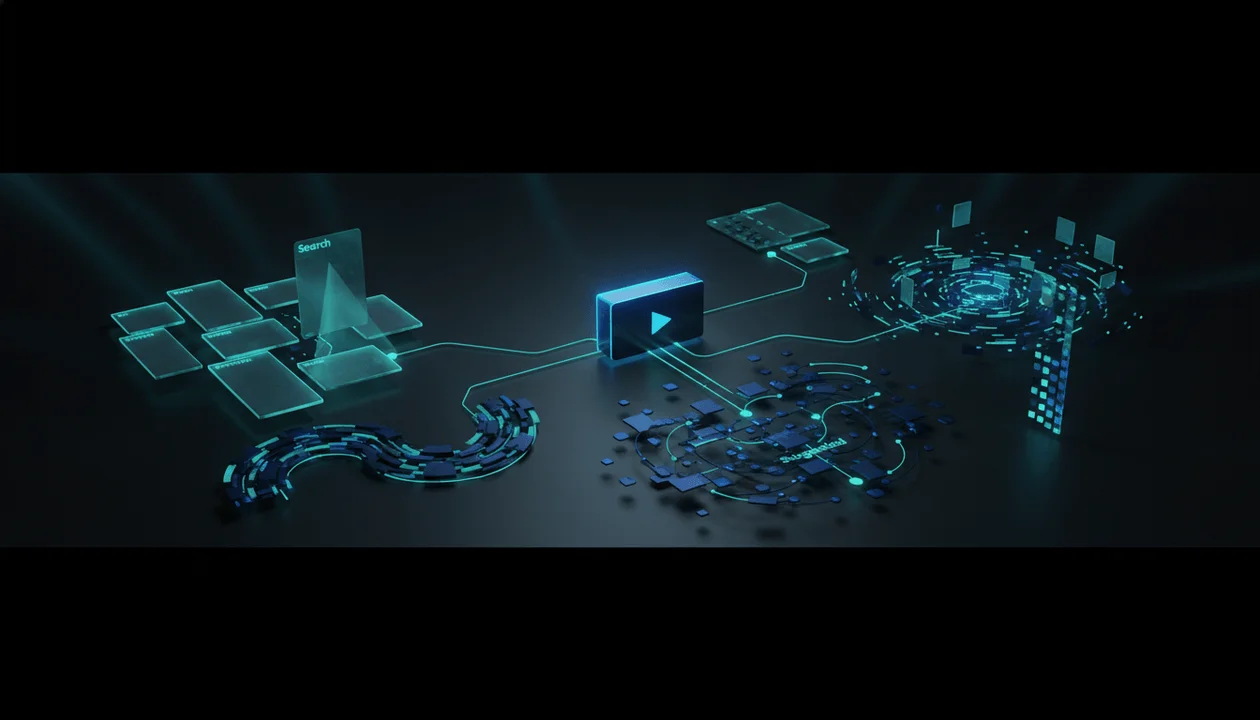
YouTube discovery is no longer one thing.
That is the mistake most creators still make.
They talk about “the algorithm” like there is one invisible machine deciding whether a video lives or dies. But a video can be discovered through Search, Browse, Suggested, Shorts, subscriptions, homepage recommendations, playlists, external embeds, channel pages, and now increasingly AI-shaped discovery surfaces.
Each surface behaves differently.
A video that wins in Search is not always the same video that wins on Browse.
A video that works in Suggested may need different packaging than a video designed for Shorts.
A video that gets recommended from a competitor’s video needs a different strategy than a video meant to answer a direct search query.
And as YouTube adds more AI-powered discovery features, the real game is becoming clearer:
The future of YouTube growth is not just keyword ranking. It is intent matching.
Creators who understand this will build videos that can travel across multiple discovery surfaces.
Creators who do not will keep asking why a “good video” got no views.
Key Takeaways
- YouTube discovery is not only Search. Serious creators need to understand Search, Browse, Suggested, Shorts, and AI-personalized feeds.
- YouTube says its recommendation system uses signals like watch history, search history, subscriptions, likes, dislikes, “Not interested” feedback, “Don’t recommend channel” feedback, and satisfaction surveys. Source: YouTube
- YouTube Search prioritizes relevance, engagement, and quality, including how well the title, tags, description, and video content match the query. Source: YouTube
- AI-powered discovery is becoming more important. In 2026, YouTube introduced custom AI-generated feeds where users can describe what they want to watch and receive a tailored feed. Source: The Verge
- The smartest creators will not optimize every video the same way. They will decide which discovery surface the video is built for before scripting.
- Faceless channels need repeatable discovery lanes. Personal brands need clear audience identity and topic clusters.
- OverseerOS fits this shift because it helps creators study public YouTube patterns, track competitor breakouts, analyze videos, plan content from proof, and turn discovery signals into better titles, thumbnails, scripts, and metadata.
The Old YouTube Strategy Is Too Simple Now
Old YouTube advice sounded like this:
- Find a keyword.
- Put the keyword in the title.
- Make a thumbnail.
- Upload consistently.
- Hope the algorithm picks it up.
That advice is not completely wrong.
It is just incomplete.
Search still matters. Metadata still matters. Titles still matter. Thumbnails still matter.
But YouTube is not just a search engine. It is a personalized recommendation system, a short-form feed, a subscription platform, a video library, a learning engine, an entertainment feed, and increasingly an AI-assisted discovery layer.
That means creators need to stop asking:
How do I rank this video?
And start asking:
Where is this video supposed to be discovered?
That one question changes the whole strategy.
The 5 Main YouTube Discovery Surfaces Creators Need to Understand
Every YouTube video should be built with a primary discovery surface in mind.
Not because the video can only grow from one place.
But because the first packaging decision, hook decision, script decision, and metadata decision should match the way the viewer finds the video.
| Discovery Surface | Viewer Behavior | What Wins |
|---|---|---|
| Search | Viewer has a clear question or problem | Relevance, clarity, authority, direct payoff |
| Browse | Viewer is casually choosing what to watch next | Strong packaging, emotional curiosity, broad audience fit |
| Suggested | Viewer is already watching related content | Topic adjacency, session fit, title-thumbnail promise |
| Shorts | Viewer is swiping fast with low commitment | Immediate hook, pattern interruption, fast payoff |
| AI-personalized feeds | Viewer describes desired content or intent | Semantic clarity, specific positioning, strong topic identity |
Most creators make the same video for all five.
That is why their videos feel confused.
A Search video needs clarity.
A Browse video needs pull.
A Suggested video needs contextual fit.
A Shorts video needs immediate momentum.
An AI-personalized discovery video needs to be easy for systems and viewers to understand semantically.
The best creators will build for one primary surface, then support the others.
Search: Win When the Viewer Already Knows What They Want
YouTube Search is the most direct discovery surface.
The viewer types something because they want an answer, tutorial, review, explanation, comparison, or specific video.
YouTube says Search prioritizes relevance, engagement, and quality. It also looks at how well the title, tags, description, and video content match the query, while using aggregate engagement signals like watch time for a query to judge relevance. Source: YouTube
That tells creators something important:
Search is not just about adding keywords.
Search is about satisfying the query better than competing videos.
Search Videos Should Be Built Around Clear Intent
There are several types of YouTube search intent.
| Search Intent | Example Query | Best Video Type |
|---|---|---|
| How-to | how to start a faceless YouTube channel | Step-by-step tutorial |
| Comparison | vidIQ vs TubeBuddy | Tool comparison |
| Review | best AI voiceover tool for YouTube | Review or ranking |
| Explanation | how YouTube recommendations work | Educational breakdown |
| Problem-solving | YouTube views dropped suddenly | Diagnosis video |
| Inspiration | faceless YouTube channel ideas | Idea list with examples |
| Decision support | should I start a YouTube channel in 2026 | Strategic guide |
The mistake is making a Search video too mysterious.
Bad Search title:
This Changed My Entire YouTube Strategy
Better Search title:
Why Your YouTube Views Dropped After One Viral Video
The first title may work for a loyal audience.
The second title matches a real problem.
How to Build a Search-First Video
Use this structure:
- Name the problem clearly.
- Answer the core query early.
- Break the answer into logical sections.
- Use examples.
- Add supporting context.
- Include common mistakes.
- End with the next step.
Search-first videos should feel useful fast.
The viewer clicked because they wanted something specific. Do not make them wait two minutes for basic clarity.
Search-First Packaging Examples
Weak:
The Truth About YouTube Growth
Stronger:
Why Your YouTube Channel Is Not Growing After 100 Videos
Weak:
AI Tools Changed Everything
Stronger:
Best AI Tools for Faceless YouTube Channels in 2026
Weak:
Stop Making This Mistake
Stronger:
Why Your YouTube Shorts Get Views But No Subscribers
Search rewards specificity.
The more clearly the video matches the viewer’s problem, the easier it is for both the viewer and the system to understand why it belongs.
Browse: Win When the Viewer Is Casually Choosing
Browse is where many big YouTube videos are born.
This includes homepage-style discovery where viewers are not necessarily searching. They are deciding what feels worth watching right now.
YouTube says recommendations appear mainly on the homepage and the “Up next” panel. The homepage includes personalized recommendations, subscriptions, and news or information, while Up next suggests additional content based on what the viewer is currently watching and what YouTube thinks they may like. Source: YouTube
Browse is dangerous because the viewer did not ask for you.
You have to earn the click from a cold position.
Browse Videos Need a Strong Emotional Promise
Search asks:
Is this useful?
Browse asks:
Do I care enough to click this now?
That means Browse-first videos need stronger packaging.
They usually work because of:
- curiosity
- fear
- status
- identity
- surprise
- conflict
- transformation
- urgency
- emotional recognition
- story tension
A Browse video cannot just describe the topic. It has to create desire.
Weak Browse title:
How AI Affects Jobs
Better Browse title:
AI Will Replace These Jobs Quietly
Weak Browse title:
Tips for Men in Their 30s
Better Browse title:
The Age Most Men Realize They Wasted Their Advantage
Weak Browse title:
The History of Netflix
Better Browse title:
Netflix Became the Thing It Was Built to Destroy
The better versions create tension.
They make the viewer feel like there is a story, warning, or reveal inside.
Browse-First Videos Need Title and Thumbnail Unity
On Browse, the title and thumbnail are not separate.
They are one promise.
The thumbnail creates the visual question.
The title clarifies the emotional meaning.
Example:
Title:
AI Will Replace These Jobs Quietly
Thumbnail concept:
Empty office chair, employee badge fading, AI dashboard glowing behind the desk
The title says what the video is about.
The thumbnail makes the viewer feel the threat.
That is Browse packaging.
How to Build a Browse-First Video
Use this workflow:
- Start with the emotional reason someone should care.
- Build a title that creates a clear open loop.
- Build a thumbnail that shows the tension visually.
- Write the hook to continue the exact promise.
- Move quickly into the first reveal.
- Keep escalating the idea.
- Pay off the curiosity without feeling clickbait.
Browse videos need strong continuation.
If the title and thumbnail promise drama, the first 30 seconds cannot feel like a Wikipedia intro.
Suggested: Win by Becoming the Natural Next Video
Suggested is one of the most misunderstood discovery surfaces.
Creators often think Suggested means YouTube randomly attaches their video to a bigger one.
That is too simple.
Suggested works when your video feels like a logical next step after what the viewer is already watching.
The viewer is already in a topic, mood, niche, or session.
Your job is to fit that session.
Suggested Videos Need Topic Adjacency
Suggested discovery often comes from adjacency.
That means your video should relate closely to what the viewer just watched, but still offer a new reason to click.
Types of adjacency:
| Adjacency Type | Example |
|---|---|
| Same topic, sharper angle | Viewer watches “AI will replace jobs” → suggested “The Jobs AI Will Replace Quietly” |
| Same creator ecosystem | Viewer watches one productivity creator → suggested similar personal development video |
| Same emotional state | Viewer watches “why men feel lost” → suggested “the discipline mistake that keeps men weak” |
| Same format | Viewer watches a business documentary → suggested another rise-and-fall documentary |
| Same question chain | Viewer watches “how to start a faceless channel” → suggested “faceless niches that still work in 2026” |
| Same controversy | Viewer watches “AI slop is ruining YouTube” → suggested “how to use AI without making generic videos” |
Suggested is not just about topic.
It is about session logic.
Suggested Videos Need Better “Next Question” Strategy
A strong Suggested video answers the next question the viewer has.
Example:
Viewer watches:
Why Your YouTube Channel Is Not Growing
Their next questions may be:
- Is my niche too broad?
- Is my thumbnail the problem?
- Are my topics weak?
- Did I attract the wrong audience?
- How do I recover a dead channel?
- Should I start a new channel?
Each next question can become a Suggested-first video.
This is why topic clusters matter.
One video should create the conditions for the next video.
How to Build a Suggested-First Video
Use this structure:
- Pick a source topic or competitor video.
- Identify the viewer’s next logical question.
- Build a title that feels adjacent but not duplicate.
- Use a thumbnail that belongs in the same visual world.
- Open by acknowledging the viewer’s existing context.
- Deliver a deeper, sharper, or more specific answer.
- Link internally through end screens, pinned comments, playlists, and related titles.
Suggested growth is strongest when your channel becomes a chain.
Not random uploads.
A chain of connected viewer questions.
Shorts: Win the Swipe Before the Viewer Thinks
Shorts discovery is different because commitment is almost zero.
The viewer does not choose from a grid. They swipe.
That means the first second matters more.
A Shorts viewer is not asking:
Should I click this?
They are asking:
Should I keep watching?
Shorts Need Immediate Pattern Interruption
Long-form can build slowly.
Shorts usually cannot.
The opening must instantly create:
- tension
- motion
- contradiction
- curiosity
- surprise
- emotional recognition
- visual novelty
- fast context
Weak Shorts opening:
Today I want to talk about three habits that can improve your life.
Better Shorts opening:
The habit that ruins most men looks productive from the outside.
Weak:
Here are some tips for YouTube growth.
Better:
Your video did not fail when people stopped watching. It failed before they clicked.
Weak:
AI is changing content creation.
Better:
AI made it easier to create content and harder to create anything worth watching.
Shorts reward compression.
One sharp idea. Fast.
Shorts Can Be Discovery Bridges
For serious creators, Shorts should not just be random viral attempts.
Shorts can introduce viewers to:
- your worldview
- your main channel topics
- your long-form videos
- your recurring formats
- your strongest beliefs
- your content universe
Personal brands can use Shorts to build identity.
Faceless channels can use Shorts to test hooks, concepts, and emotional angles before producing long-form.
A short that performs well can become proof for a longer video.
A long video that performs well can become multiple Shorts.
The best creators use both directions.
AI-Personalized Feeds: The Next Discovery Shift
This is the part most creators are not ready for.
In 2026, YouTube introduced AI-powered custom feeds that let users describe what they want to watch and receive a tailored video feed. The feature allows prompts like guided meditations under 10 minutes or deep-dive tech podcasts about AI, then generates a personalized feed around that request. Source: The Verge
Google also announced “Ask YouTube,” a conversational search experience designed to help users ask more detailed questions and receive video recommendations, including direct jumps to relevant parts of videos. Source: Tom’s Guide
This does not mean old YouTube discovery is gone.
But it does point to a bigger shift:
YouTube discovery is becoming more semantic.
That means systems need to understand what your video is really about, who it is for, what question it answers, what mood it fits, and what kind of viewer intent it satisfies.
Why AI Discovery Rewards Clear Positioning
If a user asks:
deep-dive videos about AI replacing creative jobs
Which video is easier to understand?
Video A:
The Future Is Here
Video B:
How AI Is Replacing Creative Jobs Faster Than Expected
Video B gives the system and viewer more context.
This does not mean every title should become boring.
It means creators need to balance curiosity with semantic clarity.
Bad AI-discovery title:
This Is Getting Scary
Better:
AI Companions Are More Dangerous Than They Look
Bad:
Nobody Is Ready for This
Better:
The AI Job Shift Nobody Is Preparing For
Bad:
They Lied to You
Better:
The Productivity Advice That Fails Once You Become the Bottleneck
The better titles still create curiosity.
But they also tell YouTube what the video is.
AI Discovery Makes Metadata More Valuable Again
Not because tags are magic.
Not because keyword stuffing works.
But because clear metadata gives more context.
Good metadata helps clarify:
- the topic
- the viewer intent
- the questions answered
- the structure
- the related concepts
- the language of the niche
- the problem the video solves
This is where an upload workflow matters.
OverseerOS has an AI YouTube SEO Generator designed to turn a video title and optional script into upload-ready metadata, including descriptions, search-aligned tags, questions answered, chapters when supported by the script, and relevant hashtags.
That is useful because the metadata should match the actual video.
Not spam keywords.
Not invent topics.
Not trick the system.
Just make the video easier to understand.
The Discovery Map: How to Decide What a Video Is Built For
Before making a video, choose its primary discovery target.
Use this table.
| If Your Video Is... | Primary Discovery Surface | Strategy |
|---|---|---|
| A tutorial | Search | Clear title, direct structure, strong answer |
| A product/tool comparison | Search + Suggested | Keyword clarity plus adjacent comparisons |
| A documentary-style story | Browse + Suggested | Strong emotional promise and session fit |
| A commentary opinion | Browse + Suggested | Sharp take, cultural timing, strong hook |
| A faceless explainer | Search + Suggested | Clear query match plus related topic chain |
| A viral idea test | Browse | Strong curiosity and broad emotional pull |
| A short lesson | Shorts | Immediate hook and compressed payoff |
| A niche trend breakdown | Browse + AI feeds | Fresh angle, semantic clarity, audience identity |
| A creator strategy video | Search + Suggested | Direct problem plus next-question cluster |
| A personal brand story | Browse | Identity, relatability, emotional stakes |
A confused video tries to win everywhere.
A strong video knows where it should win first.
The Discovery-First Content Framework
Use this before writing your next script.
Step 1: Choose the Viewer State
What state is the viewer in when they find this video?
Are they:
- searching for a fix?
- casually browsing?
- continuing a session?
- swiping Shorts?
- exploring a personalized feed?
- researching a purchase?
- comparing options?
- looking for entertainment?
- looking for reassurance?
- looking for a warning?
The viewer state determines the opening.
Example:
Search viewer:
“I need an answer.”
Browse viewer:
“Convince me this is worth my time.”
Suggested viewer:
“Give me the next logical video.”
Shorts viewer:
“Do not bore me for one second.”
AI-feed viewer:
“Match the thing I asked for.”
Step 2: Choose the Primary Discovery Surface
Pick one primary surface.
Not five.
For example:
Primary: Search
Secondary: Suggested
Or:
Primary: Browse
Secondary: Suggested
Or:
Primary: Shorts
Secondary: long-form funnel
This forces better decisions.
Step 3: Build the Promise for That Surface
Different surfaces need different promises.
| Surface | Strong Promise Type |
|---|---|
| Search | “This solves your specific problem.” |
| Browse | “This is too interesting to ignore.” |
| Suggested | “This is the next thing you want after that video.” |
| Shorts | “This idea hits immediately.” |
| AI feeds | “This clearly matches your described intent.” |
Step 4: Package Before You Script
Before scripting, define:
- title
- thumbnail concept
- viewer question
- first 10-second hook
- expected payoff
- discovery surface
- related videos
- metadata angle
If you cannot package the idea, the idea is not ready.
Step 5: Build the Script Around the Discovery Promise
A Search script should answer quickly.
A Browse script should escalate curiosity.
A Suggested script should continue the viewer’s session.
A Shorts script should compress one idea.
An AI-feed-friendly script should stay semantically clear and well-structured.
This is where many videos break.
The creator packages for Browse but writes for Search.
Or packages for Search but writes with a vague cinematic intro.
The script must match the discovery promise.
Examples: Same Topic, Different Discovery Strategy
Let’s take one topic:
faceless YouTube channels with AI
Here is how it changes by discovery surface.
| Discovery Surface | Better Title | Video Angle |
|---|---|---|
| Search | How to Start an AI Faceless YouTube Channel in 2026 | Step-by-step beginner guide |
| Browse | AI Slop Is Killing Faceless YouTube | Strong opinion about quality and trust |
| Suggested | Why Most AI Faceless Channels Feel Cheap | Natural next video after AI automation content |
| Shorts | AI Made Faceless YouTube Easier and Worse | Compressed hot take |
| AI-personalized feed | How to Build an AI-Assisted Faceless YouTube Channel Viewers Trust | Clear semantic match for a specific intent |
Same topic.
Five different strategies.
That is discovery-first thinking.
Search vs Browse vs Suggested: How the Script Should Change
Most creators only change the title.
Better creators change the whole video.
Search-First Script Example
Title:
How to Start a Faceless YouTube Channel in 2026
Opening:
To start a faceless YouTube channel in 2026, you need five things: a repeatable niche, a proof-based topic system, a script workflow, a visual format, and a publishing process. I’ll break each one down and show you the mistakes that make most faceless channels fail.
Why it works:
- direct answer
- clear structure
- no wasted time
- matches search intent
Browse-First Script Example
Title:
Faceless YouTube Is Not Dead. Lazy Channels Are.
Opening:
The faceless YouTube model did not die because AI got too good. It got weaker because too many creators used AI to make videos nobody would miss if they disappeared.
Why it works:
- opinionated
- emotional
- creates tension
- better for casual discovery
Suggested-First Script Example
Title:
Why Most AI Faceless Channels Feel Cheap
Opening:
If you just watched a video about starting an AI faceless channel, here is the part most beginners miss: the tools are easy now, but taste is harder than ever.
Why it works:
- assumes prior context
- answers the next question
- feels like a natural continuation
Same niche.
Different viewer state.
Different opening.
The “Intent Stack” Every Video Needs
A strong video should have an intent stack.
That means you define the layers of demand before production.
| Layer | Question |
|---|---|
| Viewer intent | What does the viewer want? |
| Emotional intent | What do they feel? |
| Platform intent | Where will YouTube likely surface this? |
| Packaging intent | What promise makes them click or keep watching? |
| Script intent | What payoff keeps them satisfied? |
| Channel intent | Why does this belong on your channel? |
| Follow-up intent | What should they watch next? |
Example:
Video idea:
Why Your YouTube Views Dropped After One Viral Video
Intent stack:
| Layer | Answer |
|---|---|
| Viewer intent | They want to understand why momentum disappeared |
| Emotional intent | Confusion, panic, frustration |
| Platform intent | Search + Suggested |
| Packaging intent | Diagnose the specific post-viral drop |
| Script intent | Explain audience mismatch, topic drift, returning viewer behavior, and next moves |
| Channel intent | Fits creator strategy / YouTube growth channel |
| Follow-up intent | How to recover a dead YouTube channel |
This is how you stop making isolated uploads.
You build discovery paths.
How to Build Videos for Multiple Discovery Surfaces Without Diluting Them
A video can have one primary surface and still support others.
The trick is layering.
If the Primary Surface Is Search
Support Browse by adding a sharper emotional angle.
Example:
Search title:
How to Fix Low YouTube CTR
More clickable version:
Why Your YouTube CTR Is Low Even With Good Thumbnails
The second still matches search intent, but it adds tension.
If the Primary Surface Is Browse
Support Search with clear metadata and chapters.
Example:
Browse title:
Netflix Became the Thing It Was Built to Destroy
Search-supporting metadata can include:
- Netflix business model
- streaming wars
- Netflix history
- rise and fall of streaming
- why Netflix changed
The title stays interesting.
The metadata clarifies the topic.
If the Primary Surface Is Suggested
Support Browse with stronger packaging.
Example:
Suggested title:
The Real Reason AI Videos Feel Soulless
This can be suggested after AI content creation videos, but it can also work on Browse because the emotional promise is strong.
If the Primary Surface Is Shorts
Support long-form by tying the short to a larger idea.
Example Short:
AI made faceless YouTube easier and worse.
Long-form follow-up:
AI Slop Is Killing Faceless YouTube
The short becomes a concept test and discovery hook.
How Personal Brand Creators Should Think About Discovery
Personal brands should not optimize like faceless channels.
A personal brand has an extra discovery asset:
the creator’s point of view.
For personal brands, discovery is not only about topics. It is also about belief.
A personal brand creator should ask:
- What do I believe that my audience needs to hear?
- Which viewer pain do I understand better than generic creators?
- Which topics can I explain through my experience?
- Which formats make my voice stronger?
- Which videos bring the right followers, not just views?
- Which topics build trust over time?
Example:
Generic Search video:
How to Be More Productive
Personal brand version:
The Productivity Advice That Worked Until I Became the Bottleneck
Why it is stronger:
- has experience
- has conflict
- has a clear audience
- can still match Search and Browse
- builds creator identity
Personal brands should use Search for trust, Browse for reach, Suggested for depth, and Shorts for belief distribution.
How Faceless Channels Should Think About Discovery
Faceless channels need more structure because they do not have a visible personality to hold the channel together.
For faceless channels, discovery should be built around:
- repeatable topic lanes
- recognizable packaging patterns
- strong narrative formats
- consistent emotional promise
- competitor breakout research
- related video clusters
- production efficiency
- clear niche boundaries
A faceless channel should not ask:
What random topic can get views?
It should ask:
What discovery lane can we own repeatedly?
Examples of discovery lanes:
| Channel Type | Discovery Lane |
|---|---|
| AI documentary | AI risks, AI breakthroughs, AI job disruption, AI company battles |
| Psychology | manipulation, attachment, dark behavior, emotional patterns |
| Finance | money traps, wealth stages, investing mistakes, economic shifts |
| History | rise and fall, hidden wars, power mistakes, forgotten figures |
| Business | company collapse, monopoly stories, founder decisions, market shifts |
| Self-improvement | discipline, status, confidence, identity, masculinity |
A faceless channel wins when viewers understand what kind of videos belong there.
Without that, every upload starts from zero.
How OverseerOS Helps Creators Build for YouTube Discovery
The hard part is not understanding that discovery matters.
The hard part is building a workflow that helps you act on it every week.
That is where OverseerOS fits.
OverseerOS is built around a simple belief:
Creators should not start from random ideas. They should start from public patterns that already worked.
A discovery-first workflow inside OverseerOS can look like this:
- Use Overseer Feed to track competitor uploads, spot breakout videos, review velocity, and catch fresh topic opportunities before they become obvious.
- Use Viral X-Ray to analyze a specific video’s public signals, title, thumbnail, hook, structure, tone, audience, emotion, and script strategy.
- Save strong ideas into the AI YouTube Content Planner so source videos, titles, views, publish dates, thumbnails, scripts, and voiceovers stay connected.
- Use the AI YouTube SEO Generator to prepare metadata that matches the actual title and script instead of stuffing random tags.
- Turn the research into original scripts, thumbnails, and production briefs without losing the discovery logic behind the idea.
That matters because discovery strategy breaks when the research disappears.
The strategist finds a strong competitor signal.
The writer gets a vague topic.
The thumbnail designer gets no context.
The editor gets a script without the original promise.
By the time the video is published, the discovery logic is gone.
OverseerOS keeps the strategy connected from research to production.
The Discovery-First Planning Template
Use this template before producing your next video.
Video Idea
What is the video about?
Example: YouTube discovery is changing in 2026
Primary Discovery Surface
Choose one:
- Search
- Browse
- Suggested
- Shorts
- AI-personalized discovery
Example: Search + Suggested
Viewer Intent
What does the viewer want?
Example: They want to understand how YouTube discovery works now and how to build videos for different traffic sources.
Emotional State
What does the viewer feel?
Example: Confused by the algorithm, frustrated by inconsistent views, worried they are optimizing the wrong things.
Source Proof
What public evidence supports this topic?
Example: YouTube’s own recommendation docs, Search ranking docs, AI custom feed rollout, competitor videos about YouTube algorithm changes.
Title Promise
What does the title promise?
Example: YouTube discovery is changing, and creators need a new strategy for Search, Browse, Suggested, Shorts, and AI feeds.
Thumbnail Concept
What visual idea communicates the promise?
Example: Creator dashboard split into Search, Browse, Suggested, Shorts, and AI Feed paths, with one video branching into different discovery routes.
Hook
How does the video open?
Example: Most creators talk about “the algorithm” like one machine decides everything. That is why their strategy is broken.
Script Structure
- Explain why discovery is not one system
- Break down Search
- Break down Browse
- Break down Suggested
- Break down Shorts
- Explain AI-personalized feeds
- Show how to choose a primary discovery surface
- Give examples
- End with the discovery-first workflow
Metadata Angle
What should the description and tags clarify?
Example: YouTube discovery, YouTube Search, Browse features, Suggested videos, Shorts strategy, AI personalized feeds, YouTube algorithm 2026.
Follow-Up Videos
What should this video lead to?
- YouTube Search strategy
- YouTube Browse strategy
- YouTube Suggested videos strategy
- YouTube Shorts vs long-form strategy
- YouTube content clusters
- YouTube title and thumbnail testing
The Discovery Audit Checklist
Run this before publishing.
- The video has one primary discovery surface.
- The title matches the viewer state.
- The thumbnail creates the right promise for that surface.
- The hook continues the title-thumbnail promise immediately.
- The script structure matches how the viewer discovered the video.
- The video has clear semantic context for Search and AI discovery.
- The topic fits the channel’s broader content lane.
- The video can connect to at least one other video on the channel.
- The metadata explains the video without keyword stuffing.
- The video gives YouTube and viewers a clear reason to recommend it.
- The idea is based on proof, not random brainstorming.
- The video has a next-question strategy for Suggested discovery.
If you cannot check most of these boxes, the video is not ready.
Common Mistakes Creators Make With YouTube Discovery
Mistake 1: Treating Every Video Like a Search Video
Not every video should be keyword-first.
Some of the best YouTube videos are not clicked because they match a typed query.
They are clicked because they create a feeling.
If your video is meant for Browse, do not make the title sound like a boring tutorial.
Mistake 2: Treating Every Video Like a Browse Video
The opposite mistake is also common.
A creator makes a tutorial but gives it a vague curiosity title.
Bad:
This One Mistake Is Killing Your Growth
Better:
Why Your YouTube Shorts Get Views But No Subscribers
If the viewer is searching for a specific answer, give them clarity.
Mistake 3: Ignoring Suggested Video Chains
Many creators think one video at a time.
YouTube often rewards channels that create related viewing paths.
Ask:
- What video should this be suggested after?
- What video should come after this?
- What playlist does this belong in?
- What next question does the viewer have?
- What older video can this revive?
Suggested discovery is easier when your channel has internal logic.
Mistake 4: Making Shorts That Do Not Connect to the Channel
Shorts can get views and still fail strategically.
If the short attracts the wrong viewer, teaches nothing about your channel, or cannot connect to long-form, it may be empty reach.
A good Short should test or distribute an idea that belongs to your channel.
Mistake 5: Keyword Stuffing Instead of Context Building
Metadata should make the video clearer.
It should not look like a desperate list of every keyword in the niche.
A better description explains:
- what the video covers
- who it is for
- what questions it answers
- what sections are included
- what related topics are discussed
The goal is clarity, not spam.
Mistake 6: Copying Competitor Topics Without Understanding Discovery
A competitor video may have worked because of Browse.
You might package it like Search.
Or it may have worked through Suggested because it was part of a larger cluster.
You might upload it as a disconnected one-off.
Do not just copy the topic.
Study the discovery path.
Mistake 7: Judging Performance Without Traffic Source Context
A video with low Search traffic may still be a successful Browse video.
A video with strong Search traffic may have weak subscriber conversion.
A video with Suggested growth may be helping revive older uploads.
Do not judge every video by the same metric.
Use the traffic source to understand the job the video is doing.
YouTube Studio’s impressions report can show how thumbnails were shown on YouTube and how those impressions turned into views and watch time. It can also show what percentage of impressions came from YouTube recommending the video to viewers. Source: YouTube Help
That kind of context matters.
The Future: Discovery Will Reward Clearer Content Systems
The future of YouTube discovery is not only about making better individual videos.
It is about making your channel easier to understand.
For viewers.
For recommendation systems.
For AI-powered discovery.
For advertisers.
For sponsors.
For collaborators.
A strong channel has a clear content system:
- clear audience
- clear topic lanes
- clear emotional promise
- clear formats
- clear packaging patterns
- clear metadata
- clear internal video chains
- clear reason to subscribe
A weak channel has random uploads.
The random channel asks:
Why did this video fail?
The strong channel asks:
Which discovery lane did this video belong to, and did we build it correctly?
That is the level serious creators need now.
Final Verdict: YouTube Growth Is Becoming Intent Matching
YouTube discovery is changing.
Search still matters.
Browse still matters.
Suggested still matters.
Shorts still matter.
But the deeper shift is that YouTube is getting better at matching videos to viewer intent, viewer history, session context, topic interest, satisfaction signals, and now AI-described preferences.
That means creators need to stop making generic videos for “the algorithm.”
The better move is to build each video for a specific discovery path.
Search videos should answer clearly.
Browse videos should create desire.
Suggested videos should become the next logical watch.
Shorts should win the swipe instantly.
AI-feed-friendly videos should be semantically clear, well-positioned, and easy to understand.
And the strongest channels will connect all of these into a real system.
That is where serious YouTube growth is going.
Not more guessing.
Not more random uploads.
Not more keyword stuffing.
A better creator workflow starts with public proof, studies what viewers already reward, chooses the right discovery surface, and builds the video around that intent from title to thumbnail to hook to script to metadata.
If you want to build that kind of workflow, use OverseerOS to track competitor breakouts, analyze viral videos, plan proof-first topics, and turn discovery signals into original YouTube content.
FAQ
What is YouTube discovery?
YouTube discovery is how viewers find videos across YouTube. It includes Search, homepage recommendations, Browse, Suggested videos, Shorts, subscriptions, playlists, external traffic, and newer AI-powered discovery features.
What is the difference between YouTube Search and Browse?
YouTube Search is when a viewer actively types a query and wants a specific answer, tutorial, review, or explanation. Browse is more passive. The viewer is scrolling recommendations and deciding what looks worth watching. Search rewards clarity and relevance. Browse rewards stronger packaging and emotional pull.
What are Suggested videos on YouTube?
Suggested videos are recommendations shown near or after the video a viewer is currently watching, often in the Up next panel. Suggested discovery works best when your video is closely related to the viewer’s current session, topic, mood, or next question.
How does YouTube decide what to recommend?
YouTube says its recommendation system uses signals such as watch history, search history, subscriptions, likes, dislikes, “Not interested” selections, “Don’t recommend channel” feedback, and satisfaction surveys. Different surfaces use different signals with different importance. Source: YouTube
Is YouTube SEO still important in 2026?
Yes, but YouTube SEO is no longer enough by itself. Search metadata helps videos match queries and gives YouTube more context, but creators also need strong packaging, retention, audience fit, topic clusters, and Suggested/Browse strategy.
How should I optimize videos for AI-personalized YouTube feeds?
Make the video’s topic, audience, angle, and structure clear. Use titles that balance curiosity with semantic clarity, write descriptions that accurately explain what the video covers, answer specific viewer intents, and build videos around clear topic clusters.
Should every YouTube video target Search?
No. Some videos should target Search, but many successful videos are built for Browse, Suggested, Shorts, or audience loyalty. The best approach is to choose a primary discovery surface before scripting.
How do faceless YouTube channels get discovered?
Faceless channels get discovered through strong topic selection, repeatable formats, clear packaging, competitor-backed ideas, Search-friendly metadata, Suggested topic chains, and consistent audience promises. They need structure because they cannot rely on the creator’s face or personality alone.
How do personal brand creators get discovered?
Personal brand creators get discovered through a mix of Search, Browse, Suggested, Shorts, and trust-building content. Their advantage is point of view. The best personal brand videos connect proven audience demand with the creator’s experience, beliefs, and voice.
How can OverseerOS help with YouTube discovery?
OverseerOS helps creators study public YouTube patterns, track competitor breakouts, analyze videos with Viral X-Ray, save proof-backed topics into a content planner, and generate metadata, scripts, titles, and thumbnails from connected research context. This helps creators build videos for real discovery paths instead of guessing.