Stop Copy-Pasting Your YouTube Content Everywhere. Turn One Video Into Platform-Native Posts.
You spend hours researching, scripting, recording, and editing a YouTube video.
It gets published.
Then what?
For many creators, distribution means sharing the YouTube link on X, copying the same description into Facebook, and perhaps posting a short announcement on Reddit.
And then moving on to the next video.
This is one of the biggest missed opportunities in content production.
Your YouTube video already contains valuable ideas, arguments, explanations, examples, insights, and opinions. But most of that value never reaches people who discover content through other platforms.
The solution is not to publish the same video everywhere.
It is to turn the ideas inside your video into content that belongs on each platform.
A strong YouTube video can become:
- An X thread explaining its most interesting argument.
- A Reddit discussion that contributes something useful to a relevant community.
- A Facebook post that encourages conversation.
- Several standalone insights that can be shared independently.
- Short-form content built around individual ideas.
- A collection of educational posts that continue attracting attention after the original upload.
This is content repurposing done properly.
In this guide, we'll explain how to repurpose YouTube videos for social media, how to adapt content for X, Reddit, and Facebook, how to build a repeatable distribution workflow, and how OverseerOS Distribution Studio helps automate the writing process without turning every platform into another copy of your YouTube description.
Quick Answer: How Do You Turn One YouTube Video Into Multiple Social Media Posts?
The best approach is to treat your original video as a source of ideas rather than simply a file to repost.
Follow this workflow:
- Start with a valuable YouTube video.
- Extract its transcript or original content.
- Identify the strongest independent ideas, arguments, and examples.
- Select the platforms where those ideas are relevant.
- Rewrite each idea for the platform's audience and format.
- Create a different hook and opening for each post.
- Remove unnecessary references to the original video.
- Add a platform-appropriate call to action.
- Review the content for accuracy and originality.
- Publish and measure which angles generate meaningful engagement.
The key principle is:
One source of information. Multiple original executions.
A YouTube video should not produce five identical posts with different character limits.
It should produce several pieces of content that communicate its strongest ideas in different ways.
Why Copy-Pasting YouTube Content Across Platforms Doesn't Work
Different platforms create different expectations.
Someone watching a 20-minute YouTube documentary has made a different decision from someone scrolling through X or browsing Reddit.
They are not necessarily looking for the same experience.
Consider a video titled:
"Why AI Is Changing the Future of Scientific Discovery"
You could share the same YouTube link on every platform.
But that does not mean the same message will be compelling everywhere.
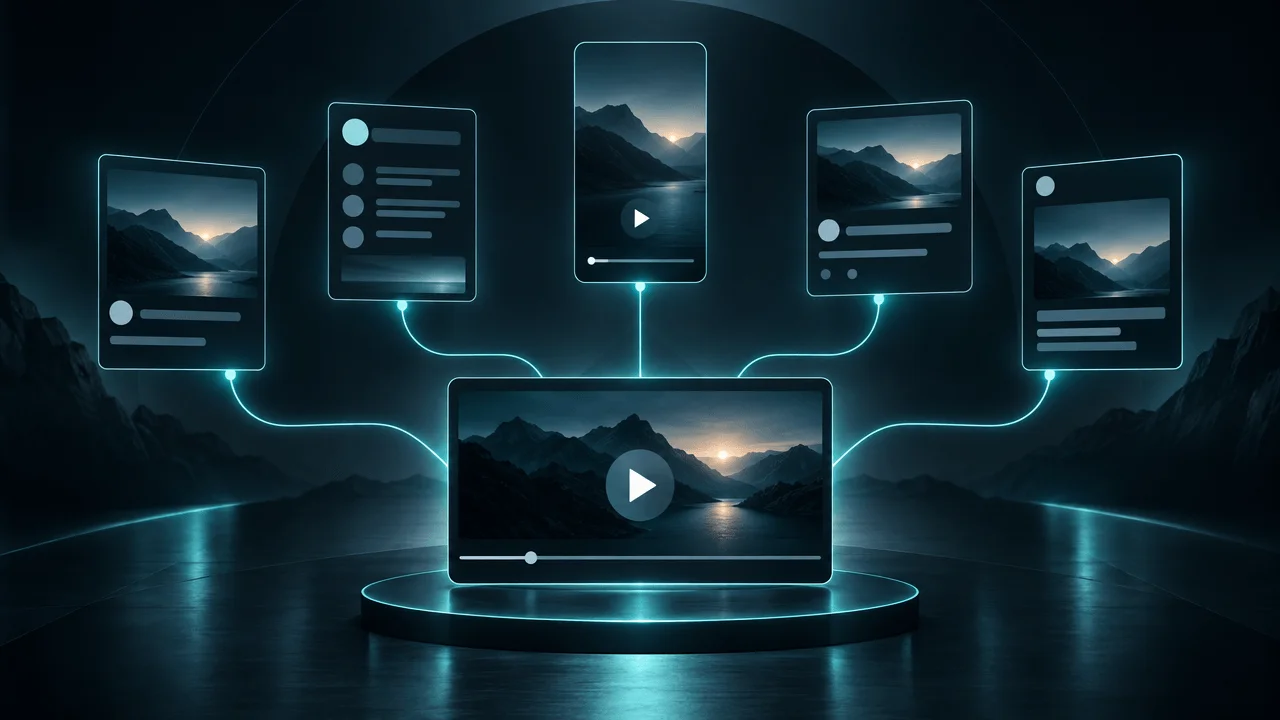
The Same Video, Five Different Opportunities
| Platform | What the Audience Expects | Better Content Approach |
|---|---|---|
| X | Interesting ideas, opinions, observations, and discussions | A compelling argument or structured thread |
| Relevant information and genuine community participation | A useful explanation or discussion | |
| Accessible information and conversation | A standalone post with an engaging question | |
| Professional insights and industry implications | An analysis connecting the subject to business or professional interests | |
| YouTube | A complete viewing experience | The original long-form video |
The original video remains the source.
But each platform receives a different interpretation.
Sprout Social's social media guidance makes the same distinction: creators can reuse existing content to save time, but should customize it to the expectations of each platform.
Source: https://sproutsocial.com/insights/social-media-best-practices/
Copy-Pasting Is Not Repurposing
Consider these two approaches.
Approach A: Copy-pasting
"Watch our latest YouTube video about AI and the future of science. We explore the biggest breakthroughs and explain what they mean."
This is essentially a promotional announcement.
It provides little value to someone who does not already want to watch the video.
Approach B: Platform-native adaptation
"Scientists are increasingly using AI to explore problems that were previously too complicated to investigate manually.
But the interesting development isn't simply that AI can analyze more data.
It's that researchers are beginning to discover relationships they might not have known to look for.
That changes the questions scientists can investigate in the first place."
This is a standalone idea.
Someone can find it interesting without clicking a YouTube link.
The second approach gives the audience a reason to engage with the content itself.
That is the difference between distribution and link sharing.
The Hidden Value Inside Every YouTube Video
Most creators think about a video as one finished product.
But a well-developed video contains several smaller content assets.
Imagine producing a 20-minute educational documentary.
It might contain:
| Content Element | Potential Distribution Asset |
|---|---|
| Main argument | X thread |
| Surprising statistic | Standalone social post |
| Interesting explanation | Educational post |
| Common misconception | Myth-versus-reality post |
| Practical recommendation | Checklist |
| Unexpected discovery | Curiosity-driven post |
| Controversial conclusion | Discussion starter |
| Important example | Case-study post |
| Memorable statement | Quote-led post |
| Final takeaway | Summary post |
This is why content repurposing can create significant leverage.
You have already invested in the research, thinking, and production.
The distribution process extracts additional value from that work.
However, there is an important limitation.
Not every video contains ten genuinely distinct insights.
A weak or repetitive source cannot magically become ten valuable pieces of content.
The goal is to identify the strongest independent ideas, not manufacture arbitrary post counts.
How to Repurpose One YouTube Video for Different Platforms
The most effective distribution strategy starts with understanding what each platform should receive.
Here is a practical breakdown.
1. How to Turn a YouTube Video Into an X Thread
X is particularly useful for distributing arguments, observations, explanations, and concise industry insights.
A strong YouTube video may contain enough material for several threads.
But the thread should not simply summarize every section of the video.
It should develop one compelling idea.
Example
Original YouTube video:
"Why Most AI Startups Are Building the Wrong Products"
Potential X thread:
Post 1:
Most AI startups are competing to build better models.
But the bigger opportunity might be building products around problems people already spend money solving.
Here's why.
Post 2:
A technically impressive AI product isn't automatically a valuable business.
Customers don't buy technology because it is impressive.
They buy outcomes.
Post 3:
The strongest opportunities often appear where existing workflows are expensive, repetitive, or frustrating.
AI becomes valuable when it removes a real constraint.
Post 4:
That changes how founders should evaluate opportunities.
Instead of asking:
"What can AI do?"
Ask:
"What expensive problem can AI solve significantly better?"
Post 5:
The next generation of successful AI companies may be built by founders who understand workflows better than they understand model benchmarks.
This is the type of content that can stand independently.
It introduces an argument, develops it, and gives readers something to think about.
X Repurposing Principles
- Start with the strongest argument.
- Make the opening interesting without requiring the original video.
- Give each post a distinct purpose.
- Use short paragraphs.
- Avoid unnecessary introductions.
- Include evidence where available.
- End with a meaningful conclusion or discussion prompt.
A good X thread should feel like something written specifically for X.
It should not read like a YouTube transcript divided into numbered paragraphs.
2. How to Turn a YouTube Video Into a Reddit Post
Reddit requires a different approach.
A promotional post that simply links to your YouTube video may receive little interest or be treated as unwanted self-promotion.
Communities have their own rules, expectations, and discussion cultures.
A useful Reddit contribution should provide value independently of whether anyone watches your video.
Example
Original YouTube video:
"Why Most People Misunderstand Artificial Intelligence"
Potential Reddit post:
Title:
One thing that gets lost in discussions about AI is the difference between generating an answer and actually understanding the problem.
Post:
I've been looking into how modern AI systems are being used in research, and one distinction keeps coming up.
A system can produce an extremely convincing explanation without necessarily having the kind of understanding people attribute to it.
This matters because evaluating AI purely by how impressive its answers look can create a misleading picture of what it can actually do.
A better question is whether the system can consistently solve the underlying problem, explain its limitations, and produce results that hold up under independent verification.
Curious how others here approach evaluating AI capabilities beyond impressive demonstrations.
This is a discussion contribution.
It does not demand that readers leave Reddit to consume something else.
Reddit Repurposing Principles
- Identify the relevant community before writing.
- Follow subreddit rules.
- Lead with the actual insight.
- Provide enough context to make the post useful.
- Avoid promotional language.
- Ask genuine questions when appropriate.
- Disclose relevant affiliations.
- Link to the original video only when it genuinely adds value and community rules allow it.
Reddit is not a distribution channel where every post should contain a product link.
The best approach is to contribute something worth discussing.
3. How to Turn a YouTube Video Into a Facebook Post
Facebook can support conversational posts, educational explanations, community discussions, and content sharing.
The key is to make the post understandable without requiring viewers to watch the original video.
Example
Original YouTube video:
"Why Your Brain Remembers Some Experiences Forever"
Potential Facebook post:
Have you ever remembered a seemingly insignificant moment from years ago, but forgotten something important that happened yesterday?
Memory isn't simply a recording of everything that happens to us.
Emotion, attention, repetition, and the way experiences are processed all influence what we remember.
This is one reason two people can experience the same event and remember it very differently.
What is one completely random memory you still remember from childhood?
This works as a standalone post.
It introduces an interesting idea and invites people to participate.
Facebook Repurposing Principles
- Use accessible language.
- Introduce one main idea.
- Make the post easy to read on mobile.
- Use questions when they encourage genuine conversation.
- Avoid excessively promotional copy.
- Provide enough context without reproducing the entire video.
The goal is to make the content valuable in the Facebook feed.
4. How to Turn a YouTube Video Into a LinkedIn Post
LinkedIn is particularly useful when your video contains professional insights, business lessons, industry analysis, or practical frameworks.
A YouTube video about AI, entrepreneurship, productivity, or marketing may contain several ideas that can be adapted for a professional audience.
Example
Original YouTube video:
"Why Most Companies Are Implementing AI Too Slowly"
Potential LinkedIn post:
Most companies don't have an AI problem.
They have a workflow problem.
They experiment with chatbots, generate reports, and introduce new AI tools.
But they often fail to identify the repetitive processes where automation could create the greatest operational impact.
A better starting point is to identify:
- Which processes consume the most employee time?
- Which tasks follow predictable patterns?
- Where do delays create financial costs?
- Which decisions can be improved with better information?
- Which workflows can be automated without sacrificing quality?
The biggest AI opportunity isn't necessarily adopting more tools.
It's redesigning the way work gets done.
LinkedIn Repurposing Principles
- Focus on professional implications.
- Lead with a clear observation.
- Explain why the idea matters.
- Use practical examples.
- Avoid unnecessary promotional language.
- Make the post valuable without requiring an external click.
A video about the same subject can produce a very different LinkedIn post depending on the professional angle.
5. How to Turn a YouTube Video Into Short-Form Content
Text posts are not the only opportunity.
Long-form videos can also contain standalone moments suitable for short-form video.
For example:
- A surprising statement.
- A strong explanation.
- A practical lesson.
- A revealing example.
- A compelling question.
- An unexpected conclusion.
But simply cutting a random 30-second section from a long video does not guarantee a strong Short.
A useful clip needs its own beginning, context, and payoff.
A Practical Short-Form Structure
| Section | Purpose |
|---|---|
| Opening | Establish curiosity immediately |
| Context | Explain what the viewer needs to know |
| Development | Deliver the main insight |
| Payoff | Reveal the important conclusion |
| Ending | Give the viewer a reason to engage or continue |
For some topics, the best Short may be 20 seconds.
For others, it may require 60 seconds or more.
The duration should serve the idea.
If you need to rewrite the narration, change the sequence, or add missing context, do so.
A clip should feel like an intentional piece of content rather than a random excerpt.
The Best Way to Repurpose YouTube Videos Without Making Generic AI Content
This is where most automated repurposing workflows fail.
They extract text, summarize it, and generate several posts.
The outputs may be grammatically correct, but they often lack the characteristics that make good social content interesting.
Common problems include:
- Repeating the video title in every post.
- Using generic openings.
- Summarizing entire sections instead of extracting individual insights.
- Repeating the same argument across several platforms.
- Using identical calls to action.
- Removing important context.
- Inventing examples or statistics.
- Making every post sound like marketing copy.
The solution is to separate extraction from adaptation.
Stage 1: Extract the Source Material
Start with the actual content.
Identify:
- Main arguments.
- Supporting evidence.
- Interesting examples.
- Important explanations.
- Unexpected conclusions.
- Practical lessons.
- Questions raised by the subject.
Do not generate posts before understanding the material.
Stage 2: Identify Independent Content Angles
A single video may contain several different ideas.
For example, a video about YouTube monetization might contain:
- Why ad revenue differs between niches.
- Why views alone are a poor measure of business value.
- How sponsorships change creator economics.
- Why audience demographics matter.
- How evergreen content creates long-term opportunities.
These are separate distribution angles.
They should not all become variations of the same summary.
Stage 3: Match Each Angle to a Platform
Choose where each idea makes the most sense.
| Content Angle | Best Initial Format |
|---|---|
| Strong opinion | X post or thread |
| Detailed explanation | Reddit discussion |
| Accessible lesson | Facebook post |
| Business implication | LinkedIn post |
| Memorable visual moment | Short-form video |
| Practical framework | Carousel or structured post |
These are starting points, not rigid rules.
The audience and subject should determine the final format.
Stage 4: Rewrite the Hook
The original YouTube title is designed to sell the viewing experience.
A social post needs its own reason to be read.
For example:
YouTube title:
"Why Small YouTube Channels Sometimes Beat Creators 100 Times Their Size"
Possible social openings:
- X: "Subscriber count is one of the worst shortcuts for evaluating a YouTube competitor."
- Reddit: "I've been comparing smaller and larger channels, and one thing worth investigating is performance relative to channel size."
- Facebook: "A channel with 10,000 subscribers can sometimes outperform one with a million. Here's why channel size doesn't tell the whole story."
- LinkedIn: "Audience size is not the same as content-market fit."
Same underlying subject.
Different audience entry points.
Stage 5: Check Accuracy
AI must not invent:
- Statistics.
- Quotes.
- Case studies.
- Research findings.
- Customer experiences.
- Claims about the original video.
Every generated post should be traceable to the source or clearly identify any additional interpretation.
This is especially important when repurposing educational, financial, scientific, or business content.
Stage 6: Add Platform-Specific Calls to Action
Do not end every post with:
"Watch the full video on YouTube."
Instead, choose the action that makes sense.
Examples:
- X: Invite discussion or ask readers to share their experience.
- Reddit: Ask a relevant question and participate in the discussion.
- Facebook: Encourage comments or sharing.
- LinkedIn: Invite professional perspectives.
- YouTube: Direct viewers to a relevant follow-up video.
A link to the original video can still be included where appropriate.
But it should not be the only reason the post exists.
How Many Social Media Posts Can One YouTube Video Produce?
There is no universal number.
It depends on the length, depth, research quality, and number of distinct ideas inside the original video.
A 10-minute video containing three meaningful insights may produce fewer useful assets than a 30-minute investigation containing several independent arguments and examples.
Here is an illustrative distribution plan for a substantial long-form video.
| Asset | Potential Output |
|---|---|
| X standalone posts | 2 |
| X threads | 1 |
| Reddit discussions | 1 |
| Facebook posts | 2 |
| LinkedIn posts | 2 |
| Short-form video concepts | 3 |
| Total | 11 |
Illustrative workflow, not a guaranteed output or performance benchmark.
The important point is that these are not eleven copies of the same message.
They are eleven possible executions derived from one source.
You should publish only the assets that provide genuine value to their intended audiences.
A Practical Weekly Content Distribution Workflow
You do not need to turn every video into a full-time distribution operation.
A repeatable weekly process is enough to start.
Monday: Publish the Main Video
Publish the original YouTube video.
Identify its strongest arguments, examples, and independent insights.
Tuesday: Publish the First X Thread
Take the strongest argument and turn it into a standalone thread.
Wednesday: Publish a Reddit Discussion
Choose an idea that genuinely fits a relevant subreddit.
Adapt the content to the community and follow its rules.
Thursday: Publish a Facebook Post
Use a practical insight or question that can stand independently.
Friday: Publish a LinkedIn Post
Extract the business, professional, or industry implication.
Weekend: Distribute Additional Content
Use the remaining ideas to create another post, a Short, or a follow-up discussion.
The schedule is only an example.
You should adapt it to your capacity and the behavior of your audience.
The goal is to create a distribution habit without overwhelming your production operation.
How to Measure Whether Content Repurposing Is Actually Working
Publishing more content is not automatically a business advantage.
You need to understand whether distribution is creating useful outcomes.
Track the performance of each platform separately.
| Metric | What It Helps You Understand |
|---|---|
| Impressions | How many opportunities people had to see the content |
| Engagement | Whether people interacted with it |
| Shares | Whether people found it worth passing along |
| Comments | Whether it generated discussion |
| Profile visits | Whether people wanted to learn more |
| Link clicks | Whether people moved toward your destination |
| YouTube referral traffic | Whether distribution introduced viewers to your channel |
| Qualified leads | Whether the audience included potential customers |
Do not compare a LinkedIn post and an X thread using the same raw engagement expectations.
Different platforms have different audiences and interaction patterns.
Also separate awareness from conversion.
A post might generate substantial discussion but no website traffic.
Another might receive fewer interactions but bring highly relevant visitors to your product.
Both can have value.
Build a Distribution Feedback Loop
After several publishing cycles:
- Identify the strongest source videos.
- Identify which extracted ideas performed best.
- Compare performance by platform.
- Examine which hooks generated meaningful engagement.
- Identify which posts drove qualified traffic.
- Refine future distribution decisions.
Eventually, you will understand not only which YouTube videos perform well but also which ideas travel well beyond YouTube.
That is a more valuable content intelligence system than simply counting how many posts you published.
How OverseerOS Distribution Studio Automates the Repurposing Process
The biggest operational problem is that adapting content manually takes time.
You might finish a video, extract the transcript, open an AI writing tool, write several prompts, generate drafts, rewrite them, and repeat the process for each platform.
Multiply that by several videos every week.
Distribution quickly becomes another production job.
This is where OverseerOS Distribution Studio fits.
OverseerOS Distribution Studio is designed to turn existing content into platform-specific written drafts.
Instead of starting with a blank page for every platform, you start with the source material.
1. Start With Your Existing Content
OverseerOS Distribution Studio supports content inputs including:
- YouTube URLs.
- Articles.
- Text.
For video URLs, the workflow uses transcript extraction to obtain the source material, with a Whisper fallback when needed.
This means you can begin with content you have already produced rather than manually copying sections of a transcript into separate writing prompts.
2. Generate Platform-Specific Drafts
OverseerOS Distribution Studio generates content for supported destinations, including:
- X.
- Reddit.
- Facebook.
The purpose is not to duplicate the same paragraph everywhere.
Each destination receives a draft intended for its own style and audience expectations.
3. Choose Your Content Length
Different platforms and formats need different amounts of context.
OverseerOS Distribution Studio provides length presets so creators can control the size of generated content.
This is useful when developing:
- Short standalone posts.
- Longer explanations.
- Structured threads.
- More detailed discussion drafts.
The objective is to make the content usable rather than force every output into the same format.
4. Review and Edit Before Publishing
Automation should accelerate distribution, not eliminate editorial judgment.
Review every draft.
Check:
- Whether the post contains a complete idea.
- Whether the hook works independently.
- Whether important context is missing.
- Whether the tone fits the platform.
- Whether the content is factually accurate.
- Whether the CTA is appropriate.
- Whether the post complies with community rules.
OverseerOS Distribution Studio generates drafts. You remain responsible for deciding what should be published and where.
5. Turn Distribution Into a Repeatable Workflow
Once you establish a process, every substantial video can become the starting point for additional content.
The workflow becomes:
YouTube video ↓ Transcript extraction ↓ Source analysis ↓ Platform-specific drafts ↓ Editorial review ↓ Publishing ↓ Performance measurement
Instead of repeatedly rewriting the same ideas manually, you can spend more time selecting the strongest angles and improving the quality of the final content.
Explore OverseerOS Distribution Studio to turn existing content into platform-native distribution drafts.
Common Content Repurposing Mistakes to Avoid
1. Publishing the Same Post Everywhere
Different platforms have different expectations.
Identical posts may be convenient, but they often ignore the reason people use each platform.
2. Turning Every Post Into an Advertisement
Not every post should promote your YouTube video, product, or business.
Give people a reason to engage with the content itself.
3. Extracting Too Many Weak Ideas
A 20-minute video does not automatically contain 20 valuable social posts.
Prioritize independent ideas over output volume.
4. Removing Important Context
A statement that makes sense in a 20-minute video may become misleading when extracted without its explanation.
Preserve the context necessary for accuracy.
5. Publishing AI Content Without Reviewing It
AI can introduce incorrect claims, generic language, and repetitive arguments.
Review the final output before publishing.
6. Ignoring Platform Rules
Especially on Reddit, promotional activity can violate community rules.
Read the relevant guidelines and contribute appropriately.
7. Measuring Success Only Through Likes
Engagement is useful, but it is not the entire business outcome.
Track referral traffic, qualified leads, audience growth, and the value of the attention you generate.
Final Verdict: Stop Making Every Platform a Separate Content Production Job
Your YouTube video is already the result of substantial work.
You researched the subject.
You developed the argument.
You wrote the script.
You produced the video.
You should not have to start from zero every time you want to distribute its ideas elsewhere.
But simply copying the YouTube description into five platforms is not a real distribution strategy.
The opportunity is to extract the strongest ideas and rebuild them for different audiences.
An effective system should:
- Preserve the original information.
- Identify independent ideas.
- Adapt hooks and formats.
- Match the expectations of each platform.
- Maintain factual accuracy.
- Reduce repetitive writing.
- Allow human review.
- Measure meaningful outcomes.
This is exactly the workflow OverseerOS Distribution Studio is designed to support.
Give it a YouTube URL, article, or text.
Generate drafts for X, Reddit, Facebook, and other supported destinations.
Review the outputs.
Publish the strongest versions.
And get more value from the research and production you have already completed.
Stop letting your best ideas live in only one video. Turn every valuable piece of content into more opportunities to reach the right audience.
Explore OverseerOS Distribution Studio.
Frequently Asked Questions
How do I repurpose a YouTube video for social media?
Start by extracting the video's transcript or source material. Identify its strongest independent ideas, then rewrite them for each platform. Create different hooks, formats, and calls to action instead of copying the original YouTube description everywhere.
What is content repurposing?
Content repurposing is the process of transforming existing material into new formats for different audiences and distribution channels. For example, one YouTube video can become an X thread, Reddit discussion, Facebook post, LinkedIn article, or several short-form videos.
How many social media posts can I create from one YouTube video?
It depends on the video's length and how many genuinely useful ideas it contains. A substantial educational video may support several independent posts across different platforms. Quality and originality matter more than maximizing the number of outputs.
What is the best way to repurpose YouTube videos for X?
Extract one strong argument, observation, or explanation and turn it into a standalone post or thread. Open with a compelling idea, develop it with supporting context, and finish with a useful conclusion or discussion prompt.
How do I repurpose YouTube videos for Reddit without getting flagged as spam?
Write a useful standalone discussion that fits the relevant subreddit. Follow its rules, avoid unnecessary promotional links, disclose relevant affiliations, and participate genuinely in the conversation. Do not treat Reddit as a place to dump promotional summaries.
Can AI automatically turn YouTube videos into social media posts?
Yes. AI tools can extract transcripts, identify ideas, summarize source material, and generate platform-specific drafts. The results should still be reviewed for accuracy, context, originality, and platform suitability.
What is the difference between cross-posting and content repurposing?
Cross-posting generally means publishing the same or substantially similar content across multiple platforms. Repurposing involves adapting the original material into different formats and messages designed for each platform.
What is the best tool for repurposing YouTube videos into social media posts?
The best tool depends on the output you need. OverseerOS Distribution Studio is designed to turn YouTube URLs, articles, and text into platform-specific written drafts for destinations including X, Reddit, and Facebook. Video clipping tools are more appropriate when your goal is extracting and editing video segments.
Does repurposing content help YouTube channels grow?
Repurposing can increase the number of opportunities for people to discover your ideas outside YouTube. It may introduce new viewers to your channel, create referral traffic, and strengthen your presence across platforms. Results depend on content quality, audience fit, distribution, and platform behavior.
Should I include a YouTube link in every social media post?
No. Include a link when it genuinely adds value or helps interested readers explore the full subject. A post should ideally provide standalone value even when someone never clicks the link.
Can I repurpose one YouTube video into content for LinkedIn and Facebook?
Yes. A single video can provide several professional insights for LinkedIn and conversational or educational posts for Facebook. The key is to adapt the message to the audience rather than reuse identical copy.
Does OverseerOS Distribution Studio publish posts automatically?
OverseerOS Distribution Studio generates platform-specific content drafts. It should be treated as a content creation and adaptation workflow, not an automatic social publishing scheduler. Review and publish the drafts through your chosen platform workflow.