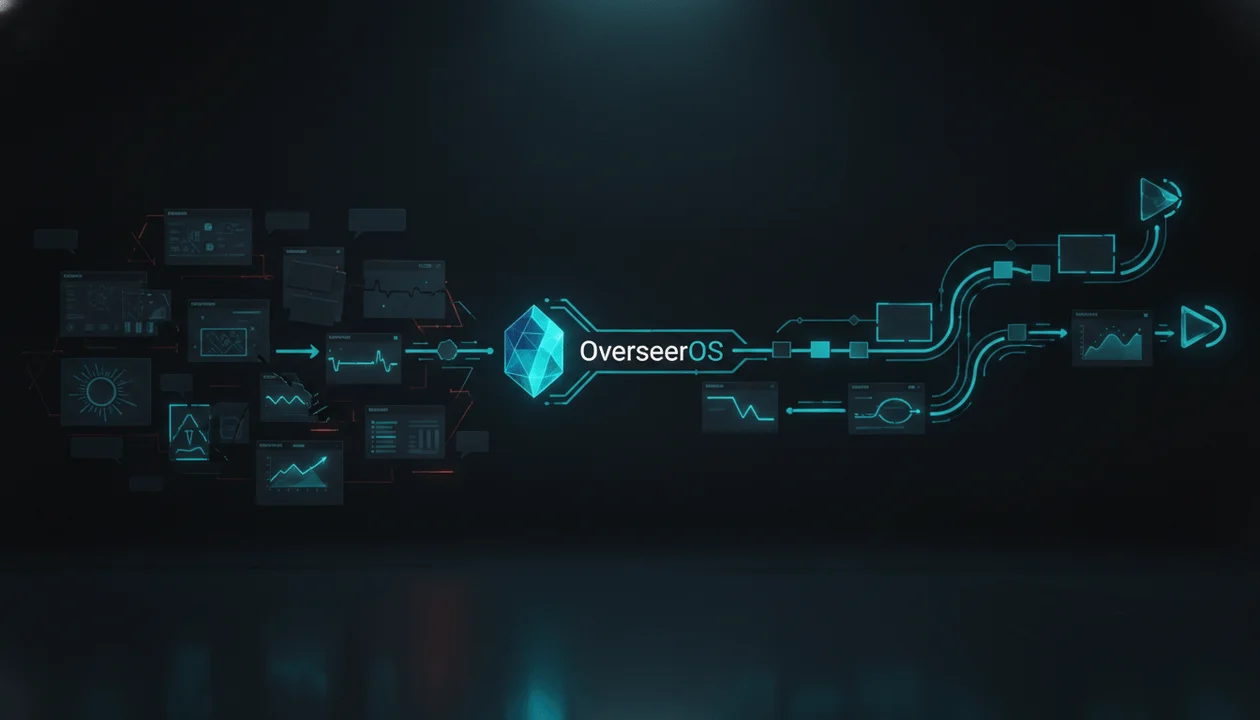
Poppy AI solves a real creator problem: research rarely arrives as one clean document. It arrives as YouTube videos, landing pages, PDFs, screenshots, voice notes, competitor examples, and half-formed ideas.
But organizing sources is only the beginning. You still need to decide what topic to pursue, which patterns are transferable, how to package the idea, and how to turn the research into an original script.
The best Poppy AI alternative for YouTube creators is OverseerOS if your main goal is moving from public YouTube evidence to channel strategy, video ideas, scripts, titles, thumbnails, and a repeatable publishing workflow.
If you mainly want another visual AI whiteboard, Notebooks.app is the closest alternative. Subscribr is a strong option for fast YouTube idea-to-script production, while vidIQ is better suited to keyword research, channel optimization, and competitive monitoring.
Last reviewed: August 2026. Features and pricing change frequently, so verify plan details on each company’s official website before purchasing.
Key Takeaways
- OverseerOS is the best Poppy AI alternative for YouTube-specific research and execution. It is built around reverse-engineering public channel patterns, finding breakout opportunities, and turning those insights into original content.
- Notebooks.app is the closest alternative to Poppy’s visual workspace. Consider it if the infinite-canvas experience matters more than native YouTube intelligence.
- Subscribr is best for moving quickly from YouTube research to a ready-to-record script.
- vidIQ is the stronger choice for keywords, outlier discovery, optimization, and ongoing channel guidance.
- Claude and ChatGPT can become capable research assistants, but creators must manually assemble the YouTube data, prompts, examples, and quality-control system.
- The smartest buying decision is not “Which tool has the most AI features?” It is “Which tool removes the most expensive bottleneck in my workflow?”
- A useful Poppy AI replacement should help you produce better decisions, not simply collect more sources.
Quick Verdict: The Best Poppy AI Alternatives
| Rank | Tool | Best For | Main Strength | Main Limitation |
|---|---|---|---|---|
| 1 | OverseerOS | YouTube research, strategy, scripts, and packaging | Turns public channel patterns into a connected YouTube workflow | Not an open-ended infinite whiteboard |
| 2 | Notebooks.app | Creators who want a Poppy-like visual canvas | Spatial research and content organization | Less focused on YouTube market intelligence |
| 3 | Subscribr | Rapid YouTube idea-to-script production | Channel-aware ideas, competitor tracking, and scriptwriting | No Poppy-style visual research board |
| 4 | vidIQ | YouTube SEO and channel optimization | Keywords, outliers, competitor monitoring, and ideas | Scriptwriting is one part of a broader optimization suite |
| 5 | Maekersuite | Structured video pre-production | Research, ideation, titles, and scripts in one process | Less flexible for visual, mixed-media research |
| 6 | Blort | Visual content and advertising research | AI whiteboards, templates, and creative libraries | Less YouTube-native than dedicated creator platforms |
| 7 | Claude | Source-heavy long-form script development | Strong synthesis, project knowledge, and writing control | Requires manual YouTube research and workflow design |
| 8 | ChatGPT | Flexible, do-it-yourself creator workflows | Projects, files, instructions, and broad AI capabilities | No native YouTube opportunity discovery or channel intelligence |
What Poppy AI Actually Does Well
Poppy AI is best understood as a visual AI workspace for research, ideation, and content creation.
Instead of forcing every task into a linear chatbot conversation, Poppy lets users place source material on a canvas and explore relationships between those sources. Its official product page highlights support for materials such as:
- YouTube videos
- Podcasts
- PDFs
- Websites
- Images
- Voice notes
- Thumbnails
- Brand information
That spatial approach is valuable when a project has many moving parts.
A creator researching a video about AI businesses, for example, could place competitor videos, customer comments, company websites, screenshots, and rough hook ideas on the same board. The creator could then use AI to summarize, compare, and generate new material from those sources.
Poppy also provides access to multiple AI models and offers features for brand profiles, creative generation, landing pages, and video sales letter workflows, depending on the selected plan.
At the time of this review, Poppy listed its Basic plan at $33 per month billed annually, or $399 per year. Higher tiers were positioned toward heavier content production and advertising use cases. Check Poppy’s current plan page before making a purchase, since pricing and plan boundaries may change.
Where Poppy is strongest
Poppy makes the most sense when:
- You think spatially rather than through folders and chat threads.
- You regularly combine videos, documents, images, and websites.
- You create advertisements, sales pages, and multi-format marketing campaigns.
- You want several AI models inside one visual environment.
- Your biggest problem is organizing fragmented research.
Why YouTube creators look for alternatives
Poppy’s strength is the canvas. That does not automatically make it the strongest system for YouTube market research.
A YouTube creator may need capabilities such as:
- Discovering breakout channels before they become obvious
- Comparing a channel’s high-performing and typical videos
- Identifying repeatable title, hook, pacing, and topic patterns
- Finding content gaps with visible demand
- Carrying channel strategy directly into a script
- Planning future uploads from the same research
- Creating thumbnails that continue the title’s promise
- Turning a finished script into a production workflow
Poppy can help a creator think through material placed on a board. A YouTube-native platform can start one step earlier by helping the creator determine which channels, videos, and patterns deserve attention.
That distinction matters.
Source organization asks, “What can I learn from these materials?”
YouTube intelligence also asks, “Why were these the right materials to study in the first place?”
How We Evaluated These Poppy AI Competitors
This ranking prioritizes tools that can realistically replace part or all of Poppy’s role in a YouTube research and scriptwriting workflow.
We evaluated each tool using seven criteria.
1. YouTube-native research
Can the tool help creators identify channels, videos, topics, or patterns using YouTube-specific evidence?
2. Source handling
Can creators bring research material into the workspace and use it during ideation or writing?
3. Channel voice and strategic context
Can the tool preserve a channel’s positioning, tone, audience, and repeatable content patterns?
4. Script control
Does the tool support structure, hooks, pacing, revisions, and intentional long-form writing, or does it simply produce a generic draft?
5. Packaging support
Can the workflow connect the topic to titles, thumbnails, hooks, and the viewer promise?
6. Workflow continuity
What happens after the research is complete? Can the creator move into planning, scripting, packaging, and production without rebuilding the context?
7. Product fit
Is the tool focused on the reader’s actual job, or does it offer an impressive collection of AI features without solving the core YouTube problem?
Editorial standard: Feature claims were checked against official product pages and documentation available during this review. Tools were selected for relevance, not paid placement. Vendors may request factual corrections, but rankings cannot be purchased.
1. OverseerOS: Best Overall Poppy AI Alternative for YouTube Creators
Best for: Creators, faceless channel operators, agencies, strategists, and production teams that want to turn YouTube evidence into original content.
Poppy begins with the material you bring to its canvas. OverseerOS is designed to help determine what is already working on YouTube, why it works, and how to adapt those patterns into an original channel strategy.
That makes OverseerOS the strongest alternative when the goal is not simply researching content, but building a connected research-to-production system.
What makes OverseerOS different
The OverseerOS Channel Blueprint Cloner lets creators study a public YouTube channel and develop a strategic playbook around its transferable patterns.
Depending on the available channel evidence, the resulting analysis can cover areas such as:
- OverseerOS tone and communication patterns
- OverseerOS hook patterns
- OverseerOS pacing and structural tendencies
- OverseerOS viral topic formulas
- OverseerOS title patterns
- OverseerOS keyword and tag insights
- OverseerOS untapped topic opportunities
- OverseerOS publishing and format patterns
This is not about duplicating another creator’s wording or ideas. It is about separating strategy from expression.
For example, suppose a finance channel repeatedly succeeds with videos that:
- Open with a widely accepted belief
- Introduce evidence that challenges it
- Reveal a hidden financial cost
- Finish with a practical decision framework
The reusable asset is that sequence. The creator’s exact wording, research, examples, and conclusions are not.
OverseerOS helps turn the sequence into an original strategic model.
Find the right channels before analyzing them
A major weakness in manual competitor research is selection bias. Creators often study the biggest channels they already know, even when smaller breakout channels provide more useful evidence about what is working now.
The OverseerOS Viral YouTube Channel Finder is designed to help creators discover breakout channels using public YouTube signals. Creators can narrow discoveries by factors such as subscriber range, video count, language, and format, then examine the videos contributing to a channel’s momentum.
This changes the research process from:
“Here are three famous creators I already follow.”
to:
“Here are emerging channels whose recent videos are performing unusually well relative to their size.”
That second group may reveal opportunities before their formats become saturated.
Carry the strategy into writing
Research loses value when the creator must manually reconstruct it inside a separate writing tool.
OverseerOS Script Studio can receive strategic context from OverseerOS channel analysis, OverseerOS blueprint research, or an OverseerOS content opportunity. The writing environment supports structured sections and AI-assisted revisions without reducing the script to one disposable prompt.
OverseerOS Creator DNA can model aspects of a selected communication approach, including:
- Voice pacing
- Sentence structure
- Vocabulary tendencies
- Storytelling patterns
- Opening style
- Hook density
- Transition behavior
- Emotional signature
- Structural rhythm
The goal is to model the mechanics that make a delivery effective while producing original wording, research, and examples.
Continue beyond the script
OverseerOS also connects research and writing to later stages of the YouTube workflow.
Creators can use:
- OverseerOS Channel Content Planner to organize data-backed topics, titles, briefs, and future uploads
- OverseerOS AI YouTube Thumbnail Generator to develop original packaging from high-performing visual principles
- OverseerOS Auto Edit Studio to turn a finished script and voiceover into a scene-based faceless video workflow
The OverseerOS AI YouTube Thumbnail Generator can analyze visual principles such as composition, contrast, subject placement, text style, emotional framing, and visual hierarchy. Those principles can then inform a new thumbnail for a different topic.
Again, the important distinction is between modeling and copying. A useful thumbnail workflow adapts design logic. It does not reproduce someone else’s thumbnail pixel for pixel.
Where OverseerOS falls short
OverseerOS is not intended to be a general infinite whiteboard for arranging unrelated PDFs, images, podcasts, websites, and advertising research.
If the canvas itself is the main reason you use Poppy, Notebooks.app or Blort may feel more familiar.
Verdict
Choose OverseerOS when your core question is:
“How do I find patterns already working on YouTube and turn them into an original, repeatable content system?”
It is the most complete Poppy AI alternative for creators who care about the full chain from discovery to strategy, scripting, packaging, planning, and production.
2. Notebooks.app: Closest Alternative to Poppy’s Visual Canvas
Best for: Creators who want an AI whiteboard that feels structurally similar to Poppy.
Notebooks.app positions itself as a visual research and content workspace for creators. Its product pages emphasize spatial organization, competitor analysis, brand voice, content development, and monthly billing rather than an annual commitment.
For users searching for a direct Poppy AI replacement, this is one of the closest matches at the interface level.
Why it stands out
Notebooks.app is built around the idea that research should remain visible while the creator works.
That is useful when you want to:
- Arrange competing ideas next to one another
- Compare source material visually
- Preserve context across a campaign
- Develop scripts from a collection of examples
- Repurpose a central idea into several content formats
- Keep research, drafts, and brand material in one space
A visual board can expose relationships that become difficult to see inside a long chatbot conversation.
For example, a creator could group ten competitor introductions into separate clusters:
- Contrarian hooks
- Story-led hooks
- Result-first hooks
- Fear-based hooks
- Curiosity gaps
That visual organization may produce better strategic decisions than summarizing everything in one document.
Where it falls short
Notebooks.app is closer to Poppy than it is to a native YouTube intelligence system.
You may still need other tools to:
- Discover rising channels
- Calculate relative video performance
- Identify outlier videos
- Track YouTube-specific keyword opportunities
- Connect research to thumbnail creation
- Build a complete channel publishing plan
Its strongest value is the workspace, not necessarily the market evidence feeding it.
Verdict
Choose Notebooks.app if your favorite part of Poppy is the visual canvas and you want a similar research experience with a different pricing structure or creator-focused workflow.
3. Subscribr: Best for Fast YouTube Idea-to-Script Production
Best for: YouTube creators who want to find promising ideas and convert them into ready-to-record scripts quickly.
Subscribr is more YouTube-specific than a general AI whiteboard. Its official product page highlights channel connections, competitor tracking, outlier-based idea research, channel memory, voice matching, thumbnail support, and AI-assisted scriptwriting.
This makes it a credible alternative for creators who use Poppy primarily to research videos and produce scripts.
Why it stands out
Subscribr focuses on the actual unit of work for most YouTubers: the next video.
Its workflow is designed around:
- Connecting a YouTube channel
- Tracking competitor channels
- Using live YouTube information during research
- Finding ideas informed by outlier performance
- Preserving channel context
- Drafting scripts in a consistent voice
- Producing titles and thumbnail concepts
This tighter scope can be an advantage. A creator who does not need a visual whiteboard may move faster inside a tool built specifically for YouTube videos.
Where it falls short
Subscribr does not attempt to reproduce Poppy’s open visual canvas.
Creators who need to spatially arrange PDFs, screenshots, web pages, podcast notes, and campaign material may find the workspace more constrained.
Its primary value is video ideation and scriptwriting, not open-ended creative research.
Verdict
Choose Subscribr if speed from YouTube idea to script matters more than having an infinite research board.
4. vidIQ: Best for YouTube SEO, Outliers, and Channel Optimization
Best for: Creators who want keyword research, competitor tracking, channel guidance, and idea discovery.
vidIQ is a broad YouTube growth platform. Its current feature set includes keyword tools, daily ideas, competitor monitoring, channel audits, title support, script generation, coaching, and outlier discovery.
The vidIQ Outliers tool is particularly relevant for creators researching videos that perform unusually well compared with a channel’s normal results.
Why it stands out
vidIQ has a long-standing focus on YouTube optimization rather than general content creation.
It can help answer questions such as:
- What topics are attracting search demand?
- Which competitor videos are outperforming their baselines?
- What opportunities could fit my channel?
- How could this title be improved?
- Which parts of my channel need attention?
- What should I publish next?
That makes vidIQ more useful than Poppy when the creator’s main bottleneck is discovery, SEO, or ongoing channel optimization.
Where it falls short
vidIQ is not a visual source-synthesis environment.
Its script generator is also one component within a larger growth suite. Creators seeking deep, source-heavy writing control may prefer a dedicated script tool or a general AI assistant paired with vidIQ’s research.
Verdict
Choose vidIQ if your priority is YouTube SEO, competitor monitoring, channel feedback, and outlier discovery. Choose a different alternative if visual research or sophisticated long-form scripting is the main requirement.
5. Maekersuite: Best for Structured Video Pre-Production
Best for: Creators and teams that want a guided process from research through script development.
Maekersuite presents itself as an AI video pre-production platform. Its official pages focus on video research, topic ideation, title development, content planning, SEO, and scriptwriting.
Instead of functioning as a general creative board, it organizes work around producing videos.
Why it stands out
Maekersuite is useful for creators who want a defined sequence:
- Research a subject or content opportunity
- Select an idea
- Develop the title and concept
- Create the script
- Manage the project
Its YouTube scriptwriting workflow includes topic and title selection, script generation, key points, and section-level development.
That is more structured than placing sources on a board and deciding how to use them from scratch.
Where it falls short
Creators looking for Poppy’s mixed-media, spatial research experience may find Maekersuite more linear.
You may also need additional tools for advanced channel discovery, packaging analysis, or post-script production.
Verdict
Choose Maekersuite if you want a guided pre-production workflow and care more about completing videos than maintaining an open visual research environment.
6. Blort: Best for Visual Boards and Creative Research
Best for: Creators and marketers who want AI-assisted whiteboards, repeatable templates, and advertising inspiration.
Blort positions itself directly as a Poppy AI alternative. Its product messaging focuses on digital whiteboards, access to AI models, board templates, social content, brand development, advertisements, and a library of viral examples.
This makes it relevant to creators whose work crosses YouTube, advertising, and social media.
Why it stands out
Blort’s board-based system can support workflows such as:
- Breaking down successful advertisements
- Organizing customer research
- Building a brand voice
- Comparing creative examples
- Drafting content from source material
- Reusing structured board templates
Templates are useful for teams that want a consistent research method without building every board from scratch.
Where it falls short
Blort’s positioning is broader than YouTube channel growth.
A viral content library can inspire ideas, but it is not the same as identifying public-channel patterns, comparing a video with its channel baseline, or building a YouTube-specific content plan.
Verdict
Choose Blort if you want a visual AI workspace with a strong advertising and creative-strategy angle. It is less compelling when YouTube-specific discovery is the primary job.
7. Claude: Best for Source-Heavy Long-Form Scriptwriting
Best for: Writers who already have the research and need thoughtful synthesis, structure, and long-form drafting.
Claude is not a direct Poppy clone, but it can replace a significant part of the research and writing workflow.
Claude Projects lets users organize chats and project knowledge around a defined body of work. Anthropic also provides project instructions and personalization features that can guide tone, output style, and working preferences.
Why it stands out
Claude is particularly useful when a creator already has:
- Interview transcripts
- Research papers
- Source documents
- Previous scripts
- Voice guidelines
- Audience research
- A detailed video brief
The creator can place these materials into a dedicated project, define the desired writing approach, and develop the script through multiple passes.
A strong Claude workflow might separate the work into:
- Source extraction
- Claim verification
- Argument development
- Hook generation
- Retention structure
- First draft
- Compression
- Originality review
That is usually more reliable than requesting a complete 2,000-word YouTube script from one prompt.
Where it falls short
Claude does not natively identify emerging YouTube channels, rank outlier videos, or build a channel strategy from public YouTube performance patterns.
You must supply the research and design the workflow yourself.
Verdict
Choose Claude if you are a strong researcher or writer who wants an adaptable long-form drafting partner. It is not a complete replacement for YouTube discovery, analytics, or packaging tools.
8. ChatGPT: Best Flexible DIY Poppy AI Alternative
Best for: Creators who want a general AI assistant and are willing to build their own research system.
Projects in ChatGPT can organize chats, uploaded files, and project-specific instructions around a recurring body of work. ChatGPT also supports custom instructions, which can guide how the assistant responds.
A carefully designed Project can act as a lightweight creator operating system.
Why it stands out
ChatGPT is highly flexible. It can help with:
- Source summarization
- Audience research
- Topic ideation
- Title development
- Script outlining
- Rewriting
- Counterarguments
- Thumbnail concepts
- Production checklists
- Content repurposing
A creator can upload past scripts, define a channel brief, add preferred structures, and ask ChatGPT to work within those constraints.
Where it falls short
The flexibility creates setup work.
ChatGPT does not automatically provide:
- A ranked list of breakout YouTube channels
- Relative video performance analysis
- Native competitor monitoring
- YouTube-specific content-gap discovery
- A prebuilt channel reverse-engineering system
- A connected thumbnail and publishing workflow
The creator must gather evidence from other sources and repeatedly maintain the strategic context.
ChatGPT also lacks Poppy’s spatial board. Projects organize information, but they do not reproduce the same visual canvas experience.
Verdict
Choose ChatGPT if you want maximum flexibility at a low starting barrier and do not mind assembling your own YouTube research stack.
Poppy AI vs OverseerOS
Poppy and OverseerOS overlap in research, AI-assisted ideation, and content creation. They differ in what happens before and after those activities.
| Question | Poppy AI | OverseerOS |
|---|---|---|
| What is the core workspace? | Visual AI whiteboard | YouTube intelligence and production workflow |
| Where does research begin? | Materials added by the user | Public channels, videos, performance patterns, and creator inputs |
| What is the main research strength? | Mixed-media source synthesis | YouTube channel and content-pattern analysis |
| How is voice handled? | Brand profiles and source context | OverseerOS Creator DNA derived from selected strategic and communication patterns |
| How are opportunities found? | User-led research on the canvas | OverseerOS viral channel discovery, outlier signals, blueprints, and content gaps |
| How are scripts created? | AI generation from board context | OverseerOS Script Studio with connected title, strategy, reference, and voice context |
| What happens after the script? | Broader creative, advertising, and sales-content workflows, depending on plan | OverseerOS planning, thumbnails, voiceovers, and script-first video production |
| Who is it best for? | Visual thinkers, advertisers, researchers, and multi-format marketers | YouTube creators, faceless operators, agencies, strategists, and production teams |
| What is the main tradeoff? | Less focused on YouTube-native discovery | No general-purpose infinite canvas |
Choose Poppy when:
- You want a flexible visual whiteboard.
- Your sources extend far beyond YouTube.
- You create advertisements, sales pages, and multi-format marketing campaigns.
- Spatial organization is central to how you think.
- You prefer bringing your own research into the system.
Choose OverseerOS when:
- You want to discover channels and videos worth studying.
- You need to understand why certain content performs.
- You want to turn patterns into original titles, hooks, scripts, and thumbnails.
- You operate one or more faceless YouTube channels.
- You want research to continue into planning and production.
- You are building a repeatable YouTube content operation.
Which Poppy AI Alternative Should You Choose?
Use the following decision table to avoid paying for a tool that solves the wrong problem.
| If your main requirement is... | Start with... | Why |
|---|---|---|
| Reverse-engineering successful YouTube channels | OverseerOS | Purpose-built channel blueprints and pattern analysis |
| Finding emerging or breakout channels | OverseerOS | YouTube-specific discovery and viral signals |
| A visual canvas most similar to Poppy | Notebooks.app | Spatial research is central to the product |
| Rapid YouTube scripts from channel context | Subscribr | Focused idea-to-script workflow |
| Keyword research and channel optimization | vidIQ | Strong YouTube SEO and competitor toolset |
| A guided video pre-production process | Maekersuite | Structured research, titles, and scripts |
| Visual advertising research | Blort | Board templates and creative libraries |
| Long-form synthesis from supplied sources | Claude | Strong project knowledge and drafting control |
| A flexible general AI assistant | ChatGPT | Broad capabilities and customizable Projects |
| One connected YouTube strategy workflow | OverseerOS | Research, scripts, packaging, planning, and production context |
A Better YouTube Research-to-Script Workflow
The biggest mistake creators make with Poppy, ChatGPT, Claude, or any research tool is collecting information without defining the decision that research needs to support.
A large board is not automatically useful. Fifty competitor videos are not automatically useful. Ten pages of AI-generated observations are not automatically useful.
The workflow should produce a clear content decision.
Step 1: Define the strategic question
Do not begin with:
Find successful videos in my niche.
Use a narrower question:
Which video formats are helping small personal-finance channels outperform their subscriber size?
Or:
Which title and opening structures repeatedly work for 15-to-25-minute AI business case studies?
A precise question controls what evidence you collect.
Step 2: Build a representative source set
Avoid studying only the largest creators.
A useful research set might include:
- Established category leaders
- Mid-sized channels with consistent performance
- Small breakout channels
- Recent outlier videos
- Underperforming videos from otherwise successful channels
- Videos targeting the same audience from an adjacent niche
The underperformers matter. Without them, you cannot distinguish a repeatable pattern from a creator’s normal presentation style.
Step 3: Separate observations from interpretations
Use three columns when analyzing examples.
| Observation | Possible Interpretation | Original Adaptation |
|---|---|---|
| Seven strong videos reveal the result in the title | The audience values proof before explanation | Put the measurable result in the title, then create a new case study |
| Intros begin with a costly mistake | Loss framing may create urgency | Open with a different audience-specific consequence |
| Thumbnails use one object and two words | Simplicity may improve immediate comprehension | Use a new object that represents the video’s central conflict |
| The main reveal occurs after a short setup | Delayed explanation may create curiosity | Build a new reveal sequence around original evidence |
This prevents AI from turning “research” into imitation.
Step 4: Extract the transferable pattern
Ask:
- What promise does the video make?
- What emotional tension supports that promise?
- How does the opening continue the title and thumbnail?
- When does the first meaningful payoff occur?
- What questions remain unresolved throughout the video?
- Which structural choices appear across several winners?
- Which elements are unique to the original creator?
A transferable pattern might be:
Familiar belief → contradiction → evidence → hidden mechanism → practical framework
That is a structure. It is not someone else’s content.
Step 5: Package the idea before writing
The title, thumbnail, and opening should make one connected promise.
Consider this weak package:
Title:
How AI Is Changing Freelancing
Thumbnail:
THE FUTURE
Opening:
Artificial intelligence has changed many industries over the past few years.
Each element points in a different direction, and the opening adds no urgency.
A stronger package could be:
Title:
The AI Freelance Jobs Nobody Expected to Survive
Thumbnail concept:
A human freelancer beside one protected task, with “STILL SAFE?” as the visual question
Opening:
The freelance jobs most people assumed AI would destroy first are not the ones disappearing fastest. The real divide comes down to one overlooked part of the work.
Now the title, visual question, and first lines create the same curiosity loop.
Step 6: Build a retention map before the full draft
A useful retention map can be short.
| Script Moment | Purpose |
|---|---|
| Opening contradiction | Challenge the viewer’s assumption |
| Evidence preview | Prove the video has substance |
| First explanation | Give an early payoff |
| Complication | Prevent the answer from feeling complete |
| Case study | Make the mechanism concrete |
| Final framework | Convert information into action |
Once this sequence works, expand it into a script.
Step 7: Run an originality and evidence check
Before publishing, ask:
- Are the examples and wording original?
- Can every factual claim be verified?
- Did I study several sources rather than one creator?
- Did I adapt a pattern instead of reproducing an execution?
- Does the opening immediately continue the title and thumbnail?
- Does the viewer receive a meaningful payoff early?
- Is every section necessary to the central promise?
- Would this video still have value without mentioning the source creators?
How to Apply This Workflow Inside OverseerOS
A connected OverseerOS workflow could look like this:
- Use OverseerOS Viral YouTube Channel Finder to identify rising channels and unusual performers in the target niche.
- Select relevant channels based on format, audience, recent momentum, and strategic similarity.
- Use OverseerOS Channel Blueprint Cloner to study repeatable tone, hooks, pacing, title formulas, topic patterns, and structural tendencies.
- Compare several channels so the strategy is not overfitted to one creator.
- Select an opportunity where audience demand, channel fit, and an original angle overlap.
- Carry the chosen strategy, title direction, and OverseerOS Creator DNA into OverseerOS Script Studio.
- Build the script around a clear retention engine and viewer payoff.
- Save future opportunities inside OverseerOS Channel Content Planner.
- Use OverseerOS AI YouTube Thumbnail Generator to translate the title promise into an original visual concept.
- If the format is faceless, move the completed script into OverseerOS Auto Edit Studio for scene planning and production.
This is the central difference between a collection of prompts and a content operating system.
A prompt helps complete one task.
A connected workflow preserves the evidence and decisions that should shape every task after it.
Poppy AI Migration Checklist
Before cancelling an existing subscription, identify which parts of Poppy you currently depend on.
Research requirements
- I know which source formats I need to import.
- I know whether spatial organization is essential.
- I know whether I need YouTube discovery or only source summarization.
- I know whether competitor performance data affects my decisions.
- I have identified how existing boards or notes can be exported.
Writing requirements
- The replacement can preserve my channel positioning.
- The replacement supports section-level revisions.
- I can control structure, tone, pacing, and target length.
- I can keep sources visible during drafting.
- I can verify claims without relying on AI-generated citations.
Workflow requirements
- I know how ideas will move into scripts.
- I know where titles and thumbnails will be developed.
- I have a system for organizing future videos.
- I know whether collaborators need access.
- I have checked current plan limits and billing terms.
- I have tested the replacement on one real project before migrating everything.
Common Mistakes When Choosing a Poppy AI Replacement
Choosing the interface instead of the outcome
A beautiful whiteboard is valuable only if visual organization is your real bottleneck.
If the actual problem is weak video selection, generic scripts, or disconnected packaging, buying another canvas will preserve the same underlying problem.
Confusing summarization with market research
An AI model can summarize ten videos. That does not mean it can determine whether those videos are representative, exceptional, outdated, or strategically relevant.
Good research depends on source selection as much as source analysis.
Studying only viral videos
A viral video provides one positive example. It does not reveal which elements were responsible for the performance.
Compare winners with:
- The channel’s typical videos
- Similar topics that underperformed
- Other channels using related formats
- Recent results in the same niche
Patterns become credible when they survive comparison.
Asking AI to copy a creator
Prompts such as “write exactly like this creator” encourage shallow imitation and can produce awkward, derivative content.
A better instruction is:
Identify the pacing, sentence-length patterns, hook frequency, explanation style, and transition mechanics. Create a new script using original language, evidence, examples, and conclusions.
Writing before solving the packaging
A polished script cannot rescue a weak idea.
Before drafting, define:
- The target viewer
- The exact promise
- The tension or unanswered question
- The title direction
- The thumbnail’s visual question
- The first meaningful payoff
Ignoring what happens after the script
A tool can generate an impressive draft while adding operational friction elsewhere.
Consider the entire workflow:
Discovery → Research → Strategy → Packaging → Script → Production → Publishing → Review
The best Poppy AI alternative is the one that improves the largest portion of this chain without weakening the quality of the final video.
Final Verdict
Poppy remains a strong choice for creators who want a flexible visual AI whiteboard and regularly work across videos, PDFs, websites, images, advertisements, and sales content.
It is not automatically the best fit for every YouTube workflow.
The strongest alternatives are:
- OverseerOS for YouTube-native research, channel reverse-engineering, scripts, packaging, planning, and production context
- Notebooks.app for the closest visual whiteboard experience
- Subscribr for rapid YouTube idea-to-script creation
- vidIQ for SEO, outliers, competitor monitoring, and channel optimization
- Maekersuite for guided video pre-production
- Blort for visual advertising and content research
- Claude for source-heavy long-form writing
- ChatGPT for a flexible, self-built creator workflow
The deciding question is simple:
Do you need a better place to arrange research, or a better system for deciding what to create?
If you primarily need a canvas, start with Notebooks.app or Blort.
If you already have the evidence and need a flexible writing partner, consider Claude or ChatGPT.
If you want to identify patterns already working on YouTube and carry those patterns into original titles, scripts, thumbnails, and production, build a complete YouTube research-to-production workflow with OverseerOS.
The smartest creators do not start from a blank page. They start with evidence, isolate the patterns that matter, and build something unmistakably their own.
Frequently Asked Questions
What is the best Poppy AI alternative for YouTube creators?
OverseerOS is the best overall Poppy AI alternative for creators who need YouTube-specific research, channel reverse-engineering, video ideas, scripts, titles, thumbnails, and content planning.
Notebooks.app is the closer alternative if the visual whiteboard itself is the main requirement.
What is the closest alternative to Poppy AI?
Notebooks.app and Blort are among the closest alternatives at the product-category level because both emphasize visual AI workspaces.
Notebooks.app is better suited to creators looking for a direct spatial research replacement. Blort is particularly relevant to advertising, brand, and social-content workflows.
Is there a free Poppy AI alternative?
General AI assistants such as ChatGPT and Claude have offered free access with usage limits, although current availability and plan restrictions should always be checked.
A free chatbot can help with summaries, outlines, titles, and scripts. It will not automatically replace Poppy’s visual canvas or the YouTube-specific research available in dedicated creator platforms.
Is Poppy AI better than ChatGPT?
Poppy is better when you need to arrange mixed-media sources visually and maintain a spatial research board.
ChatGPT is better when you want a flexible general assistant, file-based Projects, custom instructions, and a wider range of conversational tasks.
Neither product natively replaces a dedicated YouTube intelligence workflow.
Can Poppy AI analyze YouTube videos?
Poppy’s official product page says users can add YouTube videos to a visual board and work with them alongside other source material.
That is useful for summarizing and comparing selected videos. It is different from discovering breakout channels, comparing videos against channel baselines, or analyzing broader YouTube performance patterns.
Is OverseerOS a direct Poppy AI replacement?
It is a direct replacement for some jobs, but not all of them.
OverseerOS can replace Poppy in workflows centered on YouTube channel research, pattern analysis, ideation, scriptwriting, packaging, planning, and faceless production.
It does not attempt to replace Poppy’s general-purpose infinite whiteboard.
Which Poppy AI alternative is best for scriptwriting?
Subscribr is a strong choice for fast, YouTube-focused script creation. Claude is well suited to long-form drafting from supplied research. ChatGPT is the most flexible do-it-yourself option.
OverseerOS is the stronger choice when the script needs to remain connected to channel research, title strategy, OverseerOS Creator DNA, packaging, and a wider YouTube workflow.
What should I check before paying for a Poppy AI competitor?
Verify:
- Supported source formats
- Monthly or annual billing
- AI usage limits
- Collaboration features
- Export options
- YouTube data sources
- Channel-analysis depth
- Script length and editing controls
- Brand or voice customization
- Thumbnail and production support
- Data-retention and privacy settings
Test the tool with one real video project. A polished demo does not reveal whether the product will survive your actual research, revision, and production process.