Most faceless YouTube channels do not fail because the creator had no ideas.
They fail because the workflow breaks.
The researcher finds a topic, but the writer does not understand the angle.
The writer creates a script, but the editor does not know the visual direction.
The thumbnail designer makes something beautiful, but it does not match the title.
The voiceover sounds clean, but the script feels generic.
The video gets uploaded, but nobody reviews why it performed badly.
Then the team moves to the next video and repeats the same mistake.
This is why serious faceless creators need faceless YouTube workflow software.
Not just an AI video generator.
Not just a content calendar.
Not just Trello cards and Google Docs.
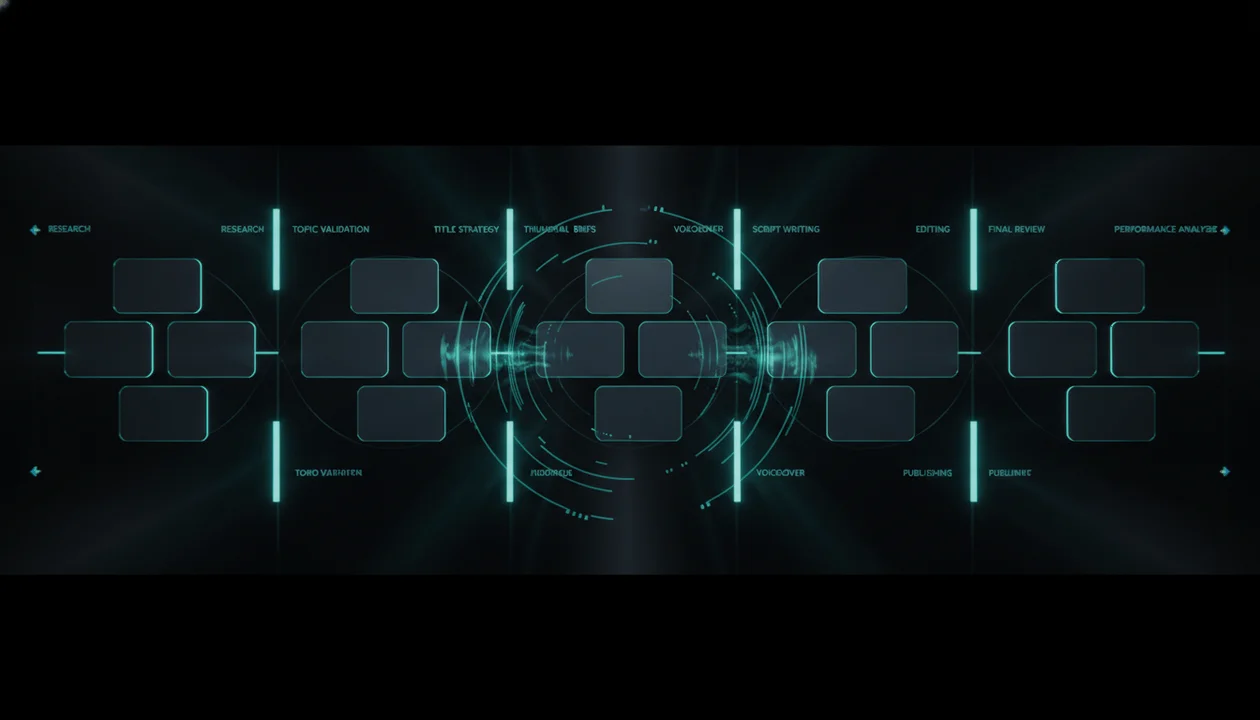
A real workflow system connects research, topics, titles, thumbnails, scripts, voiceovers, production, quality control, publishing, and learning into one repeatable process.
Because in 2026 and beyond, faceless YouTube is not only about making videos without showing your face.
It is about running a media operation without losing strategy between the steps.
Quick Answer: What Is Faceless YouTube Workflow Software?
Faceless YouTube workflow software helps creators manage the full production process of a faceless YouTube channel, from idea research to scripts, thumbnails, voiceovers, editing, publishing, and post-video review.
The goal is not only to make videos faster.
The goal is to make the right videos with fewer mistakes.
A good faceless YouTube workflow software should help you answer:
- What topics are ready for production?
- Which ideas still need research?
- What title and thumbnail promise are we using?
- What should the writer focus on?
- What should the voiceover sound like?
- What visuals should the editor use?
- What thumbnail direction should the designer follow?
- What stage is each video in?
- Who owns the next step?
- What quality checks must happen before publishing?
- What did we learn after the video went live?
That is the difference between a random faceless channel and a real faceless content system.
Key Takeaways
- Faceless YouTube creators do not only need content tools. They need a workflow system that keeps strategy connected from research to publishing.
- A faceless workflow breaks when the topic, title, thumbnail, script, voiceover, and edit are created in separate places with no shared context.
- The best faceless YouTube workflow software should support research, validated ideas, packaging, script briefs, voiceover, visual direction, thumbnail review, production status, upload assets, and performance learning.
- Project management tools can organize tasks, but they do not automatically understand YouTube strategy.
- AI tools can speed up production, but they can also create low-quality content faster if the workflow has no quality gates.
- Serious faceless channels need approval gates before scripting, before editing, before thumbnail finalization, and before publishing.
- OverseerOS aligns with this workflow because it helps creators analyze channels, find proven topics, plan videos, generate scripts, create thumbnails, and keep the YouTube strategy layer connected.
- The faceless creators who win in 2026 will not just automate. They will operate.
The Real Problem With Faceless YouTube Teams
A faceless YouTube channel usually has multiple moving parts.
Even if you are a solo creator, you are still doing multiple roles.
You are the strategist.
You are the researcher.
You are the writer.
You are the voice director.
You are the thumbnail strategist.
You are the editor or editor manager.
You are the uploader.
You are the analyst.
If you hire freelancers, the complexity grows.
Now you may have:
- A researcher
- A scriptwriter
- A voiceover artist
- An editor
- A thumbnail designer
- A channel manager
- A sponsor manager
- A reviewer
- An uploader
The problem is not having a team.
The problem is that each person often receives only a small piece of the idea.
The writer gets a title.
The editor gets a script.
The thumbnail designer gets a vague concept.
The voiceover artist gets no emotional direction.
The manager tracks deadlines but not strategy.
That is how videos become disconnected.
A good faceless workflow fixes this by keeping the strategy attached to the video from beginning to end.
Faceless Workflow Software vs Faceless Automation Software
These two things sound similar, but they solve different problems.
| Faceless YouTube Automation Software | Faceless YouTube Workflow Software |
|---|---|
| Helps generate or automate parts of production | Helps manage the full production system |
| Focuses on speed | Focuses on alignment, quality, and execution |
| Often starts with generation | Starts with strategy and validated ideas |
| Produces assets | Connects assets to the original video promise |
| Helps make content | Helps run the channel |
| Can create more output | Helps create better output |
| Useful for solo creators | Useful for solo creators and teams |
| Can become chaotic without workflow | Provides the workflow itself |
Automation answers:
How can we make this faster?
Workflow answers:
How do we make sure this video is worth making and every step supports the same promise?
You need both.
But workflow comes first.
Faceless Workflow Software vs Project Management Tools
Many faceless creators use project management tools.
That can work in the beginning.
But there is a problem.
Generic project management tools do not understand YouTube.
They can track tasks like:
Script due Friday
Thumbnail due Saturday
Edit due Monday
But they do not automatically track:
Viewer state
Demand proof
Original angle
Title promise
Thumbnail concept
Hook direction
Retention structure
Visual style
Voiceover tone
Pillar fit
Post-publish learning
That is where normal project management becomes too shallow.
A faceless YouTube workflow needs YouTube-specific fields.
Because a video is not just a task.
It is a strategic asset.
The 12 Stages of a Faceless YouTube Workflow
A serious faceless channel should not move straight from idea to production.
Use these 12 stages.
Stage 1: Research Inbox
This is where raw signals go.
Examples:
- Competitor video
- Breakout topic
- Search query
- Viewer comment
- Trend
- News item
- Viral title pattern
- Thumbnail inspiration
- Sponsor-relevant topic
- Repeated audience question
At this stage, nothing is approved.
It is just signal collection.
The mistake is treating every signal like a video idea.
A research inbox should separate:
Interesting signal
from:
Production-ready idea
Those are not the same.
Stage 2: Idea Validation
This is where you decide whether the idea deserves attention.
Ask:
- Is there proof of demand?
- Is this relevant to our audience?
- Does it fit a content pillar?
- Is there an original angle?
- Can this become a clear title?
- Can this become a strong thumbnail?
- Can we produce it well?
- Does it support the channel’s goal?
A weak idea should not move forward just because the calendar is empty.
A faceless workflow software should make weak ideas wait.
Stage 3: Angle Development
A topic is not enough.
The angle is what makes the topic worth clicking.
Topic:
AI tools
Weak angle:
Best AI Tools for Creators
Stronger angle:
The AI Tools Creators Actually Keep Using After the Hype
Topic:
Faceless YouTube automation
Weak angle:
How to Start Faceless YouTube Automation
Stronger angle:
The Faceless YouTube Channels That Will Survive 2026
Topic:
YouTube scripts
Weak angle:
How to Write YouTube Scripts
Stronger angle:
Why Your Faceless Script Sounds Like AI Slop
A workflow should not approve a topic until the angle is clear.
Stage 4: Packaging Gate
Before the script starts, define the package.
The package includes:
- Working title
- Thumbnail concept
- Viewer question
- Click promise
- Emotional driver
- Reason to watch now
- Main payoff
This is one of the most important stages.
A script written before the title and thumbnail direction is often unfocused.
The title tells the writer what promise must be delivered.
The thumbnail tells the editor and designer what visual idea must be supported.
The hook tells the viewer why they should stay.
If these are unclear, the video is not ready for scripting.
Stage 5: Script Brief
A script brief is not the same as a topic.
Bad brief:
Write a script about faceless YouTube.
Good brief:
Topic:
Faceless YouTube workflow software

Viewer:
Faceless creators who are using AI tools and freelancers but feel their production process is chaotic.

Problem:
Their topic, script, thumbnail, voiceover, and edit are disconnected.

Promise:
This video/article shows how to build a complete faceless workflow from research to post-publish review.

Tone:
Practical, serious, no hype.

Hook:
Most faceless channels do not fail because they lack tools. They fail because the workflow breaks between the tools.
The better the brief, the better the script.
A workflow software should make good briefs easy.
Stage 6: Script Draft
Now the writer creates the script.
The script should follow the brief.
A strong faceless script should include:
- Fast hook
- Clear setup
- Strong structure
- Visual moments
- Pattern interrupts
- Examples
- Simple language
- Retention loops
- Smooth transitions
- Strong payoff
The script should not feel like a blog post read aloud.
Faceless YouTube needs writing designed for voice, visuals, and pacing.
Stage 7: Script Review
Do not send the first draft straight to voiceover.
Review it first.
Check:
- Does the script match the title promise?
- Does the hook deliver fast?
- Is the structure clear?
- Are there boring sections?
- Does it repeat itself?
- Does it sound human?
- Are examples specific?
- Are claims sourced if needed?
- Are visual moments clear?
- Does the ending pay off the promise?
This stage saves money.
Bad scripts become expensive after voiceover and editing.
Stage 8: Voiceover Direction
Faceless creators often treat voiceover like a simple asset.
That is a mistake.
The voiceover controls trust, pacing, and emotion.
Before generating or recording voiceover, define:
Voice style:
Calm / urgent / documentary / conversational / serious / energetic

Pacing:
Slow / medium / fast

Emotion:
Curious / warning / confident / dramatic / warm

Pronunciation notes:
Names, tools, companies, technical terms

Delivery notes:
Where to pause, where to emphasize, where to slow down
A voiceover without direction can ruin a good script.
Stage 9: Visual Direction
The editor needs more than a script.
They need a visual plan.
A visual direction brief should include:
Overall style:
Premium documentary / clean SaaS / dramatic news / animated explainer / cinematic history

Scene types:
B-roll, screenshots, diagrams, AI images, charts, motion graphics, captions, screen recordings

Must-show moments:
Specific tools, logos, dashboards, evidence, examples, quotes, visual metaphors

Avoid:
Random stock footage, repetitive clips, fake visuals, misleading imagery

Pacing:
Fast cuts, slow documentary pacing, clean transitions, zooms, highlights
Faceless editing fails when visuals are only used to fill space.
Every visual should either explain, prove, or intensify the point.
Stage 10: Thumbnail Production
The thumbnail should not be designed at the end as an afterthought.
It should be connected to the original package.
A thumbnail brief should include:
- Main visual metaphor
- Emotion
- Focal point
- Contrast
- Text direction
- What to avoid
- Competitor thumbnails to avoid copying
- Channel style rules
- Mobile readability
- Alternate concepts
The thumbnail designer should understand the video promise, not just the topic.
Bad instruction:
Make a thumbnail about AI tools.
Better instruction:
Show the difference between overhyped AI tools and the few tools creators actually keep using. The feeling should be: most tools fade, a few survive.
That gives the designer an idea.
Stage 11: Pre-Publish Quality Control
Before publishing, run a final checklist.
Check:
- Title matches the video
- Thumbnail matches the title
- Hook matches the click promise
- Script delivers the payoff
- Visuals support the story
- Voiceover sounds natural
- Captions are correct
- Sources are accurate
- No copyrighted or reused material issues
- Description supports the video
- Chapters are useful
- End screen is relevant
- Pinned comment has purpose
- Sponsor integration is correct if included
A faceless channel should never publish only because the video is finished.
It should publish because the video passed quality control.
Stage 12: Post-Publish Review
Most creators skip this.
That is why they do not improve.
After publishing, review:
- CTR
- Average view duration
- First 30-second retention
- Biggest drop-off point
- Traffic source
- Comments
- Subscriber conversion
- Returning viewers
- Search terms
- Suggested videos
- Whether the topic should become a series
- Whether the thumbnail style worked
- Whether the title promise was too broad
- Whether the script delivered too slowly
The review should create learning.
Not just a performance report.
Every video should improve the next video.
The Faceless Video Workflow Board
A faceless YouTube workflow software should organize videos by stage.
Here is a practical board structure.
Research Inbox
↓
Needs Validation
↓
Validated Ideas
↓
Packaging in Progress
↓
Ready for Script
↓
Script Drafting
↓
Script Review
↓
Voiceover
↓
Editing
↓
Thumbnail
↓
Final Review
↓
Scheduled
↓
Published
↓
Performance Review
↓
Repurpose / Series / Archive
This board gives the channel visibility.
At any moment, you should know:
- What is blocked
- What is ready
- What needs review
- What is late
- What should be published next
- What performed well
- What should become a series
A creator without workflow visibility is always reacting.
A creator with workflow visibility can operate.
The 5 Approval Gates Every Faceless Channel Needs
Approval gates prevent weak work from moving forward.
Gate 1: Idea Approval
Do not approve an idea unless it has:
- Audience fit
- Demand proof
- Pillar fit
- Original angle
- Production feasibility
Gate 2: Packaging Approval
Do not approve scripting unless the video has:
- Working title
- Thumbnail concept
- Viewer question
- Hook direction
- Clear promise
Gate 3: Script Approval
Do not approve voiceover unless the script:
- Matches the title
- Delivers the promise
- Has strong pacing
- Includes visual moments
- Avoids filler
- Sounds human
Gate 4: Edit Approval
Do not approve upload unless the edit:
- Supports the script
- Avoids random visuals
- Keeps pacing strong
- Uses clean audio
- Feels consistent with the channel
- Has no obvious quality issues
Gate 5: Publish Approval
Do not publish unless:
- Title and thumbnail work together
- Description is complete
- Sponsor integration is correct
- End screen is set
- Captions are checked
- Metadata is complete
- The final video matches the original strategy
These gates make the workflow slower at first.
Then they make the channel faster because fewer mistakes reach the final stage.
The Faceless YouTube Workflow Scorecard
Use this to audit your current workflow.
| Question | Score 1 to 5 |
|---|---|
| Do you collect research signals in one place? | |
| Do you validate ideas before scripting? | |
| Does every video have a clear original angle? | |
| Do you approve title and thumbnail direction before writing? | |
| Does the writer receive a real strategy brief? | |
| Does the voiceover have tone and pacing direction? | |
| Does the editor receive visual direction? | |
| Does the thumbnail designer understand the click promise? | |
| Do you run quality control before publishing? | |
| Do you review performance after publishing? |
Scoring guide:
- 43 to 50: Strong faceless workflow.
- 35 to 42: Good foundation with some weak handoffs.
- 26 to 34: The channel is producing, but strategy is leaking between steps.
- Below 26: The channel is operating chaotically.
Your lowest score shows the first thing to fix.
Why Workflow Matters More When You Use AI
AI makes weak workflows more dangerous.
Without AI, a bad workflow produces slowly.
With AI, a bad workflow produces quickly.
That means you can create more low-quality content before realizing the system is broken.
AI can help with:
- Research summaries
- Topic expansion
- Title variations
- Script outlines
- Script drafts
- Thumbnail ideas
- Voiceover
- Visual prompts
- Repurposing
- Upload descriptions
But AI cannot automatically know your channel strategy unless the workflow gives it context.
A bad AI prompt says:
Write a YouTube script about productivity.
A better workflow says:
Write a script for our faceless productivity channel.

Viewer:
People who feel busy all day but still make no progress.

Angle:
The Productivity Trap That Makes You Feel Busy But Keeps You Stuck.

Title promise:
The viewer will understand why doing more tasks is not the same as making progress.

Tone:
Simple, direct, serious, practical.

Structure:
1. Open with the feeling of being busy but stuck
2. Explain the false productivity loop
3. Show the hidden cause
4. Give a simple system to fix it
5. End with a clear behavior shift
The second output will be better because the workflow is better.
AI does not replace workflow.
AI rewards workflow.
The Faceless Team Handoff System
Every stage needs a handoff.
Here are the most important handoffs.
Researcher to Strategist
Topic:
Source signal:
Competitor examples:
Breakout proof:
Search proof:
Audience comments:
Why this matters:
Suggested angle:
Risks:
Strategist to Writer
Topic:
Viewer state:
Original angle:
Title direction:
Thumbnail concept:
Hook direction:
Script structure:
Key points:
Examples:
What to avoid:
Writer to Voiceover
Script:
Tone:
Pacing:
Pronunciation notes:
Emphasis notes:
Pause notes:
Energy level:
Writer to Editor
Script:
Visual style:
Scene notes:
Must-show moments:
Evidence needed:
B-roll suggestions:
Text-on-screen notes:
Pacing:
What to avoid:
Strategist to Thumbnail Designer
Title:
Viewer emotion:
Visual metaphor:
Main object or character:
Text direction:
Style reference:
Competitors to avoid copying:
Mobile readability note:
Editor to Reviewer
Final video:
Known issues:
Creative choices:
Missing assets:
Questions:
Version number:
Reviewer to Publisher
Approved title:
Approved thumbnail:
Description:
Tags:
Pinned comment:
Chapters:
End screen:
Sponsor notes:
Publish date:
This looks detailed because faceless YouTube is detail-heavy.
A workflow system makes these handoffs easier.
Solo Creator Workflow vs Team Workflow
A solo creator still needs a workflow.
The difference is that one person owns all roles.
Solo Creator Workflow
Monday:
Research and validate ideas

Tuesday:
Package 2 video ideas

Wednesday:
Write script

Thursday:
Voiceover and visual planning

Friday:
Edit

Saturday:
Thumbnail and upload

Sunday:
Review analytics and improve backlog
The key is not doing everything perfectly.
The key is separating the stages.
Do not research, write, edit, and thumbnail all at the same time.
That creates messy decisions.
Team Workflow
Researcher:
Finds signals and prepares topic briefs

Strategist:
Approves ideas and packaging

Writer:
Writes from approved brief

Voiceover:
Records or generates approved narration

Editor:
Edits from visual direction

Thumbnail designer:
Creates based on packaging direction

Manager:
Tracks status and deadlines

Reviewer:
Checks quality and alignment
A team without workflow becomes expensive chaos.
A team with workflow becomes leverage.
The Weekly Faceless Channel Workflow
Here is a simple weekly system for a faceless channel publishing 3 videos per week.
Monday: Research and Validation
- Review competitor uploads
- Find breakout topics
- Check search and trend signals
- Add raw signals to research inbox
- Validate 5 to 10 topic candidates
- Approve 3 to 5 ideas
Tuesday: Packaging
- Build title directions
- Create thumbnail concepts
- Define viewer state
- Write hook directions
- Approve packages before scripting
Wednesday: Scripts
- Write scripts from briefs
- Review for pacing and promise match
- Add visual notes
- Approve voiceover-ready scripts
Thursday: Voiceover and Editing
- Generate or record voiceovers
- Send visual direction to editor
- Begin edit assembly
- Create thumbnail drafts
Friday: Review
- Review edits
- Review thumbnails
- Check title-thumbnail alignment
- Fix weak intros
- Prepare descriptions
Saturday: Schedule
- Upload videos
- Add metadata
- Add end screens
- Add pinned comments
- Schedule posts
Sunday: Learn
- Review analytics
- Identify weak points
- Save lessons
- Update content backlog
- Decide what deserves a follow-up
This weekly system is simple enough to run.
But it is structured enough to improve.
The 90-Day Faceless Workflow Plan
Use this if you are building or rebuilding a faceless channel.
Days 1 to 15: Strategy Setup
Build:
- Channel promise
- Target viewer states
- Content pillars
- Competitor list
- Visual style rules
- Voiceover rules
- Script structure
- Thumbnail rules
- Workflow board
Goal:
Create the system before scaling production.
Days 16 to 30: Test Videos
Produce 3 to 6 videos.
Focus on:
- Different pillars
- Different title styles
- Different thumbnail concepts
- Different script structures
- Different video lengths
Goal:
Find early signals, not perfection.
Days 31 to 60: Workflow Improvement
Review:
- Which handoffs were unclear?
- Which stages caused delays?
- Which scripts needed too many edits?
- Which thumbnails missed the promise?
- Which videos had weak hooks?
- Which pillars showed demand?
Goal:
Fix the workflow before increasing output.
Days 61 to 90: Scale Carefully
Now increase output only if the system is stable.
Add:
- More topic research
- More validated ideas
- Better templates
- Clearer freelancer briefs
- Stronger review process
- Post-publish learning loop
Goal:
Scale what works, not what is chaotic.
This is how you avoid building a fast machine that produces weak videos.
How OverseerOS Fits Faceless YouTube Workflow Software
OverseerOS is built for creators who want to stop guessing what to upload.
That makes it a strong fit for faceless YouTube workflows.
Faceless creators need connected systems because the work is spread across many stages:
- Research
- Competitor analysis
- Topic planning
- Titles
- Thumbnails
- Scripts
- Voiceovers
- Production
- Review
OverseerOS helps connect the strategy layer before and during production.
You can use OverseerOS to:
- Analyze successful YouTube channels
- Reverse-engineer channel strategies with the Channel Blueprint Cloner
- Discover fast-growing channels with Viral Channel Finder
- Track competitors and breakout topics
- Save ideas into a content planner
- Turn validated topics into scripts
- Generate title, hook, and thumbnail directions
- Create voiceovers inside the workflow
- Build a repeatable content system for faceless channels
That is the key advantage.
A generic project management tool can tell you:
The script is due tomorrow.
OverseerOS helps you understand:
Why this script should exist, what audience it serves, what pattern it comes from, and how to turn it into a stronger video.
That is why OverseerOS helps creators reverse-engineer winning YouTube patterns and turn them into original content plans.
Faceless YouTube is not just production.
It is strategy plus production.
The Faceless Workflow Template
Use this template for every video.
Faceless YouTube Workflow Template

Video ID:
Working title:
Content pillar:
Video role:
Target viewer:
Viewer state:
Demand proof:
- Competitor signal:
- Breakout signal:
- Search signal:
- Trend signal:
- Comment signal:

Original angle:
Why this video should exist:
Thumbnail concept:
Hook direction:
Script structure:
Voiceover tone:
Visual style:
Editing notes:
Sources or references:
What to avoid:
Production owner:
Thumbnail owner:
Review owner:
Upload owner:
Status:
Deadline:
Publish date:

Quality control:
[ ] Title matches video
[ ] Thumbnail matches title
[ ] Hook delivers fast
[ ] Script sounds human
[ ] Visuals support the idea
[ ] Voiceover is clean
[ ] Captions checked
[ ] Description complete
[ ] End screen added
[ ] Final review complete

Post-publish review:
CTR:
Average view duration:
First 30-second retention:
Main traffic source:
Best comment insight:
Biggest drop-off:
What worked:
What failed:
Follow-up idea:
This template turns one video into a managed asset.
Not just a file.
The Biggest Mistakes Faceless Creators Make With Workflow
Mistake 1: Moving Topics to Script Too Early
A topic should not become a script until the angle and package are clear.
If the writer receives a weak topic, they will usually create a weak script.
Mistake 2: Treating the Thumbnail as a Separate Task
The thumbnail is part of the idea.
It should be connected to the title, hook, and viewer emotion.
Do not design it after everything else is finished.
Mistake 3: Giving Editors No Visual Strategy
Editors are not mind readers.
If the editor receives only a script, they will fill gaps with random visuals.
Give them scene direction.
Mistake 4: Skipping Script Review
Voiceover and editing are expensive stages.
Fix the script before it reaches them.
Mistake 5: Publishing Without Learning
Every video gives you data.
If that data does not update the system, the channel does not compound.
What Great Faceless Workflow Software Should Feel Like
The best faceless YouTube workflow software should make the creator feel in control.
You should be able to open it and instantly see:
- What ideas are waiting
- What topics are validated
- What scripts are in progress
- What videos are blocked
- What thumbnails need review
- What voiceovers are ready
- What uploads are scheduled
- What published videos need analysis
- What topics deserve follow-ups
- What pillars are working
It should reduce mental load.
It should reduce context loss.
It should help the team move faster without becoming sloppy.
Most importantly, it should protect the channel from random output.
Final Verdict: Faceless YouTube Needs Operations, Not Just Tools
The next wave of faceless YouTube will not be won by creators who collect the most AI tools.
It will be won by creators who build the best workflows.
Because tools are everywhere now.
Scripts are easy to generate.
Voiceovers are easy to create.
Images are easy to produce.
Ideas are easy to brainstorm.
What is not easy is keeping the whole system aligned.
The winning faceless creator will know:
- Which topics deserve production
- What the title promises
- What the thumbnail must communicate
- What the script must deliver
- What voiceover tone fits the video
- What visuals support the story
- What quality gates protect the channel
- What performance data should shape the next upload
That is a workflow advantage.
If you want to build that advantage, use OverseerOS to analyze successful channels, track competitors, find proven topics, plan videos, generate scripts, create thumbnails, produce voiceovers, and turn faceless YouTube into a connected workflow.
Do not run your faceless channel from scattered docs, chats, and guesses.
Build the workflow.
Then scale.
FAQ
What is faceless YouTube workflow software?
Faceless YouTube workflow software helps creators manage the full production process of a faceless YouTube channel, including research, topic validation, titles, thumbnails, scripts, voiceovers, editing, publishing, and post-publish review.
How is faceless workflow software different from YouTube automation software?
Faceless automation software usually focuses on producing content faster. Faceless workflow software focuses on managing the full system so every video moves from research to publishing with clear strategy, quality control, and team handoffs.
Do faceless YouTube creators need workflow software?
Yes, especially if they use freelancers, AI tools, or multiple production steps. Workflow software helps prevent context loss between research, scripting, thumbnails, voiceovers, editing, and uploading.
What should a faceless YouTube workflow include?
A strong workflow should include a research inbox, idea validation, angle development, packaging, script briefs, script review, voiceover direction, visual direction, thumbnail production, final quality control, publishing, and performance review.
Can I use Trello or Notion for faceless YouTube workflow?
Yes, but generic project tools may not include YouTube-specific strategy fields like viewer state, demand proof, title promise, thumbnail direction, hook, pillar fit, and retention notes. A YouTube-focused workflow system can keep strategy more connected.
Why do faceless YouTube teams fail?
Many faceless teams fail because their workflow is disconnected. The writer, editor, thumbnail designer, and voiceover artist often work from incomplete context, causing the final video to feel generic, misaligned, or low quality.
How does workflow software help avoid AI slop?
Workflow software helps avoid AI slop by adding human strategy, validation, script review, visual direction, quality control, and post-publish learning before content is scaled. It stops creators from mass-producing weak videos from vague prompts.
How does OverseerOS help faceless YouTube workflows?
OverseerOS helps faceless creators analyze channels, track competitors, find proven topics, save ideas into a content planner, generate scripts, create title and thumbnail directions, produce voiceovers, and connect research with production.