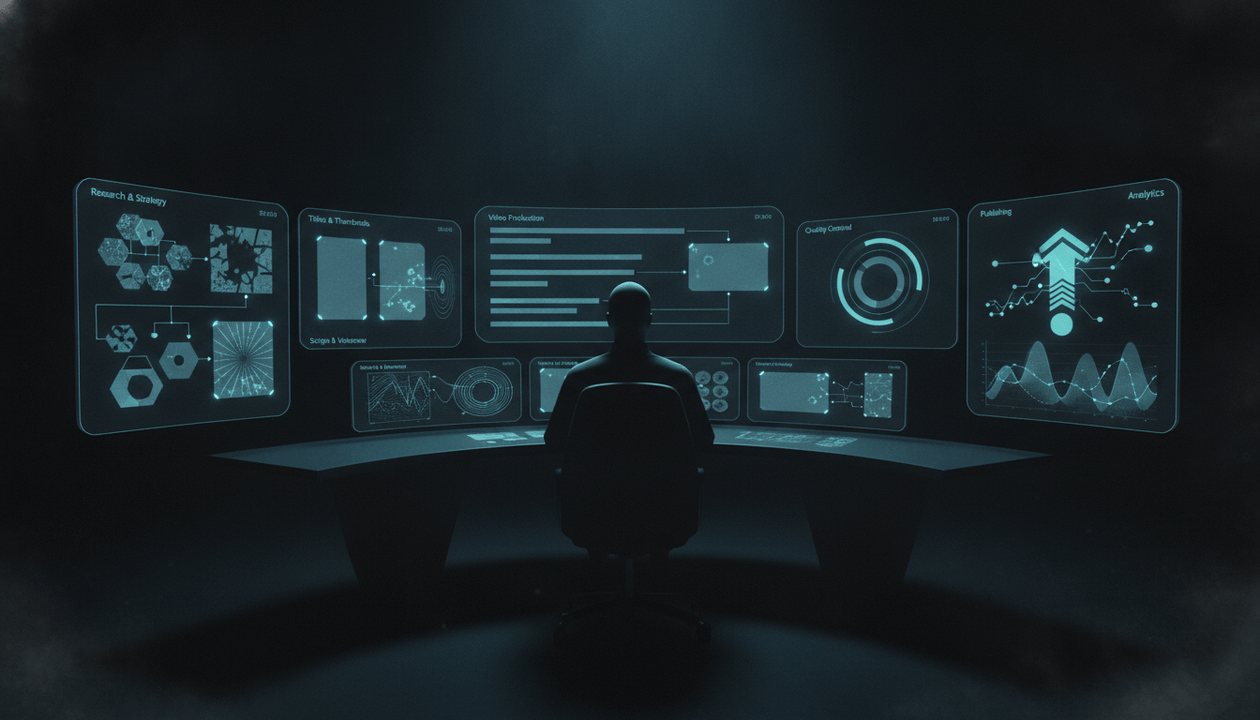
The old creator model was simple:
One person. One camera. One idea. One upload.
That still works for some creators.
But it is no longer the only serious model.
In 2026, the best YouTube creators are starting to operate less like hobbyists and more like small media studios. They still need creativity, taste, personality, and audience instinct, but behind the scenes they also need research systems, production pipelines, packaging workflows, quality control, analytics review, and repeatable formats.
That is the creator-as-studio model.
It does not mean every creator needs a big team.
It means every serious creator needs a system.
A solo creator can run like a studio.
A faceless YouTube operator can run like a studio.
A personal brand can run like a studio.
A small content team can run like a studio.
The difference is not headcount. The difference is how the work is organized.
A creator makes videos.
A creator-studio builds a repeatable content machine.
That machine knows how to find winning topics, validate demand, package ideas, write scripts, produce videos, review performance, and turn lessons into the next upload.
This guide breaks down how the creator-as-studio model works, why it matters in 2026, and how YouTubers can build a studio-level workflow without losing creativity.
Key Takeaways
- The creator-as-studio model means treating your channel like a small media company with repeatable systems for research, packaging, scripting, production, publishing, and analytics.
- You do not need a large team to operate like a studio. You need clear roles, workflows, standards, and feedback loops.
- The biggest shift is moving from “What video should I make?” to “What production system helps us repeatedly make better videos?”
- Personal creators need a studio system to protect their time and scale their ideas without losing their voice.
- Faceless channels need a studio system to avoid generic output, random visuals, weak scripts, and inconsistent quality.
- AI makes the creator-as-studio model more accessible, but only if creators use AI inside a structured workflow rather than as a shortcut.
- OverseerOS fits naturally into this model because it helps creators analyze channels, find proven patterns, plan topics, create titles, generate thumbnails, write scripts, produce voiceovers, and move faceless projects into OverseerOS Auto Edit workflows.
What Is the Creator-as-Studio Model?
The creator-as-studio model is a way of running a YouTube channel like a small production company.
Instead of treating each video as a separate creative project, the creator builds a repeatable system around the channel.
That system includes:
| Studio Function | What It Means for YouTube |
|---|---|
| Strategy | What the channel is trying to become |
| Research | What topics, formats, and competitors are working |
| Development | Which ideas deserve to become videos |
| Packaging | Titles, thumbnails, hooks, and intro promises |
| Writing | Scripts, outlines, talking points, story structure |
| Production | Voice, visuals, recording, editing, captions, motion |
| Quality control | Accuracy, originality, pacing, brand fit, promise delivery |
| Publishing | Metadata, upload timing, descriptions, end screens |
| Distribution | Shorts, community posts, newsletters, clips, social repurposing |
| Analytics | What each video teaches the next one |
Most creators do some of these things.
Creator-studios connect them into one system.
That is the key.
A creator might write a title after editing.
A creator-studio builds the title before writing the script because the title defines the viewer promise.
A creator might pick ideas from inspiration.
A creator-studio validates topics against audience desire, competitor signals, and packaging potential.
A creator might check views after publishing.
A creator-studio diagnoses whether the result was a topic problem, packaging problem, retention problem, traffic-source problem, or channel-fit problem.
The same work happens.
The difference is that the work becomes intentional.
Why YouTubers Need to Think Like Studios in 2026
YouTube is no longer just a place where people upload videos.
It is part search engine, part entertainment network, part creator economy, part streaming platform, part education library, part AI media environment, and part business infrastructure.
That changes what serious creators need.
The modern creator is not only competing with other people holding cameras.
They are competing with:
- Faceless channels using AI-assisted workflows.
- Personal brands with dedicated editors.
- Media companies building creator-native content.
- Brands launching original content divisions.
- Creators turning YouTube audiences into films, podcasts, products, newsletters, paid communities, and software.
- AI-generated content farms increasing the volume of low-effort uploads.
- Small teams that can produce faster because they have systems.
The lesson is not that every creator needs to become a corporation.
The lesson is that creators need operational leverage.
If you rely only on inspiration, you will eventually get outpaced by people who have a process.
If you rely only on volume, you will eventually lose to people with better taste.
If you rely only on AI, you will eventually look generic.
The winning model is:
Human taste plus studio systems plus AI leverage.
That is the creator-as-studio model.
The Old Creator Model vs the Creator-as-Studio Model
| Area | Old Creator Model | Creator-as-Studio Model |
|---|---|---|
| Ideas | Based on inspiration | Captured from audience, competitors, trends, analytics, and search |
| Strategy | “Post consistently” | Clear positioning, content pillars, and format portfolio |
| Packaging | Added near the end | Built before scripting |
| Scripts | Written from scratch each time | Built from proven structures and retention maps |
| Production | Manual and reactive | Pipeline-based and repeatable |
| Quality control | Based on feeling | Checklist-based review |
| Analytics | Views and likes | Diagnosis by CTR, retention, traffic source, comments, and channel fit |
| Team | Everyone does everything | Roles and responsibilities are clear |
| AI usage | Random generation | AI supports specific workflow stages |
| Growth | Hope the next upload works | Build a compounding learning loop |
The creator-as-studio model does not remove creativity.
It makes creativity repeatable.
The 8 Departments of a Modern YouTube Creator-Studio
You do not need eight separate people.
You need eight separate functions.
A solo creator can do all of them.
A small team can assign them.
A faceless channel can automate or delegate parts of them.
But if any function is missing, the channel becomes weaker.
1. Strategy Department: Decide What the Channel Is Becoming
Every studio needs a strategy.
For YouTube, strategy means answering:
- What should this channel be known for?
- Who is the core audience?
- What promise does the channel make?
- What topics belong here?
- What topics should we ignore?
- What formats can repeat?
- What does the channel do better than competitors?
- What should viewers feel after watching?
Weak strategy:
“We make videos about AI.”
Studio-level strategy:
“We explain the hidden business, power, and money behind AI for viewers who want to understand where technology is really going.”
Weak strategy:
“We make faceless psychology videos.”
Studio-level strategy:
“We turn everyday manipulation, confidence, and social behavior patterns into cinematic lessons people recognize in their own lives.”
Weak strategy:
“We make YouTube growth content.”
Studio-level strategy:
“We help creators build channels from proven patterns instead of guessing.”
A studio does not chase every idea.
It filters every idea through the channel promise.
2. Research Department: Find the Signals Before Creating
The research department finds what is already working.
It looks at:
- Competitor channels.
- Breakout videos.
- Viewer comments.
- Search demand.
- Trend movements.
- Shorts performance.
- Long-form performance.
- Titles and thumbnails.
- Sponsorship patterns.
- Community questions.
- Industry news.
- Audience pain points.
Most creators research too casually.
They watch competitors and say:
“This topic got views. Let’s make something similar.”
That is shallow.
A studio asks:
- Did the video outperform the channel’s average?
- Was the success driven by topic, title, thumbnail, timing, personality, or format?
- Are multiple channels proving the same demand?
- Is the topic still rising or already overused?
- What audience desire did the video satisfy?
- What angle did the creator use?
- Can we make a unique version without copying?
The output of research should not be “ideas.”
It should be evidence.
Bad research note:
“Make a video about AI agents.”
Better research note:
“Multiple AI business channels have breakout videos framing AI agents as workflow replacements, not just chatbots. Strong angle opportunity: AI agents are not replacing apps first, they are replacing the dashboard layer creators use to manage production.”
That is usable.
That is strategy.
OverseerOS Channel Analyzer, OverseerOS Viral X-Ray, OverseerOS Viral Channel Finder, and OverseerOS Overseer Feed are designed for this kind of research-first workflow. The point is not to copy successful channels. The point is to identify patterns that already have market proof.
3. Development Department: Turn Signals Into Video Concepts
In a studio, development is where raw ideas become real projects.
For YouTube, that means taking research signals and shaping them into content concepts.
A concept is stronger than a topic.
Topic:
“AI video tools”
Concept:
“AI video tools will not save weak creators because the real advantage is workflow, not generation.”
Topic:
“YouTube thumbnails”
Concept:
“Most thumbnails fail because they do not create one clear question in the viewer’s mind.”
Topic:
“Faceless YouTube”
Concept:
“Faceless channels fail when they have no trust system.”
A development department answers:
- What is the core argument?
- What is the audience promise?
- What is the unique angle?
- What is the emotional tension?
- What examples prove the point?
- What format fits this idea?
- Is this a search asset, suggested-video play, authority builder, trend capture, or conversion asset?
Use this development scorecard.
| Factor | Score 1 | Score 3 | Score 5 |
|---|---|---|---|
| Audience desire | Weak | Clear | Urgent or emotional |
| Proof of demand | None | Some | Strong repeated signals |
| Channel fit | Random | Related | Perfect fit |
| Packaging potential | Weak | Usable | Strong title and thumbnail tension |
| Retention potential | Thin | Moderate | Strong reveals and escalation |
| Production fit | Difficult | Manageable | Repeatable |
| Strategic value | Low | Useful | Builds the channel’s future |
A studio does not produce every idea.
It develops the best ideas.
4. Packaging Department: Build the Promise Before the Script
Packaging is not decoration.
It is the market test before the video exists.
A strong packaging department builds:
- Title options.
- Thumbnail concepts.
- Hook direction.
- Intro promise.
- Audience emotion.
- Traffic-source strategy.
The mistake most creators make is packaging too late.
They finish the video and then ask:
“What should we call this?”
A studio asks earlier:
“What promise would make the right viewer care?”
Packaging should happen before scripting because packaging forces clarity.
Example:
Raw topic:
“Creator production workflow”
Weak title:
“How to Make YouTube Videos Faster”
Stronger title:
“The Creator-as-Studio Model: How Serious YouTubers Should Run Content Production in 2026”
Thumbnail concept:
Solo creator surrounded by chaos vs clean studio command center.
Hook:
“The best creators in 2026 are not just making videos. They are building production systems.”
Now the project has direction.
OverseerOS Viral Title Architect, OverseerOS Thumbnail Analyzer, and OverseerOS AI YouTube Thumbnail Generator help creators build packaging from patterns, not guesses. The goal is to make the promise clear before production costs begin.
5. Writing Department: Build Retention Into the Script
A studio-level script is not just information.
It is retention architecture.
It needs:
- A strong opening.
- A clear viewer promise.
- Fast context.
- A first payoff.
- Escalating stakes.
- Specific examples.
- Pattern breaks.
- Clean transitions.
- A final synthesis.
Weak script structure:
Intro → explanation → more explanation → conclusion.
Studio-level structure:
Tension → reframe → proof → framework → examples → mistake warnings → implementation → payoff.
Example for a YouTube strategy video:
Weak opening:
“Today we are going to talk about how to plan YouTube videos.”
Stronger opening:
“Most creators do not have an idea problem. They have a filtering problem. They collect topics, but they do not have a system that tells them which ideas deserve production time.”
That is not just writing.
That is positioning.
The writing department should ask:
- Does the first sentence earn attention?
- Does every section move the video forward?
- Is there a clear reason to keep watching?
- Are we saying anything original?
- Could this script belong to any channel?
- Where does the viewer get the first payoff?
- What is the final idea the viewer remembers?
OverseerOS Script ReSpark and OverseerOS Quality Script Generation fit here because the point is not to generate generic text. The point is to turn a validated angle into a stronger, more watchable structure.
6. Production Department: Turn the Plan Into a Finished Asset
Production is where many creator systems break.
The idea is good.
The title is strong.
The script is solid.
Then the video looks random.
For personal creators, production means:
- Recording.
- Lighting.
- Camera.
- Delivery.
- B-roll.
- Editing.
- Captions.
- Sound.
- Clips.
- Upload assets.
For faceless creators, production means:
- Voiceover.
- Scene planning.
- Visual style.
- AI visuals or stock assets.
- Captions.
- Motion.
- Music.
- FX.
- Pacing.
- Export.
A studio-level production system has standards.
It defines:
- What the video should feel like.
- What visual style belongs to the channel.
- How fast the pacing should be.
- What captions should look like.
- What music is acceptable.
- What quality level is required before publishing.
- What mistakes cause the video to be sent back.
For faceless YouTube, this is critical.
Faceless channels often fail because every scene feels disconnected. One image looks cinematic, the next looks like stock footage, the next looks like a random AI robot, and the next has no connection to the narration.
A studio avoids that by creating a visual system.
The production department should ask:
- Does every scene match the narration?
- Does the visual style stay consistent?
- Does the video feel premium or generic?
- Do captions support attention?
- Does the music match the emotional arc?
- Are there enough pattern breaks?
- Does the final video deliver the title promise?
OverseerOS Auto Edit is built for this production layer. It helps creators move from script and voiceover into scene-based faceless video production with visual direction, captions, music, motion, FX, and export workflows. That makes it useful for creators who want studio-level structure without manually rebuilding the production process every time.
7. Quality Control Department: Protect Trust Before Publishing
A studio does not publish just because a video is finished.
It publishes when the video passes quality control.
This matters more in 2026 because AI-assisted production can make weak videos look finished before they are actually good.
A video can have:
- A polished voiceover.
- Clean visuals.
- Nice captions.
- Good music.
- A strong thumbnail.
And still be bad.
Quality control checks the deeper issues.
Studio-Level YouTube QC Checklist
Before publishing, ask:
- Does the video deliver the title and thumbnail promise?
- Is the opening strong enough?
- Is any claim unsupported or exaggerated?
- Does the script have original insight?
- Does the pacing slow down anywhere?
- Are the visuals relevant or just decorative?
- Does the video fit the channel’s positioning?
- Would a viewer trust this channel more after watching?
- Would this video make sense inside a content library?
- Is the video too similar to a previous upload?
- Is the thumbnail accurate?
- Does the description support the video?
- Are end screens and next-video paths planned?
For faceless channels, add:
- Does the AI voice sound natural enough?
- Are visual scenes consistent?
- Are generated images misleading?
- Are real people, events, or places represented responsibly?
- Does any synthetic content require disclosure?
- Does the video look like a content farm?
For personal creators, add:
- Does this still sound like me?
- Did AI remove my voice or sharpen it?
- Is there a real opinion?
- Is there personal proof, taste, or experience?
- Would my audience feel this is authentic?
Quality control is not bureaucracy.
It is brand protection.
8. Analytics Department: Turn Results Into Better Decisions
The analytics department turns publishing into learning.
A creator checks views.
A studio diagnoses performance.
It asks:
- Did YouTube test the video?
- Did the packaging earn clicks?
- Did the hook keep viewers?
- Did retention drop at a specific moment?
- Which traffic source worked?
- Did subscribers respond?
- Did new viewers respond?
- Did comments reveal a stronger follow-up?
- Should this become a series?
- Should the title or thumbnail be updated?
- Should we make a shorter version, deeper version, or adjacent topic?
Use this diagnosis table.
| Result | Likely Meaning | Studio Decision |
|---|---|---|
| High CTR, low retention | Packaging worked, video disappointed | Fix hook, intro, or structure |
| Low CTR, high retention | Strong content, weak packaging | Repackage title and thumbnail |
| High impressions, low CTR | YouTube tested it, viewers ignored it | Sharpen promise |
| Strong search, weak browse | Useful topic, low curiosity | Build a more emotional angle |
| Strong browse, weak subscribers | Broad topic, weak channel fit | Reconnect to core promise |
| Strong comments, average views | Audience cares, packaging may be weak | Make a stronger follow-up |
| Good first minute, later drop | Hook works, middle is weak | Improve pacing and reveals |
| Low performance across all signals | Weak idea or wrong audience | Do not repeat without major change |
This is how a channel compounds.
Every upload becomes research.
Every result improves the next decision.
How Solo Creators Can Use the Creator-as-Studio Model
The creator-as-studio model can sound overwhelming if you imagine hiring a full team.
That is not required.
A solo creator can use the same model by separating roles in time.
For example:
Monday: Strategist
Choose what matters.
- Review channel direction.
- Choose content pillar.
- Pick target audience.
- Decide what the next video should accomplish.
Tuesday: Researcher
Find proof.
- Study competitors.
- Read comments.
- Check search demand.
- Collect examples.
- Save references.
Wednesday: Development Producer
Shape the concept.
- Write the angle.
- Score the idea.
- Build title options.
- Create thumbnail concepts.
- Write the hook.
Thursday: Writer
Create the structure.
- Outline.
- Script.
- Edit for clarity.
- Build retention beats.
Friday: Producer
Make the asset.
- Record.
- Generate voiceover.
- Create visuals.
- Edit.
- Add captions.
- Prepare thumbnail.
Saturday: Quality Control
Review like a stranger.
- Does it deliver?
- Is it clear?
- Is it too slow?
- Does the thumbnail match?
- Would I click this?
- Would I keep watching?
Sunday: Analyst
Learn.
- Review published videos.
- Diagnose results.
- Plan follow-ups.
- Update the content system.
One person.
Seven roles.
That is how a solo creator becomes more operational without becoming corporate.
How Faceless Channels Can Use the Creator-as-Studio Model
Faceless channels benefit even more from this model because they usually involve multiple workflow stages.
A faceless channel might have:
- Researcher.
- Scriptwriter.
- Voiceover artist.
- Thumbnail designer.
- Editor.
- Channel manager.
- Publisher.
- Analyst.
Without a studio model, this becomes messy fast.
The researcher sends broad topics.
The writer writes generic scripts.
The voiceover sounds disconnected.
The editor picks random visuals.
The thumbnail designer creates a different promise.
The publisher uploads without checking.
Then the channel owner wonders why the video failed.
A studio model fixes this by creating a shared brief.
Faceless Video Creative Brief
Every video should have one.
| Field | Example |
|---|---|
| Channel pillar | AI power and business |
| Target viewer | Creators and entrepreneurs following AI disruption |
| Core idea | Big Tech is treating AI infrastructure like oil infrastructure |
| Viewer promise | Understand why AI spending is becoming a capital war |
| Emotional tone | High-stakes, powerful, cinematic |
| Title direction | “Why Big Tech Is Spending Like AI Is the New Oil” |
| Thumbnail direction | CEOs competing around a massive oil barrel or data-center metaphor |
| Hook | “AI companies are no longer just competing on software. They are competing on infrastructure.” |
| Visual style | Dark cinematic, data centers, oil metaphor, CEOs, maps, capital flows |
| Must include | Google, Anthropic, compute partnerships, cloud infrastructure, chip supply |
| Must avoid | Generic robots, random glowing brains, fake claims |
| CTA | Ask viewers what they think about the AI capital race |
That brief makes the whole team better.
The editor knows the visual world.
The writer knows the angle.
The thumbnail designer knows the promise.
The publisher knows the positioning.
The channel owner can judge the result.
This is what separates a serious faceless operation from random AI content.
The Creator-Studio Workflow Map
Here is the full workflow.
1. Signal Capture
Inputs:
- Competitor videos.
- Viral topics.
- Comments.
- Search trends.
- News.
- Sponsor demand.
- Audience questions.
- Past analytics.
Output:
Raw idea pool.
2. Idea Validation
Inputs:
- Audience desire.
- Proven demand.
- Channel fit.
- Packaging potential.
- Retention potential.
- Production cost.
Output:
Prioritized video concepts.
3. Creative Brief
Inputs:
- Core angle.
- Viewer promise.
- Title options.
- Thumbnail direction.
- Hook.
- Visual style.
- Sources.
- Must-avoid notes.
Output:
Production-ready plan.
4. Script and Structure
Inputs:
- Creative brief.
- Research notes.
- Retention map.
- Examples.
Output:
Script or talking-point structure.
5. Production
Inputs:
- Script.
- Voiceover.
- Visual direction.
- Thumbnail concept.
- Editing rules.
Output:
Draft video.
6. Quality Control
Inputs:
- Draft video.
- Promise checklist.
- Accuracy checklist.
- Brand-fit checklist.
Output:
Publish-ready video.
7. Publishing
Inputs:
- Title.
- Thumbnail.
- Description.
- Tags.
- Chapters.
- End screens.
- Pinned comment.
- Related videos.
Output:
Live video.
8. Performance Review
Inputs:
- Impressions.
- CTR.
- Retention.
- Traffic sources.
- Comments.
- Subscriber response.
- Revenue or conversion signals.
Output:
Next decision.
That is the creator-as-studio machine.
The Creator-as-Studio Scorecard
Use this to evaluate your channel.
Score each from 1 to 5.
| Area | 1 Point | 3 Points | 5 Points |
|---|---|---|---|
| Strategy | Random niche | Some direction | Clear channel promise |
| Research | Inspiration only | Some competitor tracking | Proven signal system |
| Development | Every idea gets made | Some filtering | Strong validation process |
| Packaging | Last-minute | Decent titles/thumbnails | Built before scripting |
| Writing | Generic scripts | Clear scripts | Retention-driven structures |
| Production | Inconsistent | Good but manual | Repeatable workflow |
| Quality control | Based on feeling | Some review | Checklist-based standards |
| Analytics | Views only | Basic CTR and retention | Full diagnosis loop |
| AI usage | Random prompting | Helpful assistance | Workflow-specific leverage |
| Team/process | Chaotic | Some roles | Clear responsibilities |
Score meaning:
| Score | Meaning |
|---|---|
| 10 to 24 | Hobby workflow |
| 25 to 34 | Growing creator workflow |
| 35 to 44 | Emerging creator-studio |
| 45 to 50 | Serious studio-level operation |
The goal is not to score 50 immediately.
The goal is to identify the weakest department and improve it.
Where AI Fits in the Creator-as-Studio Model
AI does not replace the studio.
AI makes the studio more accessible.
A creator can use AI to support:
| Studio Function | AI Can Help With |
|---|---|
| Strategy | Positioning drafts, audience personas, content pillars |
| Research | Summaries, competitor pattern extraction, source organization |
| Development | Angle options, idea scoring, format variations |
| Packaging | Title variations, thumbnail concept prompts, hook options |
| Writing | Outlines, scripts, rewrites, examples, simplification |
| Production | Voiceovers, scene planning, visual prompts, captions |
| Quality control | Checklist reviews, clarity edits, consistency checks |
| Analytics | Performance summaries, diagnosis, follow-up ideas |
But there is one rule:
AI should support the department. It should not become the department.
AI can suggest titles. The creator chooses the promise.
AI can draft scripts. The creator adds judgment.
AI can generate visuals. The creator defines the style.
AI can summarize analytics. The creator decides what to do next.
This protects the channel from becoming generic.
How OverseerOS Supports the Creator-as-Studio Model
OverseerOS fits this model because it is built around the full YouTube workflow, not just one isolated task.
A creator-studio needs connected tools:
| Creator-Studio Need | OverseerOS Workflow |
|---|---|
| Understand a channel | OverseerOS Channel Analyzer |
| Study breakout videos | OverseerOS Viral X-Ray |
| Find winning channels and topics | OverseerOS Viral Channel Finder |
| Track competitors | OverseerOS Overseer Feed |
| Clone strategic patterns | OverseerOS Channel Blueprint Cloner |
| Plan content pipeline | OverseerOS Smart Content Planner and OverseerOS Channel Content Planner |
| Create better titles | OverseerOS Viral Title Architect |
| Build thumbnails | OverseerOS Thumbnail Analyzer and OverseerOS AI YouTube Thumbnail Generator |
| Write and improve scripts | OverseerOS Script ReSpark and OverseerOS Quality Script Generation |
| Generate voiceovers | OverseerOS Voiceover Studio |
| Produce faceless videos | OverseerOS Auto Edit |
This is the real value:
OverseerOS helps creators move from research to strategy to packaging to script to production without starting from a blank page every time.
That matters because a creator-studio does not need more disconnected tools.
It needs one workflow that helps the team make better decisions faster.
For faceless creators, OverseerOS Auto Edit Studio helps turn scripts and voiceovers into scene-based video projects with visual direction, captions, music, motion, FX, and export workflows.
For thumbnail-heavy workflows, OverseerOS AI YouTube Thumbnail Generator helps creators build thumbnails from scratch, clone visual style from a YouTube URL, use analyzed-channel style direction, and work from proven thumbnail patterns.
For strategy, OverseerOS Channel Analyzer, OverseerOS Viral X-Ray, OverseerOS Channel Blueprint Cloner, and OverseerOS Smart Content Planner help creators turn proven YouTube patterns into a repeatable operating system.
That is the creator-as-studio model in practice.
Common Mistakes When Trying to Run Like a Studio
Mistake 1: Hiring Before Building the System
A bigger team does not fix a broken workflow.
If your research, briefs, packaging, quality control, and analytics are unclear, hiring people can make the chaos faster.
Build the system first.
Then hire into the system.
Mistake 2: Letting Tools Replace Taste
Tools can help with speed.
Taste decides what is worth making.
A creator-studio still needs judgment.
Without taste, the channel becomes a content factory.
Mistake 3: Separating Packaging From Production
The thumbnail designer cannot work in isolation.
The scriptwriter cannot ignore the thumbnail.
The editor cannot ignore the hook.
Everything should serve the same viewer promise.
Mistake 4: No Creative Brief
If a video involves more than one person, a creative brief is not optional.
Without a brief, every person creates their own version of the video.
That is how projects become inconsistent.
Mistake 5: Measuring Only Views
Views matter, but they are not enough.
A studio also studies:
- CTR.
- Retention.
- Traffic source.
- Returning viewers.
- New viewers.
- Comments.
- Revenue.
- Sponsor interest.
- Conversion.
- Content library value.
A low-view video may still be valuable if it attracts the right audience.
A high-view video may be dangerous if it attracts the wrong audience.
Mistake 6: Turning Every Video Into a Massive Production
Studio thinking does not mean every video needs to be huge.
It means every video should have the right level of production for its purpose.
Some videos are simple search assets.
Some are big authority pieces.
Some are fast trend captures.
Some are high-effort flagship videos.
The studio decides the production level before starting.
Mistake 7: Forgetting the Viewer
Systems should serve the audience.
If the system creates efficient but boring content, it failed.
The point is not to make the machine happy.
The point is to make better videos for real viewers.
Final Verdict: The Future Creator Is a Small Studio
The future of YouTube does not belong only to the biggest creators.
It belongs to the creators who can think clearly, move fast, and build systems around their taste.
A creator-as-studio does not chase random ideas.
It captures signals.
It validates topics.
It builds packaging early.
It writes with retention in mind.
It produces with standards.
It checks quality before publishing.
It uses analytics to improve.
It uses AI for leverage, not replacement.
This is how creators survive the next phase of YouTube.
Not by becoming more robotic.
Not by uploading more slop.
Not by copying competitors.
But by building a repeatable creative machine that still has a human point of view.
That is the creator-as-studio model.
If you want to build that kind of workflow, OverseerOS helps creators research winning patterns, plan smarter topics, create stronger packaging, write better scripts, generate voiceovers, build thumbnails, and move faceless videos into OverseerOS Auto Edit production workflows.
FAQ
What is the creator-as-studio model?
The creator-as-studio model is a way of running a YouTube channel like a small media company. Instead of treating every video as a separate project, creators build systems for research, topic validation, packaging, scripting, production, quality control, publishing, and analytics.
Do YouTubers need a team to run like a studio?
No. A solo creator can run like a studio by separating the main roles: strategist, researcher, developer, writer, producer, editor, quality controller, and analyst. The model is about workflow and standards, not headcount.
Why should creators think like studios in 2026?
Creators should think like studios because YouTube is more competitive, AI has increased content volume, and serious creators need systems to produce higher-quality videos consistently. A studio workflow helps creators make better decisions before production and learn faster after publishing.
How is a creator-studio different from a content calendar?
A content calendar schedules videos. A creator-studio workflow decides which videos are worth making, how they should be packaged, how they should be produced, what quality standard they must meet, and what the team should learn after publishing.
How can faceless YouTube channels use the creator-as-studio model?
Faceless channels can use the model by building clear research systems, creative briefs, script standards, visual style guides, voiceover rules, quality control checklists, and analytics reviews. This prevents the channel from feeling generic or randomly generated.
How can personal creators use the creator-as-studio model?
Personal creators can use the model to protect their time and scale their ideas. They can use separate workflow stages for research, packaging, scripting, recording, editing, publishing, and review while keeping their personal voice, taste, and experience at the center.
Where does AI fit in a creator-studio workflow?
AI can support strategy, research, title ideation, thumbnail concepts, scripts, voiceovers, scene planning, captions, editing, and analytics summaries. But AI should not replace the creator’s judgment, taste, originality, or quality control.
What is the biggest mistake creators make when trying to scale?
The biggest mistake is hiring or adding tools before building a workflow. If the strategy, creative brief, packaging process, production standards, and quality control are unclear, a bigger team will only scale confusion.
How does OverseerOS help creators run like a studio?
OverseerOS helps creators run like a studio by connecting channel analysis, competitor research, viral video breakdowns, content planning, title creation, thumbnail generation, script workflows, voiceovers, and OverseerOS Auto Edit production tools into one YouTube-focused workflow.
What is the best production workflow for YouTube creators?
The best production workflow is: capture signals, validate ideas, build a creative brief, package the video, write the script, produce the asset, run quality control, publish with clear metadata, and review performance to improve the next upload.