ChatGPT, Claude, Gemini, and OverseerOS can all help write a YouTube script. But they solve different parts of the problem.
ChatGPT, Claude, and Gemini are general AI assistants. They can brainstorm, research, outline, draft, and rewrite almost anything when you provide enough context.
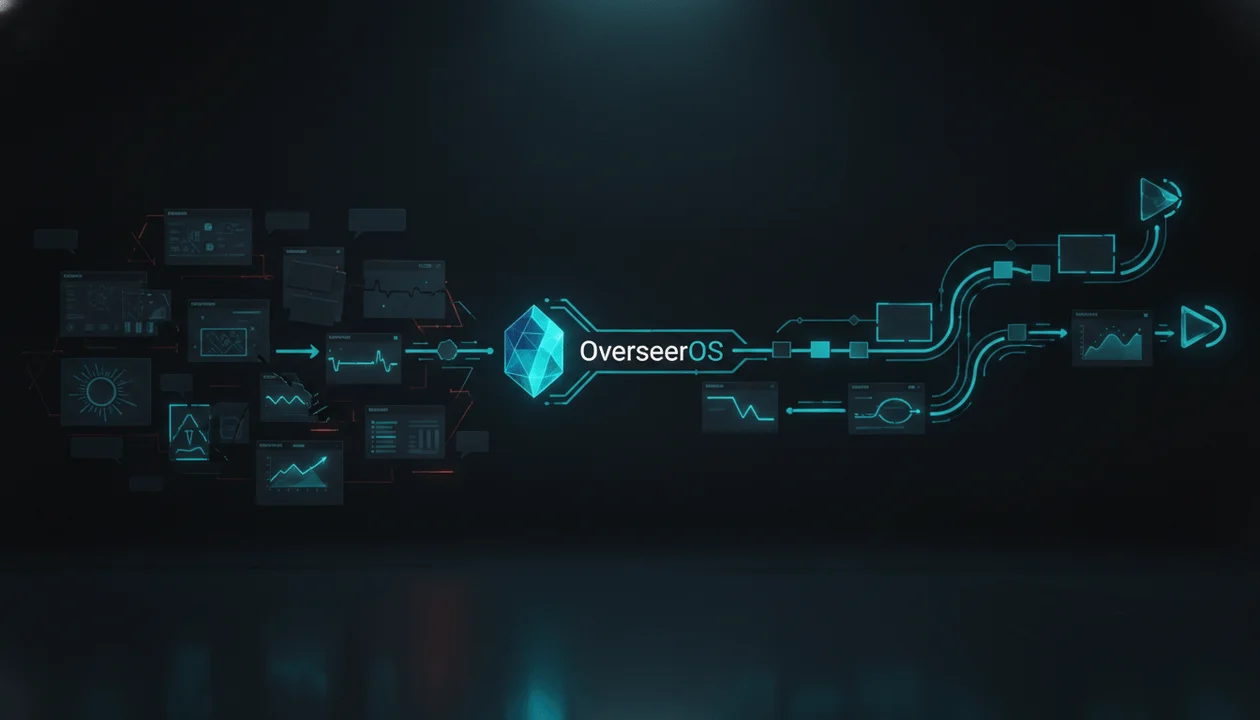
OverseerOS is a YouTube-specific research and scripting workflow. It is designed to analyze what already works on YouTube, extract repeatable patterns, understand a channel’s voice, and carry that intelligence into the script.
That distinction matters because most weak AI scripts are not caused by a weak language model. They are caused by weak inputs.
The model receives a topic but no evidence of demand. It receives a title but no thumbnail promise. It receives a tone description but no real transcripts. It receives a word count but no retention structure.
The result is grammatically clean and strategically empty.
This comparison explains where each tool is genuinely strongest, what setup it requires, and which one makes the most sense for your YouTube workflow.
Key Takeaways
- ChatGPT is the best flexible all-rounder for brainstorming, hook variations, structured drafts, and iterative editing.
- Claude is the strongest starting point for natural long-form writing when you already have research, structure, and voice samples.
- Gemini is most useful for source-heavy workflows, especially when your notes and documents already live inside Google’s ecosystem.
- OverseerOS is the best fit for a repeatable YouTube-native workflow because it connects channel research, proven patterns, creator tone, hooks, outlines, scripts, and revisions.
- General AI assistants can imitate a channel voice, but you must manually collect, clean, upload, explain, and maintain the reference material.
- A strong YouTube script must continue the promise made by the title and thumbnail. Writing quality alone cannot rescue weak packaging.
- If YouTube is an occasional content channel, a general chatbot may be enough. If YouTube is a serious publishing operation, a dedicated workflow becomes much more valuable.
Quick Verdict: ChatGPT vs Claude vs Gemini vs OverseerOS
| Tool | Best For | Main Strength | Main Limitation |
|---|---|---|---|
| ChatGPT | Flexible brainstorming, outlines, hooks, and revisions | Fast, adaptable, and easy to iterate with | Needs manually supplied YouTube strategy and channel context |
| Claude | Natural long-form scripts and thoughtful rewrites | Strong flow, tone, transitions, and sustained arguments | Can write beautifully without understanding what will work on YouTube |
| Gemini | Research organization and Google-based workflows | Useful with files, Google Drive, Docs, and source-heavy projects | Drafts can still feel like written articles instead of spoken scripts |
| OverseerOS | YouTube-native research, tone analysis, scripting, and production planning | Carries proven channel patterns and creator-specific context into the writing workflow | More specialized than a general AI assistant |
| Best overall for serious YouTube creators | OverseerOS | Built around the complete YouTube decision, not only the writing task | Best value appears when you publish consistently |
The short answer is simple:
- Choose ChatGPT if you want one general AI assistant for many different tasks.
- Choose Claude if you already know what the video should be and mainly need a strong long-form writing partner.
- Choose Gemini if your biggest problem is organizing large amounts of research inside Google’s ecosystem.
- Choose OverseerOS if your real problem is deciding what to create, understanding why it could work, and turning that intelligence into a channel-specific script.
The Comparison Most AI Writing Reviews Miss
Most comparisons ask:
Which AI writes the best paragraph?
That is not the most important question for a YouTube creator.
A better question is:
Which tool gives the writer the strongest information before the first paragraph is written?
A YouTube script can sound polished and still fail because:
- The topic has no demonstrated demand.
- The angle is too broad.
- The title creates no meaningful curiosity.
- The thumbnail promises something the opening never addresses.
- The hook delays the actual value.
- The middle becomes a collection of facts instead of a developing argument.
- The tone does not sound like the channel.
- The ending has no emotional or strategic payoff.
ChatGPT, Claude, and Gemini can solve many of these problems, but only after you explain them.
That means the creator must become the workflow.
You need to find the reference videos, analyze the titles, study the thumbnails, collect transcripts, identify the voice, define the viewer, write the brief, design the structure, and remind the AI what to avoid.
OverseerOS approaches the problem from the opposite direction. The goal is to make YouTube intelligence part of the workflow before and during writing.
This is why comparing OverseerOS with a foundation model is not a perfect one-to-one comparison.
ChatGPT, Claude, and Gemini provide general intelligence. OverseerOS provides workflow intelligence for YouTube.
The underlying model still matters. But the information, constraints, and workflow surrounding that model often matter more.
How We Evaluated the Four Options
A useful YouTube script comparison should measure more than grammar and creativity.
These are the seven criteria that matter most:
- Topic and market context: Does the tool understand why this video should exist?
- Packaging alignment: Can the script continue the promise created by the title and thumbnail?
- Hook quality: Does the opening create tension without delaying the point?
- Long-form coherence: Can the script maintain a clear argument across multiple sections?
- Channel voice: Can it reproduce recognizable pacing, phrasing, emotional delivery, and sentence patterns?
- Revision workflow: Can the creator improve individual sections without losing the rest of the script?
- Production readiness: Does the output sound natural when spoken and give the creator something close to recordable?
We intentionally do not publish a fake numerical benchmark.
A valid blind test would need to use the same topic, source pack, packaging, target viewer, length, model tier, and prompt on the same date. It would also need to publish the complete outputs and remove identifying language before human reviewers scored them.
Without that evidence, a permanent score like “Claude 94, ChatGPT 91” is false precision.
Instead, this comparison focuses on each tool’s verified workflow, practical strengths, setup requirements, and best use case.
Tool-by-Tool Comparison
ChatGPT: Best Flexible All-Rounder
ChatGPT is the easiest recommendation for someone who wants one AI assistant for research, brainstorming, writing, editing, images, and everyday work.
For YouTube scripts, it is particularly useful for:
- Generating multiple video angles
- Turning rough notes into an outline
- Producing hook variations
- Rewriting weak sections
- Changing the level of complexity
- Creating examples and analogies
- Critiquing a draft
- Building a reusable script prompt
- Converting long-form scripts into Shorts
ChatGPT also gives creators ways to preserve context. ChatGPT Projects can hold chats, uploaded files, and project instructions. A creator could build a project containing previous transcripts, audience information, banned phrases, structural rules, and examples of successful videos.
Its editing environment is also a real advantage. ChatGPT Canvas supports direct editing, section-level feedback, revisions, length adjustments, and version restoration.
Where ChatGPT Performs Best
ChatGPT is strongest when you need rapid iteration.
For example, you can ask it to generate:
- Ten possible hooks
- Five competing video theses
- Three structures for different video lengths
- Alternative transitions
- Stronger examples
- Simpler explanations
- A more contrarian version of the argument
It is also good at following a detailed structure.
If you provide the target viewer, title, thumbnail promise, main tension, sources, tone examples, section sequence, and phrases to avoid, ChatGPT can produce a strong working draft.
Where ChatGPT Falls Short
ChatGPT does not automatically know:
- Which channels are breaking out in your niche
- Which videos are genuine outliers
- Which formats are currently repeating successfully
- How your best-performing videos are structured
- What your channel sounds like across multiple transcripts
- Whether the script matches the packaging
- Which ideas are already saved in your content plan
You can provide all this manually. The problem is that most creators do not.
They enter:
Write a 2,000-word YouTube script about AI automation.
The output begins with a broad definition, explains why AI is growing, lists several benefits, and ends with generic encouragement.
The model did what it was asked to do. The prompt simply gave it no strategic reason to produce anything better.
ChatGPT Verdict
Choose ChatGPT if you are already a strong YouTube strategist and want a flexible AI assistant that follows your system.
Do not expect it to create the system for you from one sentence.
You can also compare OverseerOS with ChatGPT for YouTube if your decision extends beyond scriptwriting.
Claude: Best for Natural Long-Form Drafting
Claude is a strong choice for creators who care about natural writing, argument flow, long-form coherence, and thoughtful revision.
It is particularly effective for:
- Documentary scripts
- Video essays
- Founder-led videos
- Educational content
- Psychology channels
- Business case studies
- Commentary
- Long-form faceless videos
- Rewriting stiff drafts
- Developing transitions between complex sections
Claude can also retain project-specific instructions and apply customized response styles. Anthropic’s personalization documentation distinguishes between profile instructions, project instructions, styles, and reusable skills.
For revision-heavy workflows, Claude Artifacts supports in-place Markdown editing, targeted changes, and version switching.
Where Claude Performs Best
Claude is a strong starting point when the research and creative direction already exist.
Give it:
- A sharp thesis
- A source pack
- A detailed outline
- Several strong transcripts
- The intended emotional journey
- Examples of phrases to avoid
- The required video length
It can turn that material into a cohesive long-form draft with fewer mechanical transitions than a typical one-shot AI script.
Claude is also useful for the second draft.
Instead of asking it to generate the entire script, give it a rough human draft and ask it to:
- Remove repetition
- Strengthen the argument
- Make transitions feel earned
- Simplify dense explanations
- Preserve the creator’s point of view
- Identify where the energy drops
- Rewrite only the weakest section
This often produces a better result than asking any model to create a final script from a topic alone.
Where Claude Falls Short
Claude is still a general AI assistant.
It can produce excellent prose around a weak idea.
It can also make a script feel natural without knowing whether:
- The topic has demand
- The reference video is an outlier
- The format fits the channel
- The packaging creates the right expectation
- The opening matches the click
- The channel normally uses faster pacing
- The audience responds better to stories, lists, investigations, or explainers
Claude can use uploaded transcripts and custom instructions. But the creator must decide which transcripts matter, extract the correct patterns, and maintain the system.
Claude Verdict
Choose Claude if writing quality is your main bottleneck and you already have a reliable YouTube research and strategy process.
For pure long-form drafting, Claude is the general assistant I would test first.
For deciding what deserves to be written and carrying channel intelligence into the script, it needs a stronger surrounding workflow.
Gemini: Best for Source-Heavy Google Workflows
Gemini makes the most sense for creators whose research already lives in Google Drive, Google Docs, and the wider Google ecosystem.
Its strongest YouTube scripting use cases include:
- Organizing research documents
- Summarizing source material
- Turning notes into an outline
- Comparing multiple documents
- Generating questions from a research pack
- Creating a reusable writing assistant
- Editing drafts inside Google Docs
- Building research-heavy educational scripts
Creators can build custom Gemini Gems with persistent instructions and knowledge files. Files can be uploaded from a device or added from Google Drive. When a connected Drive file changes, Gemini can use its latest version.
Gemini is also integrated into Google Docs for writing, editing, summarizing files, and referencing other documents. Google’s documentation explains how Gemini can create, refine, and personalize documents using Workspace context.
Where Gemini Performs Best
Gemini is useful when the script starts with a large source pack.
Imagine you are producing a documentary about an AI company. Your research includes:
- Earnings reports
- Interview transcripts
- Product documentation
- News coverage
- A timeline
- Internal notes
- A spreadsheet of claims to verify
Gemini can help organize the material, identify themes, build a chronology, and convert the source pack into a structured outline.
That makes it a useful research partner before the writing stage.
Where Gemini Falls Short
A well-organized research document is not automatically a compelling YouTube script.
Gemini still needs explicit direction about:
- Spoken language
- Viewer awareness
- Packaging
- Curiosity
- Emotional escalation
- Open loops
- Section pacing
- Channel voice
- Visual opportunities
- What should be withheld until later
Without those instructions, the result can feel like an article being read aloud.
That problem is especially visible in educational and documentary content. The facts may be organized correctly, but the script lacks tension.
Gemini Verdict
Choose Gemini when research organization and Google Workspace integration are the priority.
It is a strong preparation tool for source-heavy videos. It is not automatically the best final-script workflow for YouTube.
OverseerOS: Best YouTube-Native Script Workflow
OverseerOS is built for creators who do not want to start every script from a blank prompt.
The central idea is simple:
The smartest creators do not begin with random AI output. They begin with patterns that already worked.
The difference starts before the script.
OverseerOS can help creators analyze public YouTube channels, identify breakout videos, study titles and thumbnails, examine content structures, and turn those observations into an original strategy.
That context can then continue into the writing workflow.
OverseerOS Creator DNA
OverseerOS Creator DNA analyzes selected channel videos and transcripts to build a reusable writing profile.
Depending on the available channel material, the profile can capture signals such as:
- Voice pacing
- Sentence structure
- Vocabulary style
- Opening patterns
- Rhetorical devices
- Transition phrases
- Hook patterns
- Emotional delivery
- Storytelling structure
- Calls to action
- Repeated structural formulas
This is more specific than typing “write casually” into a prompt.
“Casual” could mean short sentences, jokes, conversational questions, slang, personal stories, direct second-person language, or deliberately imperfect phrasing.
OverseerOS Creator DNA attempts to identify the actual patterns behind the voice.
The goal is not to duplicate another creator’s words. It is to understand the design principles of effective communication and use them to create an original script.
OverseerOS Script Studio
OverseerOS Script Studio is the main writing environment.
It supports:
- Full-script generation
- Outline-driven writing
- Section-level generation
- Rewriting existing material
- Autocomplete
- Writing commands
- Context-aware assistance
- Creator-specific tone application
Section-level writing is especially important for long-form YouTube.
Generating 3,000 words in one response often creates repetition, pacing drift, and weak middle sections. A section-based workflow lets the creator establish the outline first, then evaluate each part before continuing.
That produces more control over:
- Escalation
- Information density
- Examples
- Transitions
- Emotional movement
- Section length
- Repetition
- Retention
OverseerOS Script ReSpark
OverseerOS Script ReSpark is designed for creators who already have material.
Instead of discarding a draft, creators can use OverseerOS Script ReSpark to strengthen areas such as:
- Hooks
- Pacing
- Emotional delivery
- Clarity
- Structure
- Retention
- Spoken flow
That makes it useful for human-written drafts, rough AI outputs, old scripts, and material that contains good information but lacks momentum.
The Real OverseerOS Advantage
The advantage is not that a specialized interface magically makes every sentence better.
The advantage is context continuity.
Research, channel patterns, tone, hooks, outlines, scripts, revisions, and content planning can exist inside one YouTube-focused system.
With a general chatbot, the creator must repeatedly reconstruct that context.
With OverseerOS’ YouTube research and creation workflow, the goal is to preserve it.
OverseerOS Verdict
Choose OverseerOS if YouTube is an ongoing operation rather than an occasional writing task.
It is particularly well suited to:
- Faceless-channel operators
- YouTube agencies
- Scriptwriting teams
- Educational channels
- Documentary channels
- Creators entering a new niche
- Multi-channel operators
- Creators who struggle with consistency
- Teams that need a repeatable process
If you only need one informal script every few months, a general AI assistant may be enough.
If every weak video costs your team days of research, writing, voiceover, editing, and design, improving the complete decision process is more valuable than saving a few minutes on the first draft.
Feature Comparison
| Capability | ChatGPT | Claude | Gemini | OverseerOS |
|---|---|---|---|---|
| General brainstorming | Excellent | Excellent | Excellent | Strong |
| Long-form drafting | Strong | Excellent | Strong | Strong |
| Source-heavy research organization | Strong | Strong | Excellent | Focused on YouTube intelligence |
| Direct Google Workspace workflow | Limited | Available through supported connectors | Excellent | No |
| Persistent project instructions | Yes | Yes | Yes, through Gems | Yes, through saved workflows and profiles |
| Manual writing-style examples | Yes | Yes | Yes | Yes |
| Automatic YouTube channel tone analysis | No | No | No | Yes |
| Creator-specific pacing and hook patterns | Manual | Manual | Manual | Built into OverseerOS Creator DNA |
| YouTube competitor research | Manual | Manual | Manual | Built for this job |
| Outlier and breakout video discovery | Manual research | Manual research | Manual research | Built for this job |
| Section-level YouTube script workflow | Possible with prompting | Possible with prompting | Possible with prompting | Built into OverseerOS Script Studio |
| Existing-script improvement | Yes | Yes | Yes | OverseerOS Script ReSpark |
| Research-to-script continuity | Requires setup | Requires setup | Requires setup | Core workflow |
| Best fit | General AI user | Long-form writer | Google-heavy researcher | Serious YouTube creator or team |
Which One Should You Choose?
Choose ChatGPT if:
- You want one AI assistant for many different jobs.
- You enjoy building detailed prompts.
- You already understand YouTube packaging and retention.
- You need many variations quickly.
- You want a flexible editing environment.
- Your scripts do not require a specialized production workflow.
Choose Claude if:
- Natural long-form writing is your biggest priority.
- You already have a strong brief and research pack.
- You write documentaries, essays, explainers, or commentary.
- You prefer collaborative rewriting over one-click generation.
- You are willing to manage your own voice samples and instructions.
Choose Gemini if:
- Most of your source material lives in Google Drive.
- You write research-heavy educational content.
- You need to organize many documents before drafting.
- Your team writes and edits inside Google Docs.
- Research preparation is a bigger bottleneck than final prose.
Choose OverseerOS if:
- You want to validate ideas before writing.
- You want scripts connected to public YouTube patterns.
- You need repeatable channel-specific tone.
- You operate one or more faceless channels.
- You manage writers or creators.
- You want research, packaging, scripts, and planning connected.
- You are tired of rebuilding the same mega-prompt.
- The cost of producing the wrong video is higher than the cost of the tool.
How to Run Your Own Blind YouTube Script Test
Do not test these tools with four different prompts.
Use one controlled brief.
Step 1: Choose One Real Video
Use a topic you genuinely plan to publish.
Example:
Why Most AI Automation Channels Die Within 90 Days
Define the packaging:
- Title: Why Most AI Channels Die After 90 Days
- Thumbnail concept: An abandoned AI channel dashboard with “Day 91”
- Target viewer: Someone considering starting a faceless AI channel
- Core promise: Show the operational reasons channels collapse after the initial excitement
- Desired length: 1,800 to 2,200 words
- Format: Investigative educational video
- Point of view: Tools reduce production work, but they do not create positioning, judgment, or audience trust
Step 2: Give Every Tool the Same Source Pack
Include:
- The same research notes
- The same reference transcripts
- The same facts
- The same target viewer
- The same title and thumbnail
- The same required structure
- The same banned phrases
- The same length target
Do not allow one tool to browse while another receives no sources.
That would test research access, not scriptwriting.
Step 3: Remove the Tool Names
Copy the outputs into separate documents labeled A, B, C, and D.
Remove:
- Tool-specific formatting
- Introductions from the assistant
- Citations that reveal the platform
- Any model names
Step 4: Score the Scripts
Use a five-point scale.
| Criterion | Question |
|---|---|
| Click continuation | Does the first 30 seconds immediately continue the title and thumbnail promise? |
| Spoken naturalness | Can the script be read aloud without sounding like an article? |
| Specificity | Does it contain concrete insights rather than broad advice? |
| Narrative momentum | Does each section create a reason to continue? |
| Voice match | Does it resemble the supplied channel examples? |
| Factual fidelity | Does it preserve the source material accurately? |
| Emotional movement | Does the script change energy instead of remaining flat? |
| Production readiness | How much editing is required before recording? |
Step 5: Measure Editing Time
The best first draft is not always the most valuable output.
Track:
- Minutes spent fixing the hook
- Number of unsupported claims
- Repeated ideas removed
- Transitions rewritten
- Sentences that sound unnatural aloud
- Missing examples added
- Total time until the script is recordable
For a production team, time-to-recordable is more meaningful than word count or writing speed.
A Prompt That Gives General AI Tools a Fair Chance
If you use ChatGPT, Claude, or Gemini, do not give them a one-line topic.
Use a structured brief like this:
You are writing a spoken YouTube script, not an article.
Target viewer: [describe the viewer and what they already know]
Video title: [title]
Thumbnail concept: [thumbnail]
Core promise: [what the viewer expects after clicking]
Main tension: [the unresolved question or conflict]
Point of view: [the argument the video will make]
Sources: [paste verified research]
Channel voice: [paste representative transcript samples]
Desired length: [word count or video duration]
Structure: [cold open, setup, sections, reveal, conclusion]
Start by confirming the click in the first two sentences. Do not begin with a definition, greeting, broad history, or “in today’s world.”
Use spoken sentences, concrete examples, and transitions that create forward momentum.
Do not repeat the title. Do not invent statistics. Mark any claim that requires verification.
After drafting, identify:
- The weakest section
- The most generic paragraph
- Any unsupported factual claim
- Where viewer interest is most likely to drop
- Three sentences that sound written rather than spoken
This prompt can materially improve the result.
It also demonstrates the core difference.
With a general AI assistant, the creator has to assemble the intelligence packet.
OverseerOS is designed to help create and preserve more of that YouTube-specific context inside the workflow.
The Best Practical Workflow
Most serious creators do not need to choose one tool for every task.
A stronger workflow is:
- Use OverseerOS to examine channels, breakout videos, recurring formats, titles, thumbnails, and untapped angles.
- Select a topic with a clear viewer, promise, and reason to exist.
- Build a source pack using primary sources and trustworthy research.
- Use OverseerOS Creator DNA to capture the relevant channel voice and structural patterns.
- Build the outline before generating the full script.
- Write section by section inside OverseerOS Script Studio.
- Use OverseerOS Script ReSpark or a general AI assistant for targeted revision.
- Read the entire script aloud.
- Verify every current, financial, medical, legal, or technical claim.
- Add original observations that no model could know without your experience.
That final step matters.
AI can organize information. It can imitate patterns. It can propose hooks. It can improve a sentence.
It cannot replace the creator’s judgment about what is true, what is worth saying, and what the audience has not heard before.
Common AI YouTube Script Mistakes
Generating Before Validating the Idea
A fast script for a weak topic is still a weak investment.
Study demand, competitors, outliers, audience questions, and packaging possibilities before drafting.
Asking for a Full Script in One Prompt
One-shot generation often creates a strong opening, repetitive middle, and rushed conclusion.
Build the argument first. Then write in controlled sections.
Confusing Written Quality With Spoken Quality
A sentence can look elegant and sound terrible aloud.
Read every script at recording pace. Shorten sentences that require a second breath. Replace formal transitions with natural spoken movement.
Treating Tone as an Adjective
“Casual,” “professional,” and “energetic” are not sufficient voice systems.
A useful tone profile includes sentence length, pacing, emotional range, vocabulary, transitions, humor, rhetorical devices, storytelling habits, and opening patterns.
Copying Instead of Modeling
Competitor research should reveal principles, not provide material to duplicate.
Study:
- Why the hook works
- How information is sequenced
- Where tension increases
- How the title and thumbnail create the click
- How the script pays off that expectation
Then create a new argument, new examples, and an original version.
Read the OverseerOS approach to responsible YouTube research for a clearer distinction between strategic modeling and copying.
Trusting AI-Generated Facts
Every tool in this comparison can produce an incorrect claim.
Check important claims against primary sources. Never treat confident wording as evidence.
Removing the Creator From the Script
AI-generated scripts become interchangeable when they contain no original experience, judgment, story, or point of view.
YouTube’s monetization policies specifically warn against generic, repetitive, mass-produced content that adds little original value. YouTube’s official policy emphasizes original, authentic content and meaningful educational or entertainment value.
AI assistance itself is not the problem. YouTube says creators generally do not need to disclose production assistance such as using generative AI for scripts, outlines, titles, or thumbnails. Realistic synthetic or meaningfully altered audiovisual material can require disclosure. Source: YouTube Help
The safest approach is to use AI to strengthen original work, not manufacture interchangeable videos at scale.
Final Verdict
ChatGPT, Claude, and Gemini are all capable YouTube writing assistants.
ChatGPT is the best flexible all-rounder.
Claude is the strongest general option for natural long-form drafting when the research and strategy already exist.
Gemini is the best fit for creators whose biggest challenge is organizing source-heavy work inside Google’s ecosystem.
OverseerOS is the strongest choice when the problem is larger than writing.
It is built for creators who need to:
- Find evidence-backed video opportunities
- Study successful channels
- Understand repeatable content patterns
- Preserve a recognizable channel voice
- Build stronger hooks and structures
- Write and revise scripts inside a YouTube-focused workflow
A general AI assistant asks:
What would you like me to write?
OverseerOS is designed to help answer the more important questions first:
What should this channel create, why could it work, what patterns support it, and how should the script deliver the click promise?
That is the difference between generating words and building a repeatable YouTube system.
If YouTube is central to your business, start with patterns that already worked and turn them into an original script with OverseerOS.
FAQ
Is Claude better than ChatGPT for YouTube scripts?
Claude is often the better starting point for natural long-form scripts, documentary structure, thoughtful transitions, and voice-sensitive rewriting. ChatGPT is more flexible for brainstorming, hook variations, structured iteration, and mixed creative tasks.
The better choice depends on your bottleneck. Choose Claude for sustained prose. Choose ChatGPT for flexibility. Choose OverseerOS when you need YouTube research, channel context, tone, and scripting connected.
Is Gemini good for YouTube scriptwriting?
Gemini is useful for research-heavy scripts, especially when your notes and sources live in Google Drive or Google Docs. It can organize material, create outlines, and help edit drafts.
It still needs clear instructions about spoken language, packaging, retention, pacing, and channel voice.
Can ChatGPT write a complete YouTube script?
Yes. ChatGPT can write hooks, outlines, full scripts, rewrites, transitions, and calls to action.
The quality depends heavily on the context provided. A topic alone usually produces generic output. A complete brief with sources, packaging, viewer intent, voice samples, and structure produces a much stronger result.
What makes OverseerOS different from ChatGPT, Claude, and Gemini?
ChatGPT, Claude, and Gemini are general AI assistants.
OverseerOS is a YouTube intelligence and creation workflow. OverseerOS connects public channel research, breakout-video analysis, tone patterns, hooks, outlines, scripts, revisions, and content planning.
Its advantage is not simply generating text. It is supplying and preserving YouTube-specific context around the text.
What is the best AI script tool for faceless YouTube channels?
OverseerOS is the strongest overall fit for serious faceless-channel operations because it connects niche and channel research with tone analysis, scripting, rewriting, titles, thumbnails, and content planning.
Claude is a strong supporting tool for long-form drafts. ChatGPT is useful for ideation and variations. Gemini is helpful for research-heavy topics.
Can AI-written YouTube scripts be monetized?
Yes, AI-assisted content can be eligible for monetization.
YouTube focuses on whether the channel provides original, authentic value. Generic, repetitive, mass-produced videos can be ineligible, especially when they add little education, commentary, narrative, or creative contribution.
Use AI to support original research, judgment, storytelling, and production. Do not use it to create interchangeable videos from the same template.
Which tool should a YouTube agency choose?
An agency should prioritize repeatability, channel separation, research quality, tone consistency, revision controls, and production handoff.
OverseerOS is the strongest primary workflow among these four for YouTube-specific agency work. ChatGPT or Claude can still be valuable as secondary writing and revision tools.
Do I need all four tools?
No.
For occasional scripts, choose ChatGPT or Claude.
For source-heavy work inside Google Workspace, choose Gemini.
For an ongoing YouTube operation where research, strategy, scripting, and channel consistency need to work together, choose OverseerOS and keep one general AI assistant for secondary tasks.