The best AI tools for faceless YouTube channels are not the tools that make the most noise on X.
They are the tools that help you produce better videos without turning your channel into obvious AI slop.
That difference matters.
A faceless channel already has a trust problem. Viewers cannot see the creator. They cannot judge your face, personality, or real-life authority. So if the script sounds generic, the voiceover feels robotic, the visuals look random, and the thumbnail looks like a template, the viewer instantly thinks:
“This is just another low-effort AI channel.”
That is where most faceless creators lose.
They buy random tools, generate random assets, publish random videos, and call it automation.
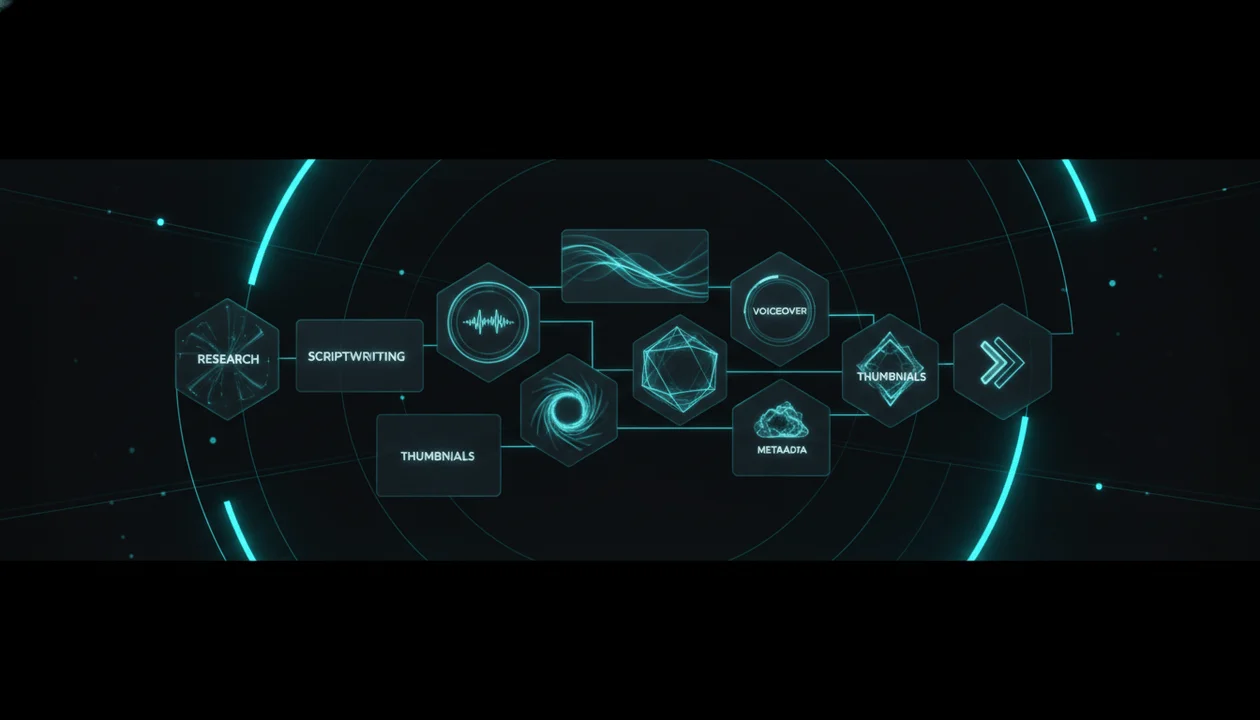
Real faceless YouTube growth is not about using more AI tools. It is about building a smarter workflow: research, topic validation, scripting, voiceover, visuals, editing, thumbnails, metadata, and publishing all working together around one clear channel strategy.
This guide breaks down the best AI tool stack for faceless YouTube channels, what each tool category should do, how to choose the right tools, which mistakes to avoid, and how to build a workflow that can actually produce videos people want to watch.
Key Takeaways
- The best AI tools for faceless YouTube channels are workflow tools, not random generators.
- A strong faceless YouTube stack usually needs tools for research, topic validation, scriptwriting, voiceover, visuals, editing, thumbnails, metadata, and project management.
- Buyer-intent faceless channels should prioritize tools that improve speed, quality, trust, and repeatability.
- YouTube’s monetization policies reward original and authentic content and warn against mass-produced, repetitive, generic-template AI content. Source: YouTube Help
- YouTube requires creators to disclose AI-generated or meaningfully AI-altered realistic content when it could make viewers think something real happened. Source: YouTube Help
- If your video includes paid product placements, sponsorships, or endorsements, YouTube says you need to tell YouTube by selecting the paid promotion box. Source: YouTube Help
- The strongest AI workflow starts with proven demand, not with a blank prompt.
What Makes an AI Tool Good for Faceless YouTube?
A good AI tool for faceless YouTube should do at least one of these things:
- Help you find better video ideas
- Help you understand what already works
- Help you write stronger scripts
- Help you create more natural voiceovers
- Help you generate better visuals
- Help you edit faster
- Help you package videos with better thumbnails and titles
- Help you publish with cleaner metadata
- Help you organize the content pipeline
- Help you reduce cost without reducing quality
A bad tool does the opposite.
It adds complexity, creates generic output, makes the video look cheaper, or gives you the illusion of productivity.
The question is not:
“Can this tool generate content?”
The question is:
“Does this tool help me create videos viewers will actually click, watch, trust, and remember?”
That is the standard.
The Best AI Tool Stack for Faceless YouTube Channels
A complete faceless YouTube workflow usually needs these tool categories:
| Workflow Stage | Tool Category | Main Job |
|---|---|---|
| Niche research | Channel analysis tools | Find what already works |
| Topic validation | Trend and competitor tools | Choose topics with demand |
| Scriptwriting | AI script tools | Turn ideas into watchable structure |
| Voiceover | AI voice tools | Create narration without recording |
| Visuals | AI image and video tools | Create scenes, b-roll, and visual assets |
| Editing | AI video editors | Assemble videos faster |
| Thumbnails | AI thumbnail tools | Package the video for clicks |
| Metadata | YouTube SEO tools | Write descriptions, tags, chapters, and upload context |
| Organization | Content planners | Track topics, scripts, assets, and publishing |
| Automation | Workflow automation tools | Connect repeatable steps |
You do not need 30 tools.
You need the right workflow.
A lean stack beats a messy stack.
1. AI Research Tools
Most faceless creators start in the wrong place.
They start with:
“Write me a script about AI tools.”
That is too early.
Before writing anything, you need to know what topics already have demand.
AI research tools should help you answer:
- What channels are growing in this niche?
- Which videos are outperforming the channel average?
- What titles keep appearing?
- What thumbnail patterns repeat?
- What video formats are working?
- What topics are getting comments?
- What problems are viewers trying to solve?
- What product categories have buyer intent?
For faceless channels, research is the highest-leverage step.
A weak topic with a beautiful script is still a weak video.
A strong topic with clear demand gives every later tool a better chance.
What to Look For
Choose research tools that help with:
- Competitor tracking
- Outlier video detection
- Topic pattern recognition
- Title analysis
- Thumbnail analysis
- Trend discovery
- Channel positioning
- Viewer intent
- Repeatable topic clusters
Best Use Case
Research tools are best for:
- Finding proven niches
- Finding video ideas
- Studying competitors
- Building content calendars
- Avoiding random guessing
Faceless Channel Example
Instead of guessing:
“Top 10 AI tools you need”
A research-first workflow might uncover:
“Best AI voiceover tools for faceless YouTube channels”
That is stronger because it has a clearer audience, clearer buyer intent, and a more specific reason to click.
2. AI Topic Planning Tools
A faceless channel fails when every upload feels disconnected.
One video about AI. One about finance. One about history. One about side hustles. One about motivation.
That is not a channel.
That is a content pile.
AI topic planning tools should help you turn ideas into a focused roadmap.
A good content planner helps you organize:
- Topic clusters
- Video status
- Priority
- Scripts
- Thumbnails
- Voiceovers
- Publishing schedule
- Competitor inspiration
- Notes and angles
- Related videos
- Monetization intent
What to Look For
A good planner should help you answer:
- What should we publish next?
- Which topics belong to the same cluster?
- Which videos support affiliate intent?
- Which videos build authority?
- Which videos are for search?
- Which videos are for browse?
- Which topics should be sequenced together?
Strong Faceless Content Cluster
For a faceless AI creator tools channel:
- Best AI Tools for Faceless YouTube Channels
- Best AI Voiceover Tools for YouTube
- ElevenLabs vs PlayHT for Faceless Videos
- Best AI Thumbnail Tools for YouTube
- How to Build a Faceless YouTube Workflow With AI
- AI Tools New Creators Should Avoid
- Best Video Editing Software for Faceless Channels
- How to Turn a Script Into a Faceless Video
That is a channel strategy.
Not random uploads.
3. AI Scriptwriting Tools
Scriptwriting is where many faceless channels become obvious AI content.
The mistake is asking for a generic script and publishing the first draft.
Bad AI scripts usually have:
- Long generic intros
- Weak hooks
- Repetitive points
- No tension
- No story
- No examples
- No opinion
- No pacing
- No audience awareness
- No reason to keep watching
A strong AI script tool should help you structure the video around retention.
It should help with:
- Hook
- Open loop
- Setup
- Viewer problem
- Section flow
- Examples
- Transitions
- Emotional pacing
- CTA
- Ending
- Tone consistency
Weak Prompt
Write a YouTube script about the best AI tools.
Strong Prompt
Write a faceless YouTube script for beginner creators searching for the best AI tools to run a YouTube channel without showing their face.
The video should compare tool categories, explain what each tool is used for, warn against generic AI content, and build toward a practical workflow.
Tone: direct, useful, no hype.
Structure:
- Hook with the real mistake creators make
- Explain why tool stacks fail
- Break down each tool category
- Give examples by channel type
- Add a trust and policy section
- End with a simple workflow checklist
That produces a better script because it gives the AI strategy.
What to Look For
Choose script tools that support:
- Audience-specific writing
- Tone control
- Hook generation
- Retention structure
- Long-form scripts
- Shorts scripts
- Outline generation
- Creator tone matching
- Script revisions
- CTA control
Script Quality Checklist
Before using an AI script, check:
- Does the hook create real tension?
- Does the intro avoid generic filler?
- Does each section add something new?
- Are there concrete examples?
- Does the script sound human?
- Does the video have a reason to continue watching?
- Does the CTA match the video goal?
- Does the ending feel complete?
- Is the script different from generic AI output?
AI should speed up writing.
It should not replace thinking.
4. AI Voiceover Tools
Voiceover is one of the biggest quality signals in faceless YouTube.
A bad voiceover makes the whole channel feel cheap.
A good voiceover makes the video feel intentional.
AI voice tools are useful because they let you create narration without recording yourself. But the voice has to match the channel.
Voice Style by Faceless Niche
| Niche | Best Voice Style |
|---|---|
| AI news | Clear, fast, analytical |
| Finance | Calm, trustworthy, grounded |
| History | Cinematic, serious, narrative |
| Psychology | Calm, intimate, precise |
| Mystery | Slow, suspenseful, atmospheric |
| Business | Confident, premium, analytical |
| Self-improvement | Direct, intense, masculine |
| Education | Friendly, clear, patient |
Do not choose the most dramatic voice by default.
Choose the voice that fits the viewer expectation.
What to Look For
A strong AI voiceover tool should offer:
- Natural pacing
- Clear pronunciation
- Commercial rights suitable for your use case
- Voice consistency
- Emotional control
- Long-form narration support
- Multiple voice styles
- Easy script editing
- Reliable export quality
Voiceover Mistakes
Avoid:
- Robotic pacing
- Overly dramatic narration
- Mispronounced names
- No pauses
- No emotional variation
- Voice mismatch with niche
- Switching voices every video
- Using voices without checking usage rights
For faceless channels, the voice becomes part of the brand.
Treat it like a brand asset.
5. AI Image Tools
AI image tools can help create:
- Scene visuals
- Concept art
- Backgrounds
- Documentary visuals
- Character silhouettes
- Symbolic imagery
- Thumbnail assets
- Brand visuals
- Abstract visuals
- Explainer graphics
But this is where many faceless creators go wrong.
They generate random beautiful images that do not support the script.
A good AI image workflow should be script-led.
The visual should answer:
“What does this scene need the viewer to understand or feel?”
Not:
“What image looks cool?”
Good Use Cases
AI images work well for:
- History scenes
- Abstract concepts
- Future technology visuals
- Psychology metaphors
- Business story visuals
- Space and science visuals
- Brand-consistent backgrounds
- Thumbnail concepts
- Faceless documentary scenes
Weak Use Case
Script line:
Most creators waste money on the wrong AI tools.
Bad visual:
Random robot holding money in space.
Better visual:
A messy creator dashboard with disconnected tool icons, wasted budget indicators, and a confused workflow map.
The second visual supports the idea.
What to Look For
Choose image tools that support:
- Consistent style
- Good aspect ratios
- Prompt control
- Reference images
- Brand consistency
- Commercial usage suitable for your use case
- Fast iteration
- High-resolution outputs
6. AI Video Generation Tools
AI video generation tools can create motion clips, b-roll, animated scenes, cinematic shots, and short visual moments.
They can be powerful, but they can also burn money fast.
Use AI video generation carefully.
It is best for moments where motion adds meaning:
- A city changing over time
- A product concept coming alive
- A character walking into darkness
- A machine starting
- A map movement
- A futuristic interface animating
- A dramatic scene transition
- An abstract visual metaphor
It is not always needed for every scene.
Sometimes image plus camera motion is enough.
What to Look For
Choose AI video tools based on:
- Visual quality
- Motion control
- Prompt adherence
- Cost per clip
- Speed
- Commercial rights
- Consistency across clips
- Aspect ratio support
- Watermark rules
- Export quality
When to Use AI Video
Use AI video when:
- The video needs cinematic movement
- The channel is premium documentary style
- You need unique b-roll
- You want visual differentiation
- Motion supports the script
- The cost makes sense for the video’s monetization potential
Do not use AI video just because it is available.
Use it where it improves perceived quality.
7. AI Editing Tools
Editing is where a faceless video becomes watchable.
A good editor can turn a basic script and voiceover into a real viewing experience.
AI editing tools can help with:
- Cutting silence
- Generating captions
- Creating shorts
- Syncing visuals to voiceover
- Adding b-roll
- Finding highlights
- Removing filler
- Improving audio
- Creating templates
- Adding transitions
- Reformatting for Shorts
What to Look For
A good AI editing tool should help with:
- Timeline speed
- Captions
- Scene organization
- Audio cleanup
- Export quality
- Short-form repurposing
- Template control
- Asset management
- Team workflows
Editing Mistakes
Avoid:
- Overusing transitions
- Adding random stock clips
- Making every scene look the same
- Using captions that cover important visuals
- Ignoring pacing
- Letting AI decide everything
- Publishing without a human review
Editing should make the script feel alive.
Not louder.
Not busier.
Better.
8. AI Thumbnail Tools
The thumbnail is the gatekeeper.
Your video can have a strong topic, great script, and solid voiceover, but if the thumbnail fails, the viewer never enters.
AI thumbnail tools are useful when they help you create better packaging, not just pretty images.
A good thumbnail tool should help with:
- Visual concept
- Click tension
- Text hierarchy
- Composition
- Contrast
- Emotional hook
- Niche fit
- Brand consistency
- Variations
- Reference-based style exploration
Thumbnail Mistakes
Avoid:
- Too much text
- Random AI faces
- Unclear focal point
- Misleading visuals
- Copying another creator too closely
- No connection to the title
- No emotional reason to click
- Generic “AI tool” graphics
Good Thumbnail Formula
Use:
One clear subject + one emotional tension + one short text phrase + strong contrast
Example:
Title:
Best AI Tools for Faceless YouTube Channels
Thumbnail text:
TOOL STACK
Visual:
Clean creator dashboard with connected research, script, voice, thumbnail, and publishing modules.
Bad thumbnail text:
Best AI Tools for Faceless YouTube Channels in 2026 Full Guide
Too long.
The thumbnail should create curiosity fast.
9. AI YouTube SEO and Metadata Tools
Metadata will not save a weak video.
But sloppy metadata makes a good video feel unfinished.
AI metadata tools can help generate:
- Description
- Tags
- Hashtags
- Chapters
- Questions answered
- Video summary
- Pinned comment
- Playlist notes
- Search-focused context
The goal is not keyword stuffing.
The goal is clarity.
What to Look For
A good metadata tool should use:
- Title
- Script
- Transcript
- Topic
- Viewer intent
- Video structure
- Keywords
- Chapter opportunities
- CTA context
The best descriptions come from the actual video, not from a random keyword list.
Metadata Checklist
Before publishing, check:
- Description matches the title and thumbnail.
- First 2 to 3 lines explain the video clearly.
- Chapters start at 00:00 if used.
- Tags are relevant.
- Hashtags are limited and accurate.
- Affiliate or sponsor disclosures are clear.
- Links are organized.
- Next video is linked.
- CTA matches the content.
For faceless channels, clean metadata builds trust.
10. AI Automation Tools
Automation tools can connect your workflow.
They can help with:
- Moving topics between stages
- Sending scripts to voiceover tools
- Saving assets
- Notifying editors
- Updating content calendars
- Creating publishing checklists
- Collecting research
- Tracking status
- Generating repeatable tasks
But automation can also create low-quality mass production if used badly.
YouTube’s monetization policy warns against mass-produced or repetitive content and says AI-generated content made with generic templates that gives the impression of mass production without original, authentic insight may not be eligible for monetization. Source: YouTube Help
So the goal is not:
“Automate everything so I never think.”
The goal is:
“Automate repeatable admin work so I can spend more energy on strategy and quality.”
That distinction matters.
The Best AI Tool Stack by Faceless Channel Type
Different faceless channels need different stacks.
AI News Channel
Most important tools:
- Trend discovery
- Competitor tracking
- Scriptwriting
- Voiceover
- Visual generation
- Thumbnail generation
- Metadata
Workflow:
- Find fresh AI news.
- Check if the topic has real viewer interest.
- Write an angle, not a summary.
- Generate a fast, clear script.
- Create visuals that explain the update.
- Package with urgency but no fake hype.
- Publish with clean source links and metadata.
Biggest mistake:
Reading news articles with generic AI visuals.
Better approach:
Explain why the update matters, who it affects, and what changes next.
Faceless Finance Channel
Most important tools:
- Research
- Scriptwriting
- Data visualization
- Voiceover
- Editing
- Metadata
- Compliance checklist
Workflow:
- Choose a specific money problem.
- Explain it simply.
- Use examples and disclaimers.
- Avoid promises of returns.
- Use clean visuals.
- Make the channel feel trustworthy.
Biggest mistake:
Fake luxury visuals and hype claims.
Better approach:
Calm, practical, educational content.
Faceless History Channel
Most important tools:
- Research
- Scriptwriting
- AI images
- AI video clips
- Voiceover
- Editing
- Thumbnail concepts
Workflow:
- Find a dramatic story with a clear lesson.
- Structure it like a documentary.
- Generate cinematic scenes.
- Use strong narration.
- Add pacing, music, and visual progression.
- Package the video around conflict.
Biggest mistake:
Turning history into random facts.
Better approach:
Build story tension around decisions, consequences, and human motives.
Faceless Psychology Channel
Most important tools:
- Topic research
- Scriptwriting
- Voiceover
- Symbolic visuals
- Editing
- Thumbnails
- Metadata
Workflow:
- Start with a relatable emotional problem.
- Explain the pattern.
- Give real examples.
- Avoid fake clinical authority.
- Use calm visuals and clear narration.
- End with a useful insight.
Biggest mistake:
Generic relationship advice with dramatic AI faces.
Better approach:
Specific emotional patterns explained clearly.
Faceless Product Review Channel
Most important tools:
- Product research
- Screen recording
- Scriptwriting
- Voiceover
- Editing
- Thumbnail generator
- SEO metadata
- Disclosure checklist
Workflow:
- Pick a high-intent product keyword.
- Compare the product honestly.
- Show real features or credible research.
- Explain who should and should not buy.
- Add clear affiliate disclosure.
- Link to related comparison videos.
Biggest mistake:
Fake reviews written only for commissions.
Better approach:
Helpful decision-making content.
The Best AI Tool Stack for Beginners
A beginner does not need every tool.
Start with the smallest stack that can produce quality videos.
Beginner Stack
| Stage | Tool Type |
|---|---|
| Research | YouTube competitor and topic research tool |
| Script | AI scriptwriter |
| Voice | AI voiceover tool |
| Visuals | AI image tool or stock footage library |
| Editing | Beginner-friendly video editor |
| Thumbnail | AI thumbnail or design tool |
| Metadata | YouTube SEO description and tags tool |
| Planning | Simple content planner |
That is enough.
Do not overcomplicate the first 10 videos.
The goal is to learn:
- Which topics get clicks
- Which scripts retain viewers
- Which thumbnails work
- Which workflow is sustainable
- Which tool costs are worth it
After that, upgrade the stack.
The Best AI Tool Stack for Serious Faceless Channels
Once the channel becomes serious, the workflow should be more connected.
Serious Stack
| Stage | Tool Type | Why It Matters |
|---|---|---|
| Channel analysis | Find proven patterns | Avoid guessing |
| Competitor tracking | Monitor winning topics | Spot opportunities early |
| Content planner | Organize production | Keep output consistent |
| Scriptwriting | Create retention-focused scripts | Improve watch time |
| Voiceover | Keep voice consistent | Build brand identity |
| Visual generation | Create unique scenes | Avoid generic stock look |
| Editing | Produce faster | Increase output |
| Thumbnail generation | Improve packaging | Improve click-through |
| Metadata generation | Publish cleaner | Improve clarity and search context |
| Automation | Reduce admin work | Save time |
This is where a platform approach becomes stronger than a scattered tool stack.
The more serious the channel becomes, the more painful it is to jump between disconnected tools.
How to Choose the Right AI Tools
Do not choose tools based on hype.
Use this decision framework.
1. Does It Improve Quality?
A tool that makes output faster but worse is not a growth tool.
It is a content farm tool.
Ask:
- Does the script improve?
- Does the voice sound more human?
- Do the visuals support the story?
- Does the thumbnail become clearer?
- Does the editing become stronger?
2. Does It Save Time in a Real Bottleneck?
Do not automate a step that is not slowing you down.
If thumbnails are the bottleneck, fix thumbnails.
If ideas are the bottleneck, fix research.
If editing is the bottleneck, fix editing.
3. Does It Fit the Niche?
A tool that works for tech tutorials may not work for history documentaries.
A tool that works for Shorts may not work for long-form.
Fit matters.
4. Does It Create Consistency?
Faceless channels need consistency.
Choose tools that help maintain:
- Voice
- Visual style
- Thumbnail format
- Script tone
- Metadata structure
- Upload workflow
5. Does It Have Clear Usage Rights?
Always check commercial rights, licensing, and usage terms.
This matters for:
- AI voices
- AI images
- Stock footage
- Music
- Sound effects
- Templates
- Product screenshots
- Brand assets
Do not build a channel on assets you are not allowed to use.
The AI Tool Mistake That Kills Faceless Channels
The biggest mistake is building a tool stack before building a content strategy.
Creators ask:
What AI tools should I use?
Better question:
What kind of faceless channel am I building, and what workflow does that channel need?
An AI documentary channel needs different tools than a software tutorial channel.
A finance channel needs different trust standards than a mystery channel.
A product review channel needs different research and disclosure workflows than a psychology channel.
The channel strategy decides the tools.
Not the other way around.
The Policy and Trust Problem With AI Faceless Channels
AI faceless channels are not automatically bad.
But low-effort AI channels are easy to spot.
YouTube’s monetization policies say monetized content should be original and authentic, not mass-produced or repetitive, and should be made for the enjoyment or education of viewers rather than only to get views. Source: YouTube Help
YouTube also says creators must disclose AI-generated or meaningfully AI-altered realistic content when it could make viewers think something happened that did not happen. Source: YouTube Help
This means faceless creators need to think carefully about:
- Generic AI scripts
- Reused visuals
- Fake realism
- Deepfake-style content
- Mass-produced templates
- Repetitive formats with no real value
- Misleading thumbnails
- Fake product reviews
- Fake authority
- Undisclosed sponsorships or endorsements
The safe long-term play is simple:
Use AI to create better original content, not to flood YouTube with generic videos.
AI Disclosure Checklist for Faceless YouTube Creators
Before publishing, ask:
- Did AI create or meaningfully alter realistic footage?
- Could a viewer think the realistic AI content shows a real event?
- Did AI make a real person appear to say or do something they did not?
- Did AI alter footage of a real event or place?
- Did AI generate a realistic scene that did not happen?
- Does the video need the YouTube AI disclosure setting?
- Does the description need extra context?
- Does the video avoid misleading viewers?
YouTube says some AI uses do not require disclosure, such as generating an outline, script, thumbnail, title, infographic, captions, or cloning your own voice for voiceovers or dubs. But realistic AI content and meaningful changes require disclosure. Source: YouTube Help
When in doubt, review YouTube’s current disclosure rules before publishing.
Paid Promotion and Affiliate Tool Checklist
If your AI tools video promotes a product, uses affiliate links, or includes a sponsored segment, check the rules.
YouTube says creators need to tell YouTube when content includes paid product placements, endorsements, sponsorships, or other commercial relationships by selecting the paid promotion box in video details. Source: YouTube Help
Use this checklist:
- Does the video include a sponsorship?
- Does the video include a paid product placement?
- Does the video include an endorsement?
- Are affiliate links disclosed clearly?
- Is the disclosure near the links?
- Is the recommendation honest?
- Are weaknesses included?
- Is the product relevant to the audience?
- Does the thumbnail avoid misleading claims?
- Does the video follow the laws and rules in your location?
Trust is not optional in buyer-intent content.
How OverseerOS Fits Into a Faceless AI Tool Stack
Most AI tools solve one step.
One tool writes.
One tool voices.
One tool edits.
One tool designs.
One tool tracks ideas.
That can work at the beginning, but it becomes messy fast.
The bigger problem is not tool count.
The bigger problem is disconnected strategy.
A faceless creator needs to know:
- Which channels are winning
- Which topics are working
- Which titles create clicks
- Which thumbnails fit the niche
- Which scripts match the channel style
- Which videos should be made next
- Which metadata should support the upload
- Which competitor patterns are worth modeling
That is where OverseerOS is different.
OverseerOS is built around reverse-engineering proven YouTube patterns and turning them into a creator workflow. It helps creators analyze channels, study competitor videos, plan topics, generate scripts, create thumbnails, and prepare metadata from a more connected system.
For faceless YouTube channels, that means OverseerOS can sit at the center of the workflow:
- Find proven channels and topics
- Analyze what is already working
- Build content plans
- Generate scripts from stronger direction
- Create thumbnail concepts
- Prepare upload metadata
- Keep the channel strategy connected
Use the OverseerOS YouTube growth platform if you want to build a faceless channel from proven YouTube patterns instead of guessing from blank prompts.
Use the AI YouTube thumbnail generator if packaging is your bottleneck and your thumbnails need to look more clickable, consistent, and aligned with the channel.
Use the AI YouTube SEO Generator when you need cleaner descriptions, tags, hashtags, chapters, and upload metadata.
The goal is not to replace every tool.
The goal is to stop running a faceless channel from scattered tabs and random prompts.
Example AI Tool Stack for a Faceless YouTube Channel
Here is a practical stack structure.
Research
Goal:
Find topics with proven demand.
Use:
- Channel analysis
- Competitor tracking
- Trend discovery
- Outlier detection
Output:
Video idea, angle, audience, title direction, thumbnail direction.
Script
Goal:
Turn the idea into a watchable story.
Use:
- AI scriptwriter
- Tone profiles
- Hook generator
- Outline generator
Output:
Full script, sections, pacing, CTA.
Voiceover
Goal:
Create consistent narration.
Use:
- AI voiceover tool
- Voice settings
- Pronunciation review
Output:
Clean narration file.
Visuals
Goal:
Support the script with relevant scenes.
Use:
- AI image generator
- AI video generator
- Stock footage
- Screen recordings
Output:
Scene assets and b-roll.
Editing
Goal:
Build the final video.
Use:
- AI video editor
- Captions
- Motion effects
- BGM
- Sound effects
Output:
Final video file.
Thumbnail
Goal:
Package the video for clicks.
Use:
- AI thumbnail generator
- Design tool
- Reference patterns
- A/B concepts
Output:
Final thumbnail.
Metadata
Goal:
Publish with clarity.
Use:
- AI YouTube SEO tool
- Description generator
- Tags
- Hashtags
- Chapters
- Pinned comment
Output:
Upload-ready metadata.
The Best AI Tools by Job, Not Brand
Instead of chasing tool names, think in jobs.
| Job | What the Tool Must Do |
|---|---|
| Find winning topics | Analyze channels, competitors, trends, and outliers |
| Write scripts | Create structured, retention-focused scripts |
| Generate voiceovers | Produce natural narration with consistent tone |
| Create visuals | Generate relevant, brand-matching scenes |
| Create motion | Add cinematic or explanatory movement |
| Edit video | Assemble scenes, captions, audio, and pacing |
| Design thumbnails | Turn the topic into a clickable visual package |
| Generate metadata | Write descriptions, tags, chapters, and hashtags |
| Manage production | Track ideas, scripts, assets, status, and publishing |
| Automate workflow | Move repeatable steps without losing human review |
This is how serious creators should evaluate AI tools.
Not:
“Which tool is trending?”
But:
“Which job does this tool solve in my channel workflow?”
10 AI Tool Workflows for Faceless YouTube Channels
1. AI News Workflow
Trend discovery → topic validation → script angle → voiceover → fast visuals → edit → thumbnail → metadata
Best for:
- AI news
- tech updates
- creator economy
- software updates
Key rule:
Explain what it means, not just what happened.
2. Faceless Affiliate Workflow
Buyer-intent keyword → product research → comparison script → screen recording → voiceover → thumbnail → disclosure → metadata
Best for:
- tool reviews
- software comparisons
- product guides
- affiliate content
Key rule:
Help the viewer decide honestly.
3. Documentary Workflow
Story research → outline → cinematic script → voiceover → AI scenes → music → edit → dramatic thumbnail
Best for:
- history
- business
- mystery
- AI documentaries
- psychology stories
Key rule:
Story beats matter more than random visuals.
4. Tutorial Workflow
Search problem → step-by-step outline → screen recording → voiceover → captions → chapters → description
Best for:
- software tutorials
- creator tools
- productivity
- automation
Key rule:
Clarity beats cinematic style.
5. Product Review Workflow
Product query → criteria → hands-on demo or credible research → honest script → comparison table → thumbnail → disclosure
Best for:
- SaaS
- creator tools
- gear
- AI tools
Key rule:
Include who should not buy.
6. Psychology Explainer Workflow
Relatable emotional problem → pattern explanation → examples → calm visuals → voiceover → retention edit
Best for:
- relationships
- self-worth
- attraction
- behavior
Key rule:
Be specific, not fake clinical.
7. Finance Education Workflow
Beginner problem → simple framework → examples → disclaimers → clean visuals → calm voice → metadata
Best for:
- personal finance
- investing basics
- money apps
- budgeting
Key rule:
Trust beats hype.
8. Shorts Repurposing Workflow
Long video → strongest moment → short script cutdown → vertical captions → hook title → related video link
Best for:
- bringing traffic to long-form
- testing topics
- daily posting
Key rule:
Shorts should feed the channel, not become random clips.
9. Thumbnail Testing Workflow
Title angle → 3 thumbnail concepts → choose strongest tension → generate variations → simplify → publish
Best for:
- every serious channel
Key rule:
Thumbnail text should be short enough to understand instantly.
10. Content Cluster Workflow
Main topic → 10 supporting topics → scripts → thumbnails → playlist → internal links → metadata
Best for:
- authority building
- affiliate clusters
- search ranking
- niche domination
Key rule:
One video is content. A cluster is strategy.
The 7-Tool Minimum Stack
If you want the simplest serious setup, use this:
- Research and channel analysis tool
- Scriptwriting tool
- AI voiceover tool
- Visual generation or stock asset tool
- Video editing tool
- Thumbnail generation or design tool
- Metadata and publishing tool
That is the minimum.
Anything else is optional until you know your bottleneck.
The 12-Point AI Tool Buying Checklist
Before paying for any AI tool, ask:
- Does this tool solve a real bottleneck?
- Does it improve quality or only speed?
- Does it fit my niche?
- Can I use the output commercially?
- Does it support the format I publish?
- Does it help with consistency?
- Is the pricing sustainable at my upload volume?
- Does it integrate with my workflow?
- Can I review and edit the output?
- Does it reduce repetitive admin work?
- Does it avoid generic template output?
- Would I still use it after 30 videos?
If the answer is no, do not buy it yet.
Common Mistakes When Choosing AI Tools for Faceless YouTube
Mistake 1: Buying Tools Before Picking a Niche
The niche decides the workflow.
Do not buy cinematic AI video tools if you are making software tutorials.
Do not buy a heavy editing stack if your bottleneck is research.
Mistake 2: Choosing the Tool With the Best Demo
Tool demos are designed to impress.
Your real question is:
Can this tool produce consistent videos for my niche every week?
Mistake 3: Ignoring Cost Per Video
Some tools look cheap until you calculate usage.
Track:
- Voiceover cost per video
- Image cost per video
- AI video cost per scene
- Editing tool cost
- Stock asset cost
- Script cost
- Thumbnail cost
- Total cost per upload
A faceless channel is a business.
Know the unit economics.
Mistake 4: Publishing Raw AI Output
Never publish raw AI output without review.
Review:
- Facts
- Pacing
- Voiceover
- Visual relevance
- Captions
- Claims
- Disclosures
- Thumbnail accuracy
- Metadata
Human review is what separates a real channel from a content farm.
Mistake 5: Making Every Video Look the Same
Templates are useful.
But if every video feels identical, the channel can look mass-produced.
Keep the workflow consistent.
Make the substance materially different.
Mistake 6: Forgetting the Viewer
Creators often build workflows around convenience.
Viewers do not care that your workflow is automated.
They care whether the video is useful, entertaining, trustworthy, or worth their time.
The viewer decides.
Final Verdict
The best AI tools for faceless YouTube channels are the ones that help you build a better system.
Not just more output.
A serious faceless channel needs research, planning, scripts, voiceovers, visuals, editing, thumbnails, metadata, and organization. But those tools only work when they are connected to a real strategy.
Start with demand.
Study what already works.
Choose a clear niche.
Build a repeatable workflow.
Use AI to improve speed and quality.
Review everything.
Avoid generic mass-produced content.
Disclose when needed.
Make every video feel like it belongs to a real channel with a real promise.
That is how AI becomes an advantage.
Not by replacing the creator.
By removing the bottlenecks that stop good creators from publishing consistently.
FAQ
What are the best AI tools for faceless YouTube channels?
The best AI tools for faceless YouTube channels are tools for research, topic planning, scriptwriting, voiceover, visuals, editing, thumbnails, metadata, and workflow organization. The right stack depends on your niche. A software tutorial channel needs different tools than a history documentary channel.
Can AI run a faceless YouTube channel?
AI can help with many parts of a faceless YouTube channel, including ideas, scripts, voiceovers, visuals, editing, thumbnails, and metadata. But a channel still needs strategy, human review, originality, accurate claims, and viewer-focused packaging.
Can faceless AI YouTube channels be monetized?
Faceless channels can be monetized if they follow YouTube’s policies and provide original, authentic value. YouTube’s monetization policies warn against mass-produced, repetitive, generic-template content and reused content without meaningful original value. Source: YouTube Help
Do I need to disclose AI-generated content on YouTube?
YouTube requires creators to disclose AI-generated or meaningfully AI-altered realistic content when it could make viewers think something real happened. Some uses, such as AI-assisted scripts, titles, thumbnails, captions, and minor production help, may not require disclosure. Always check YouTube’s current AI disclosure rules before publishing. Source: YouTube Help
What is the minimum AI tool stack for a faceless YouTube channel?
A simple stack includes a research tool, AI scriptwriter, AI voiceover tool, visual generation or stock asset tool, video editor, thumbnail tool, and metadata tool. Start small, then upgrade based on the real bottleneck.
What AI voice tool should I use for faceless YouTube?
Choose an AI voice tool based on naturalness, pacing, pronunciation, commercial rights, long-form narration support, and voice consistency. The best voice depends on the niche. Finance needs calm trust. History needs cinematic narration. AI news needs clear, fast delivery.
Are AI-generated videos bad for YouTube?
AI-generated videos are not automatically bad. The problem is low-effort, repetitive, generic content. Use AI to create original, useful, well-structured videos with human review, not mass-produced templates with no real insight.
What AI tools do I need for a faceless affiliate channel?
A faceless affiliate channel needs buyer-intent research, product research, scriptwriting, screen recording or visuals, voiceover, editing, thumbnail design, metadata, and clear affiliate disclosure. The workflow should help viewers make honest buying decisions.
How do I avoid making my faceless channel look like AI slop?
Use a clear niche, original scripts, consistent voice, relevant visuals, strong editing, accurate claims, better thumbnails, clean metadata, and human review. Avoid generic prompts, random AI images, repetitive templates, fake reviews, and misleading titles.
Can OverseerOS help with AI faceless YouTube channels?
Yes. OverseerOS helps creators reverse-engineer successful channels, find proven topics, plan content, generate scripts, create thumbnails, and prepare metadata. That makes it useful for faceless creators who want a connected workflow instead of a scattered stack of random AI tools.